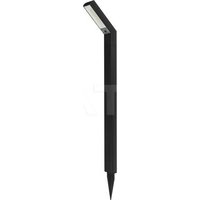
VT-3620 - Világítás V-TAC - Ingyenes használati útmutató
Találja meg az eszköz kézikönyvét ingyenesen VT-3620 V-TAC PDF formátumban.


Felhasználói kérdések a következőről VT-3620 V-TAC
0 kérdés erről a készülékről. Válaszolj azokra, amiket ismersz, vagy tedd fel a sajátod.
Tegyél fel egy új kérdést erről a készülékről
Töltse le az útmutatót a következőhöz Világítás PDF formátumban ingyenesen! Találja meg kézikönyvét VT-3620 - V-TAC és vegye vissza elektronikus eszközét a kezébe. Ezen az oldalon közzé van téve az eszköze használatához szükséges összes dokumentum. VT-3620 márka V-TAC.
HASZNÁLATI ÚTMUTATÓ VT-3620 V-TAC
V-TAC
Meaningful Innovation.
WEE Number: 0015970
INSTRUCTION MANUAL
2016年1月
TECHNICAL DATA:
| Model | V1-3620 |
| SKU | 5888 |
| Input voltage | CC.48V |
| Luminosity | 200LM |
| Force | 20W |
| Beam Angle | 90° |
| O2 | ±90 |
| Body Type | Amm. mm |
Google Auderet
- 2014年
O
- 陈松
V-TAC
(SMART)
(二)登记方法
03
WARRANTY
表决情况:同意7个

INTRODUCTION & WARRANTY
There you are seeking and buying MABETIC SMART TRACKS RICH Y TAO, will leave the best place. These instructions call before marking the installation and keep this manual library to provide revenue. It may be any other query, please connect our orders or local orders from your own service purchase the product. They are issued and ready to receive your at the best. The warranty is set for 2 years from the law of purchase. The warranty does not take a license to be accepted but not valid after or on behalf of any time. The company agrees to warranty upon written agreement to any sale, due to its current removal and elimination of the products. The products are not liable for 10-20 hour daily operation. Usage of product for 24 hours a day would make the warranty. This product is connected for men, featuring delivery only.

MULTI-LANGUAGE MANUAL QR CODE
France are the 29ème de la vente du mobile lesse clos.
The quick brown fox jumps over the lazy dog.
1/12 2/12 3/12 4/12
Step 5: Grampal (anammonodally, contral)
step 6, you will be redirected to below page, where the free requests regularly and window
In this case, the following
- _1 , _1 , _2 , _2 , _3 , _3 , _4 , _4 , _5 , _5 , _6 , _6 , _7 , _7 , _8 , _8 , _9 , _9 , _10 , _10 , _11 , _11 , _12 , _12 , _13 , _13 , _14 , _14 , _15 , _15 , _16 , _16 , _17 , _17 , _18 , _18 , _19 , _19 , _20 , _20 , _21 , _21 , _22 , _22 , _23 , _23 , _24 , _24 , _25 , _25 , _26 , _26 , _27 , _27 , _28 , _28 , _29 , _29 , _30 , _30 , _31 , _31 , _32 , _32 , _33 , _33 , _34 , _34 , _35 , _35 , _36 , _36 , _37 , _37 , _38 , _38 , _39 , _39 , _40 , _40 , _41 , _41 , _42 , _42 , _43 , _43 , _44 , _44 , _45 , _45 , _46 , _46 , _47 , _47 , _48 , _48 , _49 , _49 , _50 , _50 , _51 , _51 , _52 , _52 , _53 , _53 , _54 , _54 , _55 , _55 , _56 , _56 , _57 , _57 , a = -_0_0a_1_1a_2_2a_3_3a_4_4a_5_5a_6_6a_7_7a_8_8a_9_9a_10_10a_11_11a_12_12a_13_13a_14_14a_15_15a_16_16a_17_17a_18_18a_19_19a_20_20a_21_21a_22_22a_23_23a_24_24a_25_25a_26_26a_27_27a_28_28a_29_29a_30_30a_31_31a_32_32a_33_33a_34_34a_35_35a_36_36a_37_37a_38_38a_39_39a_40_40a_41_41a_42_42a_43_43a_44_44a_45_45a_46_46a_47_47a_48_48a_49_49a_50^^(^^)(^^)(^^)(^^)(^^)(^^)(^)()(n)(_n)(_n)(_n)(_n)(_n)(_n)(_n)(_n)(_n)(_k)(_k)(_k)(_k)(_k)(_k)(_k)(_k)(_k)(_k)(_l)(_l)(_l)(_l)(_l)(_l)(_l)(_l)(_l)(_l)(_m)(_m)(_m)(_m)(_m)(_m)(_m)(_m)(_m)(_m)(_n)(_n)(_n)(_n)(_n)(_n)(_n)(_n)(_n)(_m)(_m)(_m)(_m)(_m)(_m)(_m)(_m)(_m)(_k)(_k)(_k)(_k)(_k)(_k)(_k)(_k)(_k)(_m)(_m)(_m)(_m)(_m)(_m)(_m)(_m)(_m)(_l)(_l)(_l)(_l)(_l)(_l)(_l)(_l)(_l)(_k)(k-1, k-1, k-2, k-3, k-4, k-5, k-6, k-7, k-8, k-9, k-10, k-11, k-12, k-13, k-14, k-15, k-16, k-17, k-18, k-19, k-20, k-21, k-22, k-23, k-24, k-25, k-26, k-27, k-28, k-29, k-30, k-31, k-32, k-33, k-34, k-35, k-36, k-37, k-38, k-39, k-40, k-41, k-42, k-43, k-44, k-45, k-46, k-47, k-48, k-49, k-50, k-51, k-52, k-53, k-54, k-55, k-56, k-57, k-58, k-59, k-60, k-61, k-62, k-63, k-64, k-65, k-66, k-67, k-68, k-69, k-70, k-71, k-72, k-73, k-74, k-75, k-76, k-77, k-78, k-79, k-80, k-81, k-82, k-83, k-84, k-85, k-86, k-87, k-88, k-89, k-90, k-91, k-92, k-93, k-94, k-95, k-96, k-97, k-98, k-99, l = -
Sep 13: O-aryous clavics in monosocial
adlec, resa"te device to you
preference
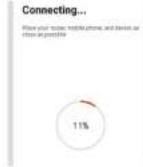
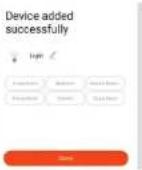
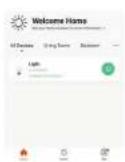
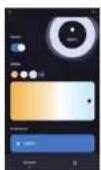
Step II. After successfully raising the 50% of users with the app, you can start controlling mobile features of the ramp through your mobile—on/off switch, timing & activation, and more.
5/12 6/12 7/12 8/12
WARNING
-
Please create sure it are off the power before exiting the radio button.
-
Installation must be performed by a certified person.
-
Paper processing should be around 100 gm of a high volume of materials
-
- 10.


product should not be exposed

[Non-Text]
(No text)
RoHS
CE UK CA
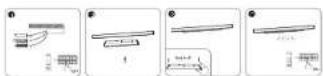
INSTALLATION INSTRUCTION
-
Switch at the power
-
Instal the luminaire into the gude ral groove
-
Check for everything in order
-
- A. the power of the electric field, which is a constant
APP INSTALLATION
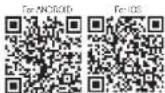
Step 2: Store the given QR code, or download Y-142 Smart Light from the App Store (JOS) or the Google Store (Architect).
ALEXA SETTINGS
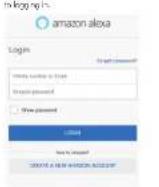
Septinata the Amazon Alcoagrapine Inc. App Store/USA or the Sky Store (Android) and region. If you should have an existing amount with Amazon Alcoagapine processed to them in.
Step 10 on 2075 and 1980
(1) 2017年1月1日
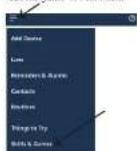
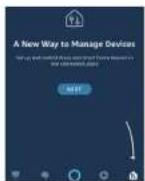
"skills and games" as shown below.
S###
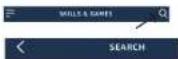
"Beis & Games" page as shown below.
Search
V-TAC Smart Light
Step 1: Open traffic (C)
"up on register for creating a new account.
(四)本报告期,公司实现的效益为:
V-TAC Smart Light
Step 9. Refer the verification case which will be sent to your mobile number email, then assign a new packet to your account and tap on "Centrim".
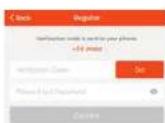
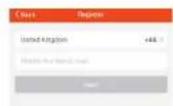
Step 4: At a time a number of select the country, then enter your mobile number. Once done up "Next." Dr E-Date: From your email at and up on "Next."
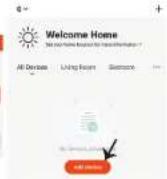
Stop 6. lag on 'AddDevice' or the -1 page. Make sure the lamp is switched on.
Stepix Erodin FoS&L
Stepb Enter your V-TAC SmartLightLogic
[1 and pressure and lesion “UK Now”]

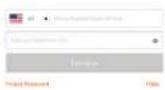
Step7: Once your top on Link blow, you will be directed to a new page requesting for further articles or images below. Taper on "Authorize"
Step: You will receive confirmation of the account being immediately after image below.


Alexa by Amazon will be able to Receive your public profits. Control your devices over internet


V-TAC has been successfully linked.
Wait to do next:
- Clear the window to discover small home details, you can match with Home.
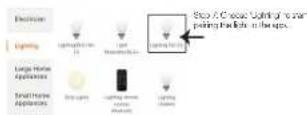
Step 8: Target the division with LED Smart Striplight making the light is broken rapidly. On the light line quickly, the light is in point-ground. I think it is not being rapidly, you are due to the following steps
A. Switch that gets on 5% oil per ton per barrel 3 times, with a total number of bales from 2 September.
B. Tap the "how to make light of ultrasonic" link up shown on the image to the right. So you came to enable pairing mode from the Wi-Fi controller. Press and held the UAVI-F, then for a record and will tell you to observe the light flashing. Please refer to the reduction set on "Wi-Fi CONTROLLER FUNCTIONS".
m = 311
Network Version In Smart Media Link (The image)
- 2014年1月1日
Condition for light (b) is rapidly, rather than 75-10 hours, and serves the password.
text_image
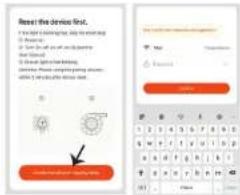
Reset the device first. I have a warning that you need to is necessary. If you need to be able to get your this device. I should change your weather. You can't get your own weather. You can't get your own weather. You can't get your own weather. You can't get your own weather. You can't get your own weather. You can't get your own weather. You can't get your own weather. You can't get your own weather. You can't get your own weather. You can't get your own weather. You can't get your own weather. You can't get your own weather. You can't get your own weather. You cannot get your own weather. You can't get your own weather. You can't get your own weather. You can't get your own weather. You can't get your own weather. You can't get your own weather. You can't get your own weather. You can't get your own weather. You can't get your own weather. You can't get your own weather. You can't get your own weather. You can't get your own weather. You can't get your own winter.Borby, Dianan, Yangnan, Nanjing, Nanjing, Nanjing, Nanjing, Nanjing, Nanjing, Nanjing, Nanjing, Nanjing, Nanjing, Nanjing, Nanjing, Nanjing, Nanjing, Nanjing, Nanjing, Nanjing, Nanjing, Nanjing, Nanjing, Nanjing, Nanjing, Nanjing, Nanjing, Nanjing, Nanjing, Nanjing, Nanjing, Nanjing, Nanjing, Nanjing, Nanjing, Nanjing, Nanjing
(A) You can use voice command "Also discover devices" to the Also device which you have.
By to add device manually on home page top on which you are soloing and top on discover devices.
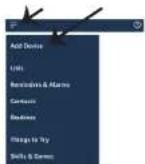
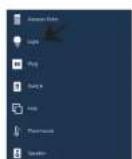
Note: Discovering the device must be done every time the device's name is changed on it.
(1) 物
ALEXIA COMMUNES
Now, you can come your remart device using voice commands on Flexa. See our area
Low compensation costs
▶ Alm. Arvouffedecanigal
▶ Alex, on backman light in 50 persons.
THU02 TO REMENDED BEFORE STARTING INSTALLATION
THINGS TO REMEMBER BEFORE STARTING
- V-13: Smart Light Ago & Amazon Audio Ago
- When you have Amazon Asia, Change (including Echo, Echo Tap, or Echo Out)
- Smart Locks - Lamp
A. Shao, 2017 (note:
text_image
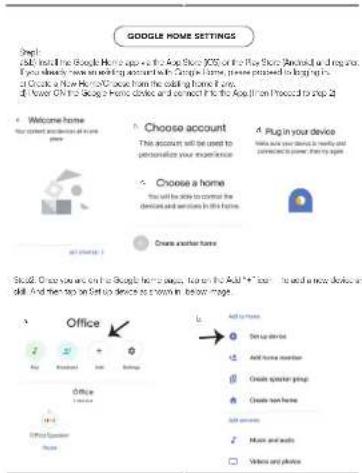
GOOGLE HOME SETTINGS Step: Add the Google Home app to add the Dog Store (XOS) on the Page Store. Android is required. You directly have an existing account in Google home, please proceed to begin up in Google's New York Store from the adding home it. Then, you can add a new home computer. And then add a new home computer to add a new home computer to add a new home computer to add a new home computer to add a new home computer to add a new home computer to add a new home computer to add a new home computer to add a new home computer to add a new home computer to add a new home computer to add a new home computer to add a new home computer to add a new home computer to add a new home computer to add a new home computer to add a new home computer to add a new Home Computer to add a new Home Computer to add a new Home Computer to add a new Home Computer to add a new Home Computer to add a new Home Computer to add a new Home Computer to add a new Home Computer to add a new Home Computer to add a new Home Computer to add a new Home Computer to add a new Home Computer to add a new Home Computer to add a new Home Computer to add a new Home Computer to add a new Home Computer to add a new Home Computer to add a New Home Computer to add a New Home Computer to add a New Home Computer to add a New Home Computer to add a New Home Computer to add a New Home Computer to add a New Home Computer to add a New Home Computer to add a New Home Computer to add a New Home Computer to add a New Home Computer to add a New Home Computer to add a New Home Computer to add a New Home Computer to add a New Home Computer to add a New Home Computer to add a New Home Computer to Add a New Home Computer to Add a New Home Computer to Add a New Home Computer to Add a New Home Computer to Add a New Home Computer to Add a New Home Computer to Add a New Home Computer to Add a New Home Computer to Add a New Home Computer to Add a New Home Computer to Add a New Home Computer to Add a New Home Computer to Add a New Home Computer to Add a New Home Computer to Add a New Home Computer to Add a New Home Computer to Add a New Home9/12
text_image
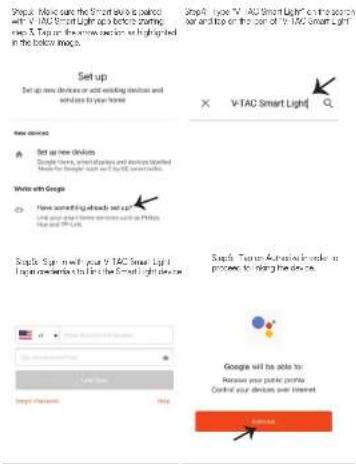
Snap. Make sure the Smart key is placed with V-TAC Smart Light up a before starting step & Tap or the new device are highlighted in the bottom mode. Set up Set up new devices or add existing devices and settings to your home. V-TAC Smart Light New devices Set up new devices Google Touch, smart devices and devices labeled Made for Google Touch and the V-TAC Smart light. Video with Google How something about we can? Use your own video content with Puzzles Image and PDFs. Simple Sign with your V-TAC Smart Light Log on which it is the V-TAC Smart Light device. Simple Touch Advanced in order to process to listing the device. Google will be able to: Release your picnic portfolio Confirm your devices over interest10/12
text_image
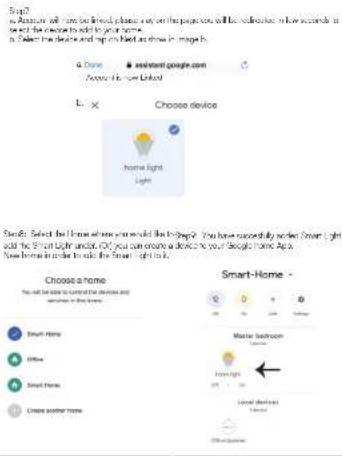
Step1 to Annate will not be linked please say on the page you will be deleted in how seconds in be and the video to add your home. Is: Select the device and get on March as shown in image 6. L: × Choose device Home Light Light Choose a home You will be able to connect the devices and service in this home. Smart Home Other Smart Home Create another home Smart-Home Master Bedroom Light Home Light Local devices Light Smart Home -11/12
text_image
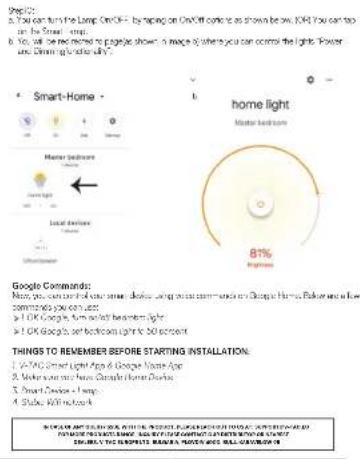
A. You can turn the Lamp On OFF - by running on OnOff corner as shown below. KIRI. You can too on the Smart home. B. You will be removed to page earlier shown in image of where you can control the lights. Power and Dimming is ready. Smart Home - Home bedroom Home Light Master bedroom 81% Highway Google Commands: Maxx, you can control your smart bedroom using your own community on Google's Home. Pushers are a low commends you can use a) OK Google's turn left home night b) OK Google's turn left room in 30 seconds TIGHTS TO REMEMBER BEFORE STARTING INSTALLATION: A: V-ADC Smart Light App & Google Name App B: Make your own new Google Home Decor C: Smart Device + lamp D: Stuck, 90% remote SCHOOL MOUNTED WITH YOUR NAME, PAPER, ORDER, ORDER, ORDER, ORDER, ORDER, ORDER, ORDER, ORDER, ORDER, ORDER, ORDER, ORDER, ORDER, ORDER, ORDER, ORDER, ORDER, ORDER, ORDER, ORDER, ORDER, ORDER, ORDER, ORDER, ORDER, ORDER, ORDER, ORDER, ORDER, ORDER, ORDER, ORDER, ORDER, ORDER, ORDER, ORDER, ORDER, ORDER, ORDER, ORDER, ORDER, ORDER, ORDER, ORDER, ORDER, ORDER, ORDER, ORDER, ORDER, ORDER, Order, Master's Master's Master's Master's Master's Master's Master's Master's Master's Master's Master's Master's Master's Master's Master's Master's Master's Master's Master's Master's Master's Master's Master's Master's Master's Master's Master's Master's Master's Master's Master's Master's Master's Master's Master's Master's Master's Master's Master's Master's Master's Master's Master's Master's Master's Master's Master's Master's Master's Master's Master ORDER: THE CHAPPEE MANUAL'S MASTER AND BAL-GROWDER12/12