Black Mirror IZ-7004 - Kitchen scale Izzy - Free user manual and instructions
Find the device manual for free Black Mirror IZ-7004 Izzy in PDF.


| Product Type | Kitchen Scale |
| Model | Black Mirror IZ-7004 |
| Brand | Izzy |
| Power Source | 3x AAA batteries (1.5V each) |
| Maximum Capacity | 10 kg / 22 lb / 10000 ml / 352 fl oz |
| Display Type | LCD screen |
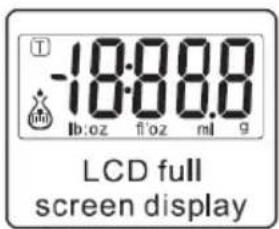
| Weighing Units | g, ml, fl oz, lb:oz |
| Modes | Weight, Milk Volume, Water Volume |
| Tare Function | Yes, by pressing Power/Tare button |
| Auto Off | After 2 minutes of inactivity |
| Manual Off | Press and hold Power/Tare button |
| Overload Indication | "Err" on display |
| Low Battery Indication | "LO" on display |
| Color | Black |
| Usage | Indoor, domestic only |
| Cleaning | Wipe with damp cloth; do not immerse |
| Safety Features | Overload protection, auto shut-off, flat surface requirement |
| Compatibility with Food | Conforms to EC regulation 1935/2004 |
| Warranty | 2 years from purchase date |
| Parts Included | Weighing platform, LCD screen, control buttons, battery compartment |
Frequently Asked Questions - Black Mirror IZ-7004 Izzy
User questions about Black Mirror IZ-7004 Izzy
0 question about this device. Answer the ones you know or ask your own.
Ask a new question about this device
Download the instructions for your Kitchen scale in PDF format for free! Find your manual Black Mirror IZ-7004 - Izzy and take your electronic device back in hand. On this page are published all the documents necessary for the use of your device. Black Mirror IZ-7004 by Izzy.
USER MANUAL Black Mirror IZ-7004 Izzy
natural_image
Line drawing of a flat electronic device with a rectangular slot and two circular holes (no text or symbols)1
2
3
4
5
6
We thank you for having chosen an appliance from the IZZY range.
Safety Interlocks


Please read these instructions carefully before using the appliance and save them for future reference. Please keep the sales receipt for guarantee purposes (pls see below “Guarantee and Customer Service”). Any use which does not conform to the instructions will absolve IZZY from any liability.
- The scale is intended for indoor use. Do not use it outdoors.
- The scale is intended only for domestic use. Any other use will cancel the warranty.
- Never use the scale for any other use than indicated.
- Your scale is electronic and thus its function may be influenced temperature variations or by its movement.
- The scale must be placed on a flat, stable, smooth, and sheltered area. Always place the scale on a sheltered area when in use as air movement and may affect its accuracy.
• Always ensure the weighing platform is thoroughly clean before placing items directly on its surface. - When weighing, do not place items on the edge of the weighing platform, always place them in the centre.
- Do not overload the scale by exceeding the maximum weighing capacity of 10kg/22lbs/10000ml/352fl'oz as this may damage the weighing sensor.
- Do not allow the scale to come into contact with strongly flavoured/coloured food or acids such as the zest from citrus fruits which could damage the surface of the scale.
-
Do not expose the scale to any high electro-magnetic fields such as a cordless portable phone, computer, microwave oven etc. as this will interfere with the functioning and accuracy of the scale.
-
Do not use excessive force when pressing the touch pads and never use a sharp object to operate them.
- Do not subject the scale to excessive force.
- Do not place hot food or hot containers such as saucepans onto the weighing platform.
- Never cut food on the weighing platform as sharp implements such as knives will damage the surface.
- Do not stand the scale near an oven or other direct source of heat.
- Do not operate or stand the scale in places with high humidity, where it may get wet.
- Never use highly corrosive or abstractive cleaning agents. Never use metal scouring pads for cleaning.
- Do not move the kitchen scale when in operation.
- Do not touch the kitchen scale with wet or damp hands.
- In case of a possible damage, do not attempt to repair the scale by yourself. Please contact one of the authorized PYREX-BENRUBI service centers.
- Any repair made by an unauthorized PYREX-BENRUBI Service Center CANCELS THE GUARANTEE.
- Any misuse of the device cancels the warranty.
- The appliance conforms EC regulation no. 1935/2004 of 27/10/2004 on materials intended to contact with food.
SAVE THESE INSTRUCTIONS
Parts of the Appliance
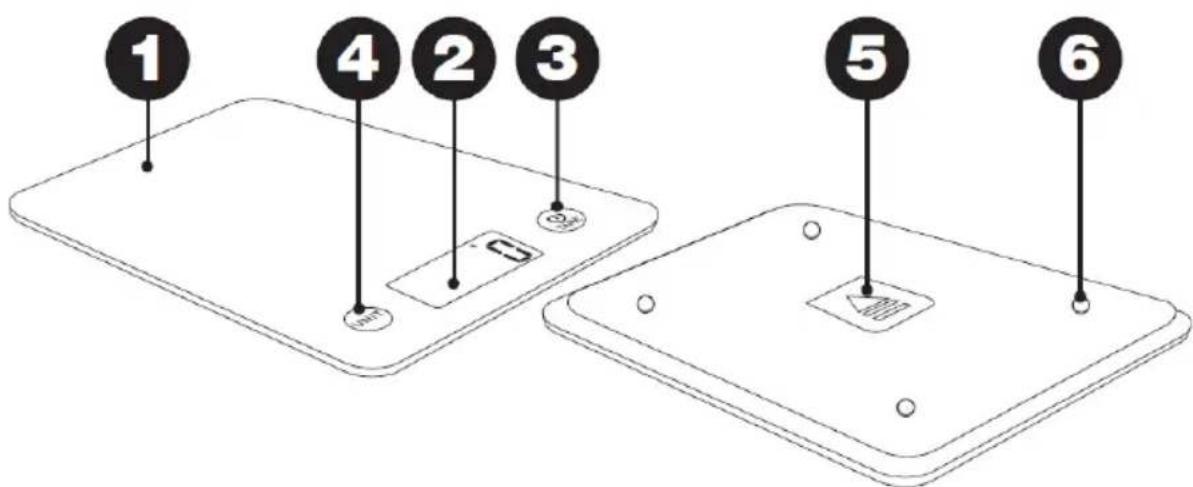
- Weighing platform
- LCD screen
- Power / TARE button
- Unit/Mode switch button
- Battery cover
- High precision sensors
Batteries Installation & Replacement
- Make sure you connect the batteries with the correct polarity.
- If the scale is not going to be used for a long time, remove the batteries batteries installation:
- Unclip the battery cover (5) on the underside of the scale by pushing the clip inwards and then lifting off. Place the batteries inside the battery compartment, connecting them to the appropriate polarity.
- Clip the battery cover back into place.
Note: During use, if the battery symbol "LO" appears on the screen, it means that battery power is low and the batteries should be replaced.
Batteries replacement:
- Unclip the battery cover (5) on the underside of the scale by pushing the clip inwards and then lifting off. Remove the old batteries and fit the replacement (3xAAA),
- Clip the battery cover back into place
Disposal of the old batteries:
Please refer to section for the correct disposal of the product.
Using Your Kitchen Scale
natural_image
Line drawing of a rectangular electronic device with a slot and mounting holes (no text or symbols)1
2
3
4
5
6
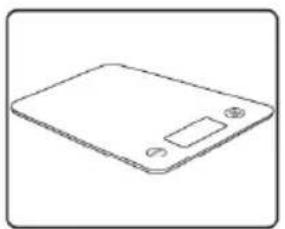
Always place the scale on a dry and flat surface prior to weighing.
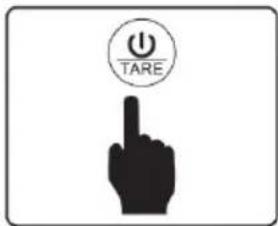
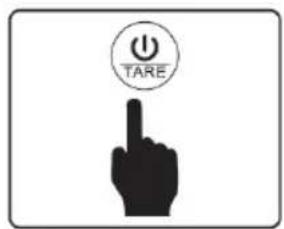
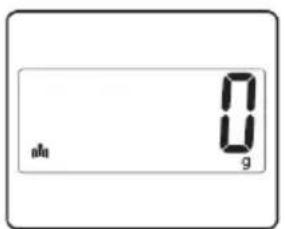
- Press the "Power/Tare button" (3) to switch on.
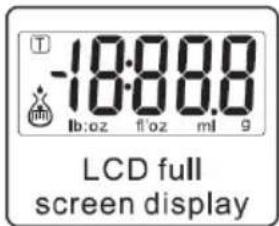
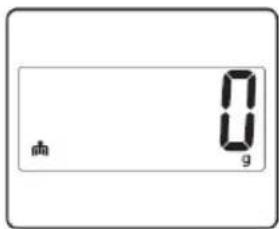
- LCD screen (2) will turn on and the display will show "0".
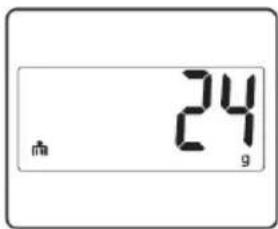
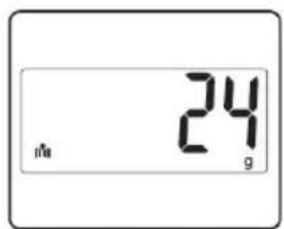
- Place the item to be weighed onto the platform (1). The weight will appear on the display.
Note: The scale will read "Err" if it is trying to weigh above its capacity.
Select mode:
After switching on the scale, touch the "Unit/Mode switch button" (4). Each time the button is touched, the mode displayed will alternate among weight mode/milk volume mode/water volume mode.
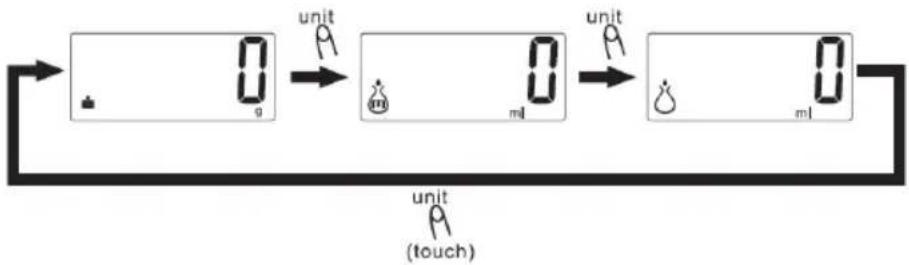
flowchart
graph LR
    A["+"] --> B["0.9"]
    B --> C["unit 0.9"]
    C --> D["0.9"]
    D --> E["unit 0.9"]
    E --> F["0.9"]
    F --> G["unit 0.9"]
    G --> H["(touch)"]
Select weighing units:
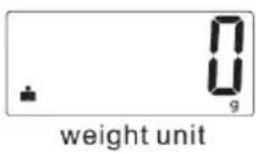
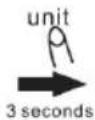
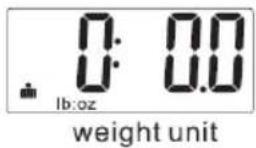
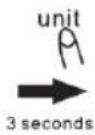
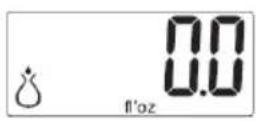
After switching on the scale, long press the «Unit/Mode switch button» (4). Each time the button is long pressed, the weighing unit displayed will alternate among ml / g / fl.oz / lb oz.
- weight mode
2.milk volume mode
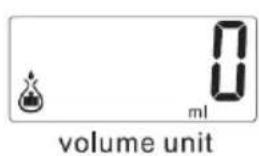
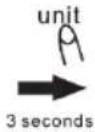
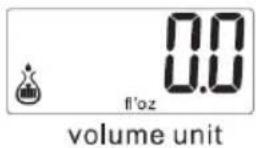
- water volume mode
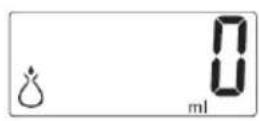
Add and weigh:
- After the weight is displayed, press the "Power/Tare button" (3) and the LCD screen (2) will show "0".
- Add the next ingredient and the weight of that ingredient will be displayed.
- This can be repeated until all the ingredients are weighed.
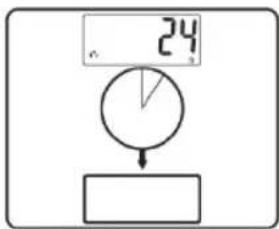
Note: "Tare" will be displayed on the lower left corner of the LCD screen if the weight of the first ingredient is over 200gr.
Note: The maximum capacity is 10kg/22lbs/10000ml/352fl'oz. This is the total weight of all ingredients plus the weight of the bowl.
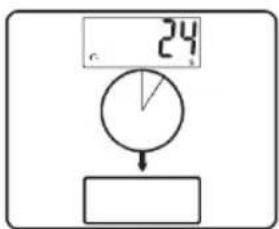
Auto switch off:
Automatic switch off will occur if the scale shows the same weight reading for 2 minutes.
Manual switch off:
To conserve the battery power, switch off the scale when not in use. To do this, press and hold the "Power/Tare button" (3) until the LCD screen (2) switches off.
Care and Cleaning
- Do not immerse the scale in water. Wipe over the scale with a damp cloth, then dry thoroughly.
- Do not use abrasive or chemical agents to clean.
Technical Characteristics
Model: Kitchen Scale La Crema / Black Mirror IZ-7004
Batteries: 3xAAA (1.5V each)
Safe Appliance Disposal
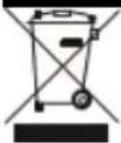
At the end of its working life, the product must not be disposed of as urban waste. It must be taken to a special local authority differentiated waste collection centre or to a dealer providing this service. Disposing of a household appliance separately avoids possible negative consequences for the environment and health deriving from inappropriate disposal and enables the constituent materials to be recovered to obtain significant savings in energy and resources.
As a reminder of the need to dispose of household appliances separately, the product is marked with a crossed-out wheeled dustbin.
Guarantee & Customer Service
- BENRUBI Company guarantees its products for any manufacturing defect or defective materials for a period of two (2) years from the date of purchase or delivery by present purchase receipt. If your product malfunctions or you find any defects, please revert to the retail location you have purchased it from or contact an authorized BENRUBI Service Centre. To find the nearest authorized BENRUBI Service Centre, visit our website www.benrubi.gr. It is in the discretion of BENRUBI Company to replace or repair the defective product.
- The warranty does not cover damages resulting from normal wear, breakage, improper installation or maintenance of the product, mishandling, abnormal working conditions, failure to implement the instructions, conversion or repair of the product by an unauthorized technician who does not belong to the BENRUBI Service Centers.
Also, the warranty does not cover the following indicative factors:
• Stains, discoloration or scratches.
• Burns due to exposure to heat or flame.
- Damage from thermal shock (sudden temperature change or change of voltage).
FOR MORE INFORMATION CONTACT:
(NEW) H. BENRUBI & FILS SA
27 Aghiou Thoma str, GR15124
Maroussi – Athens
Tel.: 210 6156400, Fax: 210 6199316
e-mail: benrubi-sda@benrubi.gr


- Safety Interlocks
- SAVE THESE INSTRUCTIONS
- Parts of the Appliance
- Batteries Installation & Replacement
- Batteries replacement:
- Disposal of the old batteries:
- Using Your Kitchen Scale
- Select mode:
- Select weighing units:
- Add and weigh:
- Auto switch off:
- Manual switch off:
- Care and Cleaning
- Technical Characteristics
- Safe Appliance Disposal
- Guarantee & Customer Service
Brand : Izzy
Model : Black Mirror IZ-7004
Category : Kitchen scale