
35U3-Sirius - External hard drive enclosure LC-Power - Free user manual and instructions
Find the device manual for free 35U3-Sirius LC-Power in PDF.


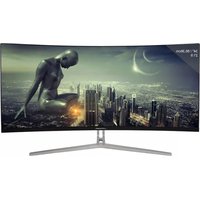
| Product Type | Computer Monitor |
| Model | 35U3-Sirius |
| Brand | LC-Power |
| Display Size | 35 inches |
| Resolution | 3440 x 1440 (Ultrawide QHD) |
| Refresh Rate | 100 Hz |
| Panel Type | VA (Vertical Alignment) |
| Curvature | 1500R |
| Brightness | 300 cd/m² |
| Contrast Ratio | 3000:1 (Static) |
| Response Time | 4 ms (GTG) |
| Connectivity | 1 x DisplayPort 1.4, 1 x HDMI 2.0, 1 x USB-C (DP Alt Mode, 65W PD), 2 x USB 3.0, 3.5mm Audio Out |
| VESA Mount | 100x100 mm |
| Dimensions (with stand) | 838 x 586 x 280 mm (WxHxD) |
| Weight (with stand) | 11.5 kg |
| Power Consumption | Typical 65W, Standby 0.5W |
| Input Voltage | 100-240V AC, 50-60 Hz |
| Features | FreeSync Premium, Low Blue Light, Flicker-Free, Picture-in-Picture, On-Screen Display (OSD) |
| Accessories Included | Stand, Power Cable, DisplayPort Cable, USB-C Cable, Quick Start Guide |
| Recommended Use | Gaming, Multimedia, Productivity |
Frequently Asked Questions - 35U3-Sirius LC-Power
User questions about 35U3-Sirius LC-Power
0 question about this device. Answer the ones you know or ask your own.
Ask a new question about this device
Download the instructions for your External hard drive enclosure in PDF format for free! Find your manual 35U3-Sirius - LC-Power and take your electronic device back in hand. On this page are published all the documents necessary for the use of your device. 35U3-Sirius by LC-Power.
USER MANUAL 35U3-Sirius LC-Power
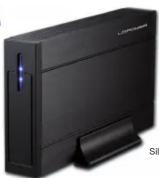
User Manual USB 3.0 enclosure for a SATA HDD (8,89cm/3,5")

Silent Power Electronics GmbH
Formerweg 8 47877 Willich
Germany
support@lc-power.com
www.ic-power.com
Thank you for purchasing a hard disk drive enclosure from LC-Power. Please read the manual before usage. Specifications may be subject to change without prior notice.
1. Specifications
Hard disk drive enclosure for a 8,89cm/3,5" SATA HDD
- USB 3.0, downwardly compatible to USB 2.0 and USB 1.1 - For a 8,89cm/3,5" SATA hard disk drive up to 4TB Chinect for SATA 6Ch/p (for SATA I/II/III)
- LED status indicator
- LED status indicator - Plug'n'Play
Nominal data transfer rate:
- Superspeed up to 5Gb/s (USB 3.0)
- Highspeed up to 480Mb/s (USB 2.0)
- Fullspeed up to 12Mb/s (USB 1.1)
System compatibility:
Windows XP/Vista/7/8, Mac OS 9.2, Linux 2.4.2 or higher
Included in delivery:
Enclosure, USB 3.0 cable, external power supply, stand, mounting material and manual
2. Installation
Step 1:

Unscrew both screws on the side of the enclosure and remove the HDD rack.
Step 2:

Connect the 8,89cm/3,5" SATA hard disk drive with the matching connector of the PCB interface. Fix the hard disk drive to the HDD rack.
Step 3:
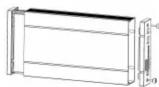
Move the HDD rack and the hard disk drive into the enclosure and fix it with the screws to the enclosure. (Hard disk drive not included in delivery)
3. Notes
Avoid direct sunlight and a high temperature environment, keep the enclosure far away from fire and heat sources.
Keep it in dry places, keep it away from corrosiveness causing materials.
We recommend that parents should guide their children using the item, strictly following the notes in this manual.
4. Service
The product has a two year warranty period from the date of purchase, service issues will be handled by your dealer.
If the enclosure is damaged due to improper operation, the warranty period expires immediately.
Check www.lc-power.com or contact us by e-mail at support@lc-power.com.

www.lc-power.com
Brand : LC-Power
Model : 35U3-Sirius
Category : External hard drive enclosure