
NETWORK CAMERA RANGE 2014 BROCHURE - Surveillance Camera CANON - Free user manual and instructions
Find the device manual for free NETWORK CAMERA RANGE 2014 BROCHURE CANON in PDF.


| Product Type | Network Surveillance Camera |
| Brand | Canon |
| Model | 2014 Range (PTZ, Dome, Box, Mini-dome, Fixed) |
| Sensor | 1/3-inch CMOS with primary color filter, Progressive Scan |
| Video Resolution | Up to Full HD 1920x1080 (depending on model) |
| Lens | Optical zoom 3x, 3.5x or 20x depending on model (f/1.2 to f/3.5) |
| Horizontal Viewing Angle | From 55.4° (telephoto) to 112.6° (wide-angle) depending on model |
| Low Light Performance | Day: 0.25 lux (color), Night: 0.008 lux (mono) depending on model |
| Day/Night Mode | IR cut filter or digital mode depending on model |
| Video Compression | H.264 and JPEG, dual H.264 stream possible |
| Intelligent Functions | Motion detection, abandoned/removed object, crossing, crowd, tampering |
| Image Functions | Smart Shade Control (Auto SSC), backlight compensation |
| Audio | Line or mic input/output, bidirectional on certain models |
| Power Supply | PoE (IEEE 802.3af), 12V DC, 24V AC |
| Storage | SD/SDHC/SDXC card up to 128 GB (depending on model) |
| Alarms | Alarm input/output (1 or 2 depending on model) |
| Dimensions (approx.) | Diameter 120-186 mm, height 54-155 mm depending on model |
| Weight (approx.) | 180 g to 1920 g depending on model |
| Installation | PTRZ (Pan/Tilt/Rotation/Zoom) via software tool |
| Outdoor Protection | IP66 for outdoor models |
| Network Security | IPsec, HTTPS (secure HTTP) |
| Compatibility | ONVIF Profile S, Canon WebView API, SDK |
| Maintenance | Clean the housing with a soft, dry cloth. Do not use solvents. |
| Spare Parts / Repairability | Lenses, mounts, covers, heaters available as options. Repair by Canon authorized service center. |
Frequently Asked Questions - NETWORK CAMERA RANGE 2014 BROCHURE CANON
User questions about NETWORK CAMERA RANGE 2014 BROCHURE CANON
0 question about this device. Answer the ones you know or ask your own.
Ask a new question about this device
Download the instructions for your Surveillance Camera in PDF format for free! Find your manual NETWORK CAMERA RANGE 2014 BROCHURE - CANON and take your electronic device back in hand. On this page are published all the documents necessary for the use of your device. NETWORK CAMERA RANGE 2014 BROCHURE by CANON.
USER MANUAL NETWORK CAMERA RANGE 2014 BROCHURE CANON
Keep every angle covered
Never miss a thing with Canon Network Cameras
you can
Canon
Our heritage
When Canon was formed back in 1937, its founders set out a clear vision: to create the best cameras in the world. Today, this imaging ethos and an uncompromising commitment to innovation has kept us at the forefront of camera technology. This expertise has enabled us to create network cameras that offer outstanding image quality, with a range designed to protect businesses from undesirable threats.
Ensure your business is completely covered
Where surveillance really matters, Canon's range of network cameras offer a solution to cover every angle. Compact, yet big on performance, they deliver a wide field of vision and outstanding image quality, even in low-light where security risks are heightened. Thanks to over 70 years of imaging expertise, you can expect the finest details to be captured, recorded and usable – keeping your interests well protected and providing real-time management information.
Match your exacting requirements
Whether you're a systems integrator, consultant, or corporate security specialist, Canon offers a diverse portfolio of network cameras designed to make system design, tender specification, and your life, simpler.
Innovation that sets us apart
We set out to design cameras that delivered superior performance in the areas that matter most in the surveillance marketplace. Firstly, to offer outstanding image resolution. Secondly, to provide unbeatable low-light performance. And lastly, to deliver the widest possible angle of view. These aims have been comprehensively addressed and underpin our entire network camera range.
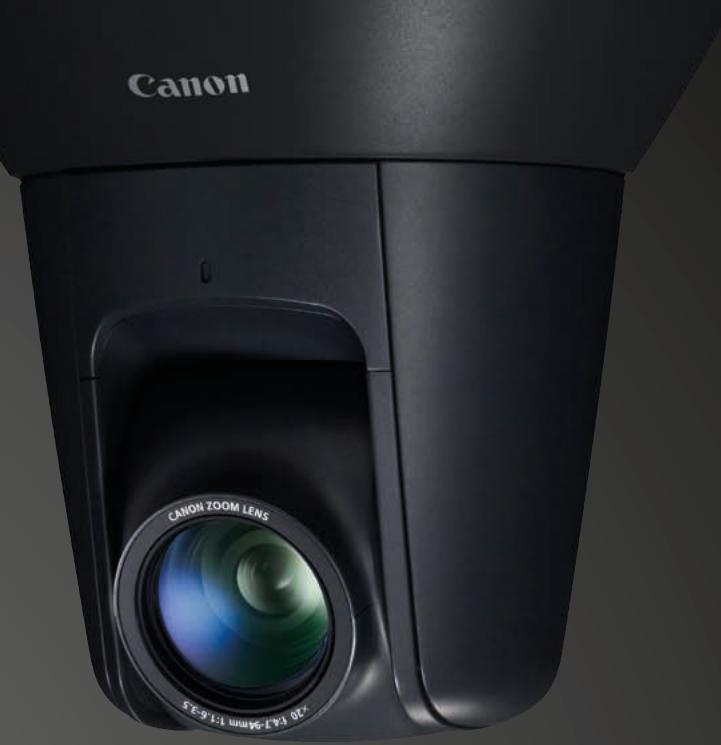
PTZ Cameras
Monitor expansive areas and follow subjects easily with our cameras' Pan, Tilt and Zoom (PTZ) capabilities. Ideal for applications like traffic management and city surveillance.
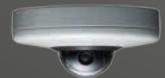
Dome Cameras
Our Dome cameras prove that surveillance can also be discrete. Compact and aesthetically pleasing, they're perfect for indoor and outdoor environments.
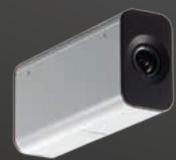
Box Cameras
Built to fit a diversity of security applications, our Box cameras enjoy wide viewing angles and are easy to install, whether wall or ceiling mounted.
Innovation that helps keep you informed
Our range of network cameras inherit the renowned technological innovations that reside within our professional cinema cameras. This means proven, high-quality image processing and lens technology, designed to keep you informed.
High definition
DIGIC processing
Dual image and network processors – DIGIC DV III and DIGIC NET II – enable seamless capturing, processing, encoding and transmitting of images. The DIGIC DV III engine - also used in Canon’s Cinema EOS professional movie cameras – provides exceptional video quality,
low noise, smooth gradations plus vivid and accurate colour reproduction – even in low-light conditions. While the high performance DIGIC NET II engine allows simultaneous delivery of 2x H.264 video streams in variable frame rates for the added advantage of monitoring and recording at different resolutions.
natural_image
Close-up of a Canon 3D camera lens with visible aperture and control panel (no text or symbols on the lens itself)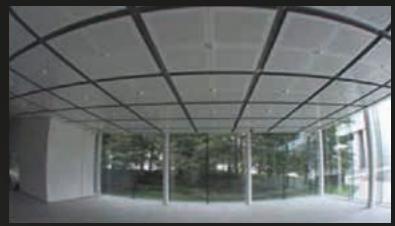
natural_image
Interior view of a modern building with arched glass roof and large windows, no visible text or symbolsStandard 96° wide-angle lens
natural_image
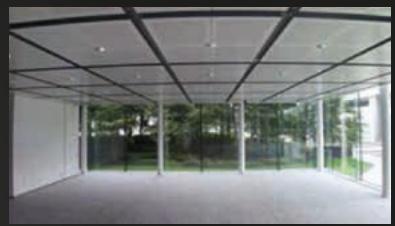
Exterior view of a modern glass-enclosed architectural space with trees and greenery (no signage or text visible)High-performance lens with minimal distortion

Renowned lens technology
Thanks to Canon's optical technology, our lenses deliver more light to the cameras sensors – achieving brighter and better-defined images.
CMOS Sensor
Our cameras use optimised video processing, the fruit of Canon's long years as a camera manufacturer, and a high sensitivity CMOS sensor. This ensures sharp images with low noise in all lighting conditions.
See everything with ease
Canon network security cameras offer a suite of capabilities that make surveillance a proactive affair. Real-time image adjustment, multistreaming, and sophisticated video analytics that diligently monitor and flag-up security breaches, ensure images translate into powerful evidence.
Auto Smart Shade Control
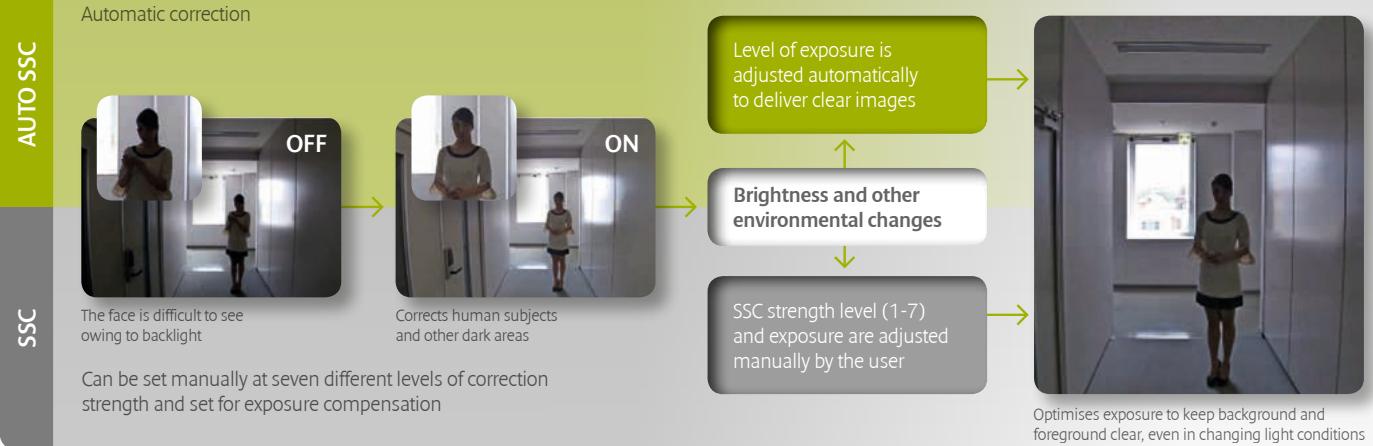
Where competitor cameras take a sequence of images at different shutter speeds and combine them into one to resolve scenes containing brightly lit backgrounds, Canon's Auto Smart Shade Control (Auto SSC) makes instant real-time adjustments for improving the visibility of foreground image. The net effect is that bright areas stay bright and only the darker areas are lightened, so hard-to-see silhouettes are instantly converted into clearly identifiable objects.
flowchart
graph LR
    A["Automatic correction"] --> B["OFF"]
    B --> C["Corrects human subjects and other dark areas"]
    C --> D["ON"]
    D --> E["Level of exposure is adjusted automatically to deliver clear images"]
    E --> F["Brightness and other environmental changes"]
    F --> G["SSC strength level (1-7) and exposure are adjusted manually by the user"]
    G --> H["Optimises exposure to keep background and foreground clear, even in changing light conditions"]
H.264
Multistreaming
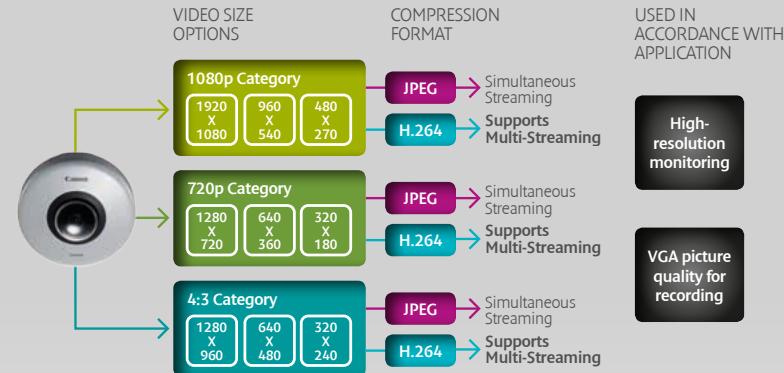
The processing power of DIGIC NET II enables delivery of dual H.264 video streams at different resolutions to provide greater flexibility in monitoring and recording. This allows for prioritising between monitoring in high resolution and recording in a lower resolution.
flowchart
graph TD
    A["Camera"] --> B["VIDEO SIZE OPTIONS"]
    B --> C["1080p Category"]
    C --> D["JPEG"]
    D --> E["Simultaneous Streaming"]
    C --> F["H.264"]
    F --> G["Supports Multi-Streaming"]
    H["720p Category"] --> I["JPEG"]
    I --> J["Simultaneous Streaming"]
    H --> K["H.264"]
    K --> L["Supports Multi-Streaming"]
    M["4:3 Category"] --> N["JPEG"]
    N --> O["Simultaneous Streaming"]
    M --> P["H.264"]
    P --> Q["Supports Multi-Streaming"]
    R["High-resolution monitoring"] --> S["VIDEO SIZE OPTIONS"]
    S --> T["1920 X 1920 X 1080"]
    S --> U["960 X 960 X 540"]
    S --> V["480 X 480 X 270"]
    W["VGA picture quality for recording"] --> X["VIDEO SIZE OPTIONS"]
    X --> Y["1280 X 1280 X 720"]
    X --> Z["640 X 640 X 360"]
    X --> AA["320 X 320 X 180"]
    AB["VIDEO SIZE OPTIONS"] --> AC["1280 X 1280 X 960"]
    AB --> AD["640 X 640 X 480"]
    AB --> AE["320 X 320 X 240"]

Intelligent Function
Intelligent Functions
Intelligent analytics allow for real-time analysis of potential security breaches. Up to 15 areas in a scene can be designated for detection using 6 different algorithms. This redefines traditional alarm detection methods by helping to reduce false alarms, increase efficiency, and reduce the storage needed, by only triggering the recording of genuine threats.
VIDEO SIZE OPTIONS
COMPRESSION FORMAT
USED IN ACCORDANCE WITH APPLICATION


Simultaneous Streaming

Supports Multi-Streaming


Simultaneous Streaming

Supports Multi-Streaming


Simultaneous Streaming

Supports Multi-Streaming
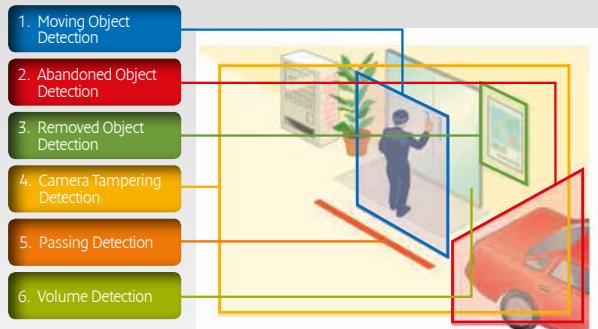
flowchart
graph TD
    A["1. Moving Object Detection"] --> B["2. Abandoned Object Detection"]
    B --> C["3. Removed Object Detection"]
    C --> D["4. Camera Tampering Detection"]
    D --> E["5. Passing Detection"]
    E --> F["6. Volume Detection"]

Understanding the specific needs of the security marketplace and where Canon's imaging expertise can be of benefit has been our key priority. This has resulted in a range of network cameras that offer a powerful and unique combination of features.
We've considered every angle
Stunning image quality
Our network security cameras allow you to enjoy fine, highly detailed images in Full HD resolution thanks to Canon's renowned DIGIC DV III image processor, originally developed for our professional video cameras. This processor delivers resolution at up to 1080p in 30fps and Canon's renowned colour reproduction.

PTRZ Installation
Once physically installed and connected to a network, the camera's position and angle of view can be electronically adjusted with the Camera Angle Setting Tool. The camera's direction can be changed intuitively by pressing the pan/tilt buttons, rotation sliders and the zoom slider that appear on the adjustment window. This enables just one person to complete the configuration, saving both time and money.
Class-leading low-light performance
Considering the importance of recognition ability for surveillance cameras, low-light performance and colour reproduction have been particularly enhanced in our cameras. As a result - while striking a balance across noise, resolution and colour reproduction - our cameras can deliver a usable colour even in low-light conditions. And in certain conditions, this can be further enhanced by enabling SSC / Auto SSC.
Wide viewing angles
A wide viewing angle makes the surveillance of large areas possible with fewer cameras. And thanks to Canon's optic technology, our lenses deliver more light to the cameras' sensors – achieving brighter, well-defined images. Traditional wide angle distortion is reduced by optimally arranging high quality aspherical lens elements, minimising the fish-eye effect.
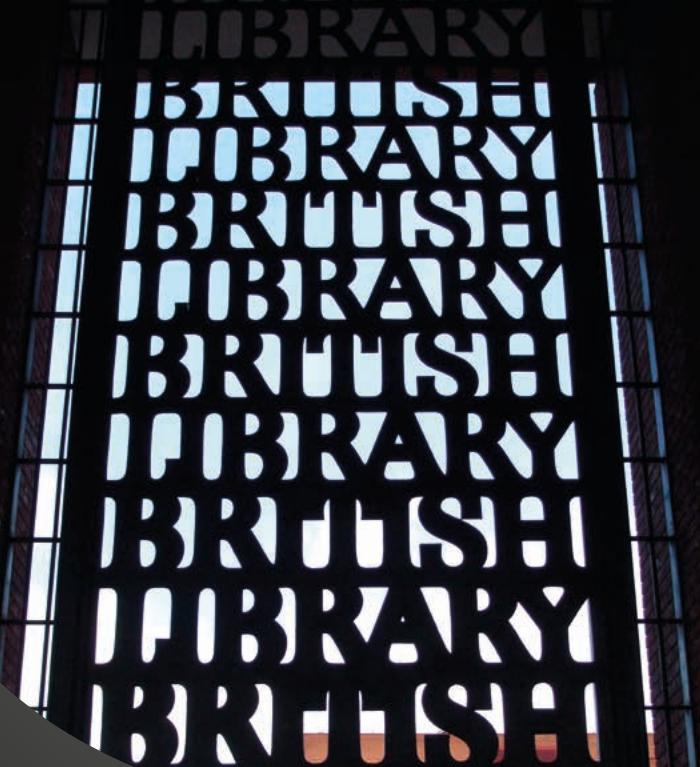
The British Library protects its valuable collection
Migrating to Canon's versatile network cameras makes significant quality improvements and cost savings.
Background and challenges As the 2nd largest library in the world, the British Library holds manuscripts, sound recordings, drawings, and millions of books. Its 20 year old surveillance system suffered from many problems: different day and night models, limited zoom, and a lack of analytical tools needed to protect it from acts of terrorism and vandalism.
natural_image
Close-up of a camera lens aperture with concentric rings and mounting holes (no text or symbols visible)Canon solution
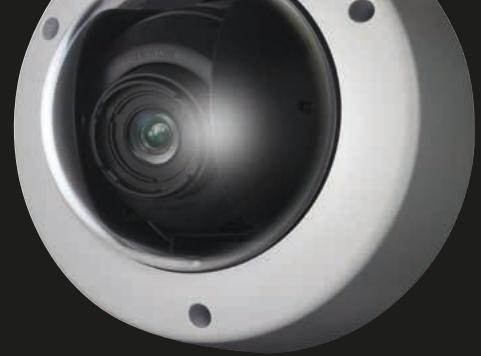
Over one hundred VB-H610Ds have become the library's new standard, due to their Full HD resolution, rich feature set and wide angle of view. Despite the British Library's architectural challenges, the VB-H610D's optical zoom lens technology makes it possible to capture an image and zoom in up to three times, maintaining image quality.
To help protect its most valuable books in the reading rooms, the surveillance system is to be further enhanced by introducing the Canon VB-H41. This Full HD Pan-Tilt-Zoom (PTZ) camera with its 20x optical zoom provides an advanced level of monitoring, enabling the security team to quickly identify any potential threats of theft or damage, while causing minimum disruption to the visitors.
Results
The British Library now has a far wider coverage area than was possible with the analogue cameras previously installed. With fewer cameras covering a larger space, the library saved approximately £250,000 in camera costs and associated installation charges.
"Canon has supported us in many ways – not only with its high quality cameras, but also with its excellent levels of post-sale support."
Bhanu Goud, Security Systems Manager, The British Library
Working in partnership
Whether you're a system integrator, distributor, consultant or an end user, rest assured that Canon is committed to delivering integration with your preferred surveillance solution.
ONVIFS
Integration solutions
As a result of a worldwide integration programme, our network cameras are compatible with a wide and growing number of third party VMS and NVR solutions. No matter if the development is managed by our HQ, regionally, or at a local level, all projects are backed by strong engineering support. Integration is enabled either through the use of own protocol specification, or via the ONVIF open standard.
Supported by a comprehensive SDK and development tools, the Canon WebView API protocol gives the deepest level of integration and enables all the features of our network camera to be fully supported by third party solutions. On the other hand using ONVIF as a base for integration enables new solutions to be supported quickly, as a first step before an API driver is developed, while still supporting many of the advanced features of the camera through custom commands.
In response to market demands and specific project requests, new integrations are always in development. For more information on the latest integration solutions, please log on to
www.canon-europe.com
natural_image
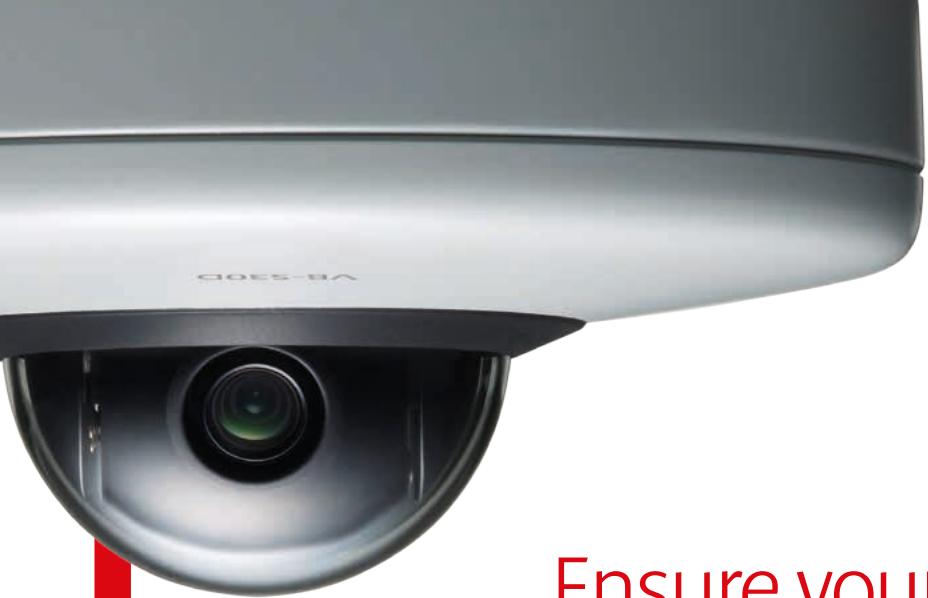
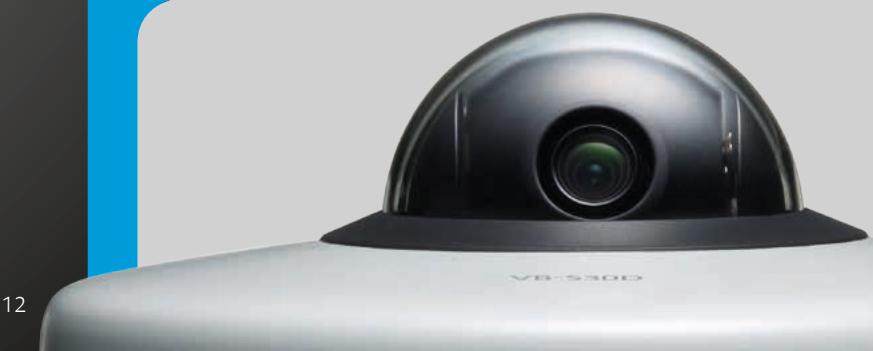
Close-up of a silver V8-530D security camera with a black dome and green lens (no text or symbols visible on the device body)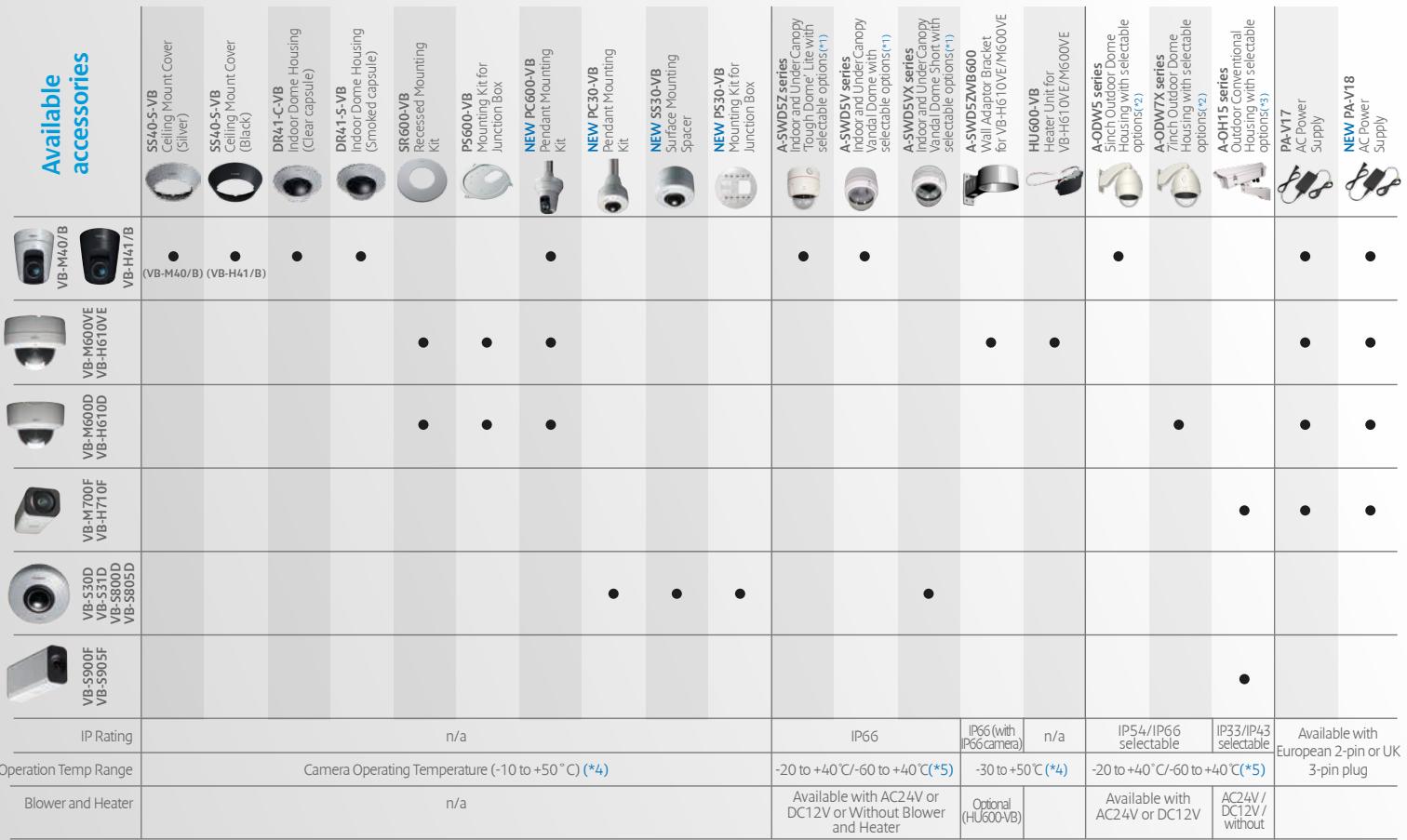 |
- Compatible
*1 : Capsule(Clear/Tinted), Heater(AC24V/DC12V/Without) selectable + optional Wall Mount(A-SWD5ZWB) available for purchase
*2 : Capsule(Clear/Tinted), Heater(AC24V/DC12V), Sunshield(With/Without), Bracket(6types), Color(Silver/Off White/Dark Brown) selectable + optional Mount(Corner/Pole) available for purchase
*3 : Heater(AC24V/DC12V), Color(StandardWhite/Off White/Dark Brown) selectable + Wall Mount included + optional Sunshield and Ceiling Adaptor available for purchase
*4: With Optional Heater(HU600-VB) installed, VB-H610VE/M600VE can be operated at -30 to 50°C
*5 : With Additional Heater(AC24V/DC12V) installed (with 2 heaters installed in total)
| Specifications | 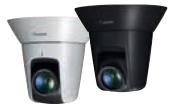 |  | 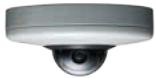 | 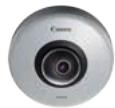 | 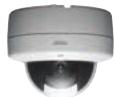 | 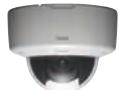 |  | 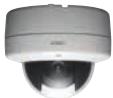 | 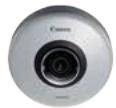 | 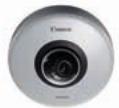 |  |  | 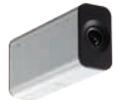 | 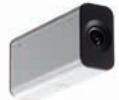 |
| VB-H41/B | VB-M40/B | VB-S30D | VB-S31D | VB-H610VE | VB-H610D | VB-M600VE | VB-M600D | VB-S800D | VB-S805D | VB-H710F | VB-M700F | VB-S900F | VB-S905F | |
| Camera Type | Full HD Pan Tilt Zoom | 1.3MP Pan Tilt Zoom | Full HD Pan Tilt Zoom Minidome | Full HD Pan Tilt Minidome | Full HD Outdoor Fixed Dome (Vandal-resistant) | Full HD Indoor Fixed Dome | 1.3 MP Outdoor Fixed Dome (Vandal-resistant) | 1.3 MP Indoor Fixed Dome | Full HD Fixed Minidome | 1.3MP Fixed Minidome | Full HD Fixed Box | 1.3 MP Fixed Box | Full HD Fixed Mini Box | 1.3 MP Fixed Mini Box |
| Image Sensor | 1/3 inch CMOS with Primary Colour Filter Progressive scan | 1/3 inch CMOS with Primary Colour Filter Progressive scan | 1/4.85 type CMOS with Primary Colour Filter Progressive scan | 1/3 inch CMOS with Primary Colour Filter Progressive scan | 1/3 inch CMOS with Primary Colour Filter Progressive scan | 1/3 inch CMOS with Primary Colour Filter Progressive scan | 1/3 inch CMOS with Primary Colour Filter Progressive scan | 1/3 inch CMOS with Primary Colour Filter Progressive scan | 1/3 inch CMOS with Primary Colour Filter Progressive scan | 1/3 inch CMOS with Primary Colour Filter Progressive scan | 1/3 inch CMOS with Primary Colour Filter Progressive scan | 1/3 inch CMOS with Primary Colour Filter Progressive scan | 1/3 inch CMOS with Primary Colour Filter Progressive scan | |
| Video Resolution | JPEG: 1920 x 1080, 960 x 540, 480 x 270, 320 x 240 H.264: 1920 x 1080, 960 x 540, 480 x 270 | JPEG: 1280 x 960, 640 x 480, 320 x 240, 160 x 120 H.264: 1280 x 960, 640 x 480, 320 x 240 | H.264, MIPEG: 1920 x 1080, 960 x 540, 480 x 270, 1280 x 720, 640 x 360, 320 x 180, 1280 x 960, 640 x 480, 320 x 240 | H.264, MIPEG: 1920 x 1080, 960 x 540, 480 x 270 | JPEG: 1920 x 1080, 960 x 540, 480 x 270 H.264: 1920 x 1080, 960 x 540, 480 x 270 | JPEG: 1280 x 960, 640 x 480, 320 x 240, 160 x 120 H.264: 1280 x 960, 480 x 240 | H.264, MIPEG: 1920 x 1080, 960 x 540, 480 x 270, 1280 x 720, 640 x 360, 320 x 180, 1280 x 960, 640 x 480 | H.264, MIPEG: 1280 x 720, 640 x 360, 320 x 180, 1280 x 960, 640 x 480, 320 x 240 | JPEG: 1920 x 1080, 960 x 540, 480 x 270, 320 x 240 H.264: 1920 x 1080, 960 x 540, 480 x 270 | H.264, MIPEG: 1920 x 1080, 960 x 540, 480 x 270, 320 x 240, 160 x 120 H.264: 1280 x 960, 640 x 480, 320 x 240 | H.264, MIPEG: 1280 x 720, 640 x 360, 320 x 180, 1280 x 960, 640 x 480, 320 x 240 | |||
| Lens | 20x optical zoom lens with auto focus 12x digital zoom 4x 7mm (wide) - 94mm (telephoto) f/1.6 - f/3.5 | 20x optical zoom lens with auto focus 4x digital zoom 4x 7mm (wide) - 94mm (telephoto) f/1.6 - f/3.5 | 3.5x optical zoom lens with auto focus (4x digital zoom) 2.25mm (wide) - 7.38 mm (telephoto) f/1.4 - f/2.6 | Fixed focal length lens (4x digital zoom) 2.7mm (wide) f/1.6 | 3x optical zoom lens 4x digital zoom 2.8mm (wide) - 8.4mm (telephoto) f/1.2 - f/2.0 | 3x optical zoom lens 4x digital zoom 2.8mm (wide) - 8.4mm (telephoto) f/1.2 - f/2.0 | 3x Optical Zoom Lens 2.8mm (wide) - 8.4mm (telephoto) f/1.2 - f/2.0 | 3x Optical Zoom Lens 2.8mm (wide) - 8.4mm (telephoto) f/1.2 - f/2.0 | Fixed focal length lens (4x digital zoom) 2.7mm (wide) f/1.6 | Fixed focal length lens (4x digital zoom) 2.7mm (wide) f/1.6 | 3x optical zoom lens 4x digital zoom 2.8mm (wide) - 8.4mm (telephoto) f/1.2 - f/2.0 (flephoto) f/1.6 - f/2.0 | 3x Optical Zoom Lens 2.8mm (wide) - 8.4mm (telephoto) f/1.2 - f/2.0 (flephoto) f/1.6 - f/2.0 | Fixed focal length lens (4x digital zoom) 2.7mm (wide) f/1.6 | Fixed focal length lens (4x digital zoom) 2.7mm (wide) f/1.6 |
| Horizontal Viewing Angle | 60.4° (wide) - 3.2° (telephoto) | 55.4° (wide) - 2.8° (telephoto) | 77.7° (wide) - 20.7° (telephoto) | 95.0° | 111.0° (wide) - 36.5° (telephoto) | 111.0° (wide) - 36.5° (telephoto) | 101.2° (wide) - 33.7° (telephoto) | 101.2° (wide) - 33.7° (telephoto) | 95.0° | 95.0° | 112.6° (wide) - 36.7° (telephoto) | 102.5° (wide) - 34.2° (telephoto) | 96.0° | 96.0° |
| Day and Night mode | Infrared Cut Filter | Infrared Cut Filter | Digital Night Mode | Digital Night Mode | Infrared Cut Filter | Infrared Cut Filter | Digital Night Mode | Infrared Cut Filter | Digital Night Mode | |||||
| Minimum Subject Illumination | Day Mode: 0.4 lux (colour, f/1.6)[1] Night Mode: 0.02 lux (Mono, f/1.6)[1] | Day Mode: 0.4 lux (colour, f/1.6)[1] Night Mode: 0.01 lux (mono, f/1.6)[1] | Day Mode: 0.95 lux (colour, f/1.4)[1] Digital Night Mode: 0.5 lux (mono, f/1.4)[1] | Day Mode: 0.45 lux (colour, f/1.6)[1] Digital Night Mode: 0.25 lux (mono, f/1.6)[1] | Day Mode: 0.3 lux (colour, f/1.2)[1] Night Mode: 0.015 lux (mono, f/1.2)[1] | Day Mode: 0.25 lux (colour, f/1.2)[1] Night Mode: 0.008 lux (mono, f/1.2)[1] | Day Mode: 0.45 lux (colour, f/1.6)[1] Digital Night Mode: 0.25 lux (mono, f/1.6)[1] | Day Mode: 0.45 lux (colour, f/1.6)[1] Digital Night Mode: 0.25 lux (mono, f/1.6)[1] | Day Mode: 0.45 lux (colour, f/1.6)[1] Night Mode: 0.015 lux (mono, f/1.2)[1] | Day Mode: 0.25 lux (colour, f/1.2)[1] Night Mode: 0.015 lux (mono, f/1.2)[1] | Day Mode: 0.25 lux (colour, f/1.2)[1] Night Mode: 0.008 lux (mono, f/1.2)[1] | Day Mode: 0.4 lux (colour, f/1.6)[1] Digital Night Mode: 0.2 lux (mono, f/1.6)[1] | Day Mode: 0.4 lux (colour, f/1.6)[1] Digital Night Mode: 0.2 lux (mono, f/1.6)[1] | |
| Outdoor Rating | - | - | - | - | IP66 | - | IP66 | - | - | - | - | - | - | - |
| Video Compression Method | H.264, JPEG | H.264, JPEG | H.264, JPEG | H.264, JPEG | ||||||||||
| Max Frame Rate | 30 fps in all resolutions[2] | 30 fps in all resolutions[2] | 30 fps in all resolutions, single stream[2] H.264 (stream 1) (1920 x 1080) and H.264 (stream 2) (all sizes): 15 fps | 30 fps in all resolutions, single stream[2] H.264 (stream 1) (1920 x 1080) and H.264 (stream 2) (all sizes): 15 fps | 30 fps in all resolutions[2] | 30 fps in all resolutions[2] | 30 fps in all resolutions, single stream[2] H.264 (stream 1) (1920 x 1080) and H.264 (stream 2) (all sizes): 15 fps | 30 fps in all resolutions, single stream[2] H.264 (stream 1) and H.264 (stream 2) (all supported sizes): 15 fps | 30 fps in all resolutions[2] | 30 fps in all resolutions[2] | 30 fps in all resolutions, single stream[2] H.264 (stream 1) (1920 x 1080) and H.264 (stream 2) (all sizes): 15 fps | 30 fps in all resolutions, single stream[2] H.264 (stream 1) (1080 x 720) and H.264 (stream 2) (all sizes): 15 fps | 30 fps in all resolutions, single stream[2] H.264 (stream 1) (1080 x 720) and H.264 (stream 2) (all sizes): 15 fps | |
| Audio Support | Two-way | Two-way | Microphone in / Line in x 1 | Microphone in / Line in x 1 | Two-way | Two-way | Two-way | Microphone in / Line in x 1 | Microphone in / Line in x 1 | Two-way | Microphone in / Line in x 1 | |||
| Alarm Input / Output | 2 x Inputs / 2 x Outputs | 2 x Inputs / 2 x Outputs | 1 x Inputs / 1 x Outputs | 1 x Inputs / 1 x Outputs | 2 x Inputs / 2 x Outputs | 2 x Inputs / 2 x Outputs | 2 x Inputs / 2 x Outputs | 1 x Inputs / 1 x Outputs | 1 x Inputs / 1 x Outputs | 2 x Inputs / 2 x Outputs | 1 x Inputs / 1 x Outputs | |||
| Backlight Compensation | Smart Shade Control | Smart Shade Control | Auto Smart Shade Control | Auto Smart Shade Control | Smart Shade Control | Smart Shade Control | Smart Shade Control | Auto Smart Shade Control | Auto Smart Shade Control | Smart Shade Control | Auto Smart Shade Control | |||
| Multiple H.264 Streaming | - | - | 2x H.264 streams | 2x H.264 streams | - | - | - | - | 2x H.264 streams | 2x H.264 streams | - | - | 2x H.264 streams | |
| Intelligent Functions | Moving Object Detection, Abandoned Object Detection, Passing Detection[3], Volume Detection | Moving Object Detection, Abandoned Object Detection, Camera Tampering Detection, Camera Tampering Detection, Passing Detection[3], Volume Detection | Moving Object Detection, Abandoned Object Detection, Removed Object Detection, Camera Tampering Detection, Passing Detection[3], Volume Detection | Moving Object Detection, Abandoned Object Detection, Removed Object Detection, Camera Tampering Detection, Passing Detection[3], Volume Detection | ||||||||||
| Memory Card Compatibility | SD / SDHC / SDXC up to 128GB | SD / SDHC up to 32GB | micro SD / SDHC / SDXC up to 64GB | micro SD / SDHC / SDXC up to 64GB | SD / SDHC / SDXC up to 128GB | SD / SDHC up to 32GB | SD / SDHC up to 32GB | micro SD / SDHC / SDXC up to 64GB | micro SD / SDHC / SDXC up to 64GB | SD / SDHC / SDXC up to 128GB | SD / SDHC up to 32GB | micro SD / SDHC / SDXC up to 64GB | ||
| Power Supply | PoE (IEEEB02.3af compliant)[4] / 12V DC / 24V AC / Canon PA-V17 (AC adapter) | PoE (IEEEB02.3af compliant)[4] / 12V DC / 24V AC / Canon PA-V17 (AC adapter) | PoE (IEEEB02.3af compliant)[4] / 12V DC / 24V AC / Canon PA-V17 (AC adapter) | PoE (IEEEB02.3af compliant)[4] / 12V DC / 24V AC / Canon PA-V17 (AC adapter) | ||||||||||
| Network Security | IPsec and Secure HTTP | IPsec and Secure HTTP | IPsec and Secure HTTP | IPsec and Secure HTTP | ||||||||||
| Dimensions (H x W x D) | (∅ x H) ∅132 x 155 mm | (∅ x H) ∅132 x 155 mm | (∅ x H) ∅120 x 54 mm | (∅ x H) ∅120 x 54 mm | (∅ x H) ∅180 x 147 mm | (∅ x H) ∅186 x 140 mm | (∅ x H) ∅180 x 147 mm | (∅ x H) ∅186 x 140 mm | (∅ x H) ∅120 x 54 mm | (∅ x H) ∅120 x 54 mm | 65mm x 80mm x 192mm | 65mm x 80mm x 192mm | 54mm x 32mm x 114mm | 54mm x 32mm x 114mm |
| Weight | 1140 g | 1150 g | 270 g | 270 g | 1920 g | 1200 g | 1910 g | 1200 g | 240 g | 240 g | 670 g | 700 g | 180 g | 180 g |
| ONVIF Compliance | ONVIF v2.2 and Profile S compliant | ONVIF v1.02 | ONVIF v2.2 and Profile S compliant | ONVIF v2.2 and Profile S compliant | ONVIF v2.2 and Profile S compliant | ONVIF v1.02 | ONVIF v1.02 | ONVIF v2.2 and Profile S compliant | ONVIF v2.2 and Profile S compliant | ONVIF v2.2 and Profile S compliant | ||||
| PTRZ Installation Setup | - | - | - | - | Pan, Tilt, Rotation, Zoom and Focus via Angle of View Setting Tool | Pan, Tilt, Rotation, Zoom and Focus via Angle of View Setting Tool | Zoom and Focus via Angle of View Setting Tool | - | - | |||||
Make sure your security
needs are covered.
Contact Canon at
network.camera@canon-europe.com
Canon Inc.
canon.com
Canon Europe
canon-europe.com
Canon Europe Ltd
3 The Square, Stockley Park
Uxbridge, Middlesex
UB11 1ET UK
- Keep every angle covered
- Our heritage
- Ensure your business is completely covered
- Match your exacting requirements
- Innovation that sets us apart
- PTZ Cameras
- Dome Cameras
- Box Cameras
- Innovation that helps keep you informed
- High definition
- DIGIC processing
- Renowned lens technology
- CMOS Sensor
- See everything with ease
- Auto Smart Shade Control
- H.264
- Multistreaming
- Intelligent Functions
- We've considered every angle
- Stunning image quality
- PTRZ Installation
- Class-leading low-light performance
- Wide viewing angles
- The British Library protects its valuable collection
- Canon solution
- Results
- Working in partnership
- ONVIFS
- Integration solutions
Brand : CANON
Model : NETWORK CAMERA RANGE 2014 BROCHURE
Category : Surveillance Camera