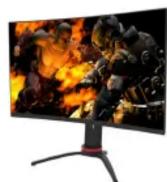
LT-GN32525A - Screen JVC - Free user manual and instructions

Find the device manual for free LT-GN32525A JVC in PDF.
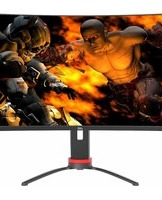
JVC LT-GN32525A - Screen
📄 1 pages English EN Download 💬 AI Question 10 questions ⚙️ Specs
Notice JVC LT-GN32525A - page 1
Pick your language and provide your email: we'll send you a specifically translated version.
Product Type Monitor
Brand JVC
Model LT-GN32525A
Display Size 32 inches
Resolution QHD (2560 x 1440)
Refresh Rate 165 Hz (DisplayPort), 144 Hz (HDMI)
Response Time 1 ms (MPRT)
Panel Type VA (Curved)
Curved Yes
Adjustability Pivot, swivel, tilt, height
Connectivity 1x DisplayPort, 2x HDMI, 1x USB, 1x Earphone
Aspect Ratio 16:9
Brightness 350 cd/m² (typical)
Contrast Ratio 3000:1 (typical)
Viewing Angle 178° horizontal, 178° vertical
Power Consumption 50 W (typical)
VESA Mount 100 x 100 mm
Color Black with red accents
Weight (with stand) Approx. 8.5 kg
Dimensions (with stand) Approx. 713 x 525 x 250 mm
Accessories Included DisplayPort cable, Power adaptor

Frequently Asked Questions - LT-GN32525A JVC

How to switch between inputs?
Press the input button on the monitor or remote (if included) to cycle through DisplayPort, HDMI1, HDMI2, and other sources. The OSD menu also allows input selection.
How to adjust the height and tilt?
The monitor stand supports height adjustment (up/down), tilt (forward/backward), swivel (left/right), and pivot (rotate 90° for portrait mode). Use firm but gentle pressure to adjust.
What is the optimal resolution for this monitor?
The native resolution is 2560 x 1440 (QHD). Set your device to output this resolution for the sharpest image.
How to enable 165 Hz refresh rate?
Connect via DisplayPort and ensure your device supports 165 Hz. In display settings, select 2560x1440 @ 165 Hz. HDMI is limited to 144 Hz.
Does this monitor support VESA mounting?
Yes, it has a 100x100 mm VESA pattern. Remove the stand and attach a compatible arm or bracket.
How to clean the screen?
Turn off the monitor and unplug it. Use a soft, dry microfiber cloth to gently wipe the screen. For stubborn stains, slightly dampen the cloth with water (not directly on screen). Avoid harsh chemicals.
What should I do if there is no signal?
Check that the cable is securely connected to both monitor and device. Ensure the correct input source is selected. Try a different cable or port. Restart both devices.
Does the monitor have built-in speakers?
No, the LT-GN32525A does not include built-in speakers. Use the earphone output to connect external speakers or headphones.
How to access the on-screen display (OSD) menu?
Press the joystick button (usually at the bottom or back) to open the OSD. Use it to navigate options like brightness, contrast, input, and picture modes.
What cables are included in the box?
The package includes a DisplayPort cable (1.5 m) and a power adaptor. HDMI cables are not included.

User questions about LT-GN32525A JVC

0 question about this device. Answer the ones you know or ask your own.

Ask a new question about this device

Your email remains private: it is only used to notify you if someone answers your question.

No questions yet. Be the first to ask one.

Download the instructions for your Screen in PDF format for free! Find your manual LT-GN32525A - JVC and take your electronic device back in hand. On this page are published all the documents necessary for the use of your device. LT-GN32525A by JVC.

USER MANUAL LT-GN32525A JVC
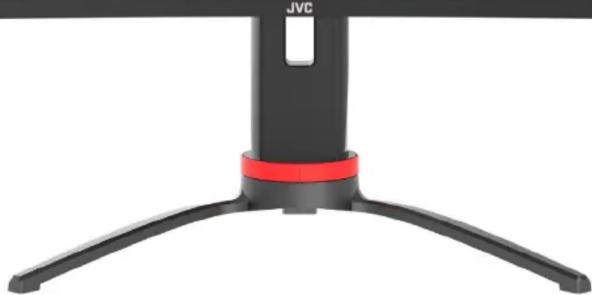
Close-up of a black JVC hover head with red accent band (no text or symbols visible)

CURVED QHD DISPLAYJVC LT-GN32525A - 2

165HZ

REFRESH RATE

Three-panel illustration showing a flat panel, a curved monitor with red arrows indicating rotation, and a multi-chamber monitor with red arrows indicating rotation (no text or symbols)

ADJUSTABLE

• Quad High Definition display 2560 x 1440 - Adjustable pivot (portrait/landscape), swivel (left/right), tilt, and height • 165Hz refresh rate (DisplayPort); 144Hz refresh rate (HDMI) • 1ms response time (MPRT) - Connectivity: 1x DisplayPort input, 2x HDMI inputs, 1x USB output, 1x Earphone output • Accessories: DisplayPort cable (1.5m), Power adaptor

JVC LT-GN32525A - 4

JVC LT-GN32525A - 5

JVC LT-GN32525A - 6

JVC LT-GN32525A - 7

JVC LT-GN32525A - 8

Manual assistant
Powered by Anthropic
Waiting for your message
Product information

Brand : JVC

Model : LT-GN32525A

Category : Screen