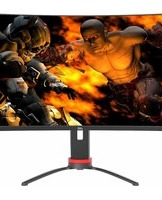
LT-GN27425A - Screen JVC - Free user manual and instructions

Find the device manual for free LT-GN27425A JVC in PDF.
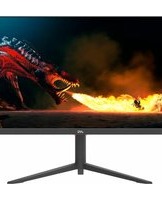
JVC LT-GN27425A - Screen
📄 1 pages English EN Download 💬 AI Question 10 questions ⚙️ Specs
Notice JVC LT-GN27425A - page 1
Pick your language and provide your email: we'll send you a specifically translated version.
Product TypeMonitor
BrandJVC
ModelLT-GN27425A
Screen Size27 inches
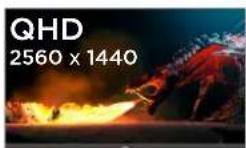
ResolutionQuad HD (2560 x 1440)
Display TechnologyLED
Refresh Rate165 Hz (DisplayPort), 144 Hz (HDMI)
Response Time1 ms (MPRT)
Brightness350 cd/m²
Contrast Ratio1000:1
Viewing Angle178° horizontal / 178° vertical
Stand AdjustmentsHeight, tilt, swivel, pivot
Connectivity1x DisplayPort input, 2x HDMI inputs, 1x USB output, 1x earphone output
Power Consumption65 W (typical)
Power Supply100-240 V AC, 50/60 Hz
Weight (with stand)6.0 kg
Dimensions (with stand)615 x 435 x 245 mm
VESA Mount100 x 100 mm
AccessoriesDisplayPort cable (1.5 m), power adapter
ColorBlack
Care and CleaningUse a soft, dry cloth. Avoid harsh chemicals.
SafetyPlace on a stable surface. Ensure adequate ventilation.
RepairabilityContact JVC support for service options.

Frequently Asked Questions - LT-GN27425A JVC

How do I adjust the screen orientation?
Use the stand's pivot function to rotate the screen between portrait and landscape modes. Ensure the stand is fully upright before rotating.
What cables are included with the monitor?
The monitor includes a DisplayPort cable (1.5 m) and a power adapter. HDMI cables are not included.
How to clean the monitor screen?
Turn off the monitor and unplug it. Use a soft, dry microfiber cloth to wipe the screen gently. Do not use any liquid cleaners or abrasive materials.
What is the maximum refresh rate?
The maximum refresh rate is 165 Hz via DisplayPort, and 144 Hz via HDMI. Ensure your source device and cable support these rates.
Does the monitor support adaptive sync?
Yes, the monitor supports Adaptive Sync technology (e.g., FreeSync or G-Sync compatible) when used with compatible GPUs. Enable it in the monitor's OSD menu.
How to change input source?
Press the joystick button on the back of the monitor to open the OSD menu. Navigate to Input Select and choose the desired input (DisplayPort or HDMI).
What is the response time?
The monitor has a response time of 1 ms MPRT (Moving Picture Response Time), which reduces motion blur for fast-paced content.
What are the physical dimensions of the monitor without stand?
Approximately 615 x 365 x 50 mm (width x height x depth) without stand. With stand, dimensions are about 615 x 435 x 245 mm.
Can I mount the monitor on a VESA arm?
Yes, the monitor is VESA compatible with a 100 x 100 mm pattern. Use the four screws on the back to attach a VESA mount.
How to reset the monitor to factory settings?
Open the OSD menu, go to System or Settings, and select Factory Reset. Confirm the action to restore default settings.

User questions about LT-GN27425A JVC

0 question about this device. Answer the ones you know or ask your own.

Ask a new question about this device

Your email remains private: it is only used to notify you if someone answers your question.

No questions yet. Be the first to ask one.

Download the instructions for your Screen in PDF format for free! Find your manual LT-GN27425A - JVC and take your electronic device back in hand. On this page are published all the documents necessary for the use of your device. LT-GN27425A by JVC.

USER MANUAL LT-GN27425A JVC

DISPLAYJVC LT-GN27425A - 1
165HZ

Two black monitors with stand gestures, one showing a red curved arrow and the other with a red curved arrow (no text or symbols)

ADJUSTABLE REFRESH

• Quad High Definition display 2560 x 1440 - Adjustable pivot (portrait/landscape), swivel (left/right), tilt, and height • 165Hz Refresh Rate (DisplayPort); 144Hz Refresh Rate (HDMI) • 1ms response time (MPRT) - Connectivity: 1x DisplayPort input, 2x HDMI inputs, 1x USB output, 1x Earphone output • Accessories: DisplayPort cable (1.5m), Power adaptor

JVC LT-GN27425A - 3

JVC LT-GN27425A - 4

JVC LT-GN27425A - 5

JVC LT-GN27425A - 6

JVC LT-GN27425A - 7

LT-GN27425A

Manual assistant
Powered by Anthropic
Waiting for your message
Product information

Brand : JVC

Model : LT-GN27425A

Category : Screen