
WCT800B - Toaster Witt - Free user manual and instructions
Find the device manual for free WCT800B Witt in PDF.


| Product Type | 2-Slice Toaster |
| Model | WCT800B / WCT800W |
| Brand | Witt |
| Power Supply | 220-240V ~ 50/60Hz |
| Power Consumption | 860-1050W |
| Browning Control | 6 levels (1 light - 6 dark), recommended starting level 4 |
| Functions | Toast, Reheat, Defrost, Stop/Cancel |
| Extra-Wide Slots | Yes, variable width for different bread types |
| Crumb Tray | Removable, pull-out for easy cleaning |
| Auto Shut-off | Yes, lifts toast when done |
| Safety Features | Do not immerse in water; keep away from flammable materials; do not use near curtains; unplug when not in use |
| Warranty | 2 years (manufacturing or material faults) |
| Cleaning Instructions | Unplug, let cool, wipe exterior with damp cloth, empty crumb tray regularly |
| Usage Indoors Only | Yes |
| Approximate Dimensions | Typical toaster size (approx. 30 x 20 x 20 cm) |
| Weight | Approx. 1.5 kg |
Frequently Asked Questions - WCT800B Witt
User questions about WCT800B Witt
0 question about this device. Answer the ones you know or ask your own.
Ask a new question about this device
Download the instructions for your Toaster in PDF format for free! Find your manual WCT800B - Witt and take your electronic device back in hand. On this page are published all the documents necessary for the use of your device. WCT800B by Witt.
USER MANUAL WCT800B Witt
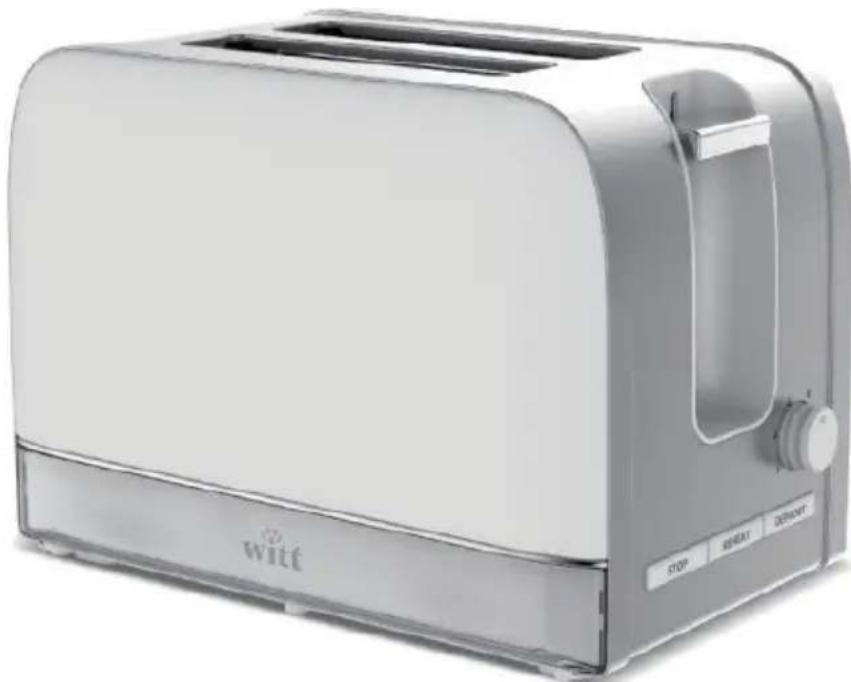
Witt Classic Toaster
natural_image
White Wilti 100K toaster with a side panel, no visible text or symbols on the device body.WCT800B/WCT800W
User guide: 2-8
TOASTER INSTRUCTIONS
Model no.: WCT800B/WCT800W
natural_image
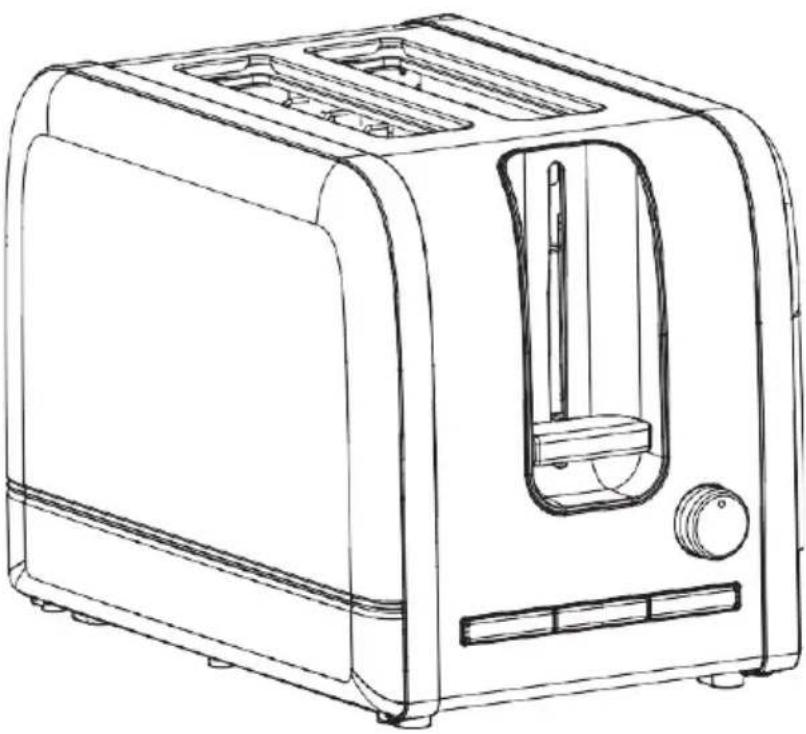
Line drawing of a modern toaster with handle and front panel (no text or symbols)220-240V 50/60Hz 860-1050W
Save these instructions for later use
IMPORTANT SAFETY INSTRUCTIONS:
- Please read through the entire instructions before using the device. This is for your own protection, and it also helps you to avoid damaging the device.
- The device may be used by children above the age of eight if they are taught how to use the device properly and if at first they are supervised by someone who is responsible for their safety. Keep an eye on children to ensure that they do not play with the device. Children over the age of eight may clean or maintain the device, but only if they are being supervised. Keep the device and the power cord away from children under the age of eight.
- A damaged power cord can be replaced by an authorised technician. If a power cord is not installed correctly, it may pose a risk to the user!
- Toasted bread can be a fire hazard, so never use the device near or under flammable materials such as curtains.
- The device may not be used with an external timer or any other kind of remote control.
-
This device is intended for household use and similar applications, such as:
-
Being used by kitchen staff at stores, offices or other working environments
- Being used by hotel/motel guests and in other kinds of residential environments, including
-
Bed & Breakfast
-
In order to avoid electric shocks, the device, power cord, plug or any other parts of the device must never be lowered in water or other fluids.
- Monitor children who are near the device.
- Do not leave the device unmonitored when it is in use.
-
Place the device on a stable and dry surface.
-
The device is only intended for indoors use. Never use the device outdoors.
- Always unplug the device when it is not used or in storage.
-
Do not use the device if it is not functioning correctly or if it is damaged in any way. Damage must immediately be reported to the store where you bought the device.
-
The device must be routinely inspected for damage and wear and tear. If there are signs that the power cord is damaged, the device cannot be used and you must contact the retailer to schedule repairs and service.
- Never place the device right on the edge of a table and also never let the power cord hang out from the edge of the table or come into contact with hot surfaces. Let the device cool down before winding up the power cord for storage.
- Be careful about ensuring that the device is completely cooled down before putting it back in its position or into storage.
- Do not place the device on or near a gas stove, ceramic cooking plates, electric heaters or anywhere that the device may come into contact with a hot oven or microwave.
- Do not use oven cleaner or any other kind of harsh or corrosive cleaning agents to clean the device.
- Make sure to maintain a safe distance between the device and walls, curtains or other flammable materials and make sure that there is sufficient distance over and between all sides of the device to ensure good air flow. The device may only be used on a heat-resistant surface.
- The device's crumb tray must always be attached when the device is in use. The crumb tray needs to be cleaned regularly - do not let crumbs pile up in the tray. It may pose a fire hazard!
- Do not use the device with sugary foods or with products containing marmalade or jam.
- When in use, the device's temperature may reach high levels on the surface it is placed on.
WARNING
Never attempt to immediately remove stuck toast, muffins, bagels or other items from the toaster, as touching the electronics on the device may give you an electric shock. Instead, let the device cool down completely, unplug it and then carefully remove the stuck item.
OVERVIEW OF THE TOASTER
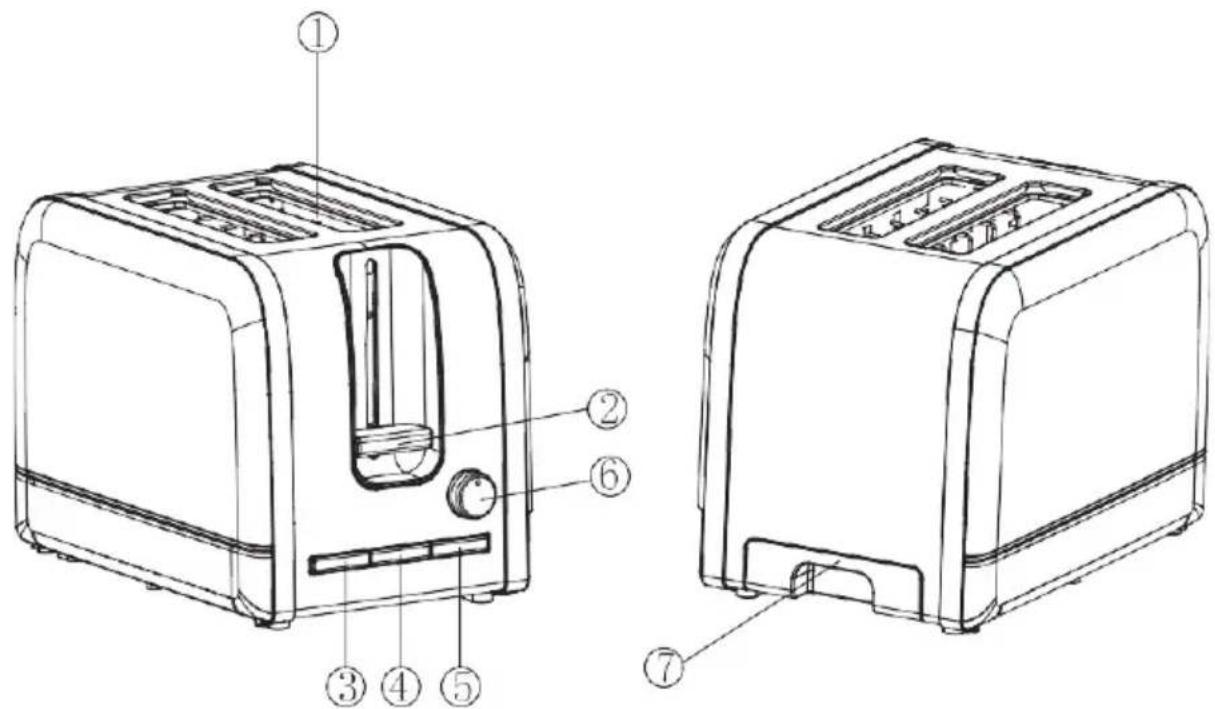
- Toast slots with variable widths
- Toast lever
- The REHEAT button
- The DEFROST button
- The STOP button
- Thermostat button to adjust the browning control setting
- Crumb tray that pulls out
HOW TO OPERATE
- Plug the device in and turn on the toaster.
- Insert up to two pieces of bread, muffins, or bagels into the device.
- Choose the browning control setting you want: from 1 (light) to 6 (dark). When first using the toaster, we recommend dialling it to level 4. Different types of bread and your personal preferences will determine what browning control setting you should use.
- Push the toast lever down until it locks into position. The toasting process will then begin automatically. Please note: If the toaster is not plugged in and turned on, the tangent cannot lock into position.
- The toaster will automatically turn off once the browning is completed and the bread is lifted up. You can stop the toasting at any time by pressing the STOP button.
TOAST FROZEN BREAD: Put the bread into the toast slots when you want to toast frozen bread and select the browning control setting. Then press down the toast lever until it locks into position and then press the DEFROST button.
REHEAT BREAD: The device allows you to reheat your bread without toasting it further. Place the bread in the slots to start reheating it and then lower the toast lever until it locks into position and then press the REHEAT button.
If a piece of bread, etc. is stuck, then immediately turn off the device, unplug it and then try to remove it very carefully without damaging the heating components.
CLEANING AND MAINTENANCE
- Turn off the power to the device by turning off the wall socket and unplugging the power cord (pull on the plug itself, not the cord) and then let the device cool down completely before you start cleaning it.
- Remove the crumb tray. Pull it out from under the device. Empty the crumb tray and reinsert it before using the device again (make sure that it is properly attached).
- Clean the outside of the device with a soft, moist rag. Then dry off the device with a dry, soft rag.
- Never lower the device in water or other fluids.
- Turn the bottom of the device upside down to shake remaining crumbs out over a bin or a sink.
The crumb tray should be cleaned on a regular basis. Do not let crumbs pile up in the tray!
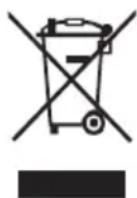
The symbol means that the product should not be thrown out together with regular household waste. Instead, it should be disposed of at an authorised recycling station which is suitable for this purpose or returned to a retailer that offers disposal services. Contact your local city council if you need more information.
WARRANTY AND SERVICE
There is a 2-year warranty period if your new product stops working due to manufacturing or material faults which begins from the documented date of purchase. The warranty covers materials and the cost of labour. When inquiring about service, please state the product name and serial number. You can find this information on the type plate. You can write down the information here in these instructions so that you have them at hand. This makes it easier for the service technician to find the correct spare parts.
The warranty does not cover:
- Faults and damage that are not due to manufacturing or material issues
- Damage caused by failure to properly maintain the device - including failing to clean it
- Fire and/or water damage or moisture damage on the product
- Damage caused during transport if the product was transported without proper packaging
- Damage caused by the use of unoriginal spare parts
- Damage resulting from failing to follow the instructions on how to use the device
- If the device has not been set up/assembled as specified in the instructions
- If non-professionals have installed or repaired the product
- Batteries or any other parts subject to normal wear and tear
Damage during transport
If the product is damaged during transport and this is discovered when the retailer delivers the product to the customer, this is exclusively a matter between the customer and the retailer. In cases where customers have handled the transport of the product themselves, the supplier shall not be liable for any potential damage during transport. Any damage caused during transport must be reported immediately and no later than 24 hours after the product has been delivered. If not, the customer's claim will be rejected.
Unnecessary service
If the product is sent in to be serviced and it turns out that the fault could have been fixed independently by following the product's instruction manual, the customer will need to pay the service fee.
Commercial purchases
Commercial purchases are all purchases of devices that are not intended to be used in private households but instead intended to be used for commercial purposes (in restaurants, cafés, canteens, etc.) or intended to be rented out or otherwise used by multiple users in turn.
There is no warranty offered for commercial purchases, as this
product is only intended for regular household use.
SERVICE
For service and spare parts in England and Ireland please call below-mentioned number and you will be directed accordingly or send us an email.
Witt UK & Ireland Ltd.
(44) 148 351 6633 / info@witt.dk
We accept no liability for printing errors.
The manufacturer/distributor cannot be held liable for damage to products or individuals if the safety instructions were not followed. The warranty shall not cover cases where the instructions have not been followed.
- Witt Classic Toaster
- WCT800B/WCT800W
- TOASTER INSTRUCTIONS
- IMPORTANT SAFETY INSTRUCTIONS:
- WARNING
- OVERVIEW OF THE TOASTER
- HOW TO OPERATE
- CLEANING AND MAINTENANCE
- The crumb tray should be cleaned on a regular basis. Do not let crumbs pile up in the tray!
- WARRANTY AND SERVICE
- The warranty does not cover:
- Damage during transport
- Unnecessary service
- Commercial purchases
- SERVICE
Brand : Witt
Model : WCT800B
Category : Toaster