
WW140NP - Water filter LG - Free user manual and instructions
Find the device manual for free WW140NP LG in PDF.
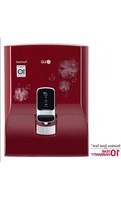


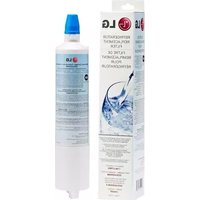
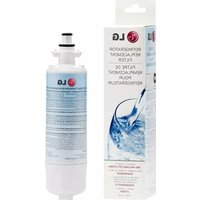
| Product Type | Refrigerator Water Filter |
| Model | WW140NP |
| Brand | LG |
| Compatible Refrigerator Models | LFXS26973S, LFXS30796S, LFXS26566S, LRFXC2416S, LRFVC2406S |
| Filtration Capacity | 2000 gallons (7571 liters) |
| Flow Rate | 0.5 gallons per minute (1.9 liters per minute) |
| Dimensions (W x H x D) | 5 x 10 x 5 inches (12.7 x 25.4 x 12.7 cm) |
| Weight | 1.5 lbs (0.68 kg) |
| Material | Coconut-shell activated carbon block |
| Operating Temperature | 32°F – 100°F (0°C – 38°C) |
| Operating Pressure | 20 – 100 psi (138 – 689 kPa) |
| Certifications | NSF/ANSI 42, 53, 401, 473 |
| Replacement Frequency | Every 6 months |
| Installation Method | Twist-and-lock push fit |
| Maintenance | Replace filter every 6 months; no cleaning required |
| Safety Features | BPA-free materials; leak-proof design |
| Reparability | Non-repairable; replacement only |
| Included Items | 1 water filter |
| General Information | Genuine LG replacement filter; removes contaminants, sediment, chlorine taste and odor |
Frequently Asked Questions - WW140NP LG
User questions about WW140NP LG
0 question about this device. Answer the ones you know or ask your own.
Ask a new question about this device
Download the instructions for your Water filter in PDF format for free! Find your manual WW140NP - LG and take your electronic device back in hand. On this page are published all the documents necessary for the use of your device. WW140NP by LG.
USER MANUAL WW140NP LG
Please read this manual carefully before operating your set and retain it for future reference.

MFL66990827
Rev. 13_250422
www.lg.com
Copyright © 2021-2022 LG Electronics Inc. All Rights Reserved.
TABLE OF CONTENTS
This manual may contain images or content in addition to the model purchased.
This manual may be subjected to revision by the manufacturer.
SAFETY INSTRUCTIONS 03
INSTALLATION 06
Parts and Function 06
Notes for Installation 08
Installing water purifier 08
OPERATION 09
Notes for Operation 09
Using Control Panel 09
Operation 10
MANAGEMENT 11
Cleaning 11
Maintaining the filter.... 12
TROUBLESHOOTING 14
WATER PIPING DIAGRAM 15
PRODUCT SPECIFICATION 20
WARRANTY CARD 21
SAFETY INSTRUCTIONS
Manufacturer is not responsible for accidents caused by the user as a result of not following the Instruction Manual.
The following safety guidelines are intended to prevent unforeseen risks or damage from unsafe or incorrect operation of the appliance.
The guidelines are separated into 'WARNING' and 'CAUTION' as described below.

This symbol is displayed to indicate matters and operations that can cause risk. Read the part with this symbol carefully and follow the instructions in order to avoid risk.

WARNING - This indicates that the failure to follow the instructions can cause serious injury or death.

CAUTION: This indicates that failure to follow the instructions can cause minor injury or damage to the product.

WARNING
To reduce the risk of explosion, fire, death, electric shock, injury, or scalding to persons when using this product, follow basic precautions, including the following:
TECHNICAL SAFETY
Only an authorized person from the LG Electronics service center should install the product. Contact the LG Electronics service center if you move the product; improper installation or service may cause injury, electric shock, or fire.
Power
Do not modify the power cord length. Do not use any extension board or multiple socket outlet. Also, do not share the same power socket outlet with other appliances. Otherwise, it will cause electric shock or fire due to heat generation.
Do not touch the power plug with wet hands; it may cause electric shock.
Plug the power plug into the outlet tightly after removing moisture and dust completely. It will cause electric shock or fire due to heat generation.
When pulling out the power plug from an outlet, hold the power plug, not the cable. It will cause electric shock or fire due to heat generation at the damaged supply cord area. If the power cable or power plug is damaged, it must be replaced by an original spare part provided by the manufacturer or contact LG Electronics Service.
The power supply cord should not be bent or pressed under heavy objects. It may damage the power cord and cause fire or electric shock.
Do not plug and unplug the power plug repeatedly; it may loosen the holes of the outlet socket and cause fire or electric shock.
Operation
- In case of flood, stop using the product and contact the LG Electronics service center.
- Do not place heavy or fragile objects, liquids, combustible substances, or flammable objects (such as lit candles and lamps) on or inside the product. It may cause fire, injury, or damage.
- If moisture penetrates inside the product, unplug the power plug and contact LG Electronics service centre. It may cause electric shock.
- Do not move the product while the product is plugged in. It may damage the power supply cord and cause electric shock or injury.
- Do not allow anyone to hang from or climb on the product. Be particularly cautious of children operating the product. It may cause injury.
- If water is leaking from the inside of the product or water has collected near the product, close the water supply valve, unplug the power plug, and contact LG Electronics service centre. It may cause electric shock.
- When cleaning the product, unplug the power plug. It may cause electric shock.
CAUTION
To reduce the risk of minor injury to persons, malfunction, or damage to the product or property when using this product, follow basic precautions, including the following:
Installation
- Connect the input water pipe of the product to tap water only. Water other than tap water is not recommended. It may cause health issues.
- Never start up an appliance showing any signs of damage. If in doubt, consult your dealer. This may cause damage or injury.
- Do not clean the product with brushes, cloths or sponges with rough surfaces or which are made of metallic material. It may cause scratches and cracks on the product.
- There can be sharp edges in a disassembled set, special care to be taken while handling. It may cause injury.
- Do not spray/use or store flammable or combustible substance (ether, benzene, alcohol, chemical, LPG, combustible spray, insecticide, air freshener, cosmetics etc.) near/inside the product, it may cause health related issues.
- For counter-top installation, install the product on a solid and horizontally leveled surface. If the product is installed on a non-horizontally leveled surface, it can generate vibrations and noise or cause misalignment of the product.
- Keep ventilation openings, in the appliance enclosure or in the built-in structure, clear of obstruction. This may cause damage.
- Avoid installing the water purifier in outdoor places, damp areas, and keep it away from direct sunlight, dust, and direct water splashing. This could cause product malfunctioning.
- For optimum performance of the product, installation conditions should be followed as per page no. 20.
- Unplug the power plug during thunder or lightning, or when not in use for more than 2 days. This could cause product malfunctioning.
- Immediately unplug the power plug and contact LG Electronics service centre if you detect any abnormal noise, odour, or smoke.
Operation
- Replace the filter with an LG standard filter periodically according to the replacement period. Older filters can multiply bacteria or change the taste of the water. The filter replacement period varies according to usage, place of usage, season, and water quality. Remarks: Filter to be changed by authorized LG Service personnel only.
- Do not place any article on the water tray assembly except a water glass. It may fall and cause damage and injury. Take care against the possibility of damaging the pipe (inlet, outlet) in order to prevent water leakage. It may cause injury or damage to the product and property.
Disposal of your old appliance (as per e-waste Rules)

Please check whether a crossed-out wheeled bin symbol is depicted on the product or its parts. If yes, it means the product is covered by e-waste Management and Handling Rules, 2011 and is required to be recycled, dismantled, or scrapped in the following manner.
1. Do's:
a. The product is required to be handed over only to an authorized recycler for disposal.
b. Keep the product in an isolated area after it becomes non-functional/un-repairable so as to prevent its accidental breakage.
Don't:
a. The product should not be opened by the user himself/herself, but only by authorized service personnel. b. The product is not meant for re-sale to an unauthorized agencies/scrap dealer/kabariwalah. c. The product is not meant for mixing into household waste stream. d. Do not keep any replaced spare part(s) from the product in exposed area.
- Any disposal through unauthorized agencies/person is not prescribed by the Environment (Protection) Act 1986.
- "This product is complied with the requirement of Hazardous Substances as specified under Rule 13 (1) & (2) of the E-Waste (Management & Handling) Rules, 2011".
- To locate a nearest collection centre or call for pick-up (limited area only) for disposal of this appliance, please contact Toll Free No. 1800-315-9999 / 1800-180-9999 for details. All collection centre and pick up facilities are done by third parties with LG Electronics India Pvt. Ltd. Merely as a facilitator. For more detailed information, please visit: http://www.lg.com/in

9711709999 (LG WhatsApp No.)
Parts and Function (For WW162/172/173/175/182/183/184 Series)
Front & Rear

① Purified water level indicator
5 Water supply hose
9 Power cord
2 Touch lever
6 Drain hose
10 Filter change indicator ^*
③ UV Sterilizing indicator *
⑦ Top cover (floral pattern*)
④ Filter cover (floral pattern*)
8 Cleaning water for fruits & veggies*
Accessories
Owner's Manual
Owner's Manual 6.35 mm ∅ tube*
Out sediment filter with anti scalant module

Mounting bracket
Mounting Guide
Mounting Guide 6.35 mm valve*
Mount plate (2 nos.)
Adaptor
QRG
Quick Reference Guide Water tray
Screw kit: Screw (6 nos.), Anchor (6 nos.) & Teflon tape (1 roll)
Water tray cover

Hose assembly: Hose (2 nos.) Connectors (2 nos.) lockers (2 nos.) Connector Pipe (1 no.)
^ Applicable for Out-sediment filter
* For selected models only
INSTALLATION
Parts and Function (For WW130/140/145/150/151/152/155/174 Series)
Front & Rear


① Tank full indicator
5 Water supply hose
9 Filter change indicator ^*
② Touch lever
6 Drain hose
10 UV Indicator*
3 Power Indicator
7 Top cover
4 Filter cover
8 Power cord
Accessories
Owner's Manual
Owner's Manual

Mounting bracket
Mounting Guide
Mounting Guide
Adaptor
QRG
Quick Reference Guide
Out sediment filter with anti scalant module
Mount plate (2 nos.)
Screw kit: Screw (6 nos.), Anchor (6 nos.) & Teflon tape (1 roll)

Hose assembly: Hose (2 nos.), Connectors (2 nos.), Lockers (2 nos.), Connector Pipe (1 no.)
Applicable for Out-sediment filter. * For selected models only
Only for WW174 Series
Notes for Installation
- Keep a distance of 10cm from all sides of the product.
- When connecting the water hose, do not connect it to the hot water pipe. Doing so may cause malfunctions.
- Check the pipe and hose connection for leaks. Water can leak and cause electric shock or injury.
- When transporting the product, do not tilt the product over 30 degrees. Doing so can cause malfunctions.
- For best usage of product, it is recommended to have surrounding temperature range of (4°C to 45°C). Not doing so can cause product malfunctioning.
- Avoid installing the water purifier in a place with a non-leveled horizontal surface, relative humidity of >85%, direct sunlight, dust and direct water splashing.
- Model nos. WW130NP, WW140NP, WW140NPR, WW145NPW, WW150NP, WW151NP, WW151NPR, WW152NP, WW155NPB, WW174NPB, WW174NPC can only be wall mounted and should not be installed on a table/counter top as it may malfunction & warranty may be void.
- Height between immediate Water reservoir tank to Water purifier inlet should be more than 1 meter for effective working of the product.

Installing water purifier
1 Connect the product hoses as shown below.
- Connect the white (water supply) hose to tap water. Install the blue (drain) hose on the sink.

2. Connect the power cord to an appropriate socket. 3. Open the water supply valve. 4. After installation, discharge water for the first time when the water tank is full. The same process is to be followed after every filter change or digital sterilization. The appropriate time taken to fill the tank to the fullest is 1 hour, depending on water pressure, temperature, etc.
CAUTION
Handle all packaging materials (such as plastic bags and thermocol) to keep them away from children. The packaging materials can cause suffocation.
Important Note: All models can only be installed with water supply from an overhead storage tank. No other water supply should be used for installation of these models.
Notes for Operation
- Open the water supply valve. The water purifier operates normally only when water is supplied properly.
- It is very important to replace the filter periodically in order to drink clean water. When using an expired filter, the performance of the water filtration system can deteriorate. Always abide by the filter replacement period.
If the product has not been used for 2 or more days, discharge the stored water from the water purifier tank.
Do not use purified water for replacing water in the humidifier or fishbowl.
Use the product only after closing the product cover completely. Otherwise, insects or other foreign substances may get in.
Note
The reverse osmosis contains a replaceable treatment component critical for the effective reduction of total dissolved solids and that product water shall be tested periodically (during service engineer visit) to verify that the system is performing properly. Do not use with water that is microbiologically unsafe or of unknown quality, without adequate disinfection before or after the system.
Recommendation (when product not in use)
If the product will not be used for 2 or more days, unplug the power plug and close the water supply valve before leaving premises and drain the water inside the water filtration (including tank) system completely before consumption of water.
Using Control panel
(For WW162/172/173/175/182/183/184 Series)
(For WW130/140/145/150/151/152/155/174 Series)
① Water level indicator
The water level of the storage tank is displayed in 3 levels.
- The icon is divided into 3 levels according to the water level, and as more indication lights turn on, the water level becomes higher. However, the water level cannot be adjusted discretely.

② UV Sterilizing indicator*
Purified water is sterilized by the UV LED. Blue color indicates that UV sterilization is ON & White color indicates that UV sterilization is OFF.
For WW145NPW, WW150NP, WW151NP, WW151NPR, WW152NP, WW155NPB, WW174NPC, WW174NPB UV indicator will glow.
(When tank cover is open, UV LED will be automatically turned OFF for your safety.)
NOTE
The UV LED operates in any of the following 2 cases.
• It operates for 75 minutes in every 6 hours. - It operates for 75 minutes after approximately 2 seconds when power is turned on following a power failure.
③ Filter Change Indicator*

When the color of indicator changes from blue to amber, this indicates that it is time for preventive maintenance service. Please call LG customer care for service.
4 Power Indicator*

The Power LED glows to indicate ON condition of Water Purifier.
5 Tank Full Indicator*

When the water storage tank gets filled up completely then Tank full indicator will turn ON.
Operation
Using purified water
When you press the touch lever, purified water will come out.
NOTE
If you wish to discharge continuously, lift the touch lever upward.


Caution : Open this lever to 90° only.#
Opening more than 90° may cause it to malfunction/damage.
Using the fruit & vegetable cleaning water *
Open the valve. You can rinse fruits and vegetables and wash the dishes.
The function discharges water while the valve is opened.

NOTE
Do not use this water for drinking and cooking.
Important note for all models:
All models of water purifier come with a unique flow sensor (to protect the product from running without water supply) which turns on only if there is running water supply to the water purifier. If no/lower water supply than specified limit is available, then the water purifier will stop for 15 minutes and later, runs again for a few seconds to check water supply.
If water supply is detected, then the water purifier will work normally; otherwise, it will repeat the check cycle again. If water supply is available and you want to start the water purifier immediately, just turn off the power supply and wait until the display gets turned off, and turn on the power again.
^Applicable for Out Sediment filter * For selected models only
Cleaning
How to clean the storage tank
1. Close the water supply valve.

2. Drain water inside the storage tank completely using the drain hose and the water outlet.
(For WW162/172/173/175/182/183/184 Series)

(For WW130/140/145/150/151/152/155/174 Series)

3. Unplug the power cord.
4. Open the top cover by lifting it upward, and then unlock the storage tank cover.
⚠️ CAUTION: Handle with care, sharp edges may cause injury.
(For WW162/172/173/175/182/183/184 Series)

(For WW130/140/145/150/151/152/155/174 Series)

CAUTION: Do not put pressure or weight on tank cover, it may cause damage or injury.
5 Wipe the surface of the storage tank with soft clean cloth.
CAUTION-Avoid touching any interconnecting part inside water tank. It may cause damage to the product.

6 Rinse the storage tank with purified water and drain the water completely.
WARNING- Take care of water spattering, it may cause electric shock.

7 Insert and lock the storage tank cover.

8 Close the top cover, plug in the power cord and open the water supply valve.

9 After installation, filter change or digital sterilization when tank is full, discharge water for the first time. (approximately time taken to fill the tank to fullest is 1 hour, depending on water pressure, temp etc)
NOTE
- WARNING: Unplug the power cord when cleaning the storage tank. It may cause electric shock. CAUTION: Clean the tank by only using purified water. Do not use chemical or detergent for cleaning the storage tank. Chemical or detergent will not be washed away completely, it can be harmful to the human body.
How to clean water outlet
1 Clean the water outlet periodically using a soft clean brush. Fur or foreign substances may accumulate in the water outlet.

* For selected models only
How to clean water tray assembly
1 Separate the Water tray cover by pulling it upwards. CAUTION: Handle with care, sharp edges may cause injury.

2 Separate the Water tray cover by pulling it forward.

3 Clean it with water. 4 Wipe the surface of the water tray with a soft clean cloth. 5 Install the water tray on the product. 6 Place the water tray cover on the water tray and attach it to the front of the product closely, and gently push it to install.

NOTE
- Caution should be taken. If a large amount of water is in the water tray, water can spill out when separating the water tray.
Note: Clean the water tray assembly periodically.
Maintaining the filter
Process of Purification Drinking water
Step 1:
Out sediment filter with anti scalant module
- Removes big particles, rust stains, mud etc. and reduces input water hardness to enhance filter life.
Step 2:
Sedi + Carbon filter
• Removes unseen dregs and other contamination & removes invisible fine particles, residual chlorine, VOC (Volatile Organic Compounds) etc.
Step 3:
RO membrane filter* / RO recovery plus*
- Removes dissolved impurities and removes heavy metals, bacteria, viruses, VOC etc. from water.
• TDS Reduction up to 90% ppm of Source Water.
Step 4:
(For WW130/145/150/152/162 models)
Post-carbon filter
- Removes odour & improves taste of water.
(For WW140/151/155/172/173/174/175/182/183/184 models) Mineral booster filter
- Removes odour, add minerals in the purified water without mixing impure water.
![graph LR A["Step 1"] --> B["Step 2"] B --> C["Step 3"] C --> D["Step 4"]](/content/2026/05/995478/images/7422ccb8f993fa0d8ccf76538715103b885a83b0d8ef6e7e4e926186af9bfd98.jpg)
Cleaning water for fruits & veggies*
(Only with WW182EP/WW183EPR/WW184EPB/WW184EPC)
Step 1:
Out sediment Filter with antiscalant module:
- Removes big particles, rust stains, mud etc. and reduces input water hardness to enhance filter life.
Step 2:
UF membrane filter*
Removes only bacteria and fine particulate matter.

NOTE
- Do not use water drained from the product for drinking or cooking.
- Use the water instead for cleaning the bathroom and house, gardening, or for other various purposes.
- Activated carbon inside the filter may sometimes flow into the storage tank. If so, a fine powder of activated carbon used in the post-carbon filter has come out, and it is harmless to the human body. If found, drain out the water from the tank completely.
* For selected models only
** As per LGEIL standard.
Filter replacement period
The filter replacement period refers to the period that the purification performance of the filter is maintained. The replacement period is shorter in the case of a place with poor water quality or a large purification amount.
| Filter name | Recommended purification amount**(in litres) |
| Out sediment filter | 3000 |
| Anti scalant module | 6000 |
| Sedi + Carbon filter* | 6000 |
| RO membrane filter* | 6000 |
| RO Recovery Plus* | |
| Post-carbon filter* | 6000 |
| Mineral booster filter* | 6000 |
| UF membrane filter* | 6000 |
WARNING
- Filter replacement and/or AMC request can only be placed by calling LG customer care (refer to the last page).
- Warranty shall be void in case of use of counterfeit (duplicate) filters or replacement of filters from unauthorized sources.
- Using counterfeit filters or procuring filters from unauthorized sources may negatively impact or degrade product performance and product life. It may not be safe drinking water and may also impact the user's health.
- LG shall not be responsible for any damage arising directly or indirectly out of any defect being noticed in the product due to usage of such counterfeit filters.
NOTE
If you wish to replace the filter, contact LG electronics customer care.
• After replacing the filter, check if there is a leak from the product. • After installation, discharge water for the first time when water tank is full. Same process is to be followed after every filter change or digital sterilization. Approximate time taken to fill the tank to the fullest is 1 hour, depending on water pressure, temperature etc. - For RO Membrane Filter, around 25% of supplied water (based on the tap water pressure of 3.5kgf/cm2 at water temp. of 25°C) will be purified. While for RO Recovery Plus, around 50% (WW162EP/WW172EP/WW173EPB/WW182EP/WW183EPR) / 60% (WW174NPC/WW174NPB/WW175EPW/WW184EPB/WW184EPC) of supplied water (based on tap water pressure of 1.5Kgf/cm2, 750ppm TDS at water temp. of 25°C) will be purified and remainder will be drained. - CAUTION: Outsediment filter may get choked in abnormal turbidity (Sand & mud) condition, it is suggested to switch ON water purifier after 1-2 hour of overhead tank filling so that sand/mud will get settled. Outsediment filter should be cleaned regularly to prevent choking in above condition for better performance.
TROUBLESHOOTING
| Symptoms | Reason | Solution |
| Water tastes strange. | Have you left the water purifier for a period of 2 or more days without using it? | The taste of water may change as it ages. Contact LG Service.Use the water purifier after discharging the tank one time in case issue persists please contact LG service. |
| Has it been a long time since you installed and replaced the filter? | If an expired filter is used, the purification performance may decline.It is recommended to replace the filter according to the filter replacement period. | |
| The purification amount has reduced suddenly. | Is it time to replace the filter? | Request for filter replacement. |
| Is the water supply valve closed? | Open the water supply valve. | |
| Water does not come out. | Did you miss the filter replacement period? | Request filter replacement. |
| Is the water supply valve closed? | Open the water supply valve. | |
| Is the power plug unplugged from the outlet? | Plug the power plug in the outlet correctly. | |
| Does water not come out when you press the discharge lever? | Contact LG Electronics service centre. | |
| The product is noisy and generates abnormal sounds. | Is the product installed on a weak floor or not installed on a stable surface? | Install the product in a place with horizontally leveled surface. |
| Is an article placed on top of the product? | Remove the article placed on top of the product. | |
| Fine particles occur in the purified water. | Did water bubbles form? | Water bubbles may form in the draining process. It is safe for you to drink.If fine particles exist continuously after you receive water from the water purifier and several minutes have passed,cut off the tap water supply and power supply and contact LG Electronics service centre. |
WATER PIPING DIAGRAM
WW182EP/WW183EPR/WW184EPB/WW184EPC![graph TD A["Purified water"] --> B["Water for normal use piping diagram"] B --> C["Water level sensor* UV LED"] C --> D["Water tank (Approx. 8 litres)"] D --> E["Flow Sensor"] E --> F["Valve Valve"] F --> G["Booster pump"] G --> H["RO Recovery Plus"] G --> I["Mineral Booster Filter"] H --> J["Flow R…](/content/2026/05/995478/images/009980a17e576dcb42f26595049ee3a438ba7e07de18169c79d067c6da4dcb36.jpg)
Electrolysis Sterilizing Care Water piping diagram![graph TD A["Source water"] --> B["Out sediment filter with anti-salant module"] B --> C["Sed + Carbon Filter"] C --> D["Flow Sensor"] D --> E["1st Valve"] D --> F["2nd Valve"] E --> G["Booster pump"] F --> G G --> H["Electronic water sterilization Kit"] H --> I["Water level sensor* UV LED"] I --> J[…](/content/2026/05/995478/images/c6e31dc900c065bfabbece354eb4f431208f7d2011e05318d806f06366c25fb3.jpg)
*Features & Spec. may vary from model to model
![graph TD A["Out sediment filter with anti-salant module"] --> B["Flow Sensor"] C["Sedi + Carbon Filter"] --> D["1st Valve"] D --> E["2nd Valve"] E --> F["Booster pump"] F --> G["RO Recovery Plus"] G --> H["Mineral Booster Filter / Post Carbon Filter"] H --> I["Flow Restrictor"] I --> J["Drain water"…](/content/2026/05/995478/images/6ce44de1c4266d3bd092db0af58656b2259b3d3b303faf9dd18d8b1d82f2607c.jpg)
![graph TD A["Water level sensor*"] --> B["UV LED"] B --> C["Water tank (Approx. 8 litres)"] C --> D["Electronic water sterilization Kit"] D --> E["Booster pump"] E --> F["1st Valve"] E --> G["2nd Valve"] F --> H["Flow Sensor"] G --> I["Flow Sensor"] H --> J["Out sediment filter with anti-salant modul…](/content/2026/05/995478/images/1e6e06fc48c884ef4a61179e8ecdea96432841e227c853f1ba277d63b57c04f0.jpg)
*Features & Spec. may vary from model to model
WW140NP/WW140NPR![graph TD A["Out sediment filter with anti-salant module"] --> B["Flow Sensor"] C["Sedi + Carbon Filter"] --> D["Valve 1st Valve 2nd"] E["RO filter"] --> F["Booster pump"] G["Mineral Booster Filter"] --> H["Flow Restrictor"] I["Water level sensor*"] --> J["Water tank (Approx. 8 litres)"] K["Purified…](/content/2026/05/995478/images/5342597e8448811cad375f3048b5af2cfc50be23101cc1aaef0e34841189a555.jpg)
![graph TD A["Source water"] --> B["Out sediment filter with anti-salant module"] A --> C["Sedi + Carbon Filter"] B --> D["Flow Sensor"] C --> E["Booster pump"] D --> F["Water level sensor*"] E --> G["Electronic water sterilization Kit"] H["Water tank (Approx. 8 litres)"] --> I["Water cock (mechanical…](/content/2026/05/995478/images/7720a54040894c455d1f8b7e67e9f17a3b270d0e4444587cdb282e3b137b3f88.jpg)
*Features & Spec. may vary from model to model
WW151NP/WW151NPR/WW155NPB![graph TD A["Source water"] --> B["Out sediment filter with anti-salant module"] B --> C["Sedi + Carbon Filter"] C --> D["Flow Sensor"] D --> E["Valve 1st Valve 2nd Valve"] E --> F["Booster pump"] F --> G["RO filter"] G --> H["Mineral Booster Filter"] H --> I["Flow Restrictor"] I --> J["Drain water"]…](/content/2026/05/995478/images/15131461c42e7376d8680817b5fd2d84f2165ec01aa84761ba73d6405a774548.jpg)
![graph TD A["Water level sensor+"] --> B["Water tank (Approx. 8 litres)"] B --> C["Electronic water sterilization Kit"] D["Sertilized water"] --> E["Normal water"] F["Source water"] --> G["Flow Sensor"] G --> H["Out sediment filter with anti-salant module"] G --> I["Sedi + Carbon filter"] H --> J["Va…](/content/2026/05/995478/images/54792e09e75a1573ed9401c70192a58383670d6f465d7318146e156bf8f3b693.jpg)
*Features & Spec. may vary from model to model
WW130NP/145NPW/150NP/152NP![graph TD A["Out sediment filter with anti-salant module"] --> B["Flow Sensor"] C["Sedi + Carbon filter"] --> D["1st Valve"] D --> E["2nd Valve"] E --> F["Booster pump"] F --> G["RO filter"] G --> H["Post carbon filter"] H --> I["Flow Restrictor"] I --> J["Drain water"] K["Purified water"] --> L["Wat…](/content/2026/05/995478/images/655381a594150c410c0ed7214c4c3d5ace85d1f6f9d9e286a50ed44f847593d9.jpg)
Electrolysis Sterilizing Care Water piping diagram![graph TD A["Water level sensor*"] --> B["Water tank (Approx. 8 litres)"] C["Water cock (mechanical type)"] --> D["Source water"] D --> E["Flow Sensor"] E --> F["Sedi + Carbon filter"] F --> G["Booster pump"] G --> H["Electronic water sterilization Kit"] H --> I["Water piping diagram"] J["Water tank"…](/content/2026/05/995478/images/f621d2fac9c9e84f1c332baf42b952c75d7011678295b129908b29d4bfa19620.jpg)
# UV LED is only applicable for WW145NPW/WW150NP/WW152NP
*Features & Spec. may vary from model to model
PRODUCT SPECIFICATION
| Model name | WW182EPWW183EPRWW184EPBWW184EPC | WW162EPWW172EPWW173EPBWW175EPW | WW174NPCWW174NPB | WW145/150/151/152/155Series | WW140SeriesWW130NP | |
| PurificationMethod | Drinking Water | ReverseOsmosis | ReverseOsmosis | ReverseOsmosis | ReverseOsmosis | ReverseOsmosis |
| Fruit & vegetablecleaning water | Ultra-filtration | - | - | - | - | |
| UV Sterilization | Yes | Yes | Yes | Yes | - | |
| Rated Voltage | 230 V - 50 Hz | |||||
| Power Rating | Water purifying : 40W | |||||
| Volume of Tank | Approx. 8 litres | |||||
| FilterMaterial | Out Sediment Filter*andAnti scalant module | Polypropylene ModulePolyphosphate module | ||||
| Sedi + Carbon Filter* | Polypropylene Module + Activated Carbon | |||||
| RO Membrane Filter*RO Recovery Plus* | Polysulfone + Polyamide | |||||
| Post Carbon Filter* | Activated Carbon | |||||
| Mineral Booster Filter* | Activated Carbon + Mineral Booster | |||||
| UF Membrane Filter* | Polysulfone | |||||
| Dimension | 365mm (W) x 295mm (D) x 500mm (H)/ without water tray : 365mm (W) x275mm (D) x 500mm (H) | 365mm (W) x 283mm (D) x 506mm (H) | ||||
| Net Weight | 10.5 kg 10 kg 10 kg | 9.2 kg | ||||
| Installation water Pressure limit | 10- 860kPa(0.1 - 8.8 kgf/cm2) | |||||
| Internal Operating Pressure | Min. 140kPa (Avg. 680kPa) (Before filtration) | |||||
| Recommended input water quality | ||||||
| Total Dissolved Solids (TDS) | ≤ 2000 ppm | |||||
| Total Hardness | ≤ 425 ppm | |||||
| Turbidity | ≤ 5 NTU | |||||
* For selected models only.
WARRANTY CARD
The Water Purifier (hereinafter referred to as product) comes with a 1-year warranty on all parts (except plastic parts, consumables, loose plastic parts, filters, RO filter) and thereafter a 9-year additional warranty only on the stainless steel tank from the date of purchase upon producing the tax-paid invoice of the product, provided always that the warranty card bears the rubber stamp, date, and signature of our authorized dealer.
9-YEAR ADDITIONAL WARRANTY ON THE STAINLESS STEEL TANK
The 9-year warranty on the stainless steel tank will continue even after the expiry of the 1-year period from the date of purchase. This warranty covers the stainless steel tank only. However, the water tank should be used only for the purpose as specified in the user manual. The company's obligation under this warranty shall be limited to repair or providing replacement of defective parts only under the warranty period. During the additional warranty period, it does not cover parts such as PCB/Controller assembly, booster pump, solenoid valve, flow sensor, UV LED lamp, water level sensor, filters, consumable parts, etc. The standard visiting charges will be applicable within the municipal limit of the town where LG Electronics India Pvt. Ltd. (LGEIL) has its Authorized Service Centre. Service outside the municipal limit will attract to and fro travelling and other incidental expenses in addition to standard visiting charges, as per the prevailing rates from time to time. During the additional warranty period, only the parts replaced or repaired shall be free of cost, but service charges shall always be payable by the customer.
Common TERMS & CONDITIONS applicable for warranties as mentioned above:
- The warranty is confined to the first purchaser of the Water Purifier only and is non-transferable.
- Repairs & replacements will be carried out through the Authorized Service Centres of LG Electronics India Pvt Ltd. (hereinafter referred to as LG or LGEIL). Customers may place their service call through the LG customer care or through the dealer from whom the product has been purchased. In case the customer shifts their place of residence during the warranty period, it is advised to contact our helpline.
- Repair under warranty shall be carried out by an authorized service personnel only. The details of centralized helplines are attached.
- For units installed beyond municipal limits of the jurisdiction of the company's Authorized Service Centre, it is the responsibility of the purchaser to contact the nearest authorized service centre and bring the unit to the authorized service at its own cost and risk. All expenses incurred in collecting the units or parts thereof from the company's authorized service centre, as well as expenses incurred with deputing service personnel/technician toward conveyance and other incidentals, etc., will be borne by the customer. Local charges for transportation and handling may vary from location to location. Customers are advised to verify before. In case the customer desires to bring the unit on its own to the Authorized Service Centre, the same shall be at its own risks and consequences.
- The concerned authorized service centre will advise the customer whether to effect the repairs at site or at the authorized service centre.
- Call registered with the centralized helpline/Authorized service centre, wherein only cleaning of the unit/parts in the unit due to dust accumulation on portions of the units are not to be
considered as defects.
- In case of repairs or replacement of any part/s of the unit, this warranty will thereafter continue and remain in force only for the unexpired period of the warranty. LGEIL may use parts that are new or refurbished and equivalent to new in performance and reliability. Replacement of parts would be purely at the discretion of LGEIL alone. In case the replacement of the entire unit is being made, (subject to the sole discretion of LGEIL), the same model shall be replaced and in the event such model has been discontinued, it shall be replaced with the model price equivalent at the time of purchase.
- In case of any damage to the product/customer abuse/repairs by unauthorized personnel/misuse detected by the Authorized Service Centre personnel, the warranty conditions are not applicable and repairs will be done subject to availability of parts and on a chargeable basis only.
- This warranty shall not cover any consequential or resulting liability, damage or loss to property or life arising directly or indirectly out of any defect being noticed in the equipment during warranty period of the Water Purifier. The company's obligation under this warranty shall be limited to repair or providing replacement of defective parts only under the warranty period.
- The company or its Authorized Service Centre reserves the right to retain any part/s or component replaced at its discretion, in the event of defect being noticed in the equipment during warranty period.
- While the company will make every effort to carry out repairs at the earliest, it however is made expressly clear that the company is under no obligation to do so in a specified period of time.
- Warranty does not cover accessories external to the equipment supplied by the dealer.
- In the event of any unforeseen circumstance, and spares not being available, the company's prevailing depreciation rules will be binding on the purchaser to accept as a commercial solution in lieu of repairs.
- If any coloured internal or external components are replaced, there will be commitment to ensure that the shades match with the original or other components. The replaced shades, patterns, tints may vary from the customer's unit due to continuous usage of the unit. Any matching components changed at customer's request will be chargeable basis except the component which actually needed.
- Free Installation or Demo of the product, can be availed only once & within 3 months from the date of purchase.
- Any extended warranty offered by LGEIL has to be supported by relevant proof.
- During 1st year warranty LGEIL recommend hygiene maintenance, provides 3 free scheduled visits for service of the product, for which customer has to contact LG customer care or to confirm in case call received from LGEIL.
- Warranty shall expire after the warranty period as mentioned above even if the Water Purifier may not be in use for any time during the warranty period for any reason.
- Only courts in state of Delhi and places where LGEIL has its branch office shall have the
jurisdiction for settling any claims, disputes arising under the warranty.
- Warranty is not applicable in any of the following cases where :
a) the warranty card is not completed properly at the time of purchase. b) the completed warranty card is not presented to authorized service personnel at the time of service of the product. c) the product is not operated according to instructions given in the Operating Instruction Booklet/Owner's Manual. d) the product is used for commercial purposes e) the input TDS of source water is more than the specifications as mentioned in the owner's manual. f) the product has failed under certain conditions like water logging, flood, fire, misuse etc. g) defects/malfunction are caused by improper or reckless use, which shall be determined by the company personnel. h) any repair work is carried out by persons other than authorized service personnel. i) defect/malfunction are caused which are beyond control like lightening, abnormal voltage, Acts of God, virus etc. j) defects/malfunction caused while in transit to service centre or purchaser's residence. k) defects caused by rodents bite or by pests and vermin ants/Insects/animals/birds etc. I) the serial number is deleted, defected or altered. m) damage is caused to the product or any part/s due to transportation or shifting. n) any accessory external to the equipment are supplied by dealer or LG. o) any issue is caused by usage of 3rd party product like voltage stabilizer, power outlet socket, MCB, extension board etc.
CUSTOMER DETAILS :
MODEL No.:
DATE OF PURCHASE :

Customer's Signature
SERIAL No.:
Dealer's Signature
Mounting Bracket
Mounting Guide
Mounting Guide

6.35mm ∅ valve*

Mounting Plate (2)

Adapter
QRG
① Tank full indicator
Mounting Bracket
Mounting Guide
Mounting Guide
Adapter
QRG
Mounting Plate (2)


Note
Note


- TABLE OF CONTENTS
- SAFETY INSTRUCTIONS
- INSTALLATION
- OPERATION
- MANAGEMENT
- TROUBLESHOOTING
- WATER PIPING DIAGRAM
- PRODUCT SPECIFICATION
- WARRANTY CARD
- WARNING
- TECHNICAL SAFETY
- POWER
- CAUTION
- DISPOSAL OF YOUR OLD APPLIANCE (AS PER E-WASTE RULES)
- DO'S
- DON'T
- ACCESSORIES
- ONLY FOR WW174 SERIES
- NOTES FOR INSTALLATION
- INSTALLING WATER PURIFIER
- NOTES FOR OPERATION
- NOTE
- RECOMMENDATION (WHEN PRODUCT NOT IN USE)
- USING CONTROL PANEL
- ① WATER LEVEL INDICATOR
- ② UV STERILIZING INDICATOR
- USING PURIFIED WATER
- OPENING MORE THAN 90° MAY CAUSE IT TO MALFUNCTION/DAMAGE
- USING THE FRUIT & VEGETABLE CLEANING WATER
- IMPORTANT NOTE FOR ALL MODELS
- CLEANING
- HOW TO CLEAN THE STORAGE TANK
- CLOSE THE WATER SUPPLY VALVE
- DRAIN WATER INSIDE THE STORAGE TANK COMPLETELY USING THE DRAIN HOSE AND THE WATER OUTLET
- UNPLUG THE POWER CORD
- OPEN THE TOP COVER BY LIFTING IT UPWARD, AND THEN UNLOCK THE STORAGE TANK COVER
- CAUTION: DO NOT PUT PRESSURE OR WEIGHT ON TANK COVER, IT MAY CAUSE DAMAGE OR INJURY
- WIPE THE SURFACE OF THE STORAGE TANK WITH SOFT CLEAN CLOTH
- CAUTION-AVOID TOUCHING ANY INTERCONNECTING PART INSIDE WATER TANK. IT MAY CAUSE DAMAGE TO THE PRODUCT
- RINSE THE STORAGE TANK WITH PURIFIED WATER AND DRAIN THE WATER COMPLETELY
- WARNING- TAKE CARE OF WATER SPATTERING, IT MAY CAUSE ELECTRIC SHOCK
- HOW TO CLEAN WATER OUTLET
- HOW TO CLEAN WATER TRAY ASSEMBLY
- MAINTAINING THE FILTER
- PROCESS OF PURIFICATION DRINKING WATER
- CLEANING WATER FOR FRUITS & VEGGIES
- FILTER REPLACEMENT PERIOD
- YEAR ADDITIONAL WARRANTY ON THE STAINLESS STEEL TANK
- COMMON TERMS & CONDITIONS APPLICABLE FOR WARRANTIES AS MENTIONED ABOVE
- CUSTOMER DETAILS
Brand : LG
Model : WW140NP
Category : Water filter