Studio Force II Plus 12 - Lighting Chrome-Q - Free user manual and instructions
Find the device manual for free Studio Force II Plus 12 Chrome-Q in PDF.


| Type | Studio LED Light |
| Model | Studio Force II Plus 12 |
| Brand | Chrome-Q |
| Power Supply | AC 100-240V, 50/60Hz |
| Power Consumption | 120W |
| Light Source | 12 x 10W RGBW LEDs |
| Beam Angle | 25° (adjustable zoom optional) |
| Control Protocol | DMX512 (12 channels) |
| DMX Modes | 4/8/12 channel modes |
| Standalone Modes | Auto, Sound-Active, Master/Slave |
| Display | LED digital display with 4 buttons |
| Housing | Aluminum alloy, black |
| Dimensions (L x W x H) | 305 x 255 x 145 mm |
| Weight | 3.2 kg |
| Mounting | Omega bracket or hanging clamp (included) |
| Cooling | Passive cooling (no fan) |
| Ingress Protection | IP20 (indoor use only) |
| Operating Temperature | -10°C to 40°C |
| Maintenance | Clean with dry cloth; do not use solvents |
| Safety Certifications | CE, RoHS |
| Included Accessories | Power cord, DMX cable (3-pin), mounting bracket |
Frequently Asked Questions - Studio Force II Plus 12 Chrome-Q
User questions about Studio Force II Plus 12 Chrome-Q
0 question about this device. Answer the ones you know or ask your own.
Ask a new question about this device
Download the instructions for your Lighting in PDF format for free! Find your manual Studio Force II Plus 12 - Chrome-Q and take your electronic device back in hand. On this page are published all the documents necessary for the use of your device. Studio Force II Plus 12 by Chrome-Q.
USER MANUAL Studio Force II Plus 12 Chrome-Q
natural_image
Three black rectangular electronic devices with colorful internal channels, no visible text or symbols
Chroma-Q®
BRILLIANT SOLUTIONS
For a full product manual please visit www.chroma-q.com
Part Number: CQ1641-5000, CQ1641-5100, CQ1641-5500
CQ1641-4000, CQ1641-4100, CQ1641-4500,
CQ1652-1150, CQ1652-1650, CQ1652-1250/
Model: 1641-5000, 1641-5100, 1641-5500
1641-4000, 1641-4100, 1641-4500,
1652-1150, 1652-1650, 1652-1250/
Software Version: Addressing 4.0, Engine 4.0
1. Overview
The Chroma-Q ^® Studio Force II Plus ^™ LED batten range is a powerful lineup for professional lighting industry, specifically designed for TV Broadcast and film applications but also performs particularly well in other situations demanding high quality tunable white light such as touring key lights, exhibitions, corporate events and theatre lighting.
In addition, the advanced control management technologies to evenly washing large areas, units are suitable for a wide range of, lighting applications, including key-lighting, up-lighting, backlighting and wash applications, together give you a radically increased color palette, a high CRI and theatrical grade dimming, all in the same fixture. Available in 6 ft/1.8m, 4 ft./1.2m, 1 ft./0.3m versions.
The Studio Force II Plus™ features built-in power supplies which can operate as a standalone unit or remotely controlled through ANSI E1.11 USITT DMX 512-A protocol. via a cable or a Lumen Radio wireless connection, when using the optional radio module.
2. Safety

- This product is for professional use only. It is NOT intended for domestic or outdoor use.
- The bright flash of light during power-up and continuous strobe effect may cause epileptic seizure.
- This product must be used with safety cable.
3. Cabling
The Studio Force II Plus™ use Neutrik powerCon TRUE1 connectors for power input and through. The DMX control data input and through connections from an external control console are via XLR 5-pin connectors. The chassis are ground bonded.
Note: The maximum number of Studio Force II Plus 72 ^™ fixtures running off a single power input cable is 2 at 120V AC or 4 at 240V AC. The maximum number of Studio Force II Plus 48 ^™ fixtures running off a single power input cable is 3 at 120V AC or 6 at 240V AC. The maximum number of Studio Force II Plus 12 ^™ fixtures running off a single power input cable is 12 at 120V AC or 22 at 240V AC. Please refer to ANSI and AWG standards for the maximum data and power cable lengths.
4. Mounting
The Studio Force II Plus ^™ are equipped with built-in adjustable mounting brackets for floor, wall and truss mounting applications. Use the pair of quick release levers for easy tilt adjustment. Secure the fixture with a safety bond through the fixing hold that is built into the end plates of the fixture.
5. Orientation
The Studio Force II Plus ^TM has symmetrical lenses and can be used in any orientation.
6. Optics
"Cyc Lens" and "Border Lens" are slide-in optical accessories available to adjust the light output. Two accessory slots are available for locking. Spring Plungers are pre-installed at the far ends of both accessory slots to lock in-place the slide-in panels. The height of the spring plungers, is preset and fixed with no need for further adjustment.
7. Control
The control functions, of the Studio Force™ 72, 48 and 12, are accessed through the touchscreen display on the rear of the fixture. For more details on all of the settings, please refer to the user manual located on the Chroma-Q® website: www.chroma-q.com.
A Focus button is provided on the back of the fixture to turn the fixture on full for focusing. Press the button a second time to return to normal operation.
From the Home/Main Menu, press one of the four buttons located at the bottom of the screen to adjust the user settings
→ DMX
- To set the DMX start address, press DMX from the home screen.
- Enter the DMX start address using the numeric buttons.
- Press Apply to save.
Studio Force II Plus Plus 72 ^TM , 48 ^TM , 12 ^TM QSG V1.0 QSG P/N: 1641-0903

Mode
There are 5 DMX control modes featuring and 12 grouping options to maximize your creative control. Access and select control modes and grouping by pressing the Mode button from the Main Menu. Press Apply once you have selected the settings for your show.
- Press the Mode button on the Main Menu.
- Select your control mode: RGBW, RGB, KHI, HIS, Cine Q.
- Select your Grouping: (X1, X4, All, od/ev).
- Press Apply to save the settings.

Setup
Press Setup to access the technical settings for the fixture. From the Setup screen, you can set and/or view the following parameters:
ETC Compatibility: The fixture can be set for compatibility with the ETC Color Picker when using ETC consoles.
DMX Data: View the DMX data being received relevant to the fixture.
Fan Speed: Set the fan mode to Quiet, Studio, Live or Live Quiet
Rotate Display: Rotates the display.
Frequency: Allows setting of the PWM frequency from 750Hz to 24kHz. Note that lower PWMs result in smoother fades
DMX Lost: Selects what happens when the control signal is lost; Hold last look, Off, or plays back a prerecorded Look.
Lock: Locks the screen.
Reset: Provides for fixture processor reset to factory, or user recorded settings.
Upload Engine: Provides access to upload software revisions for the light engines.
Fw Version: Displays installed versions of processor and light engine firmware.
DMX Source: Select whether DMX data is being read from a wired or wireless source.
Eng Temp: Displays the light engine temperatures.
**Note: Always remember to press Apply to store the setting

Looks
From the Looks screen you can record and playback looks
Factory Default Setting
| SFII 72 | SFII 48 | SFII 12 | |
| DMX Address | 1 | 1 | 1 |
| Foot Print | 4ch (1-4) | 4ch (1-4) | 4ch (1-4) |
| Mode | RGBW x | RGBW x | RGBW x |
| Lock | Disabled | Disabled | Disabled |
| Group | x24 | X16 | x4 |
| DMX Lost | Last data | Last data | Last data |
| Fan Speed | Live-Quiet | Live-Quiet | Live-Quiet |
| Frequency | 750Hz | 750Hz | 750Hz |
| Reset | Default | Default | Default |
| ETC | Disabled | Disabled | Disabled |
8. Grouping Options
Studio Force II Plus™ offers a powerful, wide variety of grouping options for the individual cells (or pixels) within each fixture. Please refer to the manual for more detailed information. A copy of the manual can be found at the Chroma-Q® website – www.chroma-q.com/support/downloads
| Studio Force II PlusTM 12 | L→R | |||
| Group Selected | Group Number(s) | |||
| All | 1 | 1 | 1 | 1 |
| x1 | 1 | 2 | 3 | 4 |
| Od/Ev | 1 | 2 | 1 | 2 |
| Grouping: Studio Force II PlusTM 48 | Flip: L→R |
| Group | Group Number(s) | |||||||||||||||
| All | 1 | 1 | 1 | 1 | 1 | 1 | 1 | 1 | 1 | 1 | 1 | 1 | 1 | 1 | 1 | 1 |
| x4 | 1 | 1 | 1 | 1 | 2 | 2 | 2 | 2 | 3 | 3 | 3 | 3 | 4 | 4 | 4 | 4 |
| x1 | 1 | 2 | 3 | 4 | 5 | 6 | 7 | 8 | 9 | 10 | 11 | 12 | 13 | 14 | 15 | 16 |
| Od/Ev | 1 | 2 | 1 | 2 | 1 | 2 | 1 | 2 | 1 | 2 | 1 | 2 | 1 | 2 | 1 | 2 |
| Grouping: Studio Force II PlusTM 72 | |||||||||
| Flip: L→R | Flip: L→R | ||||||||
| Group Selected | All | x4 | x1 | Od/Ev | All | x4 | x1 | Od/Ev | |
| Group Number(s) | 1 | 1 | 1 | 1 | 1 | 4 | 13 | 1 | |
| 1 | 1 | 2 | 2 | 1 | 4 | 14 | 2 | ||
| 1 | 1 | 3 | 1 | 1 | 4 | 15 | 1 | ||
| 1 | 1 | 4 | 2 | 1 | 4 | 16 | 2 | ||
| 1 | 2 | 5 | 1 | 1 | 5 | 17 | 1 | ||
| 1 | 2 | 6 | 2 | 1 | 5 | 18 | 2 | ||
| 1 | 2 | 7 | 1 | 1 | 5 | 19 | 1 | ||
| 1 | 2 | 8 | 2 | 1 | 5 | 20 | 2 | ||
| 1 | 3 | 9 | 1 | 1 | 6 | 21 | 1 | ||
| 1 | 3 | 10 | 2 | 1 | 6 | 22 | 2 | ||
| 1 | 3 | 11 | 1 | 1 | 6 | 23 | 1 | ||
| 1 | 3 | 12 | 2 | 1 | 6 | 24 | 2 | ||
| Grouping mode | Description | Number of individual cells control | ||
| Studio Force II Plus 12 | Studio Force II Plus 48 | Studio Force II Plus 72 | ||
| All | Entire fixture as one | 1 | 1 | 1 |
| X4 | Group by 4 cells | 1 | 4 | 6 |
| Odd/Even | Fixture is alternating cells | 2 | 2 | 2 |
| Single | Individual cell control | 4 | 16 | 24 |
9. DMX Map
| RGBW | Value | Function | Fade Status | Default Value |
| 1 | Red | |||
| 0 - 255 | Minimum → Maximum Intensity | Fade | 0 | |
| 2 | Green | |||
| 0 - 255 | Minimum → Maximum Intensity | Fade | 0 | |
| 3 | Blue | |||
| 0 - 255 | Minimum → Maximum Intensity | Fade | 0 | |
| 4 | White | |||
| 0 - 255 | Minimum → Maximum Intensity | Fade | 0 | |
| 5** | Extended Controls | |||
| 0 - 255 | See Control channel table for details | Snap | 0 |
** Note: Channel 1 through 4 will repeat for each cell control according to the selected grouping mode. Control parameter is only present when Extended mode is enabled. Control parameter is always last, its position will change according the grouping mode. For example, in odd/even grouping mode, the control parameter would be on 9
| HSi | Value | Function | Fade Status | Default Value |
| 1 | Hue* | |||
| 0 - 255 | Color Spectrum 0 → 360 Red → Red | Fade | 0 | |
| 2 | Saturation | |||
| 0 - 255 | Desaturated → Saturated | Fade | 0 | |
| 3 | Intensity | |||
| 0 - 255 | Minimum → Maximum Intensity | Fade | 0 | |
| 4** | Extended Controls | |||
| 0 - 255 | See Control channel table for details | Snap | 0 |
Note: Channel 1 through 3 will repeat for each cell control according to the selected grouping mode
* With Legacy hue mode enabled, the Hue channel is from Blue to Blue
** Control parameter is only present when Extended mode is enabled
Control parameter is always last, its position will change according the grouping mode.
For example, in odd/even grouping mode, the control parameter would be on 7
| KHi | Value | Function | Fade Status | Default Value |
| 1 | Kelvin | |||
| 0 - 255 | Warm → Cold | Fade | 128 | |
| 0 | 2800K | |||
| 64 | 3200K | |||
| 128 | 4400K | |||
| 192 | 5600K | |||
| 255 | 6500K | |||
| 2 | Hue | |||
| 0 - 255 | Minus Green → Plus Green | Fade | 128 | |
| 3 | Intensity | |||
| 0 - 255 | Minimum → Maximum Intensity | Fade | 0 | |
| 4** | Extended Controls | |||
| 0 - 255 | * See Control channel table for details | Snap | 0 |
** Note: Channel 1 to 3 will repeat for each cell control according to the selected grouping mode Control parameter is only present when Extended mode is enabled Control parameter is always last, its position will change according the grouping mode. For example, in odd/even grouping mode, the control parameter would be on 7
| Cine-Q i-KH-RGBW | Value | Function | Fade Status | Default Value |
| 1 | Intensity | |||
| 0 - 255 | Minimum → Maximum Intensity | Fade | 0 | |
| 2 | Kelvin | |||
| 0 - 255064128192255 | Warm → Cold2800K3200K4400K5600K6500K | Fade | 128 | |
| 3 | Hue (Tint) | |||
| 0 - 255 | Minus Green → Plus Green | Fade | 128 | |
| 4 | Red | |||
| 0 - 255 | Minimum → Maximum Intensity | Fade | 0 | |
| Cine-Q i-KH-RGBW | Value | Function | Fade Status | Default Value |
| 5 | Green | |||
| 0 - 255 | Minimum → Maximum Intensity | Fade | 0 | |
| 6 | Blue | |||
| 0 - 255 | Minimum → Maximum Intensity | Fade | 0 | |
| 7 | White | |||
| 0 - 255 | Minimum → Maximum Intensity | Fade | 0 | |
| 8 | Q-Fade | |||
| 0 - 255 | KH → RGBW | Fade | 0 | |
| 9** | Extended Controls | |||
| 0 - 255 | * See Control channel table for details | Snap | 0 |
* Note: Channel 1 through 8 will repeat for each cell control according to the selected grouping mode
Control parameter is only present when Extended mode is enabled
Control parameter is always last, its position will change according the grouping mode.
For example, in odd/even grouping mode, the control parameter would be on 17
| Cine-Qi-KH-RGBW16bit | Value | Function | Fade Status | Default Value |
| 1 | Intensity | |||
| 0 - 255 | Minimum → Maximum Intensity | Fade | 0 | |
| 2 | Kelvin | |||
| 0 - 255064128192255 | Warm → Cold2800K3200K4400K5600K6500K | Fade | 128 | |
| 3 | Hue (Tint) | |||
| 0 - 255 | Minus Green → Plus Green | Fade | 128 | |
| 4 | Red | |||
| 0 - 255 | Minimum → Maximum Intensity | Fade | 0 | |
| 5 | Green | |||
| 0 - 255 | Minimum → Maximum Intensity | Fade | 0 | |
| 6 | Blue | |||
| 0 - 255 | Minimum → Maximum Intensity | Fade | 0 | |
| 7 | White | |||
| 0 - 255 | Minimum → Maximum Intensity | Fade | 0 | |
| 8 | 0 - 65535 | Q-Fade (msb) | Fade | 0 |
| KH → RGBW | ||||
| 9 | Q-Fade (lsb) | |||
| KH → RGBW | ||||
| 10** | Extended Controls | |||
| 0 - 255 | * See Control channel table for details | Snap | 0 |
** Note: Channel 1 through 9 will repeat for each cell control according to the selected grouping mode
Control parameter is only present when Extended mode is enabled
Control parameter is always last, its position will change according the grouping mode.
For example, in odd/even grouping mode, the control parameter would be on 19
| Extended Control Channel | Default | From | To | Description |
| Function Name | ||||
| No Function | 0 | 2 | ||
| Reserved | 3 | 40 | Reserved for future feature | |
| Fan Speed Off (if possible) | 41 | 42 | Fan will never start, fixture output can be reduced or limited | |
| Fan Speed Low | 43 | 44 | Slow fan speed (fixture output can be reduced or limited) | |
| Fixed fan speed = full | 45 | 46 | Maximum speed on fan | |
| Fixed fan speed = full, regulated light output intensity | X | 47 | 48 | Maximum speed on fan but only when needed |
| Reserved | 49 | 70 | Reserved for future feature | |
| PWM 750 | 71 | 72 | Set PMW rate | |
| PWM 1500 | 73 | 74 | Set PMW rate | |
| PWM 3000 | 75 | 76 | Set PMW rate | |
| PWM 6000 | X | 77 | 78 | Set PMW rate |
| PWM 12000 | 79 | 80 | Set PMW rate | |
| PWM 24000 | 81 | 82 | Set PMW rate | |
| Reserved | 83 | 150 | Reserved for future feature | |
| DMX Lost default Fixture stay to the last state | X | 151 | 152 | |
| DMX Lost default Fixture goes black | 153 | 154 | ||
| Reserved | 155 | 156 | Reserved for future feature | |
| DMX Lost default fixture to selected look | 157 | 158 | ||
| Reserved | 159 | 248 | Reserved for future feature | |
| No Function | 249 | 255 |
10. Further Information
Please refer to the Chroma-Q Studio Force II Plus™ manual for more detailed information. A copy of the manual can be found at the Chroma-Q website – www.chroma-q.com/support/downloads.asp
Approvals & Disclaimer
CE UK CA
The information contained herein is offered in good faith and is believed to be accurate. However, because conditions and methods of use of our products are beyond our control, this information should not be used in substitution for customer's tests to ensure that Chroma-Q ^® products are safe, effective, and fully satisfactory for the intended end use. Suggestions of use shall not be taken as inducements to infringe any patent. Chroma-Q ^® sole warranty is that the product will meet the Chroma-Q ^® sales specifications in effect at the time of shipment. Your exclusive remedy for breach of such warranty is limited to refund of purchase price or replacement of any product shown to be other than as warranted.
Chroma-Q ^® reserves the right to change or make alteration to devices and their functionality without notice due to on-going research and development.
The Chroma-Q ^® Studio Force II Plus ^TM has been designed specifically for the lighting industry. Regular maintenance should be performed to ensure that the products perform well in the entertainment environment.
If you experience any difficulties with any Chroma-Q ^® products please contact your selling dealer. If your selling dealer is unable to help, please contact support@chroma-q.com. If the selling dealer is unable to satisfy your servicing needs, please contact the following for full factory service:
Outside North America:
Tel: +44 (0)1494 446000
Fax: +44 (0)1494 461024
support@chroma-q.com
North America:
Tel: +1 416-255-9494
Fax: +1 416-255-3514
support@chroma-q.com
For further information please visit the Chroma-Q ^® website at www.chroma-q.com.
Chroma-Q ^® is a trademark, for more information on this visit www.chroma-q.com/trademarks.
The rights and ownership of all trademarks are recognized

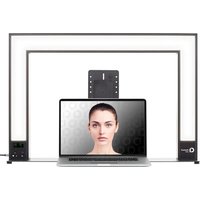


Brand : Chrome-Q
Model : Studio Force II Plus 12
Category : Lighting