
Pump Air Epic - Earphones BLUEANT - Free user manual and instructions
Find the device manual for free Pump Air Epic BLUEANT in PDF.


| Product Type | True Wireless Stereo (TWS) Earbuds |
| Brand | BlueAnt |
| Model | Pump Air Epic |
| Connectivity | Bluetooth 5.0 |
| Battery Life (Earbuds) | Up to 9 hours (estimated) |
| Battery Life (with Case) | Up to 27 hours (3 full charges of earbuds) |
| Charging Time (Earbuds) | 2 hours |
| Charging Time (Case) | 2 hours |
| Active Noise Cancellation | Yes, with Transparency mode |
| Water Resistance | Sweatproof (earbuds only; case not sweatproof) |
| Controls | Touch (single, double, triple tap; press and hold for volume) |
| Voice Assistant | Compatible with Siri and Google Assistant (triple tap right earbud) |
| Audio Codec | Not specified (likely SBC, AAC) |
| Driver Size | Not specified (estimated 10mm) |
| Earbud Weight | Approximately 5 g each |
| Charging Case Weight | Approximately 50 g |
| Earbud Dimensions | ~30 x 20 x 20 mm |
| Charging Case Dimensions | ~70 x 50 x 30 mm |
| Included Accessories | 3 sizes ComfortSeal Tips, 3 sizes Stabilizers, Charging Cable, Manual |
| Color | Black |
| Warranty | 1-year limited global warranty |
| Country of Design | Australia |
Frequently Asked Questions - Pump Air Epic BLUEANT
User questions about Pump Air Epic BLUEANT
0 question about this device. Answer the ones you know or ask your own.
Ask a new question about this device
Download the instructions for your Earphones in PDF format for free! Find your manual Pump Air Epic - BLUEANT and take your electronic device back in hand. On this page are published all the documents necessary for the use of your device. Pump Air Epic by BLUEANT.
USER MANUAL Pump Air Epic BLUEANT
Most Advanced ANC Sportsbuds
User Manual

natural_image
Black BlueAnt wireless earbuds with charging case, shown from two different angles (no text or symbols on device body)Welcome
Thank you for purchasing the BlueAnt Pump Air Epic, Advanced ANC Sportsbuds. Please read through this manual to get the most out of your sportsbuds.
Inside the box

1 x Pump Air Epic Sportsbuds
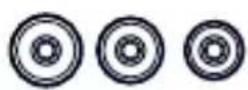
3 x Sizes of ComfortSeal Tips
3 x Sizes of Stabilizers

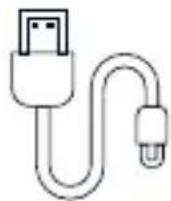
User Manual Pack 1 x Charging Cable
Get to know your Pump Air Epic

| Item | Function |
| 1 | Charging Case LED Lights |
| Charging Port2 | |
| 3 | Multifunctional (MFB)/Command Button |
| Earbud LED4 | |
| Earphone Microphones5 | |
| Case Battery Level button6 |
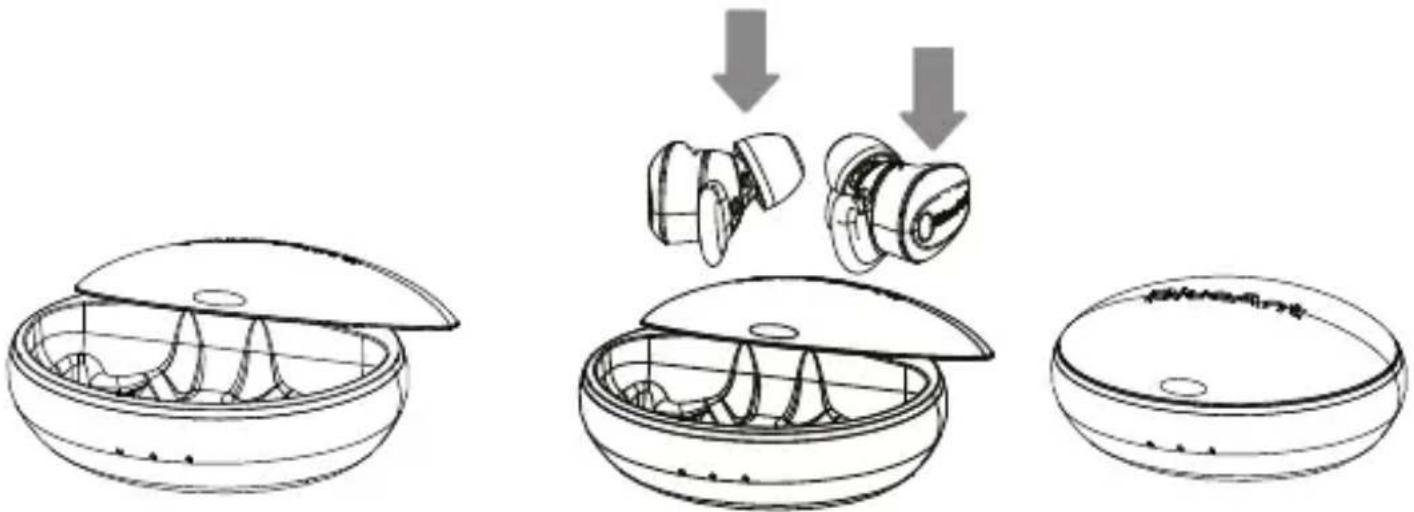
Charging your Pump Air Epic
natural_image
Three-step line drawing of a device with internal components and a close-up view of the interior (no text or symbols)- Open the charging case 2. Place earbuds in case 3. Close the lid
Charging your Pump Air Epic cont'd
natural_image
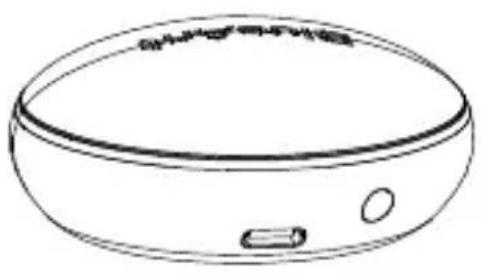
Line drawing of a circular electronic device with a small rectangular component on the side (no text or symbols)Use the supplied charging cable. Please only use 5V/1A wired chargers or 5V/2A wireless chargers.

natural_image
Two identical earbuds with 'Blueark' branding, shown in black and white line drawing (no additional text or symbols)The Pump Air Epic takes 2 hours for a full charge.
natural_image
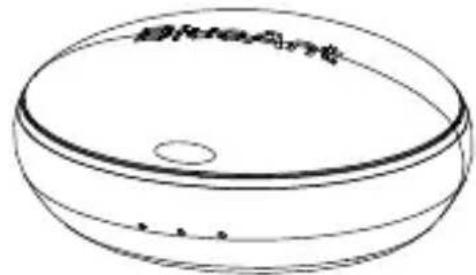
Simple line drawing of a circular object with a central hole and dotted lines at the bottom (no text or symbols)The Pump Air Epic charging case, takes 2 hours for a full charge. The charging case should charge the earbuds 3 times.
Charging your Pump Air Epic cont'd

natural_image
Simple line drawing of a circular container with a central hole and a small triangular base (no text or symbols)Charging notification Left & Right lights will turn red to show earbuds charging

natural_image
Simple line drawing of a kitchen appliance with a handle and button (no text or symbols)Charging case level indicator button
- The charging case has 3 lights. These signify the charge level of the charging case. One (1) light per 33% charge level
1 light 33%, 2 lights 66%, 3 lights 100%
Once fully charged, all 3 lights will remain lit. Unplug the charging case.
- When the earbuds power on, they will announce High, Medium or Low battery level. When low, recharge the earbuds by placing them in the case.
- When charging the earbuds, the left and right charging case lights will turn red, and glow to show that the earbuds are charging. When fully charged the lights will turn off. The earbuds may charge at different rates for left and right sides.
- To check the charge level of the case, press the button on the back of charging case.
Let's Get Started | Pairing
In order to get started using the Pump Air Epic, we need to pair it to your phone.
- Please remove both earbuds from the charging case, and put them in your ears.
- After a few seconds, they will play a sound in each ear, to let you know that both are connected.
- When the earbuds turn on for the first time, it will go into pairing mode.
- Now search your phone for 'BlueAnt Pump Air Epic' and pair.
- The earbuds will auto-reconnect to your phone whenever you take it out of the charging case, and power off when you put it back in.
If you need to pair with another phone, press and hold the right hand side command button, to power off the earbuds. Then let go of the button, then press and hold the button for 5 seconds until you hear the earbud saying, 'Bluetooth pairing'. Repeat the pairing process on the new phone.
Let's Get Started | Fit
natural_image
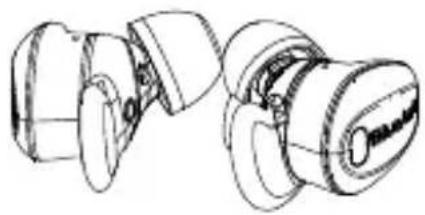
Technical line drawing of a mechanical component with two views (no text or symbols)To ensure the best sound, you need the best fit. Having the best fit creates a seal and enhances the bass performance.
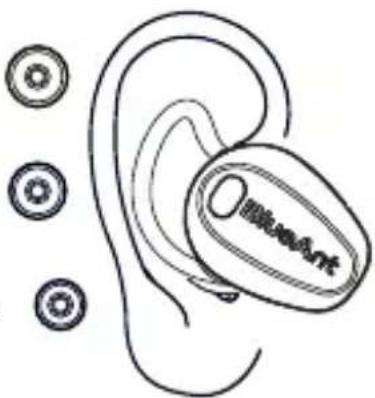
The diagram on the right, is how the earbuds should sit in your ear. There are 3 sizes of ComfortSealTips - Small, Medium and Large.
natural_image
Line drawing of a ear with a medical device and three circular components nearby (no text or symbols)To get the most out of the earbuds, it's best to try out each of the sizes to get the best fit.
Button Functions
Active Noise Cancellation (ANC) Music


ANC - Single tap on Left earbud (default)

Transparency - Single tap on Left earbud (default)


Tap Right earbud once to Play/Pause


Double tap the Right earbud to Skip Forward


Double tap Left earbud to Skip Back
Call Control Volume

Tap MFB once on either earbud to answer a call

8
Double tap MFB on either earbud to end a call
Press & hold either earbud to reject a call


Siri/Google


Tap MFB on Right earbud three times to Activate/Cancel Siri/Google
When music is playing or on a call

Press and hold the MFB on the Right earbud to increase volume

Press and hold the MFB on the Left earbud to decrease volume
Power

natural_image
Diagram of a device with three components and upward arrows indicating motion (no text or symbols)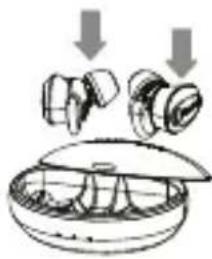
natural_image
Diagram of a mechanical device with two components and downward arrows indicating motion (no text or symbols)- When you remove the earbuds from the charging case, it will automatically power on, and try to reconnect to the last phone it was connected to.
- When you replace the earbuds in the charging case, they will automatically power off and disconnect from the connected phone.
- To power on without the charging case, press and hold the MFB for 2 seconds. To power off without the charging case, press and hold the right earbud MFB for 6 seconds.
-
To pair without the charging case from off, press and hold the right earbud MFB for 5 seconds, and then pair with your phone. Then press and hold the left earbud MFB for 2 seconds to power it on.
-
The earbuds announces when the battery is low, when there is about 30 mins of play time left.
- The earbuds features an iPhone battery meter.
- Mono Operation: It is possible to use the earbuds as a mono headset. Simply remove one of the earbuds from the charging case.
Legal
PLEASE PROTECT YOUR EARS. BlueAnt devices can reach volumes above 100 decibels. Prolonged use at high volumes may affect your hearing capacity and may result in noise induced hearing loss (NIHL). Please read the enclosed safety card for information about the safe use of BlueAnt products. The Bluetooth® word mark and logos are registered trademarks owned by Bluetooth SIG, Inc. and any use of such marks by BlueAnt Wireless is under license. Android is a trademark of Google Inc., Apple, iPhone and Siri are trademarks of Apple Inc., registered in the U.S. and other countries. BlueAnt and other trademarks are trademarks of BlueAnt and other organisations and may not be used without permission. The BlueAnt logo is registered in the U.S. Patent and Trademark Office and globally with the World Intellectual Property Organisation under the Madrid protocol.
Support
For help and support, visit: support.blueantwireless.com Register your Pump Air Epic for updates: register.blueantwireless.com By using this product, you agree to the terms and conditions listed on the BlueAnt website: www.blueantwireless.com
Sweatproof
The Pump Air Epic earbuds are sweatproof, while the charging case is not. Please take care to avoid moisture and liquids, entering the charging case.
SAFETY INFORMATION AND WARRANTY TERMS Important Safety Information
PLEASE READ THIS ENTIRE DOCUMENT CAREFULLY, BECAUSE IT CONTAINS IMPORTANT INFORMATION ABOUT THE SAFE USE OF BLUEANT DEVICES
WARNING - PROTECT YOUR HEARING
BLUEANT DEVICES CAN REACH VOLUMES ABOVE 100 DECIBELS.
ONLY CHARGE WHEN DEVICE IS CLEAN AND DRY
PROLONGED USE AT HIGH VOLUMES MAY AFFECT YOUR HEARING CAPACITY AND MAY RESULT IN NOISE INDUCED HEARING LOSS (NIHL). TURN OFF THE POWER TO YOUR DEVICE WHEN NOT IN USE.
Please ensure that the device and any associated components such as ear gels or chargers, are stored safely and that any packaging or unwanted contents are disposed of thoughtfully. Do not place the product on the floor or leave it in a place, where young children could access it, or someone could trip over it
Using Ear Gels
Your BlueAnt earbuds will come with eargels or foam tips that are designed to provide a secure fit in your ear, while providing high quality audio
- Ear gels and tips are designed to sit comfortably in your ear and should not be forced into your ear at any time. If you have
trouble fitting the ear gel or foam, please refer to the owner's manual for correct insertion and usage information.
Always make sure that the ear gel or foam is fitted securely to your device, before placing it in your ear.
WARNING
NOTE THAT NON COMPLIANCE, MISUSE OR FORCING THE EAR GEL OR FOAM MAY CAUSE DAMAGE TO YOUR EAR CANAL EARDRUM, OR MAY OTHERWISE CAUSE BODILY HARM
Care and Handling
Your BlueAnt Bluetooth device is a precision engineered instrument. To ensure its ongoing performance, you should look after it as you would any quality consumer electronic product, and use it in accordance with the instructions.
BlueAnt recommends that you take the following precautions.
- Avoid leaving your device in direct sunlight, such as on the dashboard or console of a car or truck. Do not leave your device unattended in your vehicle.
- Do not leave your device, or use your device, in any area where the temperature may exceed 45 degrees Centigrade (113 Degrees Fahrenheit),
such as inside a closed car on a hot day. Remember that on a hot day, the temperature inside a closed car may be significantly higher than the outside air temperature.
- Do not leave your device, or use your device, in any area exposed to humidity, dust, soot, other foreign objects, smoke, or steam as this may cause your device to malfunction.
- Do not use any household or industrial grade detergents or cleaners to clean your device. If your device becomes dirty or smeared, in most instances, a wipe with a dry or slightly damp cloth should be sufficient to clean it.
- Do not leave your Bluetooth device, plugged into a wall or car charger for long periods after it is fully charged. BlueAnt does not recommend long periods of continued charging.
- Before charging your BlueAnt device, make sure that the AC outlet, adaptor and cable are not damaged. If you notice any abnormalities, seek advice from a
qualified professional.
- If travelling internationally, ensure that your BlueAnt wall or car power adapter is approved for use in the country where you plan to use it and that the adapter voltage is suited to the local power supply.
- Should a fault develop with your BlueAnt product, contact BlueAnt for advice on how to proceed. Do not attempt to repair or alter any BlueAnt product yourself.
Approved Accessories
The use of accessories not approved by BlueAnt, including but not limited to batteries, antennas, wall adapters, car chargers, ear gels, foam tips and convertible covers, may cause your BlueAnt device to malfunction, or in the case of non-approved electrical accessories, may cause the device to exceed RF energy exposure guidelines. Use only 5V/1A chargers.
Use of non approved accessories will void your device's warranty. For a list of approved BlueAnt accessories, visit our website www.blueantwireless.com
Electromagnetic Interference
Nearly every electronic device is susceptible to electromagnetic interference (EMI) if inadequately shielded, designed, or otherwise for electromagnetic compatibility.
Similar to a mobile phone, your BlueAnt device is a low power transmitter/receiver and is covered by regulations in any facility where posted notices instruct you to do so. These facilities may include hospitals or health care facilities that may be using equipment that is sensitive to external RF energy.
- When instructed to do so, turn off your BlueAnt device when you board an aircraft. Any use of a mobile device must be in accordance with applicable laws, regulations and airline crew instructions.
- Some Bluetooth devices may interfere with some hearing aids. In the event of such interference, you may want to consult your hearing aid manufacturer or physician to discuss alternatives.
- If you use any other personal medical device, consult the manufacturer of your device to determine if it is adequately shielded from RF energy. Your doctor or physician may be able to assist you in obtaining this information.
If you are in doubt whether your BueAnt device or mobile phone can be safely turned on or used, please consult an authorised person in the location you want to use your BlueAnt device. If no authorised person is available, or you remain uncertain, BlueAnt recommends that you turn off your Bluetooth device and any mobile phones unless they are required in an emergency situation.
BlueAnt Limited Global Warranty
This product is covered by BlueAnt's limited global warranty for one (1) year from the date of purchase by the first consumer purchaser of the product.
Please refer to the warranty.blueantwireless.com for full terms and conditions.
Register your BlueAnt product for warranty and new product updates at register.blueantwireless.com
THANK YOU FOR CHOOSING A BLUEANT PRODUCT
AUSTRALIAN CONSUMER LAW
Our goods come with guarantees that cannot be excluded under the Australian Consumer Law. You are entitled to a replacement or refund for a major failure and compensation for any other reasonably foreseeable loss or damage. You are also entitled to have the goods repaired or replaced if goods fail to be of acceptable quality and the failure does not amount to a major failure.
For warranty and technical support, please email care@blueantwireless.com visit: www.blueantwireless.com or call 1300 669 049
BlueAnt Wireless Suite 6, 861 Doncaster East, VIC 3109, Australia
Caring for the Environment by Recycling
Do not dispose of Bluetooth accessories, such as chargers or headsets, with your household waste. In some countries or regions, collection systems are set up to handle electrical and electronic waste items, and may prohibit or restrict how such items are disposed of. Check the laws and regulations for your areas to determine how to properly dispose of such items. Contact your regional authorities for more details.
BlueAnt
100% AUSTRALIAN
DESIGNED & OWNED
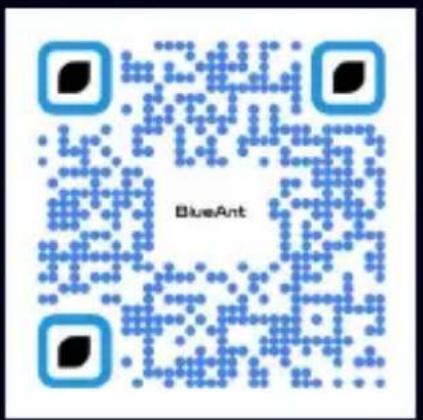


REGISTER & SCAN TO EXTEND YOUR WARRANTY
Register your BlueAnt product for warranty and new product updates by scanning the QR Code.
HELP & SUPPORT
Visit support.blueantwireless.com or email: care@blueantwireless.com
www.blueantwireless.com


- Welcome
- Inside the box
- Get to know your Pump Air Epic
- Charging your Pump Air Epic
- Charging your Pump Air Epic cont'd
- Let's Get Started | Pairing
- Let's Get Started | Fit
- Button Functions
- Active Noise Cancellation (ANC) Music
- Call Control Volume
- Siri/Google
- Power
- Legal
- Support
- Sweatproof
- SAFETY INFORMATION AND WARRANTY TERMS Important Safety Information
- PROLONGED USE AT HIGH VOLUMES MAY AFFECT YOUR HEARING CAPACITY AND MAY RESULT IN NOISE INDUCED HEARING LOSS (NIHL). TURN OFF THE POWER TO YOUR DEVICE WHEN NOT IN USE.
- Using Ear Gels
- WARNING
- Care and Handling
- Approved Accessories
- Electromagnetic Interference
- BlueAnt Limited Global Warranty
- THANK YOU FOR CHOOSING A BLUEANT PRODUCT
- AUSTRALIAN CONSUMER LAW
- Caring for the Environment by Recycling
- REGISTER & SCAN TO EXTEND YOUR WARRANTY
- HELP & SUPPORT
Brand : BLUEANT
Model : Pump Air Epic
Category : Earphones