
Linglung 20-70mm T2.9 - Lens DZOFilm - Free user manual and instructions
Find the device manual for free Linglung 20-70mm T2.9 DZOFilm in PDF.


| Product Type | Cinema Zoom Lens |
| Brand | DZOFilm |
| Model | Linglung 20-70mm T2.9 |
| Focal Length Range | 20-70mm |
| Maximum Aperture | T2.9 (constant throughout zoom) |
| Lens Mount | PL Mount |
| Optical Construction | 16 elements in 13 groups |
| Minimum Focus Distance | 0.85 m (from image plane) |
| Image Circle | Full-frame (46.5mm diagonal) |
| Focus Control | Manual, geared (0.8M pitch) |
| Zoom Control | Manual, geared |
| Iris Control | Manual, de-clicked, geared |
| Filter Thread | 95mm |
| Dimensions (Length) | Approx. 170 mm |
| Weight | Approx. 1.5 kg |
| Front Diameter | 95 mm |
| Coatings | Multi-coated |
| Parfocal Design | Yes |
| Breathing | Minimal |
| Maintenance | Clean with lens cloth; store in dry, dust-free environment |
| Safety Precautions | Avoid impacts; do not leave in direct sunlight |
| Spare Parts / Repair | Available through DZOFilm authorized service centers |
| Documentation | User manual available in PDF (EN, ZH, and others) |
Frequently Asked Questions - Linglung 20-70mm T2.9 DZOFilm
User questions about Linglung 20-70mm T2.9 DZOFilm
0 question about this device. Answer the ones you know or ask your own.
Ask a new question about this device
Download the instructions for your Lens in PDF format for free! Find your manual Linglung 20-70mm T2.9 - DZOFilm and take your electronic device back in hand. On this page are published all the documents necessary for the use of your device. Linglung 20-70mm T2.9 by DZOFilm.
USER MANUAL Linglung 20-70mm T2.9 DZOFilm
Linglung Cinema Lens Users' Manual
20-70 T2.9
10-24 T2.9
LingLung系列电影镜头使用说明书
Introduction
Linglung series lenses are the products of DZOFILM for M4/3 cameras.
Thank you for your purchase of this product. Be sure that you have read this manual and understood its content before using the camera. Keep the manual where it will be read by all who use the product.
For repair, inspection and internal test, please contact your DZOFILM dealer.
Make sure that you use the lens correctly. Read the Manual carefully before use.
Product Care
- When using a lens hood, do not pick up or hold the camera using only the hood.
- Use a blower to remove dust and lint from the glass surfaces of the lens or filter. To remove smudges and fingerprints, apply a small amount of lens cleaner to a soft, clean cotton cloth or lens-cleaning tissue and clean from the center outwards using a circular motion. Do not leave smears or touch the glass with your finger.
● Never use organic solvents such as paint thinner or benzene to clean the lens.
- Attach the front and rear caps when the lens is not in use.
- Store the lens and filter in cool, dry locations to prevent mold and rust. Do not store in direct sunlight or with naphtha or camphor moth balls.
- Please keep the lens dry and wipe the water droplets off if there are droplets on the glass surface.
● Leaving the lens near heater or in other extremely hot locations could cause damage or warping.
- There may be a case that the glasses of the lens mist when the lens is carried from a cool place to a high temperature and high humidity. To avoid a mist on the glasses, before using the lens, let the lens adjust to the ambient temperature of the place where the lens will be used.
Supplied Accessories
Front lens cap *1
Rear lens cap *1
Supporting rod *1
Supporting base *1 set (including 2 bridge rods and 2 extension rods)
Zoom lever socket *1 (removable)
Users' Manual *1
Quality Card *1
Desiccant *1
Parts of the Lens

11 12 13 14 15 16 17
1 Front lens cap
② Lens index
③ Focus ring
4 Service tap sockets *6 (M3, depth 4.5mm)
⑤ Zoom ring
⑥ Zoom lever
⑦ Zoom lever socket (M3, depth 3.5mm)
⑧ Aperture ring
9 F.f(flange focus) ring with lock knob
10 Rear lens cap
⑪ Screws of supporting base
12 Supporting base
13 Back supporting rod
14 Bridge rod (long)
15 Bridge rod (short)
16 Rear supporting rod socket (M3, depth 4mm)
17 Front supporting rod
Attach the Lens to the Camera
Remove the body cap from the camera and the rear cap from the lens. Place the lens on the mount, keeping the marks on the lens and the camera aligned, and then rotate the lens until it clicks into place. Note that in some cases there may not be a mounting mark on the camera body.
When attaching the lens, ensure that dust or other foreign matter does not enter the camera and be careful not to touch the camera's internal parts. Do not press the lens release button while attaching the lens and be sure the latch has securely clicked into place.
Before using the lens for the first time or after attaching it to a different camera, measure the flange-back distance.
Attaching the Zoom Lever and Bridge/ Extension Rods
As M4/3 mount is not an active locking structure and thus it could be loose on the connection between camera and lens. To guarantee the shooting effect, this lens is equipped with two kinds of supporting methods. They are supporting rod on the front of the lens body, and the supporting base near the lens mount. When using camera cages, front supporting rod is recommended to fix lens and camera.
Rear supporting base is recommended to use when there is no camera cage. Attach supporting rod of the base to the camera and screw it into the socket in the rear lens body. This can strengthen the stability between lens and camera.
Every lens is equipped with two extension rods to satisfy different cameras. Use extension rods if the bridge rod is not long enough.
Demonstration of Supporting Rod/ Base

Lens Control
Use the lens controls to zoom in to zoom out, adjust aperture or focus.
Focus
Rotate the focus ring to increase or decrease the focus distance.
Focus ring

Zoom
Rotate the zoom ring to zoom out, increasing the area visible in the frame or zoom in on the subject so that it fills a larger area in the frame.
Zoom ring

Aperture
Rotate the aperture ring to stop aperture down, raising the f-number and narrowing the aperture, or lower the f-number to widen the aperture.
Aperture ring

Fange back adjusting ring
Flange Back Adjustment
Rotate flange back adjusting ring, increasing or decreasing the flange back distance
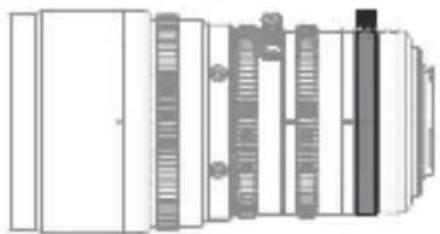
Adjusting the Flange Back Distance
Linglung series lenses will all go through flange back adjustment based on M4/3 standard before shipping, but flange back distance can vary depending on the camera and even such factors as the ambient temperature. If the flange back distance is incorrect, the camera will not focus at the correct distance. Linglung series has fast adjustment structure which is placed aperture ring and lens mount.
To correct the flange back distance, please follow the steps below.
1、Ready your subject. You can use a “Siemens Star”, a pattern of black-and-white radiating spokes available on the internet. Download and print it.
2、Attach the lens to the camera
3、Select the maximum aperture
4、Zoom all the way out.
5、Rotate the focus ring to focus on the Siemens star. Find the position at which the black-and-white spokes are sharpest.
6、Zoom all the way in.
7、Rotate flange back adjusting ring to reserve compensatory adjustment on focus until the intersection point is at the sharpest.
8、Repeat steps 3-7 two or three times. The adjustment is complete when the optimal focus position is the same at all focal lengths; if it's not, further adjustment is required.
9、Tighten the F.f lock knob securely when the adjustment is complete. Theoretically flange back distance requires to adjust after changing to a different camera.
Specification
| Specifications | 20-70 10-24 | |
| Lens mount | M4/3 mount M4/3 mount | |
| Focal length | 20-70 mm 10-24 mm | |
| Zoom ratio | 3.5X 2.4X | |
| Minimum T-stop | T2.9 T2.9 | |
| Aperture range | T2.9-T22 T2.9-T22 | |
| Frame size | 17.31 mm*12.98 mm (φ21.6 mm) aspect ratio 1.33:1 aspect ratio 1.33:1 | 17.31 mm*12.98 mm (φ21.6 mm) |
| Flange back (in air) | 19.2mm (adjustable by±0.3mm) | 19.2mm (adjustable by±0.3mm) |
| Minimum object distance (from focal plane) | 0.79m/2ft7in. 0.5m/1ft8in | |
| Angle of view | ||
| Horizontal | 47.5°-14.3° | 79.7°-40.33° |
| Vertical | 36.5°-10.8° | 64.1°-30.8° |
| Diagonal | 57.6°-17.9° | 92.5°-49.3° |
| Area photographed at close focus distance | 20mm: 568 mm*429 mm | 10mm: 608 mm*456 mm |
| 70mm: 162 mm*122 mm | 24mm: 268 mm*201 mm | |
| Effective lens diameter | ||
| Front element | 53.0 mm | 57.0 mm |
| Rear element | 25.8 mm | 25.8 mm |
| Aperture control | Manual (ring rotates up to 72°) | Manual (ring rotates up to 60°) |
| Zoom control | Manual (ring rotates up to 100°) | Manual (ring rotates up to 100°) |
| Focus contorl | Manual (ring rotates up to 270°) | Manual (ring rotates up to 270°) |
| External dimensions: diameter*length (approx.) | φ82.0*153.3mm φ82.0*150.9mm | |
| Weight (approx.,excluding lens cap and bridge rods) | 1100g 1100g | |
| External diameter at front of lens | 80 mm 80 mm | |
| Filter diameter | 77 mm | |
| Gear pitch (aperture,zoom,and focus) | 0.8 M 0.8 M | |
| Number of blades | 12 12 |
*Improvements may result in unannounced changed on specification and appearance. Owing to how this lens is constructed the distance shown by the camera focus distance indicator (distance indicator) may in some cases differ from the actual focus distance. (Use the “distance indicator” as a guide only).
Appearance
20-70

10-24

Repair and Maintenance
Repairs
Return the product to the point of purchase for repairs. Please note that we reserve the right to refuse service in the event of damage so severe that there is little hope of function being restored, whether said damage is caused by physical shocks, immersion in sand, mud, or water or the like.
Warranty service
Should the product malfunction in the course of normal use as set forth in the users' manual and accompanying documentation, it may
be returned to the point of purchase for repairs within warranty period. The owner is responsible for all shipping costs. The warranty period varies with the country or region of purchase. Stored dated receipts or other proof of purchase in a safe place, as it will be required for repairs made under warranty.
Service Outside the Warranty Period
Request for service will normally be accepted within a period of roughly 5 years following the end of production, during which time spares will be kept on hand, although owners may be offered an equivalent product during this period in the event that spares are not available. Compatibility with consumables and accessories for the original product is not guaranteed. To prevent waste, repairs or replacement may be made using refurbished parts or products, and DZOFILM may collect returned parts or products for later use. When returning a product for repair, please let us know if you need the original parts.
Privacy
DZOFILM obeys all applicable laws and regulations concerning the handling of names, addresses, phone numbers, and other personal information provided by users.
简介
变焦环

变焦控制
后焦调节环
后焦调节控制
镜后距离调节方法
1F., Building One, Xinwuxia Industrial Park, No.32, Cuibao Rd., Baolong St., Longgang Dist., Shenzhen 518000, China

+86 755-2890 8505

www.dzofilm.com
深圳市东正光学技术有限公司
广东深圳市龙岗区宝龙街道翠宝路32号
新屋吓工业园1栋1楼

0755-2890 8505

www.dzofilm.com
- LINGLUNG CINEMA LENS USERS' MANUAL
- T2.9
- INTRODUCTION
- PRODUCT CARE
- SUPPLIED ACCESSORIES
- ATTACH THE LENS TO THE CAMERA
- ATTACHING THE ZOOM LEVER AND BRIDGE/ EXTENSION RODS
- LENS CONTROL
- FOCUS
- ZOOM
- APERTURE
- FLANGE BACK ADJUSTMENT
- ADJUSTING THE FLANGE BACK DISTANCE
- APPEARANCE
- REPAIR AND MAINTENANCE
- REPAIRS
- WARRANTY SERVICE
- SERVICE OUTSIDE THE WARRANTY PERIOD
- PRIVACY
- 简介
- 变焦控制
- 后焦调节控制
- 镜后距离调节方法
- 深圳市东正光学技术有限公司
Brand : DZOFilm
Model : Linglung 20-70mm T2.9
Category : Lens