
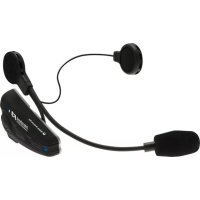
SSCGPS54 - Car kit Cellular Line - Free user manual and instructions
Find the device manual for free SSCGPS54 Cellular Line in PDF.


Pick your language and provide your email: we'll send you a specifically translated version.
| Product Type | Car Hands-Free Kit |
| Brand | Cellular Line |
| Model | SSCGPS54 |
| Dimensions | Approx. 10 x 5 x 2 cm |
| Weight | Approx. 50 g |
| Power Source | USB or 12V cigarette lighter adapter |
| Bluetooth Version | 5.0 |
| Operating Range | Up to 10 meters |
| Battery Capacity | 200 mAh (rechargeable) |
| Talk Time | Up to 10 hours |
| Standby Time | Up to 200 hours |
| Charging Time | 2 hours |
| Main Functions | Handsfree calling, music streaming, voice assistant support, FM transmitter |
| Compatibility | Most smartphones with Bluetooth |
| Installation | Clip-on car visor or dashboard mount |
| Controls | Multi-function button for answer/end call, volume control |
| LED Indicator | Red/Blue for power and pairing status |
| Solar Charging | Not supported |
| Water Resistance | No (not waterproof) |
| Included Accessories | USB charging cable, user manual |
| Warranty | 2 years manufacturer warranty |
| Care Instructions | Clean with dry soft cloth; avoid liquids and direct sunlight |
| Safety | Do not operate while driving; ensure secure mounting |
| Spare Parts | Not available separately; contact support for replacement |
| Repairability | Not user-serviceable; professional repair only |
Frequently Asked Questions - SSCGPS54 Cellular Line
How do I pair the SSCGPS54 with my phone?
Ensure the car kit is charged. Press and hold the multi-function button for 3 seconds until the LED flashes red and blue. On your phone, enable Bluetooth and select SSCGPS54 from the available devices. Confirm pairing if prompted.
How do I charge the car kit?
Connect the included USB cable to the car kit and a standard USB power source (car charger, PC, or wall adapter). The LED turns red during charging and goes off when fully charged. Charging takes about 2 hours.
Can I use this kit while driving?
Yes, it is designed for hands-free use. However, always obey local laws regarding mobile phone use while driving. Mount the kit securely and operate it only when safe to do so.
How do I adjust the volume?
Use the volume control buttons on the car kit. Some models may also allow volume control from your phone during a call or music playback.
Why is my car kit not turning on?
Check if the battery is discharged. Connect to a charger for at least 15 minutes. If still not powering on, try a different USB cable or power source. If the problem persists, contact Cellular Line support.
How do I reset the car kit?
Press and hold the multi-function button for about 8 seconds until the LED flashes rapidly. This will clear paired devices and restore factory settings.
Is the SSCGPS54 compatible with iPhone?
Yes, it works with any Bluetooth-enabled iPhone (iOS 5.0 and above). Pair as usual. For Siri access, double-press the multi-function button during standby.
Does it support FM transmission?
Yes, the SSCGPS54 can transmit audio to your car stereo via FM. Tune your radio to an unused frequency and set the same frequency on the car kit. Then select that frequency during pairing.
How do I clean the car kit?
Use a soft, dry cloth to wipe the surfaces. Do not use any liquids, abrasive cleaners, or solvents, as they may damage the device.
Can I replace the battery?
The battery is built-in and not user-replaceable. If the battery fails, please contact Cellular Line for servicing or replacement options.
User questions about SSCGPS54 Cellular Line
0 question about this device. Answer the ones you know or ask your own.
Ask a new question about this device
No questions yet. Be the first to ask one.
Download the instructions for your Car kit in PDF format for free! Find your manual SSCGPS54 - Cellular Line and take your electronic device back in hand. On this page are published all the documents necessary for the use of your device. SSCGPS54 by Cellular Line.
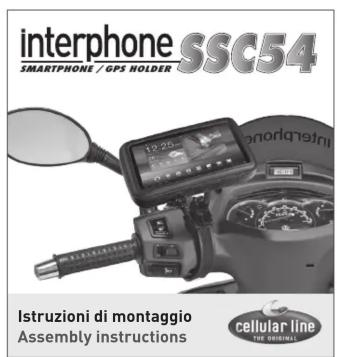
USER MANUAL SSCGPS54 Cellular Line








Manual assistant
Powered by Anthropic
Waiting for your message
Product information
Brand : Cellular Line
Model : SSCGPS54
Category : Car kit