Format 6307 - Wardrobe BDI - Free user manual and instructions
Find the device manual for free Format 6307 BDI in PDF.


| Product Type | Wardrobe |
| Brand | BDI |
| Model | Format 6307 |
| Overall Height | 71 in (1800 mm) |
| Overall Width | 35.4 in (900 mm) |
| Overall Depth | 20.9 in (530 mm) |
| Weight | 110 lbs (50 kg) |
| Material | Engineered wood with walnut veneer |
| Finish | Matte lacquer |
| Number of Doors | 2 (hinged) |
| Interior Shelves | 3 adjustable shelves |
| Hanging Rod | 1 (full width) |
| Assembly Required | Yes (2-person recommended) |
| Anti-Tip Device | Included |
| Cleaning | Damp cloth, mild soap |
| Warranty | 1 year limited |
Frequently Asked Questions - Format 6307 BDI
User questions about Format 6307 BDI
0 question about this device. Answer the ones you know or ask your own.
Ask a new question about this device
Download the instructions for your Wardrobe in PDF format for free! Find your manual Format 6307 - BDI and take your electronic device back in hand. On this page are published all the documents necessary for the use of your device. Format 6307 by BDI.
USER MANUAL Format 6307 BDI
A - Phillips Screwdriver x 1 (not provided)
natural_image
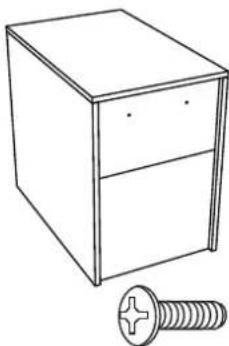
Line drawing of a box with two drawers and a screw (no text or symbols)B - Cabinet x 1
C - 5/32" x 12mm Phillips Screw x 20
natural_image
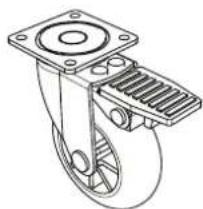
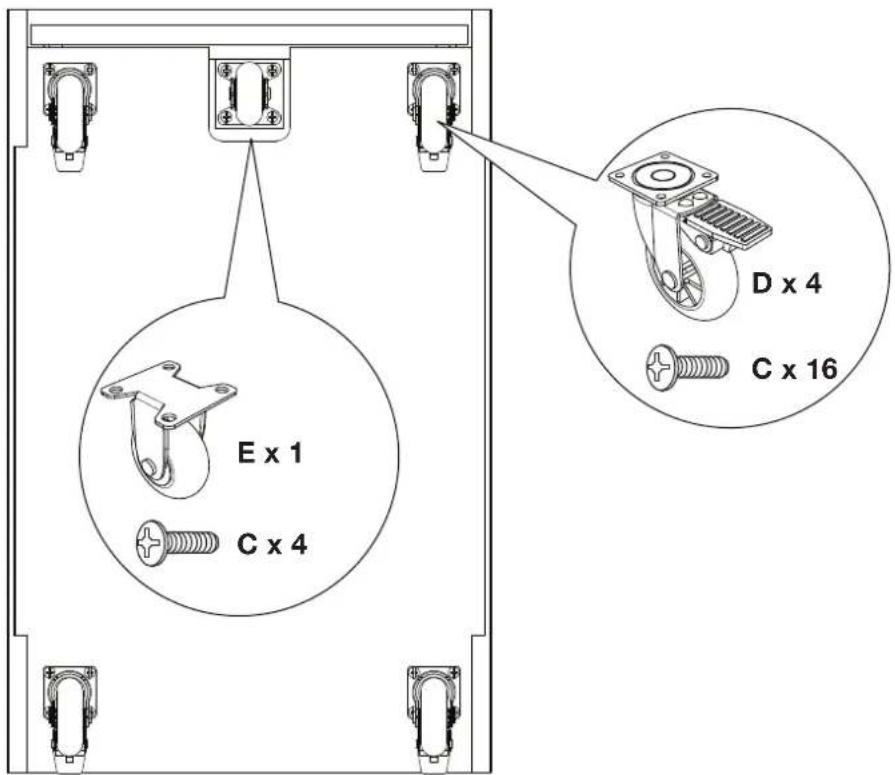
Technical line drawing of a mechanical pulley or slide (no text or symbols)D - Brake Caster x 4
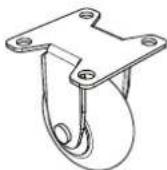
E - Center Caster x 1
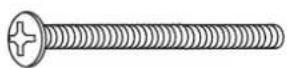
F - M4 x 37mm Phillips Screw x 2
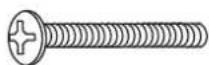
G - M4 x 25mm Phillips Screw x 2
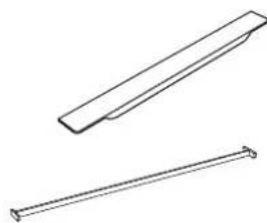
natural_image
Two technical line drawings of mechanical components: a rectangular prism and a straight rod (no text or symbols)H - Pull x 2
I - Letter File Bar x 2
Format is engineered for easy assembly. Carefully follow this procedure to prevent any damage.
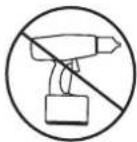
Do not use power tools for assembly of this product.
Placement and Maintenance
Format™ Office furniture is designed for indoor use on level floors. Clean steel parts and wood veneer with a moist cloth.
Step 1
Unpack and Identify
Unpack and identify the components at left. Note that some components are shipped inside the cabinet. The assembly workspace should be a non-marring surface such as carpet. For missing hardware pieces, please contact BDI Customer Service at customerservice@bdiusa.com. For all other concerns, please contact your BDI Retailer.
Step 2
Install Casters
Carefully position Cabinet (B) on its back side so that bottom side is accessible, then attach a Caster at each of the five (5) exposed installation plates using 5/32" x 12mm Phillips Screw (C) and a Phillips Screwdriver.
Step 3
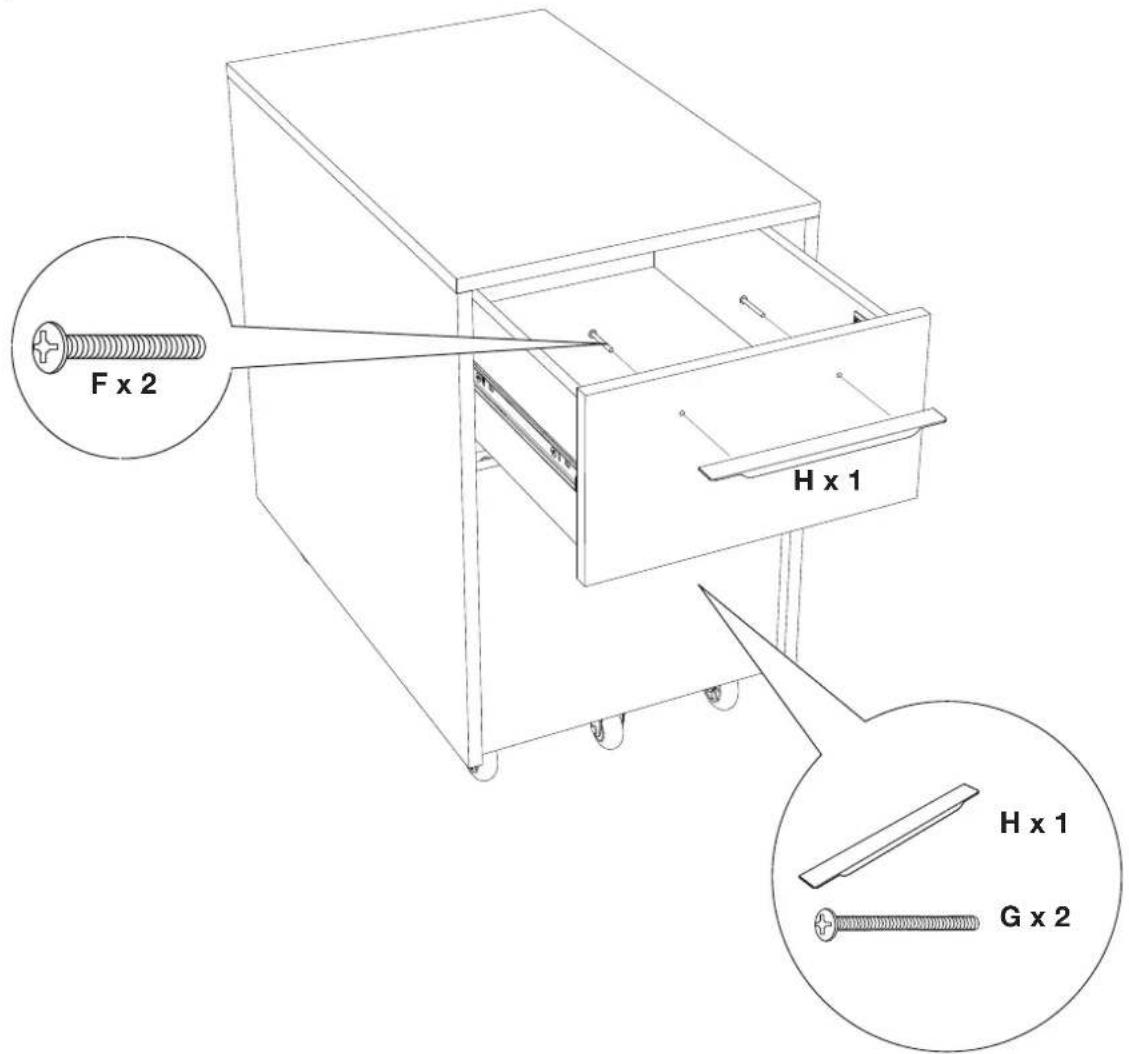
Install Drawer Pulls.
Install Pulls.
Carefully turn pedestal upright and then install Pull (H) to top drawer using the M4 x 37mm Phillips Screw (F) and a Phillips Screwdriver. Install Pull (H) to bottom drawer using the M4 x 25mm Phillips Screw (G) and a Phillips Screwdriver.
Step 4
File Folders
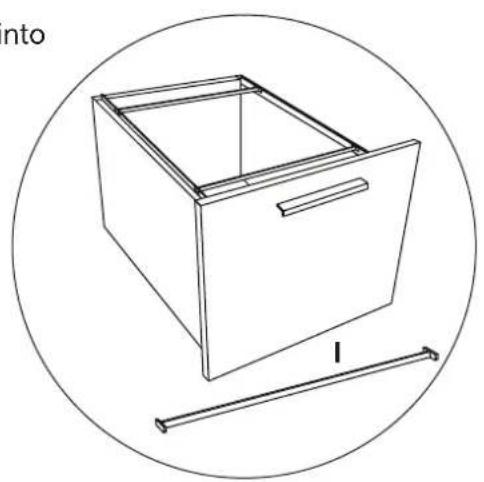
Users who wish to use legal-length files may install Letter File Bars(I) into place near front and back of file drawers.
natural_image
Line drawing of a rectangular box with a handle and a side arm, enclosed in a circle (no text or symbols)Brand : BDI
Model : Format 6307
Category : Wardrobe