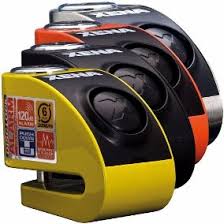
XA901 - Security Camera XENA - Free user manual and instructions
Find the device manual for free XA901 XENA in PDF.


Pick your language and provide your email: we'll send you a specifically translated version.
| Product Type | Security Camera |
| Brand | XENA |
| Model | XA901 |
| Dimensions | 10 × 6 × 5 cm |
| Weight | 200 g |
| Power Supply | DC 12V, 1A |
| Video Resolution | 1080p Full HD |
| Night Vision | IR LEDs, up to 10m |
| Motion Detection | Yes, adjustable sensitivity |
| Field of View | 90° |
| Connectivity | Wi-Fi 2.4GHz |
| Storage | MicroSD card up to 128GB |
| Audio | Two-way audio |
| Weather Resistance | IP65 (outdoor use) |
| Mounting | Wall or ceiling mount included |
| Maintenance | Clean lens with soft, dry cloth; avoid water. |
| Safety | Keep away from moisture; use only supplied adapter. |
| Spare Parts | Available from XENA service center. |
| Repairability | Repairs by authorized technicians only. |
| Included Accessories | Power adapter, mounting kit, user manual. |
| General Information | Suitable for indoor and outdoor surveillance. |
Frequently Asked Questions - XA901 XENA
How do I reset the XENA XA901 camera?
Press and hold the reset button (located on the back of the camera) for 10 seconds until the LED blinks rapidly. The camera will reboot to factory settings.
How to connect the camera to Wi-Fi?
Download the XENA Smart app, create an account, and follow the in-app instructions. Make sure the camera is powered on and near the router. Use the app to scan the QR code on the camera.
Can I use the camera without a subscription?
Yes, you can use local storage via MicroSD card (up to 128GB) without any subscription. Cloud storage options are available as an additional service.
What is the maximum supported SD card size?
The XA901 supports MicroSD cards up to 128GB. For best performance, use a Class 10 or higher card.
How to view the camera remotely?
Open the XENA Smart app on your smartphone. Log in with your account, and select your camera from the device list. Ensure the camera is online and connected to the internet.
Does the camera have night vision?
Yes, the camera is equipped with infrared LEDs for night vision up to 10 meters in complete darkness.
Is the camera weatherproof?
The camera has an IP65 rating, making it suitable for outdoor use. It is splash-proof and dust-tight.
How to update the firmware?
Firmware updates are pushed automatically via the XENA Smart app. You can also check for updates manually in the device settings.
Why is the camera offline?
Check your Wi-Fi connection and ensure the camera is within range. Restart the camera by unplugging it for 30 seconds. If the issue persists, try resetting the camera.
Can I share access with family members?
Yes, in the XENA Smart app, go to device settings and select 'Share Device'. You can invite others via email or by sharing a QR code.
User questions about XA901 XENA
0 question about this device. Answer the ones you know or ask your own.
Ask a new question about this device
No questions yet. Be the first to ask one.
Download the instructions for your Security Camera in PDF format for free! Find your manual XA901 - XENA and take your electronic device back in hand. On this page are published all the documents necessary for the use of your device. XA901 by XENA.