
CM1000CTR - Washing machine Profilo - Free user manual and instructions
Find the device manual for free CM1000CTR Profilo in PDF.


Pick your language and provide your email: we'll send you a specifically translated version.
| Brand | Profilo |
| Model | CM1000CTR |
| Product Type | Washing Machine |
| Capacity | 7 kg |
| Spin Speed | 1000 rpm |
| Energy Class | A+ |
| Dimensions (H x W x D) | 85 x 60 x 60 cm |
| Weight | 70 kg |
| Power Supply | 220-240 V, 50 Hz |
| Water Connection | Cold water supply |
| Programs | Cotton, Synthetics, Delicates, Quick Wash, Eco, Wool, Hand Wash |
| Features | Delay start, Child lock, Stain treatment, Extra rinse |
| Display | LED digital |
| Drum Material | Stainless steel |
| Noise Level (Wash/Spin) | 58 dB / 75 dB |
| Annual Water Consumption | 9990 L/year |
| Annual Energy Consumption | 195 kWh/year |
| Maintenance | Clean detergent drawer and filter regularly |
| Safety | Child lock, Overheating protection, Overflow protection |
| Spare Parts Availability | 7 years after end of production |
Frequently Asked Questions - CM1000CTR Profilo
How do I install the washing machine?
Remove all packaging, including the transit bolts. Connect the water inlet hose to a cold water tap and the drain hose to a standpipe or sink. Level the machine by adjusting the front feet. Plug into a grounded outlet.
What should I do if the machine does not start?
Check if the door is properly closed, the water supply is turned on, and the machine is plugged in. Ensure the child lock is not activated. If the problem persists, consult the manual or contact service.
How often should I clean the filter?
Clean the filter every 2-3 months or when the machine indicates it. For the CM1000CTR, the filter is located at the bottom front. Open the cover, drain any water using the emergency drain hose, then unscrew and clean the filter.
Can I wash delicate fabrics like wool?
Yes, use the dedicated Wool program which uses gentle action and cold water to protect fibers. Always check the garment care label first.
What does the child lock feature do?
The child lock prevents accidental changes to settings or door opening during a cycle. Activate it by pressing the Child Lock button for 3 seconds; a lock icon will appear on the display.
How can I reduce vibration during spin?
Ensure the machine is level and that the transit bolts have been removed. Do not overload the drum; distribute laundry evenly. Use an anti-slip mat if necessary.
What is the maximum spin speed?
The maximum spin speed is 1000 rpm for most programs. You can adjust it lower for delicate items using the spin speed selector.
How do I use the delay start function?
Press the Delay button repeatedly to set a delay time (from 1 to 24 hours). The start will be delayed accordingly, allowing you to schedule washes for off-peak hours.
What should I do if there is a leak?
Immediately turn off the water supply and unplug the machine. Check hose connections for tightness. Inspect hoses for damage. If the leak persists, contact a technician.
How do I clean the detergent drawer?
Remove the drawer by pulling it out fully. Rinse it under warm water to remove detergent residue. Use a brush to clean the compartments. Reinsert firmly. This should be done monthly.
User questions about CM1000CTR Profilo
0 question about this device. Answer the ones you know or ask your own.
Ask a new question about this device
No questions yet. Be the first to ask one.
Download the instructions for your Washing machine in PDF format for free! Find your manual CM1000CTR - Profilo and take your electronic device back in hand. On this page are published all the documents necessary for the use of your device. CM1000CTR by Profilo.
USER MANUAL CM1000CTR Profilo
natural_image
Line drawing of a washing machine with control panel and buttons (no text or symbols)ÇamaşırMakinesi


natural_image
Mechanical assembly diagram showing a tool interacting with a component, with an arrow indicating motion direction (no text or symbols present)

natural_image
Illustration of a faucet being inserted into a sink, with a close-up view of the handle (no text or symbols present)
natural_image
Illustration of a hand holding a pipe fitting with a valve, alongside a close-up of hands performing a manual tool (no text or symbols visible)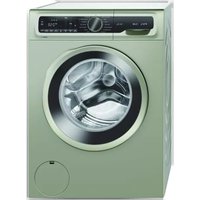

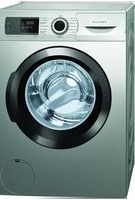
Manual assistant
Powered by Anthropic
Waiting for your message
Product information
Brand : Profilo
Model : CM1000CTR
Category : Washing machine