CGA142ZXTR - Washing machine Profilo - Free user manual and instructions
Find the device manual for free CGA142ZXTR Profilo in PDF.


Pick your language and provide your email: we'll send you a specifically translated version.
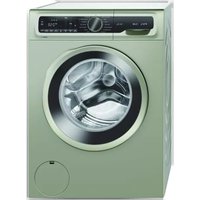
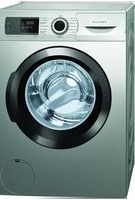
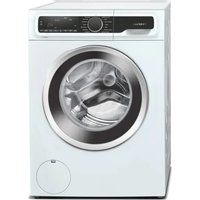
| Product Type | Front-loading washing machine |
| Brand | Profilo |
| Model | CGA142ZXTR |
| Capacity | 7 kg |
| Maximum Spin Speed | 1400 rpm |
| Energy Efficiency Class | A |
| Water Consumption per Cycle | 48 L |
| Annual Energy Consumption | 170 kWh |
| Dimensions (H x W x D) | 85 x 60 x 57 cm |
| Weight | 65 kg |
| Noise Level (Wash/Spin) | 54 dB / 76 dB |
| Power Supply | 220-240 V, 50 Hz |
| Programs | Cotton, Synthetics, Delicate, Quick 30', Wool, Rinse & Spin, Drum Clean |
| Control Type | Electronic display with buttons |
| Door Opening | Left hinge, 180° opening |
| Safety Features | Child lock, overflow protection, unbalanced load detection |
| Maintenance | Clean detergent drawer monthly, clean filter every 2 months |
| Spare Parts Availability | Motor, pump, belt, door seal, control board available through authorized service |
| Warranty | 2 years standard, 10 years for motor |
Frequently Asked Questions - CGA142ZXTR Profilo
How do I install my Profilo CGA142ZXTR washing machine?
Remove all packaging and transit bolts. Level the machine by adjusting the feet. Connect the water inlet hose to a cold water tap with 3/4" thread. Insert the drain hose into a standpipe or sink. Plug into a grounded outlet. Refer to the user manual for detailed steps.
What should I do if the washing machine does not start?
Check that the door is properly closed. Ensure the water supply is turned on and the drain hose is not kinked. Verify the machine is plugged in and the circuit breaker is not tripped. If the display shows an error code, consult the troubleshooting section of the manual.
How often should I clean the detergent drawer?
Clean the detergent drawer every 2 months to prevent mold and detergent buildup. Remove the drawer by pulling it out and pressing the release lever. Wash it with warm water and a soft brush, then dry before reinserting.
Can I use liquid detergent in this machine?
Yes, you can use liquid detergent. Pour it into the designated compartment (usually with a "II" symbol). For main wash, use the compartment marked "II". Avoid overfilling. For HE machines, use low-sudsing detergent.
What does the error code E20 mean?
Error E20 indicates a drainage problem. The machine is not draining water. Check if the drain hose is kinked or blocked, and clean the pump filter. Ensure the standpipe is not clogged. If the issue persists, contact service.
How do I clean the pump filter?
Open the lower access panel. Place a shallow container underneath. Unscrew the filter cap (turn counterclockwise). Remove any lint, coins, or debris. Clean the filter under running water. Screw it back securely and close the panel. Perform this every 2 months.
What is the maximum load capacity for the Cotton program?
The maximum load for the Cotton program is 7 kg. Overloading can cause poor washing results and excessive vibration. For heavy items like towels, do not exceed 7 kg dry weight.
Why is my washing machine vibrating excessively?
Excessive vibration is often due to uneven flooring or improper leveling. Ensure the machine is level on all four feet. Also, remove all transit bolts if not done during installation. Check that the load is balanced.
Can I pause a cycle to add clothes?
Yes, you can press the Start/Pause button to pause the cycle. Wait for the door lock to release (usually after a few seconds). Add garments and press Start/Pause again. Not all programs allow this; check the manual.
How do I activate the child lock?
To activate the child lock, press and hold the Drum Clean button (or specific button as per model) for 3 seconds until a lock icon appears on the display. To deactivate, repeat. This prevents children from changing settings during operation.
User questions about CGA142ZXTR Profilo
0 question about this device. Answer the ones you know or ask your own.
Ask a new question about this device
No questions yet. Be the first to ask one.
Download the instructions for your Washing machine in PDF format for free! Find your manual CGA142ZXTR - Profilo and take your electronic device back in hand. On this page are published all the documents necessary for the use of your device. CGA142ZXTR by Profilo.
USER MANUAL CGA142ZXTR Profilo


Manual assistant
Powered by Anthropic
Waiting for your message
Product information
Brand : Profilo
Model : CGA142ZXTR
Category : Washing machine