
Twizt Rotating 2.0 - Docking Station TRUST - Free user manual and instructions
Find the device manual for free Twizt Rotating 2.0 TRUST in PDF.


| Product Type | Docking Station |
| Brand | Trust |
| Model | Twizt Rotating 2.0 |
| Dimensions (approx.) | 200 x 150 x 50 mm |
| Weight | 300 g |
| Power Supply | USB powered (5V, 2A) |
| Rotation Angle | 360 degrees |
| Tilt Adjustment | Yes, multiple viewing angles |
| Compatible Devices | Smartphones and tablets up to 10 inches |
| Charging Function | Yes, via USB cable (not included) |
| Non-Slip Base | Yes, with rubber pads |
| Cable Management | Yes, built-in slot |
| Material | Plastic and silicone |
| Color | Black |
| Care Instructions | Wipe with a soft, dry cloth |
| Safety Features | Stable base prevents tipping; no sharp edges |
| Spare Parts Availability | Not applicable (integrated design) |
| Repairability | Not user-serviceable |
| General Information | Designed for hands-free use and charging at your desk or bedside |
Frequently Asked Questions - Twizt Rotating 2.0 TRUST
User questions about Twizt Rotating 2.0 TRUST
0 question about this device. Answer the ones you know or ask your own.
Ask a new question about this device
Download the instructions for your Docking Station in PDF format for free! Find your manual Twizt Rotating 2.0 - TRUST and take your electronic device back in hand. On this page are published all the documents necessary for the use of your device. Twizt Rotating 2.0 by TRUST.
USER MANUAL Twizt Rotating 2.0 TRUST
Frequently asked questions
www.trust.com/19852/faq
Trust

natural_image
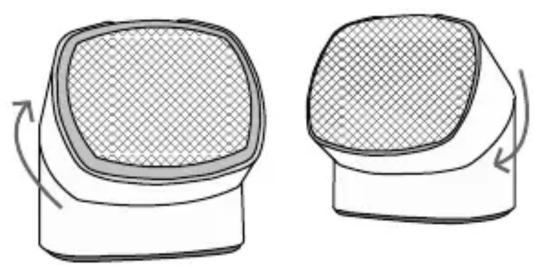
Two black desktop speakers with sound waves connected by a cable, shown against a white background (no text or symbols visible)Quick Installation Guide
Twizt rotating speaker set
© 30-01-2014 Trust International B.V. All rights reserved.
1
natural_image
Two identical illustrations of a device with mesh patterns, shown in side and top views with curved arrows indicating rotation (no text or symbols)2
Audio

natural_image
Diagram showing a plug-in connector and its internal wiring (no text or symbols)
natural_image
Line drawing of a laptop with front panel and internal components (no text or symbols)3
Power


natural_image
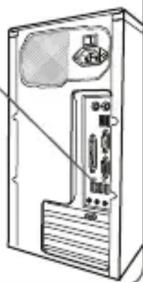
Line drawing of a computer tower case with ventilation slots and a door (no text or symbols)4





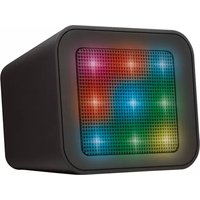
Brand : TRUST
Model : Twizt Rotating 2.0
Category : Docking Station