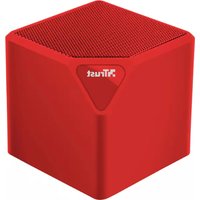
Primo 22485 - Docking Station TRUST - Free user manual and instructions
Find the device manual for free Primo 22485 TRUST in PDF.


Pick your language and provide your email: we'll send you a specifically translated version.
| Product Type | Docking Station |
| Brand | Trust |
| Model | Primo 22485 |
| Dimensions (approx.) | 200 x 80 x 30 mm |
| Weight (approx.) | 250 g |
| Power Supply | USB-C 5V/3A or 9V/2A (power adapter not included) |
| Connectivity | 1x USB-C (host), 2x USB-A 3.0, 1x HDMI, 1x VGA, 1x Ethernet RJ45, 1x 3.5mm audio combo |
| Max Display Resolution | HDMI: 1920x1080 @ 60Hz, VGA: 1920x1080 @ 60Hz |
| Charging | Supports pass-through charging up to 60W (with appropriate adapter) |
| Compatibility | Laptops with USB-C Alt Mode or Thunderbolt 3/4 |
| Operating Systems | Windows 10/11, macOS 10.14+, Chrome OS |
| Material | Aluminum alloy + plastic |
| LED Indicator | Blue LED for power and connection status |
| Care and Cleaning | Wipe with a dry, soft cloth. Do not use liquid or abrasive cleaners. |
| Safety | Overcurrent, overvoltage, and short-circuit protection |
| Spare Parts and Repairability | No user-serviceable parts. Contact Trust support for repair. |
| Warranty | 2 years |
Frequently Asked Questions - Primo 22485 TRUST
Is the Trust Primo 22485 compatible with my laptop?
The Primo 22485 works with laptops that have a USB-C port supporting Alt Mode or Thunderbolt 3/4. It is compatible with Windows, macOS, and Chrome OS.
Can I charge my laptop through the docking station?
Yes, the docking station supports pass-through charging up to 60W. Use a compatible power adapter connected to the USB-C port.
What display outputs does the docking station support?
It has one HDMI and one VGA port. Both support up to 1920x1080 @ 60Hz resolution.
Does it include a power adapter?
No, the power adapter is not included. You can use your laptop's original charger or a standard USB-C PD adapter.
How do I connect the docking station to my laptop?
Simply plug the USB-C cable from the docking station into your laptop's USB-C port. Drivers will install automatically on most systems.
Can I use multiple monitors with this docking station?
Yes, you can use the HDMI and VGA ports simultaneously to extend or mirror your display. Note that both will run at the same resolution.
What USB ports are available?
It has two USB-A 3.0 ports for connecting peripherals like mice, keyboards, or flash drives with up to 5Gbps speed.
Does it have an Ethernet port?
Yes, it includes a RJ45 Gigabit Ethernet port for a stable wired network connection.
Is the docking station compatible with tablets or smartphones?
Only if the device supports USB-C Alt Mode for video output. Most tablets and smartphones do not, but some newer models may work.
How do I clean the docking station?
Use a dry, soft cloth to wipe the surface. Avoid liquid cleaners or abrasive materials to prevent damage.
User questions about Primo 22485 TRUST
0 question about this device. Answer the ones you know or ask your own.
Ask a new question about this device
No questions yet. Be the first to ask one.
Download the instructions for your Docking Station in PDF format for free! Find your manual Primo 22485 - TRUST and take your electronic device back in hand. On this page are published all the documents necessary for the use of your device. Primo 22485 by TRUST.
USER MANUAL Primo 22485 TRUST

flowchart
graph TD
    A["Smartphone"] --> B["Gear"]
    B --> C["Bluetooth"]
    C --> D["USB Interface"]
    D --> E["TRUST SPK-13 Trigger"]
    E --> F["Microcontroller Interface"]



Manual assistant
Powered by Anthropic
Waiting for your message
Product information
Brand : TRUST
Model : Primo 22485
Category : Docking Station