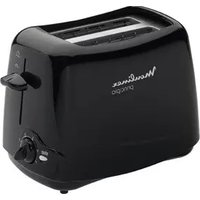
Principio TL1100 - Toaster MOULINEX - Free user manual and instructions
Find the device manual for free Principio TL1100 MOULINEX in PDF.


Pick your language and provide your email: we'll send you a specifically translated version.
| Product Type | Toaster |
| Brand | Moulinex |
| Model | Principio TL1100 |
| Color | White/Black |
| Dimensions (W x D x H) | 25 x 15 x 20 cm |
| Weight | 1.2 kg |
| Power | 850 W |
| Voltage | 220-240 V |
| Frequency | 50/60 Hz |
| Number of Slots | 2 |
| Controls | Browning control knob, Cancel button, Reheat function, Defrost function |
| Functions | Toasting, Reheating, Defrosting |
| Safety Features | Automatic shut-off, Cool-touch housing |
| Cord Length | 0.8 m |
| Auto Shut-off | Yes |
| Crumb Tray | Removable, washable |
| Material | Plastic housing, stainless steel heating elements |
| Spare Parts Availability | Replacement crumb trays and heating elements available |
| Repairability Score | 7/10 |
Frequently Asked Questions - Principio TL1100 MOULINEX
How do I adjust the browning level on my Moulinex Principio TL1100 toaster?
Turn the browning control knob to your desired setting: 1 for light toast, 6 for dark. Insert bread and press the lever down.
Can I use the toaster to reheat already toasted bread?
Yes, press the Reheat button after lowering the lever. It will warm the toast without further browning.
How do I defrost frozen bread?
Insert frozen bread, lower the lever, and press the Defrost button. The toaster will adjust toasting time to thaw and brown evenly.
What should I do if the lever does not stay down?
Ensure the toaster is plugged in and the bread is centered. If it still won't lock, check if the cancel button is stuck or contact support.
How do I clean the crumb tray?
Unplug the toaster, slide out the crumb tray from the bottom, empty it, and wash with warm soapy water. Dry thoroughly before reinserting.
Can I toast bagels or thick slices?
Yes, the slots accommodate standard bagels and thick slices. For bagels, use the bagel function if available; otherwise, use a lower browning setting.
Why does my toaster smoke on first use?
New heating elements may emit a slight odor or smoke during first use. This is normal; run the toaster empty on the highest setting once to burn off residues.
What is the maximum cord length I can use with an extension cord?
Avoid extension cords if possible. If necessary, use a heavy-duty cord rated for 10A and keep it fully uncoiled.
How do I prevent the toaster from tipping over?
Place the toaster on a stable, flat surface away from edges. The non-slip feet help keep it in place.
Where can I find replacement parts for the Principio TL1100?
Contact Moulinex customer service or visit authorized dealers. Common parts like the crumb tray and heating elements are available online.
User questions about Principio TL1100 MOULINEX
0 question about this device. Answer the ones you know or ask your own.
Ask a new question about this device
No questions yet. Be the first to ask one.
Download the instructions for your Toaster in PDF format for free! Find your manual Principio TL1100 - MOULINEX and take your electronic device back in hand. On this page are published all the documents necessary for the use of your device. Principio TL1100 by MOULINEX.
USER MANUAL Principio TL1100 MOULINEX
natural_image
Line drawing of a Monlinex standard toaster with handle and front panel (no text or symbols on body)
1

natural_image
Two diagrams showing a device with an upward arrow, no text or symbols present
natural_image
Illustration of hands pressing down a sheet of paper with an upward arrow (no text or symbols)
natural_image
Illustration of a hand holding a pen, writing on paper (no text or symbols visible)


natural_image
Illustration of a steamer with a crossed X mark (no text or symbols)
2. Toasting

natural_image
Line drawing of two different types of toaster covers (no text or symbols)
natural_image
Illustration of a hand pressing a piece of bread on a flat surface (no text or symbols)

natural_image
Illustration of a hand holding a tool with a downward arrow indicating motion (no text or symbols)
natural_image
Illustration of a person pressing down with steam rising, no text or symbols present

natural_image
Illustration of a hand pulling a cable with an arrow indicating upward motion (no text or symbols)3
STOP
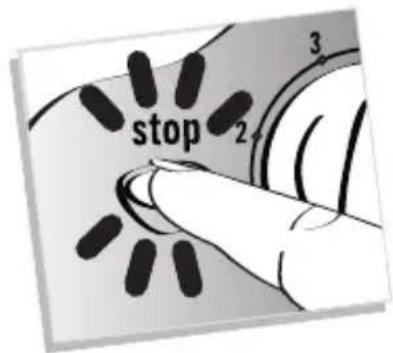
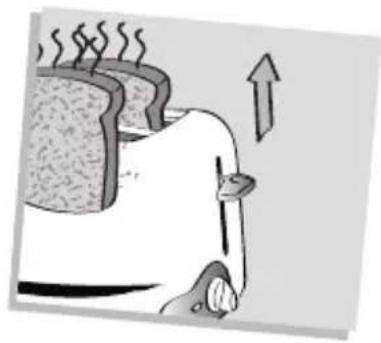
natural_image
Illustration of a steaming hot dog with an upward arrow indicating warming (no text or symbols)4. Cleaning


natural_image
Illustration of a hand holding a small object, possibly a tool or device, with no visible text or symbols.
natural_image
Diagram showing a hand pressing a button into a container with granular material, no text or symbols present
natural_image
Hand using a tool to remove granular material from a trash bin (no text or symbols visible)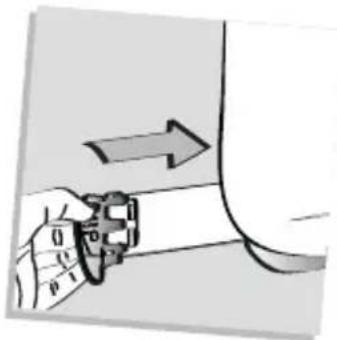
natural_image
Hand holding a device with an arrow indicating direction (no text or symbols visible)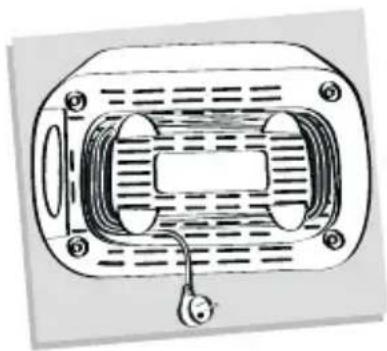
natural_image
Technical line drawing of a mechanical component with no visible text or symbols5


natural_image
Illustration of a vase with a crossed arrow indicating compression or compression, no text or symbols present
natural_image
Illustration of steaming food items under a wavy roof with a crossed knife (no text or symbols)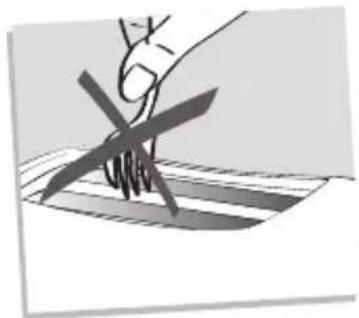
natural_image
Illustration of a hand holding a knife over a striped surface (no text or symbols)
natural_image
Illustration of a container with an X mark and downward arrow, partially covered by a striped surface (no text or symbols)
natural_image
Illustration of a mechanical device with a tool and grid, no visible text or symbols
natural_image
Abstract illustration of a stylized wind turbine blade and fan blade with curved blades (no text or symbols)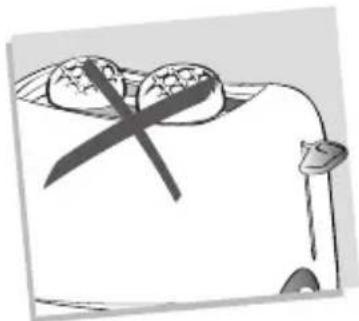
natural_image
Cartoon illustration of a person with crossed eyes and a knife, no text or symbols present