
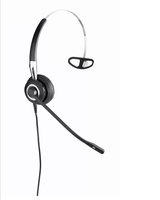
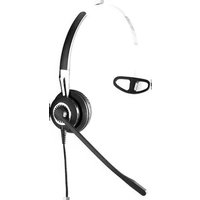
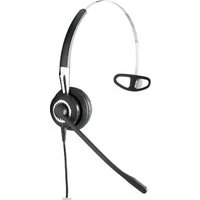
JX20 - Headphones JABRA - Free user manual and instructions
Find the device manual for free JX20 JABRA in PDF.


| Product Type | Wireless Bluetooth Headset |
| Model | Jabra JX20 |
| Color Options | Black (primary) |
| Design | Over-the-ear with optional headband |
| Dimensions (Headset) | ~ 5.5 x 4.5 x 1.5 inches |
| Weight | ~ 3.2 oz (90 g) |
| Battery Type | Rechargeable Lithium-Ion |
| Battery Life | Up to 6 hours talk time, 200 hours standby |
| Charging Port | Micro-USB (cable included) |
| Charging Time | Full charge in approximately 1.5 hours |
| Connectivity | Bluetooth 2.1 + EDR |
| Wireless Range | Up to 33 feet (10 meters) |
| Audio | Speaker: 32 Ohm, Frequency response: 20Hz - 20kHz |
| Microphone | Noise-canceling microphone with DSP |
| Controls | Volume up/down, answer/end call, power/pairing button |
| User Interface | LED indicator for power and pairing status |
| Compatibility | Mobile phones, tablets, PC with Bluetooth |
| Supported Profiles | HSP, HFP, A2DP, AVRCP |
| Materials | Plastic, silicone ear cushions, metal hinge |
| Operating Temperature | 32°F to 104°F (0°C to 40°C) |
| Storage Temperature | -4°F to 140°F (-20°C to 60°C) |
| Maintenance | Clean with a soft dry cloth; avoid liquids |
| Safety | Keep away from moisture and heat sources |
| Spare Parts & Repairability | Battery replacement by authorized service only; ear cushions replaceable |
| Included in Box | Jabra JX20 headset, micro-USB charging cable, user manual |
Frequently Asked Questions - JX20 JABRA
User questions about JX20 JABRA
0 question about this device. Answer the ones you know or ask your own.
Ask a new question about this device
Download the instructions for your Headphones in PDF format for free! Find your manual JX20 - JABRA and take your electronic device back in hand. On this page are published all the documents necessary for the use of your device. JX20 by JABRA.
USER MANUAL JX20 JABRA
Design by Jacob Jensen
ENGLISH
Thank you....2
abouT your Jabra JX20 Pura....2
WhaT your headseT does....3
CharGe your headset....4
TurnInG your headset on and off 5
PalrInG IT WITH your Phone 5
WearInG sStyle 6
hoW To....6
WhaT The IIGhTs mean 8
multIPoInT funCTlon....8
TroubleshooTInG & faQ 9
need more help?......10
TakInG Care of your headset 10
WarnInG! 10
WarranTy 12
CerTlflCaTlon 14
Glossary 14
THANK YOU
Thank you for purchasing the Jabra JX20 PURA headset. We hope you enjoy it! This user manual will get you started and ready to make the most of your headset.
ABOUT YOUR JABRA JX20 PURA
JX20 PURA headset:
1 Light indicator (LED)
2 Charging socket
3 On/off switch (rotate earpiece 90 degrees)
Fig. 1

4 Answer/end button
5 Volume up & down
6 Earhook connection

JX20 PURA deskstand:
1 Light indicator
2 Charging socket
Fig. 2

Accessories:
Eargel
Fig. 3


Earhooks
WHAT YOUR HEADSET DOES
Your Jabra JX20 PURA lets you do all this:
- Answer calls
- End calls
- Reject calls*
- Voice dialing*
- Last number redialing*
- Call waiting*
- Put call on hold*
- Multipoint - connect to two Bluetooth devices at the same time
Specifications:
- Up to 6 hours talk time/standby time up to 200 hours
- Rechargeable battery with charging option from AC power supply, PC via USB cable, or deskstand
• Less than 12 grams - Operating range up to 10 meters (approx. 33 feet)
- Headset and hands-free Bluetooth profiles
- Bluetooth specification (see glossary) version 2.0
GETTING STARTED
You should follow three steps before using your headset:
- Charge your headset.
- Activate Bluetooth on your mobile phone (refer to the manual for your mobile phone).
- Pair your headset to your mobile phone.
The Jabra JX20 PURA is easy to operate. The answer/end button on the headset performs different functions depending on how long you press it.
| Instruction Duration of press | |
| Tap Press briefly | |
| Press Approx. 1 seconds | |
| Press and hold More than 3 seconds |
CHARGE YOUR HEADSET
Make sure that your Jabra JX20 Pura headset is fully charged before you start using it. Use the AC adapter to charge from a power socket, or charge directly from your PC with the USB cable provided.
Please note: The lifetime of the battery will be significantly reduced if your device is left uncharged for a long period. We therefore recommend that you recharge your device at least once a month.
1. Charging from your deskstand:
- Connect your USB cable/AC adapter to the deskstand. Place your JX20 Pura headset in the deskstand as shown in fig. 2.
2. Battery status indicators:
- When the headset is charging, it will indicate the amount of power in the battery.
Charging your headset from AC adapter or USB cable:
| What you see What this means | |
| LED flashes once | 0-25% charged |
| LED flashes twice | 25-50% charged |
| LED flashes three times | 50-75% charged |
| LED flashes four times 75%-100% charged | |
| LED soild white Fully charged |
Charging your headset from your deskstand:
| What you see What this means | |
| LED off No device in deskstand | |
| 1st. LED solid Device in deskstand | |
| 1st. LED solid, 2nd. LED pulsing | 0-25% charged |
| 1+2 LED solid, 3rd. LED pulsing | 25-50% charged |
| 1+2+3 LED solid, 4th. LED pulsing | 50-75% charged |
| 1+2+3 +4 LED solid, 5th. LED pulsing | 75-100% charged |
| All LED's solid Fully charged |
Check Battery status:
- When you are not in a call, tap either volume button. The LED will flash in accordance with the AC adapter/USB charger sequence above.
TURNING YOUR HEADSET ON AND OFF
- Gently turn the earpiece 90° clockwise to turn on the headset (see fig. 1).
- Gently turn the earpiece 90° anti-clockwise to turn off the headset (see fig. 1).
PAIRING IT WITH YOUR PHONE
The first time you turn on your Jabra JX20 Pura it will automatically enter pairing mode. In this case skip directly to point 2 below. When pairing with a second device, or if you need to pair manually, start with point 1 below.
1. Put the headset in pairing mode:
- Turn the headset on.
- Press and hold the answer / end button until the LED on the back shines continuously.
2. Set your Bluetooth phone to 'discover' the Jabra JX20 PURA:
- Follow your phone's user manual. This usually involves going to a "Setup,""Connect" or "Bluetooth" menu on your phone and selecting the option to search or add a Bluetooth device.
3. Your phone will find the Jabra JX20 PURA:
- Your phone will find the headset under the name "JX20 PURA". Your phone then asks if you want to pair with the headset. Accept by pressing 'Yes' or 'OK' on the phone and confirm with the passkey or PIN = 0000 (4 zeros). Your phone will confirm when pairing is complete.


In case of unsuccessful pairing, put the Jabra JX20 PURA into pairing mode manually (see pairing section).
WEARING STYLE
The Jabra JX20 PURA is ready to wear without an earhook – simply insert it in your right or left ear. If you prefer to use the earhook, attach the earhook to the earhook connection (see fig.1).
For optimal performance, wear the Jabra JX20 PURA and your mobile phone on the same side of your body or within line of sight. In general, you will get better performance when there are no obstructions between your headset and your mobile phone.
HOW TO
Answer a call
- Tap the answer/end button on your headset to answer a call.
End a call
- Tap the answer/end button to end an active call.
Reject a call *
- Press the answer/end button when the phone rings to reject an incoming call. Depending on your phone settings, the person who called you will either be forwarded to your voice mail or hear a busy signal.
Make a call
- When you make a call from your mobile phone, the call will (subject to phone settings) automatically transfer to your headset. If your phone does not allow this feature, tap on the Jabra JX20's PURA answer/end button to transfer the call to the headset.
Activate voice dialing*
- Tap the answer/end button. For best results, record the voice-dialling tag through your headset. Please consult your phone's user manual for more information about using this feature.
Redial last number *
- Double tap the answer/end button when the headset is on and not in use.
Adjust sound and volume *
- Press the volume buttons (up or down) to adjust the volume (see fig.1).
Call waiting and placing a call on hold*
This lets you put a call on hold during a conversation and answer a waiting call:
- Press the answer/end button once to put the active call on hold and answer the waiting call.
- Press the answer/end button to switch between the two calls.
- Tap the answer/end button to reject an incoming call.
* Functions marked with * are dependent on your phone supporting these features. Check your phone's user manual for further information.
WHAT THE LIGHTS MEAN
| What you see What this means about your headset | |
| Solid light | The headset is in pairing mode |
| Quick flash every 5 seconds for 1 minute | Connected and not on active call (reappears if you have asked for battery status) |
| LED flashing for 1 second, then 1 1/2 second pause then repeats | Incoming call |
| LED flashing twice and then turning off | Pairing succeeded |
| LED flashes once then solid white | Pairing failed |
| LED flashes once | 0-25% charged |
| LED flashes twice | 25-50% charged |
| LED flashes three times | 50-75% charged |
| LED flashes four times 75%-100% | charged |
| LED soild white Fully charged | |
MULTIPOINT FUNCTION
The Jabra JX20 Pura is capable of having two mobile phones (or other Bluetooth devices) connected to the headset at the same time. This will give you the freedom of having only one headset for both of your mobile phones.
To use multipoint function:
• Pair and connect phone A (see automatic pairing section).
• Pair and connect phone B (or other Bluetooth device).
The primary phone at this stage is B, as this is the last device you paired.
- Now reconnect phone A as described in your phone's menu.
- Press the answer/end button on the headset to switch primary phone settings from B to A and vice-versa.
- Your headset will remember which phone you last used for an outgoing call and this will remain the primary device.
TROUBLESHOOTING & FAQ
I hear crackling noises:
- For the best audio quality, always wear your headset on the same side of the body as your mobile phone.
I cannot hear anything in my headset:
- Increase the volume in the headset.
- Ensure that the headset is paired with the phone (see pairing section of manual).
- Make sure that the phone is connected to the headset – if it does not connect either from the phone's Bluetooth menu or by tapping the answer/end button, follow the pairing instructions.
I am having pairing problems:
- You may have deleted your headset pairing connection in your mobile phone. Follow the pairing instructions.
Will the Jabra JX20 PURA work with other Bluetooth equipment?
- The Jabra JX20 PURA is designed to work with Bluetooth mobile phones. It can also work with other Bluetooth devices that are compliant with Bluetooth version 1.1 or higher and support a headset, hands-free and/or advance audio distribution profile.
I cannot use reject call, call on hold, redial or voice dialling:
- These features are dependent on the ability of your phone to support a hands-free profile. Even if the hands-free profile is implemented, reject call, call hold and voice dialing are optional features which are not supported by all devices. Please consult your device manual for details.
NEED MORE HELP?
- Web: www.jabra.com
(for the latest support info and online User Manuals) - E-mail: support.uk@jabra.com
Information: info@jabra.com - Phone: 0800 0327026
TAKING CARE OF YOUR HEADSET
• Always store the Jabra JX20 Pura with the power off and safely protected
- Avoid storage at extreme temperatures (above 45° C/113°F – including direct sunlight – or below -10° C/14°F). This can shorten battery life and may affect operation. High temperatures may also degrade performance.
- Do not expose the Jabra JX20 Pura to rain or other liquids.
WARNING!
Headsets are capable of delivering sounds at loud volumes and high pitched tones. Exposure to such sounds can result in permanent hearing loss damage. The volume level may vary based on conditions such as the phone you are using, its reception and volume settings, and the environment. Please read the safety guidelines below prior to using this headset.
Safety guidelines
1. Prior to using this product follow these steps
- Before putting on the headset, turn the volume control to its lowest level,
- Put the headset on, and then
- Slowly adjust the volume control to a comfortable level.
2. During the use of this product
- Keep the volume at the lowest level possible and avoid using the headset in noisy environments where you may be inclined to turn up the volume; - If increased volume is necessary, adjust the volume control slowly;
and
- If you experience discomfort or ringing in your ears, immediately discontinue using the headset and consult a physician.
With continued use at high volume, your ears may become accustomed to the sound level, which may result in permanent damage to your hearing without any noticeable discomfort.
Using the headset while operating a motor vehicle, motorcycle, watercraft or bicycle may be dangerous, and is illegal in some jurisdictions. Check your local laws. Use caution while using your headset when you are engaging in any activity that requires your full attention. While engaging in any such activity, removing the headset from your ear area or turning off your headset will keep you from being distracted, so as to avoid accident or injury.
3. Keep out of reach of children
The plastic bags the product and its parts are wrapped in are not toys for children. The bags themselves or the many small parts they contain may cause choking if ingested. Never try to dismantle the product yourself. None of the internal components can be replaced or repaired by users.
Only authorised dealers or service centres may open the product. If any parts of your product require replacement for any reason, including normal wear and tear or breakage, contact your dealer.
Avoid exposing the product to rain or other liquids.
4. ACA TS028 – Ignition of flammable atmospheres
Do not use the Headset in environments where there is a danger of ignition of flammable gases.
WARRANTY
Limited Two (2) -Year Warranty
GN A/S, warrants this product to be free from defects in materials and workmanship (subject to the terms set forth below) for a period of two (2) year from the date of purchase ("Warranty Period"). During the Warranty Period, GN will repair or replace (at GN's discretion) this product or any defective parts ("Warranty Service"). If repair or replacement is not commercially practicable or cannot be timely made, GN may choose to refund to you the purchase price paid for the affected product. Repair or replacement under the terms of this warranty does not give right to any extension or a new beginning of the period of warranty.
Claims under the Warranty
To obtain Warranty Service, please contact the GN dealer from which you purchased this product or visit www.jabra.com for further information about customer support. You will need to return this Product to the dealer or ship it to the dealer or to GN (if so indicated on www.jabra.com) in either its original packaging or packaging affording an equal degree of protection. You will bear the cost of shipping the product to GN. If the Product is covered by the warranty, GN will bear the cost of shipping product back to you after the completion of service under this warranty. Return shipping will be charged to you for products not covered by the warranty or requiring no warranty repair.
The Following information must be presented to obtain Warranty Service: (a) the product, and (b) proof of purchase, which clearly indicates the name and address of the seller, the date of purchase and the product type, which is evidence that this product is within the Warranty Period. Please further include (c) your return address. (d) daytime telephone number, and (e) reason for return. As part of GN/Jabra's efforts to reduce environmental waste you understand that the product may consist of reconditioned equipment that contains used components, some of which have been reworked. The used components all live up to GN/Jabra's high quality standards and comply with the GN product performance and reliability specifications. You understand that replaced parts or components will become the property of GN.
Limitation of Warranty
This warranty is only valid for the original purchaser and will automatically terminate prior to expiration if this product is sold or otherwise transferred to another party. The warranty provided by GN in this statement applies only to products purchased for use, and not for resale. It does not apply to open box purchases, which are sold “as is” and without any warranty. Specifically exempt from warranty are limited-life consumable components subject to normal wear and tear, such as microphone windscreens, ear cushions, modular plugs, ear tips, decorative finishes, batteries, and other accessories. This warranty is invalid if the factory-applied serial number, date code label, or product label has been altered or removed from this product. This Warranty does not cover cosmetic damage or damage due to misuse, abuse, negligence, Acts of Nature, accident, disassembling or modification of, or to any part of, the product. This Warranty does not cover damage due to improper operation, maintenance or installation, or attempted repair by anyone other than GN or a GN dealer which is authorized to do GN warranty work. Any unauthorized repairs will void this warranty.
REPAIRS OR REPLACEMENTS AS PROVIDED UNDER THIS WARRANTY ARE THE EXCLUSIVE REMEDY OF THE CONSUMER. GN SHALL NOT BE LIABLE FOR ANYINCIDENTAL OR CONSEQUENTIAL DAMAGES FOR BREACH OF ANY EXPRESS ORIMPLIED WARRANTY ON THIS PRODUCT. EXCEPT TO THE EXTENT PROHIBITED BY LAW, THIS WARRANTY IS EXCLUSIVE AND IN LIEU OF ALL OTHER EXPRESS AND IMPLIED WARRANTIES WHAT SO EVER, INCLUDING BUT NOT LIMITED TO THE WARRANTY OF MERCHANTABILITY AND FITNESS FOR A PRACTICAL PURPOSE.
NOTE! This warranty gives you specific legal rights. You may have other rights which vary from location to location. Some jurisdictions do not allow the exclusion or limitation of incidental or consequential damages or implied warranties, so the above exclusions may not apply to you. This warranty does not affect your legal (statutory) rights under your applicable national or local laws.
CERTIFICATION AND SAFETY APPROVALS
CE
This product is CE marked according to the provisions of the R & TTE Directive (99/5/EC). Hereby, GN, declares that this product is in compliance with the essential requirements and other relevant provisions of Directive 1999/5/EC.
For further information please consult http://www.jabra.com
Within the EU this device is intended to be used in Austria, Belgium, Bulgaria, Cyprus, Czech Republic, Denmark, Estonia, Finland, France, Germany, Greece, Hungary, Ireland, Italy, Latvia, Lithuania, Luxembourg, Malta, Poland, Portugal, Romania, Slovakia, Slovenia, Spain, Sweden, The Netherlands, United Kingdom, and within EFTA in Iceland, Norway and Switzerland.
Bluetooth
The Bluetooth ® word mark and logos are owned by the Bluetooth SIG, Inc. and any use of such marks by GN is under license. Other trademarks and trade names are those of their respective owners.
GLOSSARY
-
Bluetooth is a radio technology that connects devices, such as mobile phones and headsets, without wires or cords over a short distance (approx. 10 meters/33 feet). Bluetooth is safe to use. It is secure too, so once a connection has been made no-one can listen in and there is no interference from other Bluetooth devices either. Get more information at www.bluetooth.com.
-
Bluetooth profiles are the different ways that Bluetooth devices communicate with other devices. Bluetooth phones support the headset profile, the hands-free profile or both. In order to support a certain profile, a phone manufacturer must implement certain mandatory features within the phone's software.
-
Pairing creates a unique and encrypted link between two Bluetooth devices and lets them communicate with each other. Bluetooth devices will not work if the devices have not been paired.
- Passkey or PIN is a code that you enter on your Bluetooth enabled device (e.g. a mobile phone) to pair it with your Jabra JX20 Pura. This makes your device and the Jabra JX20 Pura recognize each other and automatically work together.
- Standby mode is when the Jabra JX20 Pura is passively waiting for a call. When you 'end' a call on your mobile phone, the headset goes into standby mode.
© 2007 GN A/S. All rights reserved. Jabra® is a registered trademark of GN A/S. All other trademarks included herein are the property of their respective owners. The Bluetooth® word mark and logos are owned by the Bluetooth SIG, Inc. and any use of such marks by GN A/S is under license. (Design and specifications subject to change without notice).
www.jabra.com
MADE IN CHINA


TYPE: JX20 PURA

- ENGLISH
- THANK YOU
- ABOUT YOUR JABRA JX20 PURA
- JX20 PURA HEADSET
- JX20 PURA DESKSTAND
- ACCESSORIES
- WHAT YOUR HEADSET DOES
- YOUR JABRA JX20 PURA LETS YOU DO ALL THIS
- SPECIFICATIONS
- GETTING STARTED
- CHARGE YOUR HEADSET
- CHARGING FROM YOUR DESKSTAND
- BATTERY STATUS INDICATORS
- CHECK BATTERY STATUS
- TURNING YOUR HEADSET ON AND OFF
- PAIRING IT WITH YOUR PHONE
- PUT THE HEADSET IN PAIRING MODE
- SET YOUR BLUETOOTH PHONE TO 'DISCOVER' THE JABRA JX20 PURA
- YOUR PHONE WILL FIND THE JABRA JX20 PURA
- WEARING STYLE
- HOW TO
- ANSWER A CALL
- END A CALL
- REJECT A CALL
- MAKE A CALL
- ACTIVATE VOICE DIALING
- REDIAL LAST NUMBER
- ADJUST SOUND AND VOLUME
- CALL WAITING AND PLACING A CALL ON HOLD
- WHAT THE LIGHTS MEAN
- MULTIPOINT FUNCTION
- TO USE MULTIPOINT FUNCTION
- TROUBLESHOOTING & FAQ
- I HEAR CRACKLING NOISES
- I CANNOT HEAR ANYTHING IN MY HEADSET
- I AM HAVING PAIRING PROBLEMS
- WILL THE JABRA JX20 PURA WORK WITH OTHER BLUETOOTH EQUIPMENT
- I CANNOT USE REJECT CALL, CALL ON HOLD, REDIAL OR VOICE DIALLING
- NEED MORE HELP
- TAKING CARE OF YOUR HEADSET
- WARNING
- SAFETY GUIDELINES
- PRIOR TO USING THIS PRODUCT FOLLOW THESE STEPS
- DURING THE USE OF THIS PRODUCT
- KEEP OUT OF REACH OF CHILDREN
- ACA TS028 – IGNITION OF FLAMMABLE ATMOSPHERES
- WARRANTY
- CLAIMS UNDER THE WARRANTY
- LIMITATION OF WARRANTY
- CERTIFICATION AND SAFETY APPROVALS
- CE
- BLUETOOTH
- GLOSSARY
Brand : JABRA
Model : JX20
Category : Headphones