
PG-XB001 - Console IPEGA - Free user manual and instructions
Find the device manual for free PG-XB001 IPEGA in PDF.


| Product Type | Game Console |
| Brand | IPEGA |
| Model | PG-XB001 |
| Dimensions | 15 x 10 x 3 cm |
| Weight | 200 g |
| Power Supply | USB 5V DC |
| Power Consumption | 2.5 W |
| Video Output | HDMI 1080p |
| Audio Output | HDMI / 3.5 mm jack |
| Storage | Internal 4 GB, expandable via microSD |
| Supported Games | NES, SNES, Sega Genesis, etc. via emulation |
| Connectivity | Bluetooth 4.0, USB 2.0 |
| Controller | Wireless, included |
| Operating System | Proprietary |
| Main Functions | Play retro games, video playback, music player |
| Cleaning and Maintenance | Wipe with a soft dry cloth. Do not use liquids. |
| Safety Precautions | Keep away from water and heat sources. Do not disassemble. |
| Spare Parts and Repairability | Contact IPEGA support for replacement parts. |
| General Information | Retro gaming console preloaded with classic games. |
Frequently Asked Questions - PG-XB001 IPEGA
User questions about PG-XB001 IPEGA
0 question about this device. Answer the ones you know or ask your own.
Ask a new question about this device
Download the instructions for your Console in PDF format for free! Find your manual PG-XB001 - IPEGA and take your electronic device back in hand. On this page are published all the documents necessary for the use of your device. PG-XB001 by IPEGA.
USER MANUAL PG-XB001 IPEGA
Rechargeable Battery for X1 Series Gamepad
User manual (PG-XB001)
Application Instruction
-
Thanks for purchasing iPega rechargeable battery for X1 series Controllers;
-
This product is suitable for Xbox One controller, Xbox One Elite controller and
Xbox One S controller, support play while charging
- With charging indicator, clearly indicate current charging status;
4.Ergonomic structure, concise appearance, easy to use.
Operation instructions


Connect to the power adapter(DC5V, Current > 0.5A) or the game console USB port,
insert the Mirco plug of data cable into the charging port;
Two Charging mode:
-
Install the battery to the gamepad, charge it after install, you can play while charging.
-
Charging the battery independently; If you have two battery or standby battery, you
can charging the battery independently by replace it.
Both of the two charging mode have charging indication function. LED indicator will display
according to the current charging statu
Charging: Red: Fully charged: Green:
*Up to 30 Hours on Single Charge. Battery life depends on device settings, usage
and other factors.
Electrical Parameter:
Size: 55.7x37x25.5mm
Input voltage: DC 5V
Charging time: about 6 hours
6.Battery capacity: 1400mAh
Weight: 50g±10g
Input current: ≤380mA
Continuous use time: about 30 hours
产品清单

手柄可充电电池x1

USB线材x1
注意事项
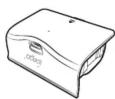
Rechargeable Battery x1
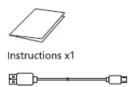
Micro-USB Charging Cable x1
points for attention
- Please do not store this product in wet or high-temperature areas.
2.Forbid contact to the anode and cathode of the product by metal or other take the
electricity parts.
3.Don't knap, beat, drub, pierce, or try to decompose this product, to avoid unnecessary
damage to the product.
4.The product has built-in battery cells, please don't discard them together with the
garbages.
5.Don't charge the controller in a place near the fire or other heat source.
6.Non professional personnel should not disassemble the product, otherwise it will not
be covered in the after-sales warranty service.
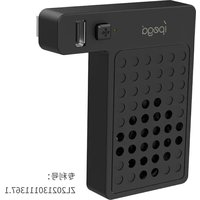
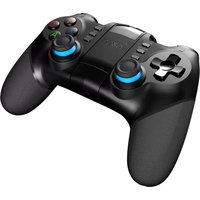

Brand : IPEGA
Model : PG-XB001
Category : Console