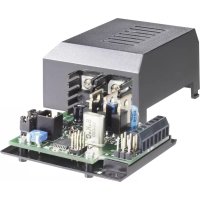
LM01GND - Uncategorized Tru Components - Free user manual and instructions
Find the device manual for free LM01GND Tru Components in PDF.


Pick your language and provide your email: we'll send you a specifically translated version.
| Product Type | Digital Multimeter |
| Brand | Tru Components |
| Model | LM01GND |
| Display | LCD, 2000 counts |
| DC Voltage Range | 200 mV to 600 V |
| AC Voltage Range | 200 V to 600 V |
| DC Current Range | 200 µA to 10 A |
| Resistance Range | 200 Ω to 20 MΩ |
| Diode Test | Yes |
| Continuity Buzzer | Yes |
| Overload Protection | Yes |
| Safety Rating | CAT II 600 V |
| Power Source | 9V battery (6F22) |
| Dimensions | 126 x 70 x 28 mm |
| Weight | 180 g (with battery) |
| Operating Temperature | 0°C to 40°C |
| Storage Temperature | -10°C to 50°C |
| Accessories Included | Test leads, battery, manual |
| Warranty | 1 year |
Frequently Asked Questions - LM01GND Tru Components
How do I measure DC voltage with the LM01GND?
Set the rotary switch to the V DC position, connect the test leads to the circuit, and read the value on the LCD. Ensure the red lead is in the VΩmA jack and black in COM.
What does the continuity buzzer indicate?
The continuity buzzer sounds when the resistance between the test leads is less than about 50 Ω, indicating a closed circuit.
How do I replace the battery?
Turn off the meter, remove the back cover, replace the 9V battery (6F22) with a new one, and reattach the cover. Dispose of old batteries properly.
Can I measure AC current with this multimeter?
No, the LM01GND only measures AC voltage, DC voltage, DC current, and resistance. AC current is not supported.
What is the maximum voltage I can measure?
The maximum DC voltage is 600 V and AC voltage is 600 V. Do not exceed these limits to avoid damage or injury.
How do I test a diode?
Set the dial to the diode symbol, connect the red lead to the anode and black to the cathode. The display shows the forward voltage drop; a good diode reads about 0.5-0.8 V.
What does 'OL' on the display mean?
OL stands for Overload, indicating the measurement exceeds the selected range. Switch to a higher range or check the input.
Is the LM01GND safe for mains voltage?
Yes, it has a CAT II 600 V safety rating, suitable for measuring household outlets and appliances. Always follow safety precautions.
How do I clean the multimeter?
Use a damp cloth with mild detergent to clean the casing. Do not use solvents or immerse in water. Keep the input jacks clean and dry.
What should I do if the display is blank?
Check the battery by turning on the meter. If blank, replace the 9V battery. If still blank, check the fuse (if applicable) or contact support.
User questions about LM01GND Tru Components
0 question about this device. Answer the ones you know or ask your own.
Ask a new question about this device
No questions yet. Be the first to ask one.
Download the instructions for your Uncategorized in PDF format for free! Find your manual LM01GND - Tru Components and take your electronic device back in hand. On this page are published all the documents necessary for the use of your device. LM01GND by Tru Components.