
FS2PG - Home Automation Ferguson - Free user manual and instructions
Find the device manual for free FS2PG Ferguson in PDF.


| Product Type | Smart Home Hub |
| Brand | Ferguson |
| Model | FS2PG |
| Dimensions (approx.) | 10 x 10 x 3 cm |
| Weight (approx.) | 200 g |
| Power Supply | 5V DC, micro USB |
| Wireless Connectivity | Wi-Fi 2.4 GHz, Zigbee, Z-Wave |
| Supported Devices | Smart bulbs, switches, sensors, thermostats |
| Voice Assistant Compatibility | Amazon Alexa, Google Assistant |
| App Control | Ferguson Smart Home app (iOS/Android) |
| Maximum Devices Supported | 100 |
| Range (indoor, approx.) | 30 m |
| Scheduling and Automation | Yes, supports scenes, timers, and rules |
| Firmware Updates | Over-the-air via app |
| Operating Temperature | 0°C to 40°C |
| Humidity Range | 10% to 90% non-condensing |
| LED Indicator | Status LED (multicolor) |
| Reset Button | Yes, pinhole reset |
| Certifications | FCC, CE, RoHS |
| Maintenance | Clean with a soft, dry cloth. Do not use liquids or solvents. |
| Safety | Keep away from water and excessive heat. Use only supplied power adapter. |
| Spare Parts | Power adapter available separately. No user-serviceable parts inside. |
Frequently Asked Questions - FS2PG Ferguson
User questions about FS2PG Ferguson
0 question about this device. Answer the ones you know or ask your own.
Ask a new question about this device
Download the instructions for your Home Automation in PDF format for free! Find your manual FS2PG - Ferguson and take your electronic device back in hand. On this page are published all the documents necessary for the use of your device. FS2PG by Ferguson.
USER MANUAL FS2PG Ferguson
natural_image
White electrical socket with two red dots and a metallic screw, no visible text or symbols on the socket itself.Smart Wi-Fi Plug FS2PG
The plug is Ferguson's SmartHome system compatible. It can be used alone.
- Standard EU plug, max 3000W (16A) external apparatus can be connected
- Quickly installable mobile APP, easy to learn and operate
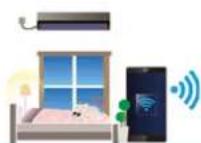
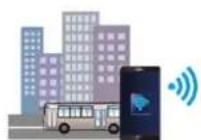
- Local and remote control with WiFi or telecom signal available
- Multiple phones to one device or one phone to multiple devices control supported
• Real-time power ON/OFF control and varied timers setup - Precisely monitor the power consumption of a connected device
• OTA (Over the air) firmware upgrade ssupported
Four-mode timer can be selected to satisfy kitchen apparatus, lambs, watering device, fan, bell, etc applications. It may be used to light up lambs randomly to pretend someone were at home when nobody stay at home for a prior of time. A unique cloud server will be connected when remote control by the APP is needed, no matter where you are, at the office or outdoors, you can control varied device or apparatus over the Internet easily if WiFi and telecom signal are available.
• Working Voltage: 100VAC\~240VAC
• Average Power Consumption: <0.5W
• Maximum Load: 3000W
• Measured Voltage Range: 110VAC - 240VAC
• Measured Current Range: <16A
• Measured Power Range: <3000W
• Wi-Fi Standard: IEEE 802.11b/g/n 2.4GHz
• Wireless Networking Distance:
up to 100m (open space)
- Working Environment: -10°C \~ +50°C
• Working Humidity: ≤95%RH
• Outline Dimensions: 79,6x67,9x72mm
• Net. Weight: 150g

Non-electricity shock design

Auto shift networks

Power metering function

EAN: 5907115002941
Ferguson Smart system application

natural_image
Icon of a hand holding a smartphone (no text or symbols)Ease of use thanks to Fergusons Mobile Application


Brand : Ferguson
Model : FS2PG
Category : Home Automation