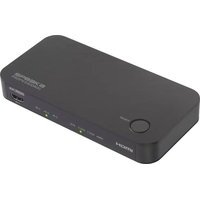
PRB-3 - Video projector Speaka - Free user manual and instructions
Find the device manual for free PRB-3 Speaka in PDF.


Pick your language and provide your email: we'll send you a specifically translated version.
| Product Type | Video Projector |
| Brand | Speaka |
| Model | PRB-3 |
| Category | Video projector |
| Resolution | 1920 x 1080 (Full HD) |
| Brightness | 3000 ANSI Lumens |
| Contrast Ratio | 10000:1 |
| Lamp Type | LED |
| Lamp Life | Up to 30,000 hours |
| Throw Ratio | 1.2:1 |
| Image Size | 30 - 300 inches |
| Keystone Correction | ±15° (Vertical) |
| Input Ports | HDMI, VGA, USB, AV |
| Output Ports | 3.5mm Audio Jack |
| Built-in Speaker | 5W x 2 |
| Dimensions (W x D x H) | 250 x 200 x 80 mm |
| Weight | 1.5 kg |
| Power Consumption | 100W |
| Power Supply | AC 100-240V, 50/60Hz |
| Operating Temperature | 0°C to 35°C |
| Cleaning | Wipe with a soft, dry cloth. Do not use liquids. |
| Safety | Do not look directly into the lens. Keep away from heat sources. |
| Repairability | Lamp replacement by user. Other repairs by qualified technician. |
| Spare Parts | Lamp module available separately. |
Frequently Asked Questions - PRB-3 Speaka
How do I connect my laptop to the Speaka PRB-3 projector?
Use an HDMI cable to connect your laptop to the projector's HDMI input. Alternatively, you can use a VGA cable if your laptop supports it. Ensure the projector is set to the correct input source.
Can I use the projector without a screen?
Yes, you can project onto a white wall or any flat, light-colored surface. For best image quality, use a proper projection screen.
How do I adjust the focus and keystone?
Turn the focus ring on the lens to sharpen the image. Use the keystone correction buttons on the remote or projector to adjust trapezoid distortion.
What is the lamp life and how do I replace it?
The LED lamp lasts up to 30,000 hours. When it dims, turn off the projector, unplug it, let it cool, then remove the lamp cover and replace the module with a new Speaka PRB-3 lamp.
Why is the projector not turning on?
Check that the power cable is securely connected to both the projector and the wall outlet. Ensure the power switch on the projector is in the ON position. If using a power strip, verify it is switched on.
How do I clean the projector lens?
Use a soft, dry microfiber cloth to gently wipe the lens. Do not apply liquids or cleaners. Avoid touching the lens with fingers.
Can I play audio through external speakers?
Yes, connect external speakers to the 3.5mm audio output port on the projector. You can also use Bluetooth if supported by your model.
What is the ideal projection distance?
For a 100-inch screen, place the projector approximately 2.5 meters from the screen. Refer to the throw ratio (1.2:1) for precise calculations.
How do I update the firmware?
Firmware updates are not typically available for this model. If needed, contact Speaka customer support for assistance.
What should I do if the image is blurry?
First, adjust the focus ring. If still blurry, check the projection distance and ensure the projector is perpendicular to the screen. Also clean the lens if dusty.
User questions about PRB-3 Speaka
0 question about this device. Answer the ones you know or ask your own.
Ask a new question about this device
No questions yet. Be the first to ask one.
Download the instructions for your Video projector in PDF format for free! Find your manual PRB-3 - Speaka and take your electronic device back in hand. On this page are published all the documents necessary for the use of your device. PRB-3 by Speaka.