
N160USM - Adaptateur réseau USB sans fil Totolink - Free user manual and instructions
Find the device manual for free N160USM Totolink in PDF.


| Product Type | USB Wireless Adapter |
| Model | N160USM |
| Brand | Totolink |
| Wireless Standard | IEEE 802.11b/g/n |
| Maximum Speed | 150 Mbps |
| Frequency Band | 2.4 GHz |
| Interface | USB 2.0 |
| Antenna Type | Internal |
| Security Encryption | WEP, WPA, WPA2 |
| Operating Systems Supported | Windows, Mac OS, Linux |
| Dimensions (W x D x H) | 2.5 x 1.5 x 0.4 cm |
| Weight | 5 g |
| Power Source | USB Bus Powered |
| LED Indicators | Link/Activity |
| Operating Temperature | 0°C to 40°C |
| Storage Temperature | -20°C to 70°C |
| Humidity | 10% to 90% (non-condensing) |
| Certifications | FCC, CE |
| Package Contents | N160USM Adapter, Quick Installation Guide |
| Cleaning Instructions | Wipe with a dry, soft cloth. Do not use liquids. |
| Safety Precautions | Avoid exposure to water and moisture. |
Frequently Asked Questions - N160USM Totolink
User questions about N160USM Totolink
0 question about this device. Answer the ones you know or ask your own.
Ask a new question about this device
Download the instructions for your Adaptateur réseau USB sans fil in PDF format for free! Find your manual N160USM - Totolink and take your electronic device back in hand. On this page are published all the documents necessary for the use of your device. N160USM by Totolink.
USER MANUAL N160USM Totolink
The Smartest Network Device
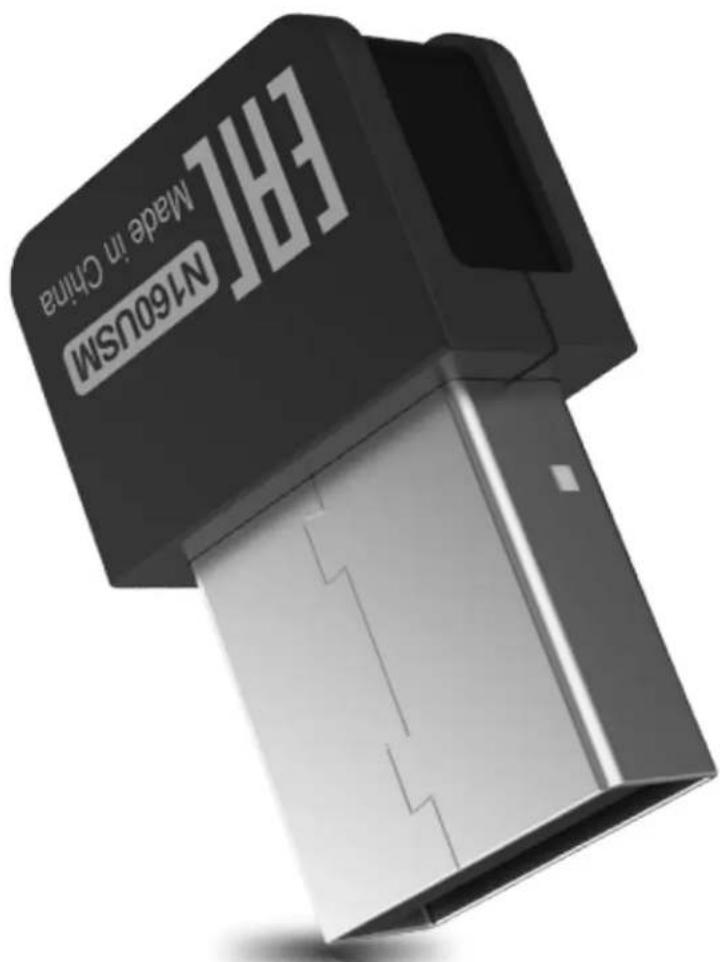
150Mbps Wireless N USB Adapter
Model No. N160USM

Plug and Play

Mini Design

150Mbps High Speed

Built-in High-gain Antenna

Overview
150Mbps
Wireless N USB Adapter
Model No. N160USM
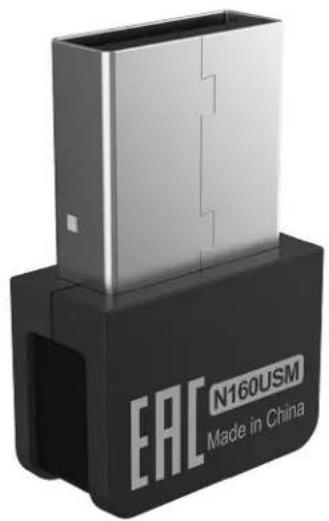
N160USM is a wireless N USB adapter, delivering wireless speed up to 150Mbps. With mini design and built-in high gain antenna, it is portable for the trip, especially for the business travelers. It supports to make your desktop computer transmit and receive wireless signal freely, sharing the wireless network efficiently.

Features
- Complies with IEEE 802.11b/g/n standards.
- Up to 150Mbps data rate for Wi-Fi network.
- Supports 64/128-bit WEP, WPA,WPA2,WPA-PSK, WPA2-PSK encryption.
Universal USB2.0 interface for high compatibility. - Supports Windows 10/8/7/ XP(32/64-bit).
- Built-in driver, easy to install and configure.
- Mini design is portable for the trip.
natural_image
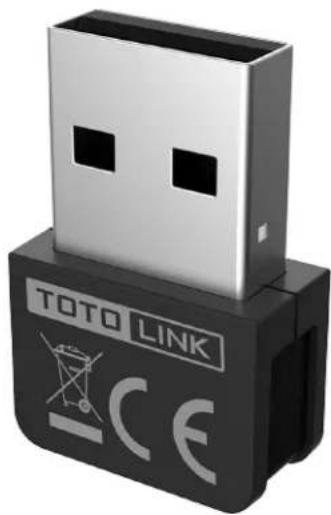
Close-up of a USB TOTO LINK device with 'CE' and 'TOTO LINK' branding (no additional text or symbols visible)

natural_image
Pure electrical circuit lines without any symbols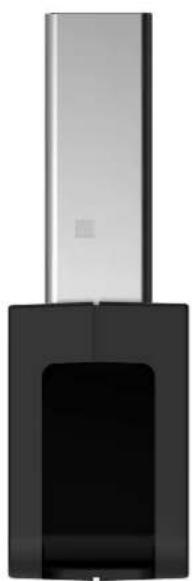
natural_image
Exterior view of a modern office building (no signage)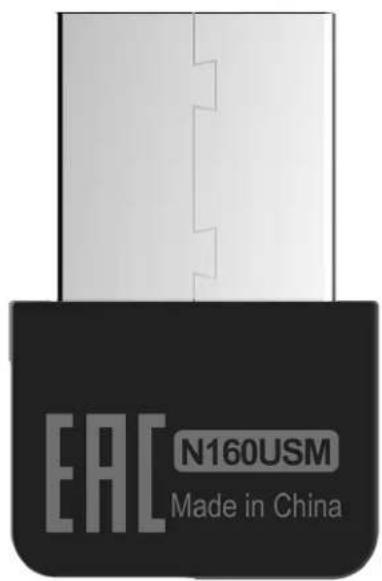

Wireless 150Mbps
With built-in high gain antenna, N160USM delivers wireless speed up to 150Mbps. It helps your computer transmit and receive wireless signal freely.

bar
| Device | Bandwidth (Mbps) | | :--- | :--- | | 802.11n | 150 | | 802.11g | 54 |
Plug and Play
The driver has been integrated into N160USM, it requires no complicated configurations, several steps to finish the installation and enjoy the convenience of plug-and-play.

natural_image
Illustration of a laptop with Wi-Fi symbol and a small USB device nearby (no text or symbols on the devices)
Mini Design
With mini design and built-in high gain antenna, it is portable for the trip, especially for the business travelers.

Specification
Hardware
| Interface | - USB 2.0 |
| LED Indicator | - 1 *Wireless |
| Dimensions (L x W x H) | - 23mm x 16mm x 6mm |
| Antenna | - built-in antenna |
Wireless
| Standards | - IEEE 802.11b, IEEE 802.11g, IEEE 802.11n |
| RF Frequency | - 2.4GHz |
| Data Rate | - 2.4G: Up to 150Mbps< 20dBm |
| EIRP | - 64/128-bit WEP, WPA, WPA2, WPA-PSK, WPA2-PSK (TKIP/AES)- 2.4G: 11b: <-79dbm; |
| Wireless Security | 11g: <-68dbm; |
| Reception Sensitivity | 11n: HT20<-65dbm HT40: <-61dbm |
Others
| Package Contents | - N160USM Wireless Adapter *1 |
| System Requirement | - Windows 10 (32/64bits), Windows 8 (32/64bits), Windows 7 (32/64bits), Windows XP (32/64bits) |
| Environment | - Operating Temperature: 0 °C~50 °C (32 °F~122 °F) - Storage Temperature: -40 °C~70 °C (-40 °F~158 °F) - Operating Humidity: 5%~95% non-condensing - Storage Humidity: 5%~95% non-condensing |
ZIONCOM (HK) TECHNOLOGY LIMITED
Copyright 2019 ZIONCOM (HK) TECHNOLOGY CO., LTD. All Rights Reserved.
Headquarter & R&D Center
7/F, Unit D, 4 Building Shenzhen Software Industry Base, Xuefu Road, Nanshan District, Shenzhen, Guangdong, China
Tel : +86-755-6136-3288 (Ext.867) | FAX : +86-755-6136-3344
Factory
Building A1 & A2 Lantian Technology Park, Xinyu Road, Xinqiao Henggang Block, Shajing Street, Baoan District, Shenzhen, Guangdong, China
Direct Line: +86-755-3686-1188(Ext. 5810) I FAX: +86-755-3686-1133
Brand : Totolink
Model : N160USM
Category : Adaptateur réseau USB sans fil