
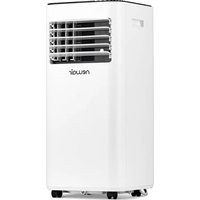
AC-10100E - Air conditioner NewAir - Free user manual and instructions
Find the device manual for free AC-10100E NewAir in PDF.


| Product Type | Portable Air Conditioner |
| Model | AC-10100E |
| Brand | NewAir |
| Cooling Capacity | 10,000 BTU (ASHRAE) / 6,500 BTU (DOE) |
| Coverage Area | Up to 400 sq. ft. |
| Dimensions (W x D x H) | 17.5 x 15.5 x 29.5 inches |
| Weight | 70 lbs |
| Power Supply | 115V / 60Hz |
| Power Consumption (Cooling) | 900W |
| Amperage | 7.8 A |
| Refrigerant Type | R-410A |
| Air Flow (CFM) | 250 CFM (High) |
| Noise Level | 52 dB (Low), 56 dB (High) |
| Fan Speeds | 3 (Low, Medium, High) |
| Cooling Modes | Cool, Fan, Dehumidify |
| Thermostat Control | Digital with remote control |
| Timer | 24-hour programmable timer |
| Self-Evaporative System | Yes (reduces need for manual draining) |
| Condensate Drain | Continuous drain option with hose (not included) |
| Filter Type | Washable mesh filter |
| Filter Cleaning | Every 2 weeks; slide out, rinse, dry |
| Installation Kit Included | Window kit (adjustable panel, hose, bracket) |
| Safety Features | Auto shut-off for overheat, tip-over protection |
| Certifications | ETL listed |
| Warranty | 1 year limited |
Frequently Asked Questions - AC-10100E NewAir
User questions about AC-10100E NewAir
0 question about this device. Answer the ones you know or ask your own.
Ask a new question about this device
Download the instructions for your Air conditioner in PDF format for free! Find your manual AC-10100E - NewAir and take your electronic device back in hand. On this page are published all the documents necessary for the use of your device. AC-10100E by NewAir.
USER MANUAL AC-10100E NewAir
natural_image
Line drawing of a portable air conditioner unit with ventilation grilles and control knobs (no text or symbols)BEFORE USE
For safety reasons, please read this manual carefully before operating. We strongly recommend keeping this manual in a safe place for future reference.

natural_image
Abstract black-and-white geometric pattern with diagonal lines and a central emblem (no text or symbols)A

natural_image
Simple line drawing of a double door frame with diagonal bracing and a gray base (no text or symbols)D

natural_image
Black and white pictogram showing a faucet with water droplets falling, crossed out by diagonal lines (no text or symbols)G

natural_image
Pure electrical circuit lines without any symbolsJ

natural_image
Abstract geometric line drawing with intersecting curves and a small arrow (no text or symbols)B

natural_image
Illustration of an oil barrel with a diagonal line crossing it, no text or symbols presentE

natural_image
Simple line drawing of a container with liquid and a handle, crossed out by two diagonal lines (no text or symbols)H

natural_image
Symbolic illustration of a cat and a dog crossed out by a diagonal line (no text or labels)K

C

natural_image
Simple icon of a campfire with crossed lines indicating fire resistance (no text or symbols)F

natural_image
Diagram showing a hand using a tool to cut a rectangular object with diagonal lines (no text or symbols)1

natural_image
Abstract geometric pattern with black and gray shapes intersected by diagonal lines (no text or symbols)L
GENERAL SAFETY
A. Do not use a damaged power cord.
B. Do not clamp or bend the power cord.
C. Always operate the unit in an upright position and place it on a flat, level surface at least 14 inches away from any other object.
D. Do not place in front of an open window.
E. Do not bring in contact with chemicals.
F. Do not place near a heat source.
G. Do not immerse in water.
H. Avoid areas where liquid can spill onto the unit.
I. Do not place objects on or in the unit, and do not cover or obstruct the inlet or outlet grills.
J. Do not use an extension cord.
K. Keep out of the reach of children.
L. Never try to repair or dismantle the unit yourself. Unauthorized repairs can void your warranty and endanger the user.
ELECTRICAL SAFETY
• This appliance is for indoor use only.
• Always turn off the unit and unplug it when not in use.
- Do not use this unit in excessively humid or wet environments.
- Do not pull or place strain on the power cord when moving the appliance.
- IF THE SUPPLY CORD IS DAMAGED, IT MUST BE REPLACED BY AN ELECTRICIAN OR SPECIALIZED TECHNICIAN AUTHORIZED BY THE MANUFACTURER IN ORDER TO PREVENT FIRE.
FOR MAXIMUM EFFICENCY
- Do not exceed the recommended room size.
- Make sure doors and windows are closed while the portable air conditioner is in use. Also keep curtains and blinds closed during the sunniest parts of the day while the air conditioner is in operation.
- Frequently clean the portable air conditioner's filters.
-
Once the room or area has reached your desired comfort level, be sure to reduce the unit's temperature and ventilation settings.
-
Control panel
- Air outlet
- Carrying handle
- Caster
- Cord storage
- Air filter
- Air inlet
- Exhaust air outlet
- Air inlet
- Rubber plug/ drainage point
- Hose adaptor (goes over the hose and into the window kit)
- Exhaust hose
- Extendable window kit
- Active carbon filter
- Drain tube for continuous drainage
- Remote control


- Open the window and insert the window kit into the open gap.
- Close the window until the window kit is held securely. You may need to adjust the size of the window kit and secure it with screws. This technique may also be used for sash windows.
- Fit the exhaust hose into the exhaust air outlet located on the back of the air conditioner.
- Attach one end of the hose adapter onto the exhaust hose.
- Attach the other end of the hose adapter to the window kit.
Mounting of the Exhaust Pipe
• Only use the hose provided and clip exhaust hose to the back of the air conditioner.
- Avoid kinks and bends in the exhaust hose. This can cause moist air to accumulate, causing the unit to overheat and shut down.
- The exhaust hose may be extended from 12 inches (300mm) to 59 inches (1500mm), but for maximum cooling efficiency use the shortest length possible.

natural_image
Pure mechanical diagram showing a shaft connected to a housing with a circular component (no text or symbols)
natural_image
Pure mechanical diagram showing a shaft connected to a circular component (no text or symbols)
natural_image
Pure technical line drawing of a mechanical or electrical component without any text, numbers, or symbolsWARNING!
The included exhaust hose is specifically designed to fit the specifications of this unit. Do not extend it with your own hose, as this can cause the air conditioner to malfunction.

natural_image
Simple line drawing of a mechanical component with a cross mark, no text or symbols presentInstallation of the Carbon Filter
 | 1. Remove the filter frame from the unit. | |
 | 2. Separate the filter fixer from the filter frame. | |
 | 3. Remove the activated carbon filter from its plastic bag. | |
 | 4. Attach the activated carbon filter to the filter frame. | |
 | 5. Reattach the filter fixer onto the filter frame (the activated carbon filter should be placed between the filter frame and filter fixer firmly). | |
 | 6. Insert the filter set (filter frame + activated carbon filter + filter fixer) into the back of the unit. | |
FIG.13
Control panel

- Automatic mode indicator
- Cooling mode indicator
- Fan (ventilation) mode indicator
- Mode selection button
- Timer operation indicator
- Timer button
- Full water tank indicator
- Temperature increase button
- Display window
-
Remote control receiver
-
ON/OFF (power) button
- High fan speed indicator
- Low fan speed indicator
- Fan speed (ventilation) button
- Sleep mode indicator
- Sleep button
- Compressor indicator
- Temperature decrease button
Turning the Unit On and Off:
- Press ON/OFF button. The unit will start automatically. The default temperature is 75^ F. If the ambient temperature is:
● Higher than 74^ F ( 23^ C), the unit will work in cooling mode.
- Higher than 68°F (20°C) but below or equal to 74°F (23°C), the unit will work in ventilation mode.
Below 68°F (20°C), the unit will work in heating mode (this is for cooling & heating models only),
- At this time, the indicator lights will show any functions that are in progress. Please note that the display window will only show ambient room temperatures ranging from 32^ F to 122^ F ( 0^ C to 50^ C).
- To turn the unit off, press ON/OFF button again.
Setting the Model/Function:
Press the MODE button to select the desired mode (cooling, fan or heating).
Setting Temperature
- Press 'Temperature up' or 'Temperature down' button to change the set temperature.
- The display window will indicate the set temperature. If not, the temperature displayed will show the ambient room temperature.
- Please note that the preset temperatures are as follows:
Cooling: 75^ F ( 24^ C)
Heating: 68^ F ( 20^ C)
Setting Fan/Ventilation Speed:
- Press SPEED button to select the desired fan speed (high or low). The indicator light will display the fan speed selected.
- If the unit is in AUTO mode, it will choose the ventilation speed automatically according to the ambient temperature (the related indicators will light on). In the AUTO mode the fan speed cannot be changed manually.
Setting Timer
-
Press TIMER button to set the desired number of operating hours (from 1 to 12 hours). When the set time has been reached, the machine will turn off automatically. The display window will show the hour(s) you set as you press TIMER button. If the TIMER is not set, the unit will work continuously.
-
By pressing the timer without turning on the other functions, you can PRE-SET the number of hours to be delayed before the unit turns on. For example, if you set the timer to "2", the unit will automatically turn on after 2 hours.
Sleep Function
- When in cooling mode, press the SLEEP button. The set temperature will increase 2^ F ( 1^ C) on the 1st hour; another 2^ F ( 1^ C) on the second hour, and then maintain that temperature.
- When in heating mode, press the SLEEP button. The set temperature will decrease 2^ F ( 1^ C) on the 1st hour; another 2^ F ( 1^ C) on the second hour, and then maintain that temperature.
- In sleep mode, the fan will automatically be set to low. By pressing the SLEEP button again, the set temperature and fan speed will revert back to the previous setting.
- The unit will shut down automatically after it has been in sleep mode for 12 hours.
- Please note the sleep function is not available while the machine is working in AUTO or FAN (ventilation) mode. It will only work in cooling or heating mode.
Heating Function (For AC-10100H Only)
- When the air conditioner is in heating mode, ambient warm air is recycled and used to heat your immediate area. The exhaust pipe will still need to be fitted onto the unit in order for the cold air to be removed.
- Continuous drain is compulsory while the unit is in heat mode. Working range for heating function is 45 to 77°F (7 \~ 25°C). If the ambient temperature is lower than this range, the unit may not work properly.
All the functions can also be performed with the supplied remote control. The remote control requires 2 AAA batteries to operate.
Regulating air flow direction

natural_image
Diagram of a refrigerator interior showing airflow direction arrows (no text or symbols)Move the air vent directly to adjust the air flow direction of the louvers.
Please Note:
- To prolong the life of the compressor, after turning off the unit, please wait at least 3 minutes before turning it back on.
- The cooling system will turn off if the ambient temperature is lower than the set temperature. However, the fan will continue operating at the set level. Once the ambient temperature rises above the set temperature, cooling will resume.
- The heating system will turn off if the ambient temperature is higher than the set temperature. The ventilation fan will continue operating at the set level. Once the ambient temperature drops below the set temperature, heating will resume.
- This machine is equipped with ANTI-FROST function. When using the heating function in low temperature the heater will occasionally stop heating in order to melt any frost that has accumulated within the air conditioner. Normal operation will resume in a few moments.
DRAINING THE UNIT
During the cooling process, some water will be extracted from the air and stored within the unit's water reservoir.
If the reservoir is full, both the compressor and motor will stop and the unit will beep (press any button to stop the beeping sound). The full water tank indicator light will also start flashing.
To resume cooling, empty the reservoir by following these steps:
- Turn off the air conditioner and unplug it from the wall socket. To prevent water leakage, avoid moving the unit when full.
- Place a container (such as a small pan) underneath the drain hole.
- Remove the drain knob & rubber plug from the drain hole and allow the water to drain out.
- When the container is almost full, replace the rubber plug in the drain hole and empty the water tray.
- Repeat until the unit is emptied.
- Replace the rubber plug and make sure it is firmly in place.
- Turn the unit back on. The full tank indicator light should turn off.

For Continuous Drainage:
- Remove the drain knob and rubber plug from the drainage port and hold on to them for future use.
- Connect the drain tube to the water outlet as shown. Place the other end of drain tube into a drain.

- The drain tube may be extended by adding an extension tube with a suitable connector.

Please Note:
- The drain must be at or below the level of the drainage port.
- The full water tank indicator light will not work when the unit is being continuously drained.
- To extend the drain tube, you can connect it with another hose with an overall diameter of approximately 0.7" (18mm).

MAINTENANCE INSTRUCTIONS
Always unplug the air conditioner from the power supply before cleaning. To maximize the efficiency of the air conditioner, regularly clean the unit.
Cleaning the Housing:
• Use a soft, damp cloth to wipe the body clean.
- Never use aggressive chemicals, gasoline, detergents, chemically treated cloths, or other cleansing solutions. These all could possibly damage the cabinet.
Cleaning the Filter:
- Use a vacuum cleaner or tap the filter lightly to remove loose dust and dirt from the filters. Rinse thoroughly under running water (no hotter than 104°F or 40°C).
• Thoroughly dry the filter before replacing it back into the unit.
- PLEASE NOTE: NEVER USE THE UNIT WITHOUT THE AIR FILTER.
End of Season Storage:
• Completely drain any condensed water from the unit.
- Set the air conditioner on fan made (ventilation only) for a few hours to dry the inside of the unit.
• Clean or change the filter.
- Unplug and store the power cord as shown.
- Place the unit back in its original carton and store it in a clean, dry area.

natural_image
Technical line drawing of a large industrial air conditioning unit with cooling fans and ventilation slots (no text or labels)FAULT CHECK LIST
The air conditioner does not run.
• Is the air conditioner plugged in?
• Is the power outlet functioning correctly?
• Is the full water tank indicator light flashing?
- Is the ambient room temperature lower than the set temperature?
The unit does not produce enough cooling.
- Is the unit placed in direct sunlight? If so, close any curtains or move the unit to a more shaded area.
• Are too many windows or doors open?
• Are there too many people in the room?
• Are there additional heat sources in the room?
The unit does not cool at all.
• Is the filter dusty or dirty?
• Is the air inlet or air outlet blocked?
- Is the ambient room temperature lower than the set temperature?
The unit is noisy.
- Is the machine positioned unevenly? Make sure the air conditioner is positioned on an even, solid surface.
The compressor does not work.
- It is possible the overheat protection of the compressor is on. If so, wait for the temperature to drop and then turn on the unit again.
☆ NEVER TRY TO REPAIR OR DISMANTLE THE UNIT YOURSELF. UNAUTHORIZED REPAIRS CAN VOID YOUR WARRANTY AND ENDANGER THE UNIT.
| Model Number | AC-10100E | AC-10100H |
| Power Consumption (Cooling) | 909W / 8.3A | 909W / 8.3A |
| Power Consumption (Heating) | N/A | 909W / 8.3A |
| Air Volume (Max. Speed) | 218CFM ( 355m^3/h ) | |
| Dehumidification Capacity | 2.11 pints/hour | |
| Power Supply | 115V, 60Hz | |
| Compressor Type | Rotary | |
| Refrigerant | R-410A (Please refer to the rating label) | |
| Fan Speeds | 2 | |
| Timer | 1~12 hours | |
| Exhaust Pipe | ∅ 5" x 59.06 " (∅ 127 x 1500mm) | |
| Net Weight | 48.5 lbs (22 kg) | |
| Dimensions (W x D x H) | 12.1" x 15.1" x 29.7" (305 x 383 x 752 mm) | |
Notes:
- The heating function is only available in the AC-10100H model.
- The data marked with '*' may vary for technical reasons; for more accurate data, please refer to the rating label found on the back of the unit.
- Measuring condition for the above specifications:
$$ \text { Cooling } - \mathrm{DB} = 9 5 ^ {\circ} \mathrm{F} (3 5 ^ {\circ} \mathrm{C}), \mathrm{WB} = 8 2. 9 4 ^ {\circ} \mathrm{F} (2 8. 3 ^ {\circ} \mathrm{C}) $$
$$ \text { Heating } - \mathrm{DB} = 6 8 ^ {\circ} \mathrm{F} (2 0 ^ {\circ} \mathrm{C}), \mathrm{WB} = 5 9 ^ {\circ} \mathrm{F} (1 5 ^ {\circ} \mathrm{C}) $$
$$ * D. B. = \text { dry bulb temperature } = \text { room temperature } $$
$$ ^ {*} W. B. = \text { wet bulb temperature } = \text { relative humidity } $$
* If you plug in the Air Conditioner, and there is no green light on the plug, press the reset button on the LCDI plug. The green light should be lit, indicating that the air conditioner is getting power from the electrical outlet.
If the plug continues to trip (which is a USA national safety standard feature) and the green light goes off, the cord may be damaged preventing you from resetting the unit. For your safety, contact a licensed electrician.

LIMITED MANUFACTURER'S WARRANTY
This appliance is covered by a limited manufacturer's warranty. For one year from the original date of purchase, the manufacturer will repair or replace any parts of this appliance that prove to be defective in materials and workmanship, provided the appliance has been used under normal operating conditions as intended by the manufacturer.
Warranty Terms:
During the first year, any components of this appliance found to be defective due to materials or workmanship will be repaired or replaced, at the manufacturer's discretion, at no charge to the original purchaser. The purchaser will be responsible for any removal or transportation costs.
Warranty Exclusions:
The warranty will not apply if damage is caused by any of the following:
- Power failure
• Damage in transit or when moving the appliance - Improper power supply such as low voltage, defective household wiring or inadequate fuses
- Accident, alteration, misuse or abuse of the appliance such as using non-approved accessories, inadequate air circulation in the room or abnormal operating conditions (extreme temperatures)
• Use in commercial or industrial applications - Fire, water damage, theft, war, riot, hostility or acts of God such as hurricanes, floods, etc.
• Use of force or damage caused by external influences
• Partially or completely dismantled appliances
Obtaining Service:
When making a warranty claim, please have the original bill of purchase with purchase date available. Once confirmed that your appliance is eligible for warranty service, all repairs will be performed by a NewAir™ authorized repair facility. The purchaser will be responsible for any removal or transportation costs. Replacement parts and/or units will be new, re-manufactured or refurbished and is subject to the manufacturer's discretion.
For technical support and warranty service, please email support@newairusa.com.


- BEFORE USE
- GENERAL SAFETY
- ELECTRICAL SAFETY
- FOR MAXIMUM EFFICENCY
- Mounting of the Exhaust Pipe
- WARNING!
- Installation of the Carbon Filter
- Turning the Unit On and Off:
- Setting the Model/Function:
- Setting Temperature
- Setting Fan/Ventilation Speed:
- Setting Timer
- Sleep Function
- Heating Function (For AC-10100H Only)
- Regulating air flow direction
- Please Note:
- DRAINING THE UNIT
- For Continuous Drainage:
- MAINTENANCE INSTRUCTIONS
- Cleaning the Housing:
- Cleaning the Filter:
- End of Season Storage:
- FAULT CHECK LIST
- Notes:
- LIMITED MANUFACTURER'S WARRANTY
- Warranty Terms:
- Warranty Exclusions:
- Obtaining Service:
Brand : NewAir
Model : AC-10100E
Category : Air conditioner