
NetBotz NBES0304 - Network Security APC - Free user manual and instructions
Find the device manual for free NetBotz NBES0304 APC in PDF.


| Product Type | Network Security Appliance |
| Dimensions | 1U Rackmount (44.45 mm x 482.6 mm x 300 mm) |
| Weight | 3.5 kg (7.7 lbs) |
| Power Input | 100-240 V AC, 50/60 Hz, 0.5 A |
| Main Functions | Environmental monitoring, access control, video surveillance, alerts |
| Maintenance | Clean with dry cloth; avoid liquids |
| Safety | Use grounded outlet; do not open the device |
| Spare Parts | Replaceable batteries, sensors (sold separately) |
| General Information | SNMP support, web interface for management |
Frequently Asked Questions - NetBotz NBES0304 APC
User questions about NetBotz NBES0304 APC
0 question about this device. Answer the ones you know or ask your own.
Ask a new question about this device
Download the instructions for your Network Security in PDF format for free! Find your manual NetBotz NBES0304 - APC and take your electronic device back in hand. On this page are published all the documents necessary for the use of your device. NetBotz NBES0304 by APC.
USER MANUAL NetBotz NBES0304 APC
NetBotz® Dry Contact Cable (NBES0304) Installation Instructions
Overview
Thank you for purchasing this NetBotz Dry Contact Cable. This cable enables you to connect a single dry contact-based sensor to your NetBotz appliance. With this cable you can now use many standard dry contact-based sensors (such as motion detectors, moisture detectors, or glass-break detectors) as external NetBotz sensors. This cable can only be used with appliances that have a sensor port.
The NetBotz Dry Contact Cable package includes the following items:
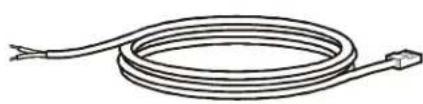
natural_image
Simple line drawing of a coiled cable with wires, no text or symbols present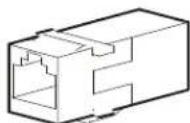
NetBotz Dry Contact Cable RJ-45 coupling (1)
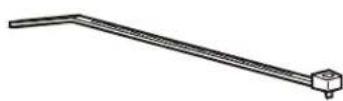
203-mm (8-in) Tie Wraps (10)
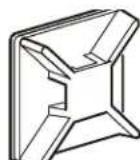
Adhesive Cable Tie Holders (5)

Note: You can extend the length of the cable up to 30.5 m (100 feet) using the RJ-45 coupling and standard CAT-5 cabling.
Installation
To use your NetBotz Dry Contact Cable, connect the two wire leads at the end of the NetBotz Dry Contact Cable to the dry contact-based sensor. Use the instructions included with your dry contact-based sensor to determine the proper wiring for the sensor.
Then connect the sensor to its power supply to ensure that it is functioning correctly. Once you have confirmed that the sensor is wired correctly and is functioning, connect the RJ-45 jack of the NetBotz Dry Contact Cable to a Sensor port.
When you have finished installing the cable, use the External Sensors task in the Advanced View to specify the conditions that will cause this sensor to generate a NetBotz alarm. Refer to the documentation that came with your appliance for more information about the Advanced View and the External Sensor task.
Brand : APC
Model : NetBotz NBES0304
Category : Network Security