
NetBotz NBES0308 - Network Security APC - Free user manual and instructions
Find the device manual for free NetBotz NBES0308 APC in PDF.


| Product Type | Network Security Appliance |
| Model | NetBotz NBES0308 |
| Brand | APC |
| Dimensions (W x D x H) | 43.9 cm x 40.6 cm x 4.4 cm (1U rackmount) |
| Weight | 5.0 kg (11.0 lb) |
| Power Supply | 100-240 VAC, 50/60 Hz, 1.0 A |
| Power Consumption | 30 W typical |
| Operating Temperature | 0°C to 40°C (32°F to 104°F) |
| Humidity | 0% to 95% non-condensing |
| Network Interfaces | 1 x 10/100/1000 Ethernet (RJ-45) |
| Sensor Ports | 4 x RJ-45 for external sensors (temperature, humidity, etc.) |
| Camera Support | Up to 2 IP cameras (via optional expansion) |
| I/O Ports | 2 x dry contact inputs, 1 x relay output |
| Main Functions | Environmental monitoring, access control, video surveillance, alerting |
| Management | Web-based interface, SNMP, email alerts |
| Security | SSL/TLS, user authentication, physical lock |
| Maintenance | Keep vents clean; replace filters if equipped; firmware updates via web |
| Spare Parts and Repairability | Contact APC support for replacement parts; no user-serviceable parts inside |
| Compliance | UL, FCC, CE, RoHS |
| Warranty | 2-year limited warranty |
| Included Accessories | Mounting brackets, power cord, quick start guide |
| General Information | Part of APC NetBotz series; rackmountable 1U; used for remote site monitoring |
Frequently Asked Questions - NetBotz NBES0308 APC
User questions about NetBotz NBES0308 APC
0 question about this device. Answer the ones you know or ask your own.
Ask a new question about this device
Download the instructions for your Network Security in PDF format for free! Find your manual NetBotz NBES0308 - APC and take your electronic device back in hand. On this page are published all the documents necessary for the use of your device. NetBotz NBES0308 by APC.
USER MANUAL NetBotz NBES0308 APC
NetBotz® Rope Leak Sensor (NBES0308) Installation Instructions
Inventory
natural_image
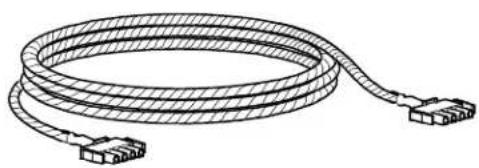
Illustration of a coiled cable with connectors, no text or symbols present6.1-m (20-ft) rope leak sensor (1) Adhesive cable tie holder (18)

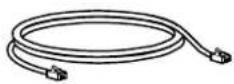
4.6-m (15-ft) CAT-5 cable
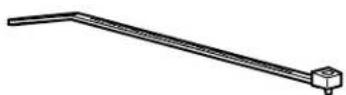
203-mm (8-in) tie wrap (18)
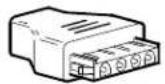
Rope sensor cable adapter (1)
Installation

Caution: Use the Rope Leak Sensor with a NetBotz Rack Monitor 450 or NetBotz Rack Monitor 550 only. Make sure you connect the sensor to the appliance as shown.
Note: You can extend the total length of the Rope Leak Sensor up to 30.5 m (100 ft) using NetBotz 6.1-m (20-ft) Rope Leak Sensor Extensions (NBES0309).
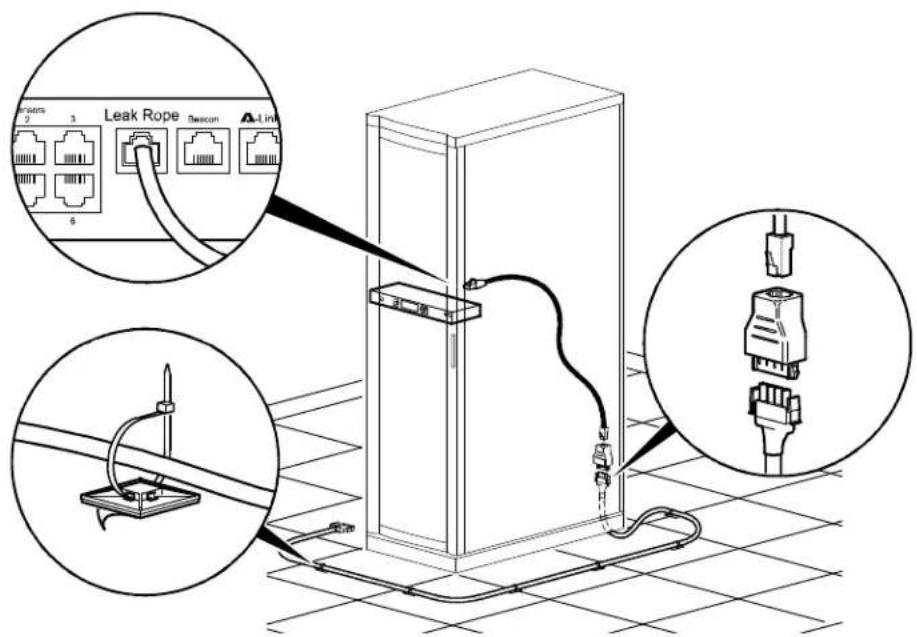

Customer support and warranty information is available at the APC Web site, www.apc.com.
© 2008 American Power Conversion. All rights reserved. All APC trademarks are property of American Power Conversion. Other trademarks are property of their respective owners.
990-3374
5/08

Brand : APC
Model : NetBotz NBES0308
Category : Network Security