Hidden Link 29195D - Receiver Xantech - Free user manual and instructions
Find the device manual for free Hidden Link 29195D Xantech in PDF.


| Product Type | IR Receiver |
| Brand | Xantech |
| Model | Hidden Link 29195D |
| Category | Receiver |
| Dimensions (WxHxD) | 1.0 x 0.5 x 0.5 inches (approx.) |
| Weight | 0.1 oz (approx.) |
| Power Supply | 5-12V DC from control system |
| Connection Type | 3.5mm mini jack or screw terminals |
| IR Range | Up to 50 feet (line of sight) |
| IR Frequency | 38 kHz (standard) |
| Compatibility | Most IR remote controls and control systems |
| Mounting | In-wall or surface mount with bracket |
| Material | Plastic housing |
| Color | White or black (depending on version) |
| LED Indicator | Yes, flashes on IR signal reception |
| Operating Temperature | 32°F to 104°F (0°C to 40°C) |
| Warranty | 2 years limited |
| Included Accessories | Mounting bracket, screws, and connector cable |
Frequently Asked Questions - Hidden Link 29195D Xantech
User questions about Hidden Link 29195D Xantech
0 question about this device. Answer the ones you know or ask your own.
Ask a new question about this device
Download the instructions for your Receiver in PDF format for free! Find your manual Hidden Link 29195D - Xantech and take your electronic device back in hand. On this page are published all the documents necessary for the use of your device. Hidden Link 29195D by Xantech.
USER MANUAL Hidden Link 29195D Xantech
Plasma Friendly Shelf-Top IR Receiver
DESCRIPTION
The 291-95 KITRP comes with everything needed for a complete IR repeater system. The 291 series are small, shelf-top IR receivers with a multitude of applications. Use them as an inexpensive method of repeating IR commands when wall-mounting an IR receiver is not practical.
The 291-95 IR receiver is specifically designed and engineered to filter out interference from plasma displays.
INCLUDED ITEMS

natural_image
Black rectangular electronic device with rounded ends and a flat body, isolated on white background (no text or symbols visible)
ITEM A: (1) 291-95 Plasma Friendly IR Receiver
ITEM B: (1) 784-44 Connecting Block
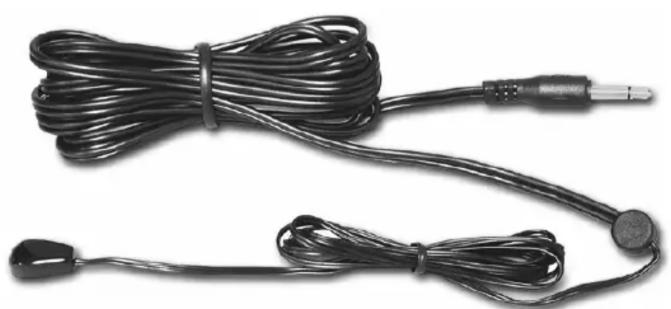
natural_image
Coiled black cable with attached audio jack and ear connector (no text or symbols visible)
natural_image
Black rectangular electronic device with attached cable and power plug (no visible text or symbols)ITEM C: (4) 283M Mouse Emitters
ITEM D: (1) 781RG Power Supply
INSTALLATION INSTRUCTIONS
STEP 1:
Plug in the 2.1mm Coaxial power plug of the 781RG Power Supply (ITEM D) into the jack labeled 12VDC on the 789-44 Connecting Block (ITEM B).
Plug the AC end of the 781RG Power Supply (ITEM D) into an ‘un-switched’ 120V AC Line outlet.
STEP 2:
Plug the 3.5mm stereo mini plug from the 291-95 (ITEM A) into the IR RCVR input on the 789-44 Connecting Block (ITEM B).
STEP 3:
Plug in the 283M Emitters 3.5mm mono mini plug (ITEM C) into the jacks labeled EMITTERS on the 789-44 (ITEM B) and affix the opposite end of the IR Sensor Window of the controlled equipment.
Note: Please see the 291-95 Instruction Manual for proper placement.

flowchart
graph LR
    A["Hand Held Remote"] --> B["291-95 Hidden Link Plasma-Friendly IR Receiver"]
    B --> C["781RG Power Supply"]
    C --> D["789-44 Connecting Block"]
    D --> E["Satellite Receiver"]
    D --> F["AV Receiver"]
    D --> G["Equipment Rack"]
    D --> H["283M Blink-IR™ Mouse Emitter"]
    D --> I["VCR"]
    D --> J["283M Emitter"]
    C --> K["To 120 VAC (unswitched)"]
XANTECH CORPORATION
13100 Telfair Avenue
Sylmar, CA 91342
Phone 818-362-0353 Fax 818-362-9506
www.xantech.com
Part No. 08901687 Rev A 01-30-06
© 2005 Xantech Corporation

Brand : Xantech
Model : Hidden Link 29195D
Category : Receiver