
Mi Home Double Light Switch - Home Automation EnerGenie - Free user manual and instructions
Find the device manual for free Mi Home Double Light Switch EnerGenie in PDF.


| Product Type | Double Light Switch for home automation |
| Brand | EnerGenie (MiHome) |
| Model | MIH0009 (Double Light Switch) |
| Power Supply | 220-240V AC, 50Hz |
| Maximum Load per Circuit | 250W (incandescent/halogen) or 50W (LED) |
| Current Rating | 1A |
| Wireless Protocol | 433.92MHz ISM short range receive only |
| Wireless Range | Approx. 15-20m indoors, 30m open area |
| Operating Temperature | -5°C to 40°C |
| Storage Temperature | -20°C to +60°C |
| Dimensions (HxWxD) | 85mm x 85mm x 28mm |
| Weight | 105g |
| Protection Class | IP20 (indoor use only) |
| Mounting Compatibility | 25mm metal back-box or 35mm dry lining back-box |
| Circuit Connections | Circuit 1: L (Line In), L1 (Line Out), S1 (MiHome slave); Circuit 2: Lx (Line In), L2 (Line Out) |
| Control Methods | Manual push button, remote via MiHome app or browser through gateway |
| Compatible Bulbs | Incandescent, halogen, dimmable LED; not for fluorescent, non-dimmable LED, CFL |
| Installation Requirements | Qualified electrician, UK mains voltage, Part P compliance in England/Wales |
| Reset Procedure | Press and hold button for 30 seconds until LED returns to steady ON |
| Cleaning and Maintenance | Wipe with a dry, soft cloth; no user-serviceable parts |
| Repairability | No user-serviceable parts; contact support for repairs |
| Warranty | Invalid if not installed in line with the user guide |
| Accessories Included | Screw fittings, user guide |
Frequently Asked Questions - Mi Home Double Light Switch EnerGenie
User questions about Mi Home Double Light Switch EnerGenie
0 question about this device. Answer the ones you know or ask your own.
Ask a new question about this device
Download the instructions for your Home Automation in PDF format for free! Find your manual Mi Home Double Light Switch - EnerGenie and take your electronic device back in hand. On this page are published all the documents necessary for the use of your device. Mi Home Double Light Switch by EnerGenie.
USER MANUAL Mi Home Double Light Switch EnerGenie
Mi|Home Double Light Switch
Quick Start Guide

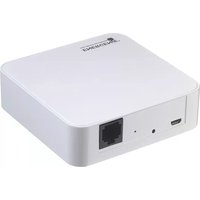
The Double Light Switch is part of the MiHome home automation range for the switching of mains power to lighting up to 250W (50W for LEDs) per circuit. The product can be controlled manually via the push button. Used with a MiHome Gateway (MIHOOO1) registered to a MiHome account, it can also be controlled remotely via the MiHome smartphone app or through a browser.
In the Box:
Double light switch, Screw fittings, User guide
Compatibility
We recommend incandescent & halogen bulbs which are 250W max, or dimmable LED bulbs which are maximum 50W in total and not exceeding 6 bulbs per circuit. Not suitable for fluorescent, non-dimmable LED and CFL bulbs or any light requiring line drivers.
Installation
This device operates at UK mains voltage levels therefore we advise installation from a competent, qualified person. It can fit into a 25mm metal back-box or 35mm dry lining back-box, but not into a 4 lug box. Please see "Installation Example" section for wiring information.
Installation Notes
- Can only be used in a two-way switching configuration with a MiHome slave switch on circuit 1 (circuit 1 on MIHO009 labelled L, S1, L1).
- Using any other switch as a slave will damage the Light Switch.
• The product requires power to circuit 1. If the power to both circuits is removed while circuit 2 is switched on, and then restored only to circuit 2, circuit 2 lamps will be lit whilst the LED will be off. When power is restored to circuit 1 as well, control for circuit 2 will also be restored, and the circuit 2 lamps will turn off.
Important
Applicable in England and Wales, where the installation of this product falls under the scope of the Building Regulations requirements for Part P, the installation must be carried out by registered competent persons, and work should be designed and installed, and inspected, tested and certificated in accordance with BS 7671.
Applicable in Scotland, where the installation of this product falls under the Building (Scotland) Act, a Warrant may be required and advice should be sought from LABSS (Local Authority Building Standards Scotland). We recommend that a competent qualified person is used for all installations of this product.
Pairing with the MiHome Gateway
In order to control your Double Light Switch from the mobile app or from a browser, it needs to first be paired with the MiHome Gateway, as follows:
Pairing via the App on your Smartphone:
The App may be downloaded free of charge from the Google Play or iOS App Store.
-
Log into your MiHome account on the MiHome App.
-
Ensure there is power to the Double Light Switch, and the Double Light Switch is switched off.
- Select "Add a new device" from menu and then choose "Double Light Switch", then choose Left or Right side as required.
- Follow onscreen pairing instructions, pressing the Double Light Switch button when required for at least 8 seconds until the LED begins to flash, and then release.
- The LED will flash rapidly for a few seconds to indicate that the Double Light Switch is being paired, the LED will go off when this is complete.
- The Double Light Switch should now be visible in the device list (may take a few seconds depending on network speed), refresh your browser if necessary.
- Repeat steps 1-6 for the other switch side (left or right) as required, always allow 1 minute between pairing devices or different sides of the same device.
Pairing via a Browser
- Log into your account at mihome4u.co.uk.
- Ensure there is power to the Double Light Switch, and the Double Light Switch is switched off.
- Select "Pair New Device", then click on the "Double Light Switch" icon from the available options. Next click the "Pair Device" button.
- Follow onscreen pairing instructions, pressing the Double Light Switch button when required for at least 8 seconds until the LED begins to flash, and then release.
- The LED will flash rapidly for a few seconds to indicate that the Double Light Switch is being paired, the LED will go off when this is complete.
- The Double Light Switch should now be visible in the device list (may take a few seconds depending on network speed), refresh your browser if necessary.
- Repeat steps 1-6 for the other switch side (left or right) as required, always allow 1 minute between pairing devices or different sides of the same device.
Operation Notes
- A single press of the button while it is flashing will take it out of pairing mode.
- The Double Light Switch can be paired with up to 3 separate gateways. Further attempts to pair will overwrite previous pairings.
Reset
The reset procedure will clear the memory of all paired devices for the selected circuit (left or right).
-
Ensure there is power to the Double Light Switch, and the Double Light Switch is switched off.
-
To reset the Double Light Switch, press and hold the left or right button as required for approximately 30 seconds, until the LED has returned to steady ON. During these 30 seconds, the LED sequence will be, ON > Slow Flash > ON > Quick Flash > ON.
Manual operation
A single short press of the button on the front of the housing will toggle the Light Switch on or off. In normal use, the buttons should not be pressed more than once every 3 seconds.
Installation Example
Circuit 1:
Terminals
L (Line In),
S1 (MiHome Slave connection only),
L1 (Line Out)
Circuit 2:
Terminals
Lx (Line In),
L2 (Line Out)

flowchart
graph TD
    A["CIRCUIT CABLE"] --> B["L"]
    A --> C["LOOP"]
    A --> D["N"]
    E["CIRCUIT CABLE"] --> F["L"]
    E --> G["LOOP"]
    E --> H["N"]
    I["S1"] --> J["L1"]
    I --> K["L2"]
    L["L-OUT"] --> M["L-IN"]
    N["S1"] --> O["L"]
    N --> P["L2"]
    Q["L-OUT"] --> R["L-IN"]
    S["S1"] --> T["L"]
    S --> U["L2"]
    V["L-OUT"] --> W["L-IN"]
    X["LIN"] --> Y["L-IN"]
    Z["E"] --> AA["L"]
    AB["E"] --> AC["L"]
    AD["E"] --> AE["L"]
    AF["E"] --> AG["L"]
    AH["E"] --> AI["L"]
    AJ["E"] --> AK["L"]
    AL["E"] --> AM["L"]
    AN["E"] --> AO["L"]
    AP["E"] --> AQ["L"]
    AR["E"] --> AS["L"]
    AT["E"] --> AU["L"]
    AV["E"] --> AW["L"]
    AX["E"] --> AY["L"]

RED OR BROWN

BLACK OR BLUE (*MAY HAVE RED OR BROWN SLEEVING)

GREEN OR GREEN/YELLOW SLEEVED

YELLOW OR GREY
Disposal
The inner and outer cardboard packaging is 100% recyclable. Do not dispose of the Double Light Switch with regular household waste. You must take electronic equipment to a local recycling centre to be disposed of in line with current regulations. For local recycling information see
www.gov.uk/recycling-collections
and for MiHome and Energenie recycling information see www.energenie4u.co.uk/support/weee_and_weeeco_information
Safety
You must only use the product in dry areas indoors, and it must be protected from moisture and water. Do not disassemble, as it does not contain any parts to service. This device and associated software are for use solely in domestic, commercial and light industrial environments, and should not be used in applications which require safety critical, or high risk applications. For more information please see the full user manual for this product.
Technical Specification
- Rating: 220 - 240V\~ 50Hz, IA, 250W max (50W for LEDs) per circuit
- Switching: Line only
- Terminal Connections: Circuit 1 - L (Line in), L1 (Line out), S1 (MiHome only); Circuit 2 - Lx (Line in), L2 (Line out).
• Radio: 433.92MHz ISM short range receive only - Range: Approx. 15-20m in closed; 30m in open area
- Operating temp.: -5°C to 40°C
- Storage temp.: -20°C to +60°C
- Mounting: 25mm metal pattress; 35mm dry lining
- Size (HxWxD): 85 mm x 85 mm x 28mm; Weight: 105g
• Protection class: IP20


Further Help
If you have any questions regarding your product or you believe it to be faulty, please visit mihome4u.co.uk/troubleshooting and/or energenie4u.co.uk where you can download a more comprehensive user manual, or contact us directly on tel: 08000 469 466 or e-mail: support@mihome4u.co.uk
Simplified EU Declaration of Conformity
Hereby, Sandal Plc, T/a Energenie declares that the radio equipment type MIHOO09 Double Light Switch (including variations of finish with metal and plastic fascias) are in compliance with the following Directives: 2014/53/EU Radio Equipment Directive (Article 3.1 a & b, and 3.2), 2012/19/EU Waste Electrical and Electronic Equipment (WEEE) Directive & 2011/65/EU Restriction of the Use of Certain Hazardous Substances (RoHS) Directive Recast.
The full text of the EU declaration of conformity is available within the full user manual which can be downloaded at the following internet address: www.energenie4u.co.uk
The Technical Construction File required is maintained at the company headquarters at 5 Harold Close, The Pinnacles, Harlow, Essex, England, CM19 5TH.
Warranty
If you do not install the product and use it in line with this guide the warranty will become invalidated and we will not be liable for any damage or loss whatsoever, including indirect loss, damage to property or personal injury. Your statutory rights are not affected.
Copyright Notice © 2018 Sandal Plc.
Quick Start Guide - Part no: MIHO009 Version: 1.0, April 2018
Energenie and MiHome are brand names of Sandal Plc.
Registered Office: Claremont House, Deans Court, Bicester, Oxon OX26 6BW


- Mi|Home Double Light Switch
- Quick Start Guide
- In the Box:
- Compatibility
- Installation
- Installation Notes
- Important
- Pairing with the MiHome Gateway
- Pairing via the App on your Smartphone:
- Pairing via a Browser
- Operation Notes
- Reset
- Manual operation
- Installation Example
- Disposal
- www.gov.uk/recycling-collections
- Safety
- Technical Specification
- Further Help
- Simplified EU Declaration of Conformity
- Warranty
Brand : EnerGenie
Model : Mi Home Double Light Switch
Category : Home Automation