
EH225 - Headphones Lauson - Free user manual and instructions
Find the device manual for free EH225 Lauson in PDF.


| Product Type | Over-ear wireless headphones |
| Brand | Lauson |
| Model | EH225 |
| Connectivity | Bluetooth 5.0 |
| Driver Size | 40 mm |
| Frequency Response | 20 Hz – 20 kHz |
| Impedance | 32 ohms |
| Sensitivity | 105 dB |
| Battery Life | Up to 20 hours |
| Charging Port | USB-C |
| Charging Time | Approx. 2 hours |
| Weight | Approx. 230 g |
| Dimensions (folded) | 18 x 15 x 8 cm |
| Microphone | Built-in |
| Controls | On-ear buttons |
| Foldable | Yes |
| Carrying Case | Included |
| Cable Length (if wired) | 1.2 m |
| Plug Type | 3.5 mm |
| Warranty | 1 year |
| Included Accessories | USB-C cable, audio cable, pouch |
| Maintenance | Clean with a soft dry cloth |
Frequently Asked Questions - EH225 Lauson
User questions about EH225 Lauson
0 question about this device. Answer the ones you know or ask your own.
Ask a new question about this device
Download the instructions for your Headphones in PDF format for free! Find your manual EH225 - Lauson and take your electronic device back in hand. On this page are published all the documents necessary for the use of your device. EH225 by Lauson.
USER MANUAL EH225 Lauson
natural_image
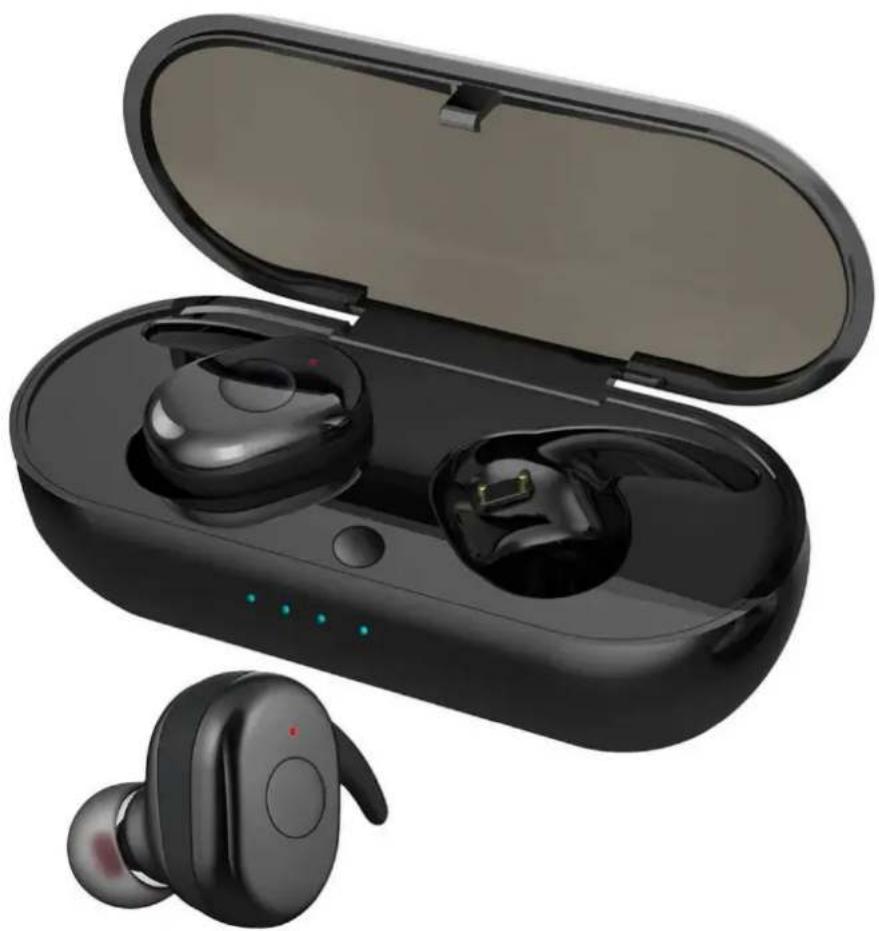
Black wireless earbuds with open case, one partially open showing charging case (no text or symbols visible)INSTRUCTION MANUAL
TRUE WIRELESS EARBUDS
EH225 / EH226
The true wireless stereo Bluetooth sound (TWS), individual le and right channel with HIFI sound.
1. PRODUCT SPECIFICATIONS (TRUE WIRELESS EARBUDS):

2. USAGE
MAKING PHONE CALLS:
- When making calls, there is only one side earphone working, if there is any incoming call, it broadcast calling numbers.
- To answer, press once the mulfuncon buon and to refuse the call, hold for a short me the mulfuncon buon.
- When the earbuds are in music mode, quickly press twice the mulfuncon buon to redial the last number.

natural_image
Black wireless earbuds with a yellow circular button on the head (no text or symbols visible)LISTENING TO MUSIC:
- Shortly press the power buon to stop /play the music.
POWER OFF:
- Long press the mulfuncon button to enter to off mode. If there earbuds are not linked or away from your Bluetooth device conneccon, it will automatically shut o.
3. BLUETOOTH INSTRUCTIONS:
PAIRING WITH ONE EARBUD:
- Press and hold the mulfuncon buon for a few seconds.
- Acvate the Bluetooth on your mobile phone, tablet or computer device.
• Find the model EH225 or EH226
PAIRING WITH TWO EARBUD:
- Press and hold the mulfuncon buon for a few seconds close to each earbud.
- Acvate the Bluetooth on your mobile phone, tablet or computer device.
• Find the model EH225 or EH226

4. CHARGING:
• There will be a reminding sound when baery is low.
- When the earbuds is charging, the led would be in red color, and turn stand blue when it is fully charged.
- When the charging box is charging, the 4 indicators led will be in blue blinking color, and turn stand blue when it is fully charged

natural_image
Black wireless earbuds with open case, no visible text or symbols* Note: place both headphones, closer to ease the conneccon process. There will be a voice message nofying that the conneccon has been successfully, you will be able to listen to music and also answer incoming calls.
** Note: Only one earbud will funcon as the main controller for mostly all funcons to make / answer phone calls to turn o, pause / play / answer / hang up the phone, and press for approximately one second to play the next song. To reproduce the previous song, press for approximately one second the le earbud. Double-click to redial the last registered number with any of both earbuds.
WARNING
- Do not overuse these headphones or press them too hard, keep them away from moisture and heat.
- Try to keep the headphones away from Wi-Fi networks, routers or other high frequency transmission equipment, as they could interrupt the signal reception.
- Use this handset within a range of (10 m) as the conneccon will be more effective. Try to avoid obstacles between the connected devices, the signal between the device and the headphones may be interfered due to the lack of baery of one or both devices.
- Use this Bluetooth headset to connect any device with BT funcon
GUIDE TO MAINTENANCE
- Use in a dry place free of explosive humidity and water.
- Wipe away dirt with a clean cloth.
NOTE: Do not immerse in water. Do not allow water or any other liquid to get into unit. - Before storage clean thoroughly cover with plasc bag and store in a dry place
DISPOSAL
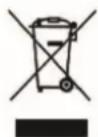
This marking indicates that this product should not be disposed with other household wastes throughout the EU. To prevent possible harm to the environment or human health from uncontrolled waste disposal recycle it responsibly to promote the sustainable reuse of material resources
WARRANTY CONDITIONS
Thank you for purchasing this product. Lauson guarantees the proper functioning of its products for a period of 2 YEARS from the date of purchase, being responsible for any lack of conformity that manifests within this period, including the repair of the defects or the replacement of the product within the Union European
CLAIM PROCEDURE
The holder of the guarantee may contact the technical service by telephone at the number (00) 34 934 536 222 or vising our Lauson website: www.lauson.es or by going directly to the purchasing center.
Before claiming your rights as a consumer, make sure that the product meets the following requirements.
- The guarantee will be valid if it is presented duly completed with the reference of the model, serial number, date of purchase and establishment data. Being an essenal requirement that is accompanied by the purchase cket.
- In case of sending to repair the equipment, it must be in the same conditions (packaging, accessories, manuals ...) in which it was purchased, except for natural deterioration due to use. The guarantee does not cover damages caused by transport on due to inadequate packaging.
- Lauson reserves the right to refuse the guarantee in the event that some of the requested informaon is not specied, is not legible or is damaged.
- Damages or malfuncons caused by catastrophic causes, falls and blows due to incorrect use by the user, as well as erroneous feeding by energy sources or parts subject to natural wear and tear due to improper use are not covered by this guarantee.
- This product will lose its guarantee if it is handled by technicians or workshops outside our company.
- This guarantee is valid only in scope of the European community. The warranty terms contained in this cercate do not exclude, restrict or modify the rights that legally correspond to the buyer by applicaon to Royal Legislave Decree 1/2007 of November 16.
Lauson
natural_image
Black wireless earbuds with open case, one partially open showing ear and microphone (no text or symbols visible)natural_image
Black wireless earbuds with a yellow circular button on the head (no text or symbols visible)ESCUCHAR MÚSICA:
natural_image
Black wireless earbuds with open case, no visible text or symbolsDECLARATION OF CONFORMITY
Declares that the product listed below:
Product Type: Bluetooth Headphones
I, the undersigned, under our responsibility, declare that the equipment specified above conforms to the Directive RTTE 1999/5/CE
Company Representant: MARC SOLANAS ALBESA Position: General Manager
LAUSON, S. L.
C/ Viladomat, 291, 7º - 2ª
08029 Barcelona
N.I.F.B=60421062
Signature: Date: APRIL 2019

Lauson products are subject to high quality and design inspections. As a result, our products have very low failure rates. For this reason, we are the only brand in the sector that offers a 5-year free warranty.
In order to enjoy this guarantee extension, the producto must be registered on our website www.lauson.es before the 30-day period from the date of purchase. Once registered your product will be covered with our 5 year warranty.
We thank you for the trust placed in us and we are sure that you will be 100% satisfied.


- INSTRUCTION MANUAL
- PRODUCT SPECIFICATIONS (TRUE WIRELESS EARBUDS):
- USAGE
- MAKING PHONE CALLS:
- LISTENING TO MUSIC:
- POWER OFF:
- BLUETOOTH INSTRUCTIONS:
- PAIRING WITH ONE EARBUD:
- PAIRING WITH TWO EARBUD:
- CHARGING:
- WARNING
- GUIDE TO MAINTENANCE
- DISPOSAL
- WARRANTY CONDITIONS
- CLAIM PROCEDURE
- Lauson
- ESCUCHAR MÚSICA:
- DECLARATION OF CONFORMITY
Brand : Lauson
Model : EH225
Category : Headphones