L22FEDW15 - Television Logik - Free user manual and instructions
Find the device manual for free L22FEDW15 Logik in PDF.
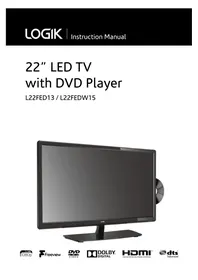


| Product Type | Television |
| Brand | Logik |
| Model | L22FEDW15 |
| Screen Size (Diagonal) | 22 inches (55.9 cm) |
| Resolution | 1366 x 768 pixels (HD Ready) |
| Aspect Ratio | 16:9 |
| Dimensions (with stand) | 506 x 370 x 178 mm |
| Dimensions (without stand) | 506 x 320 x 60 mm |
| Weight (with stand) | 3.6 kg |
| Power Consumption (typical) | 30 W |
| Power Supply | AC 100-240V, 50/60Hz |
| Inputs | 1 x HDMI, 1 x USB, 1 x SCART, 1 x Composite AV, 1 x RF (antenna) |
| Tuner | DVB-T/T2 (Freeview) |
| Audio Output | 3.5mm headphone jack, digital optical (optional) |
| Remote Control | IR remote included (batteries not included) |
| Mounting | VESA compatible (75 x 75 mm) |
| Care Instructions | Wipe with a soft, dry cloth. Do not use harsh chemicals or liquids directly on screen. |
| Safety Precautions | Place on stable surface, ensure ventilation, avoid moisture, do not open enclosure. |
| Spare Parts / Repairability | Contact Logik support or authorized service center. Some parts may be available online. |
| General Information | Designed for home entertainment. Includes user manual and quick start guide. |
Frequently Asked Questions - L22FEDW15 Logik
User questions about L22FEDW15 Logik
0 question about this device. Answer the ones you know or ask your own.
Ask a new question about this device
Download the instructions for your Television in PDF format for free! Find your manual L22FEDW15 - Logik and take your electronic device back in hand. On this page are published all the documents necessary for the use of your device. L22FEDW15 by Logik.
USER MANUAL L22FEDW15 Logik
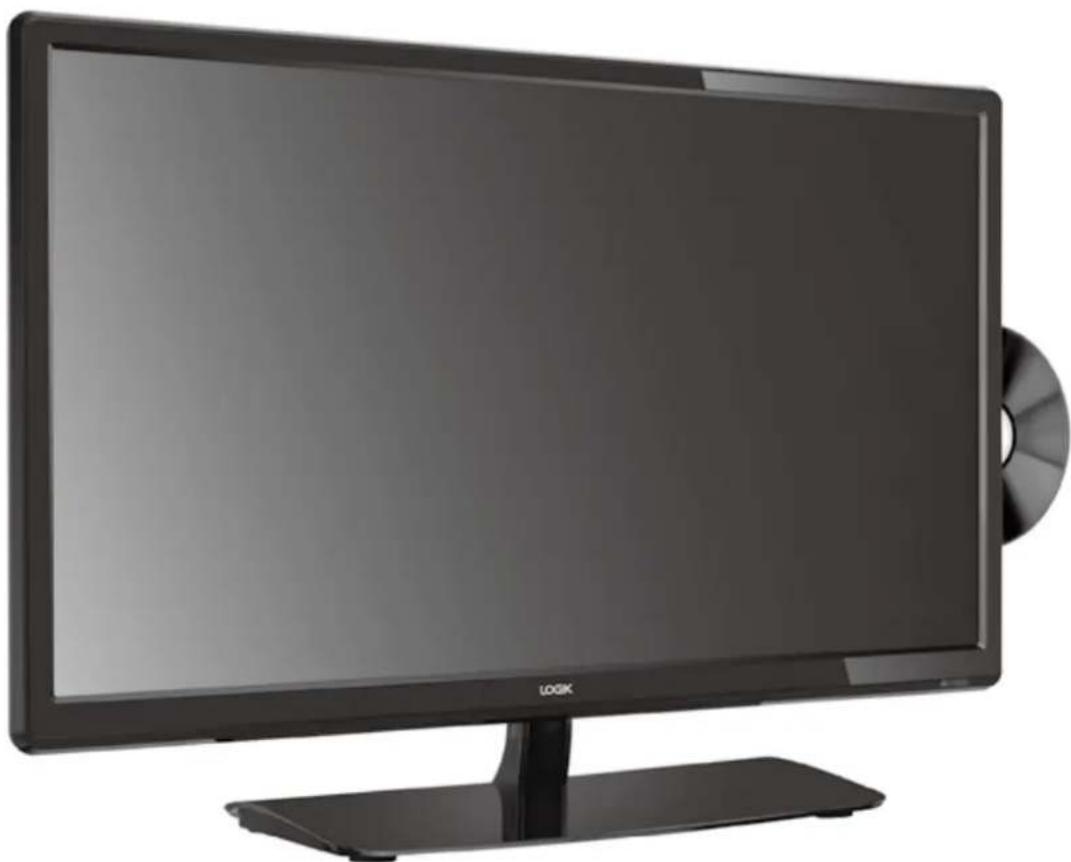
22" LED TV with DVD Player
L22FED13 / L22FEDW15
WE KNOW HOW TO HELP YOU WITH YOUR TV

We want you to be able to enjoy your new TV for many years. From getting it home and setting it up, to helping you get the most out of your new purchase. And in the unlikely event your TV lets you down, we can get it working again in no time.
Here are some of our TV services, but if you want to know more look us up at www.knowhow.com or call us on: 0344 561 1234.
TV SET UP & DEMO
We'll assemble the stand and connect your new TV to the existing equipment. We'll tune your TV so it's ready to watch. We'll also give you a demonstration of your new TV's functions.
TV WALLMOUNT & DEMO
We'll fix your TV to a suitable position on the wall and connect to your existing equipment, so it's all ready to go. We'll use neat wire management so you don't have to look at any untidy cabling and, to complete your fuss-free installation, we'll test and demonstrate your TV's functions.
FREESAT INSTALLATION
We'll set up the Freesat receiver and connect it to your existing dish, TV and cabling. We'll then tune in all available channels.
AERIAL INSTALLATION
We'll supply, install and align a new, high quality aerial and connect it to your Freeview receiver and TV. Then we'll scan and tune in all available digital channels.
HOME CINEMA OR SOUNDBAR INSTALLATION
We'll un-box, connect and set up your new and existing equipment. We'll then configure, calibrate and optimise the equipment. To avoid ugly trailing cables we'll clip them to your skirting board if you'd like us to. Then we'll give you a demonstration.
FAULT & FIX SERVICES
With our Fault & Fix services we can repair a wide range of products at our new state-of-the-art repair lab. This service is available for:
- Computer desktops
- Laptops
- Netbooks
• TVs
WE KNOW HOW TO HELP YOU WITH YOUR TV

We want you to be able to enjoy your new TV for many years. From getting it home and setting it up, to helping you get the most out of your new purchase. And in the unlikely event your TV lets you down, we can get it working again in no time.
Here are some of our TV services, but if you want to know more look us up at www.knowhow.ie or call us on: 1 890 818 575.
TV SET UP & DEMO
We'll assemble the stand and connect your new TV to the existing equipment. We'll tune your TV so it's ready to watch. We'll also give you a demonstration of your new TV's functions.
TV WALL MOUNT & DEMO
We'll fix your TV to a suitable position on the wall and connect to your existing equipment, so it's all ready to go. We'll use neat wire management so you don't have to look at any untidy cabling and, to complete your fuss-free installation, we'll test and demonstrate your TV's functions.
TV & HOME CINEMA INSTALLATION
We'll un-box, connect and set up your new and existing equipment. We'll then configure, calibrate and optimise the equipment. To avoid ugly trailing cables we'll clip them to your skirting board if you'd like us to. Then we'll give you a demonstration.
FAULT & FIX SERVICES
With our Fault & Fix services we can repair a wide range of products at our new state-of-the-art repair lab. This service is available for:
- Desktop PCs
- Laptops
- Netbooks
- TVs
Safety Warnings 7
Preparation....9
Unpacking the TV 9
Installing / Removing the Base Stand 10
- Installing the Base Stand....10
- Mounting the TV to a Wall....10
Front / Right Side View and Controls....11
Rear View and Sockets....12
Installing Batteries in the Remote Control 13 Remote Control Operation Range....13 Remote Control 14
Connections....16
Making Video and Audio Connections....16 Connecting an AV Device Using an HDMI Cable....16 Connecting a Computer Using a VGA Cable 17 Connecting an AV Device Using a Component (YPbPr) Cable 17 Connecting an AV Device Using a SCART Cable 18 Connecting an AV Device Using Composite Cable 18 Connecting an Audio Receiver....19 Connecting Headphones....19
Initial Setup ....20
Turning the TV On for the First Time 20
– Target Region Setting (UK Only) 21 - Selecting the Input Source....21 - Channel Selection 22 - Listening to the Radio (Radio Mode)....22 - Display Channel Information 22 – Volume Adjustment.... 22
Customising TV Settings 23
Channel Setting (DTV, TV or Radio Mode)....23
- Auto Tuning 23
- DTV Manual Tuning (DTV Mode).... 24
- ATV Manual Tuning (ATV Mode).... 24
- Channel Edit (DTV / ATV Mode)....25 – Signal Information (DTV Mode)....26
- CI (Common Interface) (DTV Mode) 27
- Software Update....28
Picture Setting 29
Sound Setting 31
– Stereo / Dual Sound Reception (ATV Mode).... 32 – Speaker Sound Output Selection (DTV Mode)....33
Time Settings.... 33
Option Setting 34
- OSD Language 34
- Audio Language (DTV Mode).... 35
- Subtitle Language (DTV Mode) 35
- Hearing Impaired....36 – Country......36
- PVR File System (DTV Mode).... 37
- Restore Factory Default.... 38 – HDMI CEC (Consumer Electronics Control)....38
Lock Setting 39
- Lock System 39
- Set Password 40
- Block Channel ....41
- Parental Guidance 42
Using the Features 43
EPG (Electronic Programme Guide) (DTV Mode) 43
- Switch On / Off EPG 43
- Select a Programme 43
Red Button (Interactive Services)....44
- Accessing the Information 44
Entertainment....45
Connecting a USB Storage Device....45 Viewing Photos....45 Listening to Music....46 Viewing Movies 47 My Text....48
PVR (Personal Video Recorder)....49
Time Shift Function 49 Recording DTV Programme onto a USB Storage Device 50 Timer Programming ....51 Play Recorded Programme 52
Using the DVD Features....53
Using the Built-in DVD Player 53 Compatible Disc Types 53
– Supported Formats....53 - Region Code 53
Basic DVD Playback Functions 54
- Playing the DVD 54
- Menu Playback (for DVD) 54
- Stopping Playback....54
- Previous / Next (for DVD / CD / Multimedia discs) 54
- Forward / Backward (for DVD / CD / Multimedia discs)....54
- Pause (for DVD / CD / Multimedia discs) 54
- Repeat (for DVD / CD / Multimedia discs)....54
- Display (for DVD / Multimedia discs)....55
- Angle (for DVD) 55
- Zoom (for DVD)....55
- Goto (for DVD / CD / Multimedia discs)....55
- Audio (for DVD / CD) 55
- Repeat A-B (for DVD / CD).... 55
Program (for DVD) 56
Using the DVD General Setup Page....57 Using the DVD Audio Setup Page....58 Using the DVD Preference Setup Page 58
Others Information....60
Maintenance....60 Hints and Tips....61
Display Modes....63
- YPbPr Mode 63
- PC Mode....63
- HDMI Mode 63
Product Fiche and Specifications ....64
Remote Control Codes....66
- Sky Codes 66
Useful Information and Licences 66
- Read all the instructions carefully before using the unit and keep them for future reference.
- Retain the manual. If you pass the unit onto a third party make sure to include this manual.
- Check that the voltage marked on the rating label matches your mains voltage.
Damage
- Please inspect the unit for damage after unpacking.
- Do not continue to operate the unit if you are in any doubt about it working normally, or if it is damaged in any way - switch off, withdraw the mains plug and consult your dealer.
Location of Unit
- The unit must be placed on a flat stable surface and should not be subjected to vibrations.
- Do not place the unit on sloped or unstable surfaces as the unit may fall off or tip over.
- The mains socket must be located near the unit and should be easily accessible. • This unit is designed for indoor, domestic use only.
Temperature
- Avoid extreme degrees of temperature, either hot or cold. Place the unit well away from heat sources such as radiators or gas / electric fires.
- Avoid exposure to direct sunlight and other sources of heat.
Naked Flames
- Never place any type of candle or naked flame on the top of or near the unit.
Moisture
- To reduce the risk of fire, electric shock or product damage, do not expose this unit to rain, moisture, dripping or splashing. No objects filled with liquids, such as vases, should be placed on the unit.
- If you spill any liquid into the unit, it can cause serious damage. Switch it off at the mains immediately. Withdraw the mains plug and consult your dealer.
Ventilation
- To prevent the risk of electric shock or fire hazard due to overheating, ensure that curtains and other materials do not obstruct the ventilation vents.
- Do not install or place this unit in a bookcase, built-in cabinet or in another confined space. Ensure the unit is well ventilated.
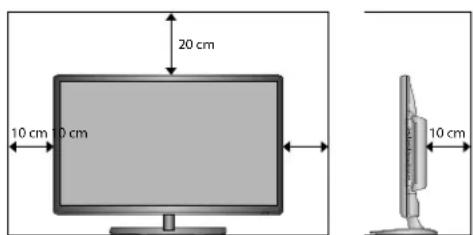
- Make sure that there is a gap of at least 10 cm on both sides and a gap of 20 cm at the top.
Safety
- Always disconnect the unit from the mains supply before connecting or disconnecting other devices or moving the unit.
- Unplug the unit from the mains socket during a lightning storm.
Mains Cable
- Make sure the unit or unit stand is not resting on top of the mains cable, as the weight of the unit may damage the mains cable and create a safety hazard.
- If the mains cable is damaged it must be replaced by the manufacturer, its service agent, or similarly qualified persons in order to avoid a hazard.
Interference
- Do not place the unit on or near appliances which may cause electromagnetic interference. If you do, it may adversely affect the operating performance of the unit, and cause a distorted picture or sound.
Optimum viewing
- View the unit in moderate light to prevent eye strain. It is recommended to watch the unit from a distance 3-7 times that of the screen height.
LCD screen
- The LCD screen is manufactured using high-precision technology. However, some tiny black points and / or bright points (red, blue or green in colour) may constantly appear on the LCD screen. These points are generated in the manufacturing process and are normal.
Screen Burn
- A characteristic of Plasma and TV Panels is that displaying the same image for a long time may cause a permanent after-image to remain on the screen. This is called screen burn. Most pictures shown on the unit will be constantly moving and fill the screen. - Examples of images that you need to watch out for are as follows (this is not an all-inclusive list):
- Black Bars: If black bars appear at the left / right or top / bottom of the screen, it is recommended to change the format so that the picture fills the entire screen.
- TV Channel Logos: e.g. Shopping channel logos and pricing displays - especially if they are bright and stationary. Moving or low-contrast graphics are less likely to cause ageing of the screen.
3. Time Displays
- Teletext: Do not view a stationary page for long periods of time.
5. TV Menus
- Pause Mode: Do not leave the screen in pause mode for long periods of time, e.g. when watching videos.
- To prevent screen burn if viewing any of the above for long periods of time, reduce contrast and brightness when viewing. Once burn-in occurs it will never disappear completely.
Earphones
- Listening to loud sounds for prolonged periods of time may permanently damage your hearing.
- Before putting on earphones, turn the volume down then put the earphones on and slowly increase the volume until you reach a comfortable listening level.
Standby
- The ⬇ button on the remote control does not switch off the unit completely. The unit will continue to draw electricity from the mains supply while in standby. In the interests of safety and to avoid unnecessary energy consumption, never leave the unit in standby while unattended for long periods of time, e.g. overnight, while on holiday or while out of the house. Disconnect the mains plug from the mains socket.
Batteries
- Batteries used in the remote control for this unit are easily swallowed by young children and this is dangerous.
- Keep loose batteries away from young children and make sure that the battery holder tray is secure in the remote control. Seek medical advice if you believe a cell has been swallowed.
- Please dispose of batteries correctly by following the guidance in this manual.
- The batteries shall not be exposed to excessive heat such as sunshine, fire or the like.
Supervision
- Children should be supervised to ensure that they do not play with the unit and the remote control.
- Never let anyone especially children push anything into the holes, slots or any other openings in the case - this could result in a fatal electric shock.
DVD
• Class 1 Laser Product
This unit utilises a laser. Use of controls, adjustments or performance of procedures other than those specified herein may result in hazardous radiation exposure.
• Before moving the unit, ensure the disc tray is empty. • Always remove the disc when the unit is not in use. - Failure to do so will risk severely damaging the disc and the unit. - Do not stack devices, heat from other devices may affect the performance of the unit.




The lightning flash with arrowhead symbol, within an equilateral triangle, is intended to alert the user to the presence of uninsulated "dangerous voltage" within the unit's enclosure that may be of sufficient magnitude to constitute a risk of electric shock.

The exclamation point within an equilateral triangle is intended to alert the user to the presence of important operating and maintenance (servicing) instructions in the manual accompanying the unit.
Service
- To reduce the risk of electric shock, do not remove screws. The unit does not contain any user-serviceable parts. Please leave all maintenance work to qualified personnel.
- Do not open any fixed covers as this may expose dangerous voltages.
Maintenance
- Ensure to unplug the unit from the mains socket before cleaning.
- Do not use any type of abrasive pad or abrasive cleaning solutions as these may damage the unit's surface. • Do not use liquids to clean the unit.
- The wall socket plug is used as a disconnect device, the disconnect device should be readily accessible.
- This equipment is a Class II or double insulated electrical appliance. It has been designed in such a way that it does not require a safety connection to electrical earth.

To prevent the spread of fire, keep candles or other open flames away from this product at all times.
Thank you for purchasing your new Logik TV.
Your new TV has many features and incorporates the latest technology to enhance your viewing experience. We recommend that you spend some time reading this instruction manual so that you fully understand these features. You will also find some hints and tips to help you resolve any issues.
Read all the safety instructions carefully before use and keep this instruction manual for future reference.

Unpacking the TV
Remove all packaging from the TV. Retain the packaging. If you dispose of it please do so according to local regulations. The following items are included:
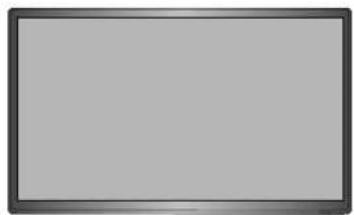
TV
TV Stand Support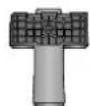
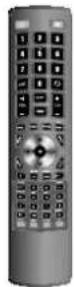

TV Base Remote Control / AAA Batteries x 2
Screw A x 1 Screw B x 3

Rear Spacer x 4
Instruction Manual Quick Start Guide

- If items are missing or damaged, please contact Partmaster (UK only). Tel: 0344 800 3456 for assistance. If you require additional assistance:
For UK, please call our UK Call Centre on 0344 561 1234.
For Ireland, please call our Ireland Call Center on 1 890 818 575.

Installing / Removing the Base Stand

The LCD display is very fragile and must be protected at all times when installing and removing the base stand. Be sure that no hard or sharp object, or anything that could scratch or damage the LCD display, comes into contact with it. DO NOT exert pressure on the front of the TV at any time because the screen could crack.
- Disconnect all cables connected to the TV.
- Lay the TV down on a flat surface with the back side facing up, and ideally at the edge of a table so that the base of the TV slightly overhangs on it. Please make sure a soft cushioned material (such as a pillow or thick piece of foam) is placed beneath the screen.
Installing the Base Stand
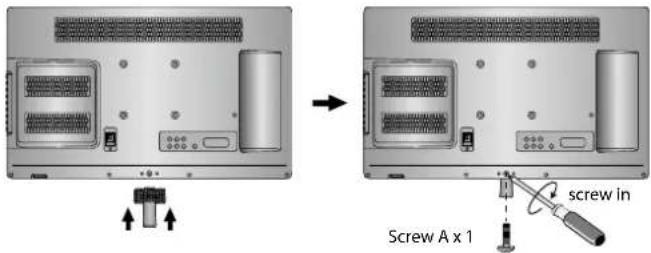
- To install the TV stand, first attach the stand support to the TV by using screw A. Align with the screw hole then use screws to fix the stand support to the TV.
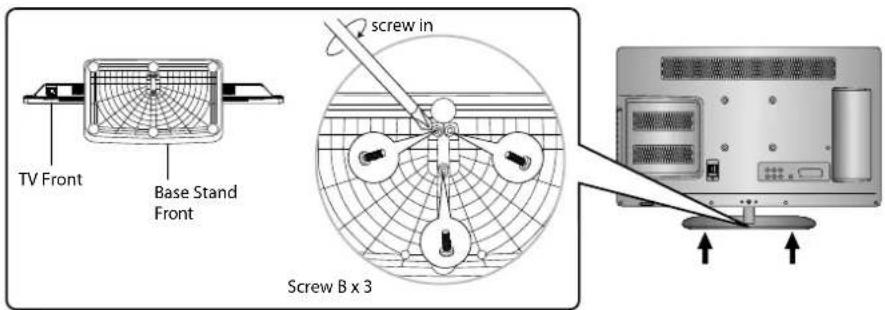
- To install the base stand, align the screw holes, then secure with a screw driver (not included) using the 3 screw B provided.

The screw holes will only align if the front of the base stand is at the front of the TV.
Mounting the TV to a Wall

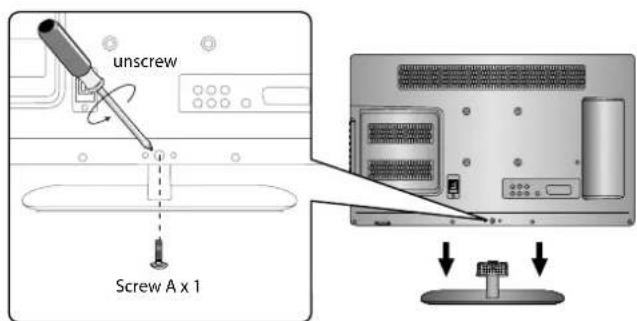
Remove the stand assembly before mounting the TV onto the wall.
- To remove the stand assembly, untighten the screws holding the stand assembly to the rear of the TV. Slide the stand assembly out.

Keep all the spare screws should you want to use the stand assembly option.
- Mounting on the wall. This TV is designed to be wall-mounted with a standard 200 mm x 100 mm mounting kit (sold separately) designed for flat-panel TVs. Mount this TV according to the instructions included in the mounting kit. Due to space restrictions, we recommend that you make all connections (refer to pages 18-21 and page 46 for details) before mounting on to the wall.
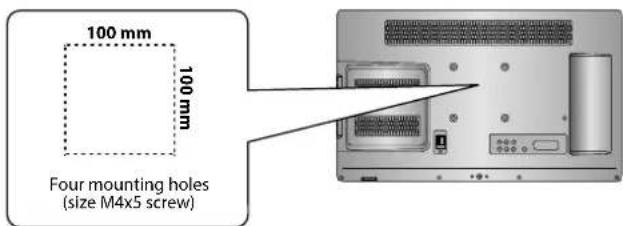

Use the supplied 4 rear spacers to mount TVs with curved/recessed backs, recessed mounting holes, or to allow access to A/V inputs.
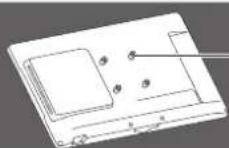
rear spacer

Please read this instruction manual carefully while setting up your TV.
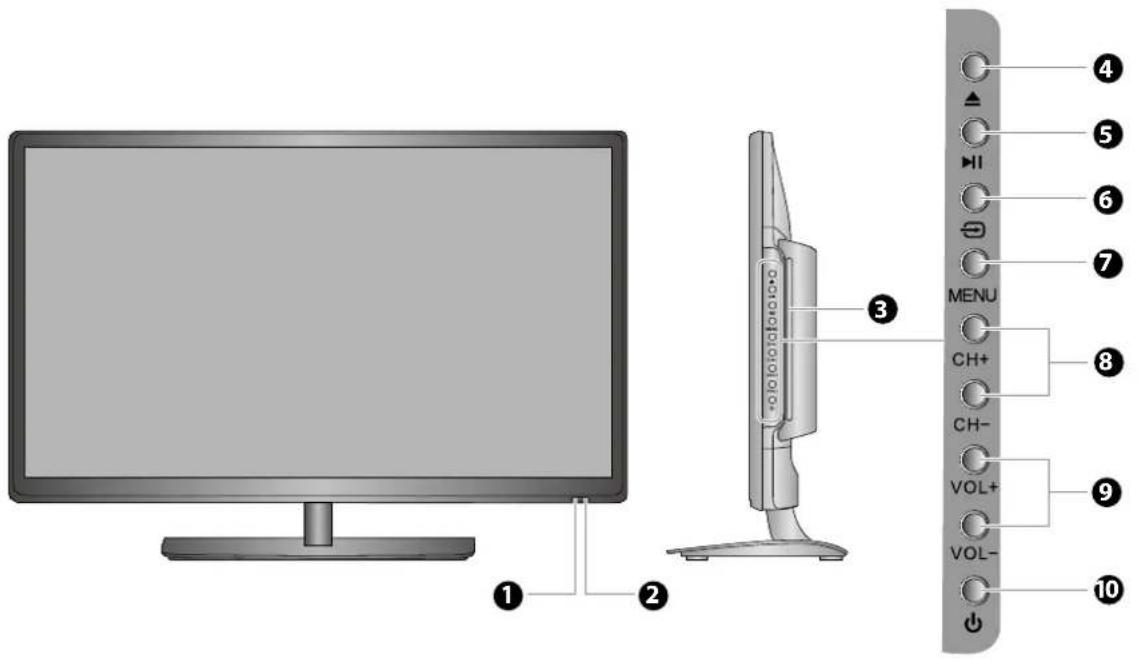
Item Description
| 1 POWER LED | Illuminates red when the TV is in standby mode. The LED will blink red, confirming that a timer recording programme has started in the standby mode. |
| 2 IR (Infrared Receiver) | Receives IR signals from the remote control.Do not put anything near the sensor, as its function may be affected. |
| 3 Disc Slot | Insert a disc with the label side facing towards the front of the TV. (12 cm discs only.Don't insert 8 cm discs.) |
| 4 ▲ | Press to eject disc. (DVD mode) |
| 5 ▶II | Press to start playback or pause. (DVD mode) |
| 6 ≈ | Press to select among different input signal sources:DTV / ATV / DVD / AV / SCART / YPbPr / HDMI1 / HDMI2 / PC / USB.Use the ▲▼ buttons on the remote control to select the input, and then press the OKbutton to confirm. |
| 7 MENU Displays the OSD (on screen display) menu. | |
| 8 CH +/– Press to select a channel or select a sub-menu from the OSD menu. | |
| 9 VOL +/– | Adjusts the volume.Press to select and adjust a setting in the OSD menu. |
| 10 ⏻ | Switches the TV on from standby mode.Switches the TV back to standby mode. |
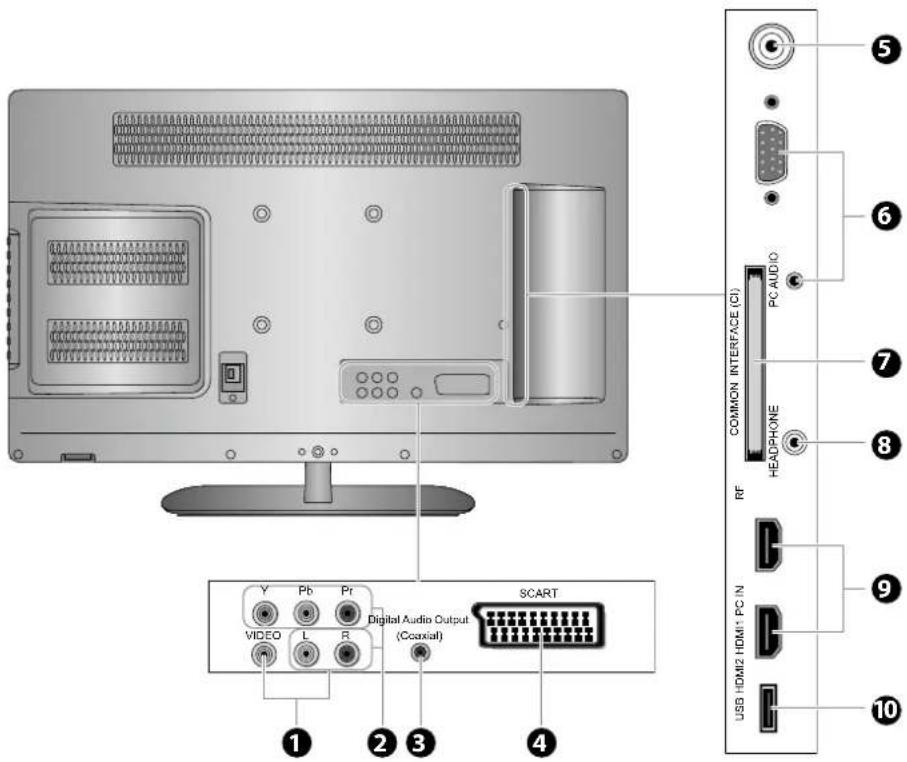
| Item Description | |
| 1 VIDEO / AUDIO (L/R) | Connects to the Composite VIDEO and AUDIO (L/R) output sockets on external video devices. |
| 2 Y, PB, PR / AUDIO (L/R) | Connects to a DVD player, Digital Set-Top-Box, or other AV devices with component (YPbPr) video and audio output sockets. |
| 3 Digital Audio Output (Coaxial) | To connect to the audio socket on the digital/standard 5.1 audio system. |
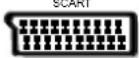
| 4 SCART Connects to a VCR, DVD Player, or other AV device with a SCART output socket. | |
| 5 RF Aerial Connects to the aerial socket on the wall with the RF coaxial cable. | |
| 6 PC IN / PC AUDIO Connects to a computer or other devices with a VGA interface. | |
| 7 COMMON INTERFACE | Allows the insertion of a Common Access Module. (Refer to page 28 for details.) |
| 8 HEADPHONE Connects to the headphones. | |
| 9 HDMI1/ HDMI2 | Connects to a High-Definition (HD) signal output device, such as a set-top box, blu-ray disc player or AV receiver. |
| 10 USB | Allows the insertion of a USB storage device to play video, audio, photo and text files (USB mode) and record DTV programmes on to a USB storage device. |

Installing Batteries in the Remote Control
- Press and lift the back cover to open the battery compartment of the remote control.
- Insert two AAA size batteries. Make sure the (+) and (-) ends of the batteries match the (+) and (-) ends indicated in the battery compartment.
- Close the battery compartment cover.
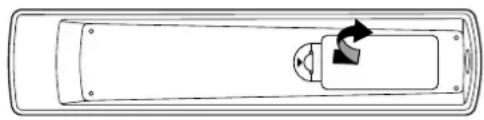
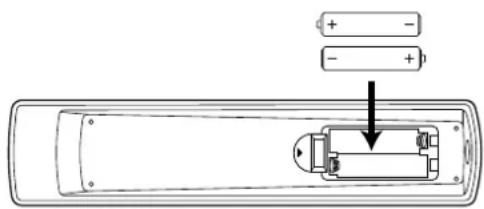

Handling the Batteries
- Improper or incorrect use of batteries may cause corrosion or battery leakage, which could cause fire, personal injury or damage to property. • Only use the battery type indicated in this manual.
- When the batteries are exhausted, the remote will not function. Replace both batteries at the same time with new ones.
- Do not install new batteries with used ones and do not mix different types of batteries.
- Do not dispose of used batteries as domestic waste. Dispose of them in accordance with local regulations.
Handling the Remote Control
• Take care of your fingernails when you press and hold the battery release tab. - Do not drop or cause impact to the remote control. - Do not spill water or any liquid on the remote control. • Do not place the remote control on a wet object. - Do not place the remote control under direct sunlight or near sources of excessive heat. - Remove the battery from the remote control when not in use for a long period of time, as it could cause corrosion or battery leakage and may result in physical injury and/or property damage including fire.

Remote Control Operation Range
Point the remote control at the TV no more than 5 metres from the remote control sensor on the TV and within 60° in front of the TV. The operating distance may vary depending on the brightness of the room.
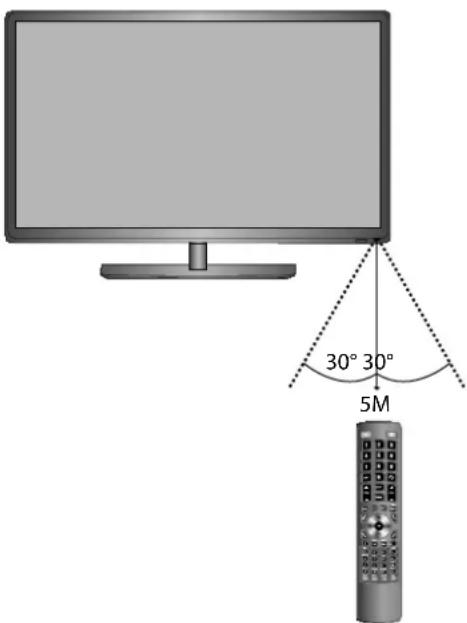

Remote Control
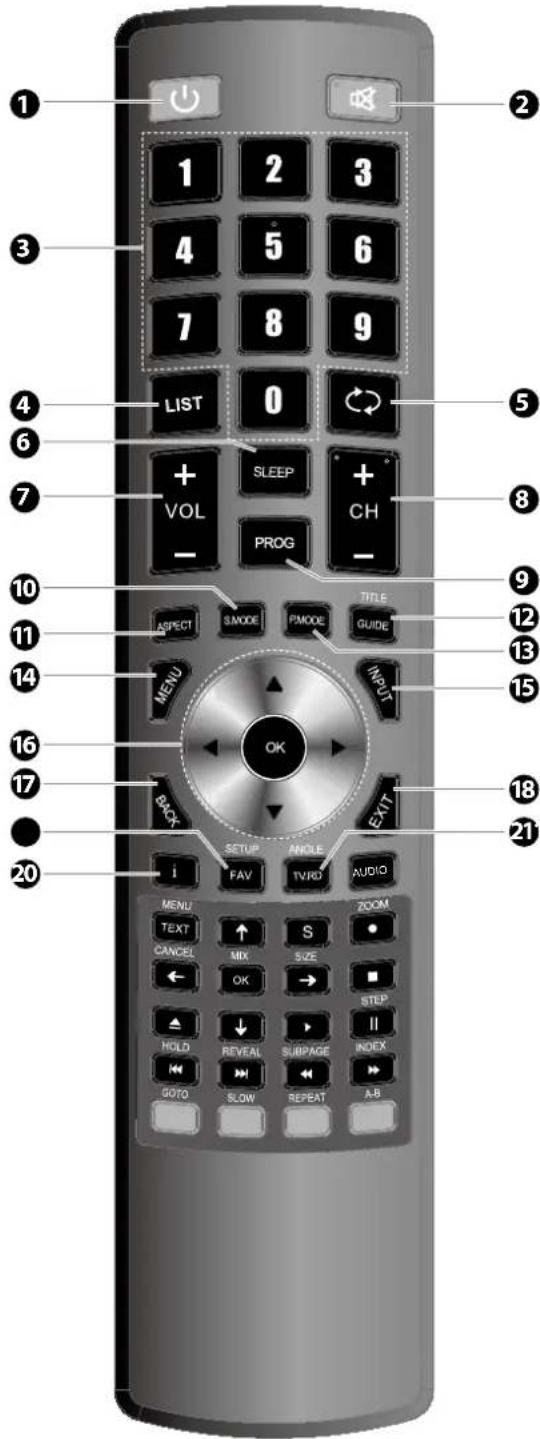
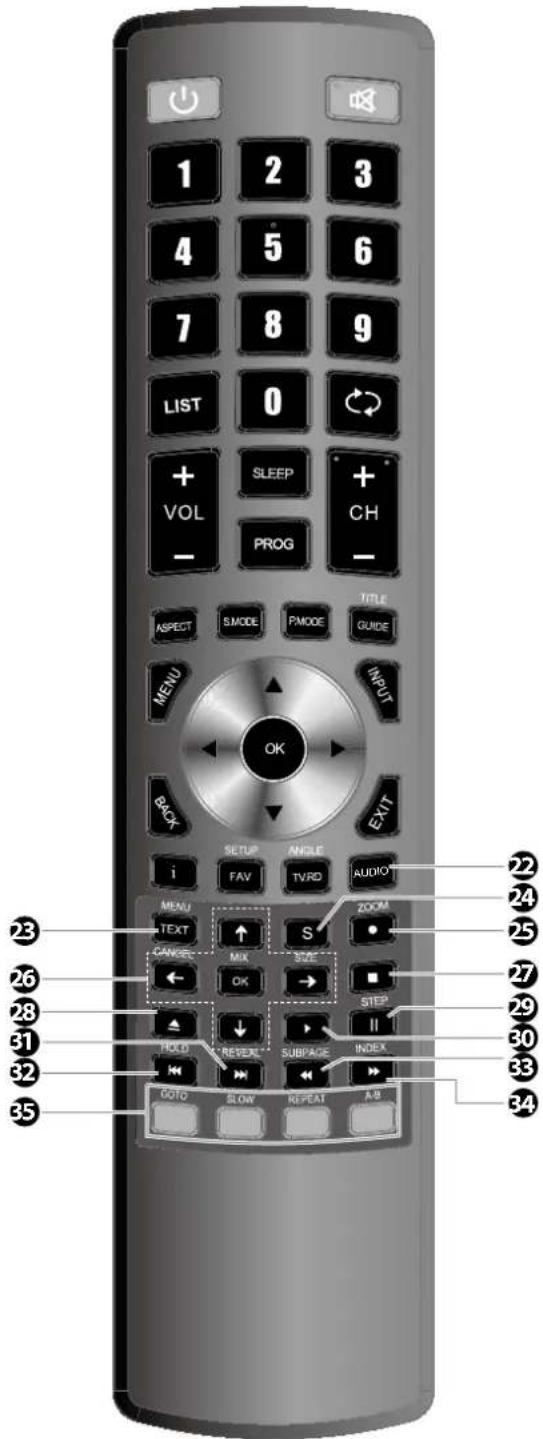
1. ⏻
Switch the TV between on and standby mode.
2.
Mute and restore your TV sound.
3. 0-9 Number Button
- Press to select a programme. • Select numbered items in a menu. (DVD mode)
4. LIST
Display the channel list. (ATV / DTV mode)
5.
• Return to the previous viewing channel. (ATV / DTV mode) • Return to menu (DVD mode)
6. SLEEP
Set the TV sleep timer: OFF / 10 / 20 / ... / 180 / 240 min.
7. VOL + / -
Adjust the volume.
8. CH + / -
Select a channel.
9. PROG
• Display the channel edit menu. (ATV / DTV mode) • Programme the DVD. (DVD mode)
10.S.MODE
Select sound mode: Standard / Music / Movie / Sports / User.
11. ASPECT
Watch the screen in various formats: Auto / 4:3 / 16:9 / Full / Zoom / Subtitle / Smart Zoom.
12. GUIDE
Displays the EPG Electronic Programme Guide. (DTV mode) TITLE Display the DVD title content. (DVD mode)
13. P.MODE
Select picture mode: Standard / Mild / User / Dynamic.
14. MENU
Display the OSD (On Screen Display) menu.
15. INPUT
Select among the different input signal sources: DTV / ATV / DVD / AV / SCART / YPbPr / HDMI1 / HDMI2 / PC / USB.
16.◀ ▲ ▼ ▶
Allows you to navigate the OSD menus and adjust the system settings to your preference.
OK
Confirm the selection in the OSD menus.
17. BACK
Return to the previous menu in the OSD menus.
18. Exit
Exit the OSD menu.
19. FAV
Display the favourite channel list. (ATV / DTV mode)
SETUP
Display and exit the DVD setup menu. (DVD mode)
20.i
- Display the present channel information such as the current time and channel name. (ATV / DTV mode) • Display the present disc information. (DVD mode)
21.TV.RD
A short-cut to switch input source to TV / Digital radio channels.
ANGLE
Select different angles for the video. (DVD mode)
22. AUDIO
- Turn on / off the Audio Description (AD) function (only applicable when the TV programme has this feature). (DTV mode)
- Select different Audio mode on DVD mode. (DVD mode)
- Select Stereo / Dual Sound Reception. (ATV mode)
23. TEXT
Turn on and off the teletext function. (DTV mode)
MENU
Display the DVD menu. (DVD mode)
24. S (Subtitle)
• Display subtitles which are broadcast with the programme. (DTV mode) • Display subtitles on the DVD. (DVD mode)
25. ● REC
Record the current programme. (DTV mode).
ZOOM
Zoom in on the displayed frame. (DVD mode)
26.←↑↓→
Navigate the DVD menu and adjust the system settings to your preference. (DVD mode)
OK
Confirm the selection in the DVD menus. (DVD mode)
CANCEL (No Function)
MIX (No Function)
SIZE (No Function)
27. ■ Stop
Stop the playback or recording. (DVD / USB / DTV mode)
28.
Eject a disc. (DVD mode)
29. II Pause
• Pause playback. (DVD / USB mode) • Start the time-shift function (DTV mode)
STEP
Play the playback forward frame by frame. (DVD mode)
30. PLAY
Start playback. (DVD / USB mode)
31.
Skip to the beginning of the next chapter / track / photo. (DVD / USB mode)
REVEAL (No Function)
32.
To skip to the beginning of the previous chapter / track / photo. (DVD / USB mode)
HOLD (No Function)
33.
Reverse playback rapidly. (DVD / USB mode)
SUBPAGE (No Function)
34.
Advance playback rapidly. (DVD / USB mode)
INDEX (No Function)
35. Coloured buttons
• Access the TELETEXT items (DTV mode) - Access menu options.
GOTO (RED)
Skip to a specific location on a DVD / CD. (DVD mode)
SLOW (GREEN)
Play video slowly. (DVD mode)
REPEAT (YELLOW)
Select between different repeat modes. (DVD mode)
A-B (BLUE)
Repeat a segment between A and B. (DVD mode)

Making Video and Audio Connections
Not all AV devices have the ability to connect to a TV, please refer to the owner's manual of your AV device for compatibility and connection procedures.
When connecting any external AV device, do not connect the mains cable to the mains socket until all other connections are complete.
Best Video Performance
| Signal Type | Separate Audio Connection Required | |
 | HDMI(480i/480p/576i/576p/720p/1080i/1080p) | No |
PC IN | PC | YesPC AUDIO IN |
  [AWCH] [AWCH] | Component Video(480i/480p/576i/576p/720p/1080i/1080p) | YesR L |
 | SCART (RGB Input) No | |
 | Composite Video | YesR L |

Connecting an AV Device Using an HDMI Cable
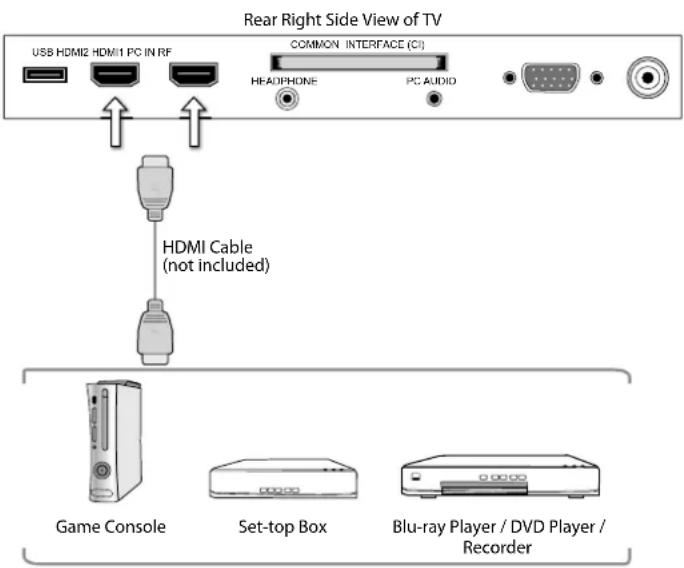
- This TV can accept High-Definition Multimedia Interface (HDMI) supports HDCP (High-Bandwidth Digital Content Protection) Protocol.
- This TV has a total of 2 HDMI input sockets, please make sure the correct input source is selected and corresponds to your connected HDMI input socket.
- When you connect to the output of an HD ready player (blu-ray disc player, game console, set-top box or computer) switch to the HDMI function and the TV will automatically detect the resolution used by the HDMI source.
- To get the best picture quality, adjust the blu-ray disc player, game console or set-top box output resolution up to 1920 x 1080p.
- Use an HDMI cable to connect the TV's HDMI input socket to the external AV device's HDMI output socket.
- Plug the connected devices into the mains socket before switching on the TV.
- Press the ⏻ button on the right side panel of the TV or on the remote control to turn on your TV.
- Press the ⏻ button on the right side panel of the TV or the INPUT button on the remote control to display the Source List. Use the ▲▼ buttons to select HDMI1 / HDMI2 and then press the OK button to confirm.

Although this TV is able to connect to an HDMI device, it is possible that some devices may not operate correctly.

Connecting a Computer Using a VGA Cable
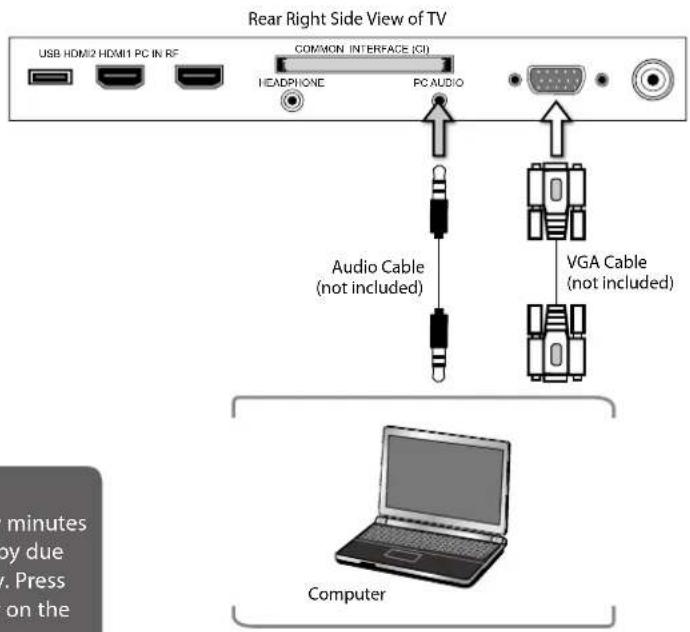
- Use a VGA cable to connect the TV's PC IN input socket to a computer's VGA output socket. Use an audio cable to connect the TV's PC AUDIO input socket to the computer's audio output socket.
- Plug the connected devices into the mains socket before switching on the TV.
- Press the ⏻ button on the right side panel of the TV or on the remote control to turn on your TV.
- Press the ⏻ button on the right side panel of the TV or the INPUT button on the remote control to display the Source List. Use the ▲▼ buttons to select PC and then press the OK button to confirm.

• The best resolution is 1920 x 1080. - If your computer is set to shut down after a few minutes in the idle mode, the TV will also switch to standby due to no signal being received, this is to save energy. Press the ⏻ button on the right side panel of the TV or on the remote control to restart the TV.

Connecting an AV Device Using a Component (YPbPr) Cable
- Use a component cable to connect the TV's YPbPr input sockets to an external AV device's component output sockets.
- Use an AV cable to connect the TV's AUDIO(L/R) input sockets to the external AV device's component audio output sockets. (Audio Left = white, and Audio Right = red)
| Component port on the TV Y Pb Pr |
| Video output ports on DVD player | Y Pb | Pr | |
| Y Cb | Cr |
- Plug the connected devices into the mains socket before switching on the TV.
- Press the ⏻ button on the right side panel of the TV or on the remote control to turn on your TV.
- Press the ⏻ button on the right side panel of the TV or the INPUT button on the remote control to display the Source List. Use the ▲▼ buttons to select YPbPr and then press the OK button to confirm.
![graph TD A["Video Camera"] --> B["Game Console"] B --> C["Set-top Box"] C --> D["Satellite Receiver"] E["AV Cable (not included)"] --> F["Component Cable (not included)"] G["Video Cable"] --> H["AV Cable"] I["Game Console"] --> J["Set-top Box"] K["Satellite Receiver"] --> L["Set-top Box"]](/content/2026/05/968474/images/580581025f0c9a8abaf182014a7979b09868f9d0d654808d546c1bb0bda68648.jpg)

Connecting an AV Device Using a SCART Cable
- Use a SCART cable to connect the TV's SCART input socket to an external AV device's SCART output socket.
- Plug the connected devices into the mains socket before switching on the TV.
- Press the ⏻ button on the right side panel of the TV or on the remote control to turn on your TV.
- The TV will change the input source to SCART automatically once the AV device is switched on.
![graph TD A["SCART"] --> B["SCART Cable (not included)"] B --> C["VCR"] B --> D["Set-top Box"] B --> E["Satellite Receiver"] C --> F["DVD Player / Recorder"] D --> G["Satellite antenna cable"] E --> H["Satellite Receiver"]](/content/2026/05/968474/images/67b380ec0061767bfaa0b0b403f674aa02b39446a165ef488fafded2e27d9e7e.jpg)

Connecting an AV Device Using Composite Cable
- Use an AV cable to connect the TV's AUDIO(L/R) / VIDEO input sockets to the external AV device's composite audio / video output sockets. (VIDEO = yellow, Audio Left = white, and Audio Right = red)
- Plug the connected devices into the mains socket before switching on the TV.
- Press the ⏻ button on the right side panel of the TV or on the remote control to turn on your TV.
- Press the ⏻ button on the right side panel of the TV or the INPUT button on the remote control to display the Source List. Use the ▲▼ buttons to select AV and then press the OK button to confirm.
![graph TD A["SCART"] --> B["Digital Audio Output"] B --> C["RLVIDEO (Coaxial)"] C --> D["Y Pb Pr"] D --> E["Yellow Video"] D --> F["Red (R)"] F --> G["White L"] G --> H["Red (R)"] H --> I["Video Cable (not included)"] I --> J["Yellow Video"] I --> K["Video Out"] L["Video Camera"] --> M["Game Console"…](/content/2026/05/968474/images/bc68bade37c92d9c32dff4034839166570145c2caaaf492cf01752890f35e133.jpg)

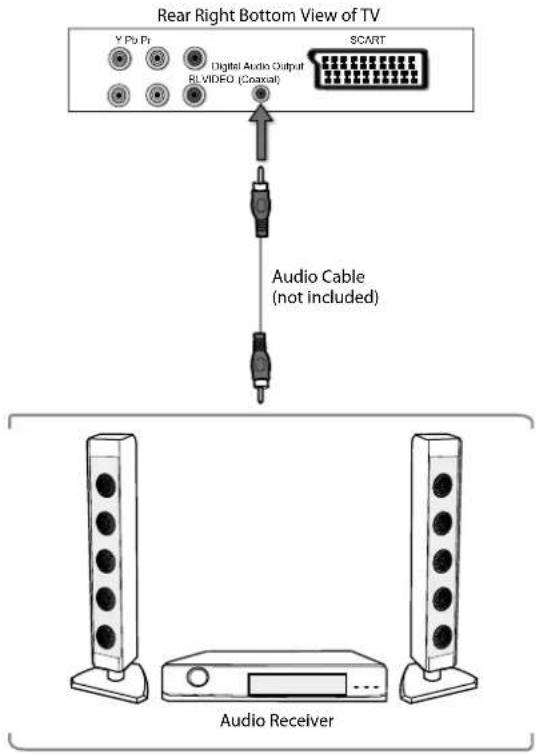
Connecting an Audio Receiver
For better sound quality, you may want to play the audio through your multi-channel audio receiver.
- Use an audio cable (not included) to connect the TV's Digital Audio Output (Coaxial) socket to an external audio receiver's audio coaxial input socket.
- Plug the connected devices into the mains socket before switching on the TV.
- Press the ⏻ button on the right side panel of the TV or on the remote control to turn on your TV.
- Press the ⏻ button on the right side panel of the TV or the INPUT button on the remote control to display the Source List. Use the ▲▼ buttons on the remote control to select any desired input source and then press the OK button to confirm.

The TV's volume will not be affected. You may control the audio level via the Audio Receiver.

Connecting Headphones
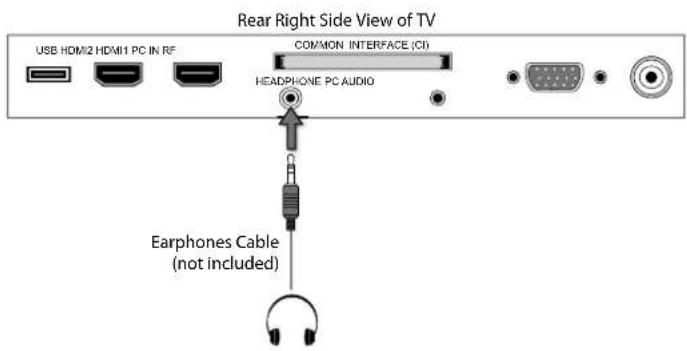
Connect your headphones to the TV's HEADPHONE socket.
Before putting on the headphones, turn the volume down then put the headphones on and slowly increase the volume until you reach a comfortable listening level.

Long-term exposure to loud music may cause hearing damage. It is best to avoid extreme volume when using headphones, especially for extended periods.

Turning the TV On for the First Time
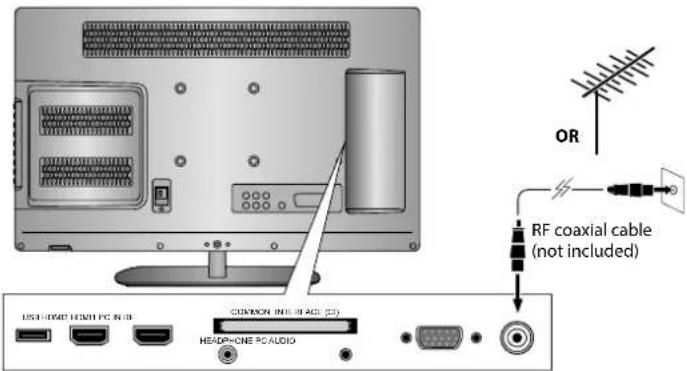
- Connect one end of the RF coaxial cable to the aerial socket on the wall and the other end of the cable to the RF (75Ω) socket at the rear right side of your TV.

Do not connect the TV to the mains supply until you have completed all the connections.
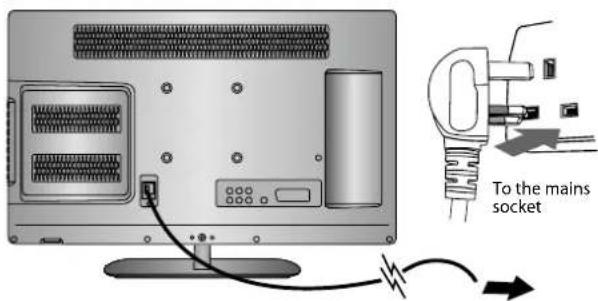
- Connect the mains cable to the mains socket after you have completed all the connections.
- At this stage, the TV switches to standby mode. The red LED indicator will illuminate on the front panel of the TV.
- In standby mode, press the ⏻ button on the right side panel of the TV or on the remote control to turn the TV on. The red LED indicator will turn off.

- Always disconnect the TV from the mains socket when not in use for a long period of time. - The button on the right side panel of the TV or on the remote control is only used for switching the TV into standby, it does not disconnect the TV from the mains power. To completely disconnect the mains power, please remove the mains plug from the mains socket.
- The first time you turn the TV on, it will go straight into the First Time Installation menu. Please ensure the aerial is plugged in and then press the OK button. (If you have already installed the TV using the Quick Start Guide, please go to the section "Selecting the Input Source" on the next page.)
- Press the ▲ buttons to select your desired language to be displayed on the menu. The default on-screen menu language is set as English. Press the OK button to confirm.
- Press the ▲▼ buttons to select your desired mode and then press the OK button. Press the ◀ button to select Yes to confirm or the ▶ button to select No to cancel and return to the Mode Select menu.
Home Mode: Intended for use in home environment.
Shop Mode: Intended for use in retail environment.

- For the best picture quality in your home environment, we recommend setting the TV to Home Mode. - In Shop Mode, the default Picture Mode under the Picture menu is set as Dynamic (please refer to p.28 for details) and the Backlight is set as 10 (please refer to p.30 for details).
| First Time Installation |
| Please ensure aerial is plugged in! |
| Then press OK button. |
| English | Česky | Suomi |
| Svenska | Slovak | |
| Dansk | Norsk |
| Mode Select | ||
| Home Mode | ||
| Shop Mode | ||
- In the Tune Type menu, press the ◀▶ buttons to select DTV / ATV / DTV+ATV. Press the ▼ button and then press the ▲ buttons to select the country where you will operate the TV. Press the OK button to confirm.

If you select Ireland as the country where you will operate the TV, a pop-up screen will be displayed. You will need a 4-digit activation code for Irish tuning. This code can be found in-store, on the back of your receipt (if bought in Ireland), or call the customer service team / KNOWHOW.
- DTV Channel tuning will commence. This operation may take up to 3 minutes. The display will show the progress of the tuning and the number of channels found.
- If you want to skip the DTV tuning, press the MENU button to interrupt the tuning halfway. A pop-up screen will be displayed; press the ◀ button to select YES to confirm. If you want to go to ATV tuning, please refer to page 28 for details on Auto Tuning.
- After tuning is complete, the channels are arranged in a preset order. If you wish to skip channels, modify the preset order, or rename channels, select Channel Edit under the Channel menu (refer to pages 26-27 for details).
Target Region Setting (UK Only)
During tuning, your TV may have received signals from more than one transmitter. If this has occurred, the Target Region Setting screen will be displayed. This will enable you to select the correct regional transmission for the local news service that you require.
Press the ◀▶ buttons to adjust each option's setting, and then press the OK button to confirm.
| Country Code This will be shown as GBR for the UK. | |
| Primary Region | This will show the regional country (e.g. England, Wales, Scotland, NI). |
| Secondary Region | This will allow you to set the region for your local news service. |
| Tertiary Region | You may receive signals from more than one transmitter within the Secondary Region, (e.g Beds and Cambs may have Luton or Sandy Heath). |
Selecting the Input Source
- Press the ➕ button on the right side panel of the TV or the INPUT button on the remote control to display the Input source list.
- Press the ▲▼ buttons to select the input source that you want: DTV / ATV / DVD / AV / SCART / YPbPr / HDMI1 / HDMI2 / PC / USB.
- Press the OK button to confirm your selection.

Alternative
Press the TV.RD button to switch to TV / digital radio channels directly.
| Tune Type | DTV | |
| UK | Ireland | Norway |
| Sweden | Finland | Denmark |
| France | Spain | Portugal |
| MENU | ||
Channel Tuning
DTV : 3 Channel(s)
Press [MENU] to skip.
| Target Region Setting | |
| Country Code | GBR |
| Primary Region | England |
| Secondary Region | London |
| Tertiary Region | |
| Input Source |
| DTV |
| ATV |
| DVD |
| AV |
| SCART |
| YPbPr |
| HDMI1 |
| HDMI2 |
| PC |
| USB |
| OK |
Channel Selection
- Press the CH +/- buttons on the remote control repeatedly or use the 0-9 buttons to select the channel.

Alternative
Press the LIST button to enter the Channel List. Then use the ▲▼ buttons to highlight and select the channel. Press the OK button to view the selected channel.
- If a blocked channel is selected, the password screen will be displayed. Press the 0-9 buttons to enter the password, and the channel will then be unlocked (refer to page 42 for details on Block Channel).
- Press the FAV button to view the Favourite List. Then use the ▲▼ buttons to highlight and select the channel. Press the OK button to view the selected channel (refer to pages 26-27 for details on Channel Edit).
- Press the ⬆ button to return to the previously viewed channel.
Listening to the Radio (Radio Mode)
• In DTV mode, press the TV.RD button to switch between DTV and Digital radio channels. - Press the CH ▲/▼ buttons on the remote control repeatedly to change the radio stations.

Alternative
Press the LIST button to enter the Channel List. Then use the ▲▼ buttons to highlight and select the station. Press the OK button to listen to the selected station.
- Press the GUIDE button to see all the stations in the Programme Guide (refer to page 44 for details on EPG).
Display Channel Information
- Press the i button to view the current information.
Volume Adjustment
- Press the VOL + or – button on the right side panel of the TV or on the remote control to adjust the volume.
- If you wish to switch the sound off, press the 📧 button. You can turn the volume down while your TV is in mute mode. Press the VOL – button, you will see the volume level reduce, but you won't hear anything at the moment. To listen to your TV at the new lower level, press the 📧 button again or VOL + button.
Auto Tuning
Use this to automatically find and store all available channels. This is normally recommended if some channels have been added or removed by the broadcaster or if you have moved.
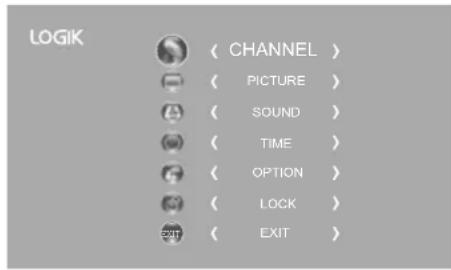
- Press the MENU button and then press the ▲▼ buttons to select the CHANNEL menu and then press the OK button.
- Press the ▲▼ buttons to select Auto Tuning and then press the OK button.
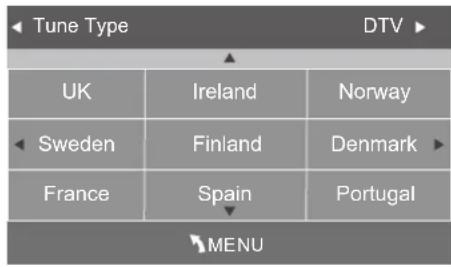
- In the Tune Type menu, press the ◀▶ buttons to select DTV / ATV / DTV+ATV. Press the ▼ button and then press the ▲ buttons to select the country where you will operate the TV. Press the OK button to confirm.

If you select Ireland as the country where you will operate the TV, a pop-up screen will be displayed. You will need a 4-digit activation code for Irish tuning. This code can be found in-store, on the back of your receipt (if bought in Ireland), or call the customer service team / KNOWHOW.
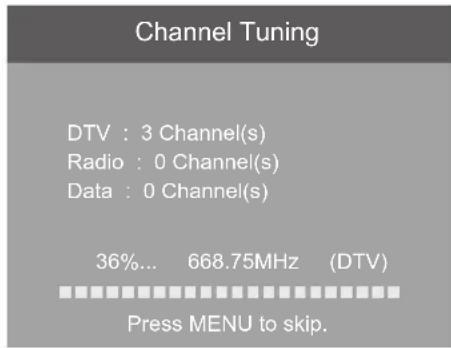
- Channel tuning will commence. This operation may take up to 6 minutes. The display will show the progress of the tuning and the number of channels found.
- If you want to skip the DTV tuning, press the MENU button to interrupt the tuning halfway. A pop-up screen will be displayed, press the ◀ button to select YES to confirm. You will then go straight to ATV tuning. You may repeat the above step if you also want to skip the ATV tuning.
- During DTV tuning, your TV may have received signals from more than one transmitter. If this has occurred, the Target Region Setting screen will be displayed. Please refer to the section "Target Region Setting" on page 22 for details.
- After tuning is complete, the channels are arranged in a preset order. If you wish to skip channels, modify the preset order or rename channels, select Channel Edit under the channel menu (refer to pages 26-27 for details).
DTV Manual Tuning (DTV Mode)
Allows you to make manual fine tuning adjustments to the channel under DTV mode.
- Press the MENU button and then press the ▲▼ buttons to select the CHANNEL menu and then press the OK button.
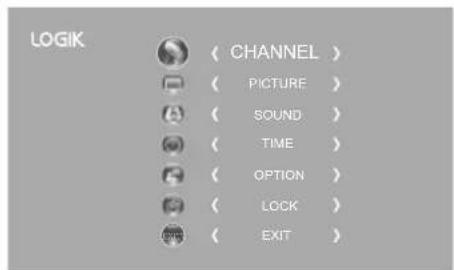
- Press the ▲▼ buttons to select DTV Manual Tuning and then press the OK button.
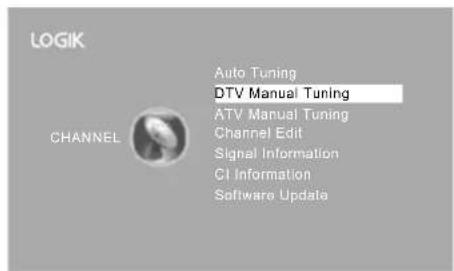
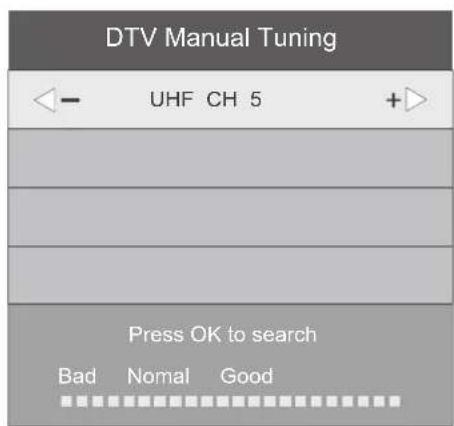
- The DTV Manual Tuning screen will pop up. Press the ◀ buttons to select the desired UHF channel and then press the OK button to commence the search of that channel. When the signal has been tuned, the picture and signal strength will be displayed on the screen.
- Press the MENU button to return to the main menu.
- Press the EXIT button to exit the menu.
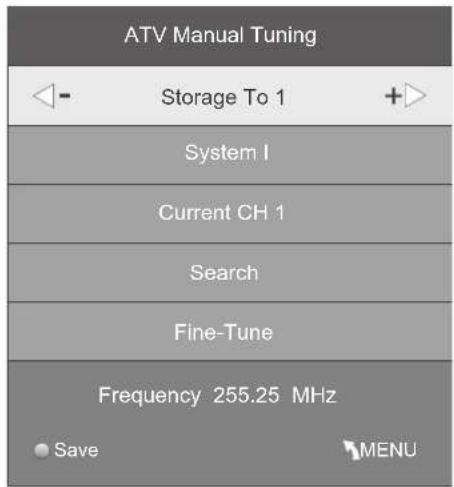
ATV Manual Tuning (ATV Mode)
Allows you to make manual fine tuning adjustments if the channel reception is poor under ATV mode.
- Press the MENU button and then press the ▲▼ buttons to select the CHANNEL menu and then press the OK button.
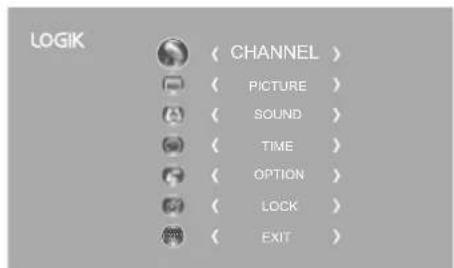
- Press the ▲▼ buttons to select ATV Manual Tuning and then press the OK button.
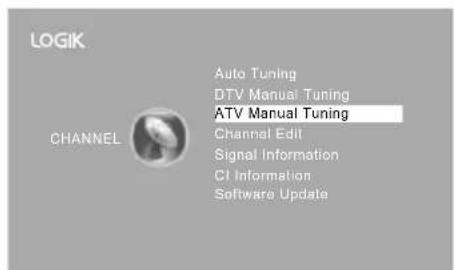
- The ATV Manual Tuning screen will pop up. Use the ▲▼ buttons to select the following options and the ◀▶ buttons to adjust the setting.
| Storage To Presets the channel number. | |
| System | Selects the system: I / DK / L (for SECAM) / BG. |
| Current CH Displays the current channel number. | |
| Search | Press the◀buttons to start the manual tuning. |
| Fine-Tune | Press the◀buttons to make manual fine tuning adjustments. |
| Frequency Displays the current tuned frequency. | |
- After finishing the manual tuning adjustment of a channel, press the RED button to save your channel before tuning the next channel.
- Press the MENU button to return to the main menu.
- Press the EXIT button to exit the menu.
Channel Edit (DTV / ATV Mode)
Allows you to edit TV channel information in the Channel List.
- Press the MENU button and then press the ▲▼ buttons to select the CHANNEL menu and then press the OK button.
- Press the ▲▼ buttons to select Channel Edit and then press the OK button.
- A Channel Edit screen will pop up. Press the ▲▼ buttons to select the programme you want to edit.

All channels (DTV and ATV) are listed, please ensure that you edit the correct channel.
a. Delete
Press the RED button to delete the selected channel.
b. Rename (ATV channels)
Press the GREEN button to rename the selected channel. Press the ▲▼ buttons to select the characters to represent the station name. Press the ◀▶ buttons to move to the next character and then press the GREEN button again to confirm the new name.
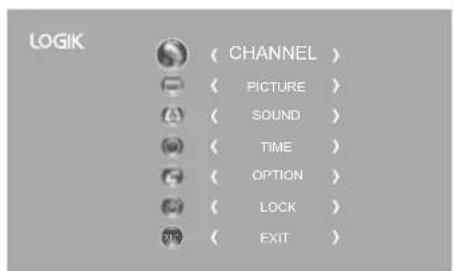
| Channel Edit | |
| 800 SZTVM01 | DTV |
| 800 SZTVM02 | DTV |
| 800 SZTVM03 | DTV |
| 800 SZTVM04 | DTV |
| 804 Date | DTV |
| 1C-51 | ATV |
| 2C-53 | ATV |
| 3C-61 | ATV |
c. Move
Press the YELLOW button and then press the ▲▼ buttons to move to the selected channel. Press the YELLOW button or the OK button to confirm.
d. Skip
Press the BLUE button to skip the selected channel. Press the BLUE button again to undo it.
e. FAV (Favourite)
Press the FAV button to set the selected channel as one of the favourite programmes. Press the FAV button again to undo it.
- Press the MENU button to return to the main menu.
- Press the EXIT button to exit the menu.

Care should be taken when editing the position of digital channels as this may affect EPG and reminder settings.
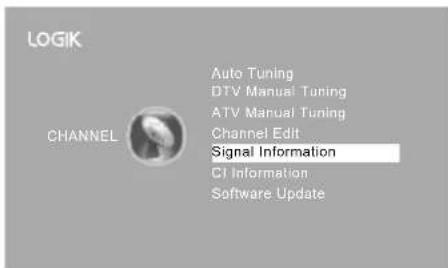
Signal Information (DTV Mode)
Allows you to view the signal information.
- Press the MENU button and then press the ▲▼ buttons to select the CHANNEL menu and then press the OK button.
- Press the ▲▼ buttons to select Signal Information and then press the OK button to view the signal information.
- Press the BACK button to return to the previous menu or press the MENU button to return to the main menu.
- Press the EXIT button to exit the menu.
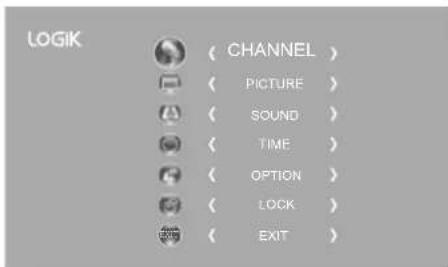
| Signal Information |
| Channel 52 |
| Network SZTVM |
| Modulation 16QAM |
| Quality 99 |
| Strength 81 |
CI (Common Interface) (DTV Mode)
The common interface allows the use of a Common Access Module to enable you to view scrambled (pay to view) services. These services are provided by TopUp TV (UK only) and others. The Common Access Module and viewing card can be obtained from the service provider.

Do not repeatedly insert or remove the Common Access Module as this may damage the interface and cause a malfunction.
This feature is not available in all countries.
Rear Right Side View of TV
CI (Common Interface)
Allows the Common Access Module to be inserted and access the content that has been encrypted.
To insert the Common Access Module
- Before you insert the Common Access Module, ensure that the TV is switched off and the viewing card is inserted in accordance with the Service Provider's instructions.
- Insert the Common Access Module into the slot. Flip the Common Access Module to another side and try again if you feel resistance.
- Switch the TV on.
To remove the Common Access Module
- Before you remove the Common Access Module, ensure that the TV is switched off.
- Pull the Common Access Module from the slot.
- Switch the TV on.
![graph TD A["COMMON INTERFACE"] --> B["CARD FACE FRONT"] B --> C["Common Access Module"] C --> D["Downward arrow"] C --> E["Upward arrow"]](/content/2026/05/968474/images/aaac5b6d7c8dd93dc79c604648469381b25d0d4e566daf52f1697110d5b0acc7.jpg)
To view the module information
- Press the MENU button and then press the ▲▼ buttons to select the CHANNEL menu and then press the OK button.
- Press the ▲▼ buttons to select CI Information and then press the OK button.
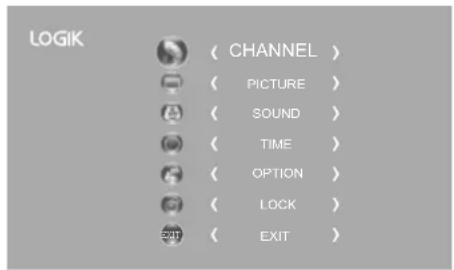
- A CI Information Main menu will pop up. Press the ▲▼ buttons to display the module information, smart card information, language, software download. Press the OK button to confirm.
- Press the EXIT button to return to the previous menu. Press the EXIT button again to exit the menu.
![graph TD A["CI Information"] --> B["Module information"] A --> C["Smart card information"] A --> D["Language"] A --> E["Software Download"] A --> F["Exit to exit"] B --> G["Press Ok to select, or Exit to quit"] C --> G D --> G E --> G F --> G](/content/2026/05/968474/images/051f4048eb9c4e8543bdc117ce3e06c115829404f0d04e6c0f7723807f9f16c4.jpg)

This screen is for illustration only.
Software Update
Software Update (USB)
This function is only for servicing purposes. Any update information for this TV (if any) will be available at the following website:
• For UK, www.knowhow.com or call our UK Call Centre on 0344 561 1234. • For Ireland, www.knowhow.ie or call our Ireland Call Center on 1 890 818 575.
Software Update (Over Air Download)
The TV auto detects the latest firmware through the DTV signal and allows you to accept or refuse the firmware upgrade service.
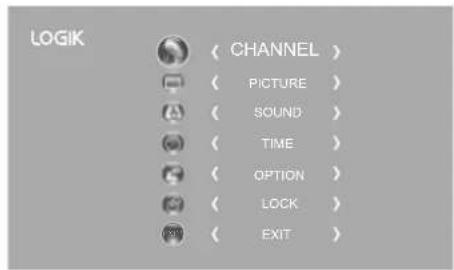
- Press the MENU button and then press the ▲▼ buttons to select the CHANNEL menu and then press the OK button.
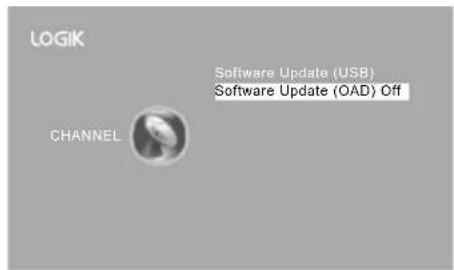
- Press the ▲▼ buttons to select Software Update and then press the OK button to confirm.
- Press the ▲▼ buttons to select Software Update(OAD) and then press the OK button to select On.
- Press the BACK button to return to the previous menu or press the MENU button to return to the main menu.
- Press the EXIT button to exit the menu.
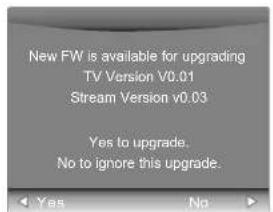
- During normal DTV viewing, if the TV detects the latest firmware from the DTV signal, the Over Air Download screen will appear. Press the ▶buttons to select Yes / No for the upgrade procedure.
- If you select Yes, the over air download will start. Press the EXIT button if you want to stop the download and exit the menu.

During download, please do not turn off or unplug your TV.
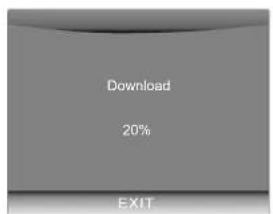
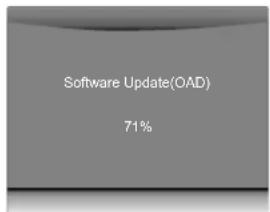
- When the download is complete, the TV will automatically upgrade the software.
- When the update is complete, the TV will return to standby mode.
- Press the ⏻ button on the right side panel of the TV or on the remote control to switch on the TV.

If you experience difficulties after the software update, we recommend that you restore your TV to the factory default settings. To do this, follow the steps below:
- Press the MENU button to go to the MAIN menu. Press the ▲▼ buttons to select OPTION and then press the OK button.
- Press the ▲▼ buttons to select Restore Factory Default and then press the OK button. Press the ◀ button to select Yes to reset the setting.
- The TV will restore all settings and go to the First Time Installation. Follow the First Time Installation steps (refer to page 21-23 for details).

Picture Setting
Allows you to set your preferred picture mode.
- Press the MENU button and then press the ▲▼ buttons to select the PICTURE menu and then press the OK button.
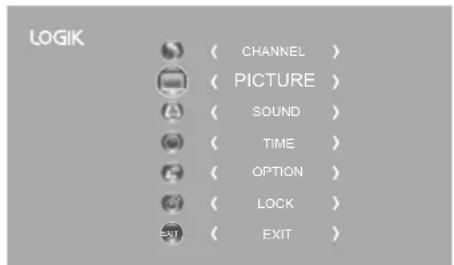
- Press the ▲▼ buttons to select the following picture options and then press the OK button.
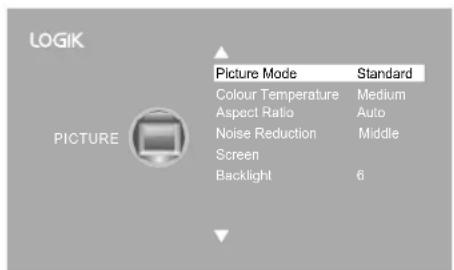
- Press the ▲▼ buttons to select the options. Press the OK button and then press the ◀▶ buttons to adjust each option's setting.
Picture Mode Select among picture mode: Standard / Mild / User / Dynamic.

Alternative
You may press the P.MODE button to select the picture mode directly.
| Contrast Adjusts the difference between light and dark levels in the picture (for User mode). | |
| Brightness Increases | or decreases the amount of white in the picture (for User mode). |
| Colour Controls the colour intensity (for User mode). | |
| Sharpness Adjusts | the level of crispness in the edges between light and dark areas of the picture (for User mode). |
| Tint (For NTSC format) | Adjusts the balance between red and green levels (Tint is only available for NTSC signal reception). |
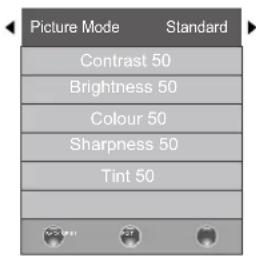
| Colour Temperature | Select among colour temperature: Medium / Warm / User / Cool. Adjusts the colour components independently to achieve a warm or cool colour (for User mode).Red: Increases red tintGreen: Increases green tintBlue: Increases blue tint | 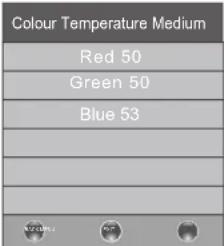 | ||
| Aspect Ratio | Allows you to watch the screen in various picture formats: Auto / 4:3 / 16:9 / Full / Zoom / Subtitle / Smart Zoom. AlternativeYou may press theASPECTbutton to select the aspect ratio directly. AlternativeYou may press theASPECTbutton to select the aspect ratio directly. | |||
| Input Signal 4:3 Input Signal | 16:9 | |||
| AutoThis selection | will displaythe picture accordingto the aspect ratio ofthe input source. Blackbars will appear on boththe left and right of thescreen. | This selection will displaythe picture according tothe aspect ratio of theinput source. | ||
| 4:3 This selection will allowyou to view a picture withan original 4:3 aspectratio. Black bars willappear on both the leftand right of the screen. | This selection will allowyou to adjust the picturevertically, in linearproportion. Black bars willappear on both the leftand right of the screen. | |||
| 16:9 This selection will allowyou to adjust the picturehorizontally, in linearproportion, to fill the entirescreen. | This selection will allowyou to view a picture withan original 16:9 aspectratio. | |||
| Full(DTV mode, HDMImode and YPbPrmode only) | This selection will detectthe resolution of the HDMIsignal and display an imagewith the same number ofpixels. | This selection will detectthe resolution of theHDMI signal and displayan image with the samenumber of pixels. | ||
| ZoomThis selection will allowyou to zoom in thepicture without anyalteration, while filling theentire screen. However,the top and bottomof the picture will becropped. | This selection will allowyou to zoom in thepicture without anyalteration, while the 4sides of the picture willbe cropped. | |||
| SubtitleThis selection will allowyou to zoom in the picturewithout any alternation,while filling the entirescreen with subtitlesshown at the bottom of thescreen. | This selection willallow you to zoom inthe picture withoutany alternation, whileshowing subtitles at thebottom of the screen. | |||
| Smart ZoomThis selection is similarto 16:9 mode, but thepicture slightly stretcheshorizontally and clips offa little from the top andbottom. | This selection is similarto 4:3 mode, but thepicture slightly stretchesvertically and clips off alittle from the top andbottom. | |||
| Noise Reduction | Select to reduce the noise level of the connected device:Off / Low / Middle / High. | |||
| Input Signal 4:3 Input Signal | 16:9 | |||
| Auto This selection | will display the picture according to the aspect ratio of the input source. Black bars will appear on both the left and right of the screen. | 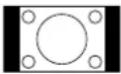 | This selection will display the picture according to the aspect ratio of the input source. | |
| 4:3 This selection will allow you to view a picture with an original 4:3 aspect ratio. Black bars will appear on both the left and right of the screen. | 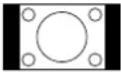 | This selection will allow you to adjust the picture vertically, in linear proportion. Black bars will appear on both the left and right of the screen. | ||
| 16:9 This selection will allow you to adjust the picture horizontally, in linear proportion, to fill the entire screen. | 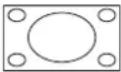 | This selection will allow you to view a picture with an original 16:9 aspect ratio. | ||
| Full (DTV mode, HDMI mode and YPbPr mode only) | This selection will detect the resolution of the HDMI signal and display an image with the same number of pixels. | 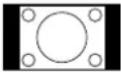 | This selection will detect the resolution of the HDMI signal and display an image with the same number of pixels. | |
| Zoom This selection will allow you to zoom in the picture without any alteration, while filling the entire screen. However, the top and bottom of the picture will be cropped. | 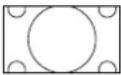 | This selection will allow you to zoom in the picture without any alteration, while the 4 sides of the picture will be cropped. | ||
| Subtitle This selection will allow you to zoom in the picture without any alternation, while filling the entire screen with subtitles shown at the bottom of the screen. | 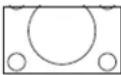 | This selection will allow you to zoom in the picture without any alternation, while showing subtitles at the bottom of the screen. | ||
| Smart Zoom This selection is similar to 16:9 mode, but the picture slightly stretches horizontally and clips off a little from the top and bottom. | 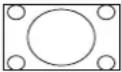 | This selection is similar to 4:3 mode, but the picture slightly stretches vertically and clips off a little from the top and bottom. | ||
| Select to reduce the noise level of the connected device: Off / Low / Middle / High. | ||||
Screen Allows you to adjust the PC desktop content. (PC mode only)
| Auto Adjust Allows you to synchronise a PC signal automatically. | 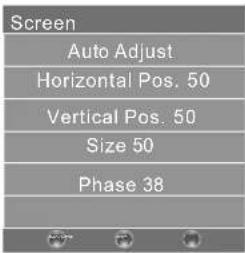 | |
| Horizontal Pos. Adjusts the position of the picture left and right in the window. | ||
| Vertical Pos. Adjusts the position of the picture up and down in the window. | ||
| Size Allows you to adjust the picture horizontally, in linear proportion. | ||
| Phase Controls the signal phase, which can improve focus clarity and image stability based on the PC mode. | ||
Backlight Allows you to adjust the backlight setting of your TV. This controls the brightness and display performance of the screen.The default setting for Home Mode is 6 and Shop Mode is 10. Increasing the backlight setting will increase the brightness and display performance of the screen. The higher the setting is, the higher the power consumption. You can select from 1-10 to strike a balance between the picture brightness / display performance / power consumption.Reducing the backlight setting will help you reduce power consumption and thus save money by reducing electricity bills. Increasing the backlight setting will increase the brightness and display performance of the screen. The higher the setting is, the higher the power consumption. You can select from 1-10 to strike a balance between the picture brightness / display performance / power consumption.Reducing the backlight setting will help you reduce power consumption and thus save money by reducing electricity bills. | 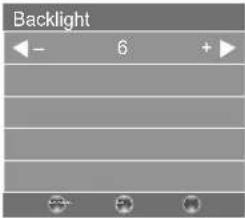 | |
- Press the BACK button to return to the previous menu or press the MENU button to return to the main menu.
- Press the EXIT button to exit the menu.

Sound Setting
Allows you to select an audio-enhancement technique.
- Press the MENU button and then press the ▲▼ buttons to select the SOUND menu and then press the OK button.
- Press the ▲▼ buttons to select the following sound options and then press the OK button.
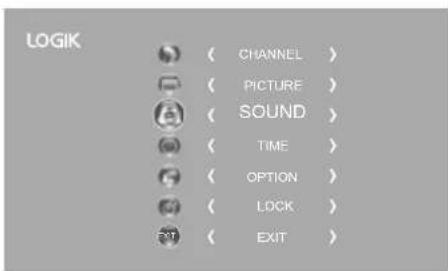
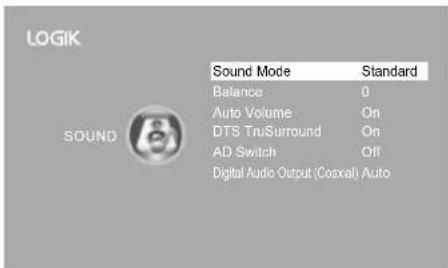
- Press the ▲▼ buttons to select the options. Press the OK button and then press the ◀▶ buttons to adjust each option's setting.
| Sound Mode | You can select this function when DTS TruSurround switch off. Allows the selection of an audio-enhancement technique: Standard / Music / Movie / Sports / User.Alternative_____ You may press the S.MODE button to select the sound mode directly. | |
| Treble Controls the relative intensity of higher pitched sounds (for User mode). | ||
| Bass Controls the relative intensity of lower-pitched sounds (for User mode). | ||
| Balance Adjusts the relative volume of the speakers in a multiple speaker system. | ||
| Auto Volume | Volume levels are automatically controlled (e.g., advertisements tend to be louder than the programmes). Press the OK button to select On / Off. | |
| DTS TruSurround | DTS TruSurround delivers an immersive virtual surround sound experience over front facing speaker configurations, complete with rich bass, high frequency detail and clear dialogue. Press the OK button to select On / Off. | |
| AD Switch (for DTV mode) | Audio Description is an auxiliary audio function that provides an additional audio track for visually challenged persons. This function handles the Audio Stream for the AD (Audio Description), when it is sent along with the main audio from the broadcaster. • Set to "Off" for normal broadcasting sound coming out from speakers. • Set to "On" to activate the description sound track if available. The availability of Audio Description sound track is indicated by the visually impaired icon "V.I." in the information banner. | |
| Digital Audio Output (Coaxial) | Selects the digital audio output mode. Press the OK button to select PCM / Auto. | |
- Press the BACK button to return to the previous menu or press the MENU button to return to the main menu.
- Press the EXIT button to exit the menu.
Stereo / Dual Sound Reception (ATV Mode)
When a programme is selected, press the AUDIO button to display the sound information for the selected station.
| Broadcast On Screen Display | |
| Mono | MONO / NICAM MONO |
| Stereo | MONO / NICAM STEREO |
| Dual | MONO / NICAM DUAL I, NICAM DUAL II, NICAM DUAL I+II |
Mono sound selection
If the stereo signal is weak, you can switch to mono by pressing the AUDIO button. In mono reception, the clarity of sound is improved. To switch back to stereo, press the AUDIO button again.
Language selection for dual language broadcast
If a programme can be received in two languages (dual language), you can switch to NICAM DUAL I, NICAM DUAL II, NICAM DUAL I+II or MONO by pressing the AUDIO button repeatedly.
| NICAM DUAL I | Sends the primary broadcast language to the loudspeakers |
| NICAM DUAL II | Sends the secondary broadcast language to the loudspeakers |
| NICAM DUAL I+II | Sends the primary and secondary broadcast languages to the loudspeakers |
Speaker Sound Output Selection (DTV Mode)
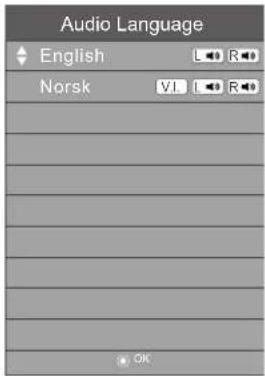
While watching a DTV programme, you can press the AUDIO button to display the audio language list (only applicable when the TV programme has this feature).
Press the ▲▼ buttons to select an audio language or audio format if available, then press the ◀▶ buttons to choose the sound track between L/R (Stereo), L/L (Mono Left), and R/R (Mono Right). Press the OK button to confirm and exit.

Time Settings
Allows you to adjust power on/off time, sleep timer, auto standby, and time zone.
- Press the MENU button, then press the ▲▼ buttons to select the TIME menu, and press the OK button.
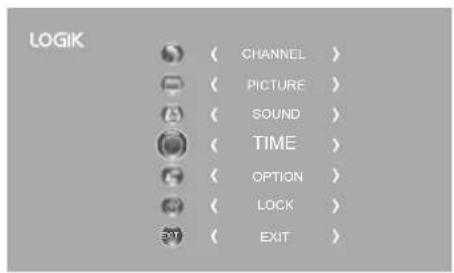
- Press the ▲▼ buttons to select the following time options, then press the OK button.
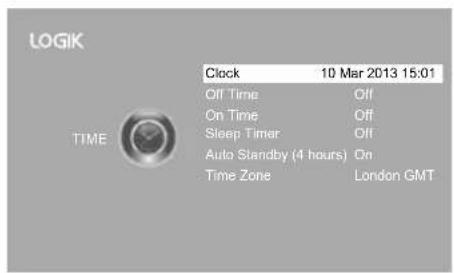
- Press the ▲▼ buttons to select the options. Press the OK button, then use the ◀▶ buttons to adjust each option's setting.
| Clock The clock is set automatically when receiving a digital signal. | |
| Off Time | Allows you to set the off time that will automatically switch off the TV. Select from the following off time options: Off / Once / Every Day / Mon.~Fri. / Mon.~Sat. / Sat.~Sun. / Sunday. |
| On Time | Allows you to set the on time that will automatically switch on the TV and tune to the source, channel and volume you select. Select from the following on time options: Off / Once / Every Day / Mon.~Fri. / Mon.~Sat. / Sat.~Sun. / Sunday. Ensure your SCART device is turned off before entering the On Time menu. If your SCART device is turned on, the On Time menu will default to the SCART device. Ensure your SCART device is turned off before entering the On Time menu. If your SCART device is turned on, the On Time menu will default to the SCART device. |
| Sleep Timer | The sleep timer automatically switches the TV to standby after the preset time has elapsed. The clock will be set automatically when receiving a digital signal. Time must be set before using Sleep Timer function.Press the ▲▼ buttons to select a period of time after which the TV automatically switches to standby mode: OFF / 10 / 20 / ... / 180 / 240 min. The timer begins to count down from the number of minutes selected.⚠️If you turn the TV off after setting the sleep timer, the sleep timer setting will be erased.⇨Alternative1. You may press theSLEEPbutton repeatedly to select the number of minutes: OFF / 10 / 20 / ... / 180 / 240 min directly.2. To cancel the sleep time, press theSLEEPbutton repeatedly until Off appears. |
| Auto Standby(4 hours) | The unit will automatically switch to standby mode 4 hours after the last time the remote control was used. A reminder screen will pop up and count down before the unit switches to standby mode. To turn off the auto standby function, press theMENUbutton to display the main menu. Press the ▲▼ buttons to select theTimeoption and then press theOKbutton. Press the ▲▼ buttons to select theAuto Standbyoption and then press theOKbutton to select "Off". Press theEXITbutton to exit the main menu. To save energy you should always turn the auto standby function back to "ON". |
| Time Zone | When you select a Time Zone, the TV time is set by the time offset information based on Time Zone and GMT (Greenwich Mean Time) which is received with the broadcast signal and the time is set automatically by a digital signal. |
- Press the BACK button to return to the previous menu, or press the MENU button to return to the main menu.
- Press the EXIT button to exit the menu.

Option Setting
OSD Language
Allows you to select your desired on-screen menu language.
- Press the MENU button, then press the ▲▼ buttons to select the OPTION menu, and press the OK button.
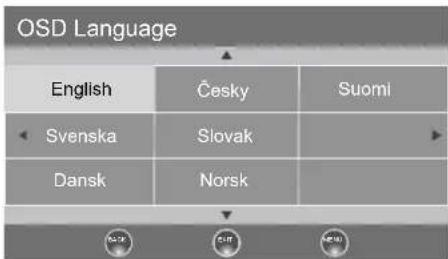
- Press the ▲▼ buttons to select OSD Language, then press the OK button. The default on-screen menu language is English.
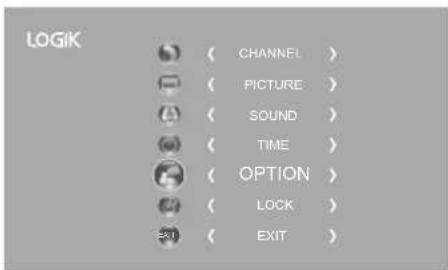
- Press the MENU button, then press the ▲▼ buttons to select the OPTION menu, and press the OK button.
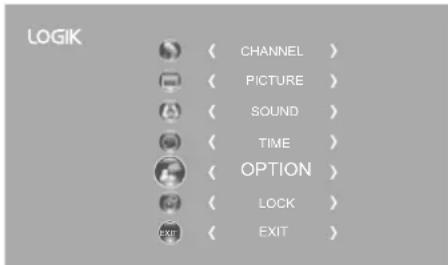
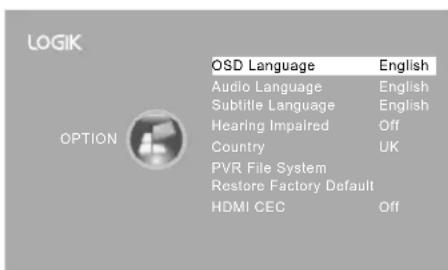
- Press the 🔊 buttons to navigate the menu and change the settings. Press the OK button to confirm.
- Press the BACK button to return to the previous menu or press the MENU button to return to the main menu.
- Press the EXIT button to exit the menu.
Audio Language (DTV Mode)
Allows you to select your desired audio language. (Available for digital channels if multiple audio languages are broadcast.)
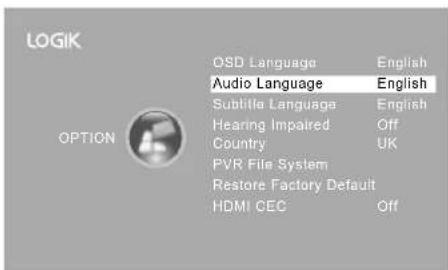
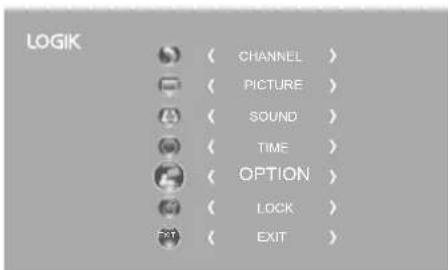
- Press the MENU button and then press the ▲▼ buttons to select the OPTION menu and then press the OK button.
- Press the ▲▼ buttons to select Audio Language and then press the OK button. The default audio language is English.
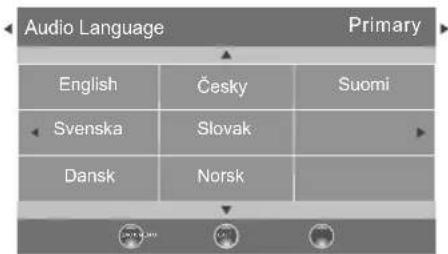
- Press the ▶ buttons to select the Primary / Secondary Audio Language. Press the ▼ button and then press the ▲ buttons to select your desired audio language. Press the OK button to confirm.
- Press the BACK button to return to the previous menu or press the MENU button to return to the main menu.
- Press the EXIT button to exit the menu.
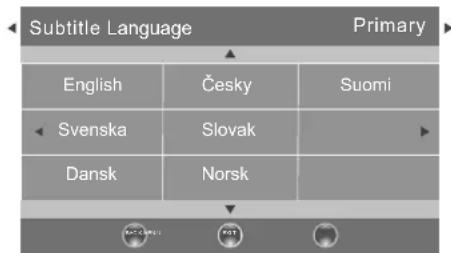
Subtitle Language (DTV Mode)
Allows you to select your desired subtitle language or turn off the subtitle. (Available for digital channels if multiple subtitle languages are broadcast.)
- Press the MENU button and then press the ▲▼ buttons to select the OPTION menu and then press the OK button.
- Press the ▲▼ buttons to select Subtitle Language and then press the OK button. The default subtitle language is English.
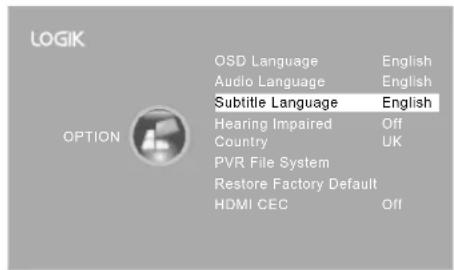
- Press the ◀ buttons to select the Primary / Secondary Subtitle Language. Press the ▼ button and then press the ▲ buttons to select your desired subtitle language. Press the OK button to confirm.
- Press the BACK button to return to the previous menu or press the MENU button to return to the main menu.
- Press the EXIT button to exit the menu.

While watching a DTV programme, you can press the S button on the remote control to display the Subtitle Language List and then press the ▲▼ buttons to select the Subtitle Language OFF. Press the OK button to confirm. (Only applicable when the TV programme has this feature.)
Hearing Impaired
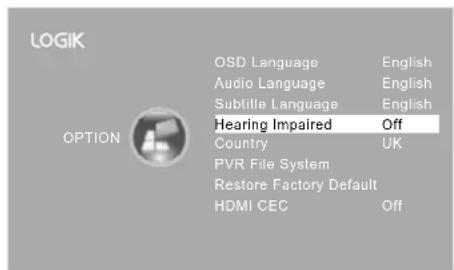
Shows information for the hearing-impaired in some programmes. (For DTV channels only if available.)
- Press the MENU button and then press the ▲▼ buttons to select the OPTION menu and then press the OK button.
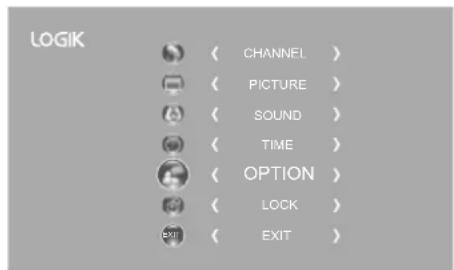
- Press the ▲▼ buttons to select Hearing Impaired and then press the OK button to select On / Off.
- Press the BACK button to return to the previous menu or press the MENU button to return to the main menu.
- Press the EXIT button to exit the menu.
Country
This shows the country you selected in auto tuning. If you want to change the country, please refer to Auto Tuning on page 24.
PVR File System (DTV Mode)
Allows you to select your preferences in the PVR File System.
- Press the MENU button and then press the ▲▼ buttons to select the OPTION menu and then press the OK button.
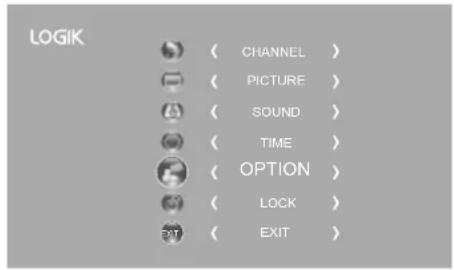
- Press the ▲▼ buttons to select PVR File System and then press the OK button.
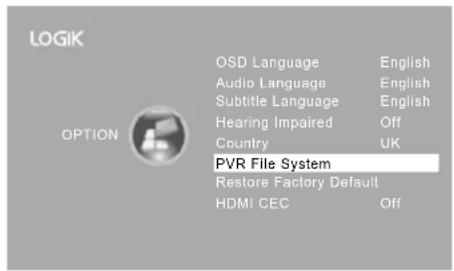
- Press the ▲▼ buttons to select the following PVR File System options and then press the OK button.
| Select Disk Select the disk where you want to store your recorded content. | |||
| Check PVR File System | Press the OK button, the system will now check your USB device's suitability for PVR. The system will show "Checking". Upon completion, the system will show either "SUCCESS" or "FAIL". | Select Disk C:Check PVR File System StartUSB DiskFormatTime Shift SizeSpeedFree Record Limit 6 Hr.OK Menu | Select Disk C:Check PVR File System SUCCESSUSB Disk PassFormat PassTime Shift Size AllSpeed 2048 KB/sFree Record Limit 8 Hr.OK Menu |
| USB Disk | If no USB storage device is connected, it will show "No USB Disk". If the Check PVR File System has a "SUCCESS" it will show "Pass". | ||
| Format | Press the OK button, a File System Sizemenu will pop-up. Press the ▶buttons to select your preferred file type between FAT32 and HiSpeed FS. If you select HiSpeed FS, press the ▼button and then press the ▶buttons to select your preferred file size. Press the OK button to confirm and then press the ▶button to start formatting. | ||
| Time Shift Size After formatting the Time Shift Size menu will appear if you have selected HiSpeed FS in PVR File System Type. Press the ▶buttons to select your preferred file size. Press the OK button to confirm. This option cannot be chosen if you have selected FAT32 in PVR File System Type. | Time Shift SizeTime Shift Disk Size 3GBDuration 64 Mins | ||
| Speed This shows the transfer rate of your USB storage device. | |||
| Free Record Limit Press the ▶buttons to set the recording time limit from 1-4 hours. | |||
Restores all settings to the factory defaults.
- Press the MENU button and then press the ▲▼ buttons to select the OPTION menu and then press the OK button.
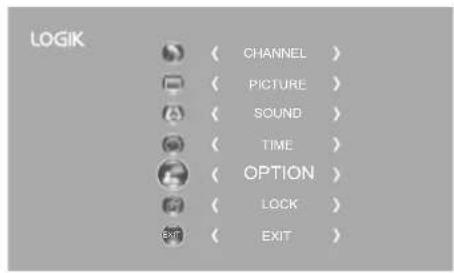
- Press the ▲▼ buttons to select Restore Factory Default and then press the OK button.
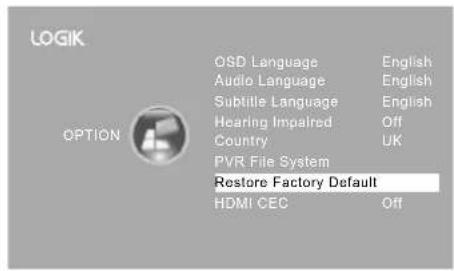
- Press the ◀ button to select "Yes". The TV will turn off and restart after a few seconds. Press the ▶ button to select "No" to cancel and return to the main menu.
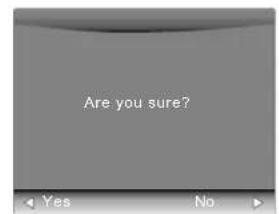

All channel and user settings will be lost and the TV will revert to "First Time Installation".
HDMI CEC (Consumer Electronics Control)
Allows you to command and control two or more CEC-enabled devices, that are connected through HDMI, by using only one of the remote controls (e.g. controlling a TV set, set-top box and DVD player using only the remote control of the TV). CEC also allows individual CEC-enabled devices to command and control each other without user intervention.
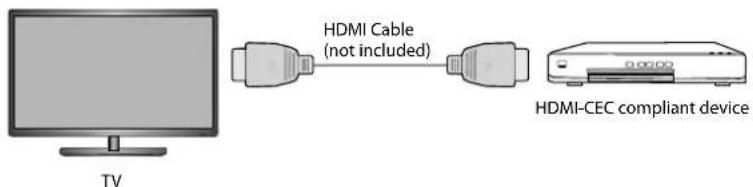
Make sure that your CEC-compliant device is connected to your TV using a HDMI cable and the correct HDMI input source is selected prior to using this function. (Some HDMI cables may not support HDMI-CEC functions.)
HDMI-CEC Connection
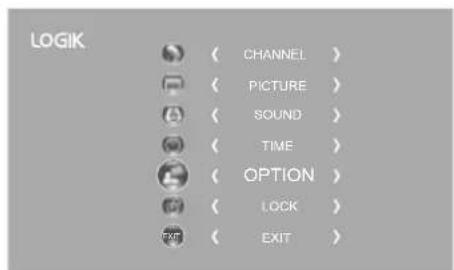
- Press the MENU button, then press the ▲▼ buttons to select the OPTION menu, and then press the OK button.
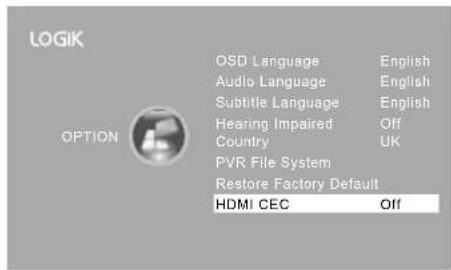
- Press the ▲▼ buttons to select HDMI CEC, then press the OK button to select On or Off.
- Press the BACK button to return to the previous menu, or press the MENU button to return to the main menu.
- Press the EXIT button to exit the menu.

- This unit can only communicate with HDMI-CEC compatible devices.
- To ensure that the HDMI-CEC device has this feature, check for the HDMI-CEC compatible logo on it.
- The HDMI-CEC function only works when the AV device supporting CEC is turned on.

Lock Setting
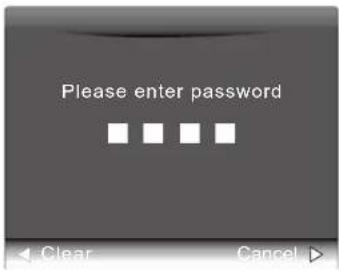
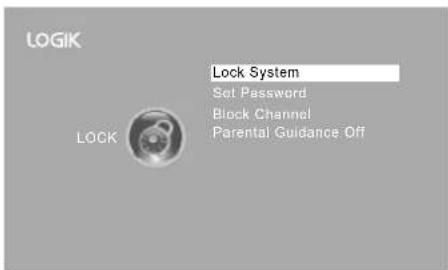
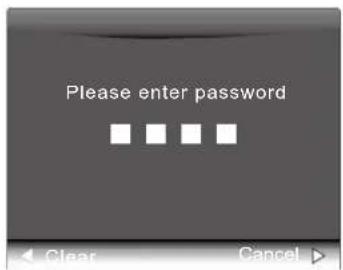
To access the LOCK menu, you must enter the password. Enter the default password "6666" for first-time use. To change the password, refer to the section "Change Password".
Lock System
The Lock System is designed to prevent accidental re-tuning of the TV, losing channels, and to prevent children from watching unsuitable programs.
The Lock System must be set to On for this function to operate. If the Lock System is set to On, a valid password must be entered when you access Auto Tuning, Manual Tuning, or Restore Factory Default.
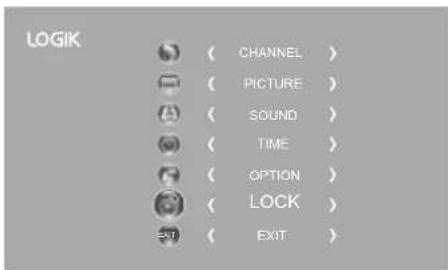
- Press the MENU button, then press the ▲▼ buttons to select the LOCK menu, and then press the OK button.
- Press the OK button to select Lock System.
- Use the 0-9 buttons to input a 4-digit password to enter the LOCK menu.

The default password is "6666". If you change the password, be sure to remember the new password! If you forget the new password, enter the master password "9527".
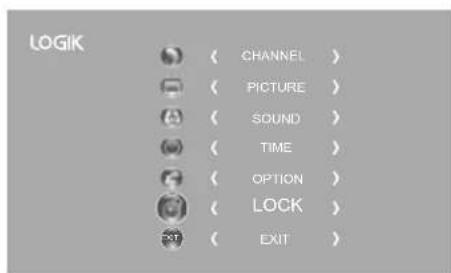
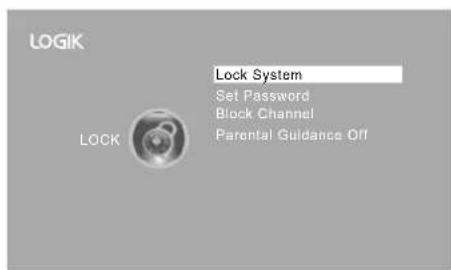
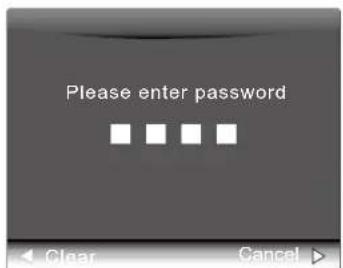
- Press the ▲▼ buttons to select Lock System and then the OK button to select On / Off. If the Lock System is set to On, a valid password must be entered when you access Auto Tuning / Manual Tuning / Restore Factory Default.
- Press the BACK button to return to the previous menu or press the MENU button to return to the main menu.
- Press the EXIT button to exit the menu.
Set Password
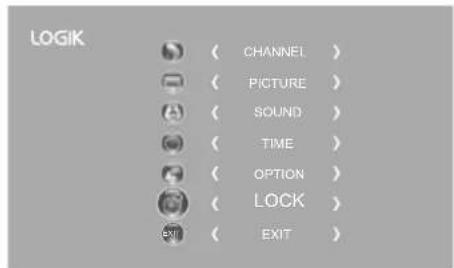
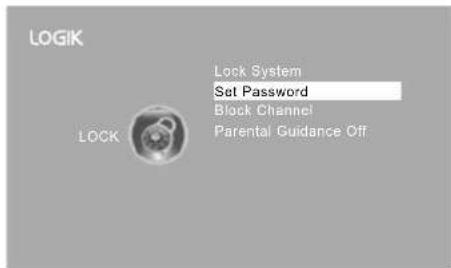
- Press the MENU button and then press the ▲▼ buttons to select the LOCK menu and then press the OK button.
- Press the OK button to select Lock System.
- Use the 0-9 buttons to input a 4-digit password to enter the LOCK menu.

The default password is "6666".
If you change the password, be sure to remember the new password! If you forget the new password, enter the master password "9527".
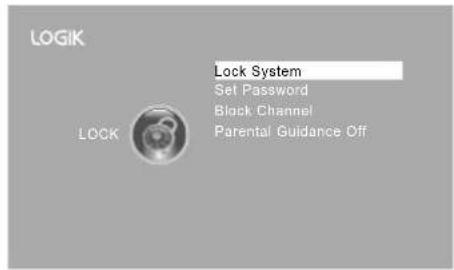
- Press the ▲▼ buttons to select Set Password and then press the OK button.
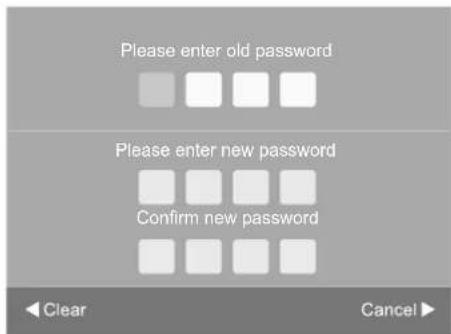
- Use the 0-9 buttons to input the old password and then input the new 4-digit password. Re-enter new password for confirmation.

The default password is "6666".
If you change the password, be sure to remember the new password! If you forget the new password, enter the master password "9527".
- Press the ▶ button to return to the previous menu. Press the MENU button to return to the main menu.
- Press the EXIT button to exit the menu.
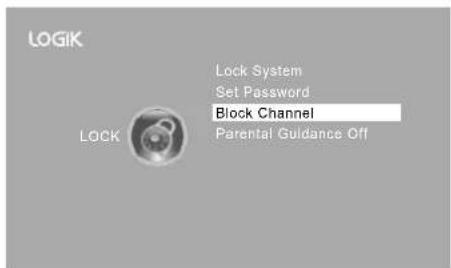
Block Channel
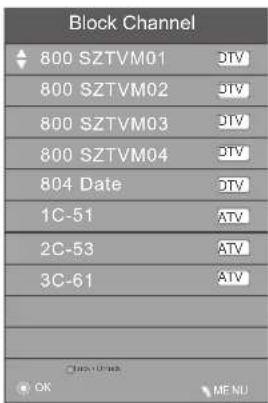
Block Channel is designed to prevent children from watching unsuitable programmes.
When a channel is blocked, a valid password must be entered.
- Press the MENU button and then press the ▲▼ buttons to select the LOCK menu and then press the OK button.
- Press the OK button to select Lock System.
- Use the 0-9 buttons to input a 4-digit password to enter the LOCK menu.

The default password is "6666". If you change the password, be sure to remember the new password! If you forget the new password, enter the master password "9527".
- Press the ▲▼ buttons to select Block Channel and then press the OK button.
- A Block Channel screen will pop up. Press the ▲▼ buttons to select a channel. Press the GREEN button on the remote control to block or unblock the channel. Press the GREEN button again to unblock.
- Press the MENU button once to return to the previous menu. Press the MENU button again to return to the main menu.
- Press the EXIT button to exit the menu.
Parental Guidance
This function allows you to set up blocking schemes to block specific channels and ratings. It operates according to information from the broadcasting station, therefore if the signal has incorrect information, this function will not operate.
This TV is programmed to remember the last option set even if the TV is switched off.
When a programme is locked or rated, a valid password must be entered.
- Press the MENU button and then press the ▲▼ buttons to select the LOCK menu and then press the OK button.
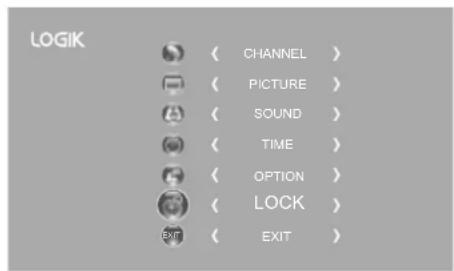
- Press the OK button to select Lock System.
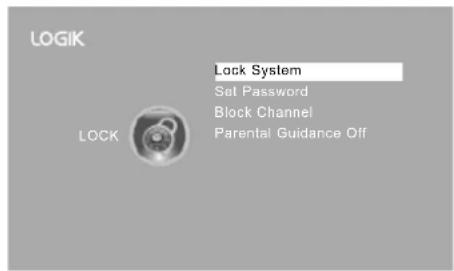
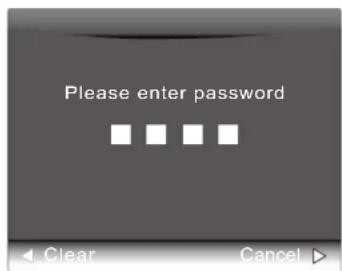
- Use the 0-9 buttons to input a 4-digit password to enter the LOCK menu.

The default password is "6666". If you change the password, be sure to remember the new password! If you forget the new password, enter the master password "9527".
- Press the ▲▼ buttons to select Parental Guidance and then press the OK button.
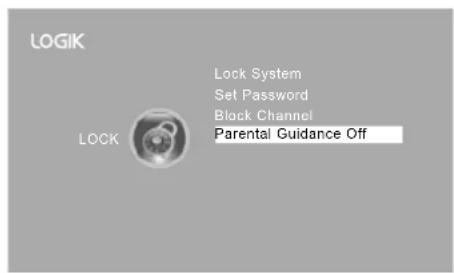
- Press the ▲▼ buttons to select an age rating: Off, 4-18. Then press the OK button to confirm.
- Press the BACK button to return to the previous menu or press the MENU button to return to the main menu.
- Press the EXIT button to exit the menu.
| Parental Guidance |
| Off |
| 4 |
| 5 |
| 6 |
| 7 |
| 8 |

EPG (Electronic Programme Guide) (DTV Mode)
This system has an Electronic Programme Guide (EPG) to help you navigate through all the possible viewing options.
The EPG supplies information such as programme listings, start and end times for all available services. In addition, detailed information about the programme is often available in the EPG (the availability and amount of programme information will vary, depending on the particular broadcaster).
This function can be used only when the EPG information is broadcast by broadcasting companies.
The EPG displays the programme details for the next 7 days.
Switch On / Off EPG
- Press the GUIDE button to switch on EPG.
- Press the GUIDE button or the EXIT button again to switch off EPG and return to normal TV viewing.
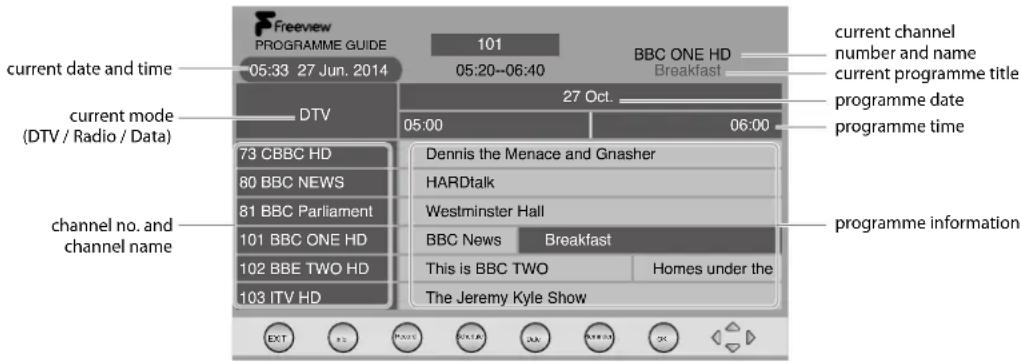
Select a Programme
Press the ▲▼ buttons to select the desired channel and then press the ◀▶ buttons to select the desired programme. Press the OK button to confirm.
Button Functions in a 7-Day Guide
| Remote Control Button Function | ||||||
| RED (Record) | Timer ProgrammingSee page 52 for details on Timer Programming.Press the RED button in the Schedule list to delete the selected preset reminder. | |||||
| GREEN (Schedule) | Press the GREEN button to view the preset reminders or scheduled recordings in the Schedule list. Press the GREEN button again to return to the EPG. | Schedule list 19:31 28th Dec Delete Return | ||||
| Time Date | Programme Title | Channel Name | ||||
| YELLOW (Date) | Press the YELLOW button and then press the◀buttons to view the schedule of the previous / next day. Press the YELLOW button again to return to the EPG. | |||||
| BLUE (Remind) | Press the BLUE button while on the selected programme, the Reminder setting menu will be displayed.Press the▲◀buttons to adjust the settings and then press the OK button to confirm the settings. After confirmation, the Schedule list will then be displayed with your preset reminders shown. Press the GREEN button to return to the EPG. The TV will automatically tune to the selected programme when it starts. 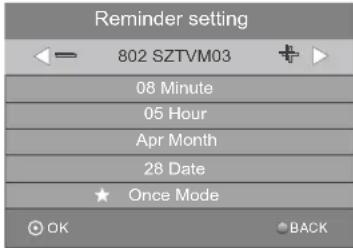 | |||||
| i Press to display detailed information of the selected programme (if available). | ||||||
| ▲or▼ | Press to select a channel. | |||||
| ◀or▶ | Press to select a programme. | |||||
| OK Press to confirm and view the selected channel. | ||||||
| GUIDE / EXIT Press to switch off the EPG. | ||||||

Red Button (Interactive Services)
Red button services are available on BBC TV and Radio channels. The services are gradually changing to an internet based service rather than the conventional over air (though your aerial). To make the most out of the Red Button services make sure your TV is connected to the internet.
Accessing the Information
- In DTV mode press the TEXT button to display the main information page. You may see slightly different looking pages depending if your TV is accessing the page over air or via the internet.
- Follow the instructions on the interactive services page and move around the page by pressing the ▲◀▶▼, OK, RED, GREEN, YELLOW, BLUE or 0-9 buttons etc.
To change digital teletext services, you will need to exit the current text service and change channels. Then enter the text service on the newly selected channel.
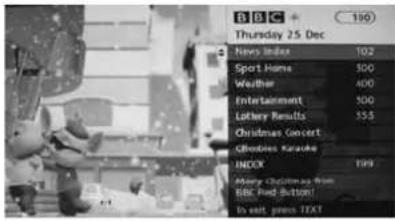
Over Air Red Button Services

Alternative
You may press the RED button to display the interactive services information when you see a red "press ●" logo in the top right corner of the screen (e.g. BBC services). This will now display the Red Button menu and available information categories.
To access the pages, use navigation buttons to highlight item required and press the OK button to select.
Follow on screen prompts for other functions.
- Press the TEXT button to exit.

Connecting a USB Storage Device
- Switch off the TV before connecting any USB storage device.
- Connect your USB storage device to the USB port of your TV.
- Plug the connected devices into the mains socket before switching on the TV.
- Press the ⏻ button on the rear bottom panel of the TV or on the remote control to turn on your TV and your USB storage device.
- Press the ⏻ button on the right side panel of the TV or the INPUT button on the remote control to display the Source List. Use the ▲▼ buttons to select USB and then press the OK button to confirm.
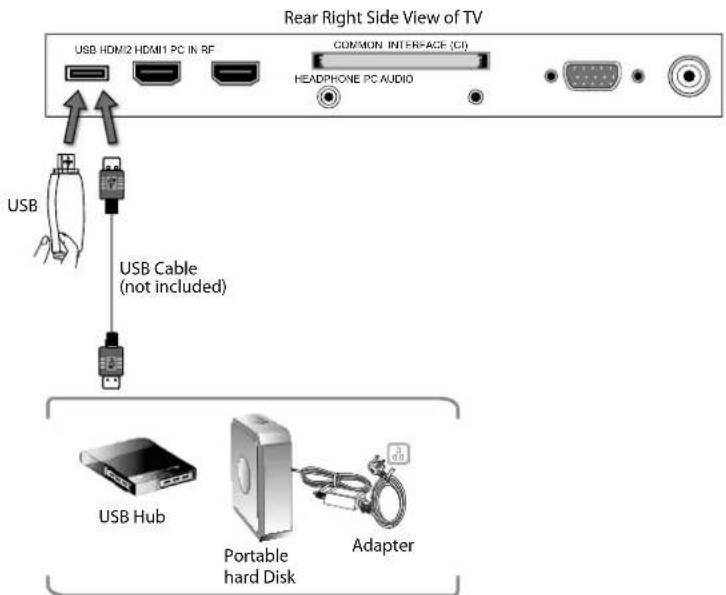

- If a hard disk is used, make sure its mains adapter is connected to the mains supply.
- If a USB hub is used, make sure its mains adapter is connected to the mains supply as the total current consumption may exceed 500mA. • The maximum supported storage space of the hard disk is 1 TB. • The file system only supports FAT32 format.
- If you want to store the video streaming of a DTV programme, the transfer rate of the USB storage device must not be less than 5MB/s, otherwise the picture and sound of the programme will be affected and a warning statement will be shown on the screen. If this happens, please upgrade your USB storage device.
- The TV screen will be blank temporarily as it will take time to start up and stabilise the connected hard disk. This is normal and the starting time may vary depending on the brand and the memory size of the connected hard disk.
- Disconnect the USB storage device if it is not in use. • Supports USB2.0 only.

Viewing Photos
- Press the ⊖ button on the right side panel of the TV or the INPUT button on the remote control then press the ▲▼ buttons to select the USB mode and then press the OK button.
- Press the ◀▶ buttons to select PHOTO and then press the OK button.
- Press the ◀ buttons to select your storage device and then press the OK button.
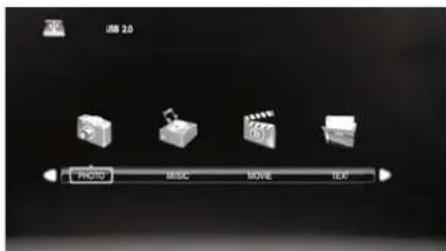
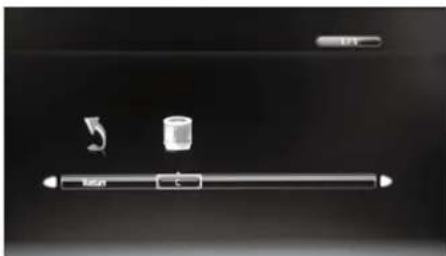
- Press the ▲◀ buttons to navigate in the picture folder and then press the OK button.
If you want to select specific photos, press the ▲◀▶ buttons to select the picture file and then press the OK button. A tick box will be displayed. If you want to delete the file, press the RED button to enter the Sub Menu, press the ◀▶ buttons to select Delete and then press the OK button to confirm.

Supported file formats: JPG.
- Press the ▶ PLAY button to view.
- Press the OK button or the i button to display the function bar. Press the ◀▶ buttons and then press the OK button to select the function: Pause / Prev. / Next / Stop / Repeat (Repeat All / Repeat Off / Repeat 1) / Music / Playlist / Info. / Rotate / Zoom In / Zoom Out / Move View.

If this folder also contains music files, you can select a music track to play at the same time you view your photos.
- Press the EXIT button to return to the previous menu.

Listening to Music
- Press the ⏻ button on the right side panel of the TV or the INPUT button on the remote control, then press the ▲▼ buttons to select the USB mode and then press the OK button.
- Press the ◀▶ buttons to select MUSIC and then press the OK button.
- Press the ◀▶ buttons to select your storage device and then press the OK button.
- Press the ▲◀▶ buttons to navigate in the music folder and then press the OK button.
If you want to select specific music, press the ▲◀▶ buttons to select the music file and then press the OK button. A tick box will be displayed. If you want to delete the file, press the RED button to enter the Sub Menu, press the ◀▶ buttons to select Delete and then press the OK button to confirm.

- Some audio file formats will not be supported. - Supported file formats: mp3.
- The music information (Album / Title / Bit Rate / Artist / Sampling / Year / Size) will be displayed. Press the ▶ PLAY button to play.
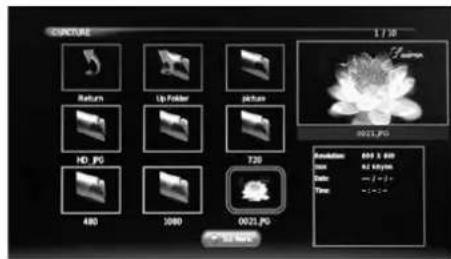
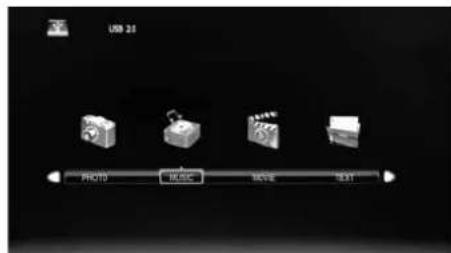
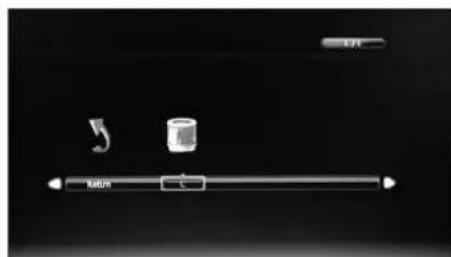
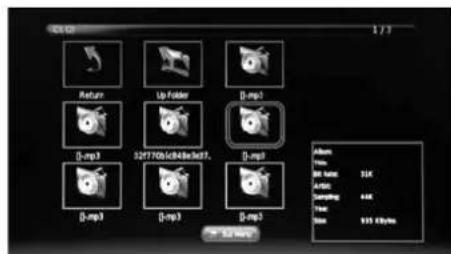
- Press the OK button or the i button to display the function bar. Press the ◀▶ buttons and then press the OK button to select the function: Pause / FB / FF / Prev. / Next / Stop / Repeat (Repeat All / Repeat Off / Repeat 1) / Mute / Playlist / Goto Time.
- Press the EXIT button to return to the previous menu.
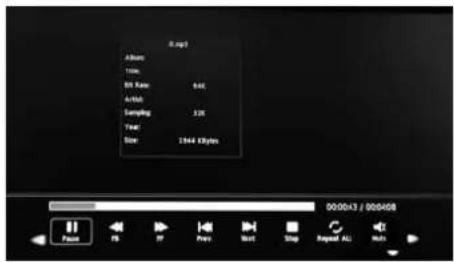

Viewing Movies
- Press the ☑ button on the right side panel of the TV or the INPUT button on the remote control, then press the ▲▼ buttons to select the USB mode and then press the OK button.
- Press the ◀▶ buttons to select MOVIE and then press the OK button.
- Press the ◀▶ buttons to select your storage device and then press the OK button.
- Press the ▲◀▶ buttons to navigate in the movie folder and then press the OK button.
If you want to select the specified movie, press the ▲◀▶ buttons to select the movie file and then press the OK button. A tick box will be displayed. If you want to delete the file, press the RED button to enter the Sub Menu, press the ◀▶ buttons to select Delete and then press the OK button to confirm.

- Some video file formats will not be supported. - Supported file formats: MPEG1/2.
- Press the ▶ PLAY button to view.
- Press the OK button or the i button to display the function bar. Press the ◀▶ buttons and then press the OK button to select the function: Pause / FB / FF / Prev. / Next / Stop / Repeat (Repeat All / Repeat Off / Repeat 1) / Set A / Playlist / Info / Aspect Ratio.
- Press the EXIT button to return to the previous menu.
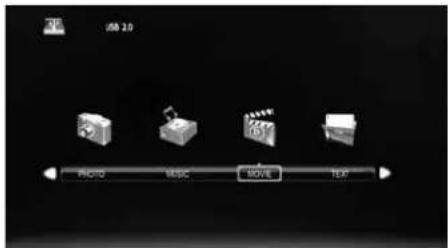
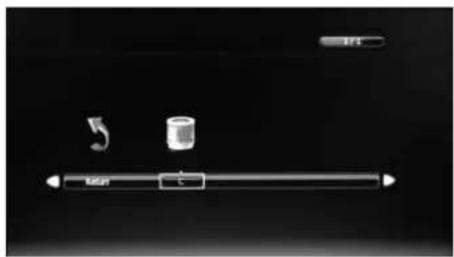
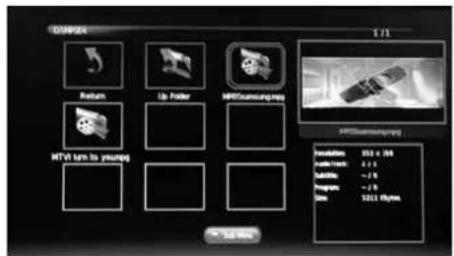
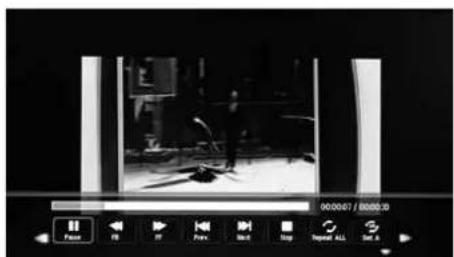
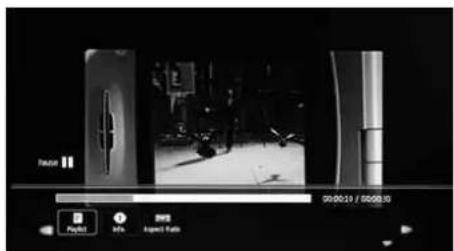

My Text
- Press the ⊖ button on the right side panel of the TV or the INPUT button on the remote control then press the ▲▼ buttons to select the USB mode and then press the OK button.
- Press the ◀▶ buttons to select TEXT and then press the OK button.
- Press the ◀ buttons to select your storage device and then press the OK button.
- Press the ▲◀▶ buttons to navigate in the text folder and then press the OK button. If you want to select the specified text file, press the ▲◀▶ buttons to select the text file and then press the OK button. A tick box will be displayed. If you want to delete the file, press the RED button to enter the Sub Menu, press the ◀▶ buttons to select Delete and then press the OK button to confirm.
- Press the ▶ PLAY button to view.
- Press the OK button or the i button to display the function bar. Press the ◀ buttons and then press the OK button to select the function: Prev. page / Next page / Prev. / Next / Stop / Music / Playlist / Info.
- Press the EXIT button to return to the previous menu.
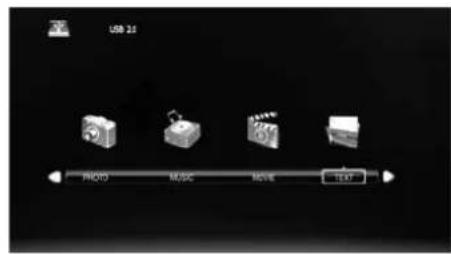
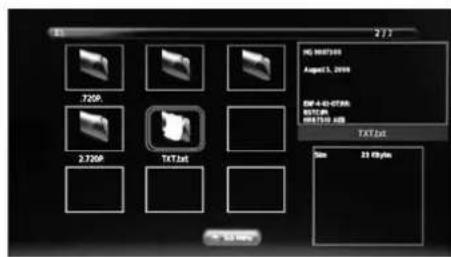
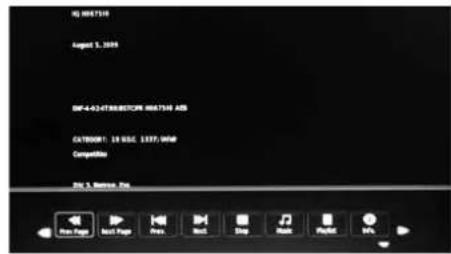
This function allows you to pause live TV. The picture will pause and the programme will begin recording so you will not miss any of the programme. You need to have a USB storage device attached to the USB socket for Time Shift Recording to work.

• Time Shift Mode and Recording functions may not work if the signal strength is weak. - Stop the time shift function before switching to another input source.

If the transfer rate of the USB storage device is too slow for recording or time shift function, a warning statement will be shown on the screen. If this happens, please upgrade your USB storage device. The minimum transfer speed is 5MB/s.
During normal TV viewing, you may press the ||PAUSE button to pause the live programme if you want to go out for a while (e.g. going to the bathroom / kitchen). "||" will show on the screen.
When you have returned, press the ▶ PLAY button to play the missed broadcast programme. "▶" will show on the screen and the PVR Time Shift progress bar will be displayed on the screen.
The video and sound may have a little bit of delay or be out-of-sync for a few seconds when the unit starts to playback the missed broadcast programme. It will soon turn to normal.
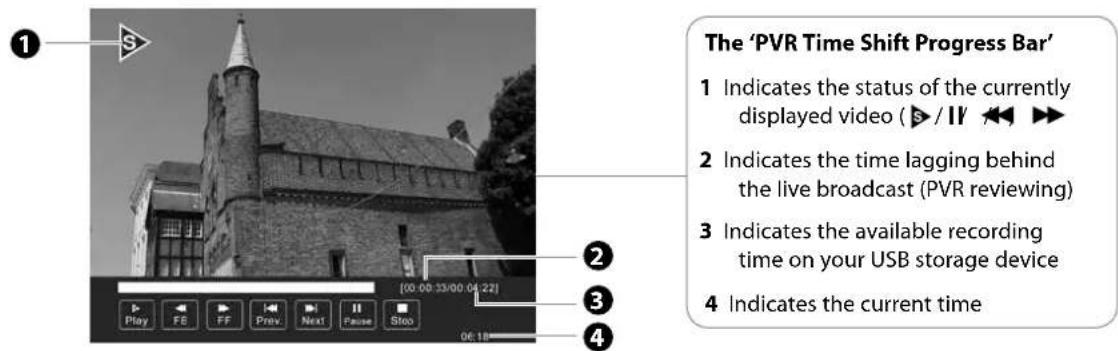
Using the Remote Control
You can shift playback to any point of the virtually recorded programme. The PVR Time Shift progress bar will be displayed on the screen for 15 seconds. Press the OK button to display the PVR Time Shift progress bar again.
| ◀◀ or ▶▶ | When playing,Press the◀◀ button repeatedly to speed up ◀2 / x 4 / x 8 / x 16.Press the▶▶ button repeatedly to speed up ▶2 / x 4 / x 8 / x 16.During fast forward / fast backward state, press the▶ PLAY button to return to normal playback. |
| ◀◀ or ▶▶I | Press the▶▶ button to jump about 10% forward.Press the◀◀ button to jump about 10% back. |
| ▶ PLAY or II | During playback, press the || button to display a still screen and then press the ▶ PLAY button again to resume playback.During fast forward / fast backward state, press the▶ PLAY button to return to normal playback. |
| OK | During playback, press the OK button to display a still screen and then press the ▶|| button again to resume playback. |
| ■ | If you want to exit the PVR Time Shift progress bar and return to the current live broadcast, press the ■ button. |

Recording DTV Programme onto a USB Storage Device
Use this function to record the DTV programme you are watching on the main screen and save it for future viewing.
The recording from timer programme or direct recording may have a little bit of delay when it starts to record the broadcast programme.
Please make sure the USB device is inserted. If not, a warning message will pop up.
- Press the ● button to record the programme that you are currently watching.
- Press the ● button again, the recording progress bar will disappear.
- Press the ■ button to stop recording.

Recording will stop automatically when the disk is full.
![REC Play FD FF Prev Next Pause Stop [00:00:33] 47 4Seven Secret Tours [0001:27:21]](/content/2026/05/968474/images/47fa6f73569de798c095855fd4173eb5c4f6d80c959f5d9beb78e8d98664edfb.jpg)

If you want to turn off your TV during recording, press the ⏻ button on the right side panel of the TV or on the remote control. A dialogue will display.
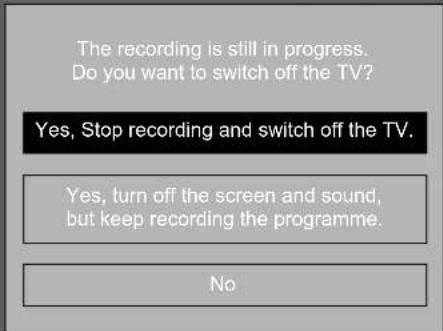
Press the ▲▼ buttons to select your desired option and then press the OK button to confirm. If you select the middle option in the box, the screen will turn off but the recording will still be in progress, and the LED indicator will alternately flash red.
This function is used to perform scheduled recording.
The recording from timer programme or direct recording may have a little bit of delay when it starts to record the broadcast programme.
Please make sure the USB device is inserted. If not, a warning message will pop up.
- Press the GUIDE button on the remote control. The EPG menu will appear.
- Press the RED button on the remote control while on the selected programme, the RECORDER menu will be displayed. Press the ▲◀▶▼ buttons to select the settings in the RECORDER menu for the Channel, Start time, End time and Mode.
| Channel Press the buttons to select the channel that you want to record. | |
| Start time(for Mode Once, Every Day, Weekly) | Press the ▲▼ buttons to select the Minutes / Hour / Month / Date and then press the ◀buttons to adjust the start time. |
| End time(for Mode Once, Every Day, Weekly) | Press the ▲▼ buttons to select the Minutes / Hour / Month / Date and then press the ◀buttons to adjust the end time. |
| Mode Press the | ◀buttons to select the Auto / Once / Every Day / Weekly. |
- After finishing all the recorder adjustments, press the OK button to confirm your settings.

- After confirmation, you can press the GREEN button to view your scheduled recording in the Schedule list.
- If a programme recording starts when the TV is in standby mode, the LED indicator will flash red.
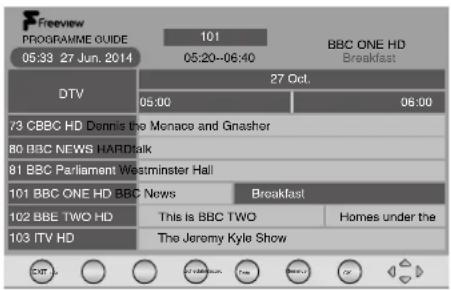
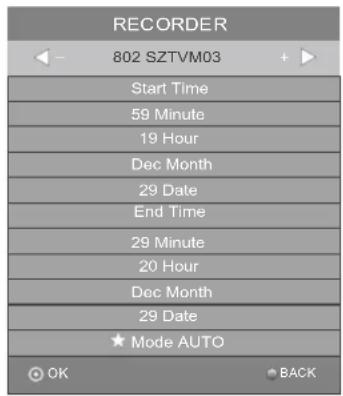

Play Recorded Programme
You can play a recorded programme from the recorded programme list or from a USB Storage Device.
- Press the ⏻ button on the right side panel of the TV or the INPUT button on the remote control and then press the ▲▼ buttons to select the USB mode and then press the OK button.
- Press the ◀▶ buttons to select MOVIE and then press the OK button.
- Press the ◀ buttons to select your storage device and then press the OK button.
- Press the ▲◀▶▼ buttons to select the "_MSTPVR" folder and then press the OK button.
- Press the ▲◀▶ buttons to select your recorded programme and then press the OK button. A tick box will be displayed. If you want to delete the file, press the RED button to enter the Sub Menu and then press the ◀ button to confirm. Press the ▶ PLAY button to view.
- Press the OK button or the i button to display the function bar.
- Press the ◀▶ buttons and then press the OK button to select the function: Pause / FB / FF / Prev. / Next / Stop / Repeat (Repeat All / Repeat Off / Repeat 1) / Set A / Playlist / Info / Aspect Ratio.
- Press the EXIT button to return to the previous menu.
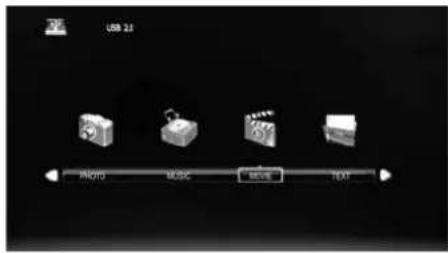
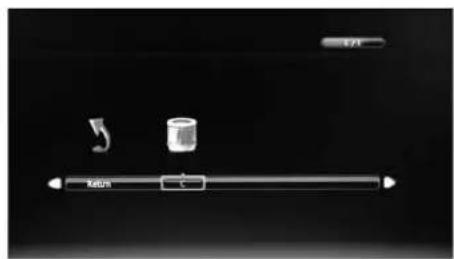
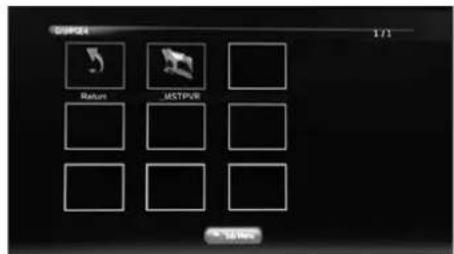
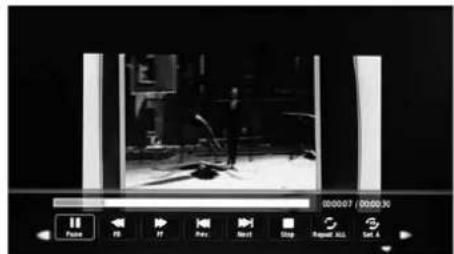
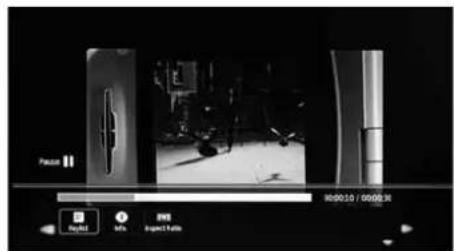

Using the Built-in DVD Player
- Insert a disc with the label side facing towards the front of the TV. (CD-R, CD-RW, DVD-R, DVD-RW, CD, DVD+R, or DVD+RW) Allow 10 seconds for the player to load the disc. If you insert the disc wrongly, an error message will be displayed.
- After the disc is inserted, the TV will change the input source to DVD automatically and Smart NAVI will show the content of the disc automatically.
- If the DVD player does not automatically play the disc, press the button on the right side panel of the TV or the INPUT button on the remote control to display the Source List. Use the ▲▼ buttons to select DVD and then press the OK button to confirm. Press the ▶II button on the unit or the ▶ PLAY button on the remote control to start playing.
- Press the ▲ button on the right side panel of the TV or on the remote control if you want to remove the disc.

Only insert 12cm discs. Do not insert or play 8cm discs; they will get stuck.
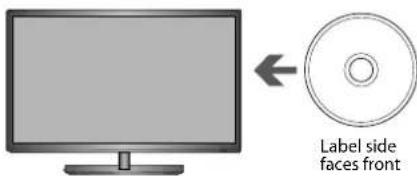
Unable to play disc!
Check label faces front of TV Check disc for marks or damage Check disc is compatible type.

Compatible Disc Types
| Disc Types Disc Logo Recorded Content | ||
| DVD-VIDEO (Digital Versatile Disc) |  | AUDIO + VIDEO |
| DVD±RW (Audio/Video format or JPEG files) |  | AUDIO + VIDEO + JPEG |
| DVD±R (DVD Recordable - Audio/Video format or JPEG files) |  | AUDIO + VIDEO + JPEG |
| CD-R (CD Recordable - Audio/Video format or JPEG files) |  | AUDIO + VIDEO + JPEG |
| CD-RW (CD-Rewritable - Audio/Video format or JPEG files) |  | AUDIO + VIDEO + JPEG |
| AUDIO-CD (Compact Disc Digital Audio) |  | AUDIO |
Supported Formats
JPEG
• The file extension must be .jpg, not .jpeg. • Picture encoding must comply with JPEG/ISO format. • This DVD player can only display DCF-standard still pictures or JPEG pictures such as TIFF.

Some recorded files may not be played due to the type and format of the disc or the condition of the recording.
Region Code
Both the DVD player and the discs are coded by region. These regional codes must match in order to play the disc. If the codes do not match, the disc will not play.
The region number for this DVD player is described on the right side panel of the TV.
| Disc Type DVD-VIDEO | |
| Region code |  |
Playing the DVD
Depending on the disc, a menu may appear on the TV screen once the disc has loaded. When playing the disc, you may use the ▶ button on the unit or the ▶ PLAY / ▶ PAUSE button on the remote control to toggle between Play and Pause mode. This product also supports Menu / Title / Sequential / Programme Playback.
Menu Playback (for DVD)
For DVD discs, the screen will display the DVD Disc Menu (Root Menu).
Press the ▶|| button on the unit or the OK button or the ▶PLAY button on the remote control to start from the highlighted content.
Press the DVD MENU button to return to the Root Menu when playing the disc.
For some DVD discs you may need to press the DVD MENU button or the TITLE button to display the Disc Menu.
Stopping Playback
Press the ■ Stop button once to stop. Press the ▶ II button on the unit or the ▶ PLAY button on the remote control to resume from where you stopped.
Press the ■ Stop button twice to stop. Press the ▶ II button on the unit or the ▶ PLAY button on the remote control to start from the beginning.
In order to protect the disc, press the ■ Stop button and then press the ▲ button on the unit or on the remote control to eject the disc. When the disc is ejected, hold the disc edge slightly and remove it from the disc slot.
When not using the DVD function (in stand-by-mode or using other modes for a long period of time), please take out the disc to protect the DVD loader and the disc.
Previous / Next (for DVD / CD / Multimedia discs)
Press the Button to play the last Title / Chapter / Track.
Press the ▶ button to play the next Title / Chapter / Track.
For DVD discs, the above functions may vary due to different DVD disc's structure.
Forward / Backward (for DVD / CD / Multimedia discs)
There are 5 forward and backward speed. Press the ◀ or ▶ button to toggle between the different speed options in sequence. (x 2 / x 4 / x 8 / x 16 / x 32 / Play).
Press the ▶ button on the unit or the ▶ PLAY button on the remote control to return to normal speed playback. For DVD discs, when selecting backward to first title / chapter, the disc will start from the beginning.

There will be no sound during Forward or Backward.
Pause (for DVD / CD / Multimedia discs)
Press the ▶|| button on the unit or the || PAUSE button on the remote control to pause; press the ▶|| button on the unit or the ▶ PLAY button on the remote control again to resume playback.
Repeat (for DVD / CD / Multimedia discs)
Press the REPEAT button once to display the current repeat mode.
- For CD discs, while playing in sequence, you may use the repeat playback. There are 2 repeat modes, press the REPEAT button to toggle between the different repeat modes in sequence. (REPEAT (OFF) / REPEAT (TRACK) / REPEAT (ALL)).
- For DVD discs, you may setup the repeat playback mode. There are 3 repeat modes, press the REPEAT button to toggle between the different repeat modes in sequence. (REPEAT (OFF) / REPEAT (CHAPTER) / REPEAT (TITLE) / REPEAT (ALL)).
For example, if there are two movies on the disc.
REPEAT ALL: will repeat two movies
REPEAT TITLE: will repeat only one selected movie
REPEAT CHAPTER: repeat only one selected chapter of movie
- For MP3 / JPEG discs, while playing the disc, you may use the repeat playback. There are 2 repeat modes, press the REPEAT button to toggle between the different repeat modes in sequence. (REPEAT (OFF) / REPEAT (SINGLE) / REPEAT (FOLDER)).
Display (for DVD / Multimedia discs)
Press the i button to activate the on screen roll-down menu.
Press the i button repeatedly to turn off the on screen display.
For DVD discs, press the i button once to display the first page as shown below:
Title Elapsed
TT 02/11 CH 05/10
00:02:56
Press the i button twice to display the second page as shown below:
Title Remain
TT 02/11 CH 05/10
00:01:42
Press the i button three times to display the third page as shown below:
Chapter Elapsed
TT 02/11 CH 05/10
00:03:05
Press the DISPLAY button four times to display the fourth page as shown below:
Chapter Remain
TT 02/11 CH 05/10
00:01:33
For JPEG discs, press the i button once to display the first page: Disc type, Track -/- (Current / Full).
Angle (for DVD)
Allows you to switch the viewing angle of video.
Press the ANGLE button repeatedly to select the desired angle (only for discs that have this feature).
Zoom (for DVD)
Allows you to select the video size of the program stream.
Press the ZOOM button to select the desired size.
Goto (for DVD / CD / Multimedia discs)
This function allows you to play your favorite Title / Chapter / Time. Press the GOTO button to activate the on-screen scroll-down menu for selection. Input your Title / Chapter / Time by pressing the 0-9 buttons or input the playback time. After editing, press the OK button to start. If the input is invalid, it will not function.

- For some discs, only Time can be selected in the GOTO function. • Different media have different results.
Audio (for DVD / CD)
Press the AUDIO button to toggle between different audio modes in sequence.
For CD discs: Stereo / Mono Left / Mono Right / Mix-Mono.

Some discs may contain multiple languages which can be selected by pressing the AUDIO button.
Repeat A-B (for DVD / CD)
When playing DVD or CD discs, press the A-B button to repeat certain content. Press the A-B button at the start point (A) and the end point (B) to select the repeat part. Press the A-B button a third time to cancel the A-B function and return to normal playback.

Program (for DVD)
The Program Playback option allows entering the order in which the chapters or tracks will be played, up to a maximum of 20.
Press the PROG button to display the Program Menu. According to the highlight, input your chapter / title number by pressing the 0-9 buttons and use the ↓ button to highlight the Start item on the screen. Press the OK button to confirm. The chapters / title will play in the programmed order. During program playback, press the PROG button, the programmed order and the contents will be displayed on the screen. To clear the programmed order, use the ← ↑↓ → buttons to highlight the Stop item, then press the OK button. To modify the programmed order, use the ← ↑ ↓ buttons to highlight the modifying item and enter the new chapter / title you want to program directly.

Using the DVD General Setup Page
In the DVD mode, press the SETUP button on the remote control. Press the ◀▶ buttons to select the General Setup Page menu, and then press the ▲▼ buttons to select the menu options. Press the SETUP button to exit the menu.
Option Description
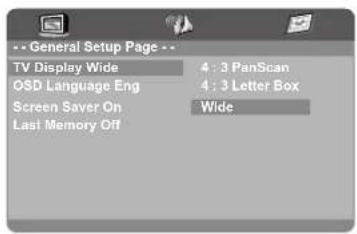
TV Display 4:3 Pan Scan
Widescreen picture shown in the full screen with some part cut.
4:3 Letter box
Widescreen picture shown in the full screen with black bars on the top and bottom of the screen.
Wide
Widescreen picture shown in the full screen.
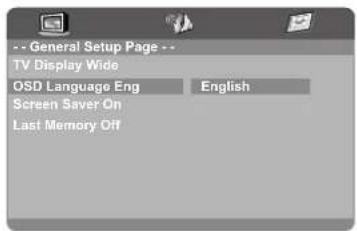
OSD Language Set the OSD language to your language of choice

The default language is English.
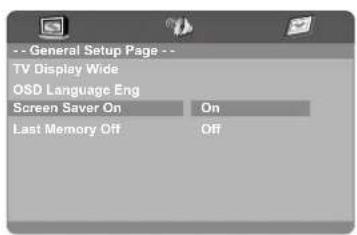
Screen Saver When the player stops or the picture becomes motionless for a couple of minutes, there will be a screen saver to prevent damage to the display screen.
ON: To activate screen saver.
OFF: To disable screen saver.
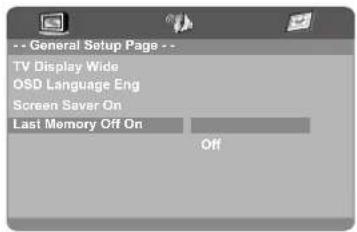
Last Memory
ON: Shut down the TV before adjusting the memory settings, then reboot the machine to apply the settings.
OFF: The TV automatically reverts to the default settings each time.

Using the DVD Audio Setup Page
In DVD mode, press the SETUP button on the remote control. Use the ◀▶ buttons to select the Audio Setup Page menu, then use the ▲▼ buttons to select the menu options. Press the SETUP button to exit the menu.
Option Description
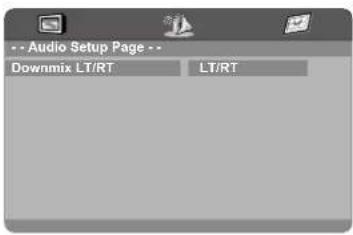
Downmix LT/RT
Mixed stereo LT/RT output.

Using the DVD Preference Setup Page
In DVD mode, press the SETUP button on the remote control. Use the ◀▶ buttons to select the Preference Setup menu, then use the ▲▼ buttons to select the menu options. Press the SETUP button to exit the menu.
Option Description
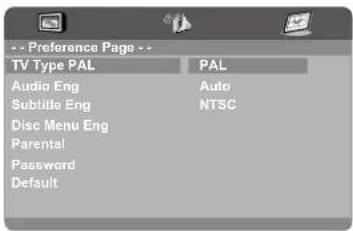
TV Type: For the disc to play correctly, the color system of the DVD player, disc, and TV must match.
PAL
This is the format used in the UK.
Auto
This format can be used if your TV / DVD is capable of both PAL and NTSC formats and this is the default setting.
NTSC
This format is used by some other countries, e.g. USA.

PAL format is generally used for TV's in the UK. If NTSC is selected with a non-compatible television, you may experience interference or picture scrolling.
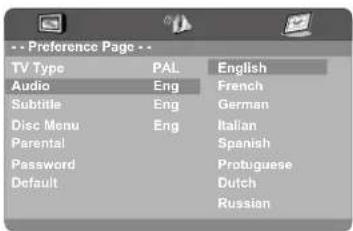
Audio
Set the Audio language to your language of choice.

Not all DVD discs support multiple audio languages.
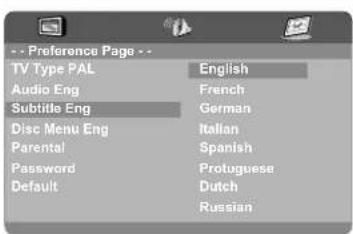
Subtitle Select the Subtitle language.

Not all DVD discs support multiple audio languages.
Option Description
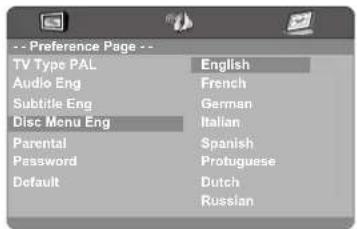
Disc Menu Select the Disc Menu language.

The default language is English.
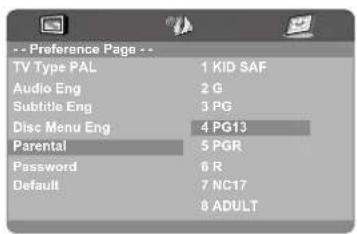
Parental Allows the user to set a maximum rating level for a movie that can be played (e.g. PG rating). Movies rated higher than the level set will not be played. The parental lock can only be changed after inputting the correct password.

This function is available only when the discs have ratings encoded on them.
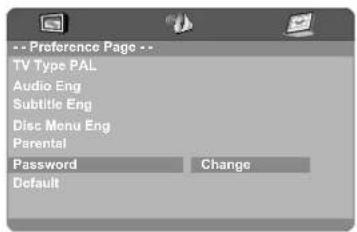
Password Password Change
To change the password, you need to:
- Input old password. (for initial use, please enter factory default password "6666")
- Input a new 4 digit password and then press the OK button to confirm.
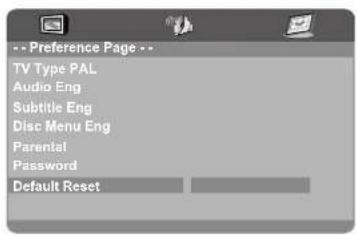
Default Default
To restore all setup parameters to the factory settings EXCEPT the password.
This function is available in stop state or when the tray is opened.

Maintenance
Careful and regular cleaning can prolong the life of your TV.

Be sure to press the ⏻ button on the right side panel of the TV or on the remote control to turn off the TV. Disconnect the mains cable from the mains socket before any cleaning.
- Use a soft dry cloth to wipe away the dust from the screen and surfaces.
- If the surfaces are extremely dirty, clean the TV with a cloth which has been dipped in a slightly soapy water. Wring the cloth until it is almost dry, then use it to wipe the TV.
- Ensure there is no excess water on the screen. Allow any water or dampness to evaporate before switching the TV on.

Never use alcohol, benzine, paint-thinner, cleaning fluid or other chemicals. Do not use compressed air to remove dust.
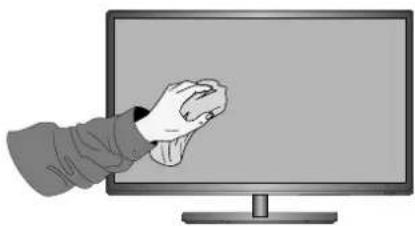
Handling Discs
• Do not touch the playback side of the disc. • Do not attach paper or tape to the disc.
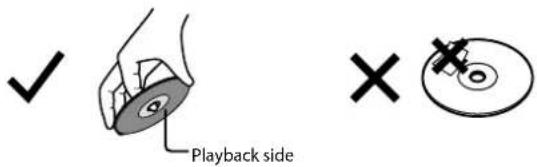
Cleaning Discs
- Fingerprints and dust on the disc cause picture and sound deterioration. Wipe the disc from the centre outwards with a soft cloth. Always keep the disc clean.
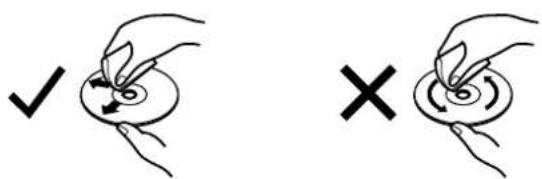
- If you cannot wipe off the dust with a soft cloth, wipe the disc lightly with a slightly moistened soft cloth and finish with a dry cloth.
- Do not use any type of solvent such as thinner, benzine, commercially available cleaners or antistatic spray. They may damage the disc.
Storing Discs
- Do not store discs in places subjected to direct sunlight or near heat sources.
- Do not store discs in places subjected to moisture and dust such as a bathroom or near a humidifier. • Storing discs vertically in a case, stacking discs or placing objects on discs outside of their cases may cause warping.
The following table contains various hints and tips to get the best performance from your TV. If you require additional assistance:
• For UK, please call our UK Call Centre on 0344 561 1234. • For Ireland, please call our Ireland Call Center on 1 890 818 575.
The TV does not operate properly.
| The TV does not respond when pressing any buttons | · The TV may freeze up during use. Disconnect the mains plug from the mains socket for a few minutes. Reconnect the mains plug and try to operate it again as usual. |
| TV cannot be switched on | · Check that the TV is connected to the mains supply is switched on.· Make sure all connected AV devices are switched off before switching on your TV. |
| The remote control does not work | · Check to see if there are any objects between the TV and the remote control causing an obstruction. Ensure that you are pointing the remote control directly at the TV.· Ensure that the batteries are installed with the correct polarity (+ to +, - to -).· Install new batteries. |
| Power is suddenly turned off | · Check the power of the TV. The mains supply maybe interrupted.· Check if the sleep timer is set.· Check whether the Auto Standby is activated. |
| Can't view Saorview channels | · Check that you have selected the correct country when tuning in your TV. For ROI select IRELAND.· You will only receive Saorview channels in ROI, retune your TV making sure to select IRELAND as your country. |
The video function does not work.
| No Picture & No Sound | Check whether the TV is switched on.Try another channel. The problem may be caused by the broadcaster. |
| Picture appears slowly after switching on | This is normal, the image is muted during the TV startup process. Please contact your service centre, if the picture has not appeared after five minutes. |
| No or poor colour or poor picture | Adjust the settings in the PICTURE menu.Try another channel. The problem may be caused by the broadcaster.Check if the video cables are connected properly. |
| Horizontal / Vertical bar or picture shaking | Check for local interference such as an electrical appliance or power tool. |
| Poor reception on some channels | Station or cable channel may be experiencing problems, tune to another station.Station signal is weak, reposition the aerial for better reception.Check for sources of possible interference. |
| Lines or streaks in pictures | Check aerial (Change the position of the aerial.) |
| No pictures when connecting HDMI | Check if the input source is HDMI1 / HDMI2. |
| Picture appears in wrong ratio | Adjust the Aspect Ratio settings in the PICTURE menu or press the ASPECT button on the remote control. |
The audio function does not work.
| Picture OK but no sound | Press the VOL + / - buttons.Sound muted? Press the button.Try another channel. The problem may be caused by the broadcaster. |
| No output from one of the speakers | Adjust the Balance settings in the SOUND menu. |
| Unusual sound from inside the TV | A change in ambient humidity or temperature may result in an unusual noise when the TV is switched on or off and does not indicate a fault with the TV. |
| No sound when connecting HDMI | Check if the input source is HDMI1 / HDMI2. |
| Audio noise | Keep the RF coaxial cable away from other connected cables. |
| Distorted sound | Adjust the SOUND MODE setting in the SOUND menu, depending on the type of program you are watching.If still have distorted sound, switch off the DTS TruSurround in SOUND menu, then re-adjust the SOUND MODE setting in the SOUND menu. |
| Password | |
| Lost password | Select the Set Password setting in the LOCK menu, then enter the following master password “9527”. The master password clears your previous password and allows you to enter a new password. |
| The DVD function does not work. | |
| DVD will not read the disc | Check if the disc is correctly inserted.Check that the disc is clean.Check if there is any obvious damage to the disc.Try to play the disc on another DVD to check whether it has content. |
| DVD does not have the signal | Check if the TV is in DVD mode. |
| Lost DVD password | Select Password in the Preference Page of DVD menu, then enter the following master DVD password “6666”. The master password clears your previous password and allows you to enter new password. |
| There is a problem in PC mode. | |
| The signal is out of range (Invalid format) | Adjust the resolution, horizontal frequency, or vertical frequency. |
| Vertical bar or stripe on background & horizontal incorrect position | Use Auto configure or adjust clock, phase, or H/V position. |
| Screen colour is unstable or shows a single colour | Check the signal cable.Reinstall the PC video card. |
| Channels are not recording. | |
| Not all channels record | You can only record free to air channels.You may have you run out of space on your USB storage device. Delete some files or use another USB storage device. |
| FAQs (Frequently Asked Questions) | |
| Why have I lost some / all of my channels? | It happens sometimes if you have a weak signal. Usually it just means you'll need to re-scan your digital box or TV. Don't worry, it is easy to do. And once you've done it, you should get all the Freeview channels available to you. If problems persist you may need to get your aerial checked. Talk to your retailer or contact your local aerial installer. |
| Why do I get ‘blocking’ on my digital picture? | In most cases, blocking is caused by a reception problem – either the signal is too weak or there is some kind of interference. Talk to your retailer or contact your local aerial installer.Blocking can also be caused by a digital signal that is too strong. If you are still experiencing blocking and the signal is strong, consult your local aerial installer for advice. |
| Can I watch Freeview using a portable set-top aerial? | Some, but only a few, homes may be able to use a set top aerial. However, for a much better reception, we strongly recommend that you use a rooftop aerial.If you do not have access to a rooftop aerial – for example, if you rent a flat and the aerial is the responsibility of your landlord, or if you're using a second TV in the bedroom and don't want the hassle and expense of using extension cables, a set top aerial may be your only option. |
| What type of aerial do I need? | If you are installing a new aerial, we recommend a wideband rooftop aerial rather than a loft aerial. Loft aerials generally receive a weaker digital signal and are more likely to get interference from other electrical devices at home. We suggest you have an aerial survey done before getting an aerial upgrade.Talk to your retailer or contact your local aerial installer. |
The screen resolution has been optimised during production for the display modes listed below.
YPbPr Mode
| Resolution Vertical Frequency (Hz) Aspect Ratio | ||
| 480I: 720 x 480 | 60 | Auto / 4:3 / 16:9 / Full / Zoom / Subtitle / Smart Zoom |
| 480P: 720 x 480 | ||
| 576I: 720 x 576 | 50 | |
| 576P: 720 x 576 | ||
| 720P: 1280 x 720 | 50 | |
| 60 | ||
| 1080I: 1920 x 1080 | 50 | |
| 60 | ||
| 1080P: 1920 x 1080 | 50 | |
| 60 | ||
PC Mode
Please check the display settings of your computer before connecting to the TV. If the display setting of your computer does not match the TV, there may be no video.
| Resolution Vertical Frequency (Hz) Aspect Ratio | ||
| 640 x 480 | 60 | 4:3 / 16:9 |
| 72 | ||
| 75 | ||
| 800 x 600 | 60 | |
| 72 | ||
| 75 | ||
| 1024 x 768 | 60 | |
| 70 | ||
| 75 | ||
| 1360 x 768 60 | ||
| 1366 x 768 60 | ||
| 1920 x 1080 60 | ||
HDMI Mode
| Resolution Vertical Frequency (Hz) Aspect Ratio | ||
| 480I: 1440 x 480 60 | Auto / 4:3 / 16:9 / Full / Zoom / Subtitle / Smart Zoom | |
| 480P: 720 x 480 60 | ||
| 576I: 1440 x 576 50 | ||
| 576P: 720 x 576 50 | ||
| 720P: 1280 x 720 | 50 | |
| 60 | ||
| 1080I: 1920 x 1080 | 50 | |
| 60 | ||
| 1080P: 1920 x 1080 | 24 | |
| 50 | ||
| 60 | ||
| Brand LOGIK | |
| Model L22FED13 / L22FEDW15 | |
| Energy Efficiency Class A | |
| Screen Size (measured diagonally) Approx. | 55 cm (22 inch) |
| Power Consumption (In HOME mode) 21.5 W | |
| Average Annual Energy Consumption * (Please refer to *1 under this table) | 33 kWh |
| Standby Power Consumption | < 0.50 W |
| Display Resolution 1920 pixels (horizontal) x | 1080 pixels (vertical) |
| Panel System 22 inch LED Backlit LCD Panel | |
| Television System PAL I / BG / DK SECAM L / | BG / DK |
| Brightness 190 cd/m | 2 |
| Contrast Ratio 700:1 | |
| Peak Luminance (On-Mode/Home Mode) ≥65% | |
| Power Source 100-240V~50/60Hz | |
| Operating Temperature 0°C - 40°C | |
| Operating Humidity | 10% - 80% |
| Mercury Content (mg) | 54.0 mg |
| Presence of Lead * (Please refer to *2 under this table) | √ |
| Reference Period | 2010/1062 - 2014 |
| Speaker Power | 3 W + 3 W |
| Dimension (W x D x H) with base | 512 x 170 x 360 mm |
| Weight (Net) 3.4 kg | |
| Inputs / Output | |
| SCART | 1 |
| HDMI | 2 |
| PC IN | 1 |
| PC AUDIO | 1 |
| YPbPr | 1 |
| Common Interface | 1 |
| AV | 1 |
| Digital Audio Output (Coaxial) | 1 |
| USB | 1 |
| AUDIO IN (RCA) | 1 (L + R) |
| Aerial | 1 |
| Headphone (3.5mm) | 1 |
Features and specifications are subject to change without prior notice. *1 Energy consumption per year based on the power consumption of the television operating 4 hours per day for 365 days. The actual energy consumption will depend on how the television is used. *2 This television contains lead in certain parts or components where no technology alternatives exist in accordance with existing exemption clauses under the RoHS Directive.
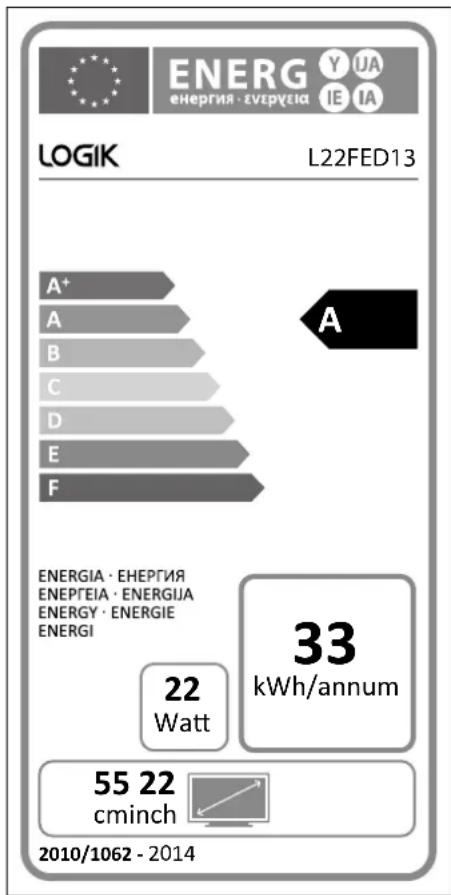
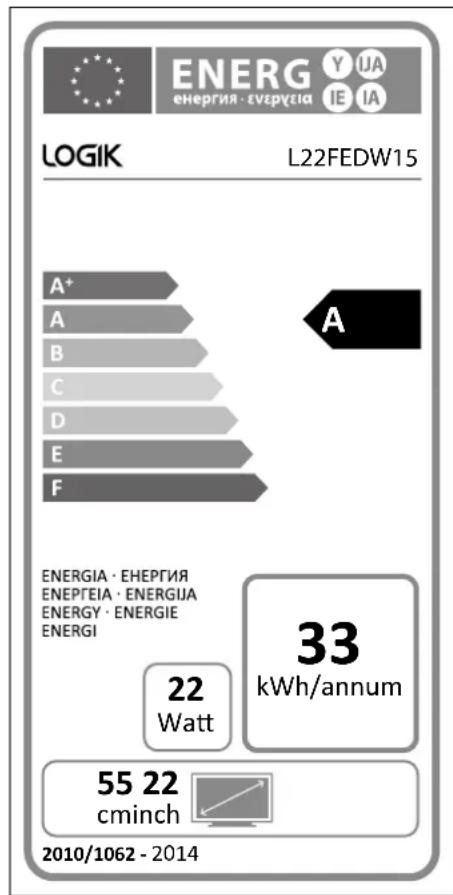
Sky Codes
The codes for controlling your TV using a Sky Remote Control are 3456, 3460, 3830, 3859. For instruction on how to use the code, see your Sky instruction manual.

Useful Information and Licences

For general information about this appliance and handy hints and tips, please visit www.knowhow.com/knowledgebank or call UK: 0344 561 1234 Ireland: 1890 818 575.

Visit Partmaster.co.uk today for the easiest way to buy electrical spares and accessories. With over 1 million spares and accessories available we can deliver direct to your door the very next day. Visit www.partmaster.co.uk or call 0344 800 3456 (UK customers only). Calls charged at National Rate.
The symbol on the product or its packaging indicates that this product must not be disposed of with your other household waste. Instead, it is your responsibility to dispose of your waste equipment by handing it over to a designated collection point for the recycling of waste electrical and electronic equipment. The separate collection and recycling of your waste equipment at the time of disposal will help conserve natural resources and ensure that it is recycled in a manner that protects human health and the environment.
For more information about where you can drop off your waste for recycling, please contact your local authority, or where you purchased your product.
Notes for Battery Disposal
The batteries used with this product contain chemicals that are harmful to the environment. To preserve our environment, dispose of used batteries according to your local laws or regulations. Do not dispose of batteries with normal household waste.
For more information, please contact the local authority or your retailer where you purchased the product.
MPEG-2 NOTICE
Any use of this product in any matter other than personal use that complies with the MPEG-2 standard for encoding video information for packaged media is expressly prohibited without a license under applicable patents in the MPEG-2 Patent Portfolio, which license is available from MPEG LA, LLC, 6312 S. Fiddlers Green Circle, Suite 400E, Greenwood Village, Colorado, 80111 U.S.A.
Dolby Digital
Manufactured under license from Dolby Laboratories. Dolby and the double-D symbol are trademarks of Dolby Laboratories. Confidential unpublished works. ©1992-1997 Dolby Laboratories, Inc. All rights reserved.
Rovi Proprietary Rights
This item incorporates copy protection technology that is protected by U.S. patents and other intellectual property rights of Rovi Corporation. Reverse engineering and disassembly are prohibited.
Restriction on Use & Rovi Trade Mark Rights
Use of the copyright protection technology contained in this product must be authorised by Rovi Corporation and is intended for home and other limited viewing uses only unless otherwise authorised by Rovi Corporation. The names “Rovi Corporation” and “Macrovision” are protected by trademarks.
The terms HDMI and HDMI High-Definition Multimedia Interface, and the HDMI Logo are trademarks or registered trademarks of HDMI Licensing LLC in the United States and other countries.
The Freeview service and channels are subject to coverage and may be changed from time to time. Aerial upgrade and/or receiver may be required. Visit freeview.co.uk/availability. The FREEVIEW words and logos are trade marks of DTV Services LTD. © DTV Services Ltd
For DTS patents, see http://patents.dts.com. Manufactured under license from DTS Licensing Limited. DTS, the Symbol, & DTS and the Symbol together are registered trademarks, and DTS TruSurround is a trademark of DTS, Inc. © DTS, Inc. All Rights Reserved.
All trademarks are the property of their respective owners and all rights are acknowledged.
For Help and Support Call
UK: 0344 561 1234
Ireland: 1890 818 575
DSG Retail Ltd. (co. no. 504877)
1 Portal Way, London, W3 6RS, UK
- LED TV WITH DVD PLAYER
- WE KNOW HOW TO HELP YOU WITH YOUR TV
- TV SET UP & DEMO
- TV WALLMOUNT & DEMO
- FREESAT INSTALLATION
- AERIAL INSTALLATION
- HOME CINEMA OR SOUNDBAR INSTALLATION
- FAULT & FIX SERVICES
- TV WALL MOUNT & DEMO
- TV & HOME CINEMA INSTALLATION
- SAFETY WARNINGS
- PREPARATION
- CONNECTIONS
- INITIAL SETUP
- CUSTOMISING TV SETTINGS
- USING THE FEATURES
- ENTERTAINMENT
- PVR (PERSONAL VIDEO RECORDER)
- USING THE DVD FEATURES
- OTHERS INFORMATION
- DAMAGE
- LOCATION OF UNIT
- TEMPERATURE
- NAKED FLAMES
- MOISTURE
- VENTILATION
- SAFETY
- MAINS CABLE
- INTERFERENCE
- OPTIMUM VIEWING
- LCD SCREEN
- SCREEN BURN
- TIME DISPLAYS
- TV MENUS
- EARPHONES
- STANDBY
- BATTERIES
- SUPERVISION
- DVD
- CLASS 1 LASER PRODUCT
- SERVICE
- MAINTENANCE
- THANK YOU FOR PURCHASING YOUR NEW LOGIK TV
- UNPACKING THE TV
- INSTALLING / REMOVING THE BASE STAND
- INSTALLING THE BASE STAND
- MOUNTING THE TV TO A WALL
- INSTALLING BATTERIES IN THE REMOTE CONTROL
- HANDLING THE BATTERIES
- HANDLING THE REMOTE CONTROL
- REMOTE CONTROL OPERATION RANGE
- REMOTE CONTROL
- ⏻
- NUMBER BUTTON
- LIST
- SLEEP
- VOL
- CH
- PROG
- S.MODE
- ASPECT
- GUIDE
- P.MODE
- MENU
- INPUT
- ◀ ▲ ▼
- OK
- BACK
- EXIT
- FAV
- SETUP
- I
- TV.RD
- ANGLE
- AUDIO
- TEXT
- S (SUBTITLE)
- ● REC
- ZOOM
- ←↑↓→
- STOP
- II PAUSE
- STEP
- PLAY
- COLOURED BUTTONS
- GOTO (RED)
- SLOW (GREEN)
- REPEAT (YELLOW)
- A-B (BLUE)
- MAKING VIDEO AND AUDIO CONNECTIONS
- CONNECTING AN AV DEVICE USING AN HDMI CABLE
- CONNECTING A COMPUTER USING A VGA CABLE
- CONNECTING AN AV DEVICE USING A COMPONENT (YPBPR) CABLE
- CONNECTING AN AV DEVICE USING A SCART CABLE
- CONNECTING AN AV DEVICE USING COMPOSITE CABLE
- CONNECTING AN AUDIO RECEIVER
- CONNECTING HEADPHONES
- TURNING THE TV ON FOR THE FIRST TIME
- TARGET REGION SETTING (UK ONLY)
- SELECTING THE INPUT SOURCE
- ALTERNATIVE
- CHANNEL TUNING
- CHANNEL SELECTION
- LISTENING TO THE RADIO (RADIO MODE)
- DISPLAY CHANNEL INFORMATION
- VOLUME ADJUSTMENT
- AUTO TUNING
- DTV MANUAL TUNING (DTV MODE)
- ATV MANUAL TUNING (ATV MODE)
- CHANNEL EDIT (DTV / ATV MODE)
- MOVE
- SKIP
- FAV (FAVOURITE)
- SIGNAL INFORMATION (DTV MODE)
- CI (COMMON INTERFACE) (DTV MODE)
- CI (COMMON INTERFACE)
- TO INSERT THE COMMON ACCESS MODULE
- TO REMOVE THE COMMON ACCESS MODULE
- TO VIEW THE MODULE INFORMATION
- SOFTWARE UPDATE
- SOFTWARE UPDATE (USB)
- SOFTWARE UPDATE (OVER AIR DOWNLOAD)
- PICTURE SETTING
- SOUND SETTING
- STEREO / DUAL SOUND RECEPTION (ATV MODE)
- MONO SOUND SELECTION
- LANGUAGE SELECTION FOR DUAL LANGUAGE BROADCAST
- SPEAKER SOUND OUTPUT SELECTION (DTV MODE)
- TIME SETTINGS
- OPTION SETTING
- OSD LANGUAGE
- AUDIO LANGUAGE (DTV MODE)
- SUBTITLE LANGUAGE (DTV MODE)
- HEARING IMPAIRED
- COUNTRY
- PVR FILE SYSTEM (DTV MODE)
- HDMI CEC (CONSUMER ELECTRONICS CONTROL)
- HDMI-CEC CONNECTION
- LOCK SETTING
- LOCK SYSTEM
- SET PASSWORD
- BLOCK CHANNEL
- PARENTAL GUIDANCE
- EPG (ELECTRONIC PROGRAMME GUIDE) (DTV MODE)
- SWITCH ON / OFF EPG
- SELECT A PROGRAMME
- RED BUTTON (INTERACTIVE SERVICES)
- ACCESSING THE INFORMATION
- CONNECTING A USB STORAGE DEVICE
- VIEWING PHOTOS
- LISTENING TO MUSIC
- VIEWING MOVIES
- MY TEXT
- USING THE REMOTE CONTROL
- RECORDING DTV PROGRAMME ONTO A USB STORAGE DEVICE
- PLAY RECORDED PROGRAMME
- USING THE BUILT-IN DVD PLAYER
- COMPATIBLE DISC TYPES
- SUPPORTED FORMATS
- JPEG
- REGION CODE
- PLAYING THE DVD
- MENU PLAYBACK (FOR DVD)
- STOPPING PLAYBACK
- PREVIOUS / NEXT (FOR DVD / CD / MULTIMEDIA DISCS)
- FORWARD / BACKWARD (FOR DVD / CD / MULTIMEDIA DISCS)
- PAUSE (FOR DVD / CD / MULTIMEDIA DISCS)
- REPEAT (FOR DVD / CD / MULTIMEDIA DISCS)
- DISPLAY (FOR DVD / MULTIMEDIA DISCS)
- TITLE ELAPSED
- TITLE REMAIN
- CHAPTER ELAPSED
- CHAPTER REMAIN
- ANGLE (FOR DVD)
- ZOOM (FOR DVD)
- GOTO (FOR DVD / CD / MULTIMEDIA DISCS)
- AUDIO (FOR DVD / CD)
- REPEAT A-B (FOR DVD / CD)
- PROGRAM (FOR DVD)
- USING THE DVD GENERAL SETUP PAGE
- OPTION DESCRIPTION
- TV DISPLAY 4:3 PAN SCAN
- LETTER BOX
- WIDE
- LAST MEMORY
- USING THE DVD AUDIO SETUP PAGE
- DOWNMIX LT/RT
- USING THE DVD PREFERENCE SETUP PAGE
- PAL
- AUTO
- NTSC
- PASSWORD PASSWORD CHANGE
- DEFAULT DEFAULT
- HANDLING DISCS
- CLEANING DISCS
- STORING DISCS
- PC MODE
- SKY CODES
- USEFUL INFORMATION AND LICENCES
- NOTES FOR BATTERY DISPOSAL
- MPEG-2 NOTICE
- DOLBY DIGITAL
- ROVI PROPRIETARY RIGHTS
- RESTRICTION ON USE & ROVI TRADE MARK RIGHTS
- FOR HELP AND SUPPORT CALL
- UK
- IRELAND
Brand : Logik
Model : L22FEDW15
Category : Television