
SMJB 1.5 A1 - Jukebox SILVERCREST - Free user manual and instructions
Find the device manual for free SMJB 1.5 A1 SILVERCREST in PDF.


| Product Type | Jukebox |
| Brand | SilverCrest |
| Model | SMJB 1.5 A1 |
| Dimensions (approx.) | 30 x 20 x 40 cm |
| Weight (approx.) | 8 kg |
| Power Supply | AC 230V, 50Hz |
| Power Consumption | 30 W max |
| Playback Media | CD, CD-R, CD-RW, MP3 via USB |
| Radio | FM stereo, preset stations |
| Bluetooth | Yes, audio streaming |
| USB Port | Front USB for MP3 playback |
| Output Power | 2 x 10 W RMS |
| Speakers | Built-in stereo speakers |
| Display | LED for track and radio info |
| Controls | Touch-sensitive buttons on top |
| Remote Control | Included |
| Care & Cleaning | Wipe with a dry, soft cloth |
| Safety | Do not expose to moisture; use only mains adapter provided |
| Spare Parts | Designed to be repairable; check user manual for parts list |
| General Information | Full user manual available at notice-facile.com |
Frequently Asked Questions - SMJB 1.5 A1 SILVERCREST
User questions about SMJB 1.5 A1 SILVERCREST
0 question about this device. Answer the ones you know or ask your own.
Ask a new question about this device
Download the instructions for your Jukebox in PDF format for free! Find your manual SMJB 1.5 A1 - SILVERCREST and take your electronic device back in hand. On this page are published all the documents necessary for the use of your device. SMJB 1.5 A1 by SILVERCREST.
USER MANUAL SMJB 1.5 A1 SILVERCREST
MINI JUKEBOX SMJB 1.5 A1
GB IE
MINI JUKEBOX
Operating instructions
DE AT CH
MINI JUKEBOX
Bedienungsanleitung
IAN 78250
6
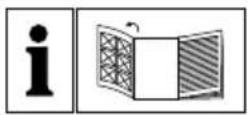
GB IE
Before reading, unfold the page containing the illustrations and familiarise yourself with all functions of the device.
DE AT CH
GB/IE Operating instructions Page 1
Information for these operating instructions....2
Copyright. 2
Limited liability....2
Intended use 2
Warnings....3
Safety 4
Basic Safety Instructions 4
Operating elements 6
Setting up and connecting to the power supply 6
Safety instructions 6
Items supplied and transport inspection 6
Unpacking....7
Disposal of the packaging. 7
Requirements for the setup location 7
Electrical connection 8
VHF - Wire aerial. 8
Handling and operation 8
Switching the illumination on and off 8
Switching the appliance on and off, adjusting the sound volume 8
Radio operation....9
Basic operation (for CD/MP3 playback) 10
Playback from USB memory devices/ SD/ MMC memory cards....11
Cleaning 12
Safety instructions 12
Cleaning the housing. 12
Troubleshooting 12
Safety instructions 12
Malfunction causes and remedies....13
Storage/Disposal 14
Storage 14
Disposal of the appliance 14
Appendix 14
Notes on the EU Declaration of Conformity 14
Technical data....15
Warranty....16
Service....16
Importer....16
Introduction
Information for these operating instructions
Congratulations on the purchase of your new appliance.
You have clearly decided in favour of a quality product. These operating instructions are a part of this product. They contain important information in regard to safety, use and disposal. Before using the product, familiarise yourself with all of these operating and safety instructions. Use the product only as described and only for the specified areas of application. Retain these instructions for future reference. In addition, pass these documents on, together with the product, to any future owner.
Copyright
This documentation is copyright protected. Any duplication and/or reprinting, entirely or partially, as well as reproduction of illustrations, also in modified form, is only permitted with written consent from the manufacturer.
Limited liability
All technical information, data and instructions for the installation, connection and operation contained in these operating instructions correspond to the latest available at the time of printing and, to the best of our knowledge, take into account our previous experience and know-how.
No claims can be derived from the details, illustrations and descriptions in these instructions.
The manufacturer assumes no responsibility for damage caused by failure to observe these instructions, improper use, incompetent repairs, making unauthorised modifications or for using unapproved replacement parts.
Intended use
This appliance is intended exclusively for playing audio CDs, CD-R, CD-RW, MP3/WMA CDs, USB memory devices, SD/MMC memory cards and for receiving AM/FM radio stations in indoor areas. This appliance is not intended for any other use or for uses beyond those mentioned. This appliance is not intended for use in commercial or industrial environments. The manufacturer assumes no responsibility for damage caused by failure to observe these instructions, improper use, incompetent repairs, making unauthorised modifi cations or for using unapproved replacement parts. The operator alone bears liability.
Warnings
In these extant operating instructions the following warnings are used:

DANGER
A warning at this risk level indicates a threateningly dangerous situation.
If the dangerous situation is not avoided, it could lead to death or serious physical injury.
▶ Pay heed to the instructions in this warning to avoid the death of or serious physical injury to people.

ARNING
A warning at this risk level indicates a possibly dangerous situation.
If the dangerous situation is not avoided it could lead to physical injuries.
▶ Pay heed to the instructions in this warning to avoid personal injuries.
TAKE NOTE
A warning at this risk level indicates possible property damage.
If the situation is not avoided it could lead to property damage.
▶ Follow the directives in this warning to avoid property damage.
NOTICE
▶ A notice indicates additional information that could assist you in the handling of the appliance.
Safety
In this chapter you will receive important safety information regarding the handling of the appliance.
This appliance complies with the statutory safety regulations.
Incorrect usage can lead to personal injury and property damage.
Risks from electric current

DANGER
Risks from potentially fatal electrical current!
Contact with wires or components that are under voltage could be potentially fatal!
Comply with the following safety information in order to avoid the risk of electric shock:
▶ Do not use the appliance if the power cable or the plug is damaged.
▶ NEVER open the housing. There is a risk of receiving an electric shock by touching voltage carrying connections and modifying the electrical/mechanical construction.
Basic Safety Instructions
For safe handling of the appliance, pay heed to the following safety information:
■ Before use, check the appliance for visible external damage. Do not operate a damaged appliance or one that has been dropped.
■ Should the cable or connections be damaged, arrange to have them exchanged by an authorised specialist or the Customer Service Department.
This appliance is not intended for use by individuals (including children) with restricted physical, physiological or intellectual abilities or deficiencies in experience and/or knowledge unless they are supervised by a person responsible for their safety or receive from this person instruction in how the appliance is to be used.
■ Children should be supervised to ensure that they do not play with the appliance.
■ Repairs are only be carried out by authorised specialist companies or by the Customer Service Department. Incompetent repairs may result in risks for the user. In addition, warranty claims become void.
A repair to the appliance during the warranty period may only be carried out by a customer service department authorised by the manufacturer, otherwise no additional warranty claims can be considered for subsequent damages.
■ Defective components may only be replaced with original replacement parts. Only by using original replacement parts can it be assured that the safety requirements are being complied with.
■ Protect the appliance from moisture and liquid penetration. NEVER immerse the appliance in water, NEVER place the appliance in the close vicinity of water and DO NOT place any objects filled with liquids (e.g. flower vases) on the appliance.
■ Do not place any objects on the appliance.
■ Do not operate or place the appliance close to open flames (e.g. candles).
■ Avoid direct solar radiation.
■ Always disconnect the plug from the mains power socket by pulling the plug, not the cable.
In the event of malfunctions, and during thunderstorms, disconnect the plug from the mains power socket.
To completely disconnect the appliance from mains power, the plug MUST be disconnected from the mains power socket. The appliance should therefore be positioned so that you have unrestricted access to the mains power socket at all times, enabling the plug to be immediately disconnected should an emergency situation arise.
This appliance is fitted with a "Class 1 Laser". Never look directly into an opened CD compartment. The invisible laser beam can damage your eyes.
Operating elements
1 CD/AM/FM Switch: Switch CD-Mode on / Select frequency range
2 Frequency scale
3 TUNING-regulator
4 USB-slot
5 USB-indicator lamp
6 SD/MMC Indicator lamp
7 Card slot for SD/MMC cards
8 Display
9 LIGHT button: switch running lights on/off
10 Button ▶▶: title skip/search forwards
11 Button ◀◀: title skip/search backwards
12 Wire antenna
13 CD compartment
14 Mains power connection cable
15 Button STOP
16 CD/USB/SD/PLAY/PAUSE button: switch on/start playback/pause CD, USB or SD mode
17 VOLUME-regulator: Switching the appliance on and off, adjusting the sound volume
18 Operating element fl ap
Setting up and connecting to the power supply
Safety instructions

DANGER
▶ Packaging materials should not be used as playthings. There is a risk of suffocation.
To avoid personal injury and property damage pay heed to the information regarding the requirements on setup location as well as the appliance's electrical connection to avoid personal injury and property damage.
Items supplied and transport inspection
The appliance is delivered with the following components as standard:
- Mini Jukebox SMJB 1.5 A1
● This operating manual
NOTICE
▶ Check the contents to ensure everything is available and for signs of visible damage.
▶ If the delivery is not complete, or is damaged due to defective packaging or through transportation, contact the Service Hotline (see chapter Service).
Unpacking
◆ Remove the appliance from the carton.
◆ Remove all packing material.
Disposal of the packaging
The packaging protects the appliance against transport damage. The packaging materials are selected from the point of view of their environmental friendliness and disposal technology and are therefore recyclable.

The recirculation of packaging into the material circuit saves on raw material and reduces generated waste. Dispose of packaging material that is no longer needed as per the regionally established regulations.
NOTICE
If possible, preserve the appliance's original packaging during the warranty period so that, in the event of a warranty claim, you can repackage the appliance ideally for its return.
Requirements for the setup location
For safe and trouble free operation of the appliance the setup location must fulfil the following provisions:
■ Place the appliance on a fi rm, fl at and level surface.
■ The surface areas of furniture may possibly contain components that could affect the appliance's rubber pads and soften them. If necessary place a cover under the appliance's pads.
■ Place the appliance so that the extant ventilation openings and the speakers are not covered.
■ Do not place the appliance in a hot, wet or very damp environment or in the vicinity of fl ammable materials.
■ The mains power socket must be easily accessible so that the power cable can be easily disconnected in an emergency.
GB IE
Electrical connection
■ Before connecting the appliance compare the connection data (voltage and frequency) on the rating plate with that of your electric supply. This data must agree in order to avoid damaging the appliance.
■ Protect the connection cable from hot surfaces and sharp edges.
■ Ensure that the power cable is not over taut or kinked.
■ Do not allow the cable to dangle over edges (trip wire effect).
If you do not intend to use the appliance for a long period, disconnect the plug from the mains power supply.
VHF - Wire aerial
◆ Completely unwind the wire antenna12 for VHF radio reception.
Handling and operation
In this chapter you will receive important information for the handling and operation of the appliance.
Switching the illumination on and off
◆ Press the button LIGHT9 to switch the running light on.
◆ Press the button LIGHT⑨ once again to switch the running light off.
Switching the appliance on and off, adjusting the sound volume
- Turn the VOLUME regulator ^17 clockwise to switch the appliance on and to adjust the sound volume.
- Turn the VOLUME regulator ^17 anti-clockwise to reduce the sound volume and to switch the appliance off (Position OFF).
NOTICE
The VOLUME regulator ^17 does not completely disconnect the appliance from the mains power supply. The appliance also consumes power when in standby-mode. To completely separate the appliance from the power supply, the plug must be disconnected from the mains power socket.
Radio operation
This appliance receives radio stations on the frequency bands, Very High Frequency (VHF or FM) and Medium wave (MW or AM).
NOTICE
For good radio reception the wire antenna 12 must be completely unwound. Align the aerial in radio mode for the best reception. The appliance has a built-in ferrite aerial for the reception of MW transmitters. To improve AM reception, rotate the appliance into a more favorable orientation.
The technical realities of the appliance permit a setable frequency range outside of the permissible 87.5 - 108 MHz resp. 526,5 - 1606,5 kHz. In some countries, different national regulations may apply to the assigned radio frequency ranges. Please note that information received outside of the assigned radio frequency ranges may not be exploited, passed on to third parties or otherwise misused.
- Turn the VOLUME regulator ^17 clockwise to switch the appliance on and to adjust the sound volume.
♦ Flip up the operating element fl ap18.
Place the switch CD/AM/FM 1 at "FM" for FM reception resp. at "AM" for MW reception.
◆ Use the TUNING-regulator ^3 to select the desired radio station.
Switch the radio off by turning the VOLUME-regulato ^17 anti-clockwise until a click is heard (Position OFF).
Basic operation (for CD/MP3 playback)
- Turn the VOLUME regulator ^17 clockwise to switch the appliance on and to adjust the sound volume.
♦ Flip up the operating element fl ap18.
◆ Place the switch CD/AM/FM1at "CD".
◆ Press the CD tray ^13 on the spot marked "PUSH TO OPEN" to open the CD tray ^13 .
Place the CD, with the marked side pointing up, on the arbor in the CD tray. Then press the CD lightly onto the arbor until it sits firmly in place.
◆ Close the CD tray ^13 .
The appliance will now read the CD. Subsequently, the number of titles on the CD appears in the display ⑧. Playback of the CD starts automatically and in the display ⑧ is shown the number of the currently playing title as well as the playback symbol ▶ PLAY.
◆ Press the button▶▶10 to skip to the next track.
◆ Press the button◀◀11 to skip to the previous track.
During playback press and hold the button▶▶10 (forward search) resp. the button ◀◀11 (reverse search) to activate a search and find a specific passage within a track.
◆ Press the button PLAY/PAUSE16 once to pause playback (Pause). Press the button PLAY/PAUSE 16 once again to continue playback.
◆ Press the button STOP15 to stop playback.
Playback from USB memory devices/ SD/MMC memory cards
This appliance is equipped with a USB port and an SD-/MMC card slot. You can use these interfaces to play MP3 and WMA data. USB storage devices and SD-/MMC- memory cards with a size of up to 16 GB are recognised.
♦ Flip up the operating element fl ap18.
Connect the USB storage device to the USB port 4 resp. insert a memory card with the label facing up into the card slot 7.
♦ Turn the VOLUME regulator ^17 clockwise to switch the appliance on and to adjust the sound volume.
◆ Place the switch CD/AM/FM1 at "CD".
◆ Press and hold the button CD/USB/SD16 until the indicator Ufesp. 5d appears in the display 8.
The appliance now reads the respective medium. Subsequently, in the display ⑧ appears the number of extant fi les (for example F01 and the number of titles they contain. Playback will start automatically and in the display ⑧ the title and the fi le number are displayed alternately. In addition, indicated is ▶ PLAY and the fi le format (MP3 or WMA) in the display ⑧. The USB indicator lamp ⑤ resp. the SD / MMC indicator lamp ⑥ glow.
NOTICE
▶ A skipping or direct selection of fi les is not possible. Playback always starts with the fi rst track on the media.
◆ Further operation is identical to the playback of CDs (see also chapter Basic Operation (with CD/MP3 playback)).
Before you disconnect the USB storage device from the USB slot 4 resp. the SD or MMC card from the card slot 7, stop playback by pressing the button STOP 15.
NOTICE
Because of the many different formats, specifications and manufacturers of flash memory mediums we can not guarantee that every memory medium can be played. It is not possible to playback hard discs connected to the USB port 4.
Cleaning
Safety instructions

DANGER
Risks from potentially fatal electrical current!
▶ Remove the plug from the mains power socket before beginning to clean the appliance.
TAKE NOTE
Damage to the appliance!
▶ Ensure that, when cleaning it, no moisture can penetrates into the appliance, so as to avoid irreparable damage to it.
Cleaning the housing
■ Clean the surfaces of the appliance with a soft, dry cloth.
■ Clean the CD laser at regular intervals. For this, use a commercially available cleaning CD.
Troubleshooting
In this chapter you will receive important information for malfunction localisation and malfunction remedies. To avoid risks and damage, observe the safety information.
Safety instructions

WARNING
To avoid risks and property damage, pay heed to the following safety instructions.
▶ Repairs to electrical appliances may only be carried out by specialists trained by the manufacturer. Considerable risk for the user and damage to the appliance can occur through incompetent repairs.
Malfunction causes and remedies
The following table will help with localising and remedying minor malfunctions:
| Defect Possible cause Solution | ||
| The display 8 indicates nothing. | The plug is not connected. | Insert the plug into the mains power socket. |
| The mains power socket is not supplying power. | Check the house fuse. | |
| No sound | The volume is set to minimum. | Increase the sound volume with the VOLUME regulator 17. |
| Automatic playback of the CD/USB stick/ the SD/MMC card has not started. | Start playback with the button PLAY/PAUSE 16. | |
| Interference with the radio reception | The transmitter is not properly adjusted. | Use the TUNING-regulator 3 to fi ne tune the desired radio station. |
| The reception is weak. | Try to improve reception by realigning the wire aerial 12. | |
| The device's USB port 4 does not function | The USB port 4 is intended for appliances that function according to the USB standard. Not all market available appliances conform to this standard. It is possible that an appliance is connected that does not function according to the USB standard. | Connect a appliance that functions according to the USB standard. Check that the data carrier is formatted for the data system FAT32. |
| SD or MMC card is not detected | The card is possibly defective, dirty or not properly inserted. | Check the card. Slide a memory card into the memory card slot 7 with the labelling pointing upwards. Check that the data carrier is formatted for the data system FAT32. |
NOTICE
If you cannot solve the problem with any of the aforementioned methods please contact the Customer Service department.
Storage/Disposal
Storage
Should you decide not to use the appliance for a long period, disconnect it from the mains power supply and store it in a clean, dry place away from direct sunlight.
Disposal of the appliance
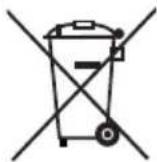
Do not, under any circumstances, dispose of the appliance with household refuse. This product is subject to the provisions of European Directive 2002/96/EC-WEEE (Waste Electrical and Electronic Equipment).
Dispose of the appliance through an approved disposal centre or at your community waste facility. Pay heed to the currently applicable regulations. In case of doubt, please contact your waste disposal centre.
Appendix
Notes on the EU Declaration of Conformity
In regard to compliance with essential requirements and other relevant provisions, this appliance complies with the European Electromagnetic Compatibility Directive 2004/108/EC, the Low Voltage Directive 2006/95/EC and the Ecodesign Directive 2009/125/EC (Ordinance 1275/2008 Annex II, No. 1).
The entire original Declaration of Conformity is available from the importer and may be requested if required (see Chapter Importer).
CE
Technical data
| Input voltage 230 V, 50 Hz | |
| Power consumption approx. 19 W | |
| Protection class | II / ☐ |
| Loudspeaker power output approx. | 2 x 1.5 W (at 10 % THD) |
| Frequency range Radio (UKW) 87.5 - 108 MHz | |
| Frequency range Radio (MW) 526.5 - 1606.5 kHz | |
| USB-slot | 5 V DC, max. 200 mAUSB 1.1 and 2.0 compatible data carrier(up to 16 GB) |
| Card slot | SD-/MMC memory card (SD up to 2 GB,SDHC up to 16 GB) |
| Operating temperature +15 - +35°C | |
| Humidity (no condensation) ≤ 75 % | |
| Dimensions (W x H x D) approx. | 27.6 x 39.9 x 16.9 cm |
| Weight approx. 3.45 kg |
GB IE
Warranty
The warranty for this appliance is for 3 years from the date of purchase. The appliance has been manufactured with care and meticulously examined before delivery.
Please retain your receipt as proof of purchase. In the case of a warranty claim, please make contact by telephone with our Customer Service Department. Only in this way can a post-free despatch for your goods be assured.
NOTICE
The warranty covers only claims for material and manufacturing defects, but not for transport damage, wearing parts or for damage to fragile components, e.g. buttons or batteries.
This product is for domestic use only and is not intended for commercial use. The warranty is void in the case of abusive and improper handling, use of force and internal tampering not carried out by our authorised service branch.
Your statutory rights are not restricted in any way by this warranty. The warranty period is not extended by repairs made under the warranty. This applies also to replaced and repaired parts.
Damages and defects extant at the time of purchase must be reported immediately after unpacking, resp. no later than two days after the date of purchase.
Repairs made after the lapse of the warranty period are subject to charge.
Service
GB Service Great Britain
Tel.: 0871 5000 720 (£ 0.10/Min.)
E-Mail: kompernass@lidl.co.uk
IAN 78250
IE Service Ireland
Tel.: 1890 930 034
(0,08 EUR/Min., (peak))
(0,06 EUR/Min., (off peak))
E-Mail: kompernass@lidl.ie
IAN 78250
Importer
KOMPERNASS GMBH
BURGSTRASSE 21
44867 BOCHUM, GERMANY
www.kompernass.com
Inhaltsverzeichnis
Einführung 18
- MINI JUKEBOX SMJB 1.5 A1
- GB IE
- DE AT CH
- Safety 4
- Operating elements 6
- Setting up and connecting to the power supply 6
- Handling and operation 8
- Cleaning 12
- Troubleshooting 12
- Storage/Disposal 14
- Appendix 14
- Introduction
- Information for these operating instructions
- Copyright
- Limited liability
- Intended use
- Warnings
- DANGER
- A warning at this risk level indicates a threateningly dangerous situation.
- ARNING
- A warning at this risk level indicates a possibly dangerous situation.
- TAKE NOTE
- A warning at this risk level indicates possible property damage.
- NOTICE
- Safety
- Risks from electric current
- Risks from potentially fatal electrical current!
- Contact with wires or components that are under voltage could be potentially fatal!
- Basic Safety Instructions
- Operating elements
- Setting up and connecting to the power supply
- Safety instructions
- Items supplied and transport inspection
- Unpacking
- Disposal of the packaging
- Requirements for the setup location
- Electrical connection
- VHF - Wire aerial
- Handling and operation
- Switching the illumination on and off
- Switching the appliance on and off, adjusting the sound volume
- Radio operation
- Basic operation (for CD/MP3 playback)
- Playback from USB memory devices/ SD/MMC memory cards
- Cleaning
- Damage to the appliance!
- Cleaning the housing
- Troubleshooting
- WARNING
- Malfunction causes and remedies
- Storage/Disposal
- Storage
- Disposal of the appliance
- Appendix
- Notes on the EU Declaration of Conformity
- Technical data
- Warranty
- Service
- Importer
- Inhaltsverzeichnis
- Einführung 18
Brand : SILVERCREST
Model : SMJB 1.5 A1
Category : Jukebox