Sprinter III Euro - Rowing Machine York Fitness - Free user manual and instructions
Find the device manual for free Sprinter III Euro York Fitness in PDF.


| Product Type | Rowing Machine |
| Brand | York Fitness |
| Model | Sprinter III Euro |
| Maximum User Weight | 90 kg |
| Power Supply | 2 x 1.5V AA batteries |
| Computer Functions | Time (0-99 min), Calories (0-999), Strokes (0-999), Strokes/Min |
| Display | LCD with auto-off after 4 minutes of inactivity |
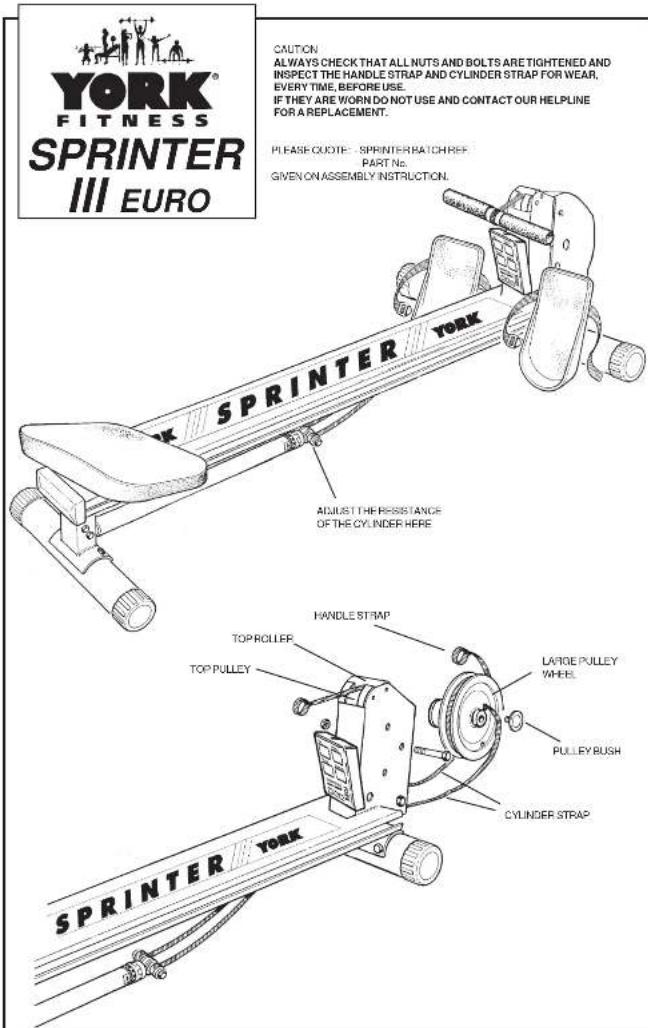
| Resistance Type | Hydraulic cylinder (manual tension) |
| Required Clearance | At least 60 cm on each side |
| Assembly Required | Yes, on a flat level surface |
| Maintenance | Regularly check and tighten nuts/bolts; inspect handle and cylinder straps for wear |
| Safety Warnings | Consult doctor before use; keep children away; do not use alone with pets; warm up properly |
| Replaceable Parts | Handle strap, cylinder strap, pulley wheel, pulley straps |
| Batch Number Location | On a sticker on the underside of the rower track |
| Warranty & Support | Contact helpline with batch reference and part number |
Frequently Asked Questions - Sprinter III Euro York Fitness
User questions about Sprinter III Euro York Fitness
0 question about this device. Answer the ones you know or ask your own.
Ask a new question about this device
Download the instructions for your Rowing Machine in PDF format for free! Find your manual Sprinter III Euro - York Fitness and take your electronic device back in hand. On this page are published all the documents necessary for the use of your device. Sprinter III Euro by York Fitness.
USER MANUAL Sprinter III Euro York Fitness
Read instructions carefully. If the instructions are followed, you should have no problems with assembly. Always assemble your Sprinter on a flat level surface.
CARE AND MAINTENANCE
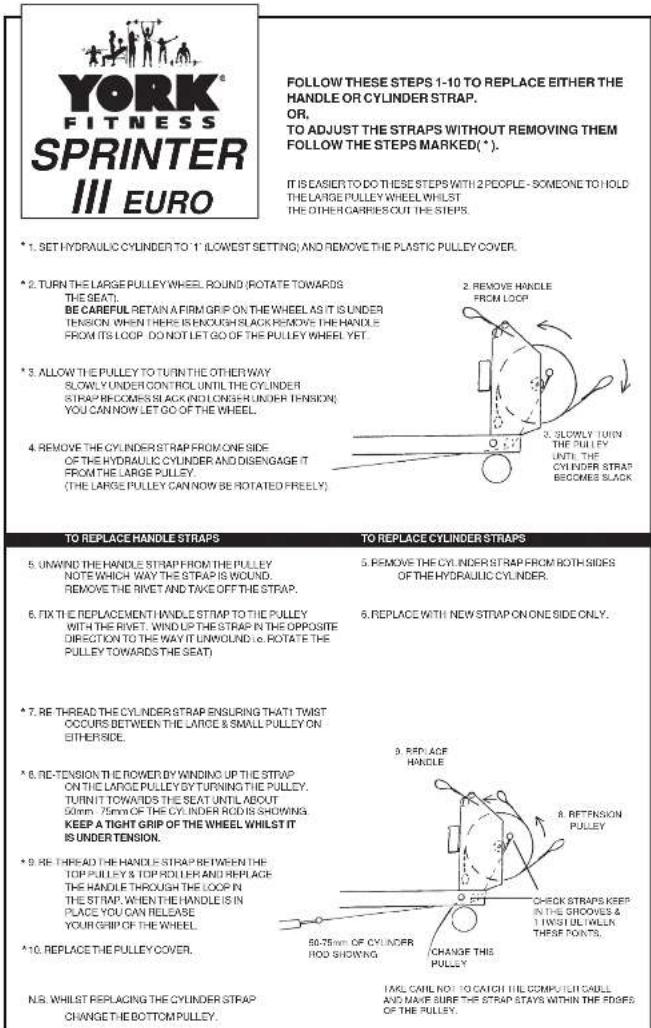
Always check that all nuts and bolts are tightened before using any exercise equipment. Inspect the handle strap and cylinder strap for wear, every time, before use. If they are worn do not use and contact our helpline for a replacement. To help us assist you with your enquiry please have ready the batch number (located on a sticker on the under side of the rower track). Please quote: -Sprinter batch ref.
-Part no. (Given on assembly instructions.)
WARNINGS
Please be sure the following safety precautions are reviewed and followed by anyone who will be using your Sprinter.
Consult your doctor before participating in this or any exercise programme.
Place the Sprinter on a solid, level surface when in use. Always wear suitable clothing, wear comfortable non - restrictive clothing and footwear e.g. track suit and training shoes.
To avoid injury, never operate the sprinter when children or pets are present. Children should not be allowed to use the Sprinter at any time or be around the machine even when not in use.
Never allow more than one person at a time on the Sprinter.
Do not eat large meals before exercising. Always warm up well before exercising as this will prevent muscle strain. Always gently stretch your muscles prior to and
following any exercise programme. Warm up slowly rowing at a slow pace. Before completing an exercise session, slow your pace gradually, allowing your heart rate to return to normal before stopping rowing and getting off the Sprinter.
If you experience dizziness, nausea, chest pain, or other abnormal symptoms, stop your workout at once. Consult a physician before continuing.
Remove jewellery, rings, chains and pins before exercising. Do not attempt any maintenance or adjustments other than those described in these instruction sheets. Should you have any problems with your Sprinter, discontinue use and contact our helpline.
Always use your sprinter III in an adequate space e.g. at least 2 IL (60cm) clearance on each side. Give special attention to the pulley wheel, pulley straps & cylinder straps as they may wear. Injuries to health may result from incorrect or excessive training.
NOTE
Maximum weight limits = -90kg (INCLUDES RCONWEIGHT)
29/3/04
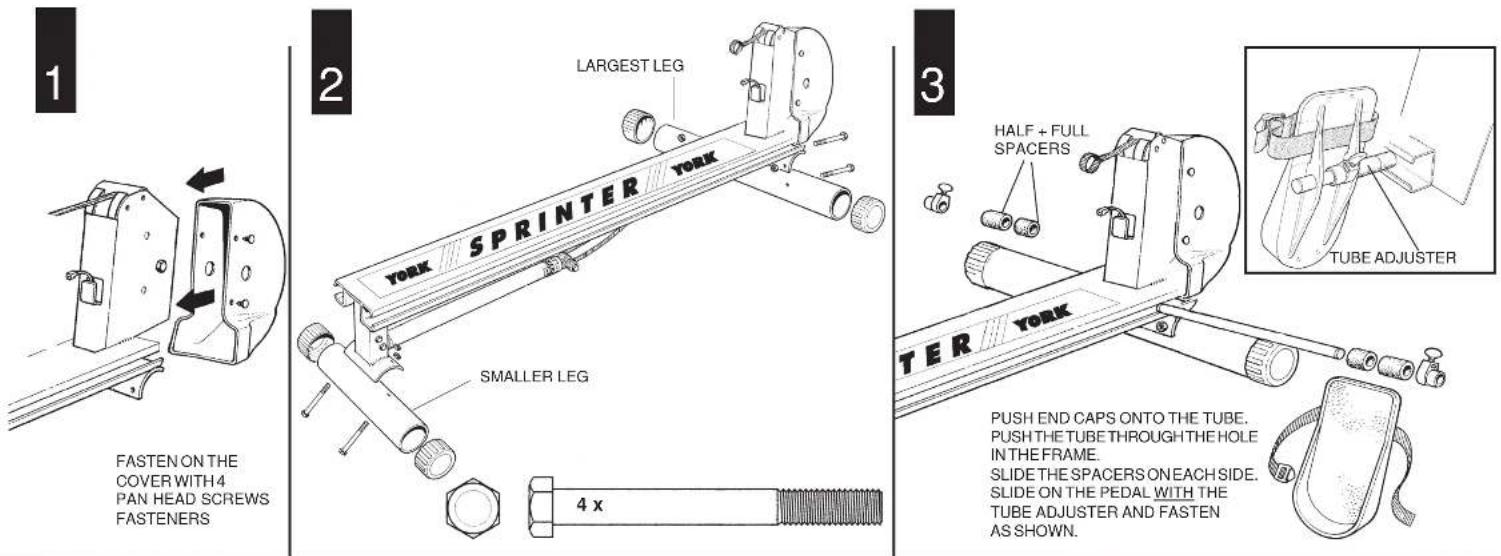
FASTEN ON THE
COVER WITH 4
PAN HEAD SCREWS
FASTENERS
4
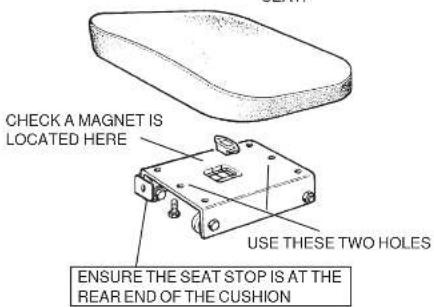
FASTEN THE SEAT TO THE
CENTRAL HOLES ON THE
SEAT GLIDE
THE TWO BOLTS REQUIRED
ARE LOCATED UNDER THE
SEAT.
MAKE SURE THE BOLT AND BRACKET
GUES THROUGH THE LAST NO
THE END OF THE MAIN FRAME.
SLIDE THE SEAT ONTO THE
RUNNERS. (HIGHPART OF THE
SEAT TOWARDS THE BACK).
5
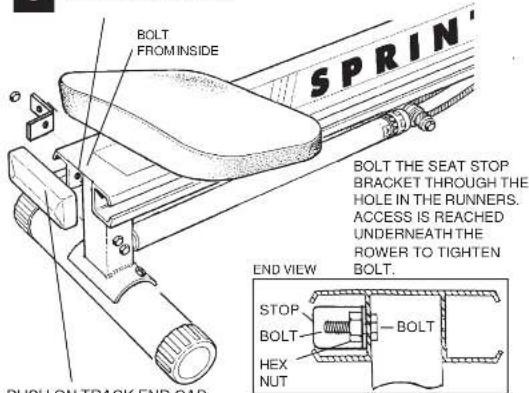
PUSH ON TRACK END CAP.
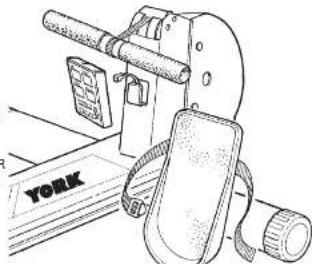
ATTACH THE SENSOR
CABLE TO THE
COMPUTER. THEN
SLIDE THE COMPUTER
ONTO THE BRACK
6
natural_image
Line drawing of a vintage office lamp with a paper case and a door, no text or symbols presentRowing is an extremely effective form of exercise.
It strengthens the heart, improves circulation, as well as exercising all the major muscle groups - back, waist, arms, shoulders, hips & legs.
The diagram shows the muscle groups in use during each stroke.
HOW TO ROW :
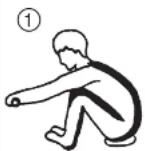
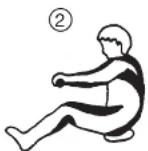
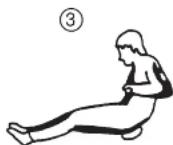
- Take up the initial position leaning forward, knees bent and arms straight.
- Push yourself backwards, straightening your back and legs at the same time.
- Continue movement until you are leaning slightly backwards, bending the arms at the same time.
Return to 1 and repeat.
ALTERNATIVE EXERCISE
LEG ONLY ROWING :
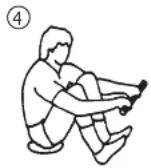
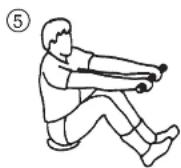
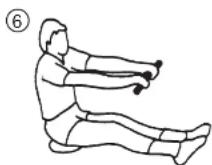
This exercise will help tone and strengthen the muscles in your legs and back. With your back straight and arms outstretched, bend your legs until the row arms are in the starting position(4). Use your legs to push your body back whilst keeping your arms and back straight, slowly return to starting position and repeat.
Sprinter III Euro Exercise Computer
Function Buttons.
MODE:
With each press of the mode key, the computer will cycle through Time.
Calories & Strokes.) A "♦" symbol will appear in the top left hand corner of the mode that is currently selected.
SET:
Once a mode has been selected, you can alter the Time, Calories & Strokes.
Time 0 – 99 minutes in 1 minute increments. Calories 0 – 999 Calories in 1 Calorie increments. Strokes 0 – 999 Strokes in 1 Stroke increments.
Note - By pressing and holding the SET key for approx 1 second, the display will scroll through the desired value automatically until the SET key is pressed again.
RESET:
The computer can be reset simply by pressing and holding the RESET key for approx 2 seconds.
Pressing the RESET key quickly, will reset the value of the current mode to 0.
Function Readings.
The functions will be displayed once exercising commences. The readings will increase until one of the preset limits is met. When a limit is met, an audible alarm will notify the user.
If no exercise limits are set, the computer will continue to count until exercising stops.
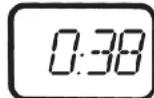
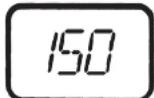
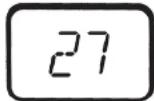
Time Will display the current time in (0-99 minutes.) Calories Will display the calories (0-999 Calories.) Strokes Will display the number of strokes (0-999.) Strokes/Min The current number of Strokes per Minute.
Notes.
If the computer does not receive a signal for more than 4 minutes, the computer display will automatically turn off. All previous training settings will be stored. You may press any key to bring the display back.
If the computer displays abnormal data, please re-install the batteries.
The computer requires 2 x 1.5 Volt "AA" sized batteries.
TIME ▼
STROKES ▼
CALORIE ▼
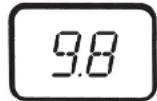
STROKES / Min. ▼



Brand : York Fitness
Model : Sprinter III Euro
Category : Rowing Machine