
Competence MD - Typewriter OLYMPIA - Free user manual and instructions
Find the device manual for free Competence MD OLYMPIA in PDF.


| Product Type | Electronic Typewriter |
| Brand | Olympia |
| Model | Competence MD |
| Power Supply | AC 220-240V, 50Hz |
| Weight | Approx. 12 kg (26.5 lbs) |
| Dimensions (W x D x H) | Approx. 500 x 450 x 250 mm |
| Display | LCD memory display for text preview |
| Keyboard | Full-size QWERTY keyboard with function keys |
| Memory | Built-in memory for document storage and recall |
| Storage Medium | 3.5-inch floppy disk drive |
| Paper Handling | Manual paper insertion with adjustable guides |
| Printing Technology | Impact dot matrix / daisy wheel |
| Print Speed | Approx. 20 characters per second |
| Ribbon Type | Correctable film ribbon or fabric ribbon |
| Line Spacing | Adjustable: 1, 1.5, 2 lines |
| Margins and Tabs | Programmable left/right margins and tab stops |
| Correction Features | Lift-off correction with correction key |
| Certifications | CE, EN 60950, EN 55022 |
| Included Accessories | Power cord, user manual, sample ribbon |
| Maintenance | Clean exterior with soft cloth; avoid liquids |
| Safety | Unplug before cleaning; do not expose to moisture |
Frequently Asked Questions - Competence MD OLYMPIA
User questions about Competence MD OLYMPIA
0 question about this device. Answer the ones you know or ask your own.
Ask a new question about this device
Download the instructions for your Typewriter in PDF format for free! Find your manual Competence MD - OLYMPIA and take your electronic device back in hand. On this page are published all the documents necessary for the use of your device. Competence MD by OLYMPIA.
USER MANUAL Competence MD OLYMPIA
Competence Memory Display
Bedienungsanleitung
Information on device packing
natural_image
Simple line drawing of a symmetrical frame structure with no text or symbolsnatural_image
Pure structural diagram of a truss with no text, numbers, or symbolsAlles zur Tastatur
natural_image
Illustration of an integrated circuit chip with multiple pins (no text or symbols)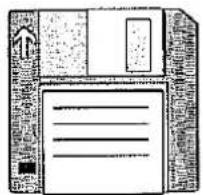
natural_image
Illustration of a floppy disk with a paper sheet (no text or symbols)natural_image
Illustration of an integrated circuit chip with pins (no text or symbols)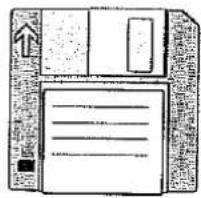
natural_image
Illustration of a floppy disk with paper inside, no text or symbols presentnatural_image
Simple line drawing of a table with two legs and a central horizontal bar (no text or symbols)
natural_image
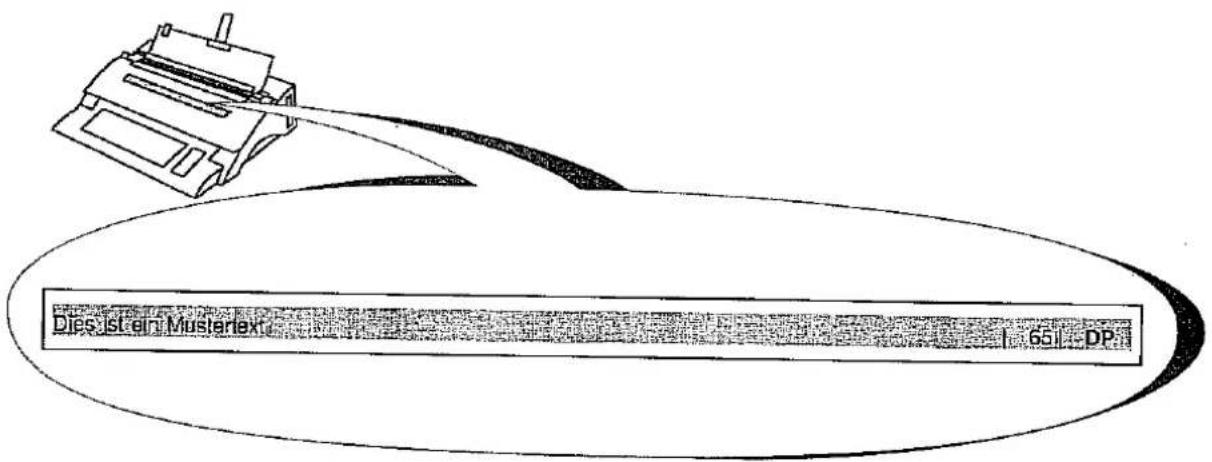
Illustration of a hand holding a clipboard with lines of text (no readable document text)oder
natural_image
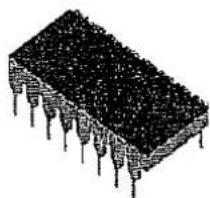
Illustration of an integrated circuit chip with multiple pins (no text or symbols)natural_image
Illustration of a hand pointing at a blank sheet with a small object nearby (no text or symbols)Papier einlegen
natural_image
Line drawing of two hands holding a blank sheet (no text or symbols)Papier einziehen
(sh. "Formatbearbeitung")
Text eingeben
natural_image
Simple line drawing of a table with two legs and a central vertical bar (no text or symbols)
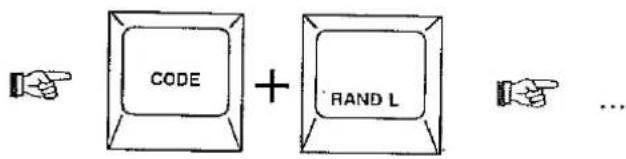
natural_image
Simple line drawing of a table with two legs and a central vertical bar (no text or symbols)natural_image
Simple line drawing of a table with two legs and a central vertical bar (no text or symbols)

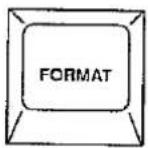
Standardformat
natural_image
Simple line drawing of a symmetrical structure with two horizontal beams and a central vertical bar (no text or symbols)natural_image
Simple line drawing of two hands holding a blank rectangular box with a grid pattern (no text or symbols)flowchart
graph TD
    A[" "] --> B[" "]
    B --> C[" "]


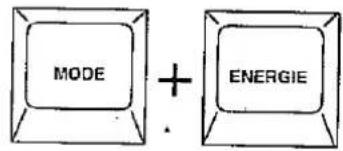
natural_image
Simple line drawing of a table with two legs and a central vertical bar (no text or symbols)
natural_image
Illustration of a person sitting at a desk with papers and a computer (no visible text or symbols)Service-Leistungen
natural_image
Diagram of a mechanical device with hands operating it, labeled G-E1E2-07 (no readable text or symbols beyond label)natural_image
3D rendered mechanical part with a curved top and rectangular body, labeled G-D1D2-06 (no other text or symbols)natural_image
Technical line drawing of a mechanical component with labeled parts G-KORR-02 (no text or symbols beyond label)natural_image
Technical line drawing of a mechanical component with a circular base and a rectangular slot, labeled G-D1D2-02 (no text or symbols on the diagram itself)natural_image
Line drawing of a hand holding a mechanical component, labeled G-COMPET-04 (no other text or symbols)natural_image
Technical line drawing of a mechanical assembly with labeled component G-COMPET-05 (no readable text or symbols beyond label)73/23/EWG; 93/68/EWG
EN 60950:92
89/336/EWG; 92/31/EWG
EN 60555/2; EN 55022:95; EN 50082/1:93
GB The manufacturer hereby declares that the equipment complies with the stipulations defined in the following guidelines and standards:
73/23/EEC; 93/68/EEC
EN 60950:92
89/336/EEC; 92/31/EEC
EN 60555/2; EN 55022:95; EN 50082/1:93
73/23/CEE; 93/68/CEE
EN 60950:92
89/336/CEE; 92/31/CEE
EN 60555/2; EN 55022:95; EN 50082/1:93
73/23/CEE; 93/68/CEE
EN 60950:92
89/336/CEE; 92/31/CEE
EN 60555/2; EN 55022:95; EN 50082/1:93
73/23/CEE; 93/68/CEE
EN 60950:92
89/336/CEE; 92/31/CEE
EN 60555/2; EN 55022:95; EN 50082/1:93
73/23/EOF; 93/68/EOF
EN 60950:92
89/336/E∅F; 92/31/E∅F
EN 60555/2; EN 55022:95; EN 50082/1:93
73/23/EEC; 93/68/EEC
EN 60950:92
89/336/EEC; 92/31/EEC
EN 60555/2; EN 55022:95; EN 50082/1:93
73/23/EEC; 93/68/EEC
EN 60950:92
89/336/EEC; 92/31/EEC
EN 60555/2; EN 55022:95; EN 50082/1:93
73/23/CEE; 93/68/CEE
EN 60950:92
89/336/CEE; 92/31/CEE
EN 60555/2; EN 55022:95; EN 50082/1:93
73/23/EOK; 93/68/EOK
EN 60950:92
89/336/EOK; 92/31/EOK
EN 60555/2; EN 55022:95; EN 50082/1:93
OLYMPIA
OLYMPIA DE MEXICO S.A. DE C.V
CARR. FED. MEX-PUE. KM. 19.5 LOS REYES LA PAZ EDO. DE|MEXICO CP 56400
MEXICO 1997
ING. LUIS E RAMIREZ HURTADO TECNICAL DIRECTOR
73/23/E∅F; 93/68/E∅F
EN 60950:92
89/336/EØF; 92/31/EØF
EN 60555/2; EN 55022:95; EN 50082/1:93
73/23/EEC; 93/68/EEC
EN 60950:92
89/336/EEC; 92/31/EEC
EN 60555/2; EN 55022:95; EN 50082/1:93
73/23/EEC; 93/68/EEC
EN 60950:92
89/336/EEC; 92/31/EEC
EN 60555/2; EN 55022:95; EN 50082/1:93
73/23/CEE; 93/68/CEE
EN 60950:92
89/336/CEE; 92/31/CEE
EN 60555/2; EN 55022:95; EN 50082/1:93
73/23/EOK; 93/68/EOK
EN 60950:92
89/336/EOK; 92/31/EOK
EN 60555/2; EN 55022:95; EN 50082/1:93
OLYMPIA
OLYMPIA DE MEXICO S.A. DE C.V
CARR. FED. MEX-PUE. KM. 19.5 LOS REYES LA PAZ EDO. DE|MEXICO CP 56400
MEXICO 1997
ING. LUIS E RAMIREZ HURTADO TECNICAL DIRECTOR
Brand : OLYMPIA
Model : Competence MD
Category : Typewriter