
MD-C2H - Hi-Fi System SHARP - Free user manual and instructions
Find the device manual for free MD-C2H SHARP in PDF.
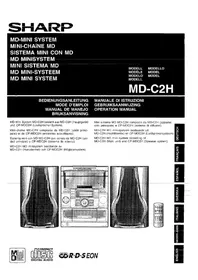


| Product Type | Mini Hi-Fi System |
| Brand | Sharp |
| Model | MD-C2H |
| Color | Black / Silver |
| Dimensions (W x H x D) | 280 x 145 x 320 mm |
| Weight | 5.5 kg |
| Power Supply | AC 220-240V, 50/60 Hz |
| Power Consumption | 80 W |
| Audio Output (RMS) | 2 x 35 W |
| Speaker Impedance | 6 ohms |
| Frequency Response | 20 Hz - 20 kHz |
| Functions | CD player, MD recorder/player, FM/AM tuner, cassette deck |
| CD Compatibility | CD-DA, CD-R, CD-RW |
| MD Compatibility | MD digital audio, MDLP |
| Tuner Bands | FM, AM |
| Cassette Deck Type | Auto-reverse, Dolby NR |
| Inputs | AUX (RCA), FM antenna, AM antenna |
| Outputs | Headphone, Speaker terminals |
| Maintenance | Clean with soft dry cloth; do not use solvents or abrasive cleaners. |
| Safety | Do not expose to moisture, heat sources; ensure adequate ventilation. |
| Spare Parts | Contact authorized Sharp service center for genuine parts. |
| Repairability | Service manual available; repair by qualified technician recommended. |
| Accessories Included | Remote control, FM/AM antennas, speaker cables, user manual |
Frequently Asked Questions - MD-C2H SHARP
User questions about MD-C2H SHARP
0 question about this device. Answer the ones you know or ask your own.
Ask a new question about this device
Download the instructions for your Hi-Fi System in PDF format for free! Find your manual MD-C2H - SHARP and take your electronic device back in hand. On this page are published all the documents necessary for the use of your device. MD-C2H by SHARP.
USER MANUAL MD-C2H SHARP
MD MINI SYSTEM MINI-CHAÎNE MD SISTEMA MINI CON MD MD MINISYSTEM MINI SISTEMA MD MD MINI-SYSTEEM MD MINI SYSTEM
MODEL
MD-C2H
OPERATION MANUAL
OPERATION MANUAL
MD-C2H MD mini system consisting of MD-C2H (Main unit) and CP-MDC2H (Speaker system).


This equipment complies with the requirements of Directives 89/336/EEC and 73/23/EEC as amended by 93/68/EEC.
Audio-visual material may consist of copyrighted works which must not be recorded without the authority of the owner of the copyright. Please refer to relevant law in your country.
When the ON/STAND-BY button is set at STAND-BY position, mains voltage is still present inside the unit. When the ON/STAND-BY button is set at STAND-BY position, the unit may be brought into operation by the timer mode or remote control.
Warning:
This unit contains no user serviceable parts. Never remove covers unless qualified to do so. This unit contains dangerous voltages, always remove mains plug from the socket before any service operation and when not in use for a long period.
THIS APPARATUS IS CONNECTED TO 230 V AC WHEN THE PLUG IS INSERTED INTO THE WALL OUTLET. TO COMPLETELY DISCONNECT THE APPARATUS, PLEASE PULL OUT THE PLUG.
CAUTION
Use the MD mini system only in accordance with the instructions given in this manual and do not attempt to interfere with the interlock switch or make any other adjustment as this may result in exposure to hazardous radiation.
CAUTION
● Material: GaAlAs ● Wavelength: 785 nm ● Pulse time:
Read mode: 0.8 mW Continuous
Write mode: max 10 mW 0.5S
min cycle 1.5S
Repetition


WARNING! USING THIS DEVICE IN A WAY OTHER THAN
AS SPECIFIED IN THIS USER MANUAL MAY EXPOSE THE USER TO
INVISIBLE LASER RADIATION THAT EXCEEDS CLASS 1 SAFETY LIMITS.
WARNING - IF THE DEVICE IS USED IN A WAY OTHER THAN SPECIFIED IN THIS USER MANUAL, THE USER MAY BE EXPOSED TO INVISIBLE LASER RADIATION THAT EXCEEDS THE LIMITS FOR LASER CLASS 1.
Emission Duration: continuous
Laser Output: max. 0.6 mW

CAUTION-INVISIBLE LASER RADIATION WHEN OPEN. DO NOT STARE INTO BEAM OR VIEW DIRECTLY WITH OPTICAL INSTRUMENTS.
WARNING - INVISIBLE LASER RADIATION WHEN THIS PART IS OPEN. DO NOT STARE INTO THE BEAM OR VIEW THE BEAM WITH OPTICAL INSTRUMENTS.
INVISIBLE LASER RADIATION WHEN OPEN. DO NOT STARE INTO THE BEAM OR VIEW WITH OPTICAL INSTRUMENTS.
WARNING WHEN OPEN, YOU ARE EXPOSED TO INVISIBLE LASER RADIATION. DO NOT LOOK INTO THE BEAM OR WITH OPTICAL INSTRUMENTS.
WARNING: INVISIBLE LASER RADIATION WHEN THIS PART IS OPEN. DO NOT STARE INTO THE BEAM OR VIEW THE BEAM DIRECTLY WITH OPTICAL INSTRUMENTS.
CAUTION: INVISIBLE LASER RADIATION WHEN COVER IS OPEN. DO NOT STARE INTO THE BEAM OR VIEW DIRECTLY WITH OPTICAL INSTRUMENTS.
WARNING: USING THE DEVICE IN A WAY OTHER THAN
AS SPECIFIED IN THIS USER MANUAL MAY EXPOSE THE USER TO INVISIBLE LASER RADIATION EXCEEDING SAFETY CLASS 1.
WARNING: IF THE APPARATUS IS USED IN A MANNER OTHER THAN SPECIFIED IN THIS USER MANUAL, THE USER MAY BE EXPOSED TO INVISIBLE LASER RADIATION THAT EXCEEDS THE LIMIT FOR LASER CLASS 1.
DUTCH
INTRODUCTION
Cassette

■ Display
- (MD/CD) Random play indicator
- Timer-controlled playback indicator
- Timer recording indicator
- (MD/CD) Repeat indicator
- (MD/CD) Playback indicator
- Memory indicator
- (TAPE) Recording indicator
- (MD) Recording indicator
- (MD/CD) Pause indicator
- Total playback time indicator
- Extra bass indicator
- Remaining time indicator
- Surround indicator
- Sleep timer indicator
- Overflow indicator
- EON indicator
- RDS indicator
- Traffic information indicator
- Traffic information indicator
- FM stereo function indicator
- FM stereo indicator
- Traffic information program indicator
- TOC indicator
- Dynamic PTY indicator
- Disc indicator
- Program type indicator
- Track indicator
- (MD) CD number indicators
- (CD) CD number indicators
- Level meter/Volume level indicator
Rear panel


Tuning
5
6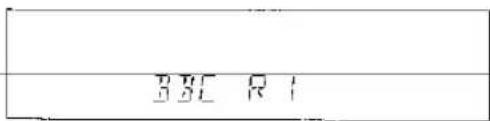


5
6
![graph TD A["SEARCH"] --> B["E"] B --> C["P-1"] C --> D["B"] D --> E["R"] E --> F["B"]](/content/2026/05/962389/images/6d8d2c7aef308d81c1cda5a33f053454558b9f579a949ace811ab7f30fc63dda.jpg)
![graph TD A["33C R1"] --> B["↓"] B --> C["NEWS"] C --> D["↓"] D --> E["FM 9880~"]](/content/2026/05/962389/images/9bc9dfe4a5e19ef81bf13b107bfa6cc3ee19f392ca660d8538f127db69f2b13f.jpg)

4

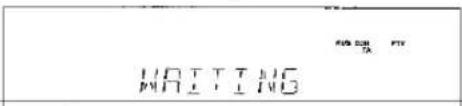


5
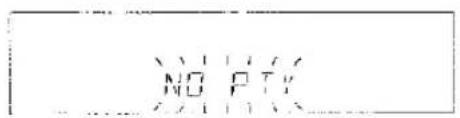
EON-PTY
EON-TI

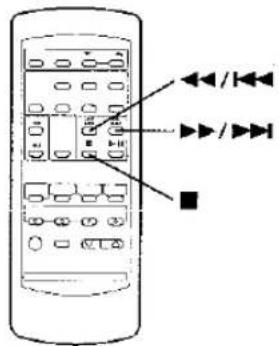

②

③

④

⑤

⑥

⑦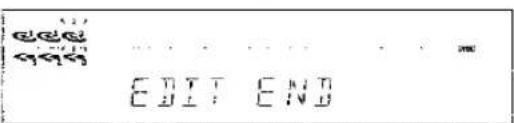
4 Press the CD ▶ MD EDIT button.

| Vomn | - | 1 | / | 2 | 3 | 4 | = | ) | _ | 1 | ||
| Symbol | , | - | . | / | ? | @ | < | = | > | _ | _ |
ERASE (ERASE/ALL ERASE)


■ Changing disc names and track names
6
7
merkingen:
3
4

5

6

7


■ ATRAC technology [Adaptive TRansform Acoustic Coding]
| J TOC * ERR*:Number or Symbol) | ● TOC information recorded on the MD does not match the MD specifications or it cannot be read. | ● Replace it with another disc.● Erase all of the track, and try recording. |
| J TOC W ERR | ● The TOC information could not be created properly due to a mechanical shock or to scratches on the disc. | ● Turn off the power, and try to write the TOC again.(Remove any source of shock or vibration whilst writing.) |
| ? DISC | ● The data contains an error. | ● Replace it with another disc. |
| 0:00 | ● Music is not being recorded. | ● Replace the disc with another recordable disc. |
! Moisture condensation
In the following cases, condensation may form inside the unit.
Shortly after turning on a heater.
When the unit is placed in a room where there is excessive steam or moisture.
When the unit is moved from a cool place to a warm place.
When the unit has condensation inside, the disc signals cannot be read, and the product may not function properly.
If this happens, remove the disc. The condensation should evaporate in approximately 1 hour. The unit will then function properly.
If a problem occurs
If this product is subjected to strong external interference (mechanical shock, excessive static electricity, abnormal supply voltage due to lightning, etc.) or if it is operated incorrectly, it may malfunction or the display may not function correctly. If such a problem occurs, do the following:
● To erase all of the stored memory contents (clock and timer settings, and tuner, MD and CD presets). - If the display is not correct. - If the operation is not correct.
1 Press the ON/STAND-BY button to enter the stand-by mode.
2 Press the ON/STAND-BY button whilst holding down the ▶ button and the DELETE/CLEAR button.
Caution:
● The operation explained above will erase all data stored in memory including clock and timer settings, and tuner, MD and CD presets.
TRANSPORTING THE UNIT

Before you move this product to a new location, proceed as follows:
1 Press the ON/STAND-BY button to turn the power on. 2 Remove all CDs, MDs and tapes inserted in the unit. ● Three CDs and three MDs can be inserted in the unit. Therefore, make sure that all of them are removed. 3 Press the ON/STAND-BY button to enter the stand-by mode. 4 After "GOOD-BYE" has gone out, unplug the AC power lead from the AC socket.
MAINTENANCE

Internal care
● Dirty heads, capstan or pinch roller can cause poor sound and tape jams. Clean these parts with a cotton swab moistened with commercial head/pinch roller cleaner or isopropyl alcohol. ● After long use, the deck's heads and capstans may become magnetised, causing poor sound. Demagnetise these parts once every 30 hours of playing/recording time by using a commercial tape head demagnetiser. Read the demagnetiser's instructions carefully before use.
External care
- Periodically wipe the cabinet with a soft cloth and a diluted soap solution, then wipe with a dry cloth.
- Do not use chemically treated cleaning cloths or other chemicals.

SPECIFICATIONS
As part of our policy of continuous improvement, SHARP reserves the right to make design and specification changes for product improvement without prior notice. The performance specification figures indicated are nominal values of production units. There may be some deviations from these values in individual units.
● MiniDisc recorder section
| Type: | 3-disc multi-play MiniDisc recorder |
| Signal readout: | Non-contact, 3-beam semi-conductor laser pickup |
| Audio channel: | Stereo; 2 channelsMonaural (Playback only);1 channel (long-time recording mode) |
| Frequency response: | 20 - 20,000 Hz |
| Rotation speed: | 400 - 900 rpm CLV, Approx |
| Quantization: | 16-bit linear (CD recording)20-bit linear(Analogue recording) |
| Error correction: | ACIRC (Advanced Cross Inter-leave Reed-Solomon Code) |
| Coding: | ATRAC (Adaptive TRans-formed Acoustic Coding) |
| Recording method: | Magnetic field modulation over-write method |
| D/A converter: | 1-bit D/A converter |
| Sampling frequency: | 44.1 kHz |
| Wow and flutter: | Unmeasurable(less than 0.001% W. peak) |
| Signal/noise ratio: | 95 dB (1 kHz) |
| Dynamic range: | 90 dB (1 kHz) |
● Compact disc player section
| Type: | 3-disc multi-play compact disc player |
| Signal readout: | Non-contact, 3-beam semi-conductor laser pickup |
| Rotation speed: | 200 - 500 rpm CLV, Approx. |
| Error correction: | CIRC (Cross Interleave Reed-Solomon Code) |
| Quantization: | 16-bit linear |
| D/A converter: | 1-bit D/A converter |
| Frequency response: | 20 - 20,000 Hz |
| Signal/noise ratio: | 95 dB (1 kHz) |
| Dynamic range: | 90 dB (1 kHz) |
| Wow and flutter: | Unmeasurable(less than 0.001% W. peak) |
● Cassette deck section
| Type: | Compact cassette tape |
| Frequency response: | 50 - 14,000 Hz (Normal tape) |
| Motor: | DC motor with electronic governor × 1 |
| Signal/noise ratio: | 50 dB (Recording/Playback) |
| Bias and erasure system: | AC |
| Tape speed: | 4.76 cm/sec. (1-7/8 ips.) |
| Wow and flutter: | 0.2 % (DiN 45 511) |
| Heads: | Record/playback × 1Erase × 1 |
● General
| Power source: | AC 230 V, 50 Hz |
| Power consumption: | 95 W |
| Output power: | PMPO; 372 W (total)MPO; 186 W (93 W + 93 W)(DIN 45 324)RMS; 100 W (50 W + 50 W)(DIN 45 324)RMS; 86 W (43 W + 43 W)(DIN 45 500) |
| Input terminals: | Auxiliary (Analogue);500 mV/47 kohms |
| Output terminals: | Headphones; 16 - 50 ohms(recommended; 32 ohms)Speakers; 6 ohms |
| Dimensions: | Width; 270 mm (10-11/16") |
| Height; 352 mm (13-7/8") | |
| Depth; 376 mm (14-13/16") | |
| Weight: | 8.6 kg (19.0 lbs.) |
● Speaker section
| Type: | 3-way type [130 mm (5-1/8") woofer, 50 mm (2") tweeter and super tweeter] |
| Maximum input power: | 100 W |
| Rated input power: | 50 W |
| Impedance: | 6 ohms |
| Dimensions: | Width; 220 mm (8-11/16") Height; 352 mm (13-7/8") Depth; 260 mm (10-1/4") |
| Weight: | 3.2 kg (7.1 lbs.)/each |
● Tuner section
| Frequency range: | FM; 87.5 - 108 MHzAM; 522 - 1,620 kHz |
| Sensitivity: | FM; 2.5 μV(75 ohms unbalanced)AM; 650 μV/m |
SHARP
SHARP CORPORATION
- OPERATION MANUAL
- WARNING
- CAUTION
- WARNING! USING THIS DEVICE IN A WAY OTHER THAN
- DUTCH
- INTRODUCTION
- CASSETTE
- DISPLAY
- REAR PANEL
- TUNING
- EON-PTY
- EON-TI
- ERASE (ERASE/ALL ERASE)
- CHANGING DISC NAMES AND TRACK NAMES
- MERKINGEN
- ATRAC TECHNOLOGY [ADAPTIVE TRANSFORM ACOUSTIC CODING]
- MOISTURE CONDENSATION
- IF A PROBLEM OCCURS
- TRANSPORTING THE UNIT
- MAINTENANCE
- INTERNAL CARE
- EXTERNAL CARE
- SPECIFICATIONS
- SHARP
- SHARP CORPORATION
Brand : SHARP
Model : MD-C2H
Category : Hi-Fi System