
HearMe 200BT - Loudspeaker Ferguson - Free user manual and instructions
Find the device manual for free HearMe 200BT Ferguson in PDF.


| Product Type | Bluetooth Speaker |
| Brand | Ferguson |
| Model | HearMe 200BT |
| Power Supply | 3.7V 1500mAh rechargeable polymer battery |
| Battery Life | Up to 4 hours |
| Charging Port | Micro USB |
| Audio Input | 3.5mm AUX |
| Bluetooth | Wireless Bluetooth A2DP |
| Driver | 1.5" x 2 |
| RMS Power | 2W x 2 |
| Impedance | 4Ω |
| Frequency Response | 80Hz - 20kHz |
| Signal-to-Noise Ratio | 60dB |
| Microphone | Built-in, hands-free |
| Controls | Power, Volume, Track, Bluetooth pairing |
| Material | Rubber + Plastic |
| Included Accessories | Micro USB cable, AUX cable, Gadget strap, User guide |
| Safety | Do not use near heat, do not open, keep away from children |
| Maintenance | Clean with soft cloth, no harsh chemicals |
| Certification | CE, R&TTE |
| Special Features | Auto reconnection, music control via Bluetooth |
Frequently Asked Questions - HearMe 200BT Ferguson
User questions about HearMe 200BT Ferguson
0 question about this device. Answer the ones you know or ask your own.
Ask a new question about this device
Download the instructions for your Loudspeaker in PDF format for free! Find your manual HearMe 200BT - Ferguson and take your electronic device back in hand. On this page are published all the documents necessary for the use of your device. HearMe 200BT by Ferguson.
USER MANUAL HearMe 200BT Ferguson
natural_image
Collage of diverse sports and fitness activities including running, swimming, soccer, and music (no text or symbols visible)User manual
HEARME 200BT
English

FERGUSON
TABLE OF CONTENTS
SAFETY AND MAINTENANCE....2
ABOUT THE INSTRUCTION MANUAL....2
MARKINGS AND SIGNS APPLIED TO THE DEVICE....3
BASIC INFORMATION ABOUT THE DEVICE....4
Main features....4
Downloadable software....4
Contents of box....4
BUTTONS AND THEIR FUNCTIONS....5
BLUETOOTH PAIRING MODE....5
PLAY MUSIC IN THE BLUETOOTH MODE....6
CONNECTING TO OTHER DEVICES....6
AUX IN PLAY MODE....6
CHARGING THE DEVICE....6
TROUBLESHOOTING....7
SPECIFICATION....7
SAFETY AND MAINTENANCE
- Do not use this device near any heat sources, such as, radiators, heaters, stoves, or other heat-producing machinery.
- Do not leave it in direct sunlight.
- Keep the speaker out of children's reach to avoid a choking hazard.
- Clean with soft cloth. Do not use harsh chemicals to clean.
- Do not clean this device, when it is charging. Always unplug from the power source before cleaning the device.
- Do not insert any metal object into the device. Risk of short circuit.
- Do not try to repair or open this device yourself.
ABOUT THE INSTRUCTION MANUAL
Ferguson Sp. z o.o. has made every effort to provide the most current information about its products. Ferguson Sp. z o.o. does not grant any guarantee as to the contents of the present instruction manual and disclaims any implied guarantees concerning market value or suitability for specific purposes. The information contained herein is an instruction intended to enable the correct usage and maintenance of the device.
Ferguson Sp. z o.o. reserves itself the right to introduce amendments, changes or translations of the instruction manual without prior notification thereof. For this reason, we recommend you regularly visit our website in order to obtain the latest information.
MARKINGS AND SIGNS APPLIED TO THE DEVICE


Risk of electric shock - do not open. This notice warns the user not to open the receiver housing. The housing may be opened solely by authorized service technicians.

CE logo.
The logo informs that the receiver conforms to the terms and conditions of Directive 2004/108/EC concerning observance by Member States of provisions regulating electromagnetic compatibility, and to the terms and conditions of Directives 2006/95/EC concerning observance by Member States of provisions regulating low voltage electricity and safety with relation to the handling and operation of electrical equipment.
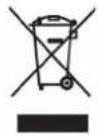
When this crossed-out wheeled bin symbol is attached to a product it means that the product is covered by the European Directive 2002/96/EC. Please inform yourself about the local separate collection system for electrical and electronic products.
R&TTEHereby Ferguson Sp. z o.o., declares that the device is in compliance with the essential requirements and other relevant provisions of Directive 1999/5/EC. You can find the Declaration of Conformity on www.deklaracje.ferguson.pl
Please act according to your local rules and do not dispose of your old products with your normal household waste.
Correct disposal of your old product helps to prevent potential negative consequences for the environment and human health.
This product has been designed, tested and manufactured according the European R&TTE directive 1999/5/EC.

Double insulation logo.
This logo informs that the devices an electrically safe device, provided that it is used in accordance with the recommendations set forward in the chapter concerning safety.

Your product contains batteries covered by the European Directive 2006/66/EC, which cannot be disposed with normal household waste. Please inform yourself about the local rules on separate collection of batteries because correct disposal helps to prevent negative consequences for the environmental and human health.

Hot surface mark
CAUTION: HOT SURFACE. DO NOT TOUCH.
The top surface over the internal heat sink may become hot when operating this product continuously. Do not touch hot areas, especially around the "Hot surface mark" and the top panel.

Your product is designed and manufactured with high quality materials and components, which can be recycled and reused.

When this logo is attached to a product, it means a financial contribution has been paid to the associated national recovery and recycling system.
BASIC INFORMATION ABOUT THE DEVICE
Main features
- 1500 mAh high capacity built-in rechargeable battery, playtime lasts for 4 hours at least for 4 hours.
- Compact design, convenient to carry for outdoor use, no matter what angle it is put, it is conductive to music play.
- Stereo wireless Bluetooth transmission, specifically for smart phone, tablet PC use, supports the volume directly.
•Supports all digital audio devices with 3.5mm jack.
•Built-in microphone and hands-free function.
Downloadable software
Ferguson has taken every effort to provide users with software updates in order to ensure that the parameters of the device are up to date. Ferguson reserves itself the right to amend, change or modify the software used in the device as it shall choose and without prior notification. The latest version of the software is available on the website http://www.ferguson-digital.eu
Note:

Please keep in mind that new software may change the functionality of the device. Photographs and descriptions included in the instruction manual are for informational purposes only. If you should notice an error, please report it - we shall make every effort to have it rectified.
Contents of box
Unpack the device and check whether all of the following elements are present:
- Bluetooth speaker Ferguson HearMe 200BT
-User guide
- Charging micro USB cable
•Gadget strap
•AUX cable
IN- AND OUTPUTS

natural_image
Black triangular warning symbol with green outline and three labeled ports (no text or symbols beyond numbers)- On/Off: Turning OFF/ON the speaker.
- USB: MINI USB charging port (3.7 V 1500mAh).
- AUX: 3.5 stereo audio signal input interface for external devices.
BUTTONS AND THEIR FUNCTIONS

- Bluetooth play/pause. Press long (3 seconds) to repair Bluetooth connection. Press long (5 seconds) to switch soft.
- Press long to increase the volume. Press short to change to the next song (only available by an established playlist).
- Press long to reduce the volume. Press short to go to
the previous song ((only available by an established playlist).
BLUETOOTH PAIRING MODE
- Turn the power switch to the ON position. Bluetooth mode is set by default.
- When the red and blue lights blink alternately the Bluetooth connection can be established.
- Turn on your cell phone's Bluetooth function and search for Bluetooth devices. After the search is completed, select "HearMe 200BT" from the Bluetooth device list.
- According to the indication, enter password or PIN No: "0000". Some mobile phones do not need input any password or PIN to pair the speaker, simply press "Pair".
•After successful pairing, a beep sound will be played and the blue light starts blinking slowly. - When the Bluetooth connection can not be established meanwhile 3 minutes, the speaker turns automatically into standby mode.
- For pairing again, press long the button Bluetooth for 5 seconds. The speaker will go into the pairing state again.

Note:
After connecting the AUX 3.5 cable, the speaker switches automatically to the AUX mode. When you disconnect the AUX cable the speaker switches to the Bluetooth mode and establishes the connection to the associated previously connected Bluetooth device.
•In the Bluetooth mode, when the speaker is connected with the mobile device and a music playlist is set, push short the button Bluetooth to be able to control the mobile phone (or Bluetooth device).
•The connection will be signaled with the blue light.
•To change to the next/previous track, press short +/- button.
- To increase or decrease the volume, press long +/- button. When the volume reaches the maximum you will hear a warning tone.

Note:
When the phone gets an incoming call, the Bluetooth speaker will automatically pause the music. It will automatically re-play music after the call ends.
CONNECTING TO OTHER DEVICES
In Bluetooth mode state, press long the button Bluetooth (for 3 seconds) to enter the re-pair state. Red and blue lights will interaction flashing prompt. Now you can connect the speaker with an other Bluetooth device.
AUX IN PLAY MODE
After connecting a 3.5 stereo mini jack cable the speakers changes automatically to the AUX input mode. The red light lit. In this mode it is not possible to adjust the volume.
CHARGING THE DEVICE
-
Connect the standard USB plug end of the cable to a power USB port on a computer or other USB charging device. For first time use, a fully charge is recommended.
-
A red LED is ON while the unit is charging and OFF when the speaker is fully charged.
TROUBLESHOOTING
The speaker doesn't play
• Make sure the speaker is charged.
- Make sure the speaker and cell phone are connected. Please refer to your cell phone's Bluetooth menu and "Paring Your Device" section.
Cannot pair my cell phone to the speaker
• Make sure the speaker is charged.
- Make sure the speaker and cell phone are in paring mode.
- Make sure the Bluetooth of your cell phone is on; please refer to the cell phone's users' manual.
- Make sure the speaker and your cell phone are within controllable range.
If the problem remains, please do as follows
•Re-charge the speaker.
- Turn off your cell phone and take out the battery, and put it back after.
- Turn on Bluetooth of your cell phone and delete all the paring histories.
•Re-pair your cell phone and the speaker.
SPECIFICATION
•RMS : 2W x 2
- Driver : 1.5" x 2
- Impedance : 4Ω
•S/N Ratio : 60dB
•Frequency Response : 80Hz\~20kHz
- Function : Wireless Bluetooth A2DP stereo music player, built-in lithium battery with Mini USB Charging, AUX 3.5 stereoscopic socket signal input.
•Cabinet Material : Rubber + Plastic
•Power Supply : 3.7V 1500mAh (Polymer rechargeable battery)
- User manual
- TABLE OF CONTENTS
- SAFETY AND MAINTENANCE
- ABOUT THE INSTRUCTION MANUAL
- MARKINGS AND SIGNS APPLIED TO THE DEVICE
- BASIC INFORMATION ABOUT THE DEVICE
- Main features
- Downloadable software
- Contents of box
- IN- AND OUTPUTS
- BUTTONS AND THEIR FUNCTIONS
- BLUETOOTH PAIRING MODE
- Note:
- CONNECTING TO OTHER DEVICES
- AUX IN PLAY MODE
- CHARGING THE DEVICE
- TROUBLESHOOTING
- The speaker doesn't play
- Cannot pair my cell phone to the speaker
- If the problem remains, please do as follows
- SPECIFICATION
Brand : Ferguson
Model : HearMe 200BT
Category : Loudspeaker