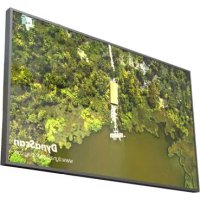
DS551LX4 - Monitor DynaScan - Free user manual and instructions
Find the device manual for free DS551LX4 DynaScan in PDF.


Pick your language and provide your email: we'll send you a specifically translated version.
| Product Type | Professional LCD Monitor |
| Brand | DynaScan |
| Model | DS551LX4 |
| Screen Size | 55 inches |
| Resolution | 1920 x 1080 (Full HD) |
| Brightness | 700 cd/m² |
| Contrast Ratio | 4000:1 |
| Viewing Angle | 178° horizontal / 178° vertical |
| Response Time | 8 ms |
| Input Connectors | HDMI, DisplayPort, VGA, USB |
| Power Consumption (Max) | 200 W |
| Power Supply | AC 100-240V, 50/60Hz |
| Dimensions (with stand) | 1245 x 720 x 300 mm |
| Weight (with stand) | 28 kg |
| VESA Mount | 400 x 400 mm |
| Operating Temperature | 0°C to 40°C |
| Key Features | High brightness for outdoor/sunlight readable, 24/7 operation, built-in speakers |
| Cleaning Instructions | Use a soft, dry cloth; avoid abrasive cleaners |
| Safety Certifications | CE, FCC, RoHS |
| Spare Parts Availability | Power supply, main board, panel (contact DynaScan support) |
Frequently Asked Questions - DS551LX4 DynaScan
How do I install the DS551LX4 monitor?
Place the monitor on a stable surface or mount it using a VESA 400x400 mm bracket. Connect the power cable and desired input source (HDMI, DisplayPort, etc.). Press the power button on the monitor or remote control.
What is the optimal resolution for this monitor?
The native resolution is 1920x1080. For best image quality, set your source device to output at 1920x1080 @ 60Hz.
Can I use the DS551LX4 outdoors?
Yes, it features high brightness (700 cd/m²) and is designed for sunlight readable applications. However, protect it from direct rain and extreme temperatures.
How do I clean the screen?
Use a soft, lint-free cloth slightly dampened with water or a mild screen cleaner. Avoid abrasive materials. Gently wipe in one direction. Do not spray liquid directly on the screen.
Does the monitor have built-in speakers?
Yes, it includes integrated speakers (2x10W). Audio can be output via the speakers or an external audio system through the audio out jack.
What input ports are available?
The monitor has HDMI, DisplayPort, VGA, and USB inputs. Additionally, it includes a USB port for firmware updates and service.
Is the monitor VESA mount compatible?
Yes, it supports VESA 400x400 mm mounting. Ensure the bracket can support the monitor's weight (28 kg).
How can I update the firmware?
Visit the DynaScan support website and download the latest firmware for the DS551LX4. Copy it to a USB drive, insert into the monitor's USB port, and follow the on-screen instructions.
What is the power consumption in standby?
Standby power consumption is less than 0.5W when the monitor is off but still connected to power.
Where can I find spare parts?
Contact DynaScan authorized service centers or distributors. Common spare parts include the power supply unit, main board, and LED panel. Provide the model number DS551LX4.
User questions about DS551LX4 DynaScan
0 question about this device. Answer the ones you know or ask your own.
Ask a new question about this device
No questions yet. Be the first to ask one.
Download the instructions for your Monitor in PDF format for free! Find your manual DS551LX4 - DynaScan and take your electronic device back in hand. On this page are published all the documents necessary for the use of your device. DS551LX4 by DynaScan.