
ISP130 - Loudspeaker ILUV - Free user manual and instructions
Find the device manual for free ISP130 ILUV in PDF.


| Product Type | Portable Bluetooth Speaker |
| Brand | iLuv |
| Model | ISP130 |
| Dimensions (Approx.) | 6.3 x 2.8 x 2.8 inches |
| Weight (Approx.) | 0.55 lbs (250 g) |
| Power Source | Built-in rechargeable battery (Li-ion, 3.7V) |
| Battery Life | Up to 6 hours of playback |
| Charging Time | Approximately 2 hours |
| Connectivity | Bluetooth 5.0, 3.5mm AUX input |
| Bluetooth Range | Up to 33 feet (10 meters) |
| Driver Size | 1.5 inches (38mm) |
| Output Power | 3W RMS |
| Frequency Response | 100Hz - 18kHz |
| Controls | Power, Volume +/-, Play/Pause, Bluetooth pairing button |
| Microphone | Built-in for hands-free calling |
| Water Resistance | IPX4 (splash-proof) |
| Compatibility | Smartphones, tablets, laptops, MP3 players |
| Package Contents | ISP130 Speaker, Micro USB charging cable, 3.5mm audio cable, User manual |
| Cleaning | Wipe with dry cloth; do not use liquid or abrasive cleaners |
| Safety | Do not disassemble; avoid extreme temperatures; keep away from water |
| Spare Parts | Contact iLuv support for replacement cables or battery |
| Repairability | Not designed for user repair; contact authorized service |
Frequently Asked Questions - ISP130 ILUV
User questions about ISP130 ILUV
0 question about this device. Answer the ones you know or ask your own.
Ask a new question about this device
Download the instructions for your Loudspeaker in PDF format for free! Find your manual ISP130 - ILUV and take your electronic device back in hand. On this page are published all the documents necessary for the use of your device. ISP130 by ILUV.
USER MANUAL ISP130 ILUV
Innovative Lifestyle®
THANK YOU FOR YOUR PURCHASE
Visit our website at www.i-Luv.com
© 2010 www.i-Luv.com
iLuv is a registered trademark owned by iLuv Creative Technology. iPod is a trademark of Apple Inc. registered in the US and other countries. iPhone is a trademark of Apple Inc. All logos and brands are the property of their respective owners. iPod is not included in this package. The specifications and product images or graphics may slightly differ from the actual product. Features and specifications are subject to change without prior notification.
© 2010 iLuv Creative Technology All rights reserved. No portion of this printed material or product enclosed herewith including design, shape or graphics, may be reproduced or transmitted in any form without the expressed written consent of iLuv Creative Technology by any means, electronic or mechanical, including photocopying, recording or use of an information storage and retrieval system. Any unauthorized distribution or reproduction of this printed material or product, or any portion thereof, will be prosecuted to the fullest possible extent of the law.
Designed in New York, USA / Printed in China
iLuv®
Innovative Lifestyle®
Model : iSP130
Quick Start Guide
Clip-on Laptop Speaker
Quick Start Guide iSP130
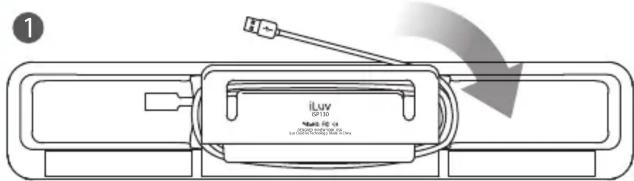
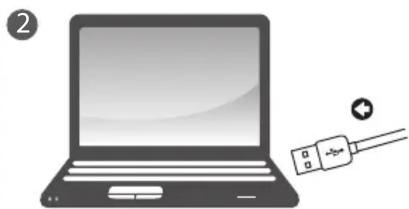
natural_image
Illustration of a laptop with a USB cable and connection point (no text or symbols)- Allow a few seconds for the laptop to recognize the speaker after connection.
- Connect iSP130 to your laptop before using any media application or program (music, video, etc.).


natural_image
Illustration of a laptop computer with a blank screen and top header (no text or symbols)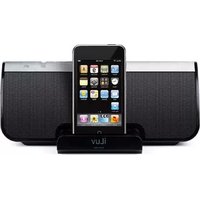

Brand : ILUV
Model : ISP130
Category : Loudspeaker