
CJ5600E - Display screen CLARION - Free user manual and instructions
Find the device manual for free CJ5600E CLARION in PDF.


| Brand | CLARION |
| Model | CJ5600E |
| Product type | Display screen / TFT color monitor |
| Screen size | 5.6 inches (diagonal) |
| Panel type | TFT color LCD |
| Recommended resolution | 640 x 480 pixels (VGA) |
| Supported image formats | NTSC, PAL (composite video input) |
| Viewing angle | Horizontal: 140°, Vertical: 120° |
| Power supply | 12 V DC (direct current) |
| Power consumption | Approx. 8 W |
| Input connectivity | 1 x composite video input (RCA) |
| Dimensions (W x H x D) | Approx. 150 x 100 x 30 mm |
| Net weight | Approx. 300 g |
| Mounting | Adjustable stand included, wall mount possible |
| Main functions | Color display, brightness and contrast adjustment, standby |
| Maintenance and cleaning | Clean with a soft dry cloth; do not use abrasive products or solvents |
| Safety | Indoor use only; avoid shocks and moisture |
| Spare parts and repairability | The screen is not designed to be repaired by the user. Contact CLARION after-sales service |
| Operating temperature | 0 °C to 40 °C |
| Warranty | 2 years (according to manufacturer's conditions) |
Frequently Asked Questions - CJ5600E CLARION
User questions about CJ5600E CLARION
0 question about this device. Answer the ones you know or ask your own.
Ask a new question about this device
Download the instructions for your Display screen in PDF format for free! Find your manual CJ5600E - CLARION and take your electronic device back in hand. On this page are published all the documents necessary for the use of your device. CJ5600E by CLARION.
USER MANUAL CJ5600E CLARION
Owner's manual & Installation manual
This unit has been tested and found to comply with the limits for a Class B digital device, pursuant to Part 15 of the FCC Rules.
These limits are designed to provide reasonable protection against harmful interference in a residential installation. This unit generates, uses, and can radiate radio frequency energy, and, if not installed and used in accordance with the instructions, may cause harmful interference to radio communications. However, there is no guarantee that interference will not occur in a particular
installation.
If this unit does cause harmful interference to radio or television reception, which can be determined by turning the equipment off and on, the user is encouraged to consult the dealer or an experienced radio/TV technician for help.
INFORMATION FOR USERS:
CHANGES OR MODIFICATIONS TO THIS PRODUCT NOT APPROVED BY THE MANUFACTURER WILL VOID THE WARRANTY AND WILL VIOLATE FCC APPROVAL.
1. Before Use

Warning
- Do Not Back Up Vehicle While Relying Only on the Monitor Image
- Use Slow Speeds When Backing Up
- The rear-view monitor image has the same right-left inversion as your vehicle's rearview mirrors. Depending on the vehicle, the field and angle of view may differ.
Precautions (when you use the monitor)
- Do not touch the LCD panel.
- Use the product at the temperature range of -10^ 60^ .
- Screen may be a little dark when the product is operated in low temperature areas. Screen will show normal luminosity after a few minutes.
- Do not disassemble and modify the product in any way. This may cause fire and/or electric shock.
- When you install the product in a car and watch monitor, the car engine should be running as there might occur excessive discharge of the car battery.
- Any liquid leaking into product may cause malfunction.
Precautions (when you use the product in a car)
- The driver should not use the product while he/she is driving.
- Be cautious of humidity and shock when you use the product in a car.
- Cover the product when exposed to direct rays of the sun for a long period of time.
(You should keep the product at a temperature range of -20^ 70^ .)
2. Features
- Application of 5.6" TFT LCD with high resolution and low reflection
- All functions are displayed on screen (OSD function)
- 7 Language Display Selection (ENGLISH-DEUTSCH-ITALIANO-FRANÇAIS-ESPAÑON-한국어-日本語)
- Free voltage (From DC12V to DC24V)
- Dimmer selection function
- Picture quality control (PWM control)
- Camera input (2 system)/Work together with back gear/turn signal
3. Names of the Buttons
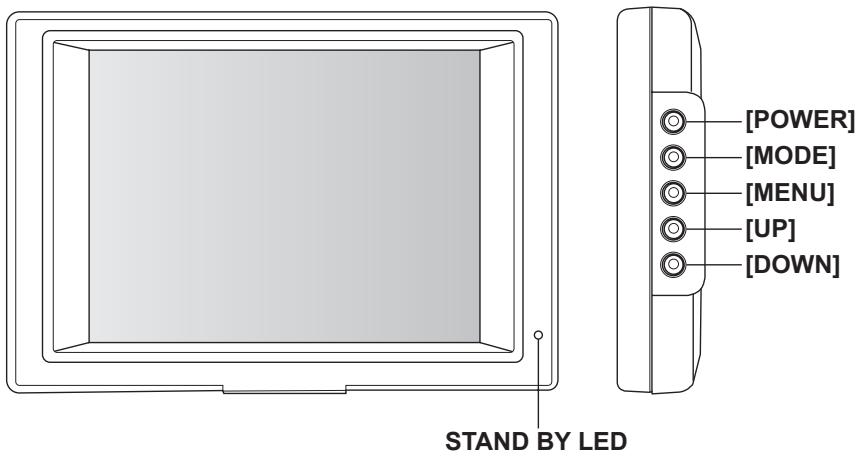
4. Operations
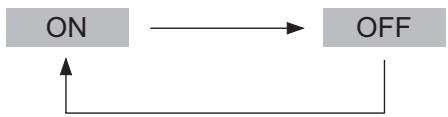
1POWER
(1) Press [POWER] button to on the power. (STAND BY state is OFF)
(2) Press [POWER] button again to off the power. (STAND BY state is ON)
2MODE (Camera Selection)
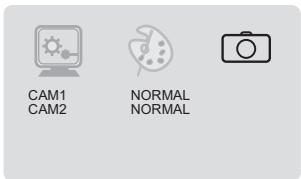
It is a function to change CAMERA (CAM1/CAM2).
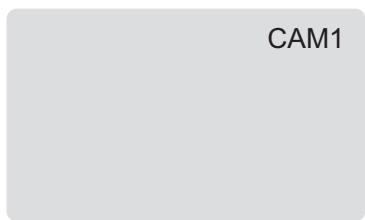
(1) Press [MODE] button.
(2) CAM1 or CAM2 appears on the screen and it disappears after 5 seconds.
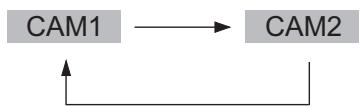
Note: In the mirror mode, the character is inverted.
3 MENU
It is a function to select MAIN MENU (SETUP, PICTURE CAMERA)
(1) Press [MENu] button to select MAIN MENU, changed color in red when it is selected. - Every time the button is pressed, the setting changes.
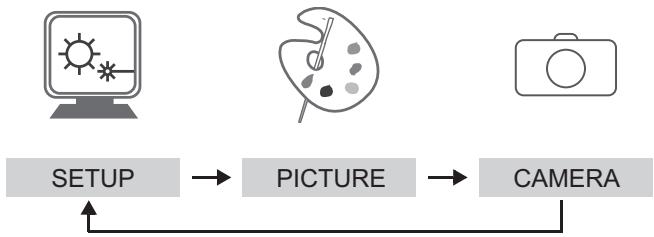
(2) Press [MODE] button to select SUB MENU, changed color in red when it is selected.
- Every time the button is pressed, the setting changes.
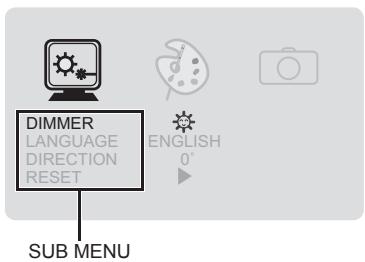
- SETUP
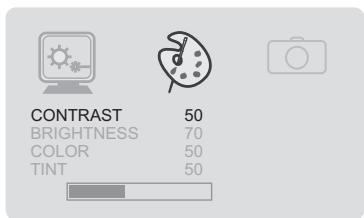
- PICTURE
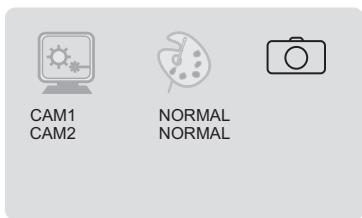
CAMERA
SET UP (SUB MENU)
(3) Press [UP]/[DOWN] button to change Settings.
DIMMER

LANGUAGE

DIRECTION (Inverted upside down)
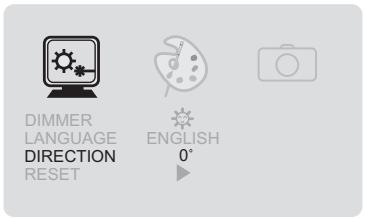
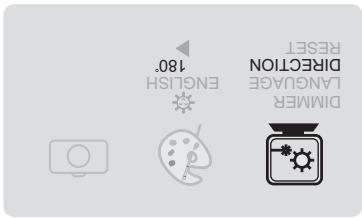
- RESET
A factory default reset will clear all of OSD information
PICTURE (SUB MENU)
(3) Press [UP]/[DOWN] button to change Settings.
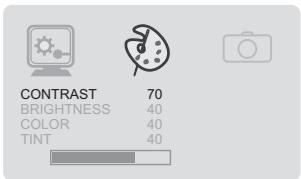
- CONTRAST
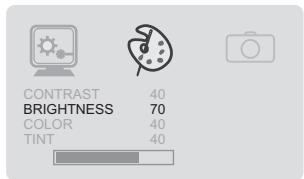
BRIGHTNESS
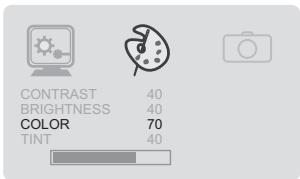
COLOR
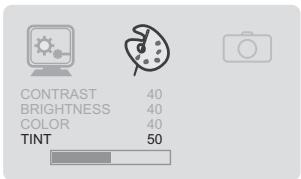
TINT
CAMERA (SUB MENU)
(3) Press [UP]/[DOWN] button to change Settings.
- In the mirror mode, the screen is inverted laterally.
5. Connections
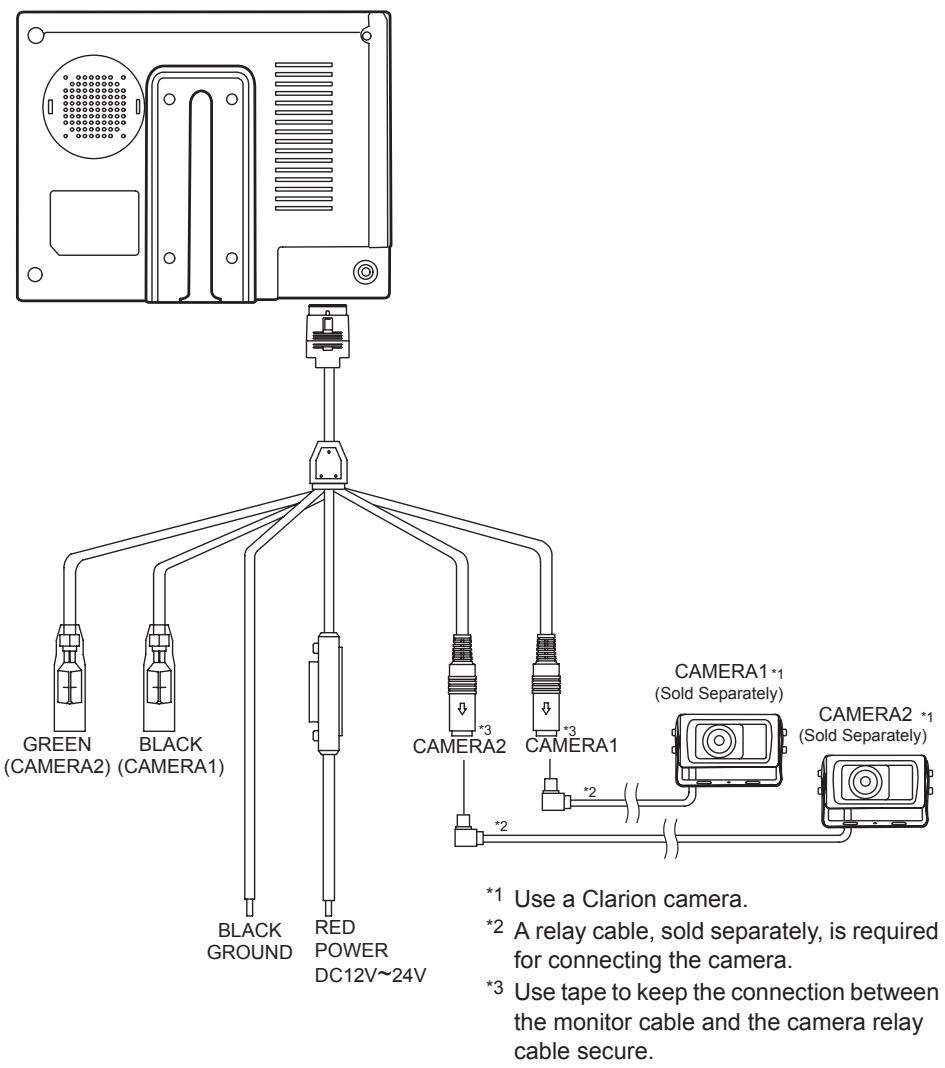
BLACK (CAMERA-1, priority)
GREEN (CAMERA-2)
Standby + (for rear-view)
Connect this cable to " ^+ " of back gear lamp.
Standby + (for side-view)
Connect this cable to " ^+ " of turn signal lamp.
6. Installation
- Choose a location where you install the Monitor. Clean the place for the Stand with cleanser and remove the Protective Tape. And then attach it exactly where you want.
- Fasten the Monitor with Tapping Screw.
- Adjust angle of Stand and install Monitor.
- Connect each connecting cable as in the product installation reference.
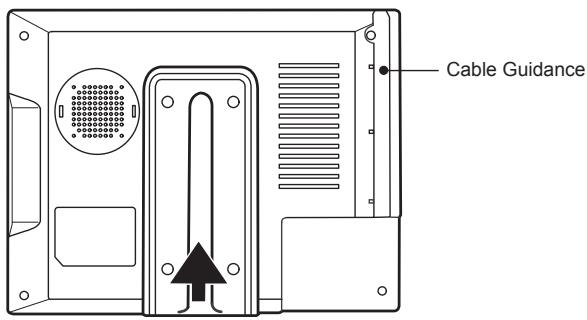
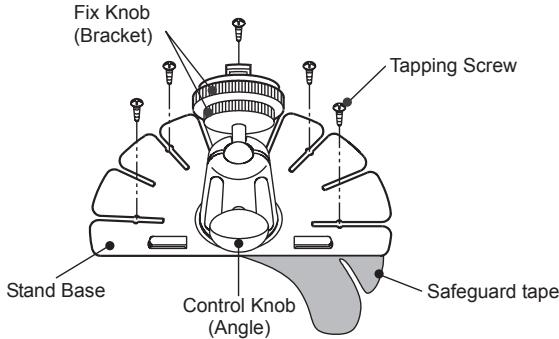
■ Monitor Cable Connection
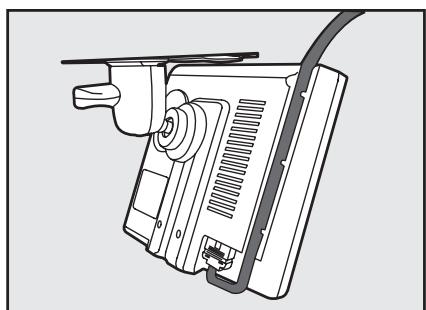
* Installed on the ceiling
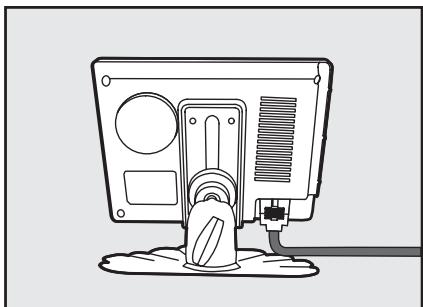
* Normal Installation
7. Troubleshooting
| Problem | Cause | Measure |
| No image is displayed. | Is camera connected properly? | Check the wiring to the camera and the camera connection. |
| Power does not turn on. | Is power cable connected properly? | Check the wiring. |
| Is a fuse blown out? | Replace with a fuse of the same amperage (2A). | |
| Color is washed-out. | Operating environment is inappropriate. | Temperature in the car is below 0°C or over 60°C. Check to see that the temperature in the car is appropriate (around 25°C). |
8. Specifications
| ITEM | SPECIFICATION | ||
| NTSC | PAL | ||
| PANEL | SCREEN SIZE | 5.6 INCH (14.22cm) | |
| NUMBER OF Pixels | 320(W) x 3(RGB) x 234(H) | ||
| DOT PITCH | 0.118(W) x 0.362(H) mm | ||
| BRIGHTNESS | 350 cd/m² | ||
| DISPLAY AREA | 113.28(W) x 84.7(H) mm | ||
| CONTRAST RATIO | 300:1 | ||
| VIEW ANGLE (H/U/D) | 65deg / 45deg / 65deg | ||
| POWER SUPPLY | VOLTAGE | DC 12V - 24V | |
| CURRENT | 550mA (DC 12V, MONITOR SET ONLY) | ||
| REAR INPUT POWER | DC 12V - 24V | ||
| INPUT SYSTEM | AUTO (NTSC/PAL) | ||
| FREQUENCY | HORIZONTAL | 15.734 KHz | 15.625 KHz |
| VERTICAL | 60Hz | 50Hz | |
| OSD DISPLAY | 7 LANGUAGE | ||
| USER CONTROLS | POWER, MODE, MENU, UP, DOWN | ||
| OPERATING TEMPERATURE | -10°C ~ + 60°C | ||
| STORAGE TEMPERATURE | -20°C ~ + 70°C | ||
| DIMENSION (W x H x D) | 163(W) x 112(H) x 30(D) | ||
| WEIGHT | 0.3Kg | ||
| ACCESSORIES | MONITOR CABLE ASS'Y............1 | ||
| STAND ASS'Y............1 | |||
Caution: The design and specifications of this product in order to improve its quality may be changed without notice.
Clarion Co., Ltd.
All Rights Reserved. Copyright © 2007: Clarion Co., Ltd. Printed in Korea / Gedruckt in Korea / Stampato in Corea / Imprimé en Corée / Impreso en Corea
Brand : CLARION
Model : CJ5600E
Category : Display screen