
SV510M-0806 - Soundbar VIZIO - Free user manual and instructions
Find the device manual for free SV510M-0806 VIZIO in PDF.


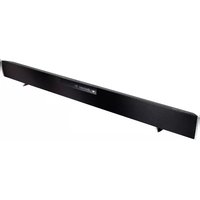
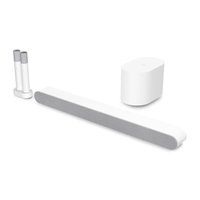
| Product Type | 5.1 Channel Soundbar System with Wireless Subwoofer and Surround Speakers |
| Brand | VIZIO |
| Model | SV510M-0806 |
| System Configuration | 5.1 channels (left, center, right, surround left, surround right, subwoofer) |
| Audio Decoding | Dolby Atmos, DTS:X, DTS Virtual:X |
| Soundbar Drivers | Three 1.66" x 2.77" (42.3 x 70.3 mm) Full Range Drivers (one per channel) |
| Surround Speaker Drivers | Two 1.66" x 2.77" (42.3 x 70.3 mm) Full Range Drivers (one per speaker) |
| Subwoofer Driver | One 5" (127 mm) Driver |
| Frequency Response | 45 Hz - 16 kHz ±5 dB |
| Sound Pressure Level (SPL) | 96 dB (c-weighted, at 1 meter) |
| Power Supply | 100-240 VAC, 50/60 Hz |
| Connectivity | HDMI eARC, Bluetooth, USB (supports .WAV and .MP3 only) |
| Bluetooth Range | Up to 30 feet (9.1 m) |
| Compliance | FCC Class B, TUVus, CEC |
| Warranty | 1 year (non-commercial use) |
| App Control | VIZIO Mobile app (iOS and Android) |
| Wall Mountable | Yes, with included template and brackets (soundbar and surround speakers) |
| QuickFit Compatible | Yes, attaches directly to VIZIO QuickFit TVs |
| Cleaning Instructions | Unplug power, clean with dry cloth; do not use liquid or spray cleaners |
| Important Safety Note | Do not expose to water or moisture; keep ventilation openings clear; avoid loud volumes to protect hearing |
Frequently Asked Questions - SV510M-0806 VIZIO
User questions about SV510M-0806 VIZIO
0 question about this device. Answer the ones you know or ask your own.
Ask a new question about this device
Download the instructions for your Soundbar in PDF format for free! Find your manual SV510M-0806 - VIZIO and take your electronic device back in hand. On this page are published all the documents necessary for the use of your device. SV510M-0806 by VIZIO.
USER MANUAL SV510M-0806 VIZIO
Please read this guide before using the product.
Accessibility
Contact VIZIO for accessibility support at:
Email: accessibility@vizio.com
Phone: 1-877-698-4746
Binding Arbitration Agreement and Class Action Waiver
This purchase is subject to full VIZIO Terms and Conditions, including Binding Arbitration Agreement and Class Action Waiver, which may be viewed at vizio.com/en/terms/terms-of-service.
By using this device, you accept those Terms and Conditions.
You have the right to opt out of the Binding Arbitration Agreement and Class Action Waiver within 60 calendar days of your purchase. Please refer to the Limited Warranty section of this User Manual or view the full VIZIO Terms and Conditions for opt-out instructions.
IMPORTANT SAFETY INSTRUCTIONS
Your Unit is designed and manufactured to operate within defined design limits, and misuse may result in electric shock or fire. To prevent your Unit from being damaged, the following rules should be observed for its installation, use, and maintenance. Please read the following safety instructions before operating your Unit. Keep these instructions in a safe place for future reference.
- Heed all warnings.
- Follow all instructions.
- Do not use this Unit near water.
- Clean only with a dry cloth.
- Do not block any ventilation openings. Install in accordance with the manufacturer's instructions.
• Do not install near any heat sources such as radiators, heat registers, stoves, or other Unit (including amplifiers) that produce heat. - Do not defeat the safety purpose of the polarized or grounding-type plug. A polarized plug has two blades with one wider than the other. A grounding type plug has two blades and a third grounding prong. The wide blade or the third prong are provided for your safety. If the provided plug does not fit into your outlet, consult an electrician for replacement of the obsolete outlet.
- Protect the power cord from being walked on or pinched particularly at the ends where the plug is located, near convenience receptacles, or where they exit from the Unit.
- Only use attachments/accessories specified by the manufacturer.
- Use only with the stand, tripod, or bracket specified by the manufacturer, or sold with the Unit. When a cart is used, use caution when moving the cart/Unit combination to avoid injury from tip-over.
- When using the QuickFit mounting feature, the attached VIZIO device shall not exceed 25 pounds in weight.
- Unplug this Unit during lightning storms or when unused for long periods of time.
• Refer all servicing to qualified service personnel. Servicing is required when the Unit has been damaged in any way, such as when the power supply cord or plug is damaged, liquid has been spilled or objects have fallen into the Unit, the Unit has been exposed to rain or moisture, does not operate normally, or has been dropped.
• To reduce the risk of electric shock or component damage, switch off the power before connecting other components to your Unit. - Unplug the power cord before cleaning your Unit. A damp cloth is sufficient for cleaning. Do not use a liquid or a spray cleaner on your Unit. Do not use abrasive cleaners.
• Always use the accessories recommended by the manufacturer to ensure compatibility. - When moving your Unit from an area of low temperature to an area of high temperature, condensation may form in the housing. Wait before turning on your Unit to avoid causing fire, electric shock, or component damage.
- Slots and openings in the back and bottom of the Unit are provided for ventilation. To ensure reliable operation of your Unit and to protect it from overheating, be sure these openings are not blocked or covered. Do not place your Unit in a bookcase or cabinet unless proper ventilation is provided.
- Never push any object into the slots and openings on your Unit. Do not place any objects on the top of your Unit. Doing so could short circuit parts causing a fire or electric shock. Never spill liquids on your Unit.
- Do not block the subwoofer ports. Allow for 1-2 inches of space around all sides for ventilation.
- WARNING: Exposure to loud sounds can damage your hearing causing hearing loss and tinnitus (ringing or buzzing in the ears). With continued exposure to loud noises, ears may become accustomed to the sound level, which may result in permanent damage to hearing without any noticeable discomfort.
- When connected to a power outlet, power is always flowing into your Unit. To totally disconnect power, unplug the power cord.
- Do not overload power strips and extension cords. Overloading can result in fire or electric shock.
- The wall socket should be located near your Unit and be easily accessible.
- Keep your Unit away from moisture. Do not expose your Unit to rain or moisture. If water penetrates into your Unit, unplug the power cord and contact your dealer.
ENG - iiiENG
IMPORTANT SAFETY INSTRUCTIONS
Continuous use in this case may result in fire or electric shock.
- Do not use your Unit if any abnormality occurs. If any smoke or odor becomes apparent, unplug the power cord and contact your dealer immediately. Do not try to repair your Unit yourself.
- Avoid using dropped or damaged appliances. If your Unit is dropped and the housing is damaged, the internal components may function abnormally. Unplug the power cord immediately and contact your dealer for repair. Continued use of your Unit may cause fire or electric shock.
- Do not install your Unit in an area with heavy dust or high humidity. Operating your Unit in environments with heavy dust or high humidity may cause fire or electric shock.
- Ensure that the power cord and any other cables are unplugged before moving your Unit.
- When unplugging your Unit, hold the power plug, not the cord. Pulling on the power cord may damage the wires inside the cord and cause fire or electric shock. When your Unit will not be used for an extended period of time, unplug the power cord.
• To reduce risk of electric shock, do not touch the connector with wet hands. - Insert the TV remote control batteries in accordance with instructions. Incorrect polarity may cause the battery to leak which can damage the TV remote control or injure the operator.
- Read and follow all warnings printed on the Unit.
- WARNING: This equipment is not waterproof. To prevent a fire or shock hazard, do not place any container filled with liquid near the equipment (such as a vase or flower pot) or expose it to dripping, splashing, rain, or moisture.
- CAUTION: Danger of explosion or fire if batteries are mistreated. Replace only with the same or specified type.
- Do not leave the batteries exposed to direct sunlight for a long period of time with doors and windows closed. Do not disassemble the batteries or dispose of it in fire.
• If the main wall plug or the appliance coupler is disconnected, the disconnected device will remain readily operable upon reconnection to an appropriate power source. - No open flames, such as lighted candles, should be placed on the Unit.
• The ventilation should not be impeded by covering the ventilation openings with items, such as newspapers, table-cloths, curtains, etc. - The equipment shall be used at maximum 35 degree C ambient temperature.
WARNING: To reduce the risk of fire or electric shock, do not expose this Unit to rain or moisture.


The lighting flash with arrowhead symbol within an equilateral triangle is intended to alert the user to the presence of not isolated dangerous voltage within the appliance that may be sufficient magnitude to constitute a risk of shock to persons.

The exclamation point within an equilateral triangle is intended to alert the user to the presence of important operating and servicing instructions in the literature accompanying the appliance.

Warning: This equipment is a Class II or double insulated electrical appliance. It has been designed in such a way that it does not require a safety connection to electrical earth.
TABLE OF CONTENTS
Package Contents....1
Controls & Connections 2
First-time Setup....6
Proper Placement....10
Controlling Your Soundbar....12
VIZIO Mobile App....13
Bluetooth Pairing for App Control....14
Bluetooth Pairing for Streaming Audio....15
Bluetooth Pairing for Streaming Audio (continued)....16
Unpairing or Disconnecting Your Soundbar 17
Using Bluetooth Mode....18
Using the Physical Buttons....19
Connecting a Subwoofer 20
QuickFit Mounting 21
Wall Mounting 22
Product Registration and Support 25
Help & Troubleshooting......26
Limited Warranty 27
Legal & Compliance 30
Specifications 31
Package Contents

natural_image
Black rectangular object with a slightly elongated top edge, isolated on white background (no text or symbols)VIZIO Soundbar

Wireless Subwoofer

2 x Surround
Speakers

Wall Mount Template

2 x Power Cables

HDMI® Cable

2 x Surround Speaker
Audio Cables

4 x Cable
Management Straps

2 x QuickFit™ Screws

2 x Wall
Mount Brackets
& screws
(Surround Speakers)
SETUP
Quick Setup Guide
Controls & Connections
Back of Soundbar

Controls & Connections

flowchart
graph TD
    A["USB* In"] --> B["HDMI (eARC)"]
    B --> C["..."]
*Supports .WAV and .MP3 file format playback only.
ENG-3
Controls & Connections
Side of Soundbar

Buttons Located on the side of Soundbar

flowchart
graph TD
    A["Volume\nIncrease or decrease the loudness of the audio."] --> B["+"]
    C["Bluetooth® Input\nSee Bluetooth Pairing sections for more information"] --> D["-"]
    E["Power\nPress to turn on or off."] --> F["*"]
    G["Input\nPress to change the audio source."] --> H["→"]
    I["Power"] --> J["↓"]
Controls & Connections
Back of Subwoofer

Back of Surround Speaker

ENG-5
First-time Setup
1
Connect the soundbar to the HDMI ARC or eARC port on your TV with the included HDMI cable.
Back of Soundbar

ENG-6
First-time Setup

Connect the power cable to the soundbar AC IN as shown.
Plug the power cable into an electrical outlet.
Back of Soundbar

flowchart
graph TD
    A["Power In"] --> B["Plug-in socket"]
    style A fill:#000,stroke:#fff,color:#fff
    style B fill:#000,stroke:#fff,color:#fff
ENG-7
First-time Setup

Connect the surround speakers to the subwoofer using the included surround speaker audio cables. Cable ties are included to wrap unused cable length.

natural_image
Diagram of a black audio speaker connected to two external devices with ports and cables (no text or symbols)Match the color-coded speaker cable to the matching speaker port color.
Blue for left surround and grey is for right surround.
First-time Setup
Back of Subwoofer

natural_image
Front view of a black audio speaker with buttons and speaker grille (no text or symbols visible)
natural_image
Illustration of a white plug with a black cable and two circular eyes, labeled '4' in the top-left corner (no other text or symbols)Connect the power cable to the subwoofer.

natural_image
Simple diagram showing a plug inserted into an electrical socket with three outlets (no text or symbols)Plug the power cable into a power outlet.

natural_image
Close-up of a button with a white power symbol and a dot, labeled '6' in the top-left corner (no other text or symbols)The subwoofer should automatically power on and link to the soundbar when plugged in. The LED will glow to solid to confirm.
Proper Placement
Position the soundbar (A), subwoofer (B), and surround speakers (C) as shown in the image below.


Note: Do not block the subwoofer port.
ProperPlacement—FrontSurroundMode
In rooms where ideal placement of the surround sound speakers is not practical, you can also place the soundbar (A), subwoofer (B), and surround sound speakers (R & L) as shown below.
Front Surround Mode will utilize DTS Virtual:X to produce a virtual surround sound experience.


natural_image
3D geometric shape resembling a cube or prism with shaded faces (no text or symbols)Note: Do not block the subwoofer port.
ENG-11
Controlling Your Soundbar
Use your existing TV remote to power on your TV; your soundbar will automatically wake up.
Use your TV remote to adjust the volume and to mute and unmute.

ENG-12
VIZIO Mobile App
Take control with VIZIO Mobile
VIZIO Mobile app and VIZIO Account required for control of soundbar functionality, settings, and to receive system updates. Scan to download.


- Download VIZIO Mobile and create a VIZIO Account. Activate Bluetooth on your phone while standing next to your soundbar.
- Open VIZIO Mobile to pair and connect to the Soundbar. The app automatically recognizes your soundbar for the first hour after installation.
- After one hour, press and hold the Bluetooth button on your soundbar. Release after 5 seconds to initiate the pairing process for up to 3 minutes.
- Once paired, adjust audio levels like bass, treble, height, and dialogue.
Bluetooth Pairing for App Control
To pair the soundbar with the VIZIO Mobile app during the first-time setup:
- The soundbar will be in pairing mode for one hour after you plug it into an electrical outlet.
- Download the VIZIO Mobile app and open the app.
- In the VIZIO Mobile app, select your device from the list of discovered devices (VIZIO 5.1 Soundbar)
- Now you are connected and can control the soundbar via the VIZIO Mobile app while the app is open and you are within range
To pair the soundbar with the VIZIO Mobile app after the first-time setup or to pair an additional Smart Phone
- Download the VIZIO Mobile app and open the app on the device that you wish to pair to the soundbar.
- Press and hold the Bluetooth Button (✗) on the soundbar for at least 5 seconds, then release. This will put the soundbar into pairing mode for 3 minutes. You will see the LED blinking slowly in blue when it is in this state.
- In the VIZIO Mobile app, select your device from the list of discovered devices (VIZIO 5.1 Soundbar)
- Now you are connected and can control the soundbar via the VIZIO Mobile app while the app is open and you are within range

Only one paired device can control the soundbar at a time. To switch which device has the active controls, close the app on the device you're not using and open the app on the device that you want to use.


natural_image
Black rectangular object with a slightly flared end, isolated on white background (no text or symbols)VIZIO Mobile App
Bluetooth Pairing for Streaming Audio
To pair the soundbar with a Bluetooth device for streaming music, you can use either of the two methods:
From the soundbar button panel:
- Press and hold the Bluetooth button (*) on the soundbar for 2 seconds, then release.
- The soundbar will switch to Bluetooth input and begin pairing mode. You will see the Blue LED blinking rapidly and a tone will play twice.
- Search for the soundbar (VIZIO 5.1 Soundbar) using your Bluetooth device in its mobile device settings. Select it and press "Pair."
- Once successfully paired, the Blue LED will stop blinking and a confirmation tone will be heard from the soundbar.
- Now you can play audio from your Bluetooth device while it is in range and your soundbar is in Bluetooth Input.

Only one paired device can stream to the soundbar at a time. To switch which device is streaming, disconnect the streaming device from the soundbar in your Device Settings (see Unpairing or Disconnecting Your Soundbar on the next page) and connect the device you want to stream from.

natural_image
Illustration of a smartphone connected to a black rectangular device with sound waves (no text or symbols)Bluetooth Pairing for Streaming Audio (continued)
From the VIZIO Mobile app
- In the VIZIO Mobile app for the soundbar, on the EQ Modes tab, press the Bluetooth button.
- A prompt will appear asking if you want to switch to Bluetooth input or pair a device. Select "Pair Music."
- The soundbar will switch to Bluetooth input and begin pairing mode. You will see the Blue LED on the soundbar blinking rapidly and a tone will play twice.
- Search for the soundbar (VIZIO 5.1 Soundbar) using your Bluetooth device's mobile device settings. Select it and press "pair."
- Once successfully paired, the Blue LED will stop blinking and a confirmation tone will be heard from the soundbar.
- Now you can play audio from your Bluetooth device while it is in range and your soundbar is in Bluetooth Input.

Only one paired device can stream music to the soundbar at a time. To connect a new device, you must initiate pairing mode for music streaming again.
Unpairing or Disconnecting Your Soundbar
Unpairing the Soundbar from your VIZIO Mobile app
- Press the name of your soundbar at the top of the VIZIO Mobile app Screen
- Under "Paired Devices" you will see the name of your soundbar. Press the Information button to open up the device info screen.
- Press "Unpair Device".
- The VIZIO Mobile app will ask for confirmation. Press "Yes." Your device will be unpaired from the soundbar.

For iOS users, an extra step is required to fully unpair your iPhone from the soundbar. After going through the above steps, navigate to Bluetooth on your mobile device settings, then press the information button and press unpair from "VIZIO Mobile app."
Using Bluetooth Mode
- Your soundbar supports music streaming from devices with Bluetooth capability. (Device compatibility will vary, see your device's documentation for more information.)
- If the input is changed back to Bluetooth, the most recently connected Bluetooth device will reconnect automatically.
- If the input is changed, the Bluetooth device will disconnect.
Maximizing Signal
A Bluetooth signal has a range of up to 30 feet. Keep in mind that Bluetooth is a compressed audio format, so streamed music may lose some integrity when compared to a wired connection. Try the following if your sound quality is less than optimal:
- If you hear any break-up or you are disconnected while streaming music from your device, move the source device closer to the soundbar.
- Be sure that there are no solid obstructions in the line-of-sight between the soundbar and the source device.
- Other wireless devices can affect Bluetooth range, including wireless security cameras, wireless video baby monitors, cordless phones, and microwave ovens. Turning off or moving these devices may improve Bluetooth range.

Your soundbar is not equipped with a microphone, so it cannot operate as a hands-free device for a smartphone.

Reduce the volume levels on your device and on the soundbar before pressing Play. High volume levels can damage your hearing.
Using the Physical Buttons
There are functions that are triggered by different button combinations on the soundbar.

natural_image
Simple black cylindrical object with a red circle highlighting its left edge (no text or symbols)Buttons are located here.
| Function | Description |
| Factory Reset | Reset the soundbar to the factory default settings.To perform a Factory Reset,Press and Holdthe Bluetooth (✗) and Volume Down (—) buttons for 5 seconds.Notes:This will erase all settings and preferences that you have set.The subwoofer will remain paired, but the VIZIO Mobile app will need to be repaired. |
| Speaker Test | Press and holdthe Bluetooth (✗) and Volume Up (+) buttons for 5 seconds.This function is also available within the VIZIO Mobile app. |
| Bluetooth Classic Pairing Mode (Music Streaming) | Press and holdthe Bluetooth (✗) button for 2 seconds.This function is also available within the VIZIO Mobile app. |
| Bluetooth Low Energy (BLE) Pairing Mode (VIZIO Mobile app) | Press and holdthe Bluetooth (✗) button for at least 5 seconds. |
Connecting a Subwoofer

natural_image
Two black 3D objects: a cylindrical rod with sensor waves and a rectangular block with sound waves (no text or symbols)The subwoofer has already been paired with the soundbar by VIZIO. However, the subwoofer may need to be re-paired to the soundbar if there is no sound coming from the subwoofer.

natural_image
Black speaker with digital display and control buttons, no visible text or symbolsBack of subwoofer

Button Located on the side of Soundbar
First, confirm that the power LED is illuminated. Press and hold the ON/OFF button on the back of the subwoofer for 5 seconds. The LED on the back of the subwoofer will blink white.
Press and hold the Power button on the side of the soundbar for 5 seconds. The LED indicator on the front will flash white until paired. Once paired, the LED will flash green, then turn solid white.
QuickFit Mounting
Your soundbar may be attached directly to the bottom of QuickFit compatible VIZIO TVs. For additional information and VIZIO TV compatibility, visit www.vizio.com/quickfit.
Before you begin

Before you begin, scan the QR code above to learn more about setting up your QuickFit compatible device, including installation guidelines and important safety information.

natural_image
Simple line drawing of a hand holding a small object near a wall (no text or symbols)1 Locate the thumb screws inside the included accessory bag and screw them into the bottom of your QuickFit compatible VIZIO TV.

natural_image
Simple diagram showing a circular object above a horizontal bar, no text or symbols present2 Rotate the soundbar so that it is upside down with the orange tab on the left.

3 Plug the power cable into a nearby wall outlet and connect the soundbar to the HDMI eARC port on your QuickFit compatible VIZIO TV.

natural_image
Two hand gestures showing a circular object with a black top and a gray handle, one with an arrow indicating direction (no text or symbols)4 Align the soundbar with the thumb screws inserted into your TV as illustrated in step 2. Push the soundbar in until it locks in place.
To detach your soundbar

natural_image
Two hand gestures showing a downward arrow and an arrow inside a rounded rectangular object (no text or symbols)To detach the soundbar, hold it from the front and tilt down, then pull it away from your TV.
Wall Mounting

Place the included Wall Mounting Template against the wall under your TV. Mark the two bracket holes using a pencil.


Install the screws to the wall. Be sure your screws are attached to wood studs, drywall anchors (for drywall), or concrete anchors (for brick/concrete walls).
Suggested screw size:
4.5mm diameter
25 mm minimum length
VIZIO recommends leaving 4-8 mm of clearance between the screw head and the wall.

Screws for wall mounting are not included.
Use the screw type and length noted above and on the Wall Mounting Template and appropriate to your home's construction. If in doubt, consult a professional installer.
Do not use any of the included screws for the wall mount installation. These are not intended for mounting.
Wall Mounting

Insert one end of the provided HDMI cable to the HDMI eARC port on your soundbar. Attach the other end to your TV's ARC/eARC port.

Slide the soundbar's wall mount slots over the installed screws.

ENG-23
Wall Mounting
Wall Mounting the Surround Speakers
To wall mount the surround speakers:
- Attach the wall mount screw to the back of the surround speaker.
- Secure the wall mount bracket to the wall. (Bracket screw is not included.)
- Slide the speaker on to the wall bracket. Ensure the wall mount screw is secured within the bracket grooves.

Be sure your screws are attached to wood studs, drywall anchors (for drywall), or concrete anchors (for brick/concrete walls).
Wall mounting hardware is not included.

If you are unfamiliar with power tools or the layout of electrical wiring in the walls of your home, consult a professional installer.
Bracket Screw\*
(Not included with soundbar)
Suggested screw size: 3.5 mm diameter, 1.63" minimum length

Wall-mount Screw
(Included with soundbar)
Screw size: M4 x 8L
Product Registration and Support
Get helpful tips and register your soundbar.
Scan with your phone camera or QR reader.


Customized Support
Get assistance quickly with your information on hand.

News and Offers
Take advantage of the latest news and special offers from VIZIO.

Updates and Enhancements
Stay up-to-date with important product updates and notifications.
More questions? Find answers at:
SUPPORT.VIZIO.COM
Help & Troubleshooting
| There is no power. | Press the POWER button on the TV remote control or on the side of your soundbar.Ensure the power cord is securely connected.Plug a different device into the electrical outlet to verify that the outlet is working correctly. |
| There is no sound. | Increase the volume. Press VOLUME UP on the TV remote or on the side of your soundbar.Press MUTE on the TV remote to ensure the soundbar is not muted.Press INPUT on the TV remote or on the side of your soundbar to select a different input source.On digital inputs, the input LEDs will flash rapidly if an unsupported format is present.Set the source to output PCM.Your TV may be set to variable audio output. Confirm that the audio output setting is set to FIXED or STANDARD, not VARIABLE. Consult your TV's user manual for more detailed information.If using Bluetooth, ensure that the volume on your source device is turned up and that the device is not muted. |
| I hear buzzing or humming. | Ensure all cables and wires are securely connected.Connect a different source device (TV, Blu-ray player, etc) to see if the buzzing persists. If it does not, the problem may be with the original device.Connect your device to a different input on the soundbar. |
Limited Warranty
UNITED STATES
By using this VIZIO product, you accept all VIZIO Terms and Conditions, including all the Terms of Warranty, BINDING ARBITRATION AGREEMENT, and Class Action Waiver. If you do not agree to the terms of this warranty, do not use the VIZIO product and, within thirty (30) days of the date of purchase, return it for a refund to the authorized retailer where you purchased it. You have the right to opt out of the Arbitration Agreement and Class Action Waiver within 60 calendar days of your purchase. Please refer to the full section "Binding Arbitration Agreement; Class Action Waiver" below for more details and instructions for opt-out. Full Terms and Conditions may be viewed at vizio.com/en/terms/terms-of-service.
How Long This Warranty Lasts
For non-commercial use, VIZIO warrants the product on the terms set forth below for one (1) year from the date of original purchase. For commercial use, VIZIO warrants this product on the terms set forth below for ninety (90) days from the date of original purchase.
What This Warranty Covers
VIZIO warrants the product against defects in materials and workmanship when the product is used normally in accordance with VIZIO's user guides and manuals. Except where restricted by law, this warranty applies only to the original purchaser of a new product. The purchase must have been made from an authorized retailer in the United States (including Puerto Rico). The product must also be located in the country where it was purchased at the time of warranty service.
How to Get Service
Before obtaining warranty service, you may visit www.vizio.com for additional help and troubleshooting. To obtain warranty service, contact VIZIO Customer Support by going to support.vizio.com and selecting Contact Us. You can also call Customer Support (US): 855-209-4106.
Your Obligations Before Service
You must obtain pre-authorization before sending your product to a VIZIO service center. You may be required to supply a purchase receipt (or copy) to show that the product is within the warranty period.
When you return a product to a VIZIO service center, you must ship the product in its original packaging or in packaging that affords an equal degree of protection. VIZIO Technical Support will provide instructions for packing and shipping the product to the VIZIO service center.
ALL USER DATA AND DOWNLOADED APPLICATIONS STORED ON A PRODUCT WILL BE DELETED IN THE COURSE OF SOME IN-HOME AND ALL SHIP-IN WARRANTY SERVICE. If this occurs, your product will be restored to its original state. You will be responsible for restoring all applicable user data and downloaded applications. Recovery and reinstallation of user data and downloaded applications is not covered under this warranty. In order to protect your personal information, VIZIO recommends that you always clear all personal information from the product before it is serviced, regardless of the servicer.
VIZIO's Responsibilities
If VIZIO determines that a product is covered by this warranty, VIZIO will (at its option) repair or replace it, or refund the purchase price to you. There will be no charge for parts or labor during the warranty period. Replacement parts may be new or recertified at VIZIO's option and sole discretion. Replacement parts and VIZIO's labor are warranted for the remaining portion of the original warranty or for ninety (90) days from warranty service, whichever is longer.
Types of Service
Products must be sent to a VIZIO service center to obtain warranty service. VIZIO is not responsible for transportation costs to the service center, but VIZIO will cover return shipping to the customer.
ENG - 27
Limited Warranty
What This Warranty Does Not Cover
This warranty does not cover: (a) cosmetic damage; (b) normal wear and tear; (c) improper operation; (d) improper voltage supply or power surges; (e) signal issues; (f) damage from shipping; (g) acts of God; (h) customer misuse, modifications or adjustments; (i) installation, set-up, or repairs attempted by anyone other than by a VIZIO authorized service center; (j) products with unreadable or removed serial numbers; (k) products requiring routine maintenance; or (l) products sold "AS IS", "CLEARANCE", "FACTORY RECERTIFIED", or by a non-authorized reseller.
What to Do If You Are Not Satisfied With Service
If you feel VIZIO has not met its obligations under this warranty, you may attempt to resolve the issue informally with VIZIO. If you are unable to resolve the issue informally and wish to file a formal claim against VIZIO, and if you are a resident of the United States, you must submit your claim to binding arbitration according to the procedures described below, unless an exception applies. Submitting a claim to binding arbitration means that you do not have the right to have your claim heard by a judge or jury. Instead your claim will be heard by a neutral arbitrator.
Binding Arbitration Agreement; Class Action Waiver (U.S. Residents Only)
UNLESS YOU HAVE BROUGHT AN ELIGIBLE CLAIM IN SMALL CLAIMS COURT OR HAVE OPTED OUT AS DESCRIBED BELOW, ANY CONTROVERSY OR CLAIM RELATING IN ANY WAY TO YOUR VIZIO PRODUCT, INCLUDING ANY CONTROVERSY OR CLAIM ARISING OUT OF OR RELATING TO THIS WARRANTY. A BREACH OF THIS WARRANTY, OR THE VIZIO PRODUCT'S SALE, CONDITION OR PERFORMANCE, WILL BE SETTLED BY BINDING ARBITRATION ADMINISTERED BY THE AMERICAN ARBITRATION ASSOCIATION AND CONDUCTED BY A SINGLE ARBITRATOR APPOINTED BY THE AMERICAN ARBITRATION ASSOCIATION, IN ACCORDANCE WITH ITS COMMERCIAL ARBITRATION RULES AND ITS SUPPLEMENTARY PROCEDURES FOR CONSUMER-RELATED DISPUTES. You may learn more about the American Arbitration Association and its rules for arbitration by visiting www.adr.org or by calling 800-778-7879. Since this warranty concerns a transaction in interstate or international commerce, the Federal Arbitration Act will apply.
The filing fees to begin and carry out arbitration will be shared between you and VIZIO, but in no event will your fees ever exceed the amount allowable by the American Arbitration Association, at which point VIZIO will cover all additional administrative fees and expenses. VIZIO waives its right to recover attorneys' fees in connection with any arbitration under this warranty. If you are the prevailing party in an arbitration to which the Supplementary Procedures for Consumer-Related Disputes applies, then you are entitled to recover attorneys' fees as the arbitrator may determine.
The dispute will be governed by the laws of the state or territory in which you resided at the time of your purchase (if in the United States). The place of arbitration will be Irvine, California, or your county of residence (if in the United States). The arbitrator will have no authority to award punitive or other damages not measured by the prevailing party's actual damages, except as may be required by statute. The arbitrator will not award consequential damages, and any award will be limited to monetary damages and will include no equitable relief, injunction, or direction to any party other than the direction to pay a monetary amount. Judgment on the award rendered by the arbitrator will be binding and final, except for any right of appeal provided by the Federal Arbitration Act, and may be entered in any court having jurisdiction. Except as may be required by law, neither you nor VIZIO nor an arbitrator may disclose the existence, content, or results of any arbitration under this warranty without the prior written consent of you and VIZIO.
ANY DISPUTE, WHETHER IN ARBITRATION, IN COURT, OR OTHERWISE, WILL BE CONDUCTED SOLELY ON AN INDIVIDUAL BASIS. VIZIO AND YOU AGREE THAT NO PARTY WILL HAVE THE RIGHT OR AUTHORITY FOR ANY DISPUTE TO BE ARBITRATED AS A CLASS ACTION, A PRIVATE ATTORNEY GENERAL ACTION, OR IN ANY OTHER PROCEEDING IN WHICH EITHER PARTY ACTS OR PROPOSES TO ACT IN A REPRESENTATIVE CAPACITY.
NO ARBITRATION OR PROCEEDING WILL BE JOINED, CONSOLIDATED, OR COMBINED WITH ANOTHER ARBITRATION OR PROCEEDING WITHOUT THE PRIOR WRITTEN CONSENT OF ALL PARTIES TO ANY SUCH ARBITRATION OR PROCEEDING.
Limited Warranty
Opt-Out Instructions
IF YOU DO NOT WISH TO BE BOUND BY THE BINDING ARBITRATION AGREEMENT AND CLASS ACTION WAIVER, THEN: (1) you must notify VIZIO in writing within sixty (60) days of the date that you purchased the product; (2) your written notification must be mailed to VIZIO at 39 Tesla, Irvine, CA 92618, Attn: Legal Department; and (3) your written notification must include (a) your name, (b) your address, (c) the date you purchased the product, and (d) a clear statement that you wish to opt out of the binding arbitration agreement and class action waiver.
In addition, you may pursue a claim in small claims court in your county of residence (if in the United States) or in Orange County, California. In such case the provisions of the section titled “Binding Arbitration Agreement; Class Action Waiver (U.S. Residents)” will not apply.
Exclusions and Limitations
TO THE GREATEST EXTENT PERMITTED BY APPLICABLE LAW, THERE ARE NO EXPRESS WARRANTIES OTHER THAN THOSE DESCRIBED ABOVE. ANY IMPLIED WARRANTIES, INCLUDING ANY IMPLIED WARRANTY OF MERCHANTABILITY AND FITNESS FOR APARTICULAR PURPOSE, WILL BE LIMITED IN DURATION TO THE WARRANTY PERIOD SET FORTH ABOVE. SOME STATES AND PROVINCES DO NOT ALLOW LIMITATIONS ON HOW LONG AN IMPLIED WARRANTY LASTS, SO THE ABOVE LIMITATION MAY NOT APPLY TO YOU.
VIZIO WILL NOT BE RESPONSIBLE FOR LOSS OF USE, LOSS OF INFORMATION OR DATA, COMMERCIAL LOSS, LOST REVENUE OR LOST PROFITS, OR OTHER INDIRECT, SPECIAL, INCIDENTAL OR CONSEQUENTIAL DAMAGES, EVEN IF VIZIO HAS BEEN ADVISED OF THE POSSIBILITY OF SUCH DAMAGES, AND EVEN IF THE REMEDY FAILS OF ITS ESSENTIAL PURPOSE. SOME STATES AND PROVINCES DO NOT ALLOW THE EXCLUSION OR LIMITATION OF INCIDENTAL OR CONSEQUENTIAL DAMAGES, SO THE ABOVE LIMITATION OR EXCLUSION MAY NOT APPLY TO YOU.
IN LIEU OF ANY OTHER REMEDY FOR ANY AND ALL LOSSES AND DAMAGES RESULTING FROM ANY CAUSE WHATSOEVER (INCLUDING VIZIO'S NEGLIGENCE, ALLEGED DAMAGE, OR DEFECTIVE GOODS, NO MATTER WHETHER SUCH DEFECTS ARE DISCOVERABLE OR LATENT), VIZIO MAY, AT ITS SOLE AND EXCLUSIVE OPTION AND IN ITS DISCRETION, REPAIR OR REPLACE YOUR PRODUCT, OR REFUND ITS PURCHASE PRICE. AS NOTED, SOME STATES AND PROVINCES DO NOT ALLOW THE EXCLUSION OR LIMITATION OF INCIDENTAL OR CONSEQUENTIAL DAMAGES, SO THE ABOVE LIMITATION OR EXCLUSION MAY NOT APPLY TO YOU.
How the Law Applies
This warranty gives you specific legal rights, and you may also have other rights, which vary from state to state and province to province. This warranty applies to the greatest extent permitted by applicable law.
General
No employee or agent of VIZIO may modify this warranty. If any term of this warranty, other than the class action waiver, is found to be unenforceable, that term will be severed from this warranty and all other terms will remain in effect. If the class action waiver is found to be unenforceable, then the entire section titled "Binding Arbitration Agreement; Class Action Waiver (U.S. Residents Only)" will not apply. This warranty applies to the maximum extent not prohibited by law.
Changes to Warranty
This warranty may change without notice, but any change will not affect your original warranty. Check www.vizio.com for the most current version.
Legal & Compliance
FCC Class B Radio Interference Statement
NOTE: This equipment has been tested and found to comply with the limits for a Class B digital device, pursuant to Part 15 of the FCC Rules. These limits are designed to provide reasonable protection against harmful interference in a residential installation. This equipment generates, uses and can radiate radio frequency energy, and if not installed and used in accordance with the instructions, may cause harmful interference to radio communications. However, there is no guarantee that interference will not occur in a particular installation. If this equipment does cause harmful interference to radio or television reception, which can be determined by turning the equipment off and on, the user is encouraged to try to correct the interference by one or more of the following measures:
- Reorient or relocate the receiving antenna.
- Increase the separation between the equipment and receiver.
- Connect the equipment into an outlet on a circuit different from that to which the receiver is connected.
- Consult the dealer or an experienced radio/TV technician for help.
This device complies with Part 15 of the FCC Rules. Operation is subject to the following two conditions: (1) this device may not cause harmful interference, and (2) this device must accept any interference received, including interference that may cause undesired operation.
Notice:
- Any Changes or modifications not expressly approved by the party responsible for compliance could void the user's authority to operate the equipment.
- Shielded interface cables and AC power cord, if any, must be used in order to comply with the emission limits.
- The manufacturer is not responsible for any radio or TV interference caused by unauthorized modification to this equipment. It is the responsibilities of the user to correct such interference.
FCC RF Radiation Exposure Statement
- This transmitter must not be collocated or operating in conjunction with any other antenna or transmitter.
- This equipment complies with FCC radiation exposure limits set forth for an uncontrolled environment. This equipment should be installed and operated with minimum distance 20cm between the radiator & your body.
- FCC RF Warning
This equipment must be installed and operated in accordance with provided instructions and the antenna(s) used for this transmitter must be installed to provide a separation distance of at least 20cm from all persons and must not be co-located or operating in conjunction with any other antenna or transmitter. End-users and installers must be provided with antenna installation instructions and transmitter operating conditions for satisfying RF exposure compliance.
Battery Disposal and Recycling
You must dispose of this product properly, according to local laws and regulations. Because this product contains electronic components and/or a battery, it must be disposed of separately from household waste. Contact local authorities to learn about disposal and recycling options. For more information, visit vizio.com/environment or call (800) 374-3473..
Software Licenses
All software is provided subject to software license agreements and you agree that you will be bound by such license agreements in addition to other applicable terms of use. By using the VIZIO products, you agree to the VIZIO Terms of Service and Privacy Policy. The VIZIO Terms of Use and Privacy Policy may be updated from time to time and are available to view at vizio.com/terms and vizio.com/privacy, respectively.
Export Regulations
Customer acknowledges that the VIZIO products, which include technology and software, are subject to customs and export control laws in the United States (“US”). The products may also be subject to the customs and export control laws and regulations of the country in which the products are manufactured and/or received.
© 2024 VIZIO, Inc. All Rights Reserved.
This User Manual may not be copied in whole or in part without the written permission of VIZIO, Inc. VIZIO, Inc. has made reasonable efforts to ensure the accuracy of the information provided herein. All product specifications, functionality, features, configurations, performance, design and other product information described herein are subject to change without notice. VIZIO, Inc. is not responsible for typographical, technical, or descriptive errors. To review the most updated version of this User Manual and the associated Quick Start Setup guide, go to vizio.com.
VIZIO, the VIZIO logo, the V logo, and other terms and phrases are trademarks or registered trademarks of VIZIO, Inc.
Legal & Compliance
Specifications
| Soundbar: | Three 1.66" x 2.77" (42.3 x 70.3 mm) Full Range Driver for each channel (1 for left, 1 for right, 1 for center) |
| Surround Speakers: | Two 1.66" x 2.77"(42.3 x 70.3 mm) Full Range Driver for each speaker (1 for left, 1 for right) |
| Subwoofer: | One 5" (127 mm) Driver |
| Connections: | One HDMI (eARC)BluetoothOne USB (Supports .WAV and .MP3 format only) |
| Sound Pressure Level (System): | 96 dBspl |
| Frequency Response (System): | 45Hz - 16kHz +/- 5dB |
| Voltage: | 100-240Vac, 50/60Hz |
| Compliances: | TUVus/FCC Class B/CEC |
Sound pressure level measured using pink noise at 1 meter, c-weighted.
Legal & Compliance

The terms HDMI, HDMI High-Definition Multimedia Interface, HDMI Trade dress and the HDMI Logos are trademarks or registered trademarks of HDMI Licensing Administrator, Inc.

The Bluetooth ® word mark and logos are registered trademarks owned by Bluetooth SIG, Inc. and any use of such marks by VIZIO Inc. is under license. Other trademarks and trade names are those of their respective owners.
Dolby Atmos
Dolby, Dolby Atmos, and the double-D symbol are registered trademarks of Dolby Laboratories Licensing Corporation. Manufactured under license from Dolby Laboratories. Confidential unpublished works. Copyright © 2012-2024 Dolby Laboratories. All rights reserved.

For DTS patents, see http://patents.dts.com. Manufactured under license from DTS, Inc. or DTS Licensing Limited. DTS, DTS:X, Virtual:X, and the DTS:X logo are registered trademarks or trademarks of DTS, Inc. in the United States and other countries. © 2021 DTS, Inc. ALL RIGHTS RESERVED.

© 2024 VIZIO INC. ALL RIGHTS RESERVED. 240501v2
ENG - 33


- Accessibility
- Binding Arbitration Agreement and Class Action Waiver
- By using this device, you accept those Terms and Conditions.
- IMPORTANT SAFETY INSTRUCTIONS
- TABLE OF CONTENTS
- Package Contents
- Controls & Connections
- Side of Soundbar
- Back of Subwoofer
- Back of Surround Speaker
- First-time Setup
- 1
- Back of Soundbar
- Proper Placement
- ProperPlacement—FrontSurroundMode
- Controlling Your Soundbar
- VIZIO Mobile App
- Take control with VIZIO Mobile
- Bluetooth Pairing for App Control
- Bluetooth Pairing for Streaming Audio
- Bluetooth Pairing for Streaming Audio (continued)
- From the VIZIO Mobile app
- Unpairing or Disconnecting Your Soundbar
- Using Bluetooth Mode
- Maximizing Signal
- Using the Physical Buttons
- Connecting a Subwoofer
- QuickFit Mounting
- Wall Mounting
- Screws for wall mounting are not included.
- Wall Mounting the Surround Speakers
- Bracket Screw\*
- Wall-mount Screw
- Product Registration and Support
- Get helpful tips and register your soundbar.
- Customized Support
- News and Offers
- Updates and Enhancements
- Limited Warranty
- UNITED STATES
- How Long This Warranty Lasts
- What This Warranty Covers
- How to Get Service
- Your Obligations Before Service
- VIZIO's Responsibilities
- Types of Service
- What This Warranty Does Not Cover
- What to Do If You Are Not Satisfied With Service
- Binding Arbitration Agreement; Class Action Waiver (U.S. Residents Only)
- Opt-Out Instructions
- Exclusions and Limitations
- How the Law Applies
- General
- Changes to Warranty
- Legal & Compliance
- FCC Class B Radio Interference Statement
- Notice:
- FCC RF Radiation Exposure Statement
- Battery Disposal and Recycling
- Software Licenses
- Export Regulations
- © 2024 VIZIO, Inc. All Rights Reserved.
- Dolby Atmos
Brand : VIZIO
Model : SV510M-0806
Category : Soundbar