Gamdias Helios P1A-750G - Computer Adapter

Helios P1A-750G - Computer Adapter Gamdias - Free user manual and instructions

Find the device manual for free Helios P1A-750G Gamdias in PDF.

📄 10 pages English EN Download 💬 AI Question 10 questions ⚙️ Specs
Notice Gamdias Helios P1A-750G - page 1
Pick your language and provide your email: we'll send you a specifically translated version.
Type Power Supply Unit
Model Helios P1A-750G
Brand Gamdias
AC Input 100-240V, 50-60Hz
DC Output +3.3V, +5V, +12V, -12V, +5VSB
Total Power 750W
Fan Size 120mm
Efficiency 80 PLUS Bronze certified
Dimensions (W x L x H) 150mm x 140mm x 86mm
Weight 2.5 kg
Main Connectors 1x 24-pin ATX, 1x 8-pin EPS, 2x 6+2-pin PCIe, 6x SATA, 4x Molex
Protections OVP, OCP, OPP, SCP, UVP
Safety Certifications CE, FCC
PFC Type Active PFC
Form Factor ATX
Operating Temperature 0°C to 40°C
MTBF 100,000 hours
Warranty 5 years
Color Black

Frequently Asked Questions - Helios P1A-750G Gamdias

What is the total wattage of the Gamdias Helios P1A-750G?
The Gamdias Helios P1A-750G has a total output of 750 watts, suitable for most mid-range to high-end desktop builds.
What form factor does this power supply support?
It supports the ATX form factor (standard size) and fits in most PC cases that accommodate ATX power supplies.
What connectors are included with the Helios P1A-750G?
It includes one 24-pin ATX motherboard connector, one 8-pin EPS CPU connector, two 6+2-pin PCIe connectors for graphics cards, six SATA connectors, and four Molex connectors.
Is this power supply modular?
The Helios P1A-750G is a semi-modular power supply, meaning the main ATX and CPU cables are fixed, while the remaining cables are detachable for better cable management.
What efficiency rating does it have?
It has an 80 PLUS Bronze certification, ensuring at least 82% efficiency at typical loads.
What safety protections are built in?
It features multiple protections: Over Voltage Protection (OVP), Over Current Protection (OCP), Over Power Protection (OPP), Short Circuit Protection (SCP), and Under Voltage Protection (UVP).
How do I install the power supply?
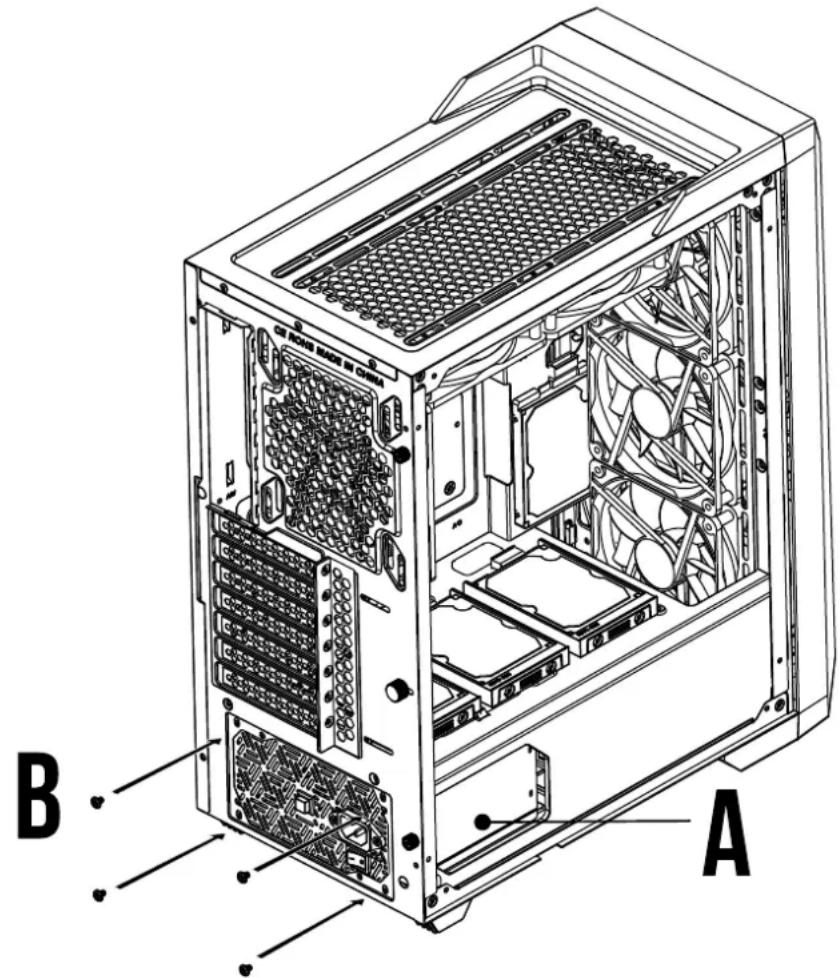
First, ensure your PC case has an ATX PSU mounting location. Screw the PSU into place with the included screws. Connect the 24-pin ATX cable to the motherboard, the 8-pin EPS to the CPU, and PCIe cables to graphics cards. Finally, connect SATA and Molex to drives and peripherals.
Can I use this PSU with a graphics card that requires two 8-pin connectors?
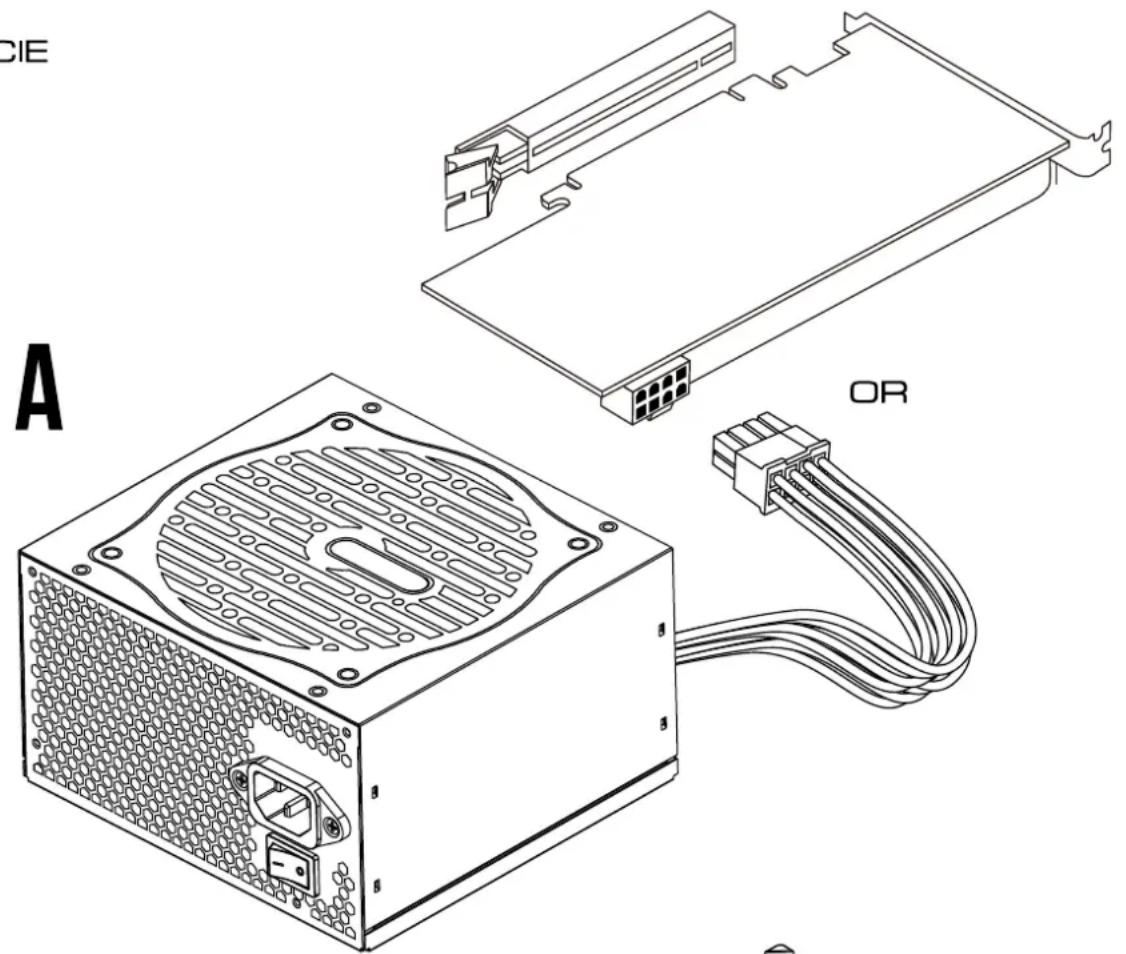
Yes, it has two 6+2-pin PCIe connectors which can be used as 8-pin connectors. For a card needing two 8-pin, both can be used. For more, consider a higher wattage PSU.
What is the warranty period?
Gamdias offers a 5-year warranty on the Helios P1A-750G, covering defects in materials and workmanship.
How do I clean or maintain the power supply?
Unplug the PSU from the wall and remove it from the case. Use compressed air to blow dust out of the fan and vents. Do not open the PSU casing as it contains high-voltage components. Reinstall after cleaning.

User questions about Helios P1A-750G Gamdias

0 question about this device. Answer the ones you know or ask your own.

Ask a new question about this device

The email remains private: it is only used to notify you if someone responds to your question.

No questions yet. Be the first to ask one.

Download the instructions for your Computer Adapter in PDF format for free! Find your manual Helios P1A-750G - Gamdias and take your electronic device back in hand. On this page are published all the documents necessary for the use of your device. Helios P1A-750G by Gamdias.

USER MANUAL Helios P1A-750G Gamdias

STEP by STEP INSTALLATION GUIDE

Abstract geometric pattern with nested triangles and a central arrow (no text or symbols)

HELIOS P1A 650G HELIOS P1A 750G HELIOS P1A 850G

Package Contents

Model NameHELIOS P1A-650G
AC Input100-240V~, 10A , 50-60Hz
DC Output+3.3V+5V+12V-12V+5Vsb
Max. Output Current22A22A54.2A0.3A3A
Max. Output Power120W650W3.6W15W
Total Power650W
Model NameHELIOS P1A-750G
AC Input100-240V~, 10A , 50-60Hz
DC Output+3.3V+5V+12V-12V+5Vsb
Max. Output Current22A22A62.5A0.3A3A
Max. Output Power120W750W3.6W15W
Total Power750W
Model NameHELIOS P1A-850G
AC Input100-240V~, 12-8A , 50-60Hz
DC Output+3.3V+5V+12V-12V+5Vsb
Max. Output Current22A22A70.8A0.3A3A
Max. Output Power120W850W3.6W15W
Total Power850W

Gamdias Helios P1A-750G - Package Contents - 1

The power supply should be powered by the source indicated on the rating label

Package Contents

A
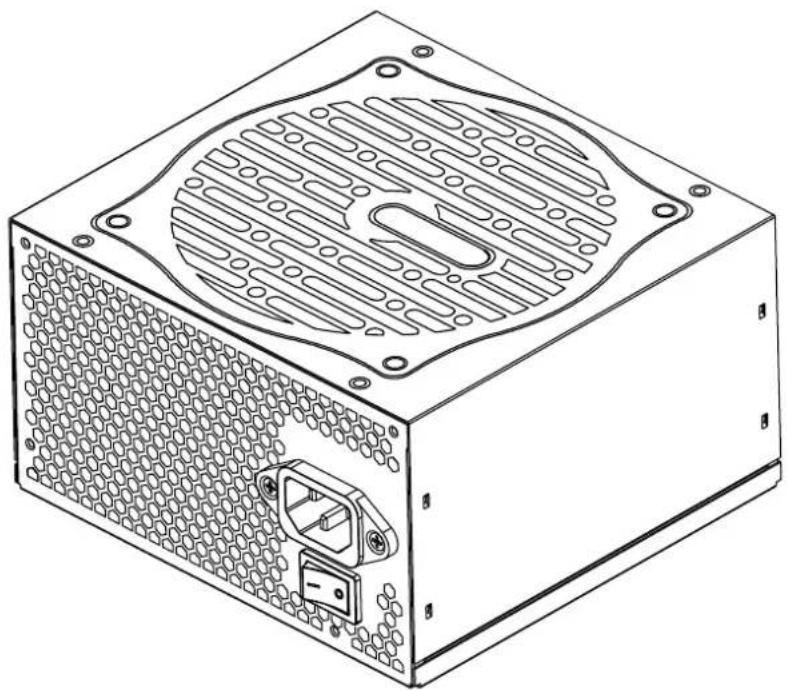
Technical line drawing of a computer power box with visible circuit patterns and mounting holes (no text or symbols)

X1
B

Gamdias Helios P1A-750G - Package Contents - 2
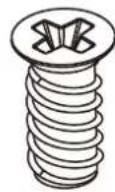
X4

Package Contents HELIOS P1

HELIOS P1A-850G
MOTHERBOARD POWER CABLE 600mm X1

CPU EPS CABLE 600mm X1

GPU PCI-E CABLE 600mm 150mm X2

SATA + MOLEX CABLE 150mm 550mm X3

1 Turn off the PSU before installing by pushing I/O switch to "O" position.
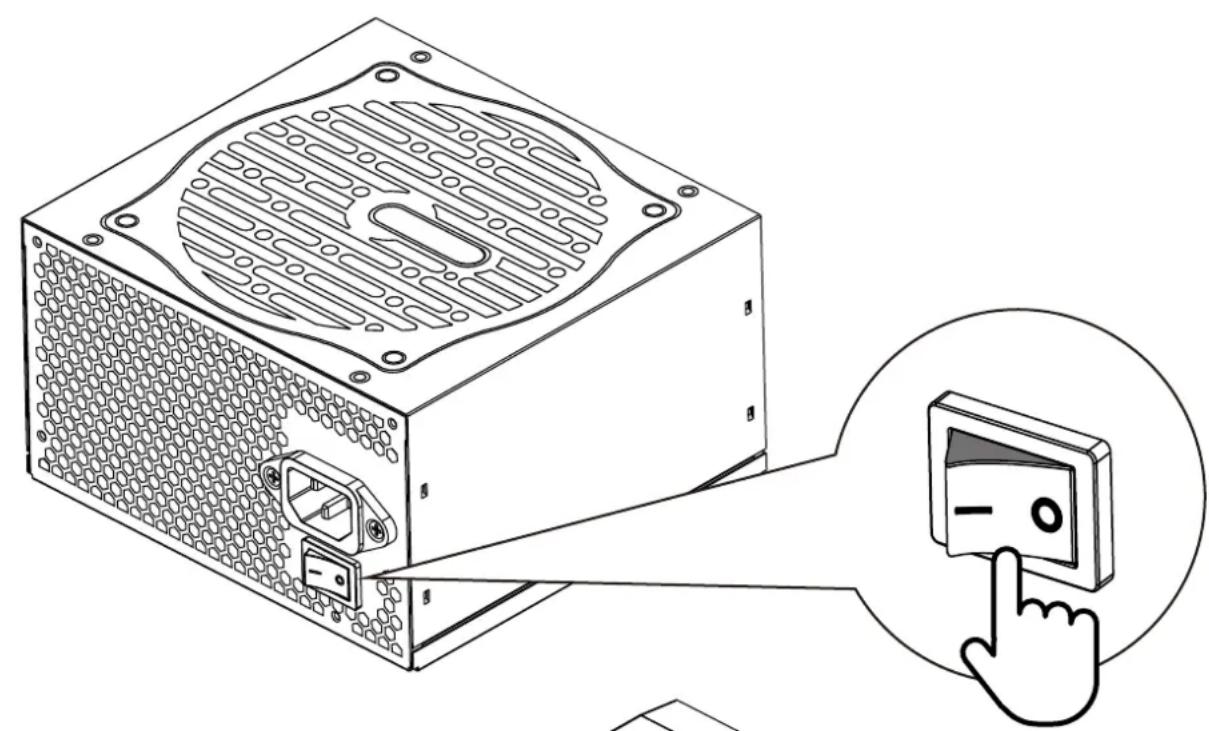
Illustration of a computer power supply unit with a magnified view showing its control panel and finger pointing to it (no text or symbols present)

2

B A

3 Motherboard

Technical line drawing of a power supply unit with connected cable and terminal blocks (no text or symbols)

4 CPU

Technical line drawing of a power supply unit with connectors and a terminal block (no text or symbols)

5
PCIE
CIE A OR

6
SATA
Technical line drawing of a computer hardware unit with a power box and cable, no text or symbols present

7 Molex

Gamdias Helios P1A-750G - Molex - 1

8 Plug in the AC power cord.

Diagram of a computer power adapter connected to a circuit board, showing cable routing and red directional arrows (no text or symbols)

9

Turn on the PSU after installing by pushing I/O switch to "I" position.
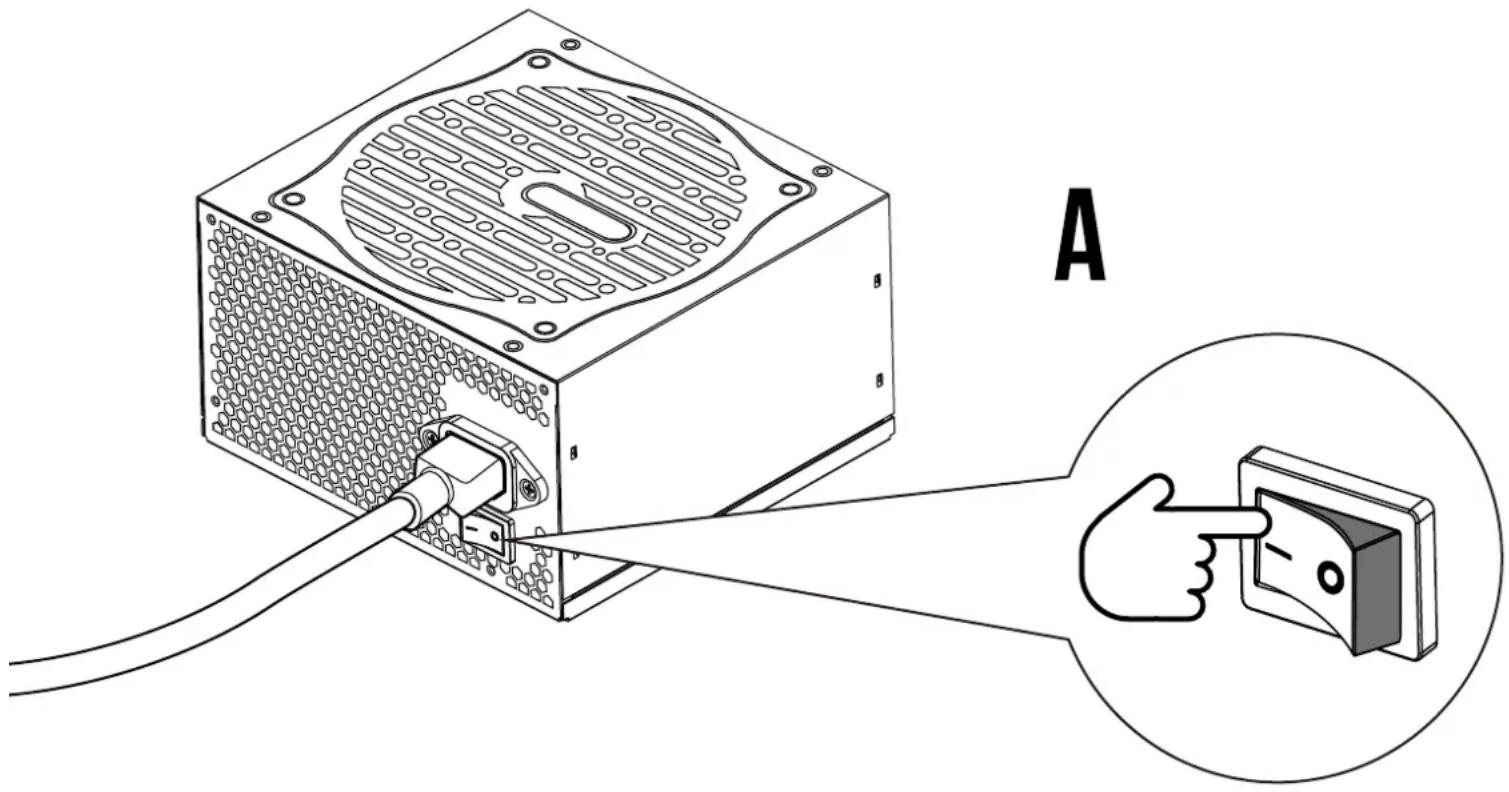
A

Abstract geometric logo with interlocking black and gold shapes inside a golden triangle (no text or symbols)

Manual assistant
Powered by Anthropic
Waiting for your message
Product information

Brand : Gamdias

Model : Helios P1A-750G

Category : Computer Adapter