
Mini Plus Phono - Receiver Music Hall - Free user manual and instructions
Find the device manual for free Mini Plus Phono Music Hall in PDF.


| Product Type | Phono Preamplifier with RIAA EQ |
| Brand | Music Hall |
| Model | Mini Plus Phono |
| Dimensions (W x D x H) | 5.5" x 3.5" x 1.25" (14 cm x 8.9 cm x 3.2 cm) |
| Weight | 0.8 lbs (363 g) |
| Power Supply | 15 VDC (external adapter included) |
| Gain Settings | 51 dB (0 setting), 31.64 dB (-10 setting), 45.66 dB (+4 setting) @ 1 kHz |
| Input Impedance | 47 kΩ |
| Output Impedance | 32 Ω (headphone), 470 Ω (RCA line out) |
| Frequency Response | 3 Hz - 36 kHz |
| RIAA Equalization Accuracy | ±1 dB, 14 Hz - 23 kHz |
| Rumble Filter | 20 Hz subsonic filter (switchable) |
| Total Harmonic Distortion (THD) | 0.005% @ 1 kHz |
| Signal-to-Noise Ratio | 94 dB (unweighted) |
| Input Connectors | RCA (phono input) |
| Output Connectors | RCA (line output), 1/8" TRS (headphone/line out) |
| Ground Terminal | Screw terminal for turntable ground wire |
| Cartridge Load Capacitance | Selectable: 120 pF, 220 pF, 330 pF |
| Trim/Gain Control | Variable attenuation: -10 dB to +4 dB relative to 0 dB middle setting |
| Indicator | Power LED |
| Warranty | 1 year from date of purchase (see manual for details) |
| Construction | Compact metal chassis |
Frequently Asked Questions - Mini Plus Phono Music Hall
User questions about Mini Plus Phono Music Hall
0 question about this device. Answer the ones you know or ask your own.
Ask a new question about this device
Download the instructions for your Receiver in PDF format for free! Find your manual Mini Plus Phono - Music Hall and take your electronic device back in hand. On this page are published all the documents necessary for the use of your device. Mini Plus Phono by Music Hall.
USER MANUAL Mini Plus Phono Music Hall
Warranty: This entitles you to have the music hall mini plus repaired free of charge, at our discretion, for one year after the date of purchase, provided the unit was purchased from an authorized dealer. Your original sales receipt is proof of purchase date. Music Hall takes no responsibility for defects arising from accident, misuse, abuse, wear and tear, neglect or unauthorized repair and/or adjustment. Music Hall cannot accept responsibility for damage or loss that occurs during transit. The warranty does not cover transportation costs.
Claims under warranty: The mini plus should be packed in the original packing and returned to the dealer from whom it was purchased, or, upon authorization, to a Music Hall Service Center. It should be sent by a reputable carrier, carriage prepaid. Since no responsibility will be accepted for a unit in transit to the dealer, customer, or authorized service agent, customers are advised to insure against loss, damage, or theft.
For further information contact:
music hall
108 Station Road
Great Neck, NY 11023
Tel: 516-487-3663
Fax: 516-773-3891
http://www.musichallaudio.com

SPECIFICATIONS:
I/ O Connectors:
Gain:
RCA, 1/8" TRS Stereo
41.51 dB gain @ 1kHz at the "0" setting
31.64 dB of gain at the "-10" setting
45.66 dB of gain at the "+4" setting
47k ohms
32 ohms Headphone, 470 ohms RCA
3Hz to 36kHz
Input Impedance:
Output Impedance:
Frequency Response:
Equalization:
20Hz
Rumble Filter
THD:
.005% @ 1KHz
S/N Ratio:
94 dB unweighted
PWR:
15 VDC
Size:
5.5"w x 3.5"d x 1.25"h
Weight: .8 lbs
Indicator:
1 Power LED
Thank you for purchasing the mini plus. We spent a considerable amount of time designing and developing the mini plus. Hundreds of hours listening and improving the design. We hope you enjoy using the mini plus, and that it makes listening to your vinyl collection rewarding. We sincerely appreciate the opportunity to build a product for you and participate in your love of quality music and sound. We love what we do and we're happy to help.
The music hall mini plus is a phonograph preamplifier with RIAA EQ. RIAA equalization is a specification for the recording and playback of phonograph records, established by the Recording Industry Association of America (RIAA).
The RIAA equalization curve was intended to operate as the global industry standard for records since 1954. However, it is almost impossible to say when the change actually took place.
RIAA equalization is a form of pre-emphasis on recording and de-emphasis on playback. A recording is made with the low frequencies reduced and the high frequencies boosted, and on playback the opposite occurs. The net result is a flat frequency response, but with attenuation of high frequency noise such as hiss and clicks that arise from the recording medium. Reducing the low frequencies also limits the excursions the cutter needs to make when cutting a groove. Groove width is thus reduced, allowing more grooves to fit into a given surface area, permitting longer recording times. This also reduces physical stresses on the stylus which might otherwise cause distortion or groove damage during playback.
A potential drawback of the system is that rumble from the playback turntable's drive mechanism is amplified by the low frequency boost that occurs on playback. Players must therefore be designed to limit rumble, more so than if RIAA equalization did not occur. Using a rumble filter to filter out the subsonic frequencies may help mitigate the noise from the turntable.
input - connect to your turntable
output - connect to your pre-amplifier, integrated amp, or receiver ground - connect to the ground wire from your turntable
Grounding thoughts: The ground post is where things can get complicated. Ground hums have often plagued the turntable. We recommend using the ground post to connect to your turntable's ground connection. However, if your turntable has no ground post on it, then don't use the ground connection. If you experience hum with the ground connected to the mini plus and your turntable, try disconnecting the ground on both.
Ground loops are a common occurrence with audio. The more equipment you use, the higher likelihood you will have a ground loop. The term "loop" refers to your ground generating unwanted noise from traveling back and forth in a loop. The turntable is usually the most likely component to have a ground issue. Another thing you can try, if you have a ground loop, is connecting the turntable ground to the RCA jack's ground. One thing to keep in mind is that ground loops can be anywhere in a system, so try and isolate the components that are the issue before you spend a lot of time looking at just one component.

Rumble filter: AKA "subsonic filter" cuts very low frequencies (below 20 Hz). The purpose of a filter like this is to get rid of annoying frequencies that disrupt the turntable's sound quality. A good rumble/subsonic filter should be inaudible, meaning you can not hear when it is on or off in the program material you are listening to. What it will do is help with excessive very low frequency interruptions from the turntable to the preamp.
Cartridge load capacitance: The mini plus has three settings: 120 pF, 220 pF and 330 pF. Set the switch in the position you feel sounds best to you. The difference might be very slight, but it is there. Most cartridges come with a capacitance load recommendation in the spec sheet for the cartridge. For example the Ortofon 2M series asks for a loading of 150pF to 300pF. Most Audio Technica cartridges state 100pF to 200pF for loading. The mini plus has been tested with multiple turntables and multiple cartridges. We have found it best to use your ears to set the loading. You can set the loading switch to any setting 120, 220 or 330 with any MM cartridge and no damage will be done to the mini plus or your cartridge. If you can not hear a difference we would suggest that you do as the cartridge manufacturer suggests, and set the loading switch closest to their recommendation for the cartridge you are using.
Trim - Gain: Control to attenuate the signal level up or down. It is not a volume control, meaning that signal will still be present even when the level is turned to the lowest point (in this case -10dB as labeled). If at half way up you are at 0 dB output level then all the way up you will have +4dB more gain, and all the way down you will be at -10dB down from a reference of the middle 0 dB. Most users will be best served to set the control at the middle or 0 setting to get the best outcome. This is not always the case. In some situations you might need more gain, like when playing a quiet record or lower output moving-magnet cartridge. In the opposite situation you might need less gain from a hot or loud record, or if you have a high output cartridge. Newer cartridges tend to have a higher output level than older cartridges. For instance, the popular Ortofon 2M series of cartridges have 5 - 6mV of output. This is much higher than cartridges of old (3 - 5mV). When using a 6mV output cartridge, you might need to turn the trim gain control to just below the half or 0 setting. Many factors go into setting the proper level. We recommend to start at the middle, 0 setting, and adjust from that point to your personal preference.
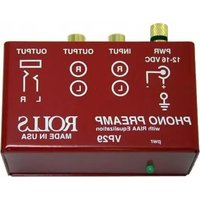

Brand : Music Hall
Model : Mini Plus Phono
Category : Receiver