AUD-2550 - Earphones Steren - Free user manual and instructions
Find the device manual for free AUD-2550 Steren in PDF.


| Product Type | Bluetooth Headphones with Noise Cancelling |
| Brand | Steren |
| Model | AUD-2550 |
| Frequency Response | 20 – 16,000 Hz |
| Noise Cancelling Frequency Range | 70 – 1000 Hz (22 ± 1 dB at 300 Hz) |
| Impedance | 32 Ω |
| Sensitivity | 100 dB ± 3 dB |
| Power Input | 5 V ⎓ 1 A (via micro USB) |
| Internal Battery | 3.7 V, 300 mAh |
| Battery Charging Time | First charge: 2 hours; Subsequent: 1 hour |
| Bluetooth Version | Not specified (assumed standard) |
| Wireless Range | Not specified (typical ~10 m) |
| Wired Connection | 3.5 mm AUX cable included |
| Noise Cancelling Activation | Slide switch (on/off) |
| Controls | Multifunction button (play/pause, calls, power); Volume up/down, track skip |
| Microphone | Built-in hands-free |
| LED Indicators | Bluetooth pairing (flashing red/blue); Charging (red), full charge (blue); Noise cancelling active (white/green, not specified) |
| Cleaning | Soft dry cloth or soft bristle brush |
| Safety | Do not use at high volume; avoid use during activities requiring attention; keep away from water |
| Warranty | 3 months on battery, 1 year on other parts |
| Spare Parts / Repairability | Contact authorized service; parts available from Steren |
Frequently Asked Questions - AUD-2550 Steren
User questions about AUD-2550 Steren
0 question about this device. Answer the ones you know or ask your own.
Ask a new question about this device
Download the instructions for your Earphones in PDF format for free! Find your manual AUD-2550 - Steren and take your electronic device back in hand. On this page are published all the documents necessary for the use of your device. AUD-2550 by Steren.
USER MANUAL AUD-2550 Steren
natural_image
Front view of a black and white electronic headband with earphones (no text or symbols visible)DLATINUM
line
AUD-2550
IMPORTANTE
natural_image
Simple line drawing of a U-shaped cable with two connectors and four leads (no text or symbols)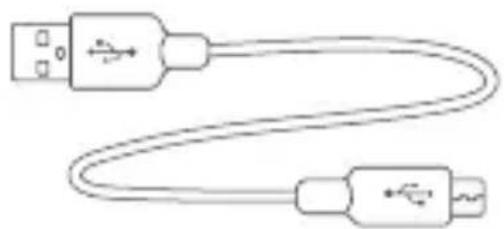
natural_image
Line drawing of two USB cables with connectors (no text or symbols)CÓMO CARGAR LA BATERÍA
natural_image
Diagram of a human head silhouette with a circular device and directional arrows indicating movement or force (no text or symbols)natural_image
Simple line drawing of a hand pointing at a device with buttons (no text or symbols)natural_image
Hand pointing at a small object with a green star symbol (no text or labels)STEREN PRODUCTO EMPACADO S.A. DE C.V.
Autopista México-Querétaro. Km 26.5 Sin número, Nave Industrial 3-A, Col. Lomas de Boulevares, Tlalnepantla de Baz, Estado de México, C.P. 54020, RFC: SPE-941215-H43
natural_image
Black and white photo of a pair of headphones with exposed eartheners (no text or symbols visible)DLATINUM
line
AUD-2550
Please read this instruction carefully to know how to properly use the product.
The information is presented only as a reference; Due to updates there may be differences. Check our website www.steren.com for the most recent version of this manual.
CAUTIONS
- Before using the headphones, make sure the volume of your equipment is moderate. Sounds with high volume can cause serious damage to the ear.
- Avoid using headphones while doing an activity that requires your attention. It is dangerous to increase the volume too much by not being able to hear the sounds from outside.
- Before using them, charge the battery 100%.
- Do not use or store the product in places where there are leaks or splashes.
- Clean the product with a soft dry cloth or a soft bristle brush.
- This device is not intended for use by persons (including children) whose physical, sensory or mental abilities are different or reduced, or who lack experience or knowledge.
- Children should be supervised to make sure they do not use the device as a toy.
Operation of this equipment is subject to the following two conditions: (1) this device may not cause harmful interference, and (2) this device must accept any interference, including interference that may cause undesired operation.
Headphones
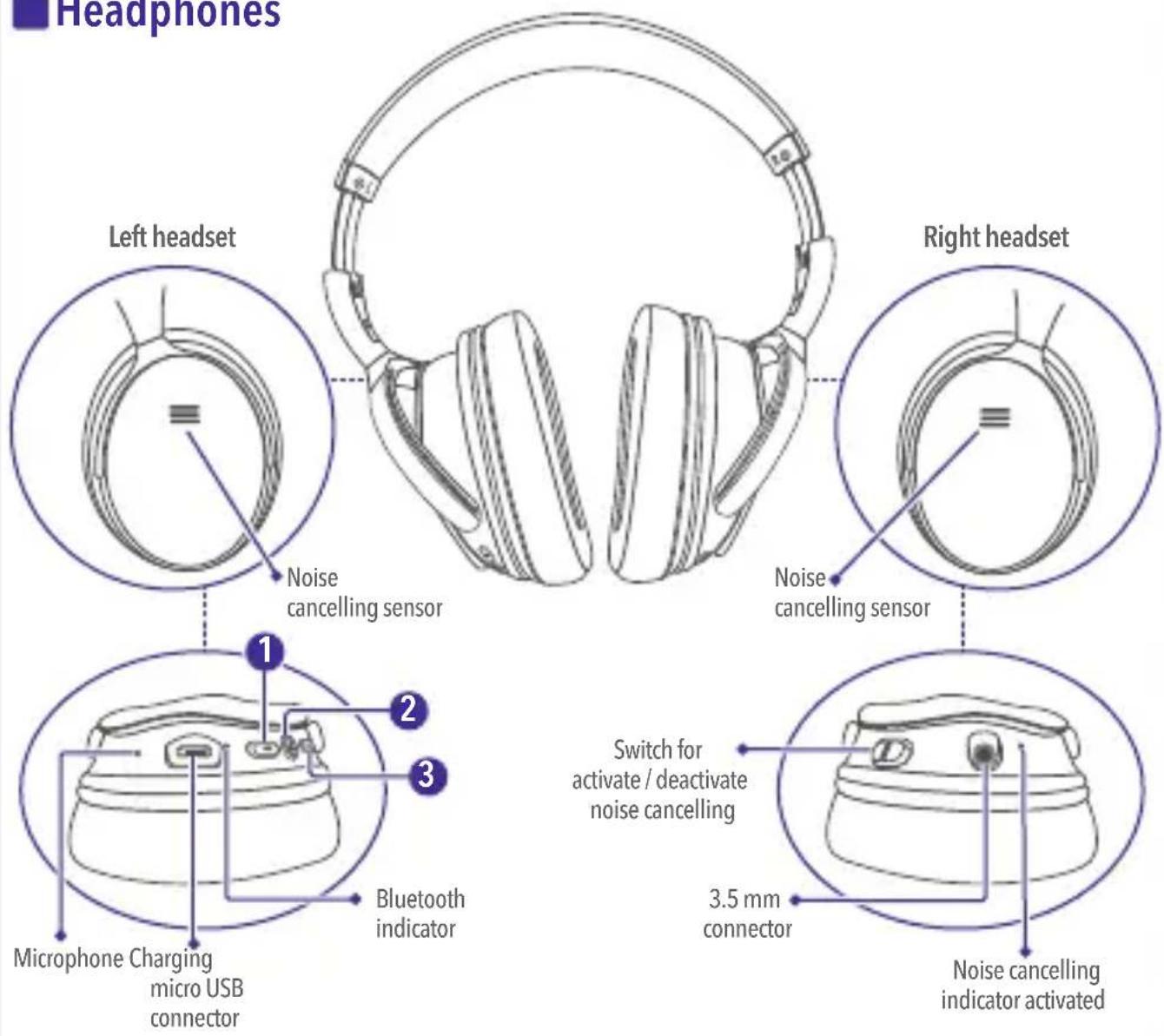
- Decrease volume / Return track
- Turn Bluetooth on / off / play and pause / answer and hang up
- Upload volume / Next track
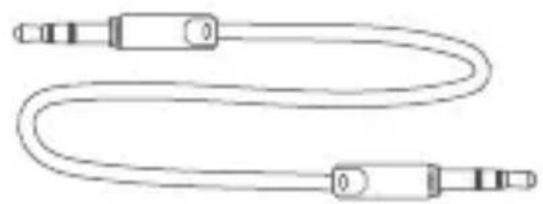
3.5 mm cable USB to micro USB ■ ble
natural_image
Simple line drawing of a U-shaped cable with two connectors and three side connectors (no text or symbols)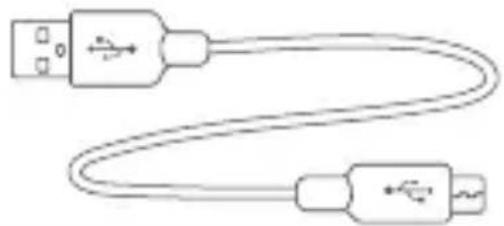
natural_image
Simple line drawing of two USB connectors with a curved cable (no text or symbols)HOW TO CHARGE THE BATTERY
Before using the headphones for the first time, charge the battery for 2 continuous hours. For subsequent times, the estimated charging time is one hour.
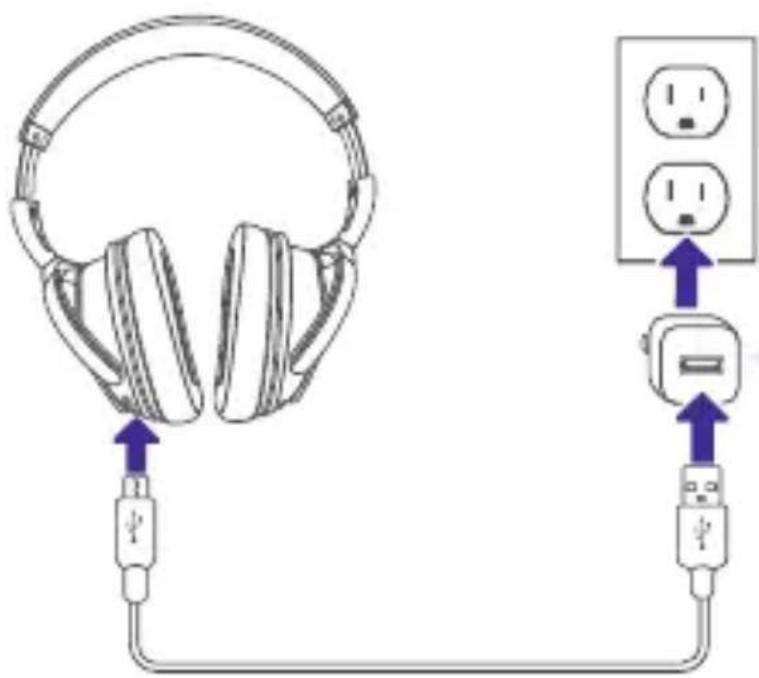
During the charging process, the LED indicator will remain lit in red; When the charge finishes, it will change to blue.
It is recommended to use a power adapter (not included) of 1 A max.
HOW TO USE
HOW TO PLACE THE HEADPHONES
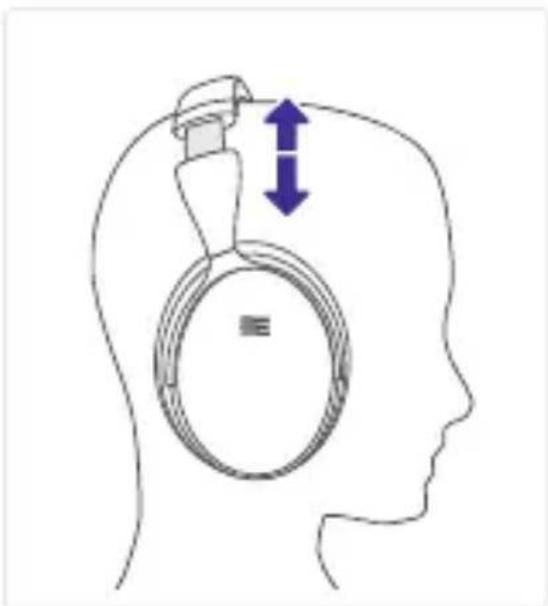
Separate the headset from the headband, carefully, to make the adjustment at the height of your ears.

Remember to turn down the volume before you start using the device.
natural_image
Diagram of a human head silhouette with a circular device and directional arrows indicating movement or force (no text or symbols)BLUETOOTH CONNECTION
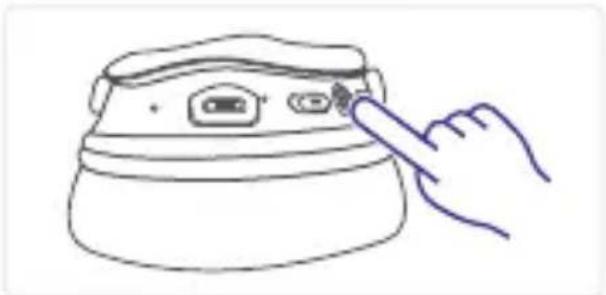
1 Press and hold the ✦ button until the Bluetooth indicator flashes red and blue.
natural_image
Simple line drawing of a hand pressing down on a device (no text or symbols)2 Activate Bluetooth on your smartphone. Find the Steren AUD-2550 device and select it to link it.
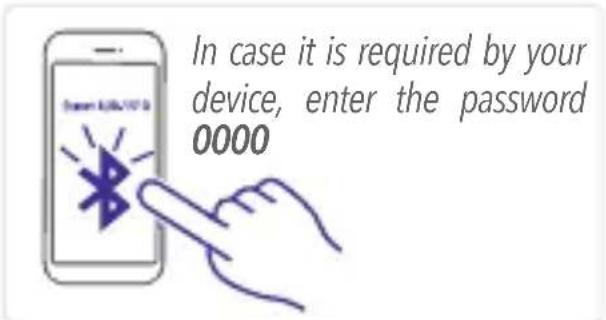
Each time you turn on the headphones, they will automatically connect to the last paired device.
WIRED CONNECTION
Connect the headphones to your smartphone, using the AUX 3.5 to 3.5 mm cable.
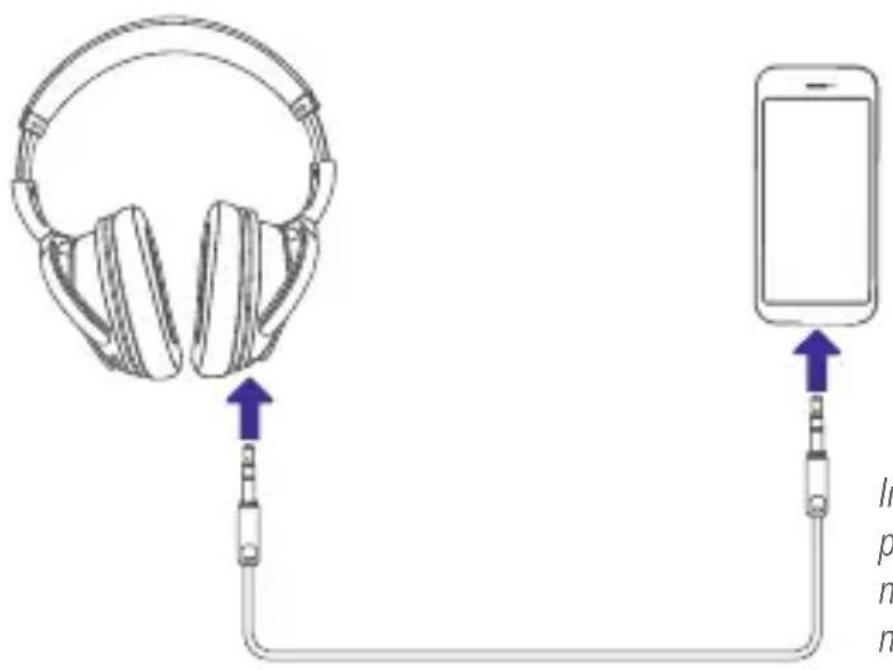
In this mode, volume, music playback or handsfree functions are not available; you can only listen to music.
Press once to play / pause
Press and hold to change to the next track
Press and hold to change the previous track
Press once to decrease the volume
Press once to increase the volume
FREE HANDS\*
Press once to answer / hang up
Press and hold to reject an incoming call
* These functions may vary depending on the model and operating system version of your mobile device

NOISE CANCELLING
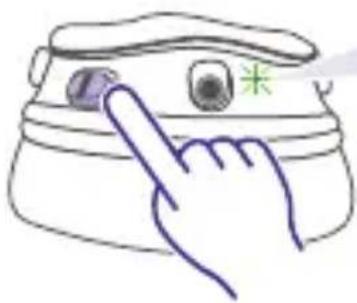
1 Slide the switch to the left or up (depending on the orientation), to activate the noise cancelling function.
natural_image
Hand pointing at a small object with a green star symbol (no text or labels)The LED indicator will light, while noise cancelling is active.
2 To deactivate it, slide to the right or down (depending on the orientation).
This function works even when you are not having a call or playing music.
SPECIFICATIONS
Frequency response: 20 - 16 000 Hz
Cancelled frequencies (system activated): 70 - 1000 Hz (22 +/- 1 dB to 300 Hz)
Impedance: 32 Ω
Sensitivity: 100 dB +/- 3 dB
Input: 5 V---1 A (x USB)
Internal battery: 3.7 V---300 mAh
Specifications may change without prior notice

STEREN
Product: Bluetooth headphones with noise cancelling
Part number: AUD-2550
Brand: Steren
This Steren product is warranted under normal usage against defects in workmanship and materials to the original purchaser for three months on the battery and one year on the other parts from the date of purchase.
CONDITIONS
1.- This warranty card with all the required information, invoice or purchase ticket, product box or package, and product, must be presented when warranty service is required.
2.- If the product is in the warranty time, the company will repair it free of charge. The supplier will pay for transportation charges.
3.- The repairing time will not exceed 30 natural days, from the day the claim was received.
4.- Steren sell parts, components, consumables and accessories to customer, as well as warranty service, at any of the addresses mentioned later.
THIS WARRANTY IS VOID IN THE NEXT CASES:
If the product has been damaged by an accident, acts of God, mishandling, leaky batteries, failure to follow enclosed instructions, improper repair by unauthorized personnel, improper safe keeping, among others.
a) The consumer can also claim the warranty service in the purchase establishment.
b) If you lose the warranty card, we can reissue it, if you show the invoice or purchase ticket.
RETAILER INFORMATION
Name of the retailer
Address
Serial number
Product
ELECTRÓNICA STEREN S.A. DE C.V.
Biólogo Maximino Martínez No. 3408, San Salvador Xochimanca, Del. Azcapotzalco Ciudad de México 02870, RFC: EST850628-K51
STEREN PRODUCTO EMPACADO S.A. DE C.V.
Autopista México-Querétaro. Km 26.5 Sin número, Nave Industrial 3-A, Col. Lomas de Boulevares, Tlalnepantla de Baz, Estado de México, C.P. 54020, RFC: SPE-941215-H43
In case your product fails or have questions, please contact your nearest dealer.
If you are in Mexico, please call to our Call Center.
Call Center
01 800 500 9000

natural_image
Solid purple horizontal bar with no text, symbols, or markings
www.steren.com
- IMPORTANTE
- CÓMO CARGAR LA BATERÍA
- STEREN PRODUCTO EMPACADO S.A. DE C.V.
- CAUTIONS
- HOW TO CHARGE THE BATTERY
- HOW TO USE
- HOW TO PLACE THE HEADPHONES
- BLUETOOTH CONNECTION
- WIRED CONNECTION
- FREE HANDS\*
- NOISE CANCELLING
- SPECIFICATIONS
- STEREN
- CONDITIONS
- THIS WARRANTY IS VOID IN THE NEXT CASES:
- RETAILER INFORMATION
- ELECTRÓNICA STEREN S.A. DE C.V.
Brand : Steren
Model : AUD-2550
Category : Earphones