CCTV-2123 - Smoke detector Steren - Free user manual and instructions
Find the device manual for free CCTV-2123 Steren in PDF.


| Product Type | Smoke Detector |
| Model | CCTV-2123 |
| Brand | Steren |
| Power Source | 9V DC battery (alkaline recommended) |
| Sensor Type | Ionization or photoelectric (typical) |
| Alarm Sound Level | 85 dB at 3 meters |
| Operating Temperature | 0°C to 50°C |
| Humidity Range | 5% to 95% non-condensing |
| Dimensions (approx.) | 100 mm diameter x 40 mm height |
| Weight (with battery) | Approximately 150 g |
| Installation | Ceiling mount, includes mounting bracket and screws |
| Test Button | Yes, for periodic testing |
| Low Battery Indicator | Chirping sound every 30-40 seconds |
| Compliance Standards | UL 217 or equivalent (typical) |
| Coverage Area | Up to 40 m² (single unit) |
| Interconnectivity | Not specified (likely standalone) |
| Maintenance | Vacuum dust monthly; replace battery annually |
| Battery Life | Approximately 1 year under normal use |
| Warranty | 1 year limited warranty (typical) |
| Manual Languages | English, Spanish (ES) available |
Frequently Asked Questions - CCTV-2123 Steren
User questions about CCTV-2123 Steren
0 question about this device. Answer the ones you know or ask your own.
Ask a new question about this device
Download the instructions for your Smoke detector in PDF format for free! Find your manual CCTV-2123 - Steren and take your electronic device back in hand. On this page are published all the documents necessary for the use of your device. CCTV-2123 by Steren.
USER MANUAL CCTV-2123 Steren
natural_image
Illustration of a white fire extinguisher device with two ports and ventilation slots, enclosed in a green diamond frame (no text or symbols)natural_image
Abstract green and teal horizontal bars with no text or symbolsCCTV-2123
natural_image
Technical line drawings of a mechanical component and two screw fasteners (no text or symbols)DESCRIPCIÓN GENERAL
PRIMEROS PASOS
natural_image
Simple line drawing of a bowl with a green arrow indicating direction (no text or symbols)natural_image
Simple line drawing of a container with a lid and a box, no text or symbols presentCÓMO ELIMINAR EL DETECTOR
natural_image
Technical line drawing of a ceiling fixture with mounting holes and internal components (no text or symbols)ESPECIFICACIONES
CENTRO DE ATENCIÓN
A CLIENTES
01 800 500 9000
ELECTRÓNICA STEREN, S.A. DE C.V.
natural_image
Illustration of a white cylindrical device with two small circular components on its side, set against a green circular background (no text or symbols)Smoke detector for CCTV-212
User Manual
CCTV-2123
Before to use the product, please read carefully this manual to avoid any malfunction. The info in this manual is shown as reference. Due to updates can exist differences. Consult our website www.steren.com to obtain the current version of this manual.
CAUTIONS
- This device cannot be used by people with different abilities, unless they have preparation and supervision.
- Don't install in unstable places or with many vibration.
- Don't install near of magnetic objects or that emits many noise.
- Any reparation not authorized may cause malfunction and avoid the warranty.
- Don't install it un outdoor.
- Never try to make fire proofs; may damage the device or cause fire.
• Make a working proof once per week.
"The operation of this equipment is subject to the following two conditions: (1) it is possible that this equipment or device may not cause harmful interference and (2) this equipment or device must accept any interference, including interference that may cause its undesired operation".
CONTENT
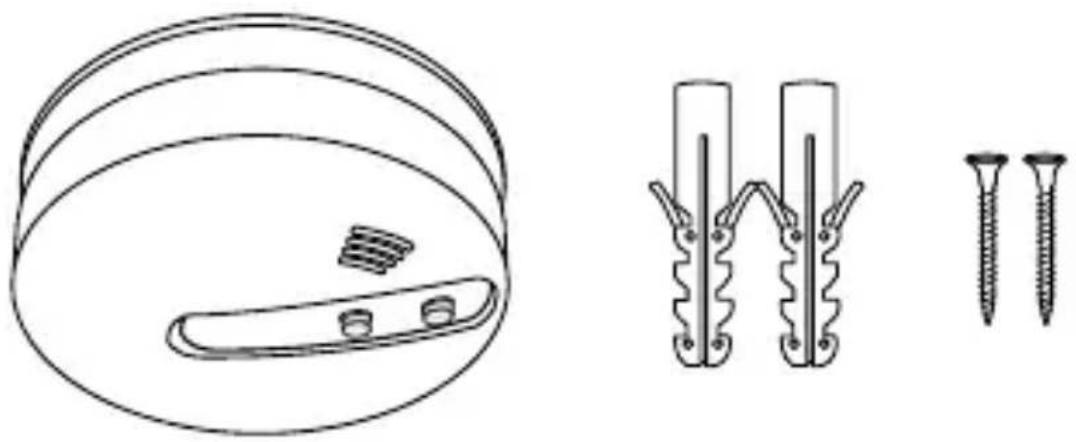
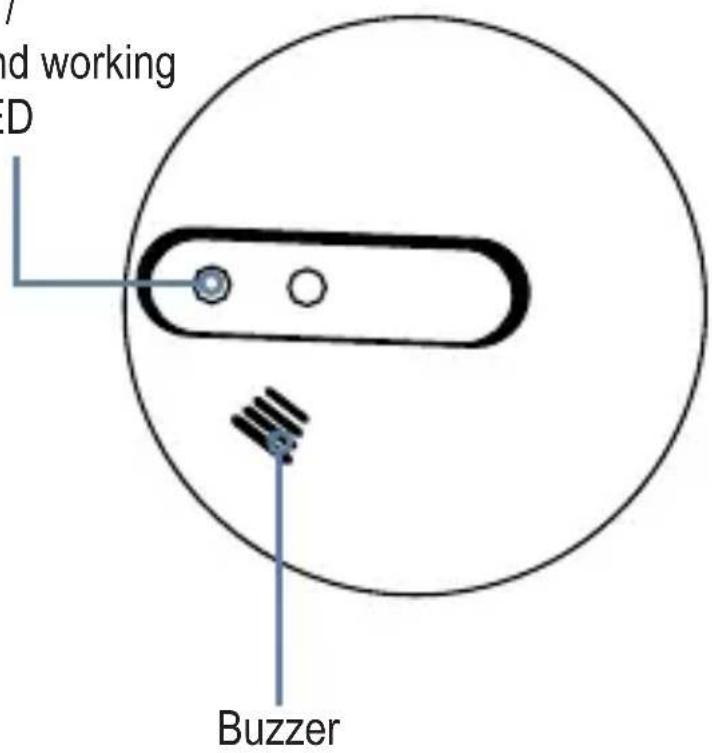
GENERAL DESCRIPTION
Test button / Alert test and working indicator LED
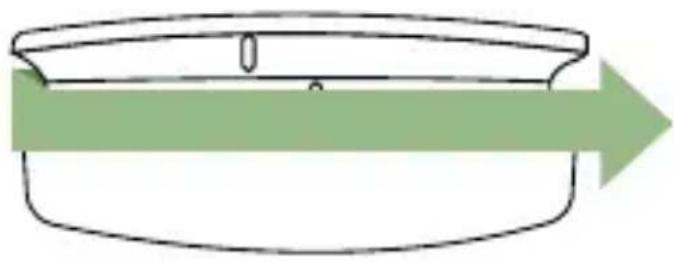
FIRST STEPS
Turn the base and remove from the detector.
natural_image
Simple line drawing of a bowl with a handle and arrow indicating direction (no text or symbols)Pull up the battery's comparment cover and insert a 9V battery.
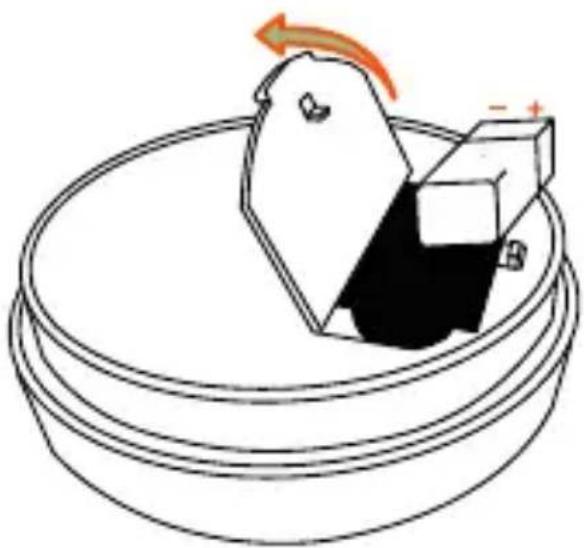
natural_image
Diagram of a mechanical component with a rotating arrow and polarity indicators, no text or symbols present.Ensure that the polarity is correct.
ACTIVATE
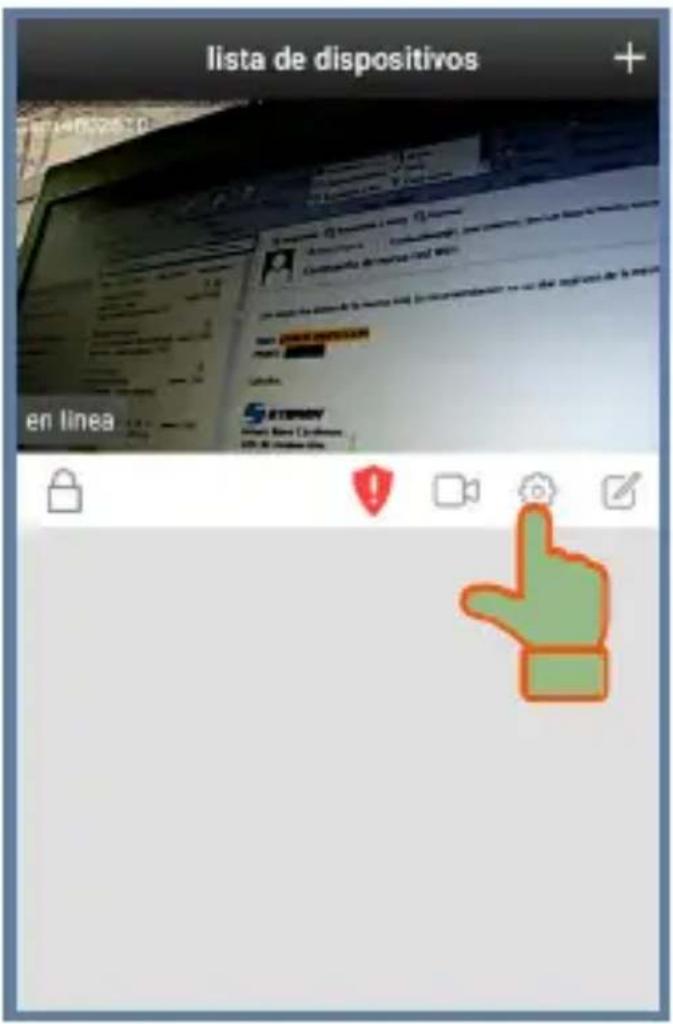
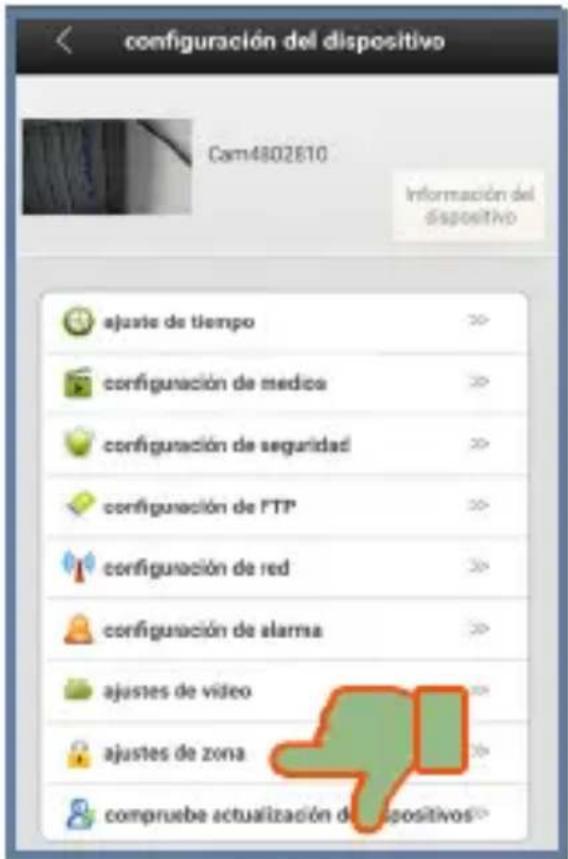
The images presented correspond to a device with Android operating system (6.0.1) and iEye application 00.46.00.16. Icons, interface settings and functions may vary depending on the version of the application and the operating system used.
- In your mobile device enter to iEye app.

This app is not owned by Steren; The company is not responsible for its operation or updates.
- With the camera (CCTV-212) online, enter to Settings menu.
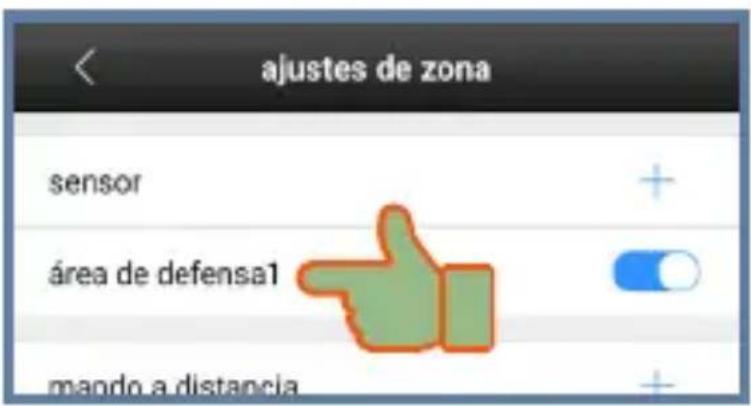
3. Select zone settings.
- Press and hold the test button in the detector and at the same time, select the Sensor (+) option in the app.
The LED will flash and the detector emits a noise.

natural_image
Simple icon of a green hand cursor clicking a button inside a circle (no text or symbols)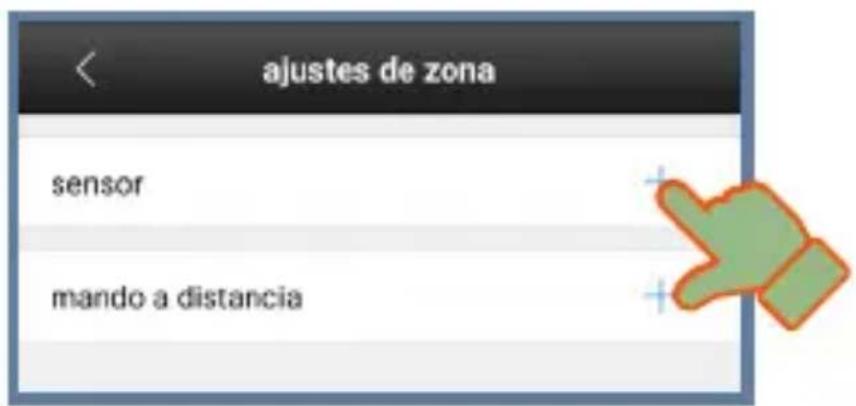
5. Select determinate.
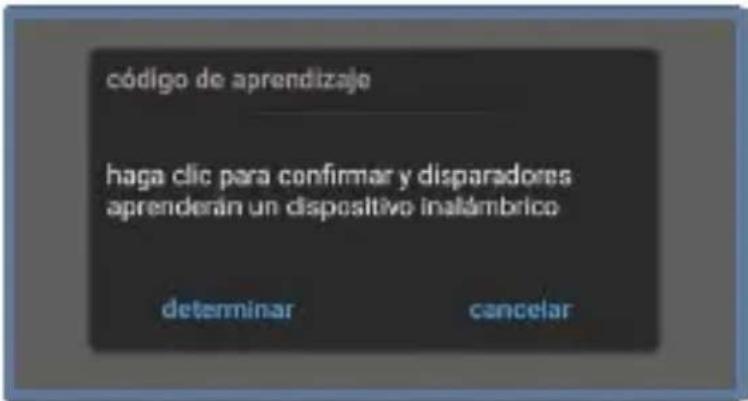
- If the detector paired successfully, will appears in the devices list (sensor). If this not it happens, repeat the process.
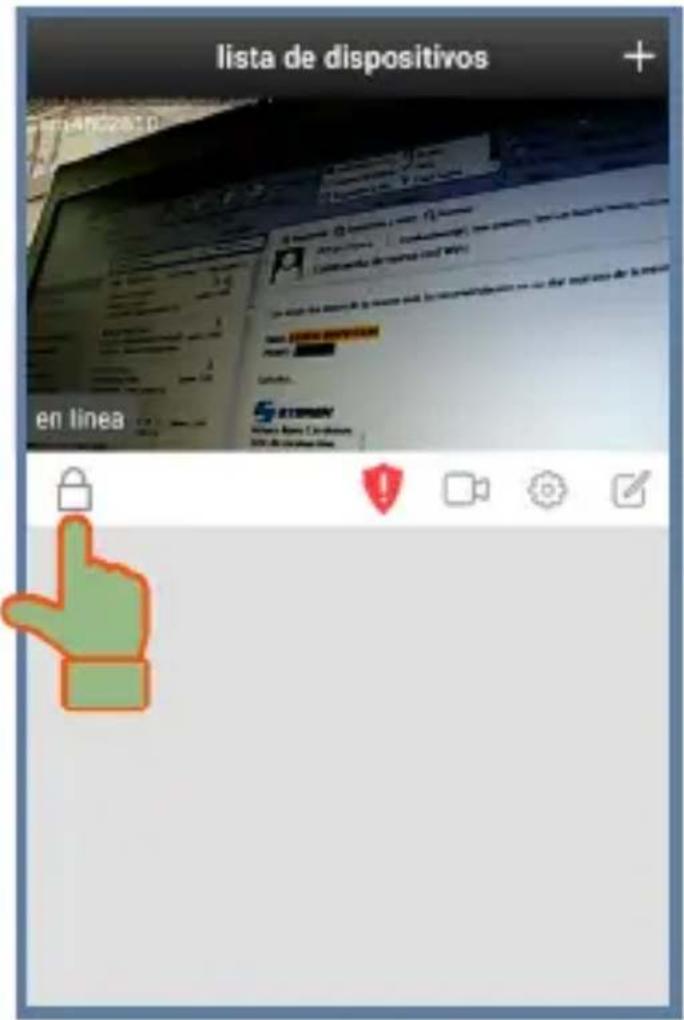
Return to the main screen and press 🔒 to activate or deactivate the smoke detector.
In the main screen enter to Settings and choose "Alert settings". Edit the preferences to receive in your mobile device.
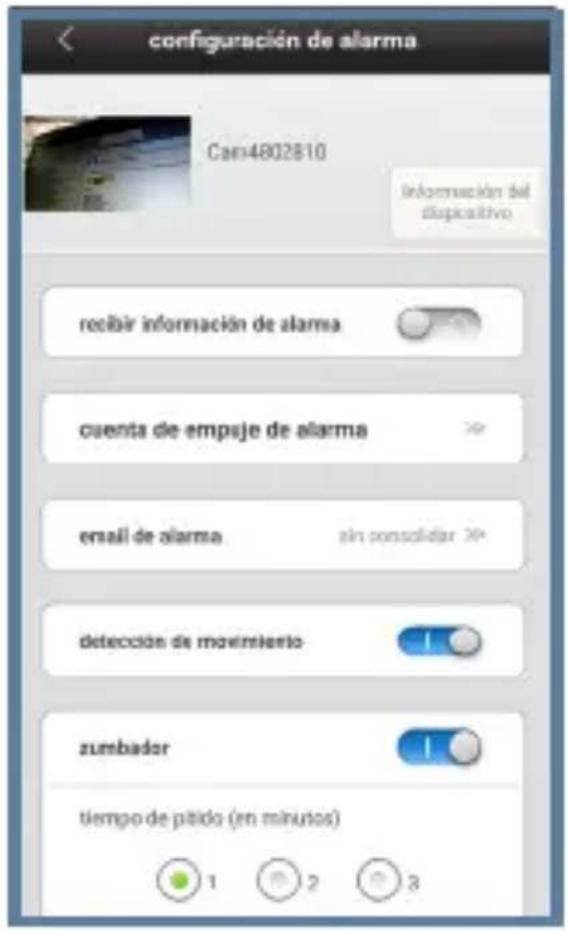
Receive alert info: Activate the notifications in the mobile device
Thrust alarm count: Preview ID of the peired devices
Email Alert: Receive alert in your email
Motion detection: Activate / deactivate the motion detection
Buzzer: Activate / deactivate the alert tone in the camera
Buzzer time: Duration of the alert tone
HOE TO USE
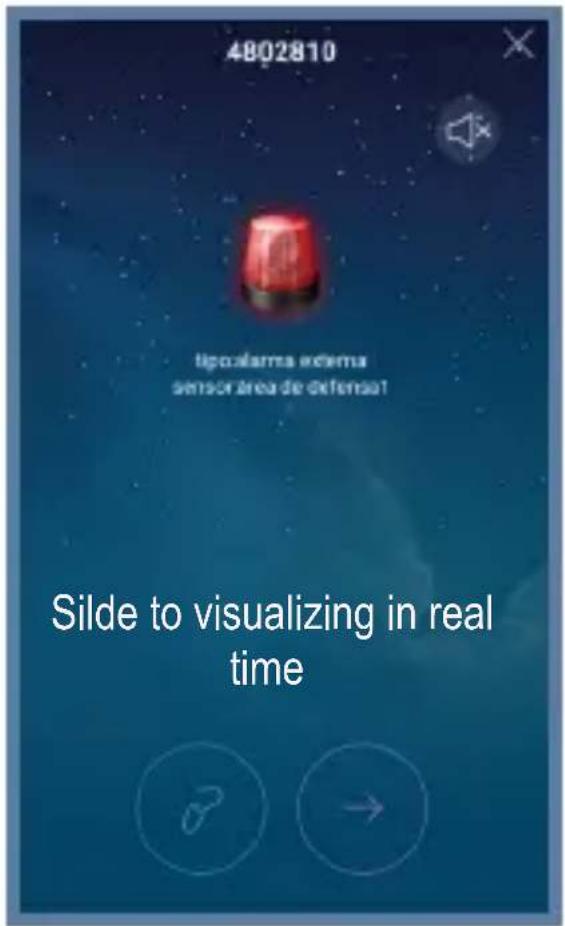
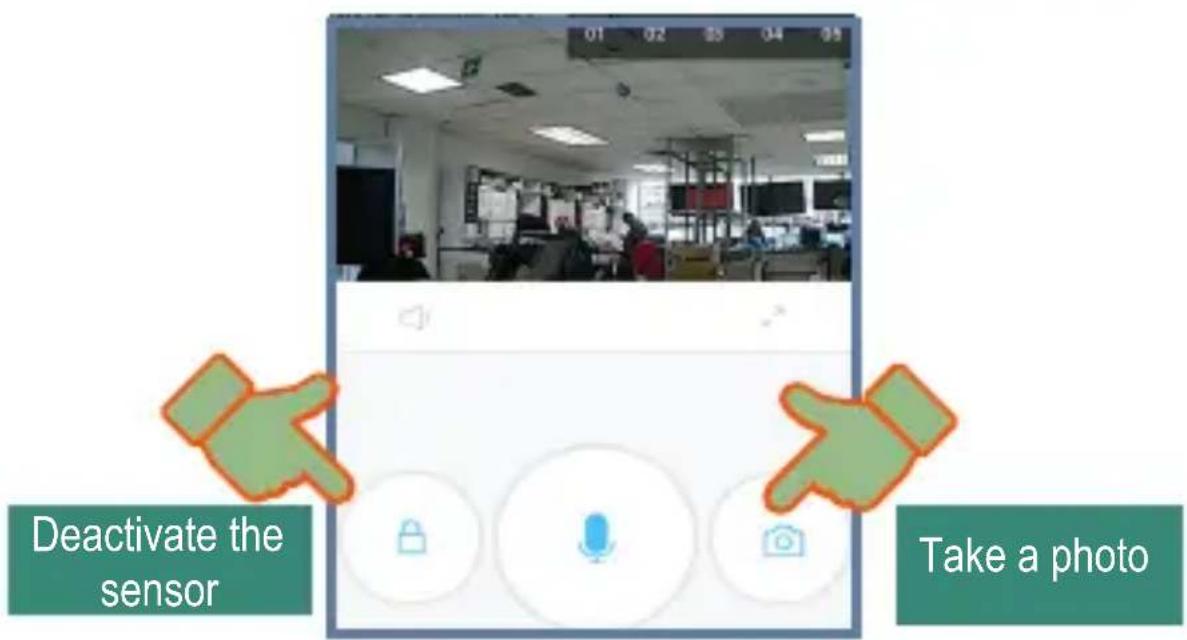
Once activated the alarm, always that exist smoke where the detector is installed, an alert will send to your mobile device. The camera also will emit an alert sound.
An alert sound will remains in the detector until the smoke to disappear.
DELETE THE DETECTOR
- Enter to Stteings menu.
- Select the zone settings option.
- Press the name of the detector for a few seconds.
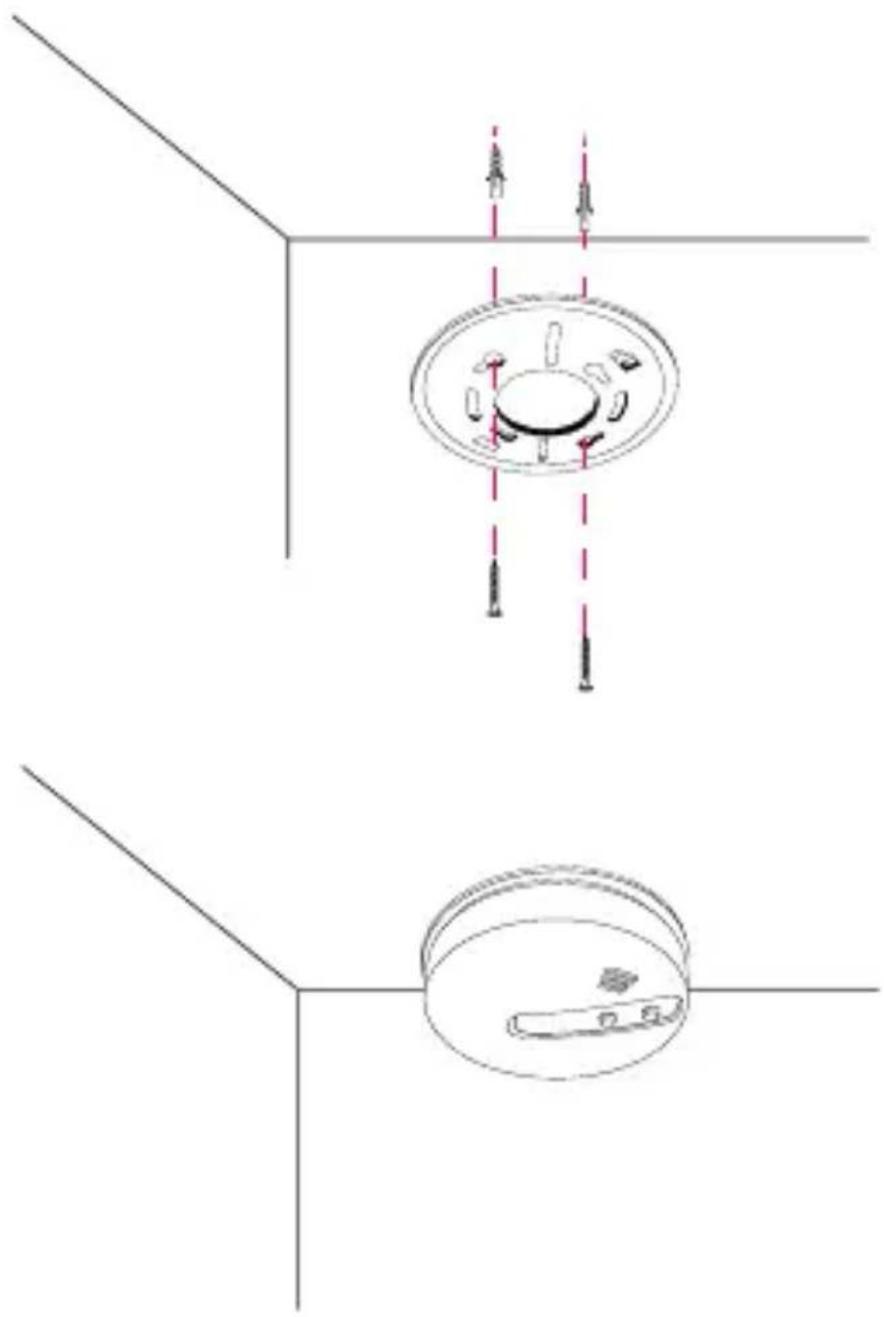
Use the base to make drill marks in the surface where you want to install the detector. Then, drill and insert the anchors ans screws to fix the base. Then you must to place the sensor into the base again.
natural_image
Technical line drawing of a ceiling-mounted appliance with mounting holes and internal components (no text or symbols)ESPECIFICACIONES
Input: 9 V --- (square battery)
Stand-by current: < 20 μA
Operating current: < 40 mA
Detection area: 80 m ^2 @ 6-10 m, 60 m ^2 @ <6 m
Operating frequency: 315 - 433 MHz
Range: up to 200 m (open area)
Operating temperature: -10 to 50°C
RH: < 95% non-condensed
Specifications may change without notice
This Steren product is warranted under normal usage against defects in workmanship and materials to the original purchaser for one year from the date of purchase.
CONDITIONS
- This warranty card with all the required information, invoice or purchase ticket, product box or package, and product, must be presented when warranty service is required.
- If the product is in the warranty time, the company will repair it free of charge.
- The repairing time will not exceed 30 natural days, from the day the claim was received.
- Steren sell parts, components, consumables and accessories to customer, as well as warranty service, at any of the addresses mentioned later. THIS WARRANTY IS VOID IN THE NEXT CASES:
If the product has been damaged by an accident, acts of God, mishandling, leaky batteries, failure to follow enclosed instructions, improper repair by unauthorized personnel, improper safe keeping, among others.
a) The consumer can also claim the warranty service in the purchase establishment.
b) If you lose the warranty card, we can reissue it, if you show the invoice or purchase ticket.
RETAILER INFORMATION
Name of the retailer
Address
Product
Brand
Serial number
Date of delivery
CUSTOM SERVICE CENTER
01 800 500 9000

natural_image
Abstract black-and-white graphic with horizontal stripes on a light green background (no text or symbols)STEREN
Customer Service Center
01 800 500 9000
- CCTV-2123
- DESCRIPCIÓN GENERAL
- PRIMEROS PASOS
- CÓMO ELIMINAR EL DETECTOR
- ESPECIFICACIONES
- Smoke detector for CCTV-212
- CAUTIONS
- GENERAL DESCRIPTION
- FIRST STEPS
- ACTIVATE
- Select zone settings.
- Select determinate.
- HOE TO USE
- DELETE THE DETECTOR
- CONDITIONS
- RETAILER INFORMATION
- STEREN
- Customer Service Center
- 800 500 9000
Brand : Steren
Model : CCTV-2123
Category : Smoke detector