
DO332IP - Cooker DOMO - Free user manual and instructions
Find the device manual for free DO332IP DOMO in PDF.


| Product type | Gas/electric cooker |
| Brand | DOMO |
| Model | DO332IP |
| Dimensions (W x H x D) | 50 x 85 x 60 cm (approx.) |
| Net weight | 45 kg |
| Power supply | 220-240 V, 50 Hz |
| Total electric power | 2.5 kW (oven + accessories) |
| Hob type | Gas – 4 burners |
| Ignition | Integrated electronic |
| Gas safety | Safety thermocouple on each burner |
| Oven type | Electric – fan-assisted heating + grill |
| Oven capacity | 70 litres (approx.) |
| Oven functions | Fan-assisted, grill, light, timer |
| Oven cleaning | By pyrolysis (self-cleaning) or manual |
| Oven door | Removable glass for easy cleaning |
| Hob maintenance | Clean with a damp cloth and mild detergent |
| Child safety | Oven lock available |
| Spare parts | Available from the manufacturer or authorized dealers |
| Repairability | High repairability index (standard parts) |
Frequently Asked Questions - DO332IP DOMO
User questions about DO332IP DOMO
0 question about this device. Answer the ones you know or ask your own.
Ask a new question about this device
Download the instructions for your Cooker in PDF format for free! Find your manual DO332IP - DOMO and take your electronic device back in hand. On this page are published all the documents necessary for the use of your device. DO332IP by DOMO.
USER MANUAL DO332IP DOMO
natural_image
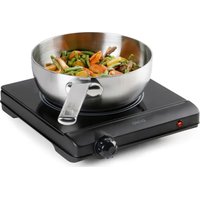
Black industrial stove with a metal pan containing chopped vegetables and a cooking pot on top (no text or symbols visible)DO332IP
| Handleiding Inductiekookplaat | |
| Mode d'emploi Plaque de cuisson à induction | |
| Gebrauchsanleitung Induktionskochplatte | |
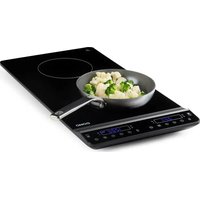
| Instruction booklet Induction cooking plate | |
| Manual de instrucciones Placas de inducción | |
| Istruzioni per l'uso Piastra a induzione | |
| Návod k použití Indukční varič - jednoplotýnkový | |
| Návod na použitie Indukčný varič - jednoplatničkový |

natural_image
Simple line drawing of a cooking pot with a coiled tube (no text or symbols)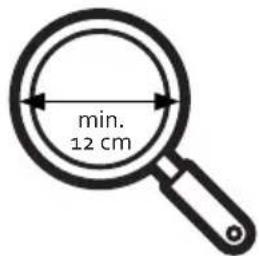
natural_image
Three identical line drawings of a cooking pot with handles and crossed handles, no text or symbols present.natural_image
Two hand-drawn diagrams showing correct and incorrect finger positioning, with checkmark and cross symbols (no text or labels)AANSLUITEN
KINDERSLOT
natural_image
Recycling symbol icon with three chasing arrows forming a triangle (no text or labels)natural_image
Simple line drawing of a cooking pot with a handle (no text or symbols)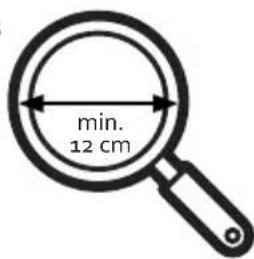
natural_image
Three identical line drawings of a cooking pot with handles and handles, each with a crossed-out cross symbol (no text or labels)
natural_image
Black-and-white illustration of a magnifying glass on a digital kitchen appliance (no text or symbols)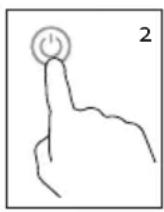
natural_image
Black electrical stove with a magnifying glass and indicator lights (no visible text or symbols)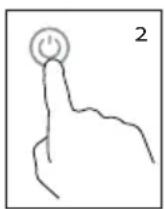
MINUTERIE
SÉCURITÉ ENFANTS
natural_image
Recycling symbol icon with three chasing arrows forming a triangle (no text or labels)natural_image
Simple line drawing of a cooking pot with a handle (no text or symbols)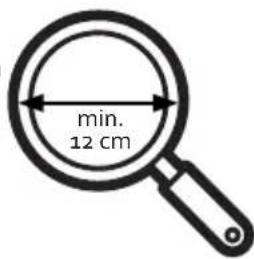
natural_image
Three identical line drawings of a cooking pot with handles and handles, each marked with a black cross (no text or symbols)natural_image
Two hand diagrams showing correct and incorrect states (no text or symbols)ANSCHLIESSEN
natural_image
Illustration of a magnifying glass on a black appliance (no text or symbols)
natural_image
Illustration of a black induction cooktop with a magnifying glass (no text or symbols)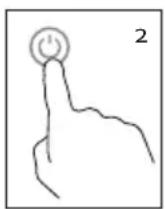
TIMER
KINDERSICHERUNG
natural_image
Recycling symbol icon with three chasing arrows forming a triangle (no text or labels)All of our products are always submitted to a strict quality control before they are sold to you.
Should you nevertheless experience problems with your device, we sincerely regret this. In that case, we kindly request you to contact our customer service.
Our staff will gladly assist you.

+32 14 21 71 91

info@linea2000.be
Monday – Thursday: 8.30 – 12.00 and 13.00 – 17.00
Friday: 8.30 - 12.00 and 13.00 - 16.30
This appliance has a two year warranty period. During this period the manufacturer is responsible for any failures that are the direct result of construction failure. When these failures occur the appliance will be repaired or replaced if necessary. The warranty will not be valid when the damage to the appliance is caused by wrong use, not following the instructions or repairs executed by a third party. The guarantee is issued with the original till receipt. All parts, which are subject to wear, are excluded from the warranty. If your device breaks down within the 2-year warranty period, you can return the device together with your receipt to the shop where you purchased it.
The guarantee on accessories and components that are liable to wear-and-tear is only 6 months.
The guarantee and responsibility of the supplier and manufacturer lapse automatically in the following cases:
- If the instructions in this manual have not been followed.
· In case of incorrect connection, e.g., electrical voltage that is too high.
· In case of incorrect, rough or abnormal use.
· In case of insufficient or incorrect maintenance.
In case of repairs or alterations to the device by the consumer or non-authorised third parties.
- If the customer used parts or accessories that are not recommended or provided by the supplier / manufacturer.
SAFETY INSTRUCTIONS
When using electrical appliances, basic safety precautions should always be taken, including the following:
- Read all instructions carefully. Keep this manual for future reference.
- Make sure all packaging materials and promotional stickers have been removed before using the appliance for the first time. Make sure children cannot play with the packaging materials.
· This appliance is intended to be used in household and similar applications such as:
- staff kitchen areas in shops, offices and other working environments;
· farm houses; - by clients in hotels, motels and other residential type environments;
- bed and breakfast type environments.
· Children should be supervised to ensure that they do not play with the appliance.
This appliance can be used by children aged from 16 years and above and persons with reduced physical, sensory or mental capabilities or lack of experience and knowledge if they have been given
supervision or instruction concerning use of the appliance in a safe way and understand the hazards involved. Children shall not play with the appliance. Cleaning and user maintenance shall not be made by children unless they are older than 16 and supervised.
- Keep the appliance and its cord out of reach of children younger than 16 years.
- Attention: The appliance is not intended to be operated by means of an external timer or separate remote control system.

The appliance can become hot during use. Keep the power cord away from hot parts and don't cover the appliance.
- Before use, check if the voltage stated on the appliance corresponds with the voltage of the power net at your home.
- Do not let the cord hang on a hot surface or on the edge of a table or counter top.
- Never use the appliance when the cord or plug is damaged, after malfunction or when the appliance itself is damaged. In that case, take the appliance to the nearest qualified service center for check-up and repair.
- Close supervision is necessary when the appliance is used near or by children.
- The use of accessories that are not recommended or sold by the manufacturer can cause fire, electrical shock or injuries.
- Unplug the appliance when it is not in use, before assembling or disassembling any parts and before cleaning the appliance. Put all buttons and knobs into the 'off' position and unplug the appliance by grasping the plug. Never unplug by pulling the cord.
· Do not leave a working appliance unattended.
- Never place this appliance near a gas stove or electrical stove or in a place where it may come into contact with a warm appliance.
· Do not use the appliance outdoors.
- Only use the appliance for its intended use.
· Always use the appliance on a steady, dry and level surface.
- Only use the appliance for domestic use. The manufacturer can not be held responsible for accidents that result from improper use of the appliance or not following the instructions described in this manual.
- If the supply cord is damaged, it must be replaced by the manufacturer, its service agentor similarly qualified persons in order to avoid a hazard.
· Never immerse the appliance, the cord or the plug in water or any other liquid.
- Make sure that children do not touch the cord or appliance.
- Keep the cord away from sharp edges and hot parts or other heat sources.
· Never place the device on metal or a flammable surface (e.g. table cloth, carpet, etc.).
- Do not block the ventilation slots of the device. This may overheat the device. Keep a min. distance of 10 cm (2.5 inches) to walls or other items.
- Do not place the induction hotplate next to devices or objects, which react sensitively to magnetic fields (e.g. radios, TVs, cassette recorders, etc.).
· Do not place induction hotplates next to open fires, heaters or other sources of heat.
· Make sure that the mains connection cable is not damaged or squashed beneath the device.
- Make sure that the mains connection cable does not come into contact with sharp edges and/or hot surfaces.
- If the surface is cracked, switch off the appliance to avoid the possibility of electric shock.
-
Metallic objects such as knives, forks, spoons and lids should not be placed on the hotplate since they can get hot.
-
Do not place any magnetically objects like credit cards, cassettes etc. on the glass surface while the device is in operation.
. On order to avoid overheating, do not place any aluminium foil or metal plates on the device. - Do not insert any objects like wires or tools into the ventilation slots. Attention: this may cause electric shocks.
- Do not touch the hot surface of the ceramic field. Please note: the induction hotplate does not heat up itself during cooking, but the temperature of the cookware heats up the hotplate!
- Do not heat up any unopened tins on the induction hotplate. A heated tin could explode; therefore remove the lid under all circumstances beforehand.
- Scientific tests have proven that induction hotplates do not pose a risk. However, persons with a pacemaker should keep a minimum distance of 60 cm to the device while it is in operation.
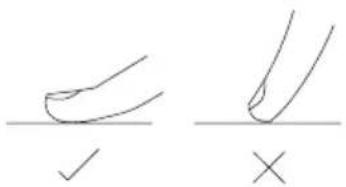
· The control panel reacts to touch, not requiring any pressure at all.
· Each time a touch is registered, you hear a signal or beep.
PARTS
- Ceramic hob
- Cooking zone
- Display
- Power indicator light
- Timer indicator light
- Temperature indicator light
- Child lock indicator light
- Timer knob
- Mode knob
- Slide control
- Child lock button
- On/Off button
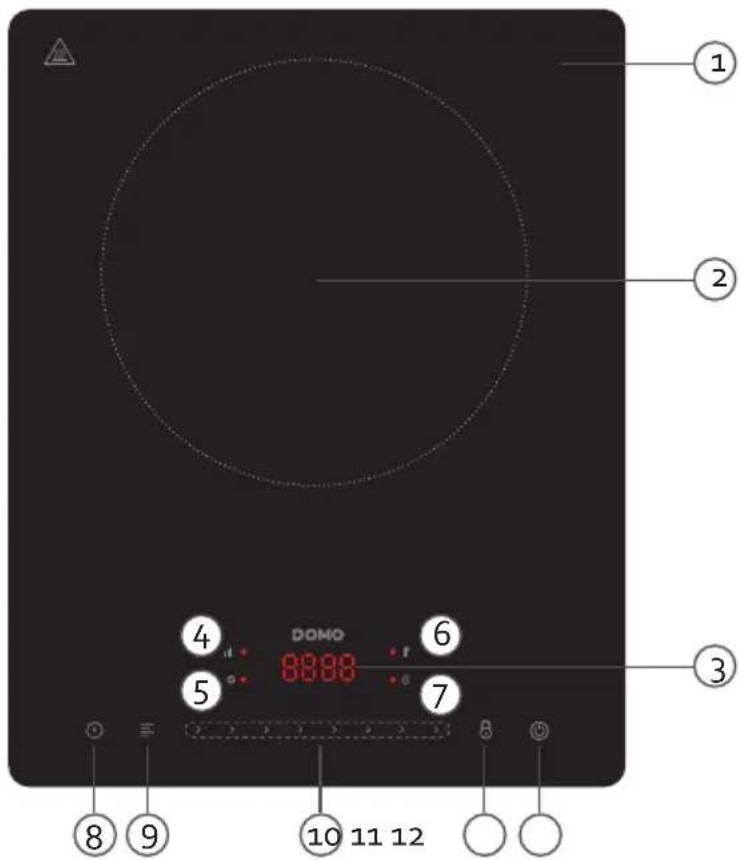
BEFORE THE FIRST USE
- Make sure all packaging materials and promotional stickers have been removed before using the appliance for the first time.
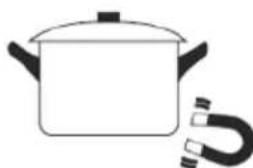
· Always use the appliance on a steady, dry and level surface. - Use pots and pans that are suited for induction hobs. This can be tested easily.
The bottom of your pots and pans must be magnetic. Take a magnet and place
natural_image
Simple line drawing of a cooking pot with a coiled tube (no text or symbols)it on the bottom of your pot or pan, if it sticks the bottom is magnetic and the pot is suited for ceramic cooking plates.
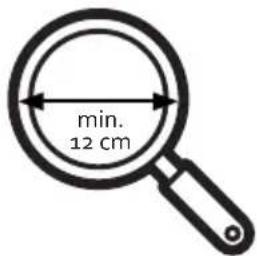
- The cooking zone has a diameter of 20 cm. The diameter of your pot or pan should be at least 12 cm.
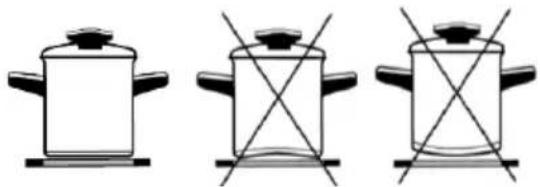
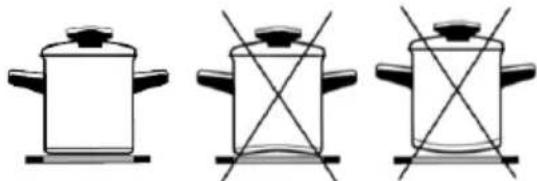
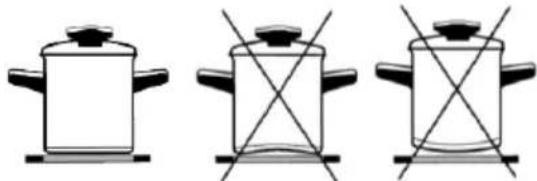
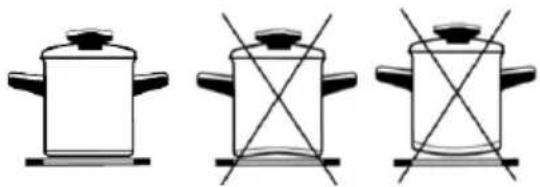
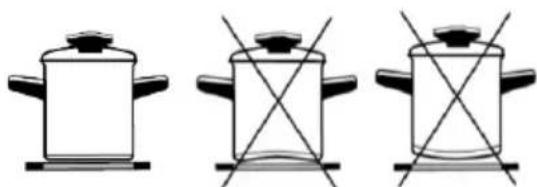
- Make sure the bottom of your pot is not deformed. If the bottom is hollow or convex, the heat distribution will not be optimal. If this makes the hob too hot, it may break.
natural_image
Three identical line drawings of a cooking pot with handles and crossed handles, no text or symbols present.⚠️ Never place the device on metal or a flammable surface (e.g. table cloth, carpet, etc.).
USE
The control panel is equipped with touch-screen operation. You do not need to press any buttons - the appliance will respond to touch. Make sure that the control panel is always clean. Each time it is touched, the appliance will respond with a signal.
CONNECTING
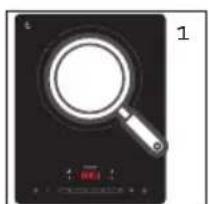
When you place the plug in the outlet, you will hear a signal. On the display, 4 dashes [----] flash, meaning that the hob has gone into standby mode.
USE
- When operating the device, please put on a pan/pot firstly. Note: Always place the pot or pan in the centre of the hotplate.
- Keep the on/off button pressed to turn the the hob on. You hear a signal and 4 dashes [----] appear on the display. The device switches off automatically if you haven't entered a setting after 10 seconds.
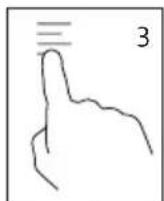
- Press the mode knob to start heating. The default power setting P8 is turned on and the power indicator is illuminated.
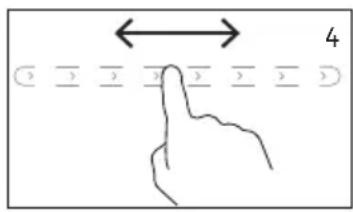
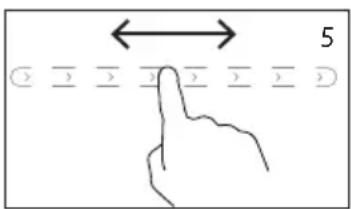
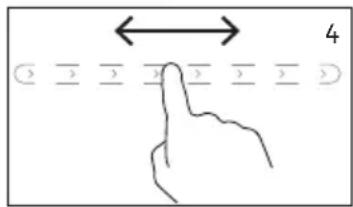
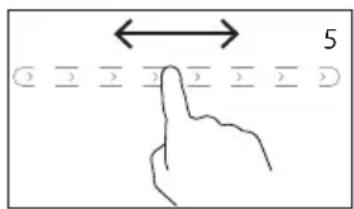
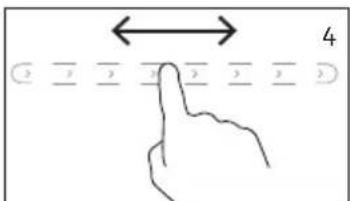
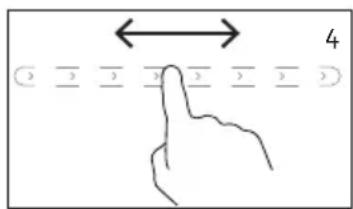
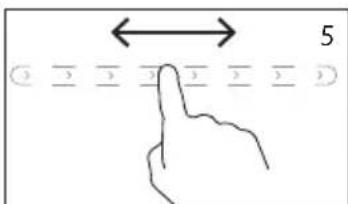
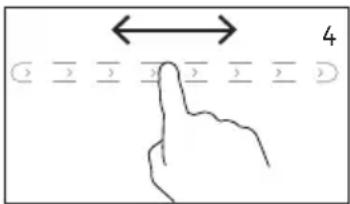
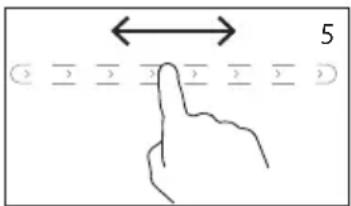
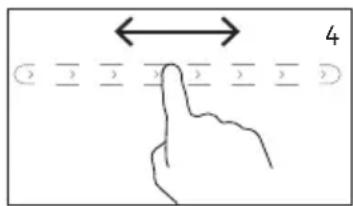
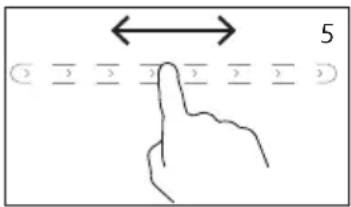
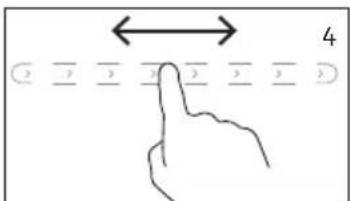
- You can adjust the setting with the slide control. You can choose from 8 different settings, of which P8 is the hottest and P1 the coldest. The selected setting is shown on the display.
| Display P1 P2 | P3 P4 P5 P6 | P7 P8 | ||||||
| Power | 400 W | 600 W | 900 W | 1200 W | 1400 W | 1600 W | 1800 W | 2000 W |
- Press the on/off button again to turn off the appliance. The ventilation stays on for a while to cool down. On the display, 4 dashes [----] flash.
natural_image
Simple illustration of a magnifying glass on a black electrical heating element (no text or symbols)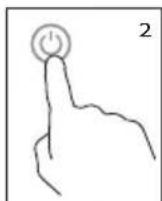
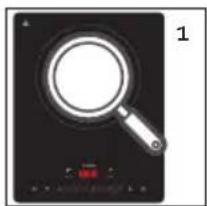
Attention: the appliance will sound several times if the correct pot is not on the hob and will then automatically switch off after one minute. The display shows the error message [Eo].
TEMPERATURE
Instead of displaying in power setting, you can also choose to display in temperature expressed in °C.
- Before turning on the appliance, you must first place a pot or pan on the cooking surface. Attention: always place the pot or pan in the middle of the hob.
- Press and hold the on/off button to turn the hob on. You hear a signal and 4 dashes [----] appear on the display. The device switches off automatically if you haven't entered a setting after 10 seconds.
- Press the mode knob to start heating. The default power setting P8 is turned on and the power indicator is illuminated.
- Press the mode knob a second time to switch to temperature display. The default setting of 200 °C is switched on and the temperature indicator light is illuminated.
- You can adjust the setting with the slide control. You can choose from 8 different settings. The selected setting is shown on the display.
| Display | 60 | 80 | 120 | 150 | 180 | 200 | 220 | 240 |
| Temperature | 60^ 80^ 1 | 20^ 150^ | 180^ 200^ | C 220^ 240^ |
- Press the on/off button again to turn off the appliance. The ventilation stays on for a while to cool down. On the display, 4 dashes [----] flash.
natural_image
Illustration of a magnifying glass on an induction cooktop (no text or symbols)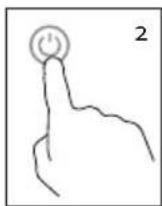
TIMER
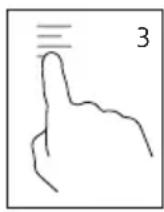
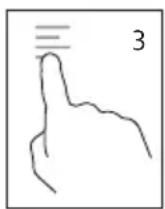
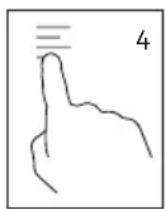
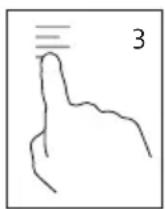
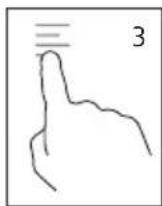
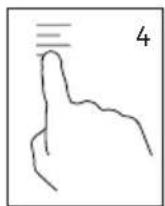
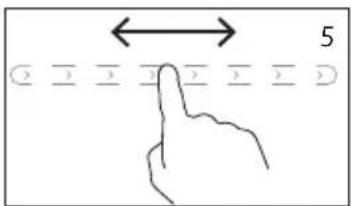
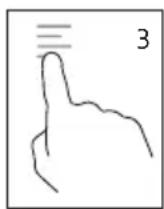
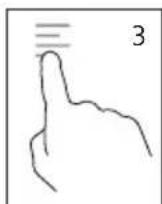
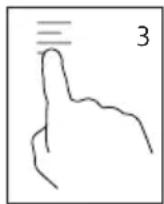
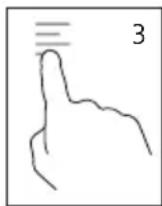
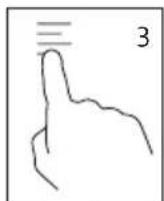
- Press the timer button to set the timer. The timer indicator light illuminates. On the display, the default setting flashes 30 minutes [00:30].
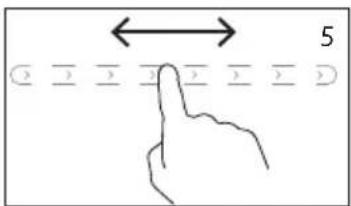
- You can set the desired time using the slide control between 1 minute [00:01] and 3 hours [03:00]. It is not necessary to confirm the desired setting. If you don't enter any more settings for a few seconds, the timer is set. The time on the display no longer flashes.
- When the desired time is set, the timer will appear on the display alternating with the selected temperature setting. The timer indicator is illuminated to indicate that the timer is set.
· If you want to turn off the timer, press the timer button a second time.
- When the timer is ready, the hob switches off automatically.
CHILDPROOF LOCK
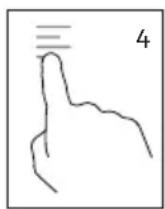
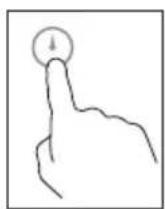
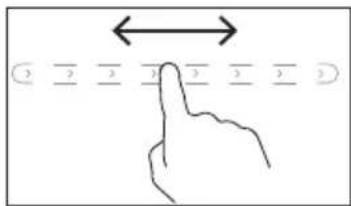
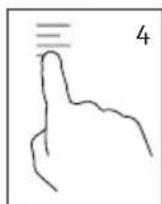
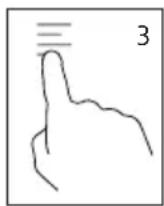
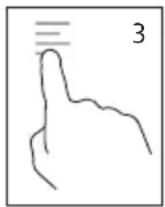
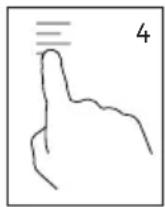
- Press the child lock button for a few seconds to turn the lock on. The indication light indicates that the lock has been activated. Only the on/off button will work if this function is set, no other buttons will respond.
- Keep this button pressed for a few seconds to turn this function off again.
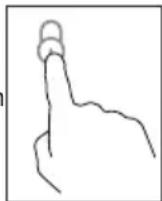
CLEANING AND MAINTENANCE
- Pull the power plug prior to cleaning the device. Do not use any caustic cleaning agents and make sure that no water penetrates the device.
- To protect yourself from electric shock, never immerse the device, its cables and the plug in water or other liquids.
- Wipe off the ceramic field with a damp cloth or use a mild, non-abrasive soap solution.
- Wipe off the casing and the operating panel with a soft cloth or a mild detergent.
Do not use any petrol products to not damage the plastic parts and the casing/operating panel. - Do not use any flammable, acidity or alkaline materials or substances near the device, as this may reduce the service life of the device and lead to deflagration when the device is turned on.
- Make sure that the bottom of the cookware does not scrape across the surface of the ceramic field, although a scratched surface does not impair the use of the device.
· Make sure that the device was properly cleaned before storing it in a dry place.
• Make sure that the control panel is always clean and dry. Do not leave any objects lying on the hob.
ENVIRONMENTAL GUIDELINES
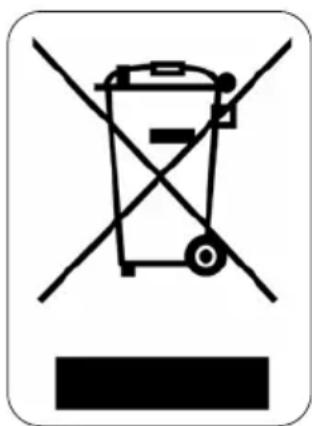
This symbol on the product or on its packaging indicates that this product may not be treated as household waste. Instead it must be brought to the applicable collection point for recycling of electrical and electronic equipment. By ensuring this product is disposed of correctly, you will help prevent potential negative consequences for the environment and human health, which could otherwise be caused by inappropriate waste handling of this product. For more detailed information about recycling of this product, please contact your local city office, your household waste disposal service or the shop where you purchased the product.

natural_image
Recycling symbol icon (three chasing arrows) inside a rounded square frame, no text or labels present.The packaging is recyclable. Please treat the packaging ecologically.
GARANTIA
natural_image
Three identical line drawings of a cooking pot with handles and handles, each with a cross mark on the lid (no text or symbols)natural_image
Two hand-drawn diagrams showing correct and incorrect states, with checkmark and cross symbols (no text or labels)CONECTAR
natural_image
Illustration of a magnifying glass on a black electrical stove (no text or symbols)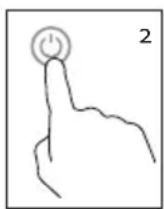
natural_image
Illustration of a magnifying glass on a black heating pot (no text or symbols)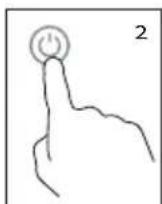
TEMPORIZADOR
BLOQUEO PARA NIÑOS
natural_image
Recycling symbol icon with three chasing arrows forming a triangle (no text or labels)natural_image
Simple line drawing of a cooking pot with a handle (no text or symbols)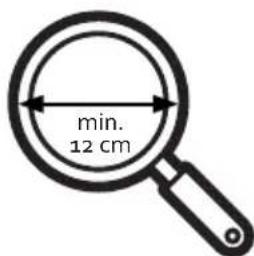
natural_image
Three identical line drawings of a cooking pot with handles, each showing a cross mark on its side (no text or symbols)natural_image
Two hand-drawn diagrams showing correct and incorrect states (no text or symbols)COLLEGARE
natural_image
Illustration of a magnifying glass on a black heating screen (no text or symbols)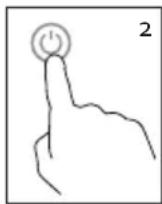
natural_image
Illustration of a magnifying glass on a black appliance (no text or symbols)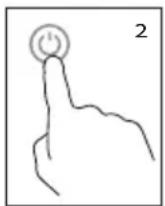
TIMER
CHIUSURA DI SICUREZZA
natural_image
Recycling symbol icon with three chasing arrows forming a triangle (no text or labels)natural_image
Three identical line drawings of a cooking pot with handles and handles, each marked with a black cross (no text or symbols)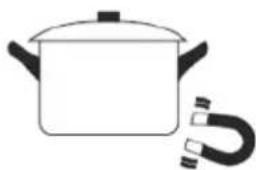
natural_image
Simple line drawing of a cooking pot with a coiled tube (no text or symbols)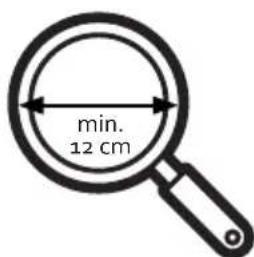
natural_image
Two hand-drawn diagrams showing correct and incorrect states, with checkmark and cross symbols (no text or labels)PŘIPOJENÍ DO EL. SÍTĚ
natural_image
Illustration of a magnifying glass on a black appliance (no text or symbols)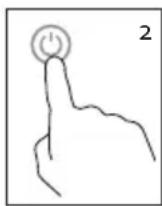
natural_image
Illustration of a magnifying glass on a black appliance (no text or symbols)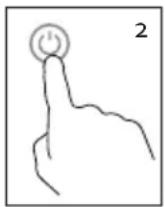
ČASOVAČ
DĚTSKÝ BEZPEČNOSTNÍ ZÁMEK
OHLED NA ŽÍVOTNÍ PROSTŘEDÍ
natural_image
Recycling symbol icon (three chasing arrows) inside a rounded square frame, no text or labels present.natural_image
Simple line drawing of a cooking pot with a handle (no text or symbols)natural_image
Three identical line drawings of a cooking pot with handles and handles, each with a crossed-out cross mark (no text or symbols)natural_image
Two hand-drawn diagrams showing a checkmark and an X symbol, no text or labels present.PRIPOJENIE DO EL. SIETE
natural_image
Simple illustration of a magnifying glass on a black heating screen (no text or symbols)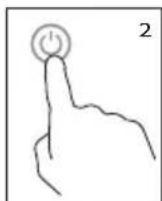
natural_image
Illustration of a magnifying glass on an induction cooktop (no text or symbols)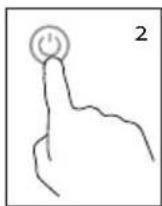
ČASOVAČ
DETSKÝ BEZPEČNOSTNÝ ZÁMOK
natural_image
Recycling symbol icon (three chasing arrows) inside a rounded square frame, no text or labels present.
- DO332IP
- AANSLUITEN
- KINDERSLOT
- MINUTERIE
- SÉCURITÉ ENFANTS
- ANSCHLIESSEN
- TIMER
- KINDERSICHERUNG
- SAFETY INSTRUCTIONS
- PARTS
- BEFORE THE FIRST USE
- USE
- CONNECTING
- TEMPERATURE
- CHILDPROOF LOCK
- CLEANING AND MAINTENANCE
- ENVIRONMENTAL GUIDELINES
- GARANTIA
- CONECTAR
- TEMPORIZADOR
- BLOQUEO PARA NIÑOS
- COLLEGARE
- CHIUSURA DI SICUREZZA
- PŘIPOJENÍ DO EL. SÍTĚ
- ČASOVAČ
- DĚTSKÝ BEZPEČNOSTNÍ ZÁMEK
- OHLED NA ŽÍVOTNÍ PROSTŘEDÍ
- PRIPOJENIE DO EL. SIETE
- DETSKÝ BEZPEČNOSTNÝ ZÁMOK
Brand : DOMO
Model : DO332IP
Category : Cooker