EGLF2 - TV Stand Echogear - Free user manual and instructions
Find the device manual for free EGLF2 Echogear in PDF.


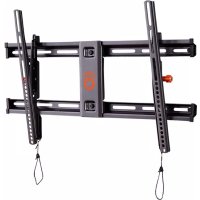
| Product Type | Full Motion TV Wall Mount |
| Brand | Echogear |
| Model | EGLF2 |
| Maximum TV Weight Capacity | 125 lbs (56.6 kg) |
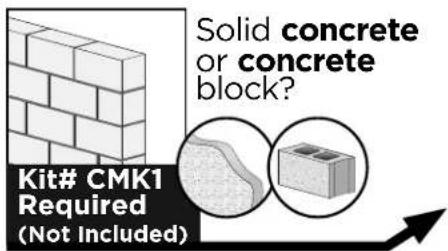
| Compatible Wall Types | Wood stud, solid concrete, concrete block |
| Maximum Drywall Thickness | 5/8 in. (16 mm) |
| Minimum Wood Stud Size | Nominal 2 x 4 in. (51 x 102 mm) |
| Tilt Adjustment | Yes, adjustable tilt with locking lever |
| Level Adjustment | Yes, post-installation leveling screws |
| Full Motion / Articulating | Yes (implied by Full Motion name) |
| TV Bracket Centering | Must be equally centered on TV |
| Included Hardware | TV brackets, wall plate/arm, lag screws, washers, concrete anchors, end caps, screws, hex key |
| Concrete Kit Available | Yes (Kit# CMK1, sold separately) |
| Customer Support | 1-855-428-2490, helpmehelpyou@ECHOGEAR.com |
| Warranty / Guarantee | Echogear Satisfaction Guarantee |
| Country of Origin | Made in China |
| Safety Standards | Designed to support 5x TV + mount weight |
| Cleaning and Maintenance | Wipe with dry cloth; avoid harsh chemicals |
Frequently Asked Questions - EGLF2 Echogear
User questions about EGLF2 Echogear
0 question about this device. Answer the ones you know or ask your own.
Ask a new question about this device
Download the instructions for your TV Stand in PDF format for free! Find your manual EGLF2 - Echogear and take your electronic device back in hand. On this page are published all the documents necessary for the use of your device. EGLF2 by Echogear.
USER MANUAL EGLF2 Echogear
FULL MOTION TV WALL MOUNT
Model EGLF2
INSTRUCTION MANUAL

natural_image
Technical line drawing of a mechanical frame assembly (no text or symbols)IMPORTANT SAFETY INSTRUCTIONS. READ ENTIRE MANUAL PRIOR TO USE. SAVE THESE INSTRUCTIONS
YEA, THE BORING STUFF ... but read it, so you don't jack things up!
Please read through these instructions completely to be sure you're comfortable with this easy install process. Also check your TV owner's manual to see if there are any special requirements for mounting your TV.
If you do not understand these instructions or have doubts about the safety of the installation, assembly or use of this product, contact The Echogear Pros at 1-855-428-2490.
CAUTION: Avoid potential personal injuries and property damage!
This product is designed for use in wood stud, solid concrete, and concrete block walls - DO NOT install into drywall alone
The wall must be capable of supporting five times the weight of the TV and mount combined
▶ Do not use this product for any purpose not explicitly specified by manufacturer
▶ Manufacturer is not responsible for damage or injury caused by incorrect assembly or use
WEIGHT RESTRICTIONS
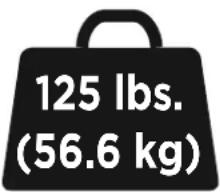
Your TV (including accessories) CANNOT EXCEED 125 lbs. (56.6 kg) for this mount.
"You can think about it ... but doooon't do it."
If your TV weighs more, this mount is NOT compatible. Visit echogear.com to find a compatible mount.
CAUTION: DO NOT exceed the maximum weight indicated. This mounting system is intended for use only with the maximum weights indicated. Use with products heavier than the maximum weights indicated may result in collapse of the mount and its accessories, causing possible injury.
VERIFY YOUR WALL CONSTRUCTION



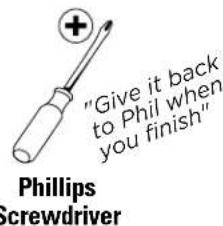
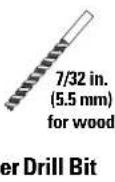
GRAB YOUR TOOLS




Wood Stud Wall Installation Concre


all Installation


TOY SURPRISE
FREE Inside Every Box

"The key to minor adjustments"
ONE MORE THING ...
ECHOGEAR SATISFACTION GUARANTEE:
We're driven to give DIYers an awesome install experience. We stand behind everything we make because you deserve the best entertainment experience without sacrificing quality and spending your whole paycheck.
Guess what? We'll help you through the entire process, too.
Why? Because we like to help and it's our passion to provide authentic service. We won't leave you hanging, no matter what.
Our U.S. based Echogear Pros answer the phone in all days ending in Y. That means availability to try and stump our expert staff 7 days a week.
Call us if you...
1 Have any questions before, during, or after install.
2 Need different hardware to fit your TV model.
3 Just need someone to chat with. We're here for you.
WHAT'S IN THE BOX
WARNING: DON'T FEED TO CHILDREN — This product contains small items that could be a choking hazard if swallowed. Before starting assembly, verify all parts are included and undamaged. If any parts are missing or damaged, do not return the damaged item to your dealer; contact Customer Service. Never use damaged parts!
NOTE: Not all hardware included in this kit will be used.
STUFF FOR STEP 1
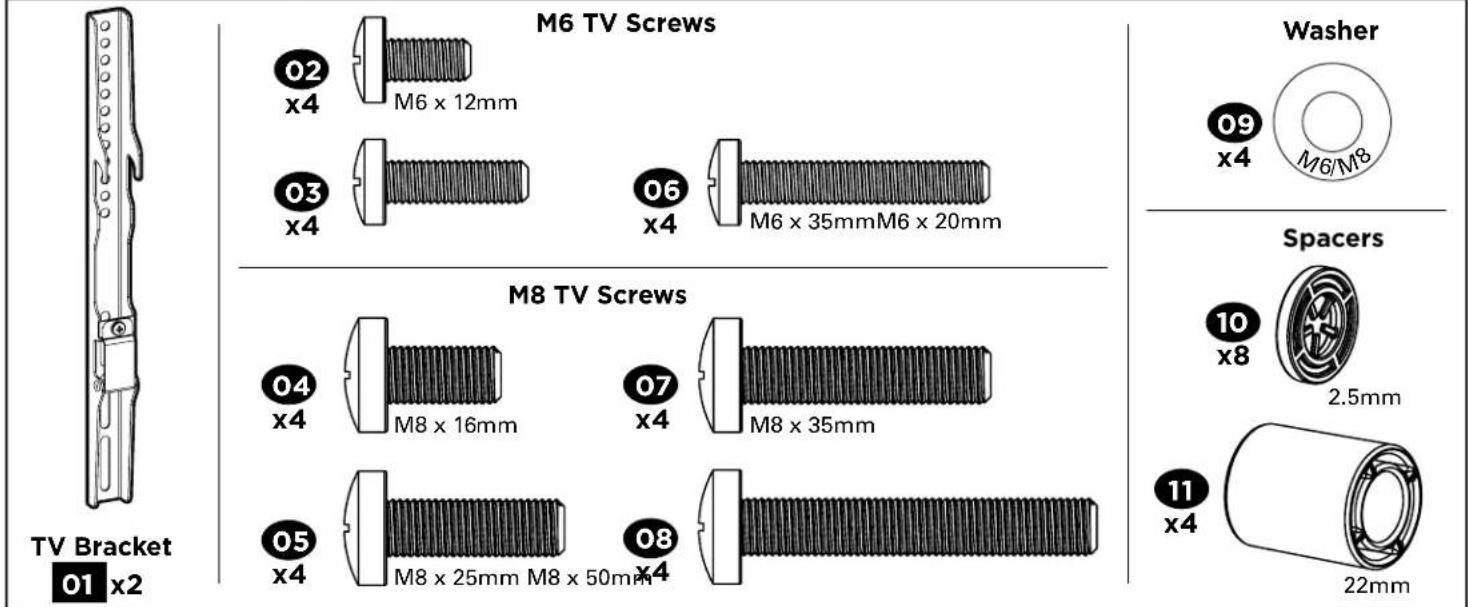
STUFF FOR STEP 2


14 x4
Washer (For Lag Screw)
15 x4

5/16 in.
FOR CONCRETE INSTALLATIONS:
Call The Echogear Pros at 1-855-428-2490 for concrete Kit# CMK1
Concrete Anchor

Fischer UX 10 x 60R
C1 x4
STUFF FOR STEP 3
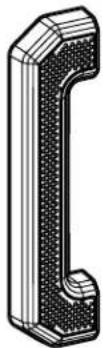
End Cap
16 x2

M4 x 10mm
End Cap Screw
17 x4
STEP 1 ATTACH THE TV BRACKETS TO YOUR TV
STEP 1.1 STE Select TV Screws
Only one screw size fits your TV.
"Suggested uses for the extra screws: board game pieces, industrial jewelry, sweet corn holders, homemade maracas, stocking stuffers, currency (not most countries) ..."

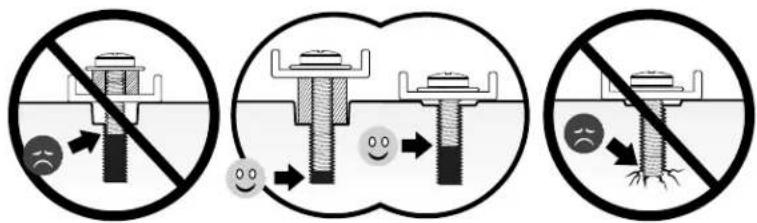
Select Spacers (if needed)

STEP 1.3
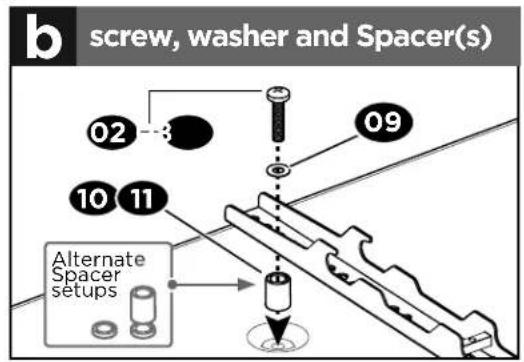
Secure the TV Brackets
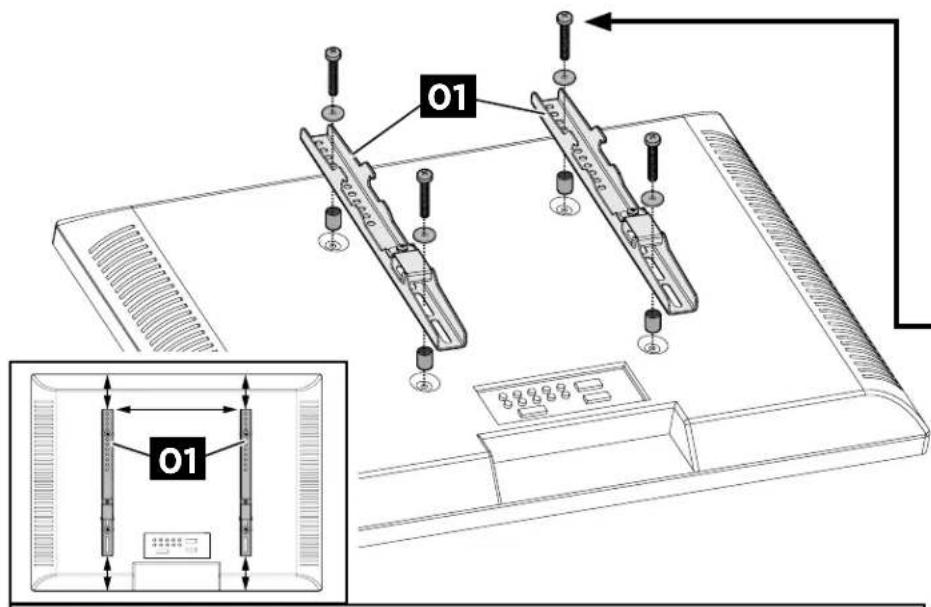
CAUTION: Ensure the TV brackets 01 are EQUALLY CENTERED on your TV AND securely fastened in place.

STEP 2 INSTALL THE WALL PLATE /ARM

For
WOOD STUD INSTALLATIONS, follow STEP 2A on PAGE 10
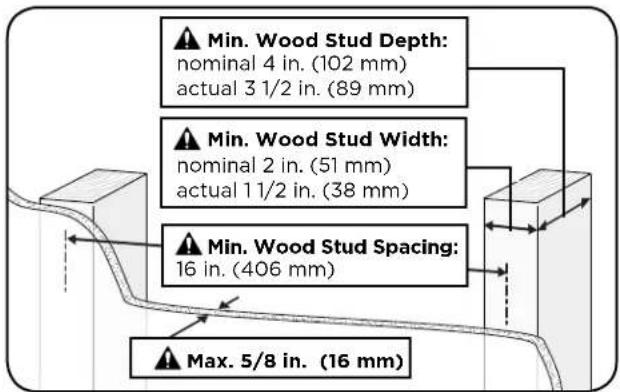
⚠️ CAUTION: Avoid potential personal injuries and property damage!
Drywall covering the wall must not exceed 5/8 in. (16 mm). Minimum wood stud size: nominal 2 x 4 in. (51 x 102 mm) actual 1½ x 3½ in. (38 x 89 mm).
For
CONCRETE INSTALLATIONS, follow STEP 2B on PAGE 12

⚠️ CAUTION: Avoid potential personal injuries and property damage!
Mount wall plate/arm 13 directly onto the concrete surface (no surface covering).
STEP 2A (FOR WOOD STUD) INSTALL THE WALL PLATE/ARM
STEP 2A.1 Find a Stud
STEP 2A.2 Align the Template

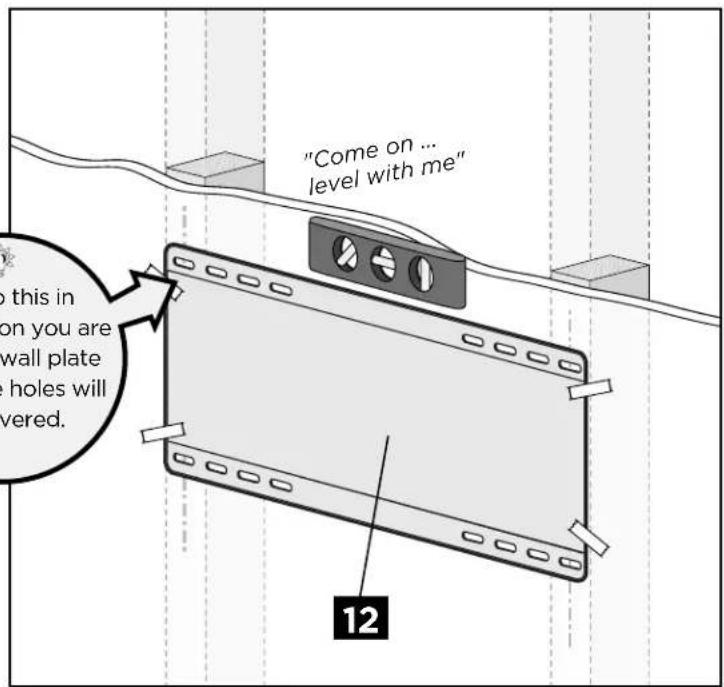
STEP 2A.3: Drill Notes Secure Wall Plate
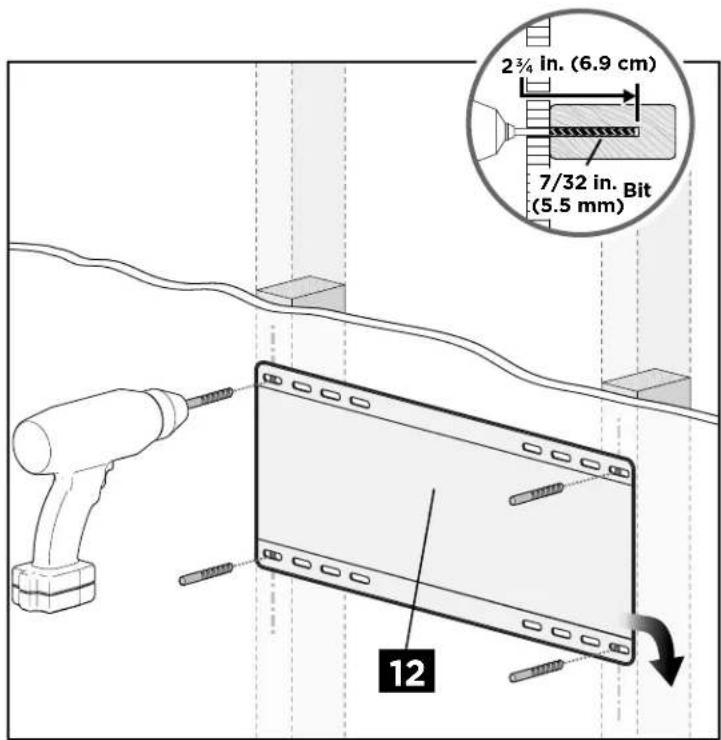

CAUTION: Avoid potential personal injury or property damage! All four lag screws 14 MUST BE firmly tightened to prevent unwanted movement of the wall plate assembly.
Go to STEP 3 on PAGE 14
STEP 2B
(FOR CONCRETE)
INSTALL THE WALL PLATE/ARM
STEP 2B.1 S Align the Template Drill Holes

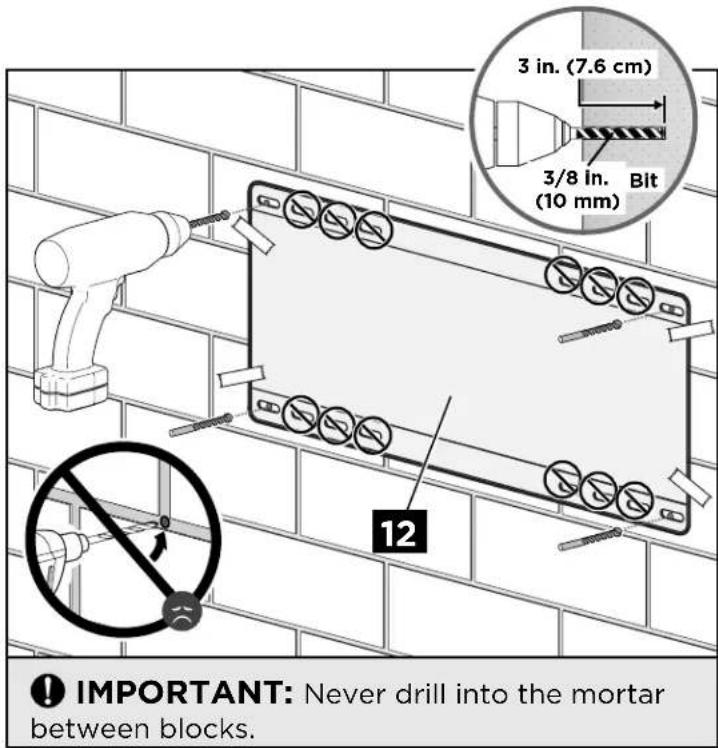
STEP 2B.3 S Insert Concrete Anchors Secure Wall Plate


STEP 3 HANG YOUR TV
STEP 3.1 ST Install End Caps Prepare Your TV
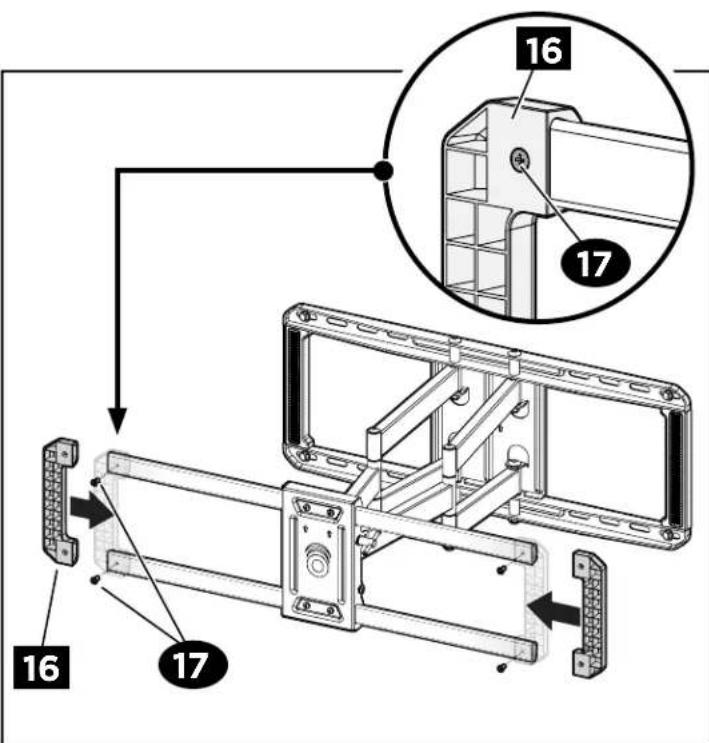
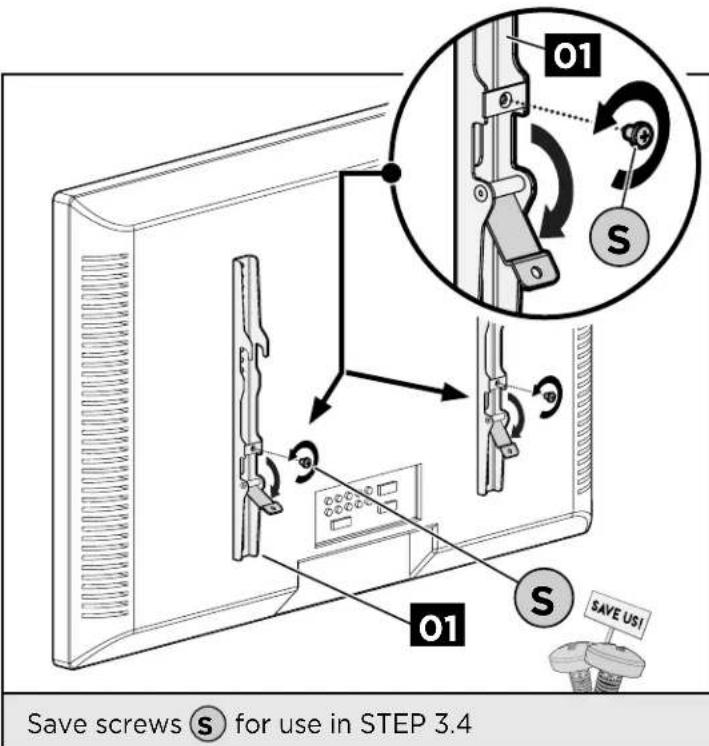
STEP 3.3 Hang Your TV

HEAVY! You may need assistance with this step.
"Ask that friend of yours that yammers on about crossfit"


IMPORTANT:
TV brackets 01 MUST be centered AND span the faceplate of arm 13.
"SPAN THE FACEPLATE ... that's a good name for a band!"

STEP 3.4 Secure Your TV

CAUTION: Avoid potential personal injury or property damage!
Bracket clips Ⓑ and screws Ⓢ MUST be installed to secure your TV with brackets 01 to wall plate/arm 13.
ADJUSTMENTS
TILT

- Loosen the tilt lever Ⓣ.
- A djust the TV tilt position.
- Tighten tilt lever Ⓜ to secure the TV in place at your desired tilt angle.

NOTE: If needed, tighten screw T_2 additional tilt tensioning.

LEVEL
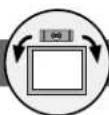
- Loosen the two screws Ⓛ on the rear of arm plate 13, using the hex key.
- Level your TV.
- Retighten screws Ⓛ to secure in place.


REMOVE YOUR TV

Remove screws Ⓟ and bracket clips Ⓑ, then lift your TV up and off of wall plate/arm 13.


HEAVY! You may need assistance with this step.
"Don't be a hero!"

ECHOGEAR™
"Wanna show off your hard work?"
Share a picture of your completed project
with #YourGearUpgraded.
Who knows, it might not be as bad as you thought"
Confuzzled?
Contact the ECHOGEAR Pros:

1-855-428-2490

helpmehelpyou@ECHOGEAR.com

ECHOGEAR.com
Milestone AV Technologies and its affiliated corporations and subsidiaries (collectively, "Milestone"), intend to make this manual accurate and complete. However, Milestone makes no claim that the information contained herein covers all details, conditions, or variations. Nor does it provide for every possible contingency in connection with the installation or use of this product. The information contained in this document is subject to change without notice or obligation of any kind. Milestone makes no representation of warranty, expressed or implied, regarding the information contained herein. Milestone assumes no responsibility for accuracy, completeness or sufficiency of the information contained in this document.
©2017 Milestone AV Technologies. All rights reserved. ECHOGEAR is a Milestone brand. ECHOGEAR and the ECHOGEAR logo are trademarks of Milestone.
Made in China.
Milestone Global Headquarters • 6436 City West Parkway • Eden Prairie, MN 55344 USA
6901-602120 00
- FULL MOTION TV WALL MOUNT
- IMPORTANT SAFETY INSTRUCTIONS. READ ENTIRE MANUAL PRIOR TO USE. SAVE THESE INSTRUCTIONS
- YEA, THE BORING STUFF ... but read it, so you don't jack things up!
- CAUTION: Avoid potential personal injuries and property damage!
- WEIGHT RESTRICTIONS
- VERIFY YOUR WALL CONSTRUCTION
- GRAB YOUR TOOLS
- ONE MORE THING ...
- ECHOGEAR SATISFACTION GUARANTEE:
- WHAT'S IN THE BOX
- STEP 1 ATTACH THE TV BRACKETS TO YOUR TV
- STEP 1.1 STE Select TV Screws
- STEP 1.3
- Secure the TV Brackets
- STEP 2 INSTALL THE WALL PLATE /ARM
- STEP 2A (FOR WOOD STUD) INSTALL THE WALL PLATE/ARM
- STEP 2A.1 Find a Stud
- STEP 2A.2 Align the Template
- STEP 2A.3: Drill Notes Secure Wall Plate
- STEP 2B
- (FOR CONCRETE)
- INSTALL THE WALL PLATE/ARM
- STEP 2B.1 S Align the Template Drill Holes
- STEP 2B.3 S Insert Concrete Anchors Secure Wall Plate
- STEP 3 HANG YOUR TV
- STEP 3.1 ST Install End Caps Prepare Your TV
- STEP 3.3 Hang Your TV
- HEAVY! You may need assistance with this step.
- IMPORTANT:
- STEP 3.4 Secure Your TV
- ADJUSTMENTS
- TILT
- LEVEL
- REMOVE YOUR TV
- ECHOGEAR™
- Confuzzled?
- Contact the ECHOGEAR Pros:
Brand : Echogear
Model : EGLF2
Category : TV Stand