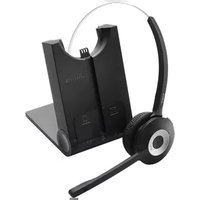
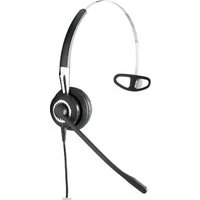
PRO 925 Dual Connectivity - Headphones JABRA - Free user manual and instructions
Find the device manual for free PRO 925 Dual Connectivity JABRA in PDF.


| Type | Wireless headset for office and contact center |
| Brand | Jabra |
| Model | PRO 925 Dual Connectivity |
| Connectivity | Dual connectivity via base station; DECT and wired option |
| Wireless Technology | DECT (1.9 GHz) |
| Range | Up to 120 meters (400 ft) from base station |
| Dimensions (Headset) | 6.2 x 3.1 x 7.5 inches (158 x 78 x 190 mm) |
| Weight (Headset) | Approx. 150 g (5.3 oz) |
| Battery Type | Rechargeable Li-ion polymer |
| Talk Time | Up to 12 hours |
| Standby Time | Up to 120 hours |
| Charging Time | Approx. 2 hours |
| Speaker | Wideband audio with noise cancellation |
| Microphone | Noise-canceling boom microphone |
| Material | Leatherette ear cushions, adjustable headband |
| Languages | Multilingual voice prompts (English, French, German, etc.) |
| Compatibility | Desk phones, softphones (Skype, Teams, etc.) via base station |
| Controls | Volume up/down, mute, call answer/end, base station controls |
| Cleaning | Wipe with a soft, dry cloth. Do not use liquids or solvents |
| Safety | Use only approved power adapter and accessories |
Frequently Asked Questions - PRO 925 Dual Connectivity JABRA
User questions about PRO 925 Dual Connectivity JABRA
0 question about this device. Answer the ones you know or ask your own.
Ask a new question about this device
Download the instructions for your Headphones in PDF format for free! Find your manual PRO 925 Dual Connectivity - JABRA and take your electronic device back in hand. On this page are published all the documents necessary for the use of your device. PRO 925 Dual Connectivity by JABRA.
USER MANUAL PRO 925 Dual Connectivity JABRA
User Manual
jabra.com/pro925
A BRAND BY

© 2014 GN Netcom A/S. All rights reserved. Jabra® is a registered trademark of GN Netcom A/S. All other trademarks included herein are the property of their respective owners. The Bluetooth® word mark and logos are owned by the Bluetooth SIG, Inc. and any use of such marks by GN Netcom A/S is under license. (Design and specifications subject to change without notice).
MADE IN CHINA
MODEL WHB005HS/ WHB005BS

- WELCOME......4
- PRODUCT OVERVIEW .... 5
- CHARGE THE HEADSET 8
- HOW TO WEAR ......10
- HOW TO CONNECT......12
- HOW TO USE 17
- VOICE GUIDANCE .....19
- BASE LED INDICATORS 20
- SOFTWARE 22
- ADVANCED SETTINGS....23
- SUPPORT 26
- TECHNICAL SPECIFICATIONS ..... 27
1. WELCOME
Thank you for using the Jabra PRO 925. We hope you will enjoy it!
JABRA PRO 925 FEATURES
■ Plug and play simplicity
■ Wireless freedom - up to 100m/300ft from base
■ 12 hours talk-time
■ NFC technology - one touch pairing
2. PRODUCT OVERVIEW
2.1 HEADSET

2.2 BASE

FOLDABLE BASE STAND
The Jabra PRO 925 base stand can be folded into three positions: open, closed and standing.

2.3 OPTIONAL ACCESSORIES
The following Jabra PRO accessories are available separately. Visit jabra.com for a full accessory overview.

3. CHARGE THE HEADSET
The headset will charge when docked in the base, and the base is connected to a power supply.
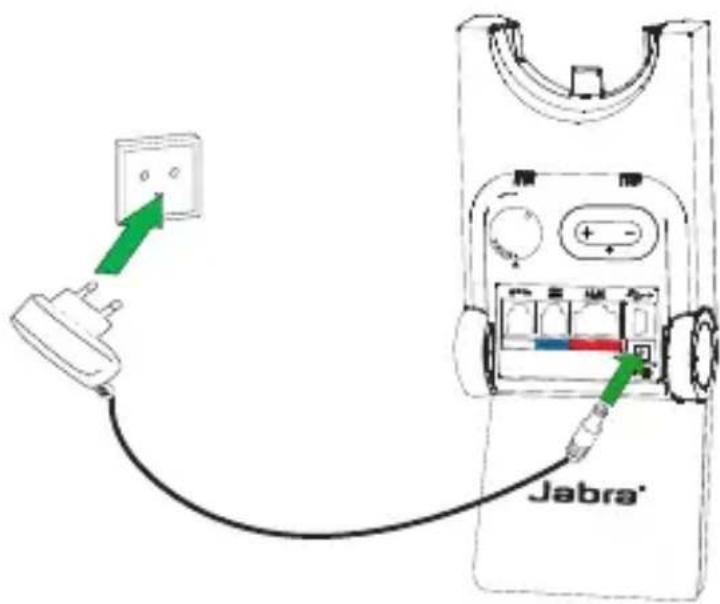
It takes approx. 3 hours to charge the headset.
3.1 HEADSET BATTERY STATUS
WHAT YOU SEE BATTERY LEVEL

High

Medium

Low

Very low

Battery charging
4. HOW TO WEAR

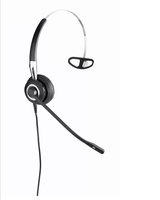
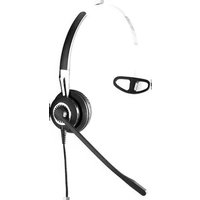
The Jabra PRO 925 headset can be worn in three different wearing-styles:
Headband
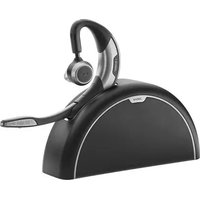
■ Earhook (optional accessory)
■ Neckband (optional accessory)
All wearing-styles can be worn on either the left or right ear.
NOTE: It is important to position the microphone close to the mouth for maximum noise cancellation.
4.1 HEADBAND

4.2 EARHOOK (OPTIONAL ACCESSORY)
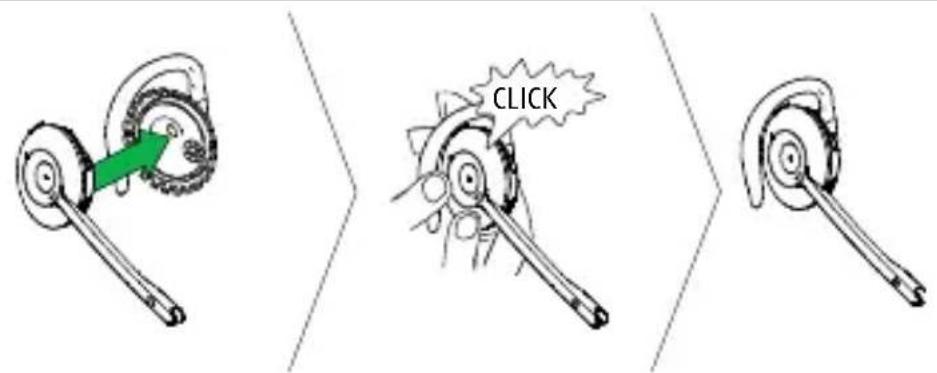
4.3 NECKBAND (OPTIONAL ACCESSORY)
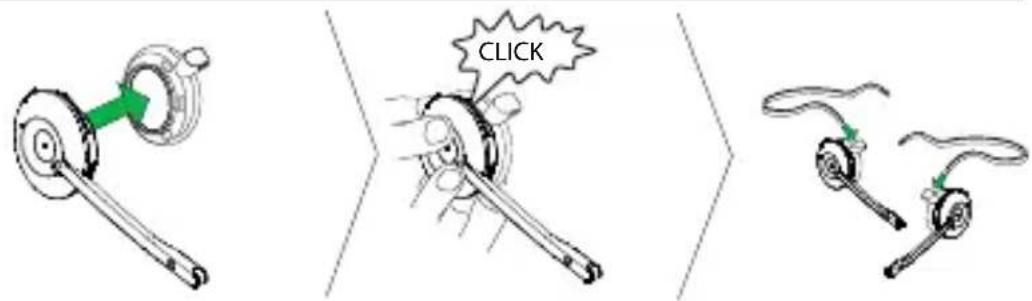
NOTE: The neckband or earhook can be purchased on jabra.com
5. HOW TO CONNECT
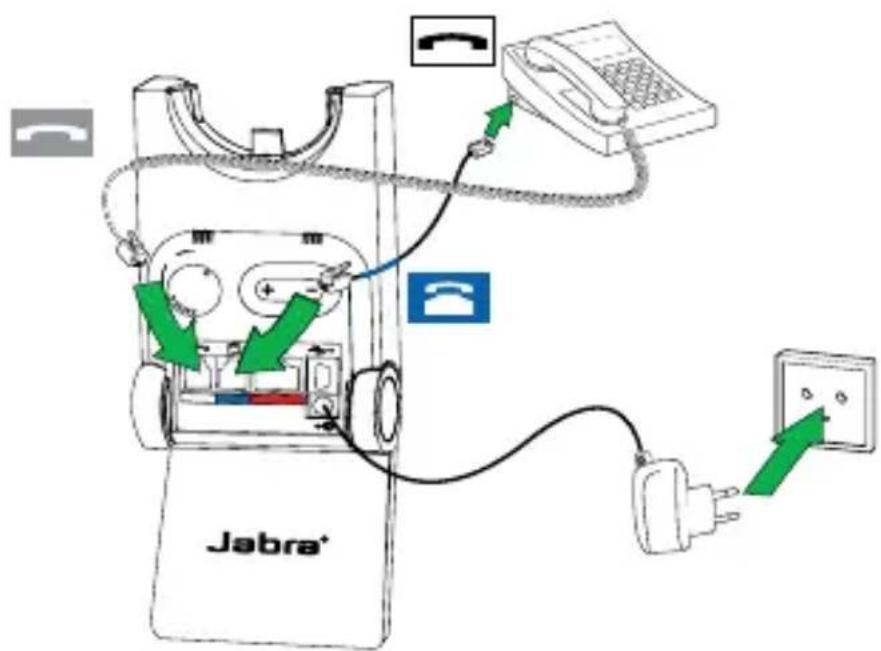
5.1 CONNECT TO DESK PHONE (WITH HEADSET PORT)
- Connect the base to a power supply.
- Plug the supplied telephone cable into the port marked 📞 on the base.
- Connect the telephone cable to the headset port 📋 on the desk phone. The desk phone icon will light up when connected.
- Dock the headset in the base.

5.2 CONNECT TO DESK PHONE (WITHOUT HEADSET PORT)
- Connect the base to a power supply.
- On the desk phone, unplug the handset cable from the phone body.
- Connect the handset cable to the port marked on the base.
- Plug the supplied telephone cable into the port marked on the base.
- Connect the telephone cable to the handset port on the desk phone. The desk phone icon will light up when connected.
- Dock the headset in the base.
5.3 CONNECT TO MOBILE DEVICE
- Connect the base to a power supply.
- Press the Mobile device button on the base.
- Pairing mode will be announced in the headset and the mobile device icon will light up.
- Follow the voice-guided pairing instructions in the headset to pair to your Bluetooth device.

5.4 CONNECT TO MOBILE DEVICE (NFC)
NFC is a faster, simpler way to connect two Bluetooth devices.
- Ensure NFC is enabled on the mobile device.
- Tap the NFC zone on the mobile device against the NFC zone on the headset.

5.5 CONNECT TO MOBILE DEVICE (WITHOUT BASE)
It is possible to connect the headset directly to a mobile device.
- Ensure the headset is turned off.
- Press and hold (5 seconds) the Multi-function button to turn the headset on and enter pairing mode.
- Follow the voice-guided pairing instructions in the headset to pair to your mobile device.

6. HOW TO USE
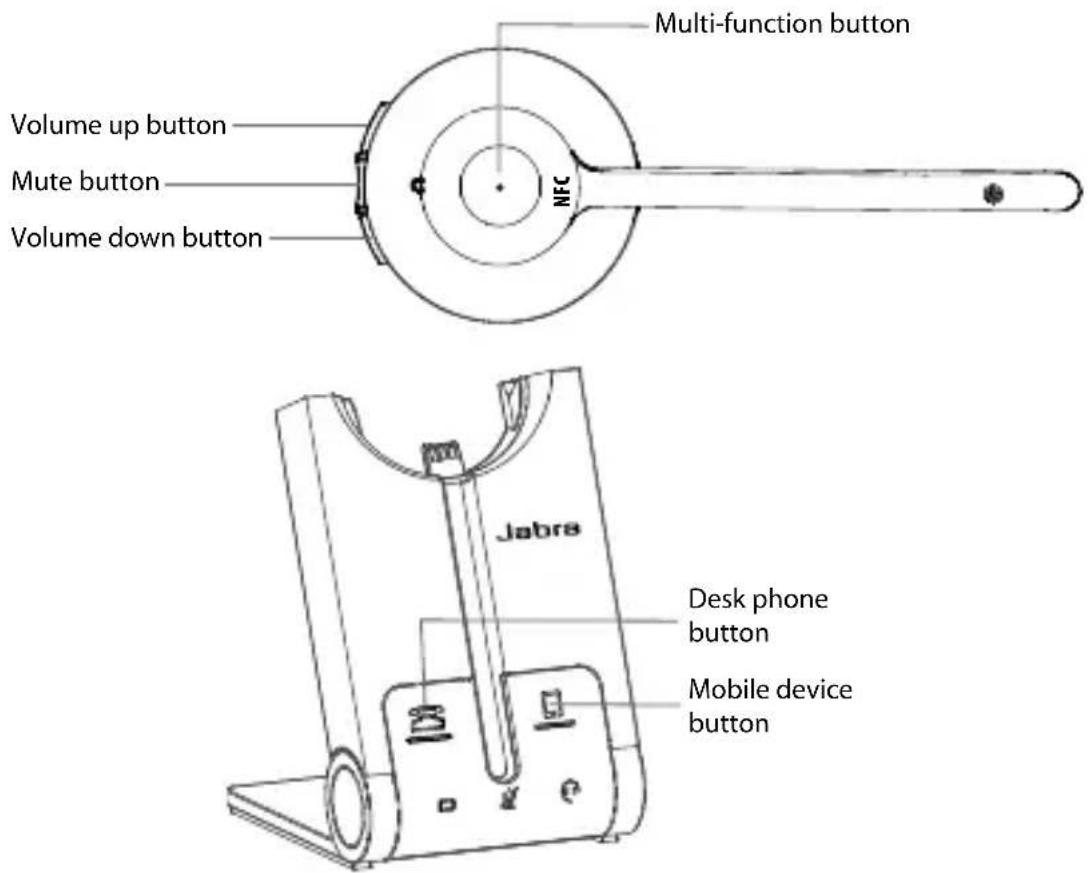
FUNCTION ACTION
 | Headset on/off | Press (1 sec) theMulti-functionbutton to turn on.Press (3 secs) to turn off |
| Answer/end call | Tap theMulti-functionbutton | |
| Reject call | Double-tap theMulti-functionbutton | |
| Initiate call(Desk phone) | Tap theMulti-functionbutton when not on a call | |
| Voice dial(mobile device) | Press (1 sec) theMulti-functionbutton when not on a call |
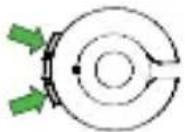
Adjust speaker volume
Tap the Volume up or Volume down button

Mute/un-mute Tap the Mute button

Initiate or answer a call on the selected device
Tap the Desk phone button or Mobile device button on the base
6.1 MULTIPLE CALL HANDLING
The headset can accept and handle multiple calls.
| CALL FUNCTION HOW TO DO IT | ||
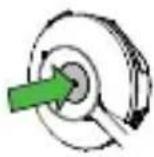 | End current call and answer incoming call | Tap the Multi-function button |
| Switch between held call and active call | Press and hold (2 secs) the Multi-function button | |
| Put current call on hold and answer incoming call | Press and hold (2 secs) the Multi-function button | |
| Reject incoming call, and continue active call | Double-tap the Multi-function button | |
 | Put current call on hold, and answer incoming call | Tap the Desk phone button or Mobile device button on the base |
7. VOICE GUIDANCE
The headset plays a variety of voice announcements to indicate status and connection guidance.
| Go to the Bluetooth menu on your mobile device and connect to Jabra PRO |
| Power on |
| Power off |
| Low battery |
| Mobile connected |
| Mobile disconnected |
| Desk phone connected |
| Desk phone disconnected |
| Mute on |
| Mute off |
8. BASE LED INDICATORS
The Jabra PRO 925 base has five LEDs to indicate battery, call status and events.

LED EVENT


Incoming call


On call


Call on hold


Attempting to connect

Battery charging (slow flash)

Full battery

Low battery

Very low battery (fast flash)
LED EVENT

Sleep mode (slow flash)

Unknown battery status

Microphone muted

Active audio link between headset and base

Searching for headset
9. SOFTWARE
9.1 JABRA PC SUITE
Jabra PC Suite is a collection of software designed to support, manage and enable optimal functionality for Jabra devices.
Download the latest version - jabra.com/pcsuite
9.2 UPDATE FIRMWARE
Updating firmware improves performance or adds new functionality to your Jabra PRO 925.
To update firmware:
- Connect to a PC using a USB cable (not supplied).
- Download and install Jabra PC Suite.
- Launch Jabra Firmware Updater, or check for the latest firmware via Jabra Control Center.
10. ADVANCED SETTINGS
Six advanced settings can be configured using the headset.
■ Mute reminder tone
■ Open phone line on undock
- Intellitone
- Wireless range
■ Remote call control
■ Wideband audio
10.1 CHANGE THE ADVANCED SETTINGS
- Wear the headset, and simultaneously press and hold (5 secs) the volume buttons on the headset until you hear 'setup', and then release the buttons.
- Tap the Multi-function button to cycle through the settings (see table below). Each setting will be announced in the headset. To change a setting, use the volume buttons to cycle through the setting values, and tap the Multi-function button to select the value.
- When finished, simultaneously press and hold (5 secs) the volume buttons until you hear 'goodbye', then release the buttons. The base will reset and update the settings.
10.2 LIST OF ADVANCED SETTINGS
| Cycle through settings |  | Cycle through values | 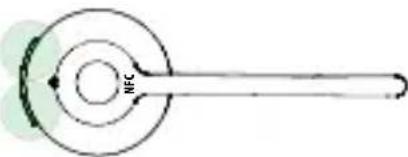 |
| SETTING LIGHT | SETTING | VALUE LIGHT | VALUE |
| x1 | Mute reminder tone | On | |
| Off | |||
| x4 | Open phone line on undock | On | |
| Off | |||
| x5 | Intellitone | Peakstop | |
| Peakstop and Intellitone | |||
| x6 | Wireless range | Normal range | |
| Low range | |||
| Very low range | |||
| SETTING LIGHT | SETTING | VALUE LIGHT | VALUE |
 x7 x7 | Remote call control | Auto detect | |
| GN1000, RHL or none | |||
| Jabra IQ | |||
| DHSG | |||
| MSH | |||
| Optipoint | |||
 x8 x8 | Wideband audio | Off | |
| On |
11. SUPPORT
11.1 FAQ
View the full FAQ on Jabra.com/pro925.
11.2 HOW TO CARE FOR YOUR JABRA DEVICE
■ Always store the headset with the power off.
- Avoid storage at extreme temperatures (below -20°C/-4°F or above 45°C/113°F). This can shorten battery life and may affect speaker operation.
- Do not expose the headset or base to rain or other liquids.
12. TECHNICAL SPECIFICATIONS
JABRA PRO 925 SPECIFICATION
| Weight: | Headset: 28gBase: 176g |
| Dimensions: | Headset: H 131mm x W 50mm x 18mmBase: H 118mm x W 76mm x L 29mm |
| Microphones: Noise reduction microphone | |
| Speakers: Wideband speaker | |
| Operating range: Up to 100m/300ft (class 1) | |
| Bluetooth version: 4.0 | |
| Paired devices: | Up to 8 paired devices, Two active device connected at a time |
| Supported Bluetooth profiles: | Hands Free Profile (v1.6), Headset profile(v1.2) |
| Talk time: Up to 12 hours | |
| Standby time: Up to 7 days | |
| Operating temperature: | -0°C to 40°C (32°F to 104°F) |
| Storage temperature: | -20°C to 45°C (-4°F to 113°F) |
| Pairing passkey or PIN: | 0000 |
- WELCOME
- JABRA PRO 925 FEATURES
- PRODUCT OVERVIEW
- 2.1 HEADSET
- 2.2 BASE
- FOLDABLE BASE STAND
- 2.3 OPTIONAL ACCESSORIES
- CHARGE THE HEADSET
- 3.1 HEADSET BATTERY STATUS
- WHAT YOU SEE BATTERY LEVEL
- HOW TO WEAR
- 4.1 HEADBAND
- 4.2 EARHOOK (OPTIONAL ACCESSORY)
- 4.3 NECKBAND (OPTIONAL ACCESSORY)
- HOW TO CONNECT
- 5.1 CONNECT TO DESK PHONE (WITH HEADSET PORT)
- 5.2 CONNECT TO DESK PHONE (WITHOUT HEADSET PORT)
- 5.3 CONNECT TO MOBILE DEVICE
- 5.4 CONNECT TO MOBILE DEVICE (NFC)
- 5.5 CONNECT TO MOBILE DEVICE (WITHOUT BASE)
- HOW TO USE
- 6.1 MULTIPLE CALL HANDLING
- VOICE GUIDANCE
- BASE LED INDICATORS
- LED EVENT
- SOFTWARE
- 9.1 JABRA PC SUITE
- 9.2 UPDATE FIRMWARE
- ADVANCED SETTINGS
- 10.1 CHANGE THE ADVANCED SETTINGS
- 10.2 LIST OF ADVANCED SETTINGS
- SUPPORT
- 11.1 FAQ
- 11.2 HOW TO CARE FOR YOUR JABRA DEVICE
- TECHNICAL SPECIFICATIONS
Brand : JABRA
Model : PRO 925 Dual Connectivity
Category : Headphones