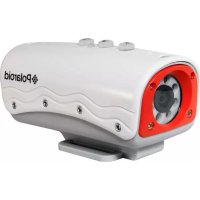
iD642h - Camcorder POLAROID - Free user manual and instructions
Find the device manual for free iD642h POLAROID in PDF.


Pick your language and provide your email: we'll send you a specifically translated version.
| Product Type | Camcorder |
| Brand | Polaroid |
| Model | iD642h |
| Dimensions (approx) | 130 x 70 x 55 mm |
| Weight (approx) | 200 g |
| Power Source | Rechargeable lithium-ion battery |
| Battery Life (approx) | 90 minutes continuous recording |
| Video Resolution | Full HD 1080p (1920 x 1080) |
| Photo Resolution | 16 MP (interpolated) |
| Optical Zoom | Not specified (digital zoom only) |
| Display | 2.7-inch LCD screen |
| Storage Media | SD/SDHC card (up to 32 GB) |
| Connectivity | USB 2.0, HDMI mini, AV output |
| Main Functions | Video recording, photo capture, playback, zoom, night mode, self-timer |
| Care and Cleaning | Wipe exterior with a soft, dry cloth; clean lens with lens tissue |
| Safety Precautions | Keep away from liquids, do not disassemble, avoid extreme temperatures |
| Spare Parts Availability | Contact Polaroid support or authorized dealers |
| Repairability | Service by qualified technician recommended |
| General Information | User manual included; refer to PDF for detailed instructions |
Frequently Asked Questions - iD642h POLAROID
How do I charge the battery?
Connect the provided USB cable to the camcorder and a USB power source (e.g., computer or wall adapter). The charging indicator will light up. Charging time is approximately 2-3 hours.
What type of memory card should I use?
Use an SD or SDHC memory card up to 32 GB capacity. Class 4 or higher is recommended for smooth video recording.
How do I transfer files to my computer?
Connect the camcorder to your computer via the USB cable. The device will appear as a removable drive. Copy or move files from the SD card folder.
Can I use the camcorder while charging?
Yes, you can operate the camcorder while connected to a USB power source, but prolonged use may affect charging speed.
How do I reset the camcorder to factory settings?
Open the menu, navigate to 'Settings' or 'Setup', select 'Reset' or 'Factory Default', and confirm. Alternatively, remove the battery and wait 30 seconds.
What is the maximum video resolution?
The camcorder records video at Full HD 1080p (1920 x 1080) at 30 frames per second.
Does it have optical zoom?
The Polaroid iD642h features digital zoom only. Optical zoom is not available.
How long does the battery last?
Battery life is approximately 90 minutes of continuous recording. Actual time may vary depending on usage and settings.
Can I take photos while recording video?
Yes, press the photo button during recording to capture a still image. Note that video recording will continue.
Where can I download the user manual?
The user manual is available for free download in PDF format on notice-facile.com or the Polaroid support website.
User questions about iD642h POLAROID
0 question about this device. Answer the ones you know or ask your own.
Ask a new question about this device
No questions yet. Be the first to ask one.
Download the instructions for your Camcorder in PDF format for free! Find your manual iD642h - POLAROID and take your electronic device back in hand. On this page are published all the documents necessary for the use of your device. iD642h by POLAROID.