
The Ultimate Frost - Ice Maker Baccarat - Free user manual and instructions
Find the device manual for free The Ultimate Frost Baccarat in PDF.


| Type | Ice Maker |
| Brand | Baccarat |
| Model | The Ultimate Frost |
| Ice Production Capacity | 12 kg per day |
| Ice Storage Capacity | 0.6 kg |
| Ice Cube Size | Small / Large (selectable) |
| Control Interface | LCD touch panel |
| Self-Cleaning Function | Yes |
| Water Supply Method | Manual fill |
| Refrigerant | R600a |
| Voltage | 120 V ~ 60 Hz |
| Power Consumption | 100 W |
| Dimensions (W x D x H) | 290 x 250 x 330 mm |
| Weight | 8 kg |
| Material | Stainless steel / ABS |
| Timer | 24-hour programmable timer |
| Auto Shut-off | Yes (when ice full or water low) |
| Noise Level | Less than 45 dB |
| Certifications | ETL / CE |
| Maintenance | Recommended cleaning every 2 weeks |
| Warranty | 1 year limited warranty |
Frequently Asked Questions - The Ultimate Frost Baccarat
User questions about The Ultimate Frost Baccarat
0 question about this device. Answer the ones you know or ask your own.
Ask a new question about this device
Download the instructions for your Ice Maker in PDF format for free! Find your manual The Ultimate Frost - Baccarat and take your electronic device back in hand. On this page are published all the documents necessary for the use of your device. The Ultimate Frost by Baccarat.
USER MANUAL The Ultimate Frost Baccarat
Up to 12 kg of ICE Daily
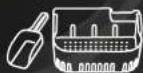
Includes Ice Scoop and Ice Bucket

Self Cleaning Mode

2 Ice Cube Sizes

Quiet operation


Baccarat®
The Ultimate Frost
ICE CUBE MAKER
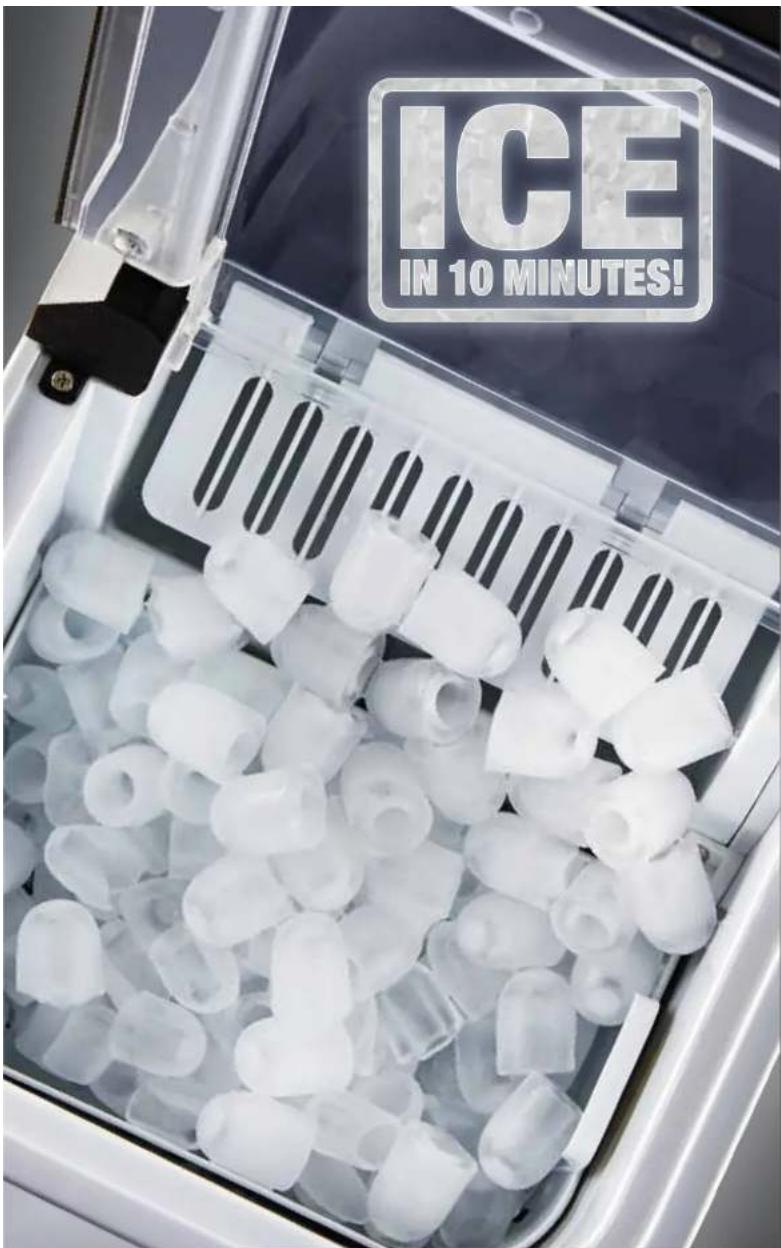
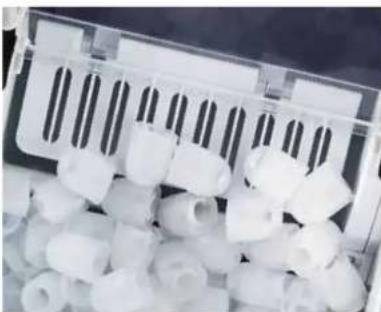
Every home bar, cocktail party and function needs The Baccarat® Ultimate Frost Ice Maker. This large capacity Ultimate Frost Ice Maker produces 9 ice cubes every 6-10 minutes, producing up to 12kg of ice in 24 hours, perfect for all your social events.
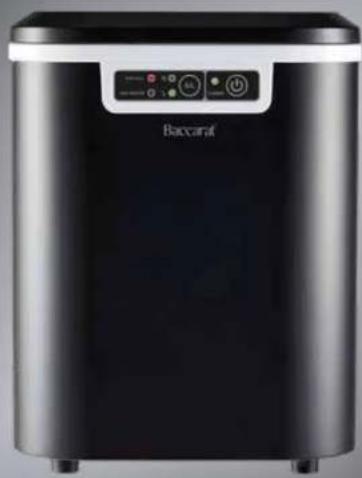
Baccarat® The Ultimate Frost
BACCARAT® IMPORTANT SAFETY INSTRUCTIONS FOR ALL ELECTRICAL APPLIANCES. PLEASE READ CAREFULLY BEFORE FIRST USE & RETAIN FOR FUTURE REFERENCE.
Safety is at the forefront of design and manufacturing throughout the process of all Baccarat® products. It is essential that the product user exercise care when using a Baccarat® electrical appliance. Please adhere to the following precautions which are essential for the safe use of an electrical appliance:
Safety precautions for the Baccarat® Ultimate Frost.
- WARNING: Do not use mechanical devices or other means to accelerate the defrosting process, other than those recommended by the manufacturer.
- WARNING: Do not use electrical appliances inside the food storage compartments of the appliance, unless they are of the type recommended by the manufacturer.
- Do not store explosive substances such as aerosol cans with a flammable propellant in this appliance.
- WARNING: When positioning the appliance, ensure the supply cord is not trapped or damaged.
- WARNING: Do not locate multiple portable socket-outlets or portable power supplies at the rear of the appliance.
• WARNING: Risk of fire / Flammable materials
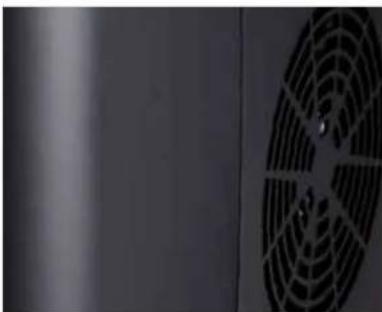
- Do not let any water or other liquid enter the appliance motor or vents to prevent electric shock and damage to the appliance.
- Only pour water into the water reservoir. Ensure to only use drinkable water. Do not use other liquids.
- This appliance is only suitable for making and storing ice cubes.
- Do not place the appliance against a wall or against other appliances. Leave minimum 30cm free space at the back, sides and above the appliance.
- Keep ventilation openings of the appliance clear of obstructions. Keep away from curtains and other flammable materials. Avoid direct exposure to heat or sunlight.
- Do not damage the refrigerant circuit.
- Do not hold the appliance lid to move the appliance, lift from the bottom of the appliance to move to desired location.
- The appliance must sit for 30 minutes after moving, before switching the power on. Failing to do this may cause damage to the appliance.
- Do not turn the appliance upside down or tilt.
- The appliance must be placed in a dry, smooth, flat surface. Ensure the appliance is placed in a well-ventilated area to avoid overheating.
Baccarat®
- Clean the water reservoir if it has not been in power for more than 48 hours.
- Do not keep water in the water reservoir for longer than 5 days. Ensure to drain the water out of the water reservoir.
- Do not move the appliance when in power.
Safety Precautions for all Baccarat® Electrical Appliances.
- This appliance cannot be used by persons (including children) with reduced physical, sensory, or mental capabilities, or lack of experience and knowledge, unless they have been given supervision or instruction concerning use of the appliance by a person responsible for their safety.
• Children should always be supervised to ensure that they do not play with the appliance. - Keep the appliance and its cord out of reach of children less than 8 years old.
- To eliminate a choking hazard for young children, remove and safely discard the protective cover fitted to the power plug of this appliance.
- Always turn the power off at the power outlet before you insert or remove a plug. Remove by grasping the plug - do not pull on the cord.
- Turn the power off and remove the plug when the appliance is not in use and before cleaning. Allow to cool before cleaning.
- Do not use the appliance with an extension cord unless this cord has been checked and tested by a qualified electrician.
• Always use the appliance from a power outlet of the voltage (A.C. only) marked on the appliance. - Do not pull or carry the appliance by its power cord. Do not bend the cord around sharp edges or corners and never force the plug into the outlet.
- The temperature of accessible surfaces may be high when the appliance is operating.
- Never leave the appliance unattended while in use.
- Do not use the appliance for any purpose other than its intended use.
- Do not, place the appliance on or near a hot gas flame, electric element, on or in a heated oven.
- Do not place on top of any other appliance.
- Do not let the power cord of the appliance hang over the edge of a table or bench top or touch any hot surface.
- Do not operate any electrical appliance with a damaged plug, cord or after the appliance has been damaged in any manner. If damage is suspected, return to place of purchase, or see how to claim under warranty.
- Do not immersc the appliance in water or any other liquid unless recommended.
- The appliances are not intended to be operated by means of an external timer or separate remote-control system.
- Do not use unauthorised accessory attachments as they may cause injuries.
- This appliance is for household use only. Do not use this appliance for anything other than its intended use. Do not use in moving vehicles or boats. Do not use outdoors. Misuse may cause injury.
- The appliance should always be used on a smooth, hard, flat, stable, dry and heat-resistant surface, such as a benchtop or table.
- Allow to cool before storing.
• Refer to 'Care Guide' for cleaning.
Operating Instructions
Before First Use
- Remove all the packaging materials and safely discard.
- Remove any surface stickers or labels from the appliance and discard.
- Clean and thoroughly dry all components. Refer to 'How to Clean' and 'Care Guide' for cleaning.
Using the Baccarat® - Ultimate Frost
- Place the appliance on a stable, dry, levelled, and well-ventilated surface.
- Note: The recommended room temperature is between 10°C and 32°C.
- Allow the appliance to sit for 30 minutes after moving. Ensure the drain plug is well secured in the water reservoir.
- Fill the water reservoir with drinkable water, ensuring the minimum water level is met and not exceeding past the maximum water level mark.
- Place the ice cube basket into position (Sits above the water reservoir)
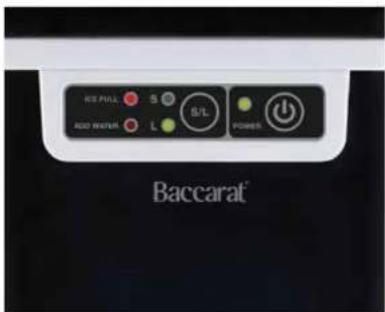
- Plug the appliance in at the wall socket. The "Power" indicator light will flash, and the appliance will be on standby mode.
- Press the ⏻ to commence the ice-making process. The "Power" indicator light will stay illuminated.
Baccarat®
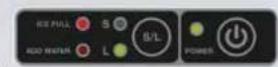
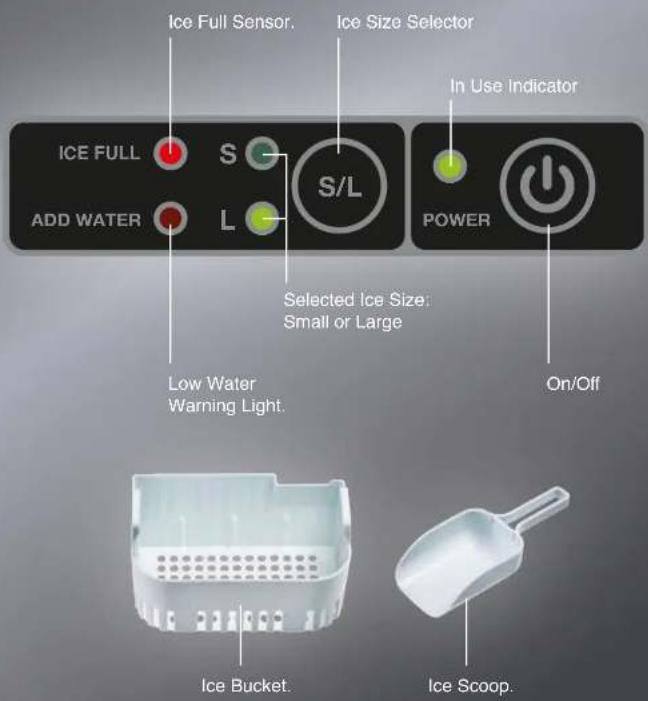
- Select the desired ice size (Small or Large) by pressing the S/Ice selector button until the desired ice size light S or L is illuminated.
- Note: The appliance may take longer for the first cycle of ice to produce, after the first cycle, the ice making cycle lasts approximately 6-10 minutes depending on ambient and water temperature, producing 9 ice cubes per cycle.
- Once the desired amount of ice has been dispensed, press the (power) button and unplug the appliance from the wall outlet. Transfer ice cubes to a freezer.
Low Water Level Warning Light:
- The ADD WATER warning light will illuminate when the water reservoir has dropped to the minimum water level mark and the appliance will stop. Remove the ice basket and ensure to refill the water reservoir with drinkable water to reach the required water levels again (not exceeding past the maximum water level mark). Once required water levels are met in the water reservoir, the "ADD WATER" warning light will turn off. Press the (power) button to restart the ice making cycle.
- Note: Periodically check the water levels in the water reservoir and refill as required.
Ice Bucket Full Warning Light:
- The appliance will stop when the ice basket is full and the ICE FULL indicator is illuminated. Ensure to check on the ice basket capacity and gently remove any required ice from the ice basket. The appliance will restart the ice making process automatically. - Note: Occasionally, some ice cubes may fall towards the 'ice full' sensor and trigger the 'ice full' sensor. Check the ice bucket periodically and move away any ice cubes that may be triggering the sensor.
How to Clean:
- Switch off, unplug and dismantle before cleaning.
- Move the appliance so the drainage water outlet is in a suitable position and location for the water to drain out of (i.e near a sink).
- Remove the ice bucket and ice scoop.
- Remove the drain plug located at the bottom of the water reservoir. The water will flow out of the water outlet.
- Clean the interior and exterior of the appliance with a soft damp cloth with warm water and mild diluted detergent.
- Dry the interior and exterior thoroughly.
- Replace the drain plug back and securely tighten to ensure no water leakage for your next use.
- Wash the ice basket and ice scoop in warm soapy water. Rinse and dry.
Self-Cleaning Mode
Alternatively, the Automatic 'Self-Cleaning Mode' may be used. If required, a 50/50 mixture of vinegar and water may be added to the water reservoir for the self-cleaning mode.
- Ensure there is sufficient water in the water reservoir.
- Enter standby mode. The "power" light will be flashing when in standby mode. If the "power" light is illuminated solid, press the (4)power button to enter standby mode.
- Once in standby mode, long press the power button for approximately 5 seconds. The appliance will enter the Self-cleaning Mode.
- Note: The ICE FULL and ADD WATER warning lights and "power" light will be illuminated whilst in the self-cleaning mode.
- The self-cleaning mode will automatically stop once finished and return to standby mode.
- Once self-cleaning has been completed, ensure to drain the water in the reservoir following steps 1-4 in "How to Clean". Dry the interior thoroughly, replace the drain plug back and securely tighten to ensure no water leakage for next use.
Care Guide
• Always switch off, unplug, and dismantle before cleaning.
- Ensure water does not enter into the ventilation openings of the appliance.
- Never put the appliance, plug, or cord in water or allow the cord or plug get wet.
- Do not rinse the appliance with water.
- Do not wash parts in the dishwasher.
- Allow appliance and parts to cool down before cleaning and storing away.
- Do not clean with scouring powders, steel wool pads or other abrasive materials.
- If the appliance will not be used for an extended period, unplug the drain cap, and ensure all water in the water reservoir is drained out. Wipe the interior dry.
Storage
- Once clean, store in a dry, well-ventilated cupboard.
Disposal
- Dispose of the appliance in accordance with the local environmental laws and guidelines.
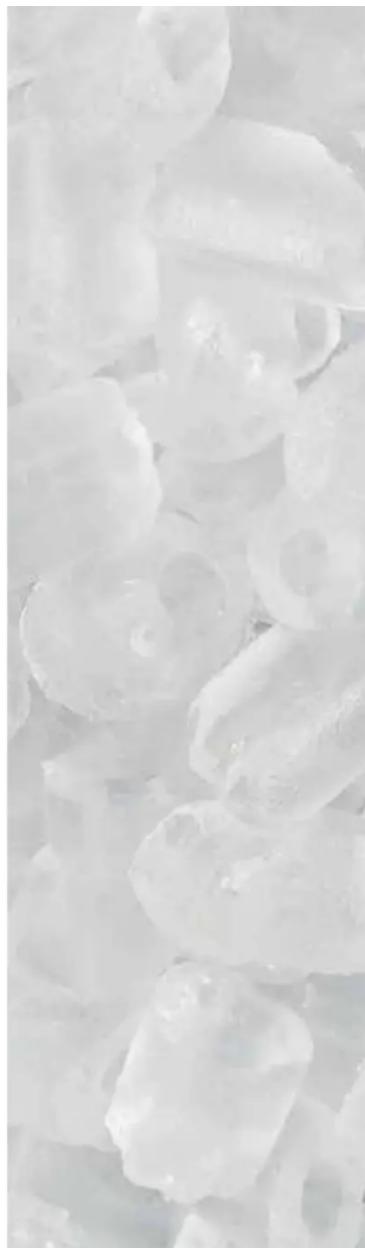
9 Ice Cubes Every 6-10 Minutes
Made in The Ice Maker Box and Then Automatically
Scooped Into The Removable Ice Basket.
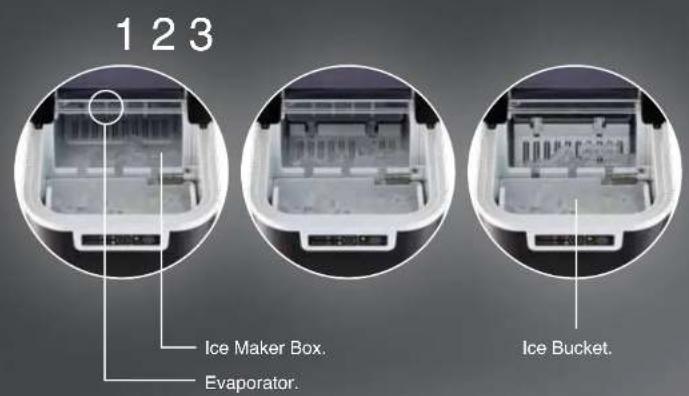
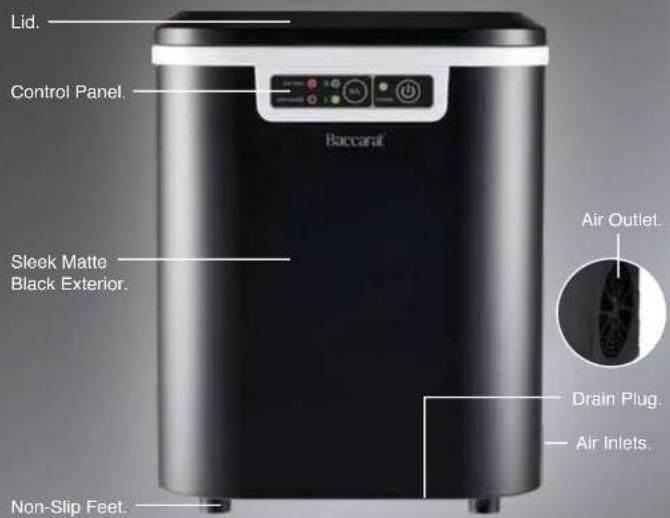
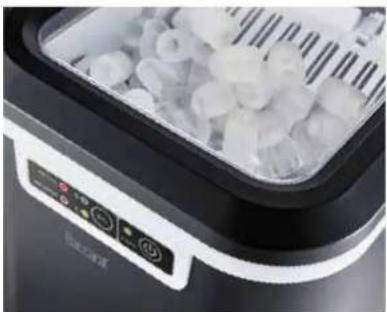
Enjoy endless ice with The Baccarat® Ultimate Frost Ice Maker. Choose between small or large bullet-shaped ice cubes using our easy to use control panel. The Ultimate Frost Ice Maker is extremely quiet and can sit on your counter top, producing up to 12kg of ice in 24 hours, 9 ice cubes every 6-10 minutes. The transparent window allows you to easily monitor your ice-making process without lifting the lid.
Touch Control Panel.
Baccarat®
Troubleshooting
| Problem | Cause Solution | |
| ADD WATERWarning light turns on. | Low water level or lack of water. | Stop making ice, refill the water reservoir with drinkable water to reach the required water levels again. Press the (power) button to restart the ice making cycle. |
| ICE FULLWarning light turns on. | Ice basket is full. | Remove the ice cubes from ice basket. |
| ICE FULLWarning light turns on but the ice basket is not full. | Some ice cubes have fallen near the sensor. | Push away any ice cubes that are triggering the sensor into the ice basket. |
| The ice-making cycle seems normal, but no ice is produced. | The ambient temperature or water temperature is too high. | Replace the appliance in a suitable environment with an ambient temperature less than 32°C and fill the water reservoir with some cold water. |
| Refrigeration system failure. | Turn the appliance off and return the appliance to the place of purchase. | |
| Water is leaking from the drainage outlet. | The drainage plug is not plugged in. | Plug in the drainage plug to the water outlet, located inside the water reservoir. |
| The drainage plug is not tightly secured. | Tighten the drainage plug located inside the water reservoir. | |
| The ice cubes are melting. | The appliance is not designed to store ice for long periods of time. Melting ice is normal operation if ice is not used or moved to a cooler or freezer regularly. The duration that the ice cubes will last in the appliance is dependent on the ambient temperature of the environment it is in. | After extended period, transfer ice cubes to a freezer. |
Troubleshooting
| Problem Cause Solution | ||
| Poor ice making results. | Poor heat dissipation. | Ensure there is a 30cm clearance on all sides of the appliance for proper ventilation. |
| The water temperature is too high. | Refill the water reservoir with water ranging between 8°C and 28°C. | |
| The ambient temperature is too high. | Operate the appliance in an environment with an ambient temperature between 10°C and 32°C. | |
| The ice cubes are sticking together. | The temperature of the water in the appliance is too cold. | Ensure the water temperature is between 8-32°C. |
Baccarat®
Warranty
Baccarat® 12 Month Guarantee
Baccarat® is covered by a "12 Month Guarantee" which is provided during the Warranty Period (defined below) by the following importers in the country in which you bought this product:
Australia; Playcorp Pty Ltd. www.globalretailbrandsAU.com Level 3, 425 St Kilda Road Melbourne Victoria 3004 1300 136 936
The Terms and Conditions of the 12 Month Guarantee are as set out below.
What it Covers:
The "12 Month Guarantee" constitutes a warranty that the product is free from defects in workmanship, manufacture and materials, or abnormal deterioration when used in accordance with our "Care and Use Instructions" as contained in this Manual and normal domestic use during the Warranty Period.
What it does not Cover:
To the extent permitted by applicable laws, the 12 Month Guarantee does not cover defects or faults caused to the product by:
- Misuse or a failure to use in accordance with our "Care and Use Instructions", such as improper use and cleaning, neglect, modification, fire or flood, theft or commercial use, or normal wear and tear;
- Defects or damages caused by accessories, replacement parts or repair services other than those that have been authorised by Baccarat ® or the importer; or
- Cosmetic damages that do not impair the function of the product (examples include but are not limited to scratches, water marks, cracks, dents, stains or discolouration to surfaces).
Warranty Period
The "12 Month Guarantee" starts from the date of purchase by the original end user and continues for twelve (12) months from this date (Warranty Period). Replacement of the product or a part of the product does not extend or restart the Warranty Period.
How to Claim:
To make a claim under the 12 Month Guarantee for a defective product, please cease using the product and contact the importers customer service team for assessment (see contact details at the end of this warranty). You may also present the item at the place of purchase with proof of purchase for an assessment but your claim may be deferred to the importer for further assessment. In order to make a claim under this Warranty, you will need your original proof of purchase and to provide an explanation as to the nature of the defect. You will need to provide your product model number and batch code. This can be found on a sticker and is typically located underneath or on the back of the product. Once we have this information and the details of the problem with your product, we will be able to advise you of next steps required to process your Warranty claim.
You must not Dispose of any
Defective Product:
We may need you to send it back to us. If so, we will give you full details of how to prepare it for shipping and how to return it to us free of charge (see under heading 'The costs of claiming' below). You must make a claim or present the item with proof of purchase (as applicable) during the Warranty Period.

What happens if you make a Claim:
If your claim is assessed to be valid, the product will be repaired or replaced by an alternative product. Any decision as to whether to repair or replace a product is to be made by the importer in its absolute discretion.
If an identical replacement product is not available, the retailer or the importer may replace your product with a new product with equivalent features and specifications as determined by the retailer or the importer where the retail price of the replacement does not exceed the original purchase price paid for the product. Once any product or part has been replaced, the original product or part becomes our property.
The Costs of Claiming:
There is no cost to you for making a claim for a defective product and receiving a replacement or repaired product.
We will be responsible for all shipping costs for the claims under this Warranty which are assessed by the importer as valid. However, we may arrange with you to pick up the replacement or repaired product directly from our business address in certain circumstances. The product will be at your risk whilst in transit between you and the relevant retailer.
Your Statutory Rights:
The purchaser who is a consumer has statutory rights in relation to this product and this Warranty does not affect those statutory rights. Nothing in this Warranty restricts or affects any of the guarantoes, rights or remedies given to you under any other relevant law.
New Zealand - Our goods come with guarantees that cannot be excluded under the New Zealand consumer law. You are entitled to your available rights and remedies under the Consumer Guarantees Act 1993.
Australia - Our goods come with guarantees that cannot be excluded under the Australian Consumer Law. You are entitled to a replacement or refund for a major failure and compensation for any other reasonably foreseeable loss or damage. You are also entitled to have the goods repaired or replaced if the goods fail to be of acceptable quality and the failure does not amount to a major failure.
Further Enquiries and Contact Details for Claims:
Visit your relevant and local importer website to obtain additional options for submitting a further enquiry through customer service.
Australia; Playcorp Pty Ltd. www.globalretailbrandsAU.com 1300 136 936.


- BACCARAT®
- THE ULTIMATE FROST
- BACCARAT® THE ULTIMATE FROST
- BACCARAT® IMPORTANT SAFETY INSTRUCTIONS FOR ALL ELECTRICAL APPLIANCES. PLEASE READ CAREFULLY BEFORE FIRST USE & RETAIN FOR FUTURE REFERENCE
- SAFETY PRECAUTIONS FOR THE BACCARAT® ULTIMATE FROST
- SAFETY PRECAUTIONS FOR ALL BACCARAT® ELECTRICAL APPLIANCES
- OPERATING INSTRUCTIONS
- BEFORE FIRST USE
- USING THE BACCARAT® - ULTIMATE FROST
- LOW WATER LEVEL WARNING LIGHT
- ICE BUCKET FULL WARNING LIGHT
- HOW TO CLEAN
- SELF-CLEANING MODE
- CARE GUIDE
- STORAGE
- DISPOSAL
- WARRANTY
- BACCARAT® 12 MONTH GUARANTEE
- THE TERMS AND CONDITIONS OF THE 12 MONTH GUARANTEE ARE AS SET OUT BELOW
- WHAT IT COVERS
- WHAT IT DOES NOT COVER
- WARRANTY PERIOD
- HOW TO CLAIM
- YOU MUST NOT DISPOSE OF ANY
- DEFECTIVE PRODUCT
- WHAT HAPPENS IF YOU MAKE A CLAIM
- THE COSTS OF CLAIMING
- YOUR STATUTORY RIGHTS
- FURTHER ENQUIRIES AND CONTACT DETAILS FOR CLAIMS
Brand : Baccarat
Model : The Ultimate Frost
Category : Ice Maker